
Description
Your website might be breaking accessibility laws right now.
Auditica is a WCAG 2.1 accessibility scanner for WordPress. It crawls your public pages, flags WCAG 2.1 AA violations, and shows you exactly what to fix — no client-side overlay widget. The Pro add-on adds AI-powered auto-remediation that applies fixes server-side.
Unlike overlay widgets that patch problems on the client side, the Pro add-on applies fixes server-side through WordPress filters, modifying the HTML before it reaches the browser — real remediation, not a cosmetic layer.
How It Works
- Scan — Auditica crawls your site’s public pages, parses the DOM, and checks each element against WCAG 2.1 AA rules.
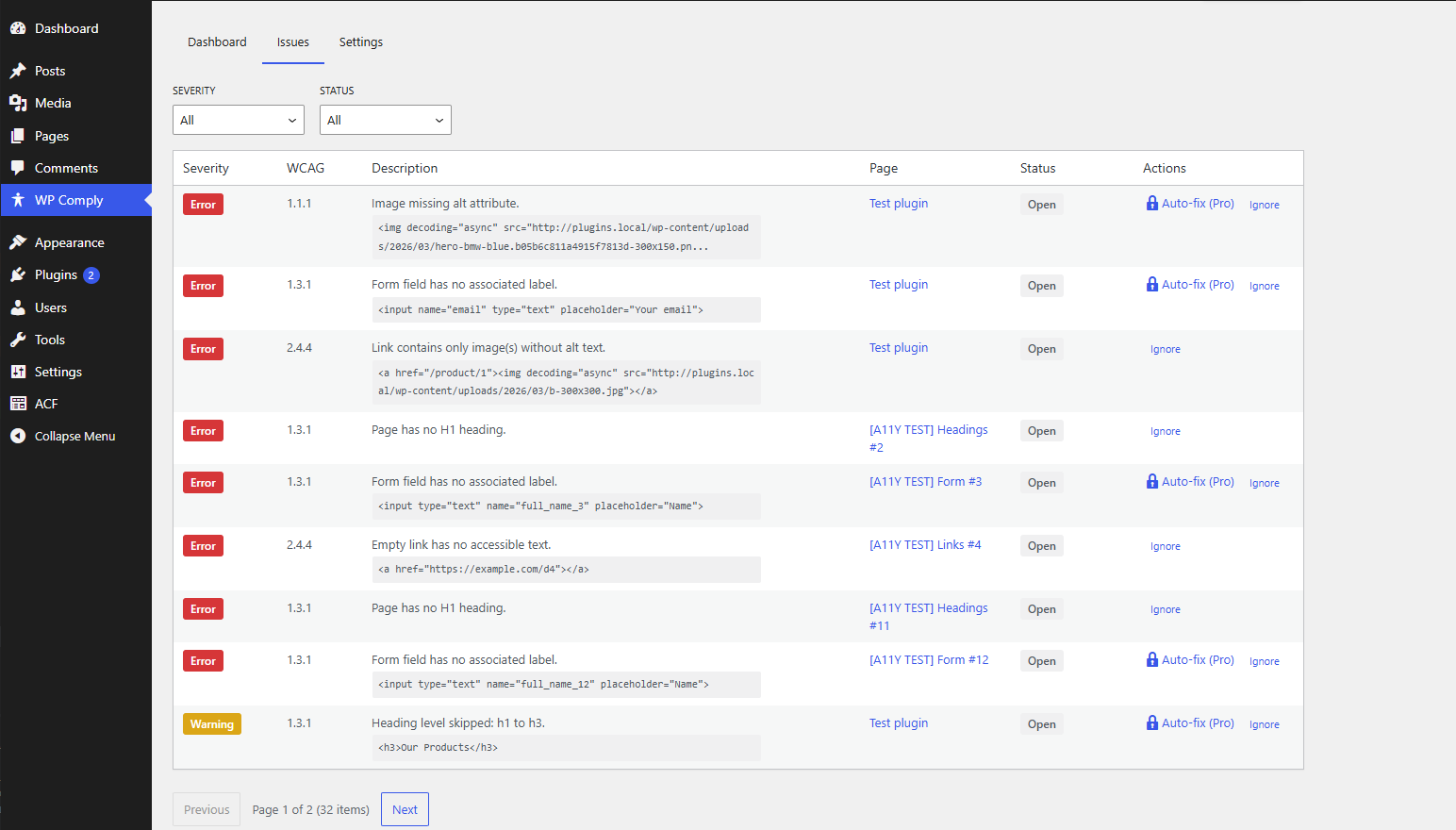
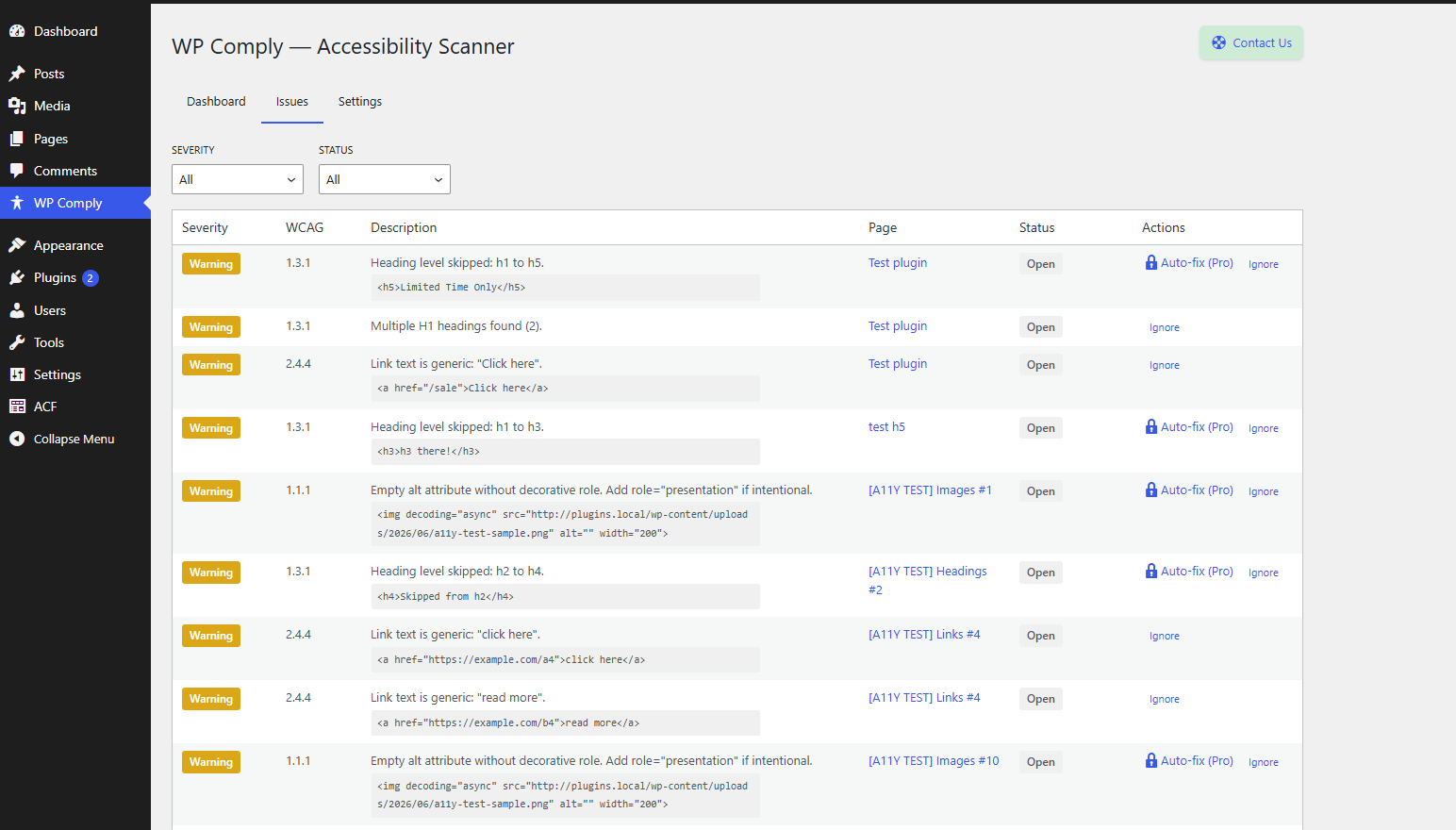
- Review — View all issues in a clean dashboard with severity levels, affected pages, and WCAG criteria references.
- Fix — Resolve issues manually, or upgrade to Pro for AI-powered auto-remediation.
- Monitor — Track your Compliance Score over time and export reports.
Free Features
- Full WCAG 2.1 scanner with 5 built-in rules:
- Missing image alt text (WCAG 1.1.1)
- Heading hierarchy problems (WCAG 1.3.1)
- Missing form labels (WCAG 1.3.1)
- Non-descriptive link text (WCAG 2.4.4)
- Missing HTML language attribute (WCAG 3.1.1)
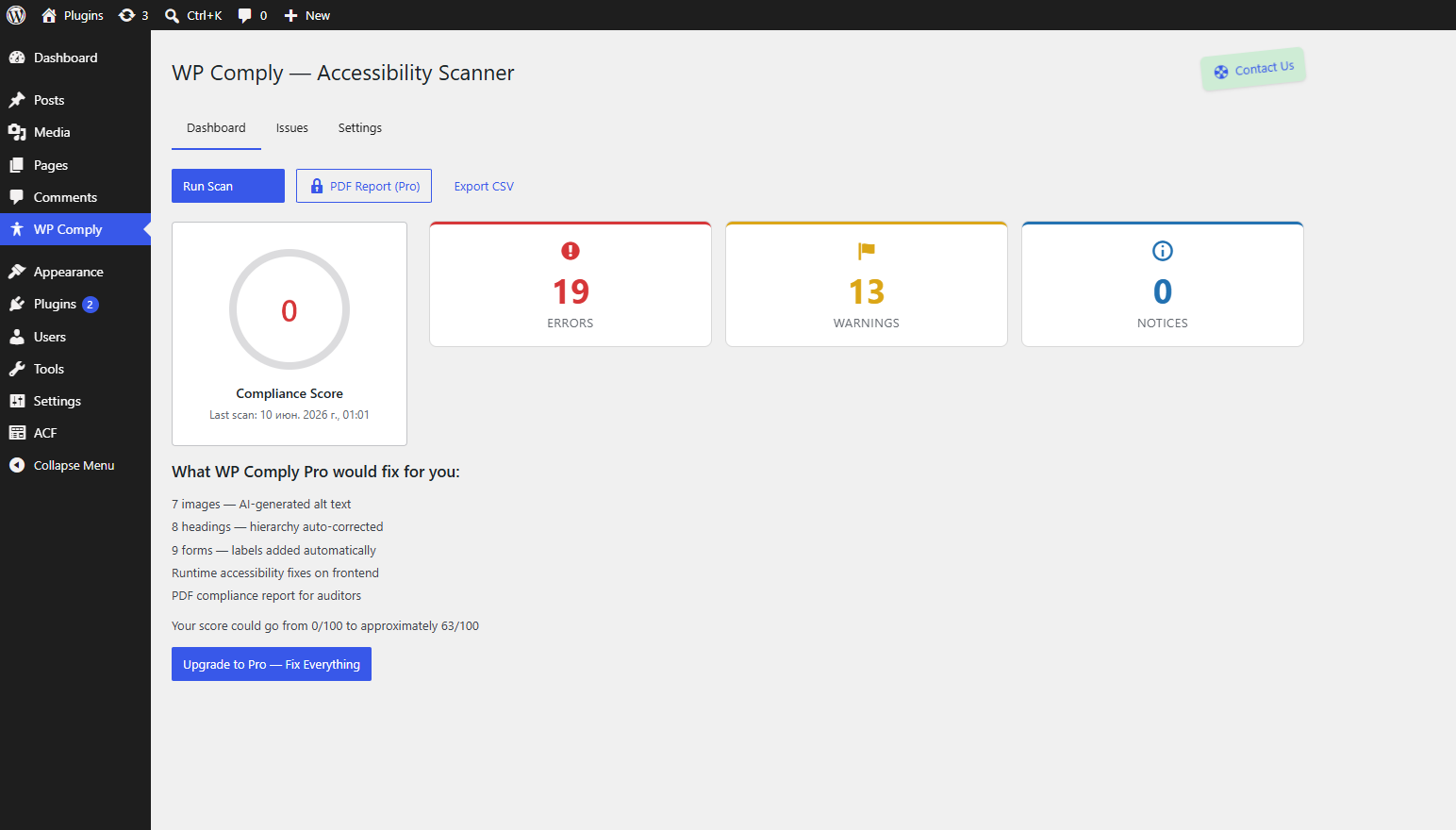
- Compliance Score dashboard — see your site’s accessibility health at a glance
- Issues list with severity levels (Error, Warning, Notice)
- CSV export of scan results
- Chunked scanning — large sites are scanned in small batches, so scans never time out
- Translation ready — fully internationalized; translations are provided through translate.wordpress.org
Pro Features ($99/year)
- AI alt-text generation — automatically generate meaningful alt text for images using AI vision
- Runtime server-side fixes — auto-apply fixes (alt text, headings, form labels, skip links) on every page load via WordPress filters
- PDF compliance reports — generate professional audit reports for stakeholders, clients, or legal teams
- AI remediation engine — BYOK (Bring Your Own Key) with OpenAI or Anthropic
Learn more and upgrade at pluginica.com
Why Auditica?
- Not an overlay — fixes are applied server-side, modifying HTML before it reaches the browser
- Non-invasive — never modifies your WordPress posts or database directly; fixes are stored separately and applied through filters
- BYOK — bring your own OpenAI or Anthropic API key for AI features (Pro)
- Built for WordPress — uses native APIs and the WordPress REST API
External services
The free version of Auditica performs all scanning on your own server. It does not connect to, or send any data to, external services — including our own servers.
AI-powered features (alt-text generation and remediation) are provided by a separate, paid Pro add-on and are strictly opt-in. They use a “bring your own key” model: you supply your own OpenAI or Anthropic API key. When you trigger an AI action in the Pro add-on, the relevant image URLs and page content are sent to the provider you selected so it can generate suggestions. AI configuration and the API key field appear only after the Pro add-on is installed and licensed — the free plugin offers no AI configuration and sends nothing to these providers.
Providers and their terms:
- OpenAI — Terms: https://openai.com/policies/terms-of-use — Privacy: https://openai.com/policies/privacy-policy
- Anthropic — Terms: https://www.anthropic.com/legal/consumer-terms — Privacy: https://www.anthropic.com/legal/privacy
You are responsible for your own API usage, costs, and compliance with the chosen provider’s terms.
Screenshots
Installation
- Upload the
auditica-accessibility-scannerfolder to the/wp-content/plugins/directory, or install it directly through the WordPress plugin screen. - Activate the plugin through the “Plugins” screen in WordPress.
- Navigate to Accessibility Scanner in the admin sidebar.
- Click Run Scan to analyze your site. Your Compliance Score will appear within minutes.
- Review the issues list, filter by severity, and start fixing.
For AI-powered features (Pro), enter your OpenAI or Anthropic API key in Accessibility Scanner > Settings.
FAQ
-
What WCAG criteria does the free version check?
-
The free version includes 5 scanning rules: missing image alt text (1.1.1), heading hierarchy issues (1.3.1), missing form labels (1.3.1), non-descriptive link text (2.4.4), and missing HTML language attribute (3.1.1).
-
Is Auditica an overlay?
-
No. Auditica never injects an overlay widget on your site. All fixes are applied on the server side through WordPress filters, modifying HTML before it is sent to the browser. This is the correct way to achieve real accessibility compliance.
-
Will Auditica modify my posts or database?
-
No. Auditica stores all fixes in its own custom database tables. It applies them at render time through WordPress content filters. Your original content is never touched.
-
Does it work with page builders?
-
Auditica scans the final rendered HTML of each page, so it works with any theme or page builder — Elementor, Beaver Builder, Divi, Gutenberg, and others.
-
How long does a scan take?
-
Scanning runs in small batches directly from the dashboard, so it will not slow down your site or cause timeouts. A typical 50-page site scans in under a minute.
-
What is the Compliance Score?
-
The Compliance Score is a percentage representing how many accessibility checks your site passes. It is displayed on the Auditica dashboard and updates after each scan.
-
What does Pro add?
-
Pro adds AI-powered alt-text generation, runtime server-side auto-fixes, and PDF compliance reports. It requires your own OpenAI or Anthropic API key.
-
What languages is Auditica available in?
-
Auditica is fully internationalized and automatically uses your WordPress site language. Translations are hosted on translate.wordpress.org and delivered through the standard WordPress translation updates — you can also contribute a translation for your own locale there.
-
What PHP version is required?
-
PHP 8.0 or higher is required.
-
Where is the source code for the bundled JavaScript?
-
The admin dashboard is a React application. Its unminified source is included in the plugin under
src/dashboard/(JSX components and SCSS), together with the build configuration inpackage.json.To rebuild the compiled assets in
build/from source, run:npm install npm run buildThe build uses @wordpress/scripts (webpack) with its default configuration — no custom webpack config is required.
Reviews
There are no reviews for this plugin.
Contributors & Developers
“Auditica – Accessibility Scanner” is open source software. The following people have contributed to this plugin.
Contributors
Translate “Auditica – Accessibility Scanner” into your language.
Interested in development?
Browse the code, check out the SVN repository, or subscribe to the development log by RSS.
Changelog
0.1.0
- Initial release.
- 5 WCAG 2.1 AA scanning rules (alt text, headings, form labels, link text, language).
- Compliance Score dashboard.
- Issues list with severity levels.
- CSV export of scan results.
- Chunked batch scanning — no timeouts on large sites.