

Description
ATH XML Feed for Skroutz lists your WooCommerce products on Skroutz with an XML feed built to Skroutz’s own rules. You give Skroutz one address, and the plugin keeps the file behind it up to date.
It works for any kind of shop that sells on Skroutz: fashion, electronics, home, beauty, tools and the rest.
The feed
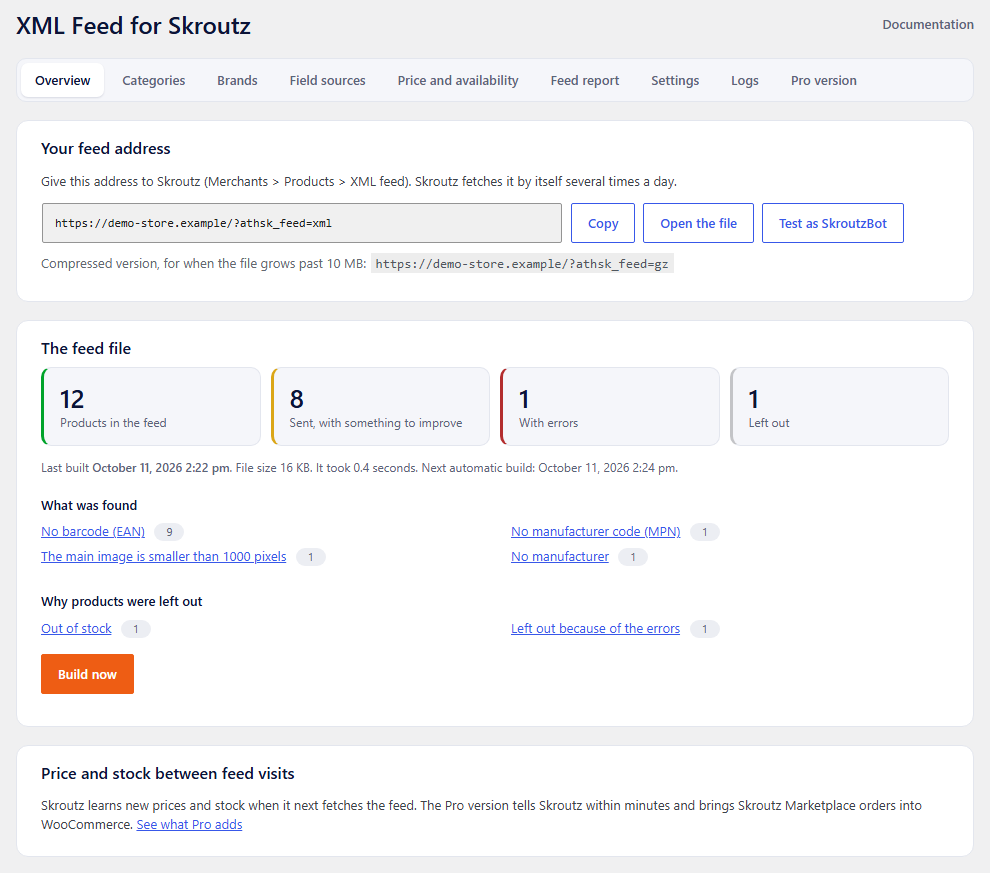
- Built in the background, a batch of products at a time, so large catalogues do not slow the shop down. Skroutz always receives the last finished file.
- A plain and a compressed (gzip) version, for feeds over 10 MB.
- Variable products the way Skroutz wants them: each colour is listed as a separate product, and its sizes as size variations.
- Text is sent as plain text, without HTML, and cut to Skroutz’s length limits.
Mapping and rules
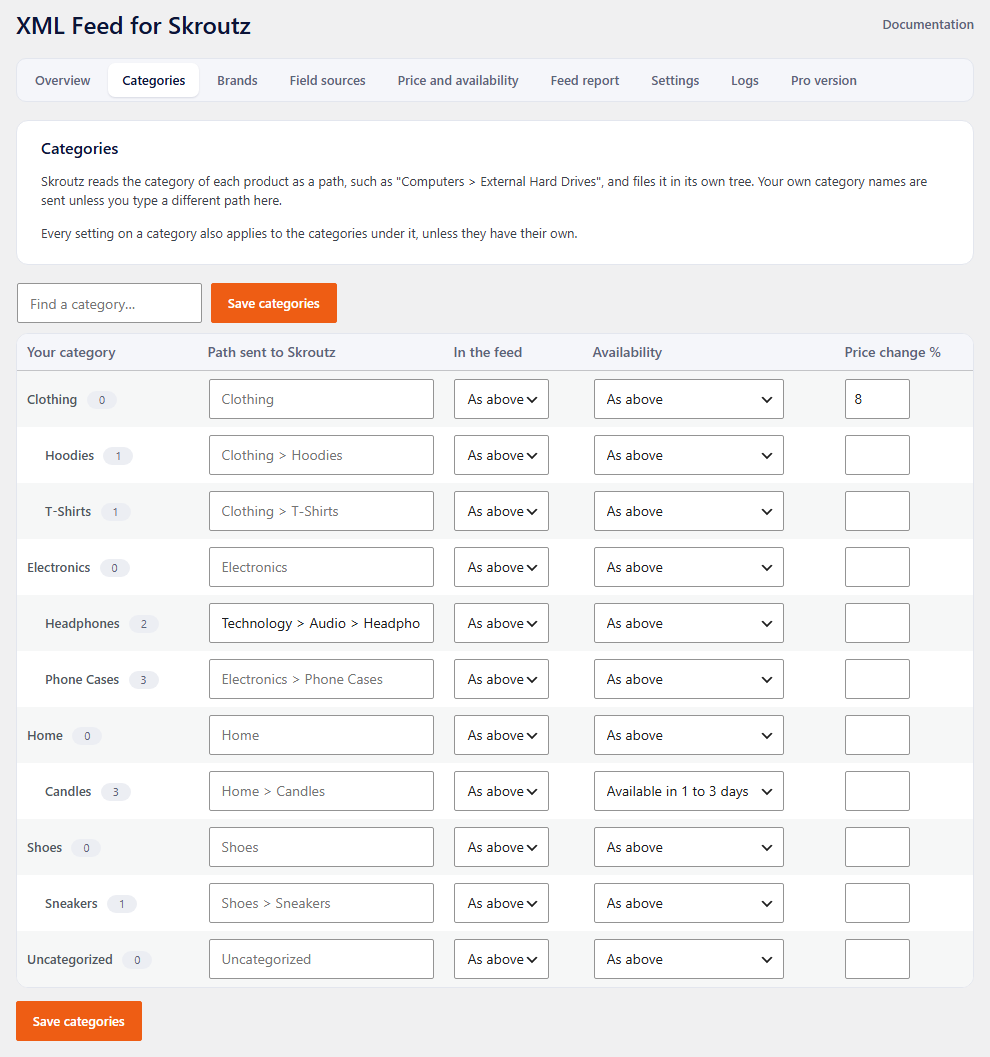
- Categories: your own category path is sent, or a path you type. Each category can also be switched off, given its own availability or its own price percentage. Settings pass down to subcategories.
- Brands: rename a brand to the name Skroutz uses.
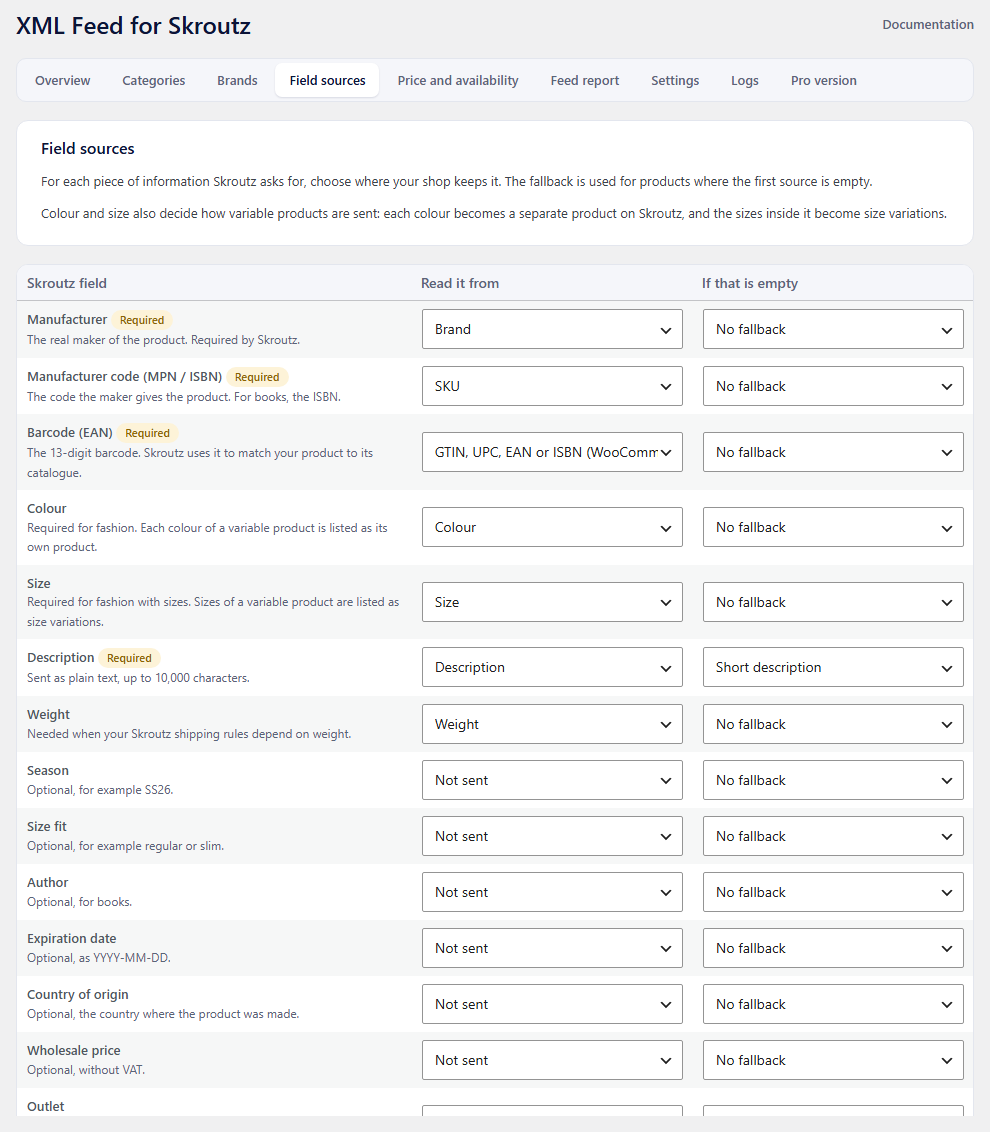
- Field sources: choose where manufacturer, MPN, barcode, colour, size, description, weight and the optional fields come from: a product field, an attribute, a taxonomy, a custom field or a fixed value, each with a fallback.
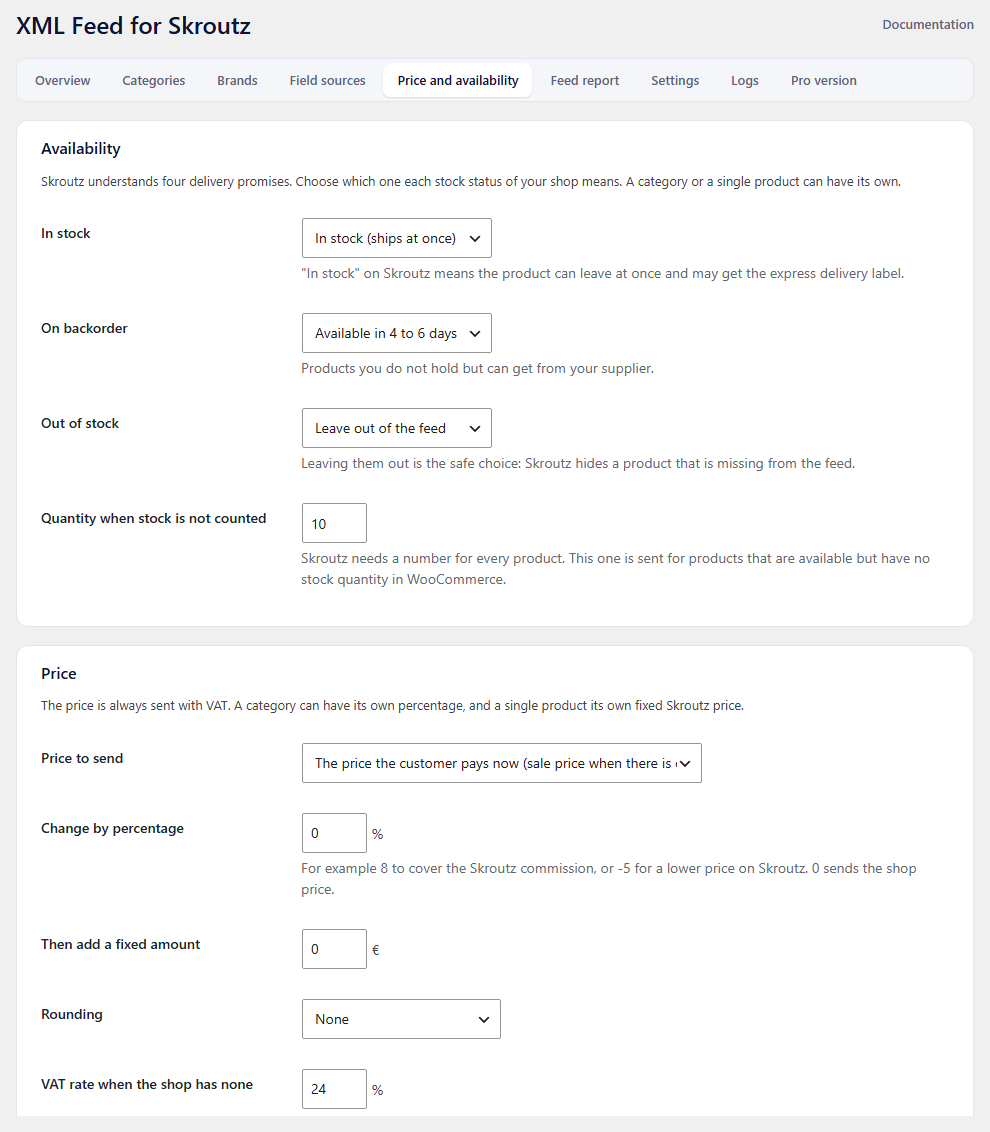
- Availability: which of Skroutz’s four delivery promises each stock status means.
- Price: sale or regular price, a percentage, a fixed amount, rounding, and a fixed Skroutz price per product.
Checks
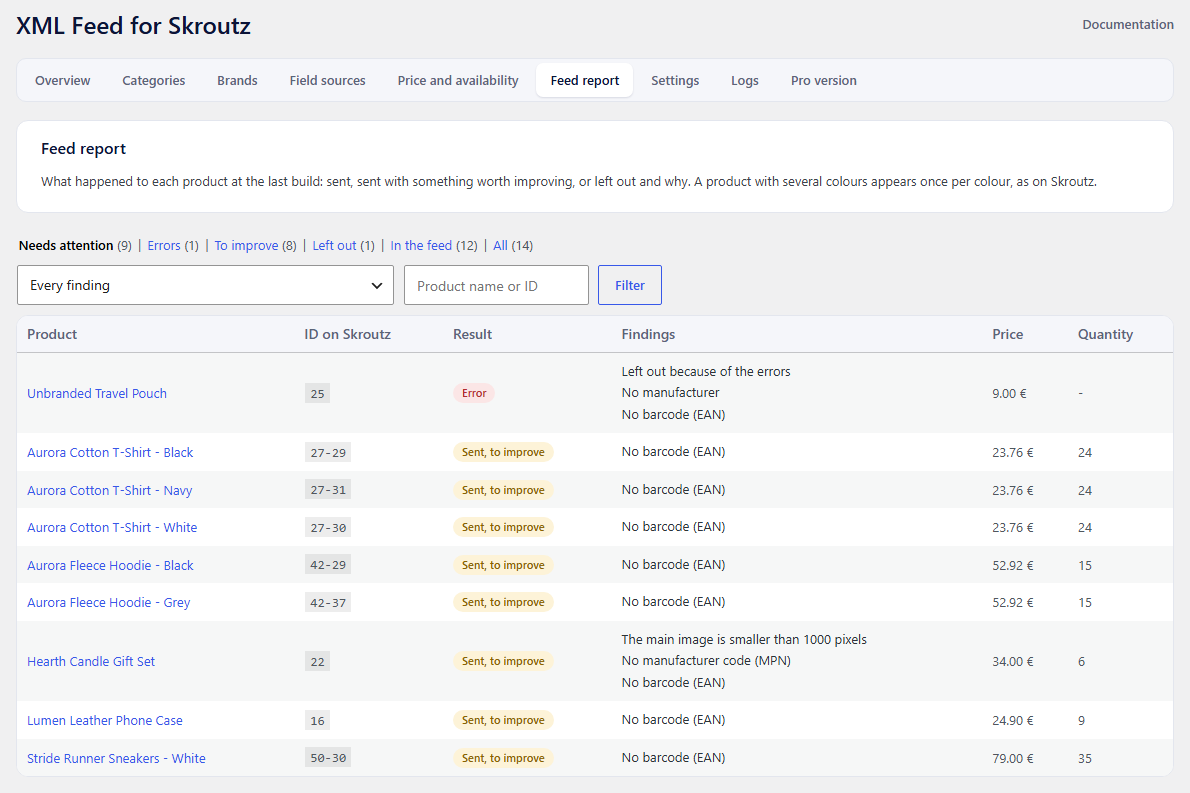
- Every product is checked: missing manufacturer, MPN or barcode, barcode format, missing or AVIF or small main image, name too long, missing description, non-https link.
- A report lists what was sent, what could be better, and what was left out and why.
- A “Test as SkroutzBot” button fetches the feed and a product image the way Skroutz’s bots do, to catch a firewall that blocks them.
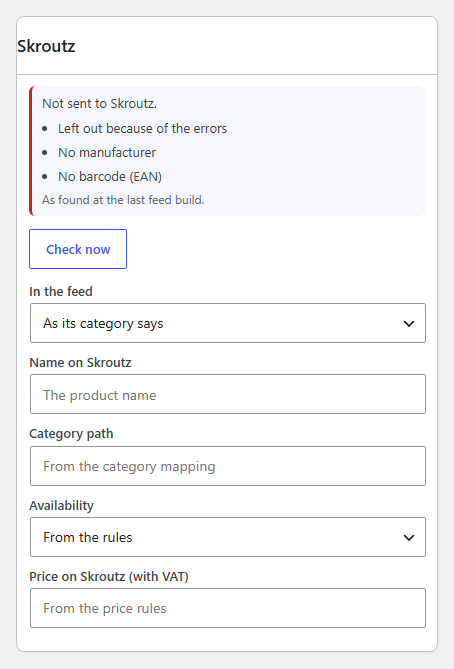
- A Skroutz box on each product shows the result for that product and lets you check it again.
Also
- English and Greek built in.
- Works with WPML and Polylang: the feed is built in the language you choose.
- Compatible with WooCommerce High-Performance Order Storage.
- No account, no API key and no outside service is needed. The plugin does not send any data anywhere; Skroutz fetches the feed from your own site.
Pro version
A separate paid plugin, Skroutz Feed & Sync, adds price and stock updates through the Skroutz Products API within minutes of a change, and Skroutz Marketplace orders inside WooCommerce (receive, accept, reject, voucher download, invoice upload, ERP fields). It uses the same settings as this plugin. Details: athplugins.com/plugins/skroutz
Everything described above on this page is in the free plugin and stays in it.
Who makes it
ATHPlugins is the plugin studio of ATH Development, a web agency in Greece that builds and looks after WooCommerce stores. The plugins come out of that everyday work with real shops.
Trademark
Skroutz is a trademark of Skroutz S.A. This plugin is made by ATHPlugins.com and is not affiliated with, endorsed by or sponsored by Skroutz S.A.
Screenshots
Installation
- Install the plugin from the Plugins screen and activate it. WooCommerce must be active.
- Open Skroutz > Field sources and check where manufacturer, MPN, barcode, colour and size come from.
- Open Skroutz > Categories and change the paths where your category names differ from Skroutz’s.
- Open Skroutz > Price and availability and match your stock statuses to Skroutz’s availability texts.
- Open Skroutz > Overview and press “Build now”. Read the result and the Feed report.
- Press “Test as SkroutzBot”, then copy the feed address into the Skroutz merchant panel.
FAQ
-
Does the plugin create products on Skroutz?
-
Skroutz creates and matches products itself from the feed. The plugin’s job is to give it a complete, correct file.
-
How often is the feed rebuilt?
-
On the schedule you choose in Settings, from every hour to once a day, and whenever you press “Build now”.
-
WP-Cron is switched off on my site. Does the schedule still work?
-
Yes. Settings shows a private address you can call from a server cron job. The Overview screen tells you when WP-Cron is off.
-
Can I change how variable products are sent later?
-
Yes, in Settings. Changing it changes the product IDs Skroutz sees, so do it before you go live where possible.
-
My security plugin or Cloudflare blocks the feed.
-
Press “Test as SkroutzBot” on the Overview screen. It tells you whether Skroutz’s two bots can reach the feed and the product images, so you know what to allow.
-
Does it handle Skroutz Marketplace orders?
-
Not in this plugin. Orders and price and stock updates through the Skroutz API are in the separate Pro plugin.
-
Does it work with other marketplaces?
-
No. It is built for Skroutz only.
Reviews
There are no reviews for this plugin.
Contributors & Developers
“ATH XML Feed for Skroutz – WooCommerce Product Feed” is open source software. The following people have contributed to this plugin.
Contributors
Translate “ATH XML Feed for Skroutz – WooCommerce Product Feed” into your language.
Interested in development?
Browse the code, check out the SVN repository, or subscribe to the development log by RSS.
Changelog
1.0.1
- The plugin’s name now says what it does: ATH XML Feed for Skroutz – WooCommerce Product Feed.
- The “WooCommerce is required” notice now shows only on the Plugins screen.
1.0.0
- First release.