
Description
Turn a simple WooCommerce product into a bookable lesson, or into tickets for a concert or festival. Customers pick a date (and a time), see how many seats are left and pay through the normal WooCommerce checkout. The last seat can never be sold twice.
AtamanSystem Lesson Booking is an independent plugin for WooCommerce. It is not affiliated with or endorsed by WooCommerce or Automattic.
Lessons and workshops
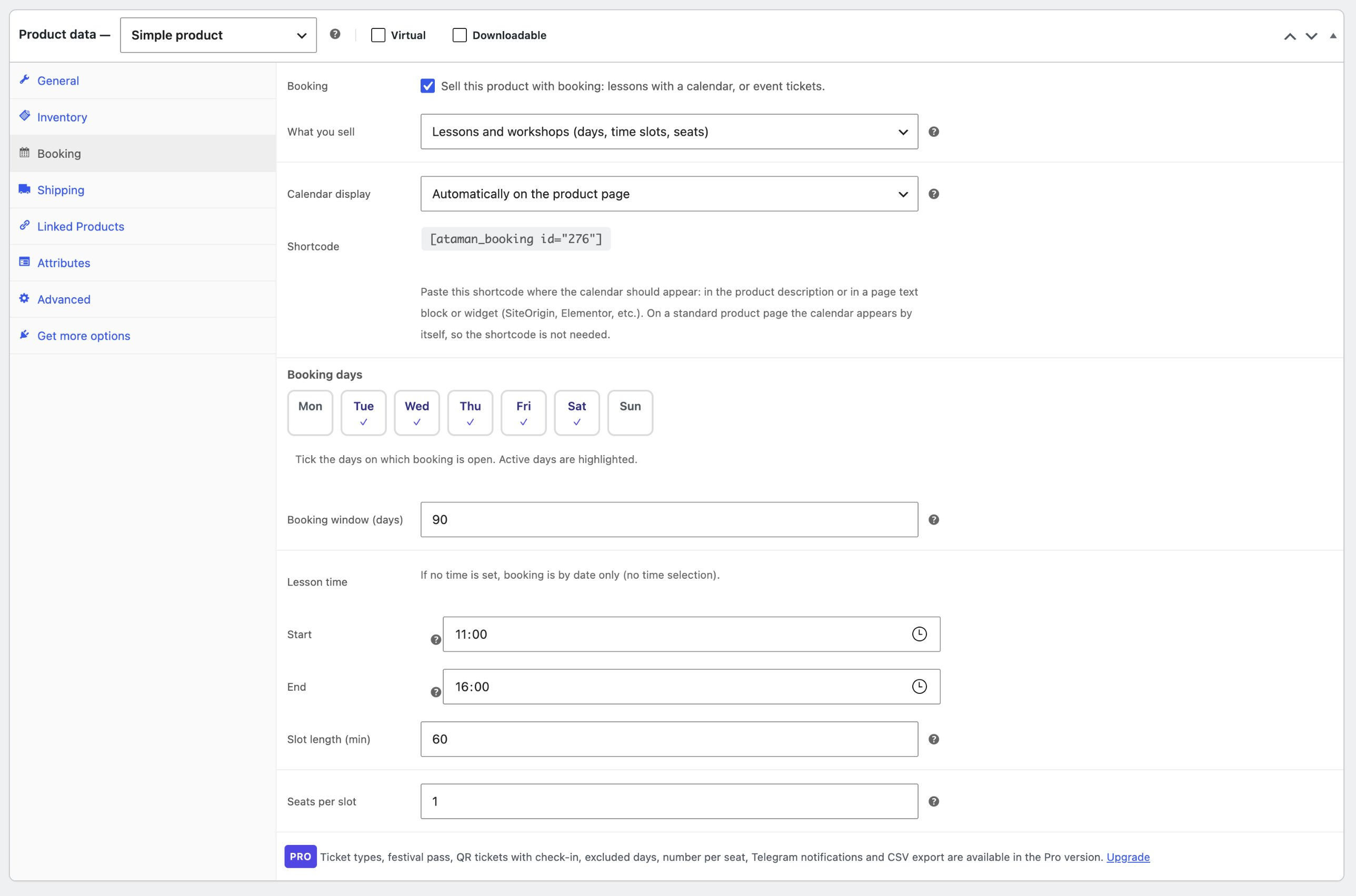
- Calendar on the product page (or anywhere with a shortcode) showing free seats per day.
- Date-only booking or time slots, a seat limit per slot.
- Booking days and booking window.
- Race-safe: seats are reserved under a database lock at checkout.
- Bookings list in the admin with filters.
Event tickets (concerts, festivals, shows)
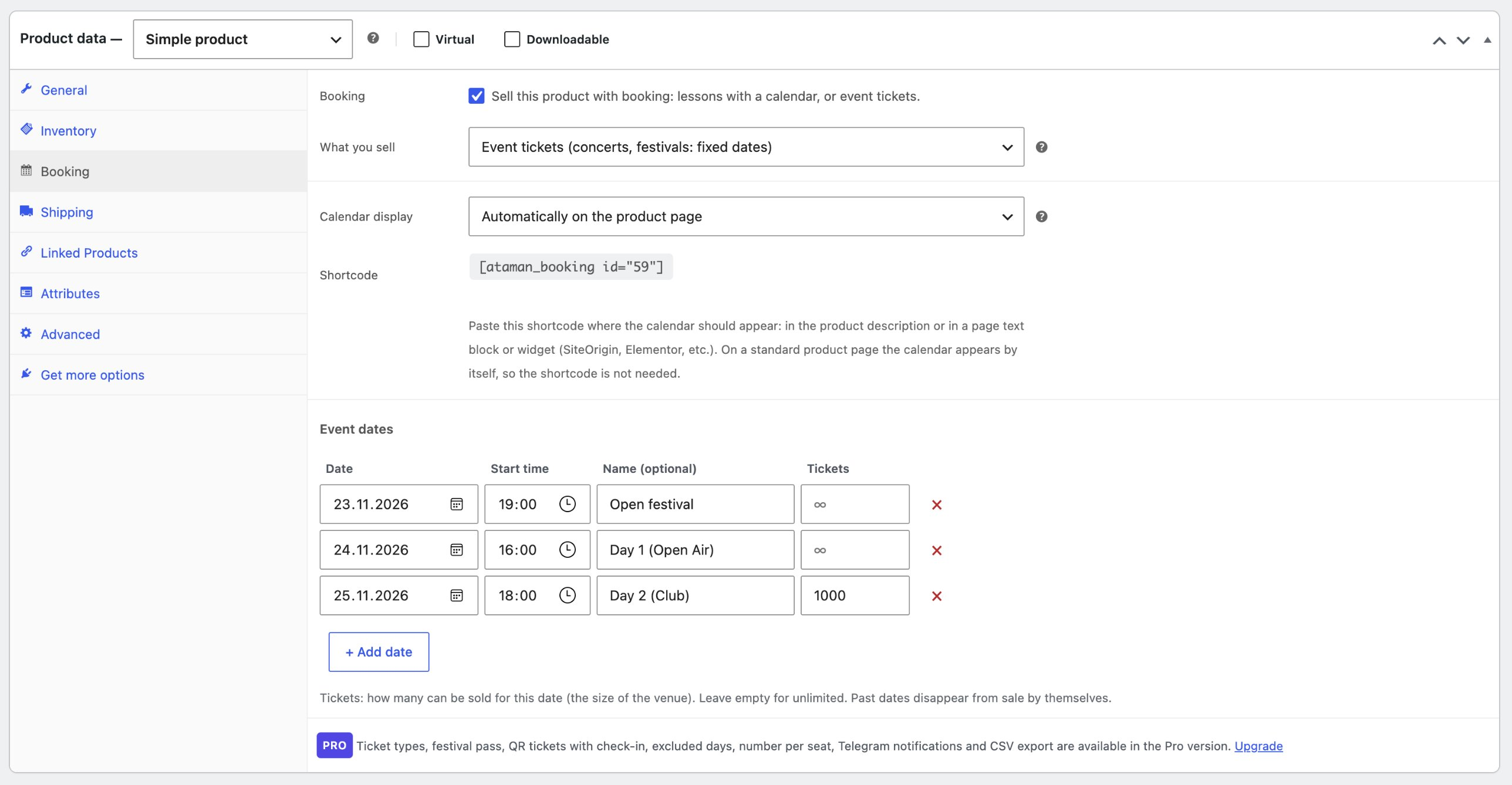
- A list of event dates, each with an optional start time and name (“Day 1 · Main stage”).
- Unlimited tickets, or a ticket limit per date (the size of the venue).
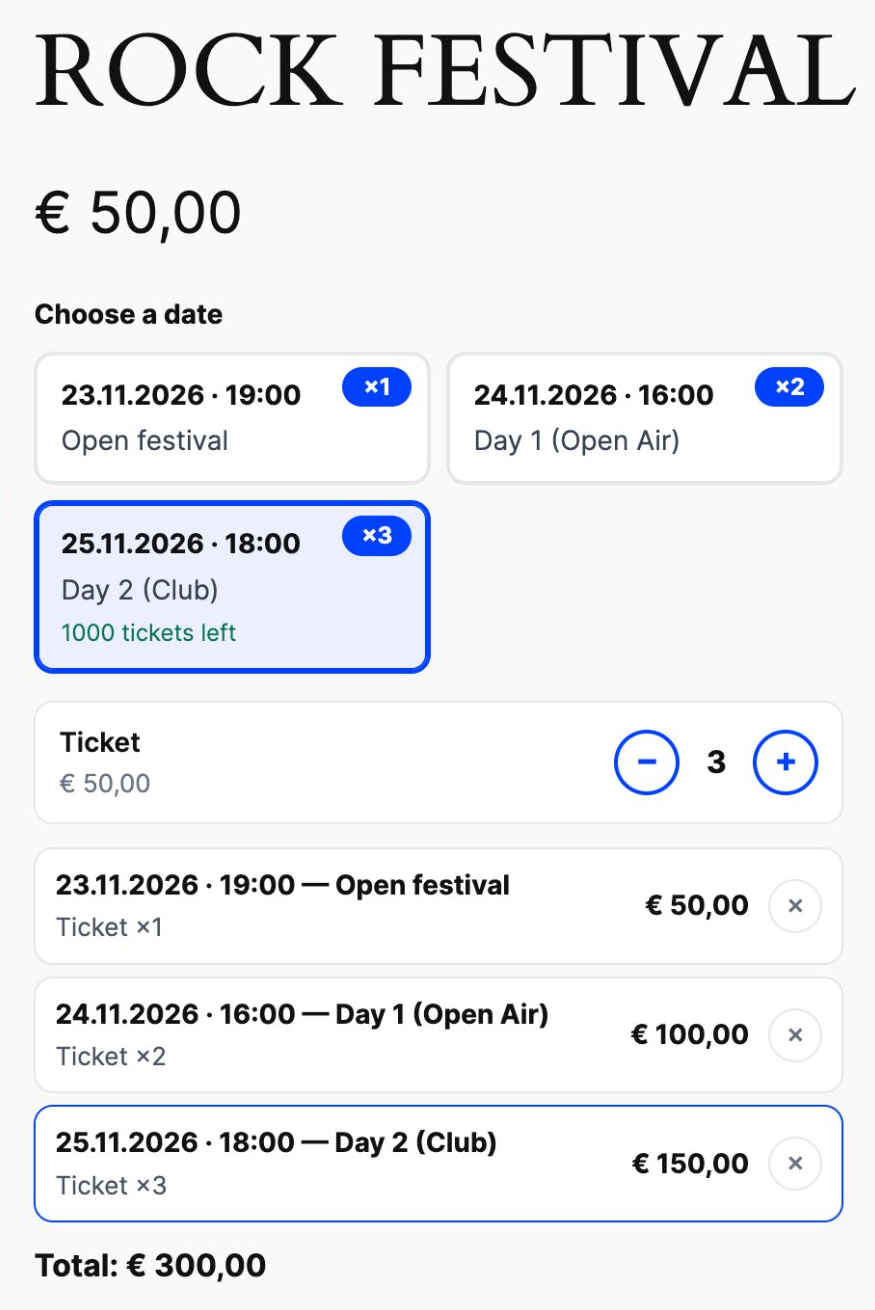
- Tickets for several dates in one order, with a summary and the total.
Everywhere
- Calendar colour and an optional second weekday row (for example in a second language).
- Translation ready; Polylang support with one shared seat pool for all translations.
- Works with any theme, High-Performance Order Storage and the Cart/Checkout blocks.
Pro version
A separate Pro version adds ticket types with their own prices, a festival pass, QR tickets with check-in, excluded days, a number per seat, Telegram notifications and CSV export. It is available at https://lessonbooking.atamansystem.link/ and is not required: this plugin is fully functional on its own.
External services
This plugin includes the Freemius SDK. It is used to show an optional opt-in screen, to offer the separate Pro version and, only if you agree, to send usage statistics.
- What is sent and when: nothing is sent unless the site administrator agrees on the opt-in screen. After that, the site address, the administrator’s name and e-mail, the WordPress, PHP and plugin versions, and the list of active plugins and the theme are sent to Freemius when the plugin is activated, updated or deactivated. Data about your customers and bookings is never sent.
- Service provider: Freemius, Inc. — https://freemius.com/
- Terms of service: https://freemius.com/terms/
- Privacy policy: https://freemius.com/privacy/
The plugin makes no other external requests.
Screenshots

Installation
- Plugins Add New, search for “AtamanSystem Lesson Booking”, Install, Activate. WooCommerce must be active.
- Edit a Simple product Product data Booking tick “Sell this product with booking”, choose “Lessons and workshops” or “Event tickets” and fill in the settings.
- Optional: WooCommerce AtamanSystem Booking Settings.
FAQ
-
The calendar does not show.
-
Tick “Sell this product with booking” on a Simple product. If your theme replaces the product template, choose “Shortcode only” and place [ataman_booking id=”123″].
-
Is the plugin limited in time or in the number of products?
-
No. There is no time limit and no limit on products, dates or bookings.
-
Can I sell tickets without a seat limit?
-
Yes. In event mode leave “Tickets” empty for a date and any number of tickets can be sold. Fill it in to stop sales at the size of the venue.
-
What happens to my data when I delete the plugin?
-
It is kept unless you turn on “Erase all plugin data when the plugin is deleted” in Settings. Orders are never touched.
-
My site uses Polylang. Does the cart open in the right language?
-
Yes. Translate the Cart, Checkout and My account pages in Polylang and link them as translations; the plugin then sends each visitor to the page in their language.
Reviews
There are no reviews for this plugin.
Contributors & Developers
“AtamanSystem Lesson Booking” is open source software. The following people have contributed to this plugin.
Contributors
Translate “AtamanSystem Lesson Booking” into your language.
Interested in development?
Browse the code, check out the SVN repository, or subscribe to the development log by RSS.
Changelog
2.7.3
- Polylang: Cart, Checkout, My account, Shop and Terms now open in the visitor’s language when these pages are translated in Polylang (no need for Polylang for WooCommerce).
2.7.2
- Seats are checked again when an order is paid. If they were sold in the meantime (for example a payment that arrived after the one-hour hold), the order is put on hold with a note and the shop owner gets an e-mail instead of the seat being sold twice.
- “Pay for order” checks the seats before the payment is taken.
- Reservations are safe against repeated checkout requests and payment notifications for the same order, and are written in one database transaction.
- A database error is never taken as “no seats booked”.
- Dates and times that have passed or started can no longer be bought from an old cart.
- Unpaid orders keep their seats for one hour from the last checkout attempt.
- Changing the quantities of a paid order in the admin updates its seats.
- The calendar of a draft, private or password-protected product is not shown to visitors.
- The month calendar loads with one database query.
- Event prices in the picker follow the shop’s tax display setting.
- Freemius connections check the server certificate.
2.7.1
- First release on WordPress.org.