
Description
Action Scheduler is the background job queue inside WooCommerce and many other plugins. When it goes wrong, its own screen lists the actions one row at a time, and the notice “past-due actions found; something may be wrong” does not say what is wrong.
Asyncra Queue Triage adds one screen under Tools > Queue Triage that answers the questions a store owner or a developer asks first:
- Why are actions failing? The newest failed actions (500 by default) are grouped by hook and by their error, with ids, dates, amounts, quoted values, email addresses and server paths taken out. 800 failures that differ only in an order number read as one group.
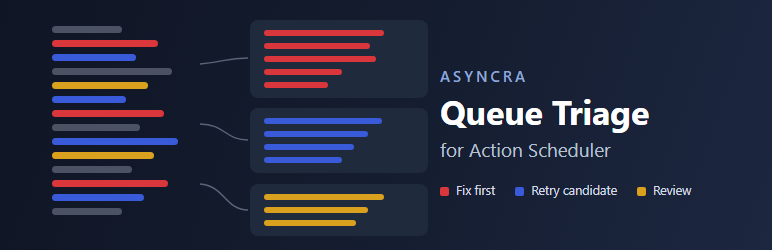
- What should I do about each group? Each group gets a label from fixed rules: Fix first (a missing callback, a PHP error, rejected credentials, a deleted record), Retry candidate, check first (timeouts, rate limits, remote server errors) or Review. Each label comes with what the error usually means and what to check next.
- Is the queue running? Past-due actions, how late the oldest one is, and the ten hooks with the most. Whether WP-Cron is disabled, when the queue’s cron event is due, and when anything last ran.
- Is anything stuck? Actions in progress for more than five minutes, and claims left behind by a run that stopped part-way.
- Are the tables growing? Rows and size of each Action Scheduler table, the retention periods in effect on this site, and whether cleanup keeps up with them.
- Which copy of Action Scheduler is running? The version in use, the plugin it comes from, and every copy other plugins bundle.
It also adds two Site Health tests (is the queue running on time, are actions failing), a section in Site Health Info, a report you can paste into a support ticket, and a WP-CLI command.
What it never does
- It never runs, retries, cancels, edits or deletes an action, and it never writes to the database. It has no settings and stores nothing.
- It makes no external requests and collects no data. Nothing leaves your site.
- It has no upsell, no ads and no notices outside its own screen.
Why “retry candidate” and not “safe to retry”
The rules read the error text and the hook name, nothing else. They cannot see whether a payment went through before a timeout, or whether a remote service already received a request. So no group is ever called safe, and hooks whose names suggest payments, renewals, refunds, receipts, emails or webhooks never get the retry label at all.
Works with
Anything that uses Action Scheduler with its own database tables, such as WooCommerce, the Action Scheduler plugin and the many plugins that bundle it. Tested with Action Scheduler 3.9.2, 4.1.0 (inside WooCommerce 11.2.1) and 4.2.0. If no active plugin loads Action Scheduler, the screen still reads the tables that remain and says so.
WP-CLI
wp queue-triage report prints the support report. `--format=groups` prints the failure groups as a table, `--format=json` prints everything, and `--sample=2000` reads more failed actions.
Source code
Development happens on GitHub: hamzaahmadaslam/asyncra-queue-triage. Issues and pull requests are welcome there.
Screenshots


Installation
- Install and activate the plugin from Plugins > Add New, or upload the zip.
- Open Tools > Queue Triage.
There is nothing to set up. Administrators (the manage_options capability) can see the screen.
FAQ
-
Does it slow down my site?
-
No. It does nothing on the front end. The screen, the Site Health tests and the WP-CLI command run a fixed set of read queries when you open them, each limited or using Action Scheduler’s indexes.
-
Can it retry the failed actions for me?
-
No, on purpose. Action Scheduler does not run a failed action again; running the work again means scheduling a new action with the same hook and arguments. Whether that is safe depends on what the callback does, which only you or the plugin’s developer can judge. Fix the cause first, then use the tools of the plugin that owns the hook.
-
What is a “past-due” action?
-
A pending action whose scheduled time has passed. A few minutes late is normal between two runs of the queue. Hours or days late means nothing is running the queue, or it cannot keep up.
-
WP-Cron is disabled on my site. Is that a problem?
-
Not by itself. Many hosts disable WP-Cron and run it from a server cron job or WP-CLI. Queue Triage shows when anything last ran, so you can see whether something else is doing the job.
-
What is in the support report?
-
Versions, counts, settings, the past-due hooks, and the failure groups as hook names and error signatures. It leaves out action arguments, action ids, group names, email addresses, IP addresses, URL query strings and server paths. Read it before you share it: a hook name or an error message can still say something about your site.
-
Who can see the screen?
-
Users with the manage_options capability. Developers can change it with the
queue_triage_capabilityfilter. Thequeue_triage_failed_samplefilter changes how many failed actions are read (500 by default, at most 5000). -
My site is not in English.
-
The screen can be translated. Action Scheduler’s own log lines are read in English; on a site in another language the last log line is used as the error, so grouping still works but some causes may show as “Review”.
Reviews
There are no reviews for this plugin.
Contributors & Developers
“Asyncra Queue Triage for Action Scheduler” is open source software. The following people have contributed to this plugin.
Contributors
Translate “Asyncra Queue Triage for Action Scheduler” into your language.
Interested in development?
Browse the code, check out the SVN repository, or subscribe to the development log by RSS.
Changelog
1.0.0
- First release.