

Description
AstroBlob lets astronomy associations and their members share remote robotic telescopes. This plugin adds AstroBlob banners and a gallery of your members’ astrophotos to your WordPress site. They link to your association’s page on AstroBlob, or to AstroBlob itself if you are not part of an association.
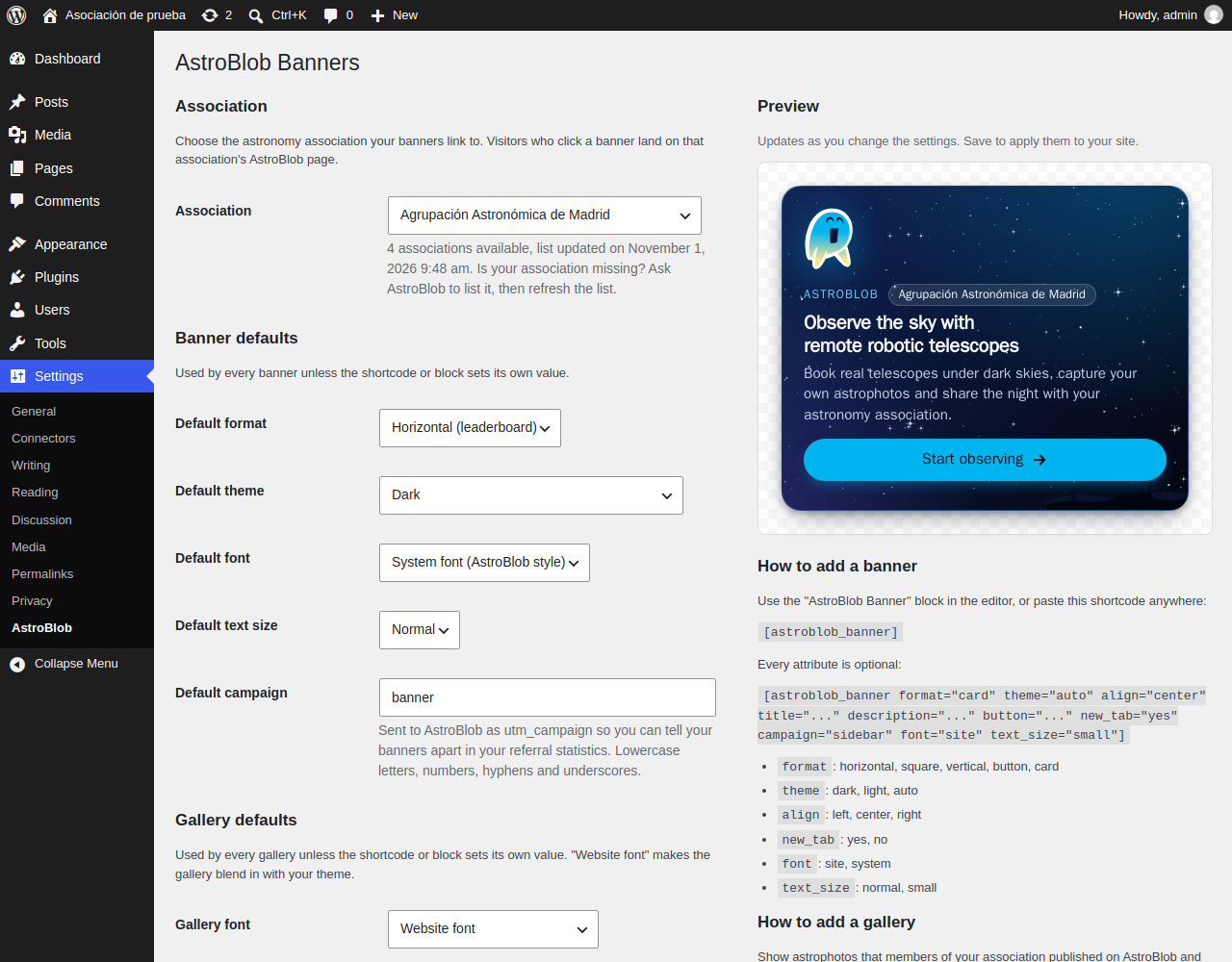
- One association per site. Pick your association from a list in Settings > AstroBlob. You can also choose “No association (AstroBlob)”.
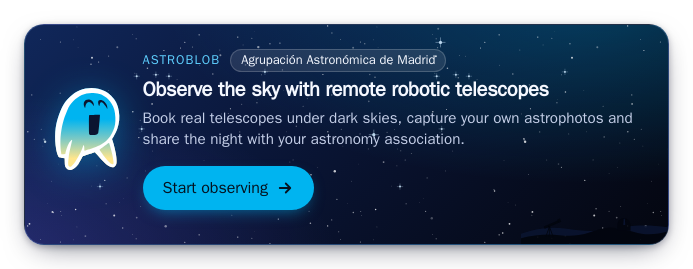
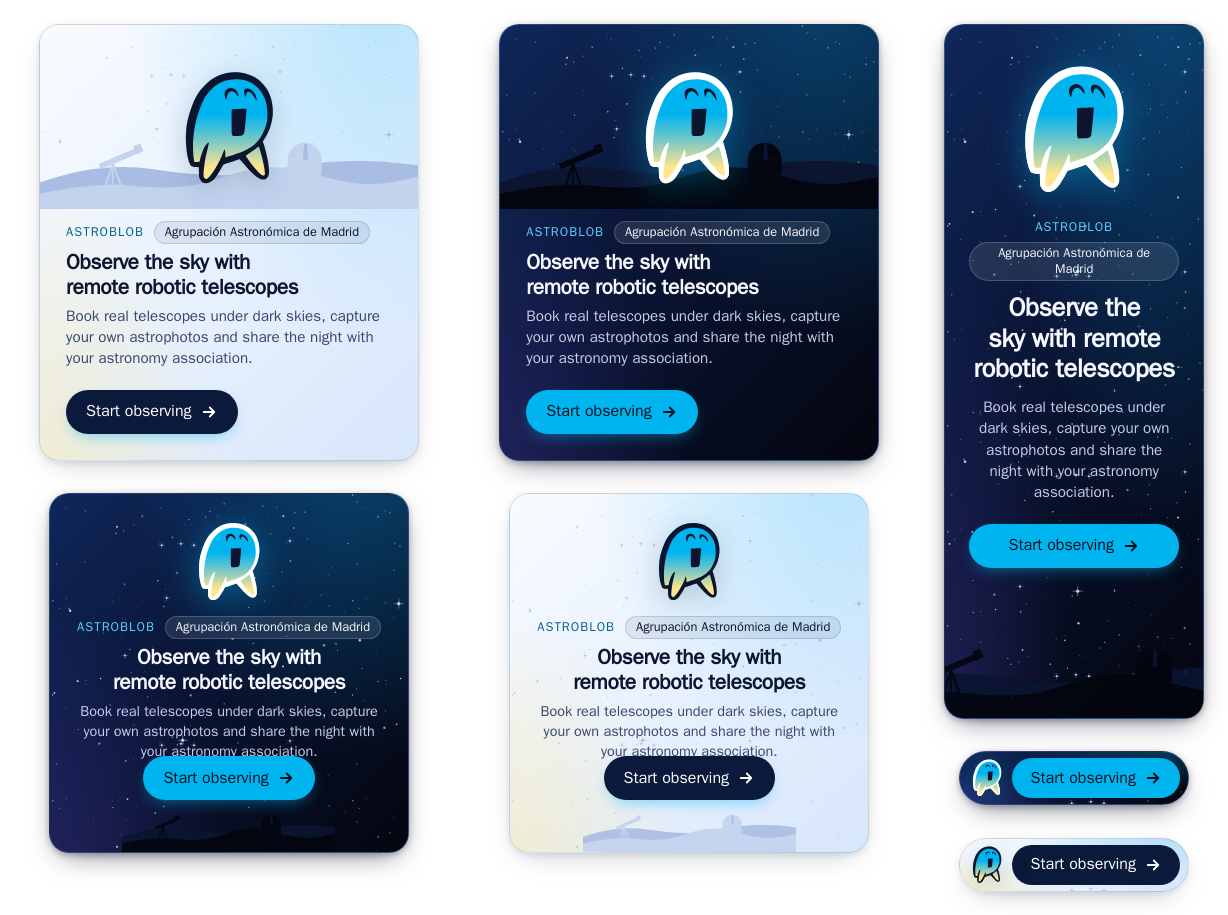
- Five formats: horizontal (leaderboard), square, vertical (skyscraper), button and card.
- Dark, light and auto themes. The auto theme follows the visitor’s light or dark preference.
- Your own text. Change the title, description and button text. The default text is translatable.
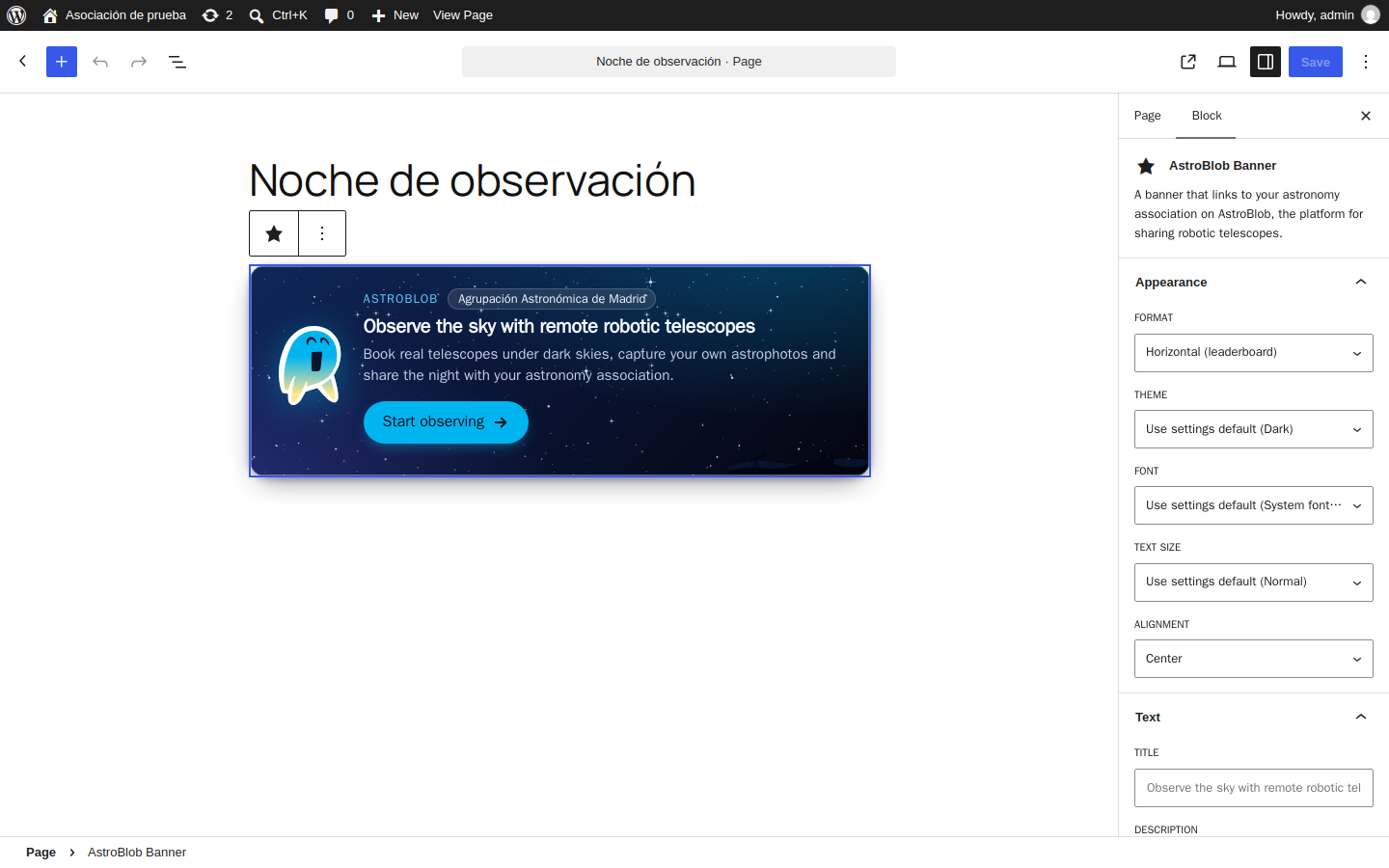
- A shortcode and a block. Use
[astroblob_banner]anywhere, or add the “AstroBlob Banner” block with a live preview in the editor. - Members’ gallery.
[astroblob_gallery]and the “AstroBlob Gallery” block show astrophotos that members of your association published on AstroBlob, as a grid, mosaic, carousel, strip or a single featured “photo of the month”. Each photo shows the telescope and observatory it was taken with, and opens in an accessible lightbox. Only images whose authors allowed it are shown. - Served from your site. Gallery images are copied to your uploads folder and refreshed every hour, so visitors never connect to AstroBlob. Images that their authors stop sharing are deleted from your site.
- Fits your theme. Use the website’s font or the AstroBlob system font, and a normal or small text size.
- Lightweight and accessible. The banner is pure HTML and CSS. The stylesheet loads only on pages that show a banner. It uses no external fonts, scripts or images, and works with a keyboard and with screen readers.
- Private. It sets no cookies and does no tracking on your site.
Shortcode
[astroblob_banner]
Every attribute is optional. If you leave one out, the plugin uses the value from Settings > AstroBlob.
format:horizontal,square,vertical,buttonorcardtheme:dark,lightorautotitle,description,button: your own textalign:left,centerorrightnew_tab:yes(default) ornocampaign: a label for this banner in your referral statistics (defaultbanner)font:site(your theme’s font) orsystem(default for banners)text_size:normal(default) orsmall
Example:
[astroblob_banner format="card" theme="auto" button="Join us on AstroBlob" campaign="sidebar"]
Gallery
[astroblob_gallery]
Shows astrophotos published on AstroBlob by members of the association chosen in Settings > AstroBlob (“No association” shows images from all of AstroBlob). It always ends with a “See more on AstroBlob” button. Every attribute is optional:
format:grid(default),mosaic,carousel,striporspotlight(one large featured image)sort:latest(default) orpopularperiod:30,90,365orall(default), in dayscount: 1 to 30. The default depends on the format: grid 9, mosaic 12, carousel 10, strip 8, spotlight 1columns: 2 to 6, for grid and mosaic (default 3)show_title:yes(default) orno. Shows the target and title. The author’s AstroBlob username is shown only if the author allowed it.show_details:yes(default) orno. Shows the telescope and observatory on each image, and the capture date in the large views.theme:dark,lightorautotitle: an optional headingcampaign: as for bannersfont:site(default for galleries) orsystemtext_size:normal(default) orsmall
Photo of the month:
[astroblob_gallery format="spotlight" sort="popular" period="30" title="Photo of the month"]
Developers
- Change the API base URL with the
ASTROBLOB_API_BASEconstant or theastroblob_api_basefilter. - Change the destination URL with the
astroblob_banner_urlfilter, and the markup withastroblob_banner_html. - Galleries:
astroblob_gallery_url,astroblob_gallery_imagesandastroblob_gallery_html.
External services
This plugin uses the AstroBlob service, which is run by AstroBlob.
1. List of associations (AstroBlob API).
The plugin downloads the list of associations from https://api-club.astroblob.com/api/public/clubs. It needs this list to fill the “Association” menu and to find the address your banners link to.
- When: only on the Settings > AstroBlob admin page, and only when the list is not cached. The list is cached for 12 hours. The “Refresh list” button downloads it again. Visitors to your site never trigger this request, because banners are built from your saved settings.
- How: your WordPress server makes a plain GET request.
- What is sent: no personal data and no data about your site or its visitors. Only what any HTTP request carries: your server’s IP address and a User-Agent header with the plugin version.
2. Gallery images (AstroBlob API).
To show a gallery, your WordPress server downloads the list of images from https://api-club.astroblob.com/api/public/clubs/<your-association>/gallery, and then each image (a small and a medium JPEG) from the same server. The images are stored in wp-content/uploads/astroblob-gallery/ and your pages show these local copies.
- When: only on sites that show a gallery. The list is cached for one hour and refreshed in the background by WP-Cron. The images are downloaded once. The first time a gallery is shown, the list and its images are downloaded while that page is built.
- Visitors’ browsers never connect to AstroBlob to show the gallery. They load the images from your site.
- What is sent: no personal data and no data about your site or its visitors, as for the list of associations.
- What is received: the image title, target, capture date, telescope and observatory (name and country), and the author’s AstroBlob username only if the author allowed it. Images are listed only when their authors explicitly allowed their association to show them on its website. When an author withdraws that permission, the image is deleted from your site at the next hourly refresh.
3. Banner and gallery links.
When a visitor clicks a banner, or the “See more on AstroBlob” or “Join AstroBlob” button of a gallery, their browser goes to your association’s page on AstroBlob (for example https://your-association.astroblob.com/go), or to https://www.club.astroblob.com/go. The link includes these UTM parameters:
utm_source: your site’s domain name, for exampleexample.orgutm_medium:wp-pluginutm_campaign: the campaign you set,bannerby defaultutm_content: the banner format, orgallery-<format>for galleries
AstroBlob uses them to count how many visitors and sign-ups each site sends. Nothing is sent until a visitor clicks.
The plugin sets no cookies and does no tracking on your WordPress site. Banners and galleries load only images, a stylesheet and (for galleries) a small script from your own site.
- AstroBlob website: https://www.astroblob.com/es
- AstroBlob terms of use: https://www.club.astroblob.com/terms
- AstroBlob privacy policy: https://www.astroblob.com/en/astroblob-club/privacy-policy
Screenshots

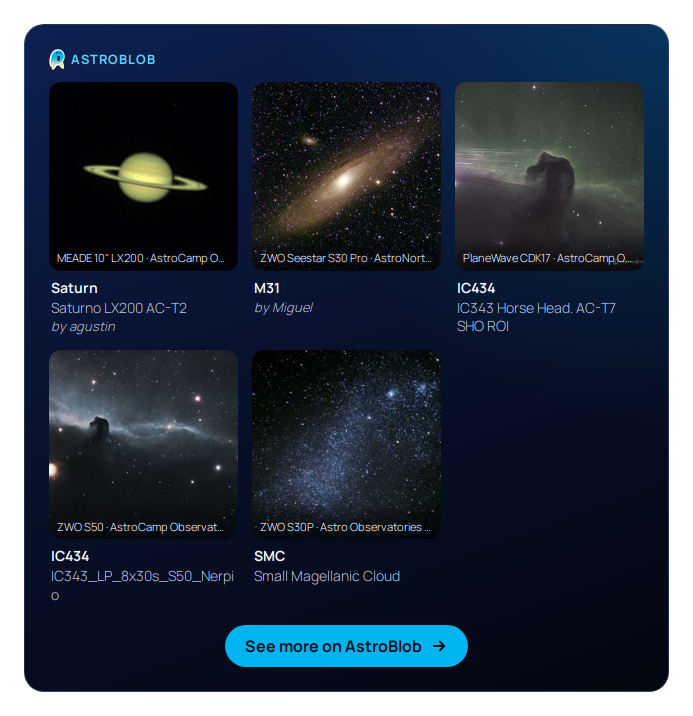

Blocks
This plugin provides 2 blocks.
- AstroBlob Gallery Astrophotos published on AstroBlob by members of your astronomy association, served from your own site.
- AstroBlob Banner A banner that links to your astronomy association on AstroBlob, the platform for sharing robotic telescopes.
Installation
- In WordPress, go to Plugins > Add New and search for “AstroBlob Banners”. Or upload the
astroblob-bannersfolder to/wp-content/plugins/. - Activate the plugin.
- Go to Settings > AstroBlob and choose your association. Then choose the default format, theme and campaign, and save.
- Add the “AstroBlob Banner” or “AstroBlob Gallery” block to a page, post or widget area, or use the
[astroblob_banner]or[astroblob_gallery]shortcode.
FAQ
-
My association is not in the list.
-
The list shows only associations that are listed publicly on AstroBlob. Ask AstroBlob to list your association, then click “Refresh list” in Settings > AstroBlob.
-
What happens if the AstroBlob API is down?
-
Your banners keep working, because they are built from your saved settings. The settings page uses the last list it downloaded and shows a notice. If nothing has been set up yet, banners link to
https://www.club.astroblob.com/go. -
Yes. Each block or shortcode can set its own format, theme, text, alignment and campaign. Every banner on a site links to the same association.
-
Does the plugin slow down my site?
-
No. Banners never call the API. Galleries are built from a cached list and local copies of the images, and the list is refreshed in the background by WP-Cron. Only the very first time a gallery is shown is the list downloaded while the page is built. The stylesheets and the small gallery script load only on pages that show a banner or a gallery.
-
Why is my gallery empty?
-
Members choose which images their association may show: they enable “Allow my association to show this image on its website” on their images in AstroBlob. Until a member does so, the gallery shows nothing to visitors. Logged-in editors see a short explanation instead.
-
Only if the author allowed it on AstroBlob. Otherwise the image is shown without a name.
-
What happens when a member stops sharing an image?
-
The image disappears from AstroBlob’s list, and the plugin deletes its local copy at the next hourly refresh.
-
Where are the gallery images stored?
-
In
wp-content/uploads/astroblob-gallery/. The folder is deleted when you uninstall the plugin. -
Are the gallery images marked?
-
Yes, invisibly. The plugin adds XMP metadata to its local copies: the title, the author (only if the author allowed it), AstroBlob as the source, the image ID, and your site’s address. The image itself is not re-encoded or changed. Image optimization plugins and CDNs that strip metadata also remove these marks.
-
Can I use my theme’s font?
-
Yes. Set
font="site"on a banner or gallery, or choose the default in Settings > AstroBlob. Galleries use your theme’s font by default. Banners use the AstroBlob system font by default. Usetext_size="small"for a smaller text size. -
Does it work with lightbox and optimization plugins?
-
Yes. Gallery links opt out of common lightbox plugins and open the gallery’s own lightbox. The gallery script works when it is deferred or combined by optimization plugins.
-
No. See “External services” above.
-
Can I change the colors?
-
Use the
dark,lightorautotheme. Every class starts withastroblob-bannerorastroblob-gallery, so you can override the styles in your theme’s CSS.
Reviews
There are no reviews for this plugin.
Contributors & Developers
“AstroBlob Banners” is open source software. The following people have contributed to this plugin.
Contributors
Translate “AstroBlob Banners” into your language.
Interested in development?
Browse the code, check out the SVN repository, or subscribe to the development log by RSS.
Changelog
1.2.0
- New: gallery images carry invisible XMP metadata (title, author if shared, AstroBlob as the source, image ID and your site’s address) so they can be identified later. The image itself is not re-encoded. Images already downloaded are marked at the next hourly refresh.
1.1.0
- New: members’ gallery with the
[astroblob_gallery]shortcode and theastroblob/galleryblock, in five formats (grid, mosaic, carousel, strip and spotlight), with an accessible lightbox. - New: gallery images are downloaded to your uploads folder and refreshed hourly. Visitors never connect to AstroBlob. Images whose authors stop sharing them are deleted.
- New: capture details (date, telescope, observatory and country) on gallery images.
- New:
font(site or system) andtext_size(normal or small) options for banners and galleries. - Improved: banner styles are isolated from theme CSS.
1.0.0
- First release: settings page, the
[astroblob_banner]shortcode, theastroblob/bannerblock, five formats, three themes and a Spanish translation.