

Description
Turn a YouTube video into an SEO-ready WordPress article. Auto-publish when the video comes out, or keep a draft and publish it from the email or Telegram message.
Watch a channel, or paste one URL in the editor. You set the writing rules. A second pass adds internal links into the articles you already want to rank, and each video becomes its own indexable page. That is what search and AI chats can cite.
Who this is for
- You publish from a YouTube channel and want each video as a post.
- You want a draft first, then publish from email or Telegram.
- You want the article to link into pages you already rank.
Publish your way
- Auto-publish – On a watched channel, a new video becomes a live post as it appears.
- Draft, then publish from email or Telegram – The message has a publish link and a skip link. You decide from your phone. Skip can trash the draft.
- One video in the editor – Paste a URL and generate a draft. That path never auto-publishes.
You control what the AI writes
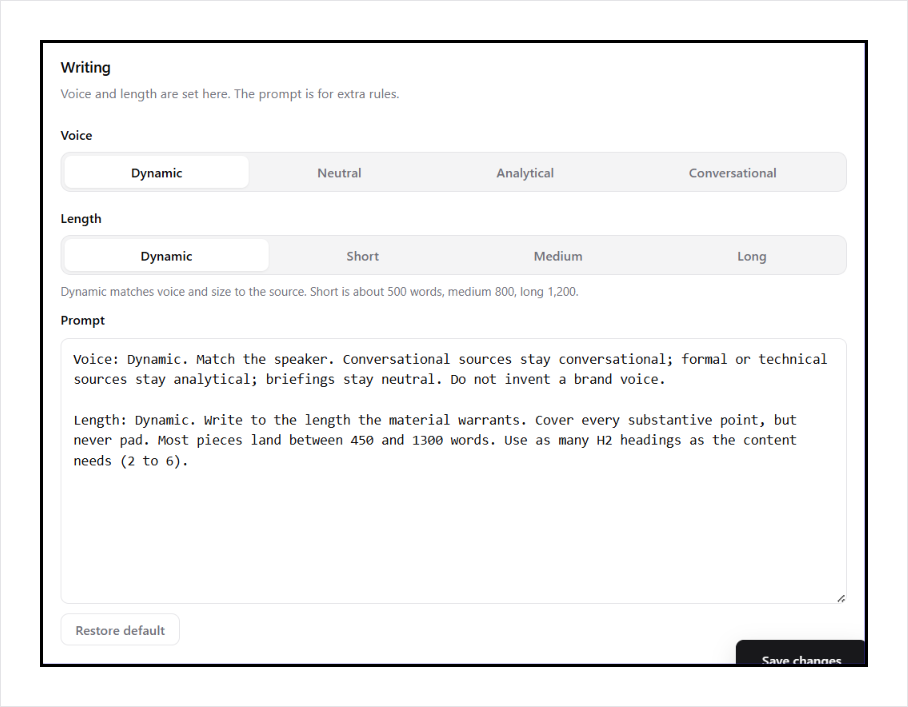
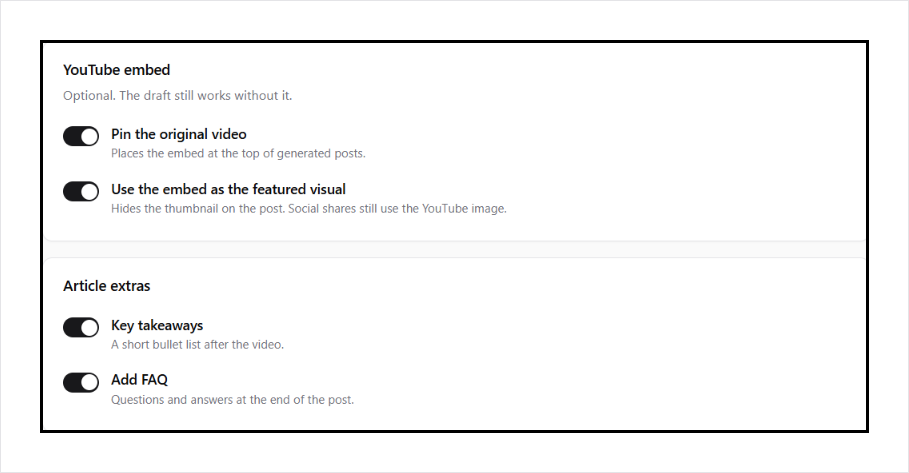
Voice and length are switches: dynamic (match the source), or a fixed voice and word count. Extra writing rules live in a prompt you edit. Nothing is hidden. The article gets an SEO title, a meta description, and one focus keyphrase, written into Yoast SEO and Rank Math when those are active. Pin the original video at the top if you want it there. A setting can hide the featured thumbnail on the post so the embed is the visual; social shares still use the YouTube image. Generated posts also receive the writer’s tags. Each article also outputs VideoObject JSON-LD for the source video. If Yoast or Rank Math is not active, it adds BlogPosting and BreadcrumbList for the page, plus a meta description. Embedded players send Google Analytics 4 video_start, video_progress, and video_complete events out of the box when gtag or a dataLayer is on the site. Generated posts can include key takeaways after the video and a visible FAQ at the end, with FAQPage JSON-LD when that FAQ block is still on the page.
Internal links, domain rating, and GEO
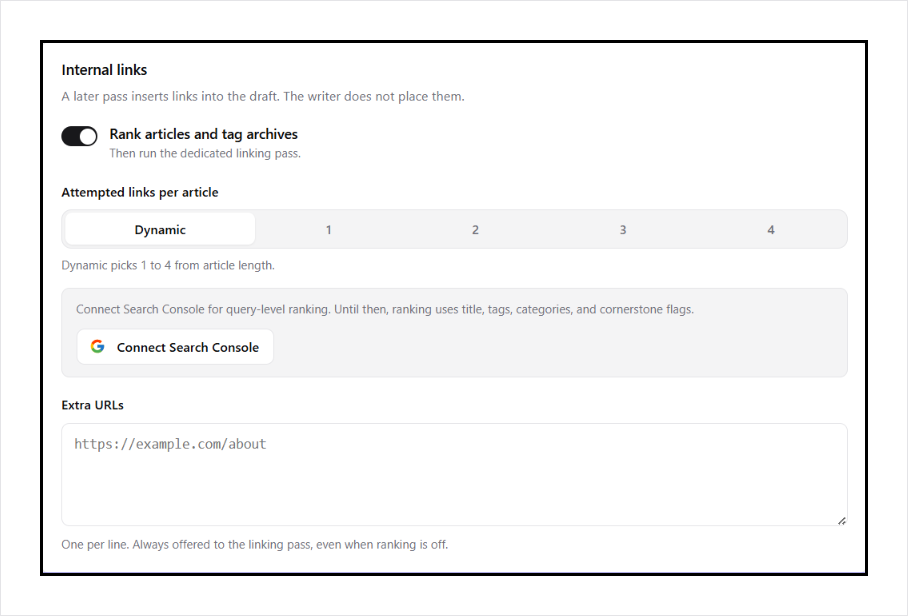
After the draft is written, a linking pass inserts links to your published articles and tag archives. Connect Search Console and that ranking uses queries, clicks, impressions, and position. Those links point at the pages you want to strengthen. Each new article is another indexable URL. More original pages, linked into the rest of the site, is how domain rating grows and how AI chats get something of yours to cite.
Channel watch
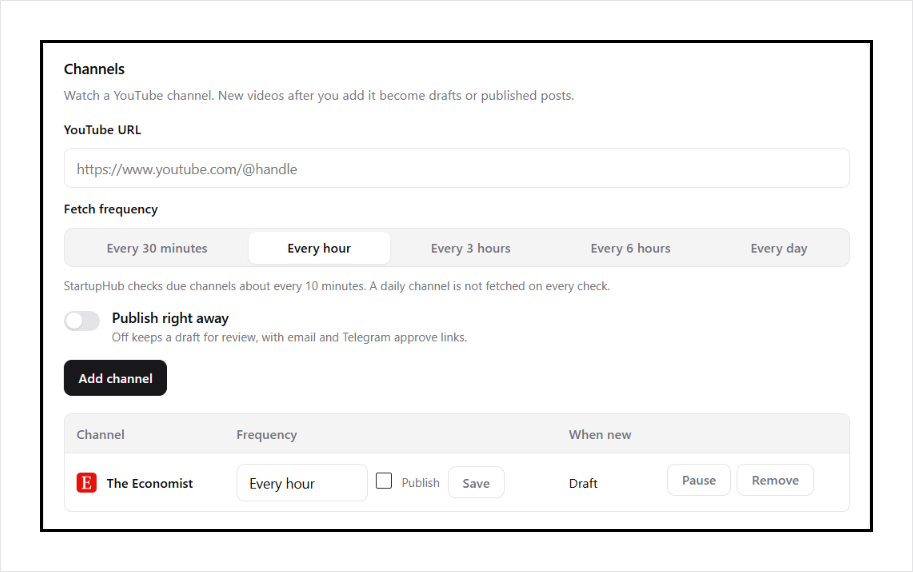
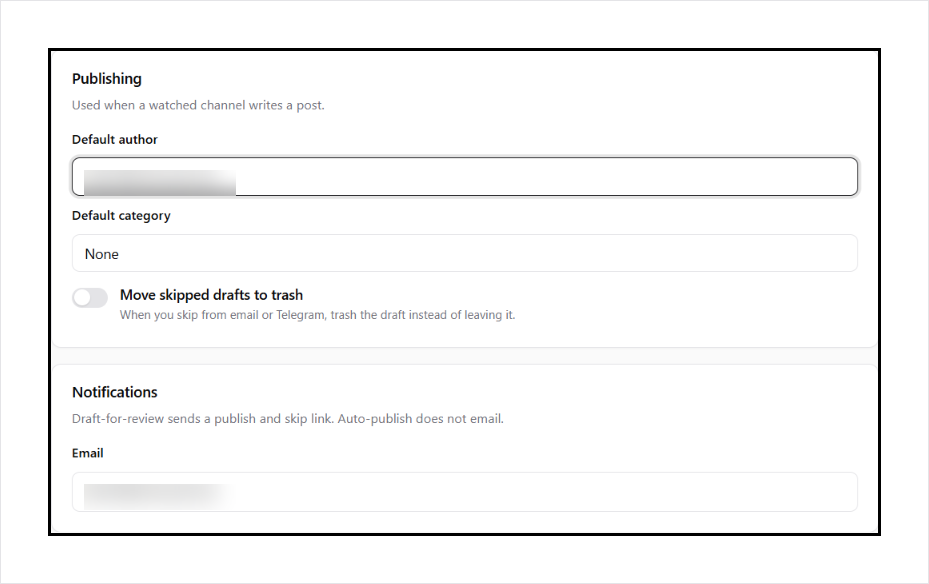
Add a channel URL and pick how often to check it: every 30 minutes, hourly, every 3 hours, every 6 hours, or daily. Choose draft or publish. Set the default author and category. Channel watch needs a paid StartupHub.AI plan. A free key covers a small number of editor generations. One trial article needs no account.
Setup and support
Docs at startuphub.ai/youtube-to-article. Free support via the WordPress.org forums. Pro questions via StartupHub.AI.
YouTube is a trademark of Google LLC. This plugin is not affiliated with or endorsed by YouTube.
External services
StartupHub.AI (required to generate and to watch channels). This plugin sends requests from your WordPress server to:
https://www.startuphub.ai/api/v1/youtube-to-article/generate
https://www.startuphub.ai/api/v1/youtube-to-article/internal-links
https://www.startuphub.ai/api/v1/wp-writer/sites
https://www.startuphub.ai/api/v1/wp-writer/sources
https://www.startuphub.ai/api/v1/wp-writer/jobs
https://www.startuphub.ai/api/v1/wp-writer/jobs/ready
https://www.startuphub.ai/api/v1/wp-writer/telegram/start
https://www.startuphub.ai/api/v1/youtube-to-article/gsc
https://www.startuphub.ai/api/v1/youtube-to-article/gsc/start
https://www.startuphub.ai/api/v1/youtube-to-article/gsc/rows
https://www.startuphub.ai/api/v1/wp-plugin/trial
https://www.startuphub.ai/api/v1/wp-plugin/handshake
https://www.startuphub.ai/api/v1/wp-plugin/handshake/{id}/claim
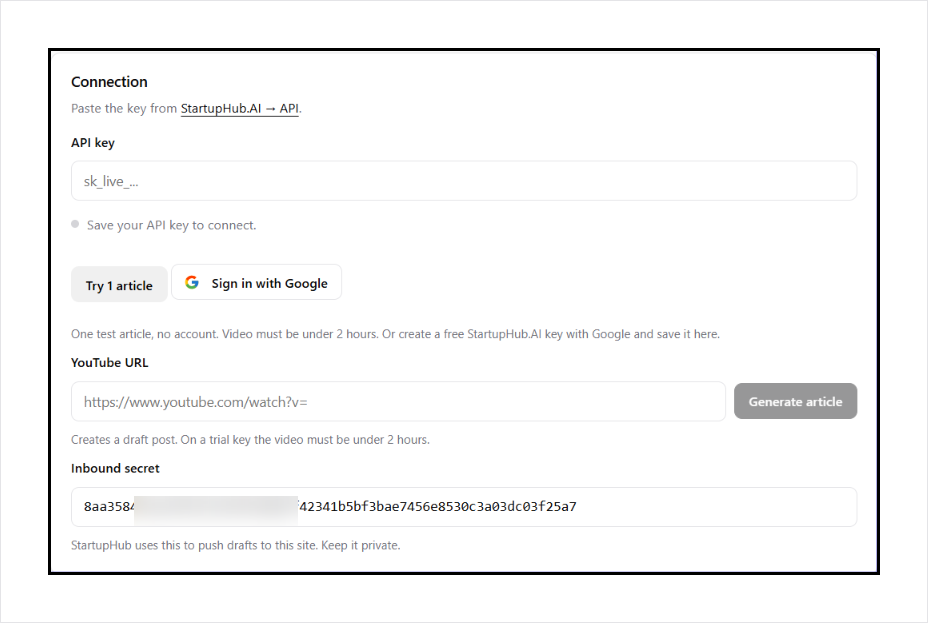
Try 1 article and Sign in with Google only run when you click those buttons. Trial sends this site’s URL. Google signup opens startuphub.ai; the plugin then asks for the key once.
The generate request includes your API key (as a Bearer token), the YouTube URL you pasted, your writing prompt, and whether to pin the video. A first call asks for a transcript. A second call sends that transcript plus the video title and channel name so the service can write the article. A third call sends the draft HTML plus ranked candidate URLs from this site (published articles, tag archives, and any extra URLs you listed) so the service can insert internal links. That third call does not write a new article. If it fails, the draft stays unlinked. Nothing is sent until you click Generate.
When you save settings or add a channel, the plugin sends your site URL, inbound secret, notify email, default author and category, and the YouTube URL you entered so the service can register the site and watch that channel. It also asks for recent job status and any drafts that did not arrive, then creates those posts locally. Telegram start only runs if you click Link Telegram. The channel list may load a small icon from youtube.com or Google’s favicon service so you can tell channels apart. That request happens in your browser on the settings page only.
Connect Search Console only runs if you click that button. The plugin sends your site URL and a return URL under wp-admin, then Google asks you to approve read-only Search Console access. StartupHub.AI stores the token for that API key and later fetches query and page rows to rank internal links. Disconnect removes that token.
StartupHub.AI may push a finished article to this site at:
/wp-json/afyt/v1/inbound
That request is signed with the inbound secret stored in settings.
If Search Console is not connected here, and Site Kit by Google or Rank Math already stored Search Console data on this site, those local analytics can still be used to rank internal links.
On generated posts that pin the YouTube video, visitors load the YouTube IFrame API so play progress can be sent to Google Analytics on this site:
https://www.youtube.com/iframe_api
That script only loads on those posts. No video data is sent to StartupHub.AI from this script.
The settings page has an optional link to steem.dev. Nothing is sent until you click it.
- Service: https://www.startuphub.ai
- Terms: https://www.startuphub.ai/terms
- Privacy: https://www.startuphub.ai/privacy
Screenshots
Installation
- Install from Plugins Add New, or upload the plugin and activate it.
- Open settings and click Try 1 article or Sign in with Google, or paste a key.
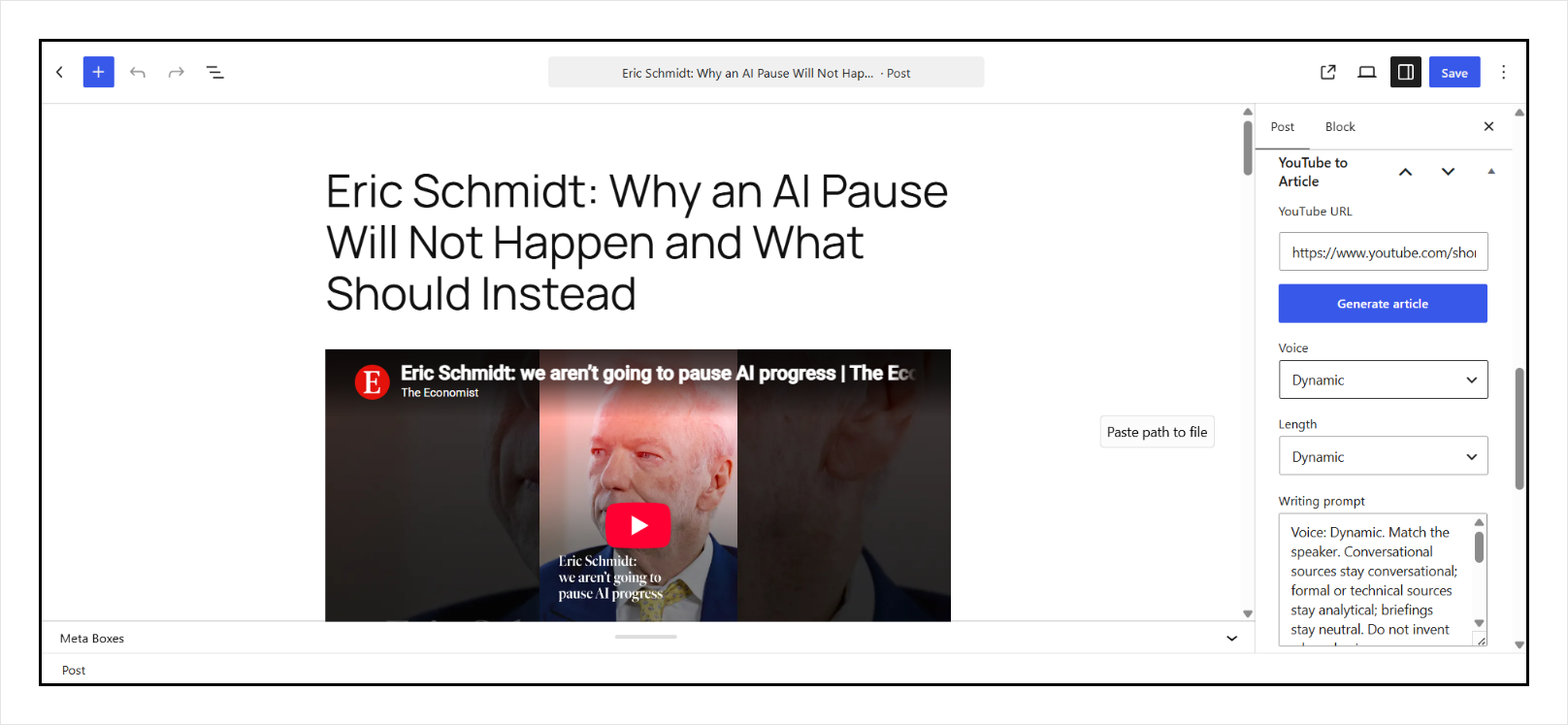
- Paste a YouTube URL in settings and click Generate article, or do the same in a post.
- Set voice and length, or edit the writing prompt.
- Optional, on a paid key: add a channel and choose how often to check it.
- Optional: Connect Search Console so internal-link ranking can use queries and clicks.
FAQ
-
Do I need a StartupHub.AI account?
-
Trial is one article under 2 hours with no account; Google signup saves a free key in settings.
-
Will it publish without me?
-
Not from the editor. Generate inserts a draft for you to review. Channel watch can auto-publish only if you turn that on for that channel.
-
What does the free plan include?
-
A small number of editor generations. Channel watch and higher limits need Pro Mini or higher on StartupHub.AI.
-
Does it send data off the site?
-
Yes, when you click Try 1 article, Sign in with Google, Generate, Connect Search Console, save channel settings, or when StartupHub.AI pushes a finished article. See External services.
-
Does it watch a playlist?
-
No. Channel watch uses a channel URL. Playlists are not watched.
-
How often are channel feeds checked?
-
You pick per channel: every 30 minutes, every hour, every 3 hours, every 6 hours, or every day. StartupHub.AI looks at due channels about every 10 minutes and skips a channel until its interval has passed.
-
Does a visitor need an account?
-
No. Only people who can edit posts see the generator.
-
Do the videos send Google Analytics events?
-
Yes, on generated posts. The YouTube player is set up for the IFrame API and the plugin pushes video_start, video_progress (10, 25, 50, 75), and video_complete to dataLayer and gtag. Site Kit or any theme that loads GA4 will see those events. If WP Consent API is active, events wait for statistics or marketing consent.
-
Does it add schema for search?
-
Yes. Generated posts print VideoObject JSON-LD (title, thumbnail, embed URL, duration, publisher is your site). If Yoast or Rank Math is not active, it also prints BlogPosting and BreadcrumbList, plus the SEO title and meta description in the document head.
-
Does it add an FAQ to the article?
-
Optional, on by default. Generate writes a short FAQ at the end of the post and prints FAQPage JSON-LD only while that block is still in the content. Turn it off in settings or uncheck it in the editor.
Reviews
There are no reviews for this plugin.
Contributors & Developers
“YouTube to Article” is open source software. The following people have contributed to this plugin.
Contributors
Translate “YouTube to Article” into your language.
Interested in development?
Browse the code, check out the SVN repository, or subscribe to the development log by RSS.
Changelog
1.5.25
- Directory: who this is for (channel, draft then publish, internal links).
- Settings: Steem card says generate a WordPress plugin.
1.5.24
- Settings: more space around Save and below the Steem card.
1.5.23
- Settings: Steem CTA is a card section, not loose text.
1.5.22
- Settings: Steem sidebar to generate another plugin.
1.5.21
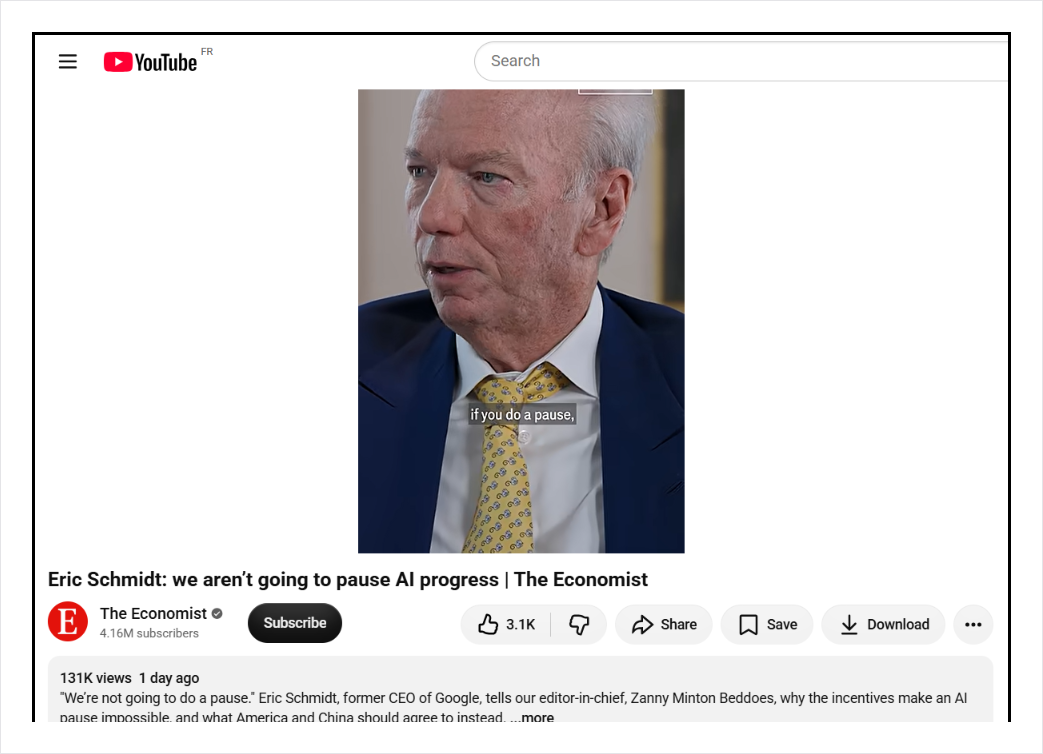
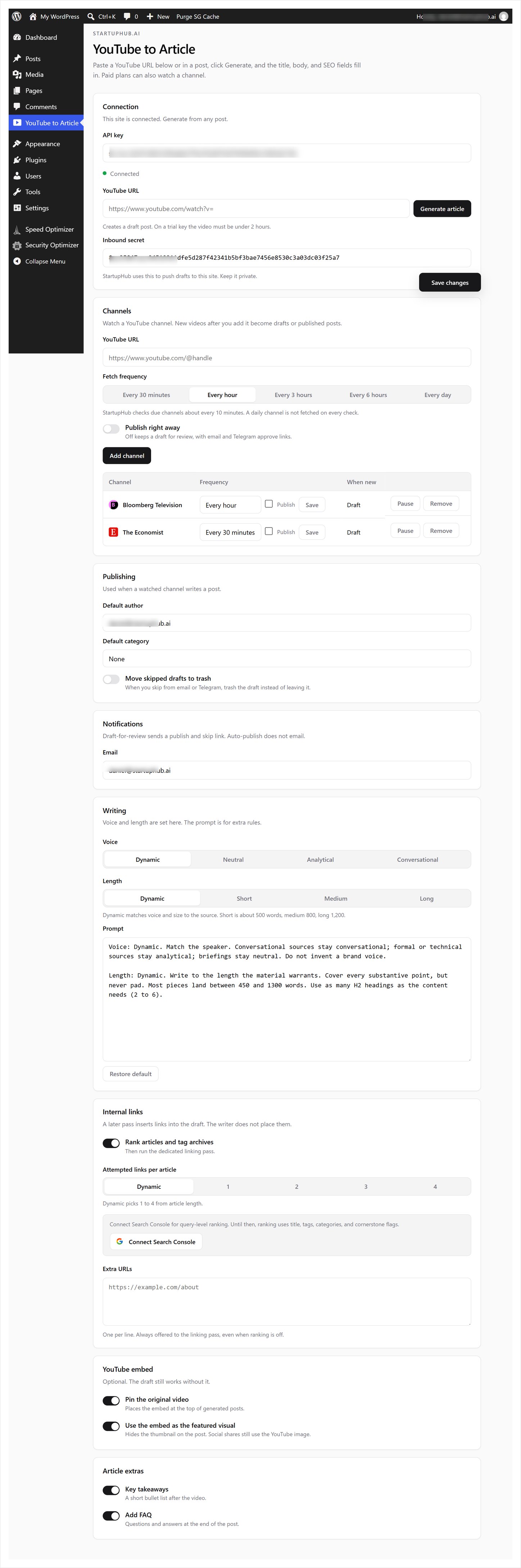
- Directory screenshots: YouTube source, WordPress draft, full settings, then each settings section.
1.5.20
- Editor sidebar inputs keep their right border. Tags use the native WordPress tags box.
1.5.19
- Plugins-list blurb also mentions YouTube RSS monitoring and auto-convert.
1.5.18
- Directory and plugins-list blurb: turn any YouTube video into an article with AI, with perfect SEO.
1.5.17
- Settings: Generate article sits on the YouTube URL row. Channel rows align middle and show a favicon.
1.5.16
- Writing prompt no longer lists internal-link or SEO field instructions. Those still run.
1.5.15
- Editor sidebar no longer grows a horizontal scrollbar around the URL field.
1.5.14
- Directory listing: title YouTube to Article. Tags youtube, article, video, auto-publish, writer.
1.5.13
- Directory tags: youtube, article, writer, video, ai.
1.5.12
- Directory listing: title YouTube Article Writer. Tags youtube, article, writer, seo, video.
1.5.11
- Voice and length toggles rewrite those lines in the writing prompt.
1.5.10
- Voice and length are settings: dynamic, or a fixed tone and word count.
1.5.9
- Setting to use the YouTube embed as the featured visual on the post. The thumbnail stays attached for social shares.
- Writer tags are saved on the post and shown in the editor.
- Generate article sits under the YouTube URL so the field can be full width.
1.5.8
- Save the draft before the linking pass and featured-image download so a long write still opens a post on shared hosts.
1.5.7
- Settings: one trial article with no account, or Sign in with Google to save a key.
- Settings: paste a YouTube URL and generate a draft without opening a post first.
- Generate shows a progress bar: transcript, then write.
- Editor: writing prompt, Run again on the same transcript, and a WordPress YouTube embed.
- Sets the YouTube thumbnail as the featured image and keeps it 16:9.
- YouTube embeds send GA4 video_start, video_progress, and video_complete.
- JSON-LD VideoObject on generated posts. BlogPosting and breadcrumbs when Yoast or Rank Math is not active.
- Key takeaways after the embed and a visible FAQ at the end, both optional.
- FAQPage JSON-LD when the FAQ block is on the page.
- Open Graph and Twitter tags when Yoast or Rank Math is not active.
- Google mark on Sign in with Google and Connect Search Console.
- Directory description covers auto-publish, email and Telegram review, writing controls, and internal links.
1.5.6
- Directory listing: demo video, feature rows, Channel Watch section.
1.5.5
- Directory listing: icons, banners, screenshots, and clearer readme.
1.5.4
- Plugin Check: Rank Math SQL uses {$wpdb->prefix}, video lookup is a prepared postmeta query.
1.5.3
- Plugin Check: nonce in each channel form handler, safe OAuth redirects, skip the current post without post__not_in, cache Rank Math reads.
1.5.2
- Directory review: four-character prefixes, no load_plugin_textdomain, no site-wide activation notice.
1.5.1
- Channels and Search Console stay visible without an API key. They stay dim until you enter a key and save.
- Readme: Tested up to WordPress 7.1 for the plugin directory.
1.5.0
- Connect Search Console in settings for query-level internal-link ranking. Site Kit and Rank Math remain a fallback if they are already on the site.
1.4.0
- Watch YouTube channels with a per-channel fetch frequency. Draft or auto-publish, default author and category, email and Telegram approve, HMAC inbound plus a pull fallback if a push misses.
1.3.0
- Writing prompt in settings. Dedicated internal-link pass with a count setting (dynamic, or 1 to 4 attempted links). Candidates are published articles and tag archives, ranked with Search Console via Site Kit or Rank Math plus title, tags, categories, and cornerstone. SEO title, meta description, and focus keyphrase, including Yoast and Rank Math when those are active. No footer credit option.
1.2.0
- First directory release: editor box for posts and pages, server-side generate via StartupHub.AI, Gutenberg and classic editors.