
Description
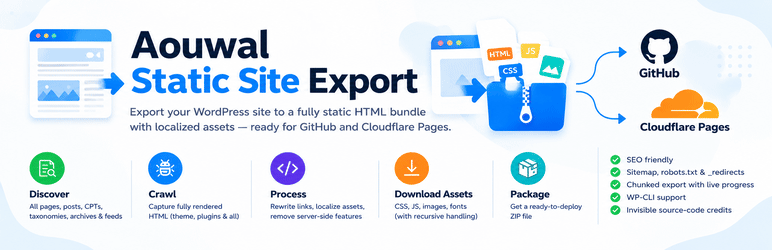
Aouwal Static Site Export turns your WordPress site into a static HTML site. It crawls every public page, captures the fully rendered HTML, downloads and localizes every asset (CSS, JS, images and fonts), and packages the result into one portable ZIP file.
The export is a plain folder of HTML files and assets. You can commit it to GitHub and deploy it on Cloudflare Pages, or host it on any static host or CDN. No WordPress, PHP or database is needed to serve it.
Author: Abdul Aouwal, Technical SEO Consultant.
What you can export
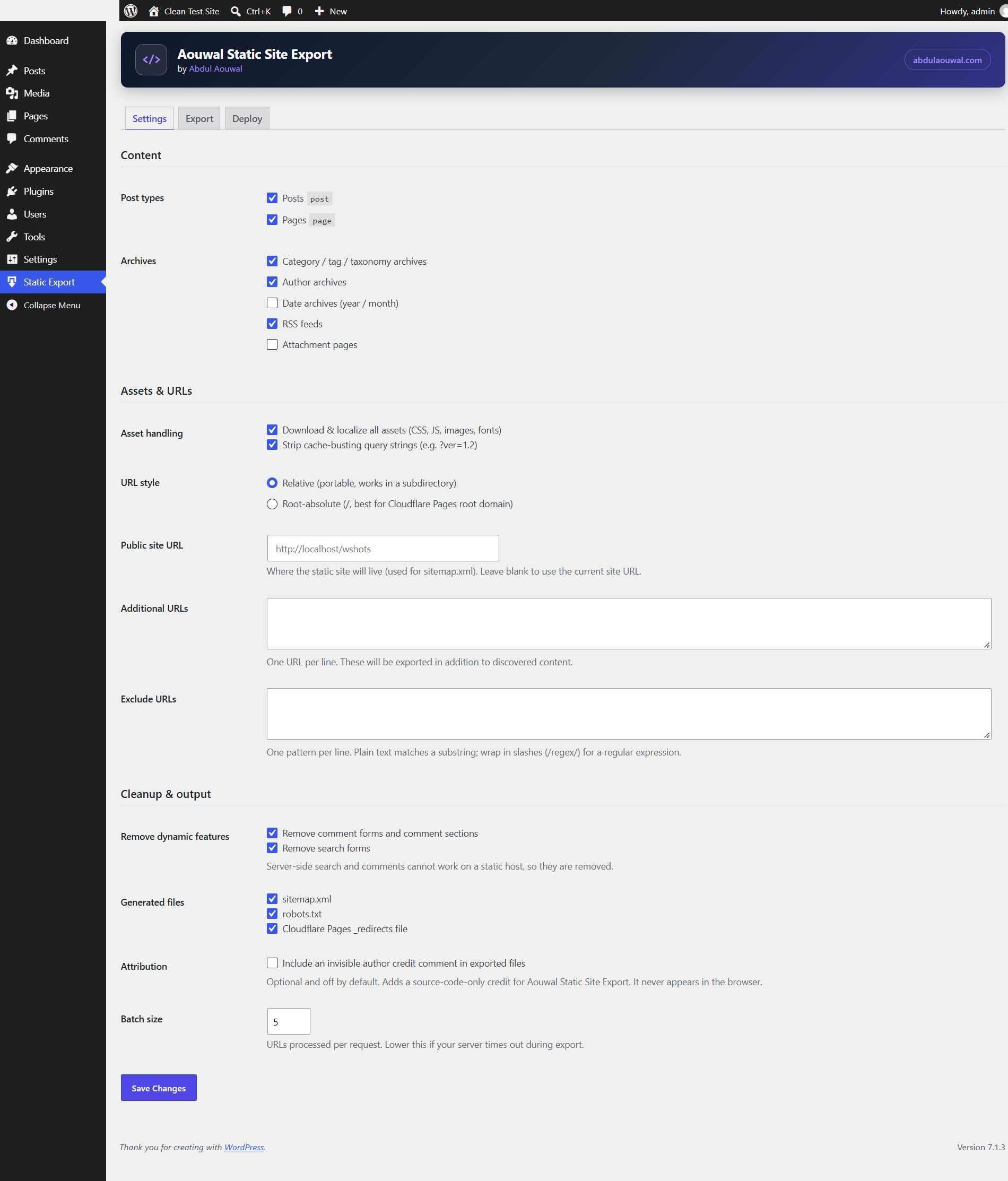
- Posts, pages and custom post types.
- Taxonomy archives, author archives and date archives.
- RSS feeds.
- A
404.htmlpage, plussitemap.xmlandrobots.txt. - A Cloudflare Pages
_redirectsfile and a_headersfile for caching.
How the export works
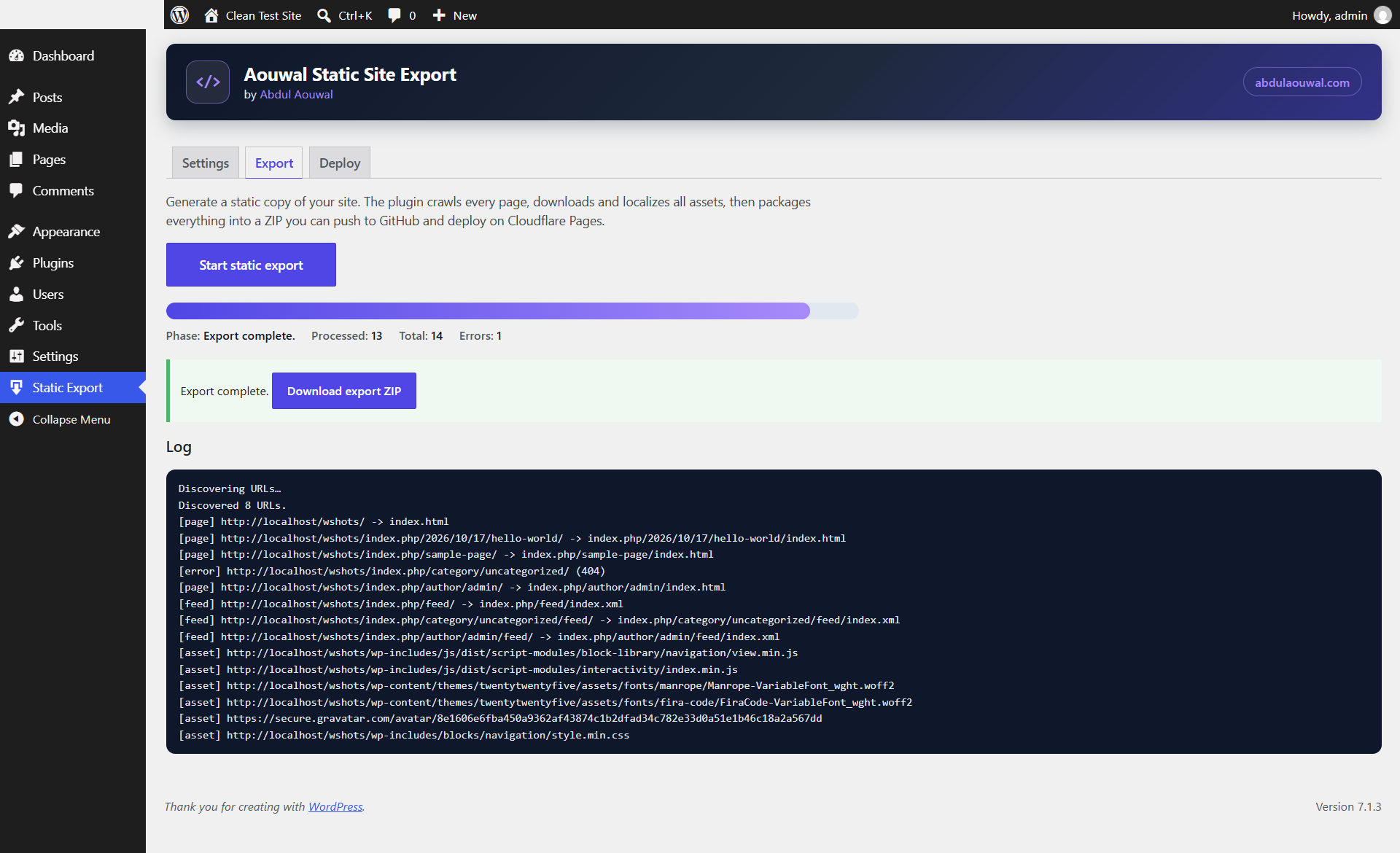
- The plugin discovers every public URL on your site.
- It fetches the fully rendered HTML of each page through the WordPress HTTP API.
- It downloads and localizes assets, including recursive CSS
url()and@importreferences. - It rewrites internal links to portable relative or root-absolute URLs.
- It removes server-side features that cannot run on a static host.
- It packages everything into a single ZIP file you can download.
What the export cleans up
- Removes comment forms, comment sections and comment feeds.
- Removes search forms.
- Strips WordPress version tags.
- Strips staging “noindex” robots meta so the exported site stays indexable.
Key features
- Chunked, timeout-safe export with a live progress log.
- Optional WP-CLI command:
wp aouwal-static-export run. - Optional, invisible author credit. It is off by default and can be enabled in Settings.
Screenshots
Installation
- Upload the
aouwal-static-site-exportfolder to/wp-content/plugins/. - Activate the plugin in the Plugins screen.
- Open the Static Export menu and configure the settings.
- Run an export, then download the ZIP file.
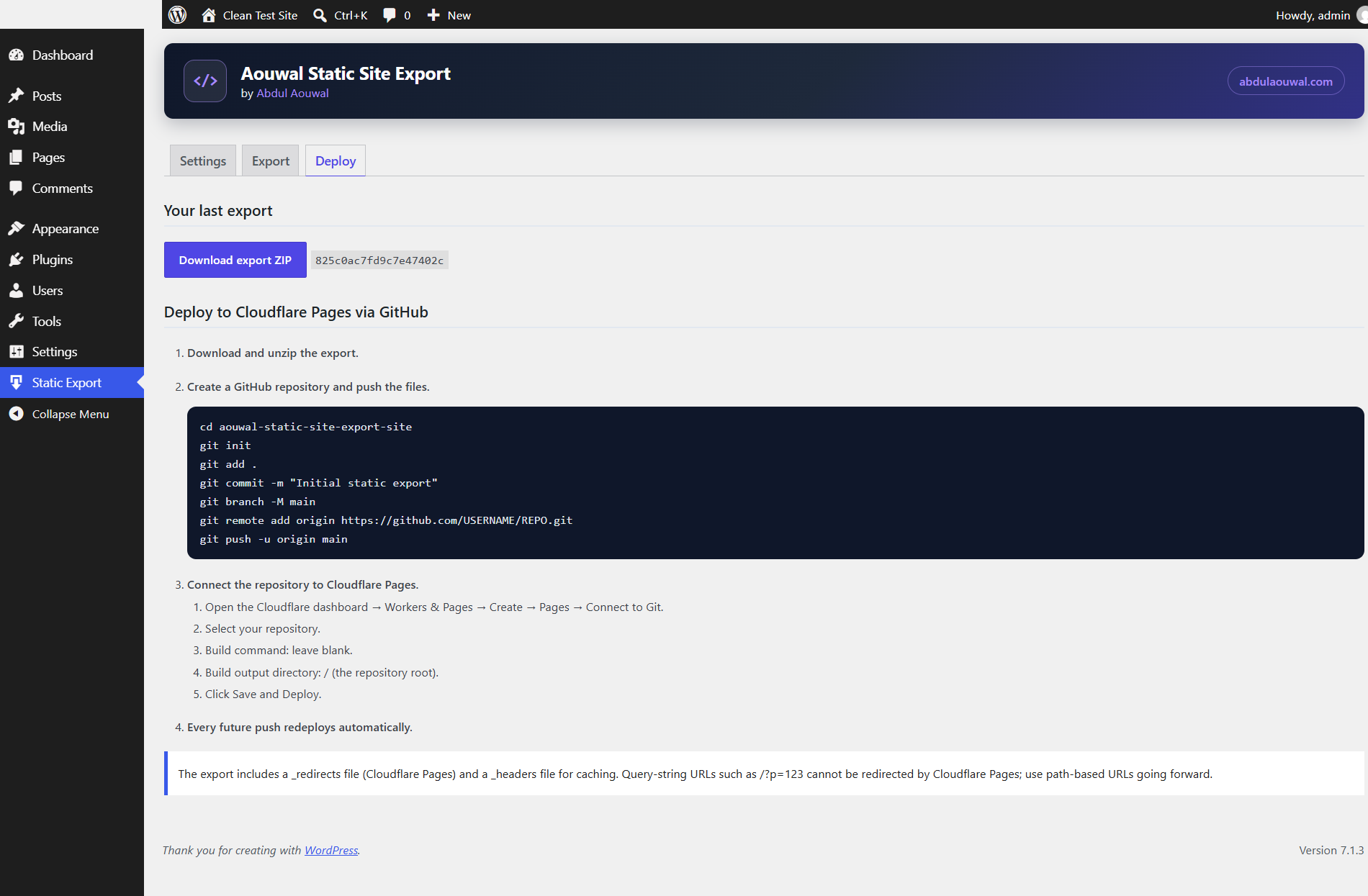
- Follow the Deploy tab to publish the site.
FAQ
-
What does Aouwal Static Site Export do?
-
It converts your WordPress site into a static HTML site. The plugin crawls each public page, saves the rendered HTML, downloads and localizes all assets, and packages the result into a ZIP file. You can then host the site anywhere without WordPress, PHP or a database.
-
Does it work with page builders?
-
Standard themes work well. Sites that depend on client-side JavaScript, such as WooCommerce carts and some page builders, may not work fully once they are static. Always test the exported site before you publish it.
-
What happens to search and comments?
-
Search and comments are server-side features, so they cannot run on a static host. The plugin removes search forms, comment forms and comment feeds from the export. There is no built-in replacement for them.
-
Does the export include any credit or branding?
-
No, not unless you enable it. In Settings, under Attribution, you can turn on an invisible, source-code-only credit. It is off by default and never appears in the browser or in the exported pages your visitors see.
-
Which hosts can I deploy the export to?
-
You can host the exported folder on any static host or CDN. The plugin generates files for Cloudflare Pages, and the Deploy tab includes step-by-step GitHub and Cloudflare Pages instructions. Netlify, GitHub Pages and Amazon S3 also work with the same output.
-
Do I need to know how to code?
-
No. You run the export from the WordPress admin and download a ZIP file. The Deploy tab gives you copy-and-paste commands for GitHub and Cloudflare Pages, so you can publish the site without writing any code.
-
Does the plugin change my live site?
-
No. The plugin only reads your content and writes the export to a files folder inside your own WordPress uploads directory. Your live site, database and settings stay unchanged, and you can delete the export files at any time.
-
Which WordPress and PHP versions are supported?
-
The plugin requires WordPress 6.0 or later and PHP 7.4 or later. It is tested up to WordPress 7.1. It uses only the WordPress HTTP API and the WordPress filesystem, so it works on standard shared hosting.
-
Can I update the exported site later?
-
Yes. Run a new export to create a fresh ZIP, then push the updated files. On Cloudflare Pages, every push to your connected repository redeploys the site automatically, so updates take only a few minutes.
-
Does the plugin work on large sites?
-
Yes. The export runs in batches, which keeps each request short and avoids server timeouts. If your server is slow, lower the batch size in Settings. Very large sites take more time and produce a larger ZIP file.
-
Is the exported site good for SEO?
-
Yes. The export keeps your page URLs, titles and content, generates a
sitemap.xmlandrobots.txt, and strips version tags and staging “noindex” meta. Because the pages are static HTML, they load quickly and are easy for search engines and AI systems to crawl.
Reviews

Contributors & Developers
“Aouwal Static Site Export” is open source software. The following people have contributed to this plugin.
Contributors
Translate “Aouwal Static Site Export” into your language.
Interested in development?
Browse the code, check out the SVN repository, or subscribe to the development log by RSS.
Changelog
1.0.3
- Fixed link hint tags (preconnect, dns-prefetch, prerender, profile) being downloaded and rewritten to broken local files.
- Fixed multi-token rel values (for example “preconnect dns-prefetch”) being misclassified.
- Localize web app manifest icon and shortcut URLs so they work on the static site.
1.0.2
- Removed the non-HTTP-API remote fetch fallback from the crawler; all remote requests now use the WordPress HTTP API (
wp_remote_get) exclusively.
1.0.1
- Renamed to “Aouwal Static Site Export” (aouwal_) with a distinctive slug. Previous sts_ settings and job table are migrated automatically on activation.
- Export output is written via WP_Filesystem only, inside the plugin’s own uploads directory.
- Server-side fetching is restricted to the site’s own hosts and public IPs (SSRF hardening).
1.0.0
- Initial release.
- Renamed from the pre-release “WP Static Export” (wse_) to “Site to Static” (sts_). Leftover pre-release options and database table are removed automatically on activation.