
Description
Aoedia lets you manage your blog by talking to an AI assistant. Open Aoedia in the admin menu, or the Aoedia sidebar while you edit a post or page, and ask it to list your posts and pages, read one, suggest categories and tags, rewrite content, or write a new draft. Under each reply, Aoedia shows which actions it took.
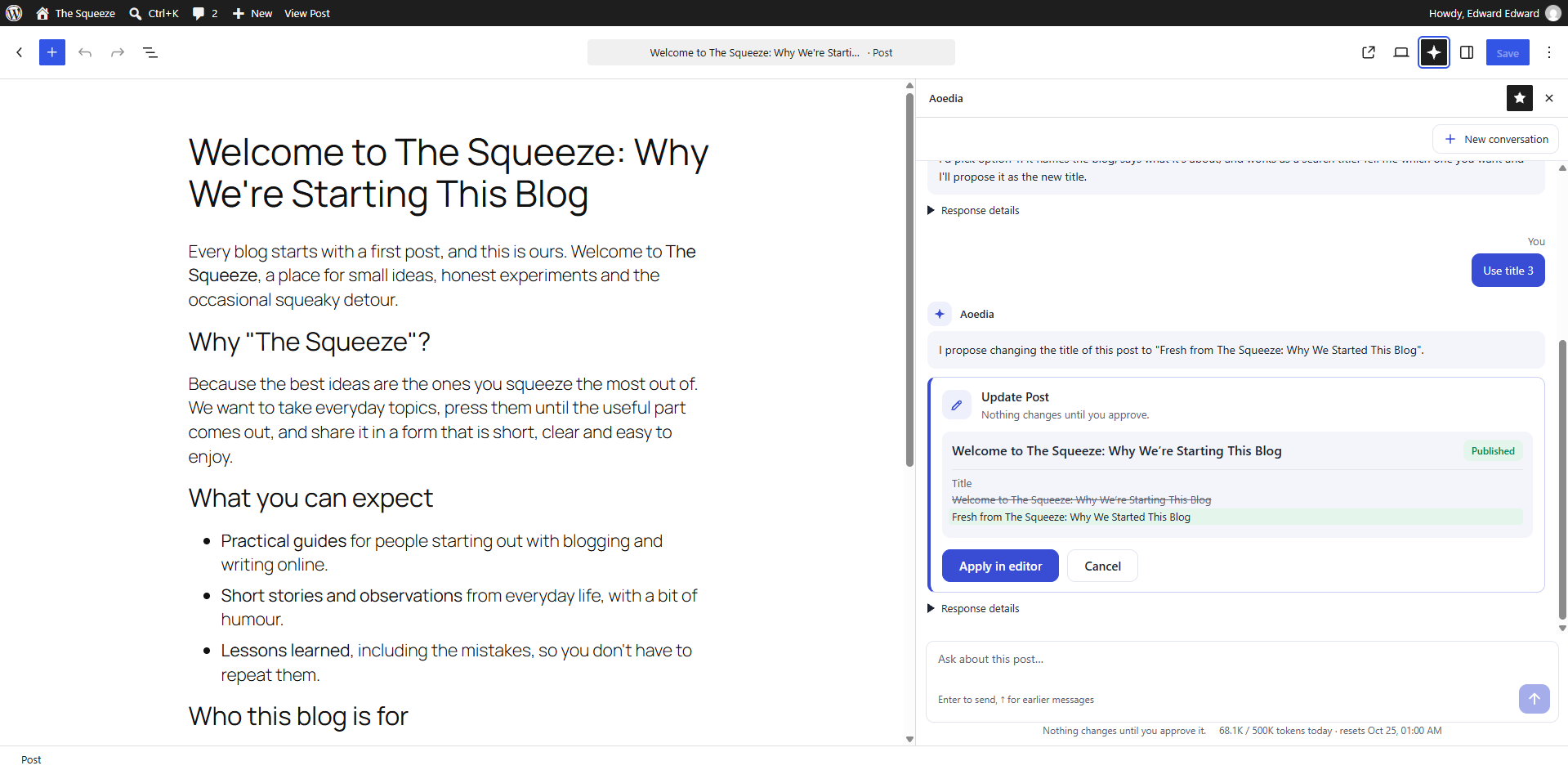
Aoedia never changes your site on its own. When it wants to create something, it shows you a proposal first, and nothing happens until you click Approve.
Aoedia does not ship its own AI integration. It uses the tools that come with WordPress 7.0:
- AI Client: Aoedia works with any AI provider you set up under Settings Connectors (Anthropic, Google, OpenAI and others). Aoedia never stores API keys.
- Abilities API: every action the assistant can take is a registered ability with its own input schema and permission check. Because the abilities are standard, other tools can use them too, such as the REST API or external AI agents connected through MCP.
Abilities
aoedia/list-posts: lists up to 20 posts, filtered by status, search term or category.aoedia/get-post: returns one post’s content, excerpt, categories and tags.aoedia/list-taxonomies: returns the existing categories and the most used tags, with their IDs. It can search, and list only categories or only tags.aoedia/create-draft: creates a new post as a draft.aoedia/update-post: changes the title, content, excerpt, categories or tags of an existing post. It never changes the post status.aoedia/list-pages: lists up to 50 pages in menu order, with each page’s parent, filtered by status, search term or parent.aoedia/get-page: returns one page’s content and parent.aoedia/create-page-draft: creates a new page as a draft, optionally under a parent page.-
aoedia/update-page: changes the title, content or parent of an existing page. It never changes the page status, and it refuses to place a page under itself or one of its subpages. -
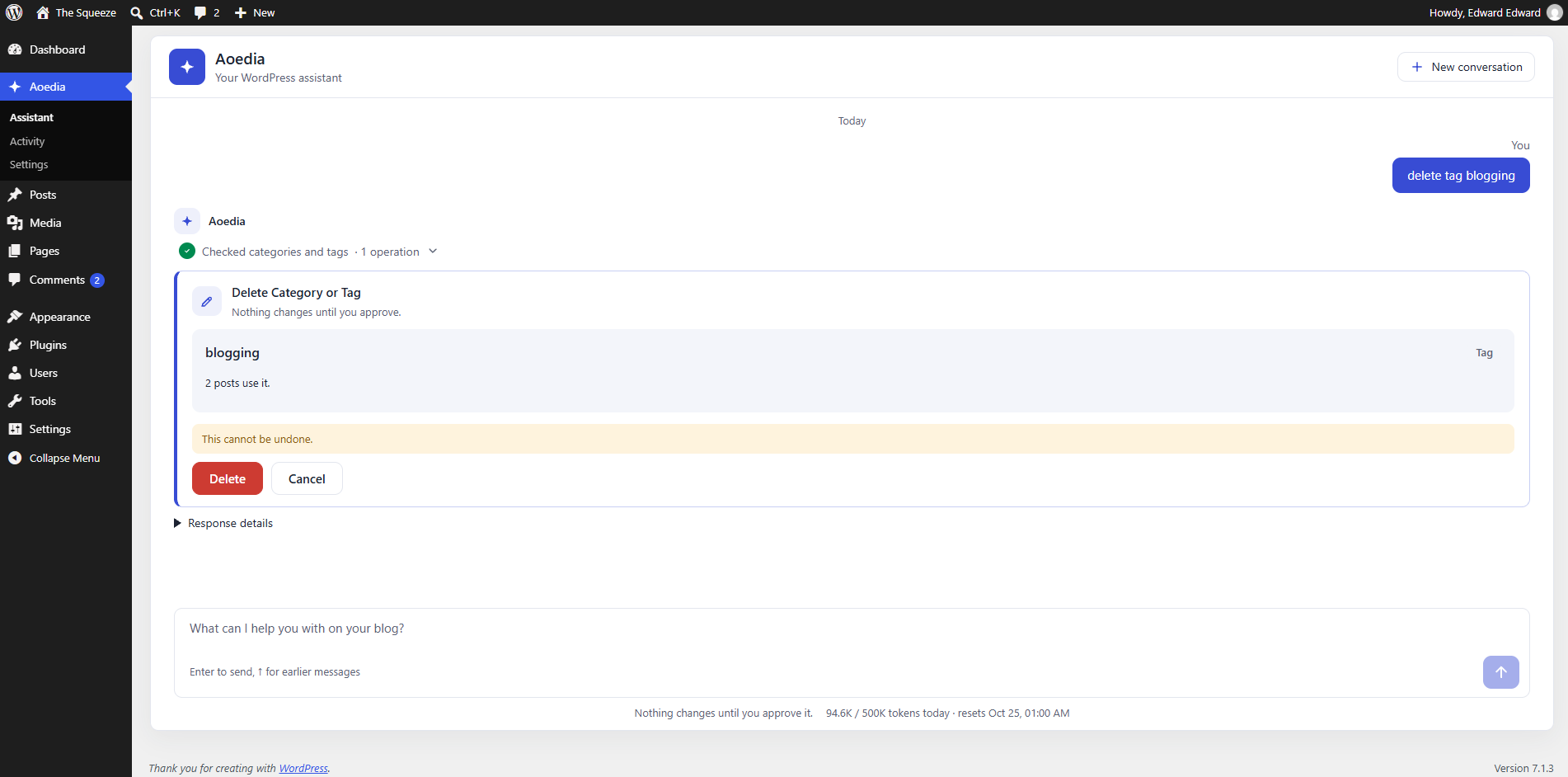
aoedia/create-term: creates a category or tag, with an optional slug, description and parent category. aoedia/update-term: renames a category or tag, or changes its slug, description or parent category.aoedia/delete-term: deletes a category or tag. Posts are kept; posts left without a category get the default category.aoedia/merge-terms: moves every post from one category or tag to another, then deletes the first.aoedia/list-comments: lists comments waiting for approval, or by another status, so the assistant can say which look like spam or which questions need an answer.aoedia/moderate-comments: approves, unapproves, marks as spam or moves to the trash up to 50 comments at once. Nothing is deleted permanently.-
aoedia/reply-comment: publishes a reply to an approved comment, under your name. -
aoedia/site-report: reports on the last N days (30 by default): posts published by category, drafts, scheduled posts, drafts not touched for 30 days, posts without an excerpt; comments received, waiting and marked as spam, and the most commented posts; empty categories and rarely used tags; and, for administrators, Aoedia requests and tokens per user. It requires theedit_others_postscapability, since it lists other people’s drafts. -
aoedia/schedule-post: schedules a draft or pending post or page to be published at a date in the site’s time zone, between 5 minutes and 2 years ahead, or changes the date of a scheduled one. It requires the right to publish (publish_postsorpublish_pages). -
aoedia/unschedule-post: turns a scheduled post or page back into a draft. -
aoedia/analyze-seo: checks a post or page: title and meta description length, headings, word count, images without alt text, internal and external links, and a focus keyword (accents and case are ignored, so “Brașov” matches “brasov”). aoedia/update-seo: sets the SEO title, meta description and focus keyword in Yoast SEO or Rank Math. Without one of them, only the meta description can be set, as the post excerpt.
The comment abilities require the moderate_comments capability. Comment text is written by visitors, so the assistant is told to treat it strictly as data.
The page abilities require the edit_pages capability, and the category and tag abilities require manage_categories, so authors and contributors cannot use them. The default category cannot be deleted or merged, and a category cannot be placed under one of its subcategories. Delete and merge are marked as destructive and ask for a separate Delete or Merge click that shows how many posts are affected.
In the block editor, approved changes to the open post or page are applied as unsaved edits. You review them in the editor and save, so nothing you have open is overwritten. Elsewhere, an approved change is saved right away. For a published post or page, that means it goes live, and the approval card warns you first. WordPress keeps a revision either way.
Safety by design
- You approve every change. Abilities that change the site come back as proposals with a preview. They run only when you approve them. Each proposal can be used once, by the user who received it, within one hour.
- Never publishes without your explicit approval. The assistant creates drafts and edits posts and pages without changing their status. The only way it can lead to publication is a schedule: it proposes a date, the approval card states it, and only users who may publish can approve it. In the editor, the date is set and you confirm with WordPress’s own Schedule button.
- Your permissions, never more. Each ability checks the capabilities of the logged-in user. The assistant can only do what you can do.
- Sanitized output. Content written by the AI is passed through
wp_kses_post(), even for users who can post unfiltered HTML. - Prompt-injection hardening. The assistant is told to treat post content and other tool results as data, never as instructions. Tool results are produced on the server inside a single request, so a client cannot forge them.
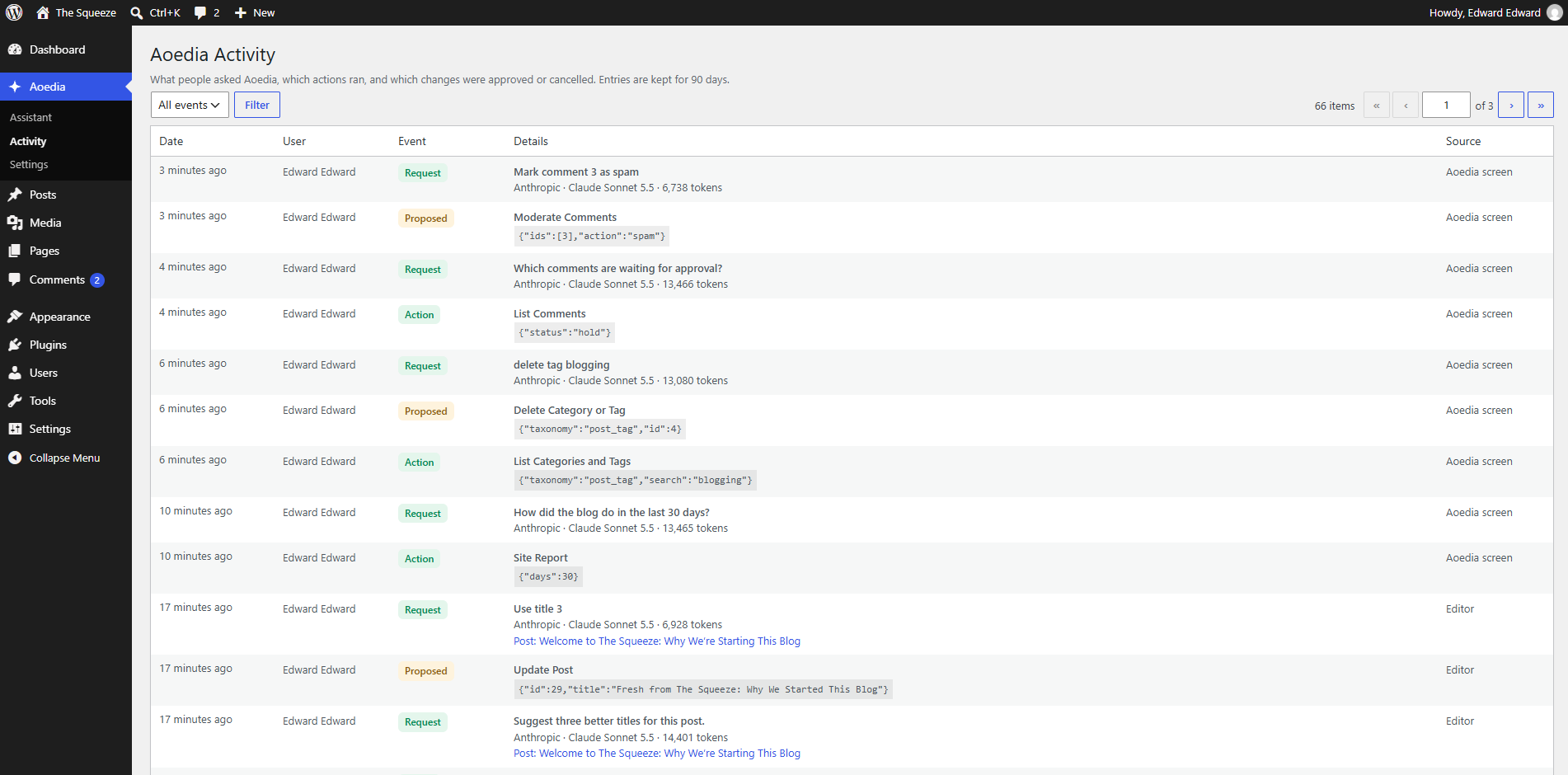
- Audit log. Aoedia Activity shows administrators who asked what, which actions ran, and which proposals were approved or cancelled. Calls to Aoedia abilities from outside Aoedia, such as through REST or MCP, are logged too. Entries are kept for 90 days. Drafts created by Aoedia also carry the
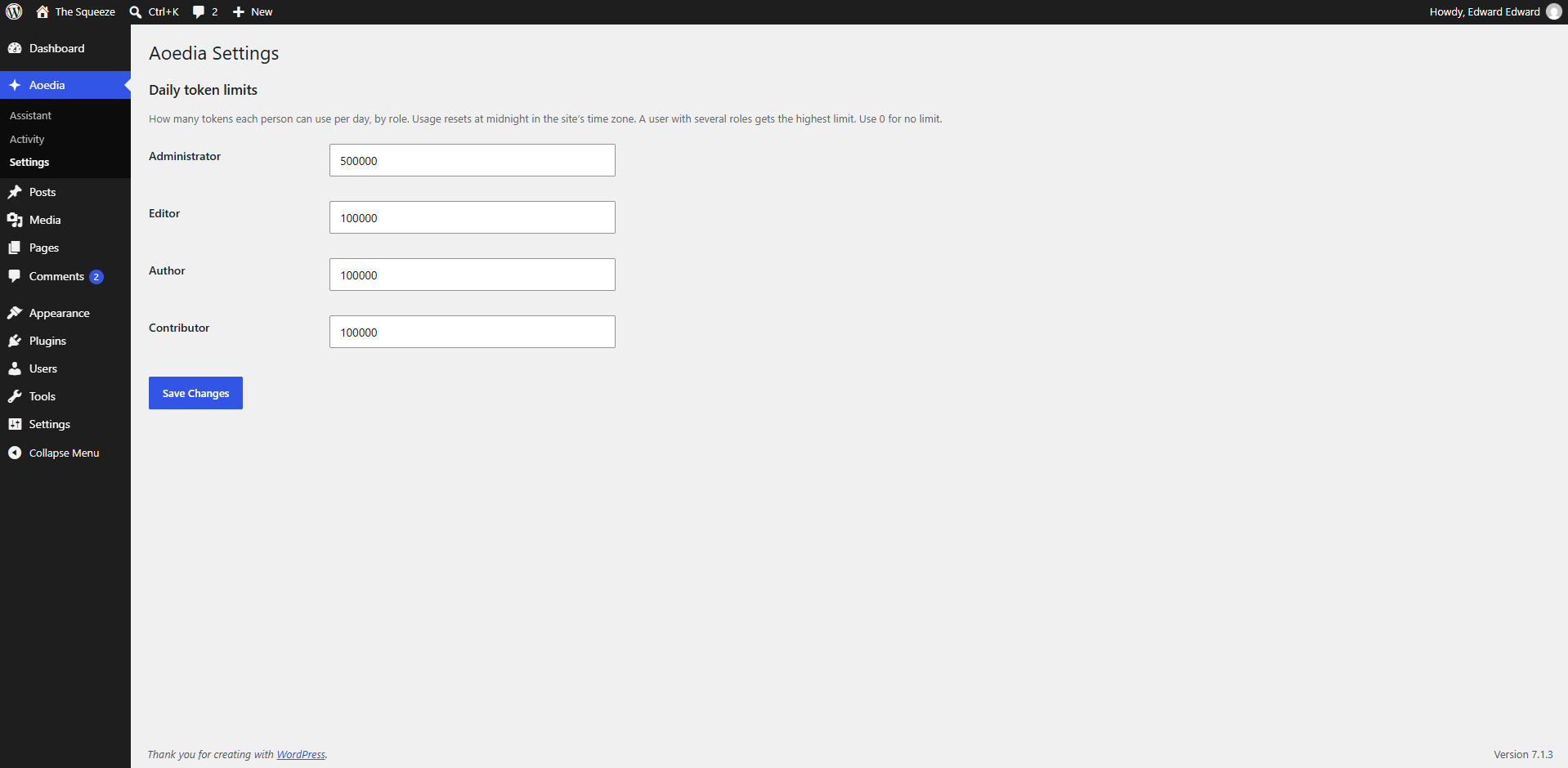
_aoedia_generatedpost meta. - Daily token limits. Under Aoedia Settings, administrators set how many tokens each role can use per day. By default administrators have no limit and other roles get 100,000 tokens. Users with a limit see their usage below the chat.
- Respects the site switch. If AI is turned off with the
WP_AI_SUPPORTconstant or thewp_supports_aifilter, Aoedia does nothing.
Privacy
When you use the chat, your messages and the blog content the assistant reads are sent to the AI provider you configured. Check that provider’s terms and privacy policy before you use Aoedia with personal data.
The audit log stores, on your own site, the first 500 characters of each request, the user who sent it, and shortened inputs of the actions that ran. Entries are deleted after 90 days, or when you delete the plugin.
For developers
REST API
POST /wp-json/aoedia/v1/chat
Request body:
{ "messages": [ { "role": "user", "text": "List my latest drafts" } ] }
roleisuserormodel. The last message must come from the user.- Only the last 20 messages are kept, and each is cut to 8,000 characters.
- Optional
post_id: the post open in the editor. It is used only if the current user can edit that post.
The response contains:
reply: the assistant’s text. It can contain[[post:ID]]markers, which the admin screen shows as post cards, and[[action:text]]markers for suggested next steps.posts: card data for each post referenced in the reply, keyed by ID. Only posts the current user can edit are included.proposals: write actions waiting for approval, each with atoken, theability, itslabeland the validatedinput.actions: each read ability called, with its input and whether it succeeded.usage: prompt and completion tokens.model: the provider and model that produced the reply.quota: the user’s usage after this request:usedandlimittokens (alimitof 0 means none) andresets, when the daily total resets. Errors from the agent loop carry it too, underdata.quota.
The endpoint requires the edit_posts capability. Error codes:
aoedia_ai_disabled(503): AI is turned off on the site.aoedia_no_provider(503): no AI provider is configured.aoedia_invalid_history(400): the last message does not come from the user.-
aoedia_token_limit(429): the user has reached their daily token limit.POST /wp-json/aoedia/v1/confirm
Request body: { "token": "…", "decision": "approve" }. The decision is approve, apply or cancel. apply works only for aoedia/update-post: instead of saving, it returns the sanitized edits (with categories and tags as term IDs) for the editor to apply.
The response contains status (ok, applied, error or cancelled), the ability result or the edits, a post card when a post was created or updated, and a note. Send the note back in the next chat request, as part of a model message, so the assistant knows what happened.
The endpoint returns aoedia_proposal_not_found (404) when the token is unknown, has expired, was already used, or belongs to another user.
Screenshots



Installation
- Upload the
aoediafolder to/wp-content/plugins/, or install the plugin from the Plugins screen. - Activate the plugin.
- Go to Settings Connectors, install an AI provider and add its API key.
- Open Aoedia in the admin menu, or click the Aoedia icon in the top bar of the post editor.
FAQ
-
Which AI providers are supported?
-
Any provider available in WordPress Connectors. Aoedia uses whichever provider and model WordPress picks for text generation.
-
Who can use the assistant?
-
Any user who can edit posts (Author and above). Each ability also checks permissions separately. For example, an Author can only read posts they are allowed to edit.
-
Can I add my own abilities to the assistant?
-
Yes. Use the
aoedia_chat_abilitiesfilter to add or remove ability names. Each ability still runs its own permission check. -
Can I change how the assistant behaves?
-
Use the
aoedia_system_instructionfilter to change the instruction sent to the model. -
Which actions need my approval?
-
By default, every ability not annotated as read-only. Use the
aoedia_requires_confirmationfilter to change that for a given ability. -
How long is the activity log kept?
-
90 days. Use the
aoedia_log_retention_daysfilter to change it. -
How do token limits work?
-
Each request adds the tokens it used to the user’s total for the day, which resets at midnight in the site’s time zone. Once the total reaches the limit, new requests are refused until the next day. A request that is already running stops before its next model call. A user with several roles gets the highest of their limits. Use the
aoedia_token_limitfilter to set a limit for a given user. -
What happens when I delete the plugin?
-
The activity log, its settings and any pending proposals are removed. Drafts created by Aoedia are regular posts, so they are kept.
Reviews
There are no reviews for this plugin.
Contributors & Developers
“Aoedia – AI Assistant for Your Blog” is open source software. The following people have contributed to this plugin.
Contributors
Translate “Aoedia – AI Assistant for Your Blog” into your language.
Interested in development?
Browse the code, check out the SVN repository, or subscribe to the development log by RSS.
Changelog
0.1.0
- First release: a chat screen and an editor sidebar that work with posts, pages, categories and tags, comments, scheduling and SEO fields; a site report; an approval step for every change; daily token limits per role; and an activity log.
See CHANGELOG.md for details.