
Description
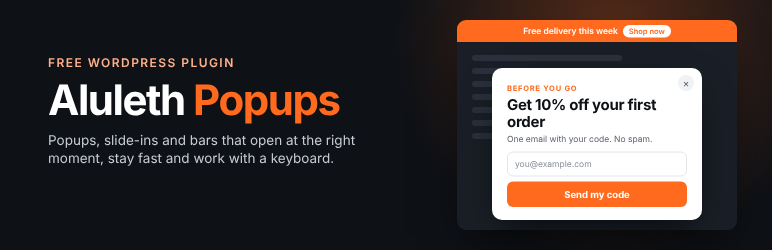
Aluleth Popups shows your offers, sign-up forms and announcements at the right moment, without slowing your site down or annoying your visitors.
Everything is included in the free plugin: unlimited popups, exit intent, scroll and time triggers, targeting rules and statistics. Nothing is locked.
Five kinds of popups
- Centered popup, with the page dimmed behind it.
- Slide-in in a corner: it never blocks reading.
- Top or bottom bar. A top bar shown when the page opens is part of the page: it pushes the page down instead of covering it.
- Full screen, for big events.
- In the content: a sign-up box at the end of your articles.
When it opens
- When the visitor is leaving: the mouse goes to the browser tabs on computers, a quick scroll back up on phones.
- After scrolling part of the page.
- After some time on the page, or after a pause.
- When someone clicks a button or a link (two-step opt-in): use the link
#aluleth-popup-12anywhere, the shortcode[aluleth_popup_link id="12"]Get the guide[/aluleth_popup_link]or your own CSS selector. - As soon as the page opens.
- How often: every visit, once every few days or only once. Never again once the visitor has signed up, and only one covering popup per visit if you want.
- Start and end dates.
Who sees it
Pages, content types, blog categories, device, new or returning visitors, logged-in visitors, user roles, the website they come from, the campaign (UTM) and the page address. When several popups could open at the same moment, your priority order decides.
Ask first
Start with a simple Yes / No question and show the form only after “Yes”. Visitors say yes more often when the first step is small.
Forms and contacts
With the free Aluleth Forms plugin, a popup can show any of your forms: multi-step forms, conditional fields, anti-spam, payments. The people who sign up become contacts in Aluleth, with “Signed up from the popup …” in their history. Without Aluleth Forms, a popup can show a button, a text or the shortcode of another form plugin.
Fast, accessible and Google-friendly
- The script and styles load only on pages where a popup can open, after the page is shown. Popups are not drawn before they open and never move the page content.
- Every popup is a real dialog: it closes with Esc, keeps the keyboard focus inside while open and gives it back when closed. Visitors who turned off animations never see one.
- On phones, centered and full screen popups become a panel at the bottom of the screen. The editor warns you when a popup could hurt your Google ranking on phones.
Statistics
Times shown, sign-ups and clicks, conversion rate and closes for each popup, for 7 days, 30 days or 12 months, and in the Aluleth dashboard. One number per popup and per day: no cookie and no personal data.
Live preview
A four-step editor (Design, When, Who, Review) with a live preview on a computer or a phone, the settings explained in plain words, and a “Try it on the site” link that opens the popup for you only.
External services
Aluleth Popups itself does not contact any outside service. Popups, their settings and their statistics stay on your site: views, closes and clicks are counted by your own site (a request to its own /wp-json/aluleth-popups/v1/track address with the popup number, what happened, the kind of device – phone, tablet or computer – and the page address without its query string; no name or identifier is sent, and the plugin stores no IP address: to stop scripts from filling the statistics, a salted one-way hash of the visitor’s address is kept for two minutes, then deleted), and the choices of each visitor (closed, already seen) are kept in their own browser. When Aluleth Forms is active, the services you connect in Aluleth Forms (for example your email marketing tool) receive the sign-ups made in popups, as described in that plugin.
Shared Aluleth screens
Aluleth Popups comes with the screens shared by all Aluleth plugins (Aluleth › Settings and Aluleth › Connections). They are mostly used by Aluleth Forms and the other Aluleth plugins. None of the services below is contacted unless you paste your own key or address in one of these screens. With Aluleth Popups alone, that is only when you click a “Save and check”, “Connect” or “Send a test” button there, and, once captcha keys are saved, when you open Aluleth › Settings › Security: it shows the service’s test check, which loads its script in your browser.
- Mailchimp (
*.api.mailchimp.com), email marketing. When you connect your account in Aluleth › Connections, your API key is sent to read your lists, tags and fields. Terms of use, Privacy policy. - Brevo (
api.brevo.com), email marketing. Same use and data as Mailchimp. Terms of use, Privacy policy. - MailerLite (
connect.mailerlite.com), email marketing. Same use and data. Terms of service, Privacy policy. - Kit (
api.kit.com), email marketing. Same use and data. Terms of service, Privacy policy. - Mautic, marketing automation that you host yourself: the address of your own Mautic and its API user, sent only to that address. Mautic privacy policy.
- Telegram (
api.telegram.org), messaging. When you connect a bot, its token is sent to read the bot’s name and the chats that wrote to it. Terms of service, Privacy policy. - Discord (
https://discord.com/api/webhooks/…; thediscordapp.com,canary.discord.comandptb.discord.comforms of the same address are accepted), chat. A message is posted to the channel webhook address you paste, and nowhere else. It is sent only when another Aluleth plugin sends an alert (for example, with Aluleth Forms, a new form entry with its answers and a link to it), or when you click “Send a test” (a sample message with no personal data). Aluleth Popups alone sends no message to Discord. Terms of service, Privacy policy. - Slack (
https://hooks.slack.com/services/…), chat. Same use and data as Discord, to the Slack webhook address you paste. Terms of service, Privacy policy. - Your own webhook addresses receive the same kind of message, only when another Aluleth plugin sends one or when you click “Send a test”.
- Captcha services, in Aluleth › Settings › Security: “Save and check the keys” sends your secret key and a test answer to the service you chose, to tell you whether the keys work. Cloudflare Turnstile (
challenges.cloudflare.com, for the test check and the key check): Terms of use, Privacy policy. hCaptcha (js.hcaptcha.comfor the test check,api.hcaptcha.com): Terms of service, Privacy policy. Google reCAPTCHA (www.google.com/recaptcha, for the test check and the key check): Terms of service, Privacy policy. CleanTalk (moderate.cleantalk.org), a short test message with your access key: Terms of service, Privacy policy. These services check visitors only on the forms of Aluleth Forms; Aluleth Popups adds no captcha to your pages. - PayPal: the Payments settings and the PayPal code are only used with Aluleth Forms; they are hidden and never run with Aluleth Popups alone. User agreement, Privacy statement.
Installation
- Install and activate the plugin.
- Go to Aluleth › Popups and click “New popup”.
- Pick a design, then follow the four steps and publish.
To collect emails in a popup, also install the free Aluleth Forms plugin.
FAQ
-
No. To respect “How often”, the plugin remembers in the visitor’s browser (local storage) when each popup was last shown, closed or used. Nothing is sent to you or to us, and no personal data is stored.
-
What is counted in the statistics?
-
For each popup and each day: the number of times it was shown, closed, and used (a form sent or the button clicked). The browser sends the popup number and the kind of action only, to your own site.
-
Yes. Choose “When someone clicks a button or link” and link to
#aluleth-popup-ID(the ID is shown in the step “When”), or add the classaluleth-popup-IDto any element. Developers can also callalulethPopups.open( ID ). -
Will a popup slow my site down?
-
The script is small (about 15 KB, 5 KB compressed) and loads with “defer” only on pages where a popup can open. The popup’s content waits in a template and is only drawn when it opens.
-
Does it work with my page builder or cache plugin?
-
Yes. Popups are added at the end of the page by WordPress, so they work with any theme or builder. Rules about the visitor (device, new or returning, campaign) are checked in the browser, so they also work with page caching.
Reviews
There are no reviews for this plugin.
Contributors & Developers
“Aluleth Popups” is open source software. The following people have contributed to this plugin.
Contributors
Translate “Aluleth Popups” into your language.
Interested in development?
Browse the code, check out the SVN repository, or subscribe to the development log by RSS.
Changelog
0.2.4
- Escaping: every popup is printed through wp_kses() with a list of allowed tags (in the page footer, after the post content, in top bars, in the editor preview and in the targeting rules of the editor), so HTML added by a filter, a shortcode or another plugin cannot add scripts or event handlers. Developers can extend the list with the aluleth_popups/allowed_html filter.
0.2.3
- Statistics: at most 60 counted actions a minute from one visitor address, and a popup with a form counts a sign-up only when the form is saved (never from the browser alone), so a script cannot fill the numbers.
- Contact imports: the files being imported (and the list of rows not imported) can no longer be opened from their address, on Nginx or any other server.
- Texts sent to PayPal, Slack, Discord and Telegram are shortened without the PHP mbstring extension.
- Deleting Aluleth Popups while the complete Aluleth Popups Pro is installed keeps the popups: Aluleth Popups Pro includes this plugin and keeps using them.
0.2.2
- The notice about an older Aluleth core shows only on the Plugins screen, to people who can update plugins.
- Top bars hidden on phones use the plugin stylesheet instead of a style tag printed in the page.
- readme: the services of the shared Aluleth screens are listed one by one under External services.
0.2.1
- Plugin header: the author link now points to the WordPress.org profile.
- Shared Aluleth core 0.18.4.
0.2.0
- Longer, unique names for the WordPress.org guidelines: the statistics table is now “aluleth_popup_stats” and the popup settings are kept under “aluleth_popup*”. Existing popups and their numbers are moved automatically on update.
0.1.4
- Shared Aluleth data (contacts, tags, lists, consents, blocked addresses, queue) now lives in tables with the “aluleth” prefix. They are renamed automatically on update; nothing is lost. Update all your Aluleth plugins at the same time.
0.1.3
- For add-ons: a popup can wait for information before it opens (for example the visitor’s cart in Aluleth Popups Pro), and add rules to the “who sees it” summary.
- Database queries use the WordPress identifier placeholder for table and column names (also in the shared Aluleth core).
0.1.2
- For add-ons: other versions of a popup (A/B tests in Aluleth Popups Pro) and extra numbers sent with each count.
0.1.1
- Fixed: bars at the bottom of the screen stayed hidden below it; they now slide in.
- A popup now opens even when the browser pauses animations (for example in a tab that is not in front), instead of waiting for the visitor to come back to the tab.
- For add-ons: hooks to add settings, fields in the editor, content above the button, screens and statistics by page and device. Designs can be grouped.
0.1.0
- First version: centered popups, slide-ins, top and bottom bars, full screen and “in the content” boxes; exit intent on computers and phones, scroll, time, pause, click and arrival triggers; frequency and dates; targeting rules and priority; Yes / No first step; Aluleth Forms inside popups; statistics; live preview on computer and phone; Google check on phones; keyboard and screen reader support.