

Description
Leezy is an AI chatbot platform that helps businesses automate customer support, answer questions, and engage visitors 24/7.
Install the plugin, enter your Chatbot ID, and your chatbot is live — trained on your content and ready to help your visitors.
Key Features:
- AI-Powered Responses — Trained on your website content, docs, and FAQs for accurate answers
- 50+ Languages — Automatically responds in your visitor’s language
- One-Click Setup — No code changes needed. Install, configure, done.
- Dashboard Customization — Control theme, position, colors, greeting messages, and availability from Leezy
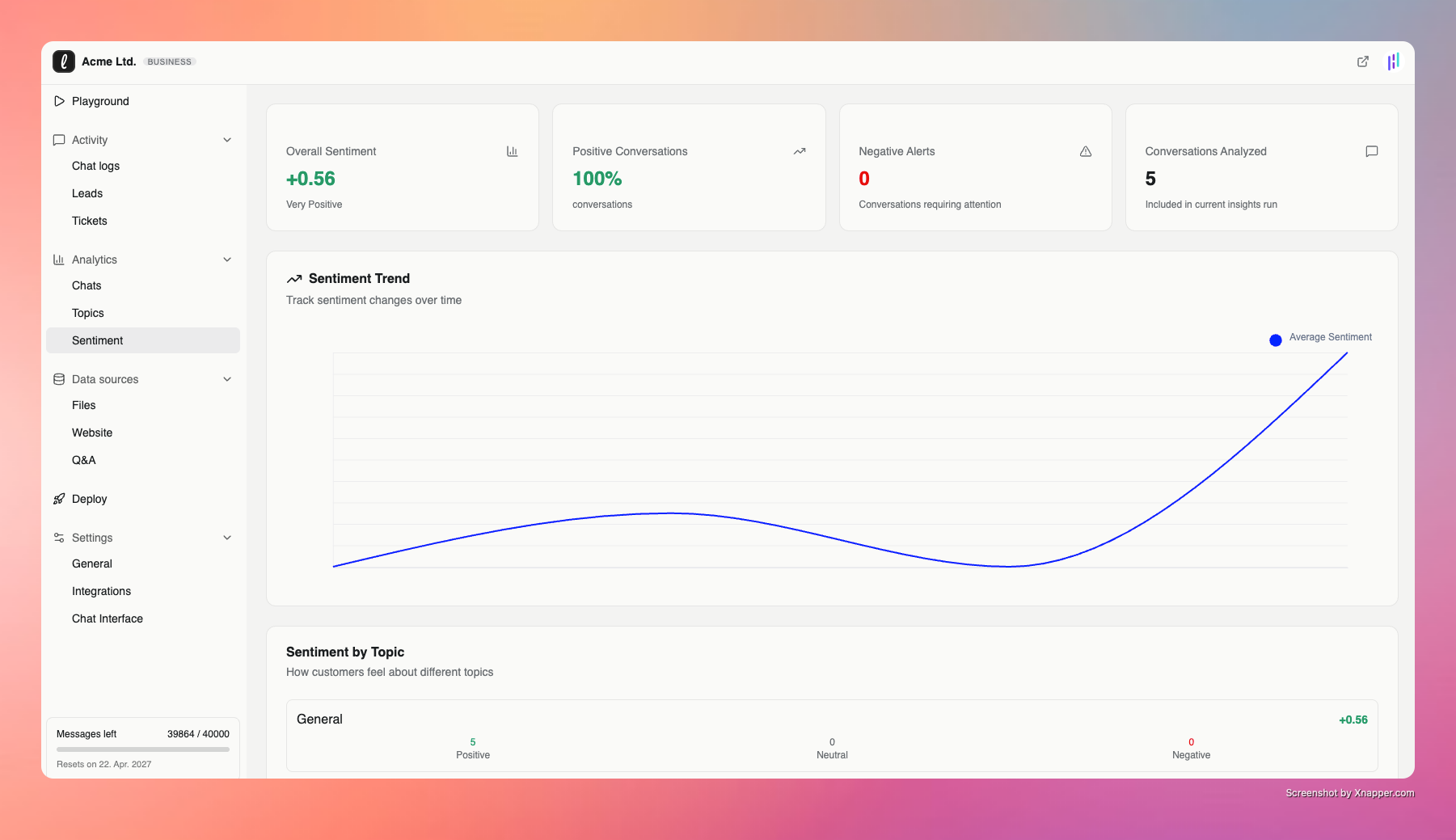
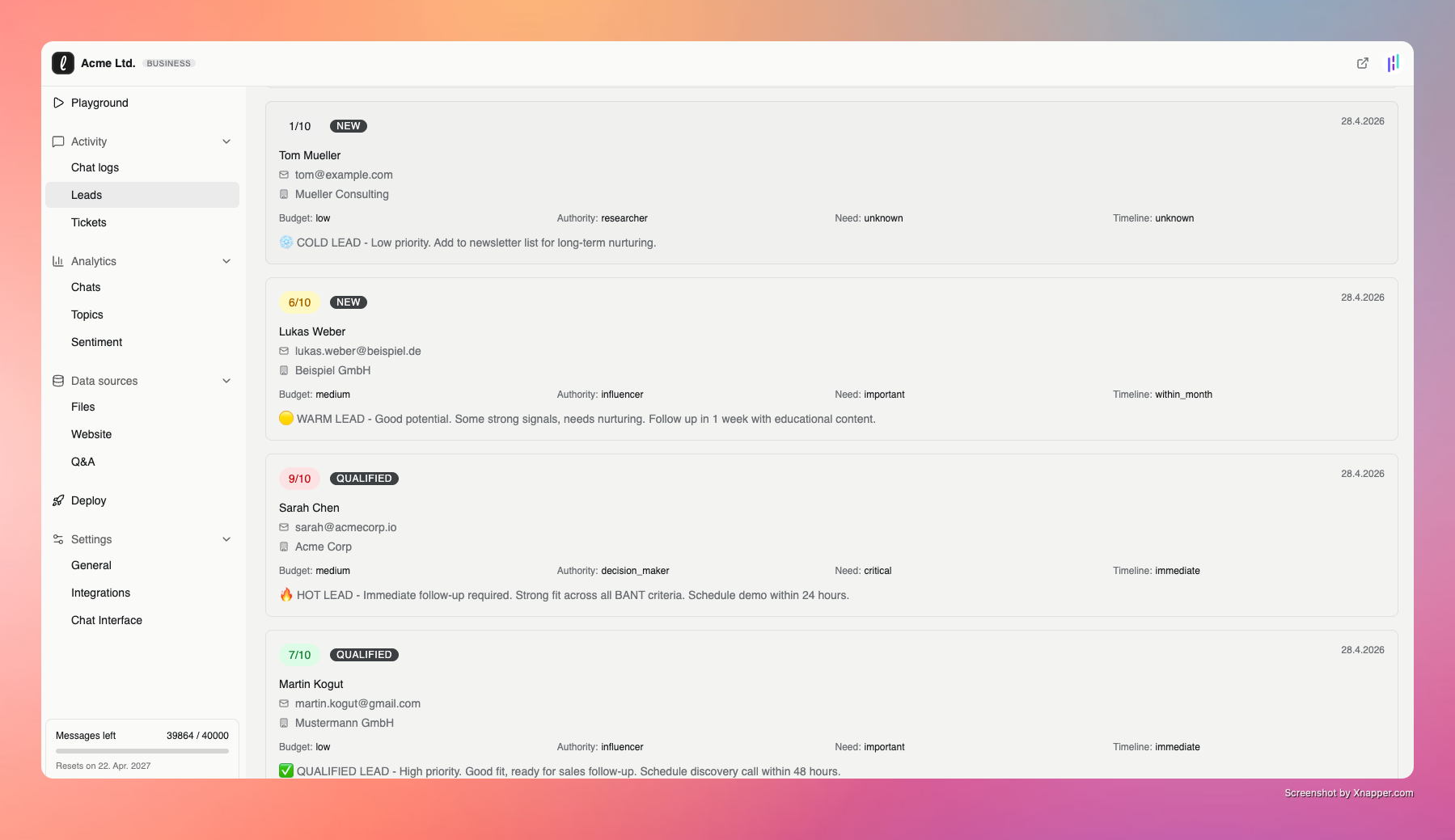
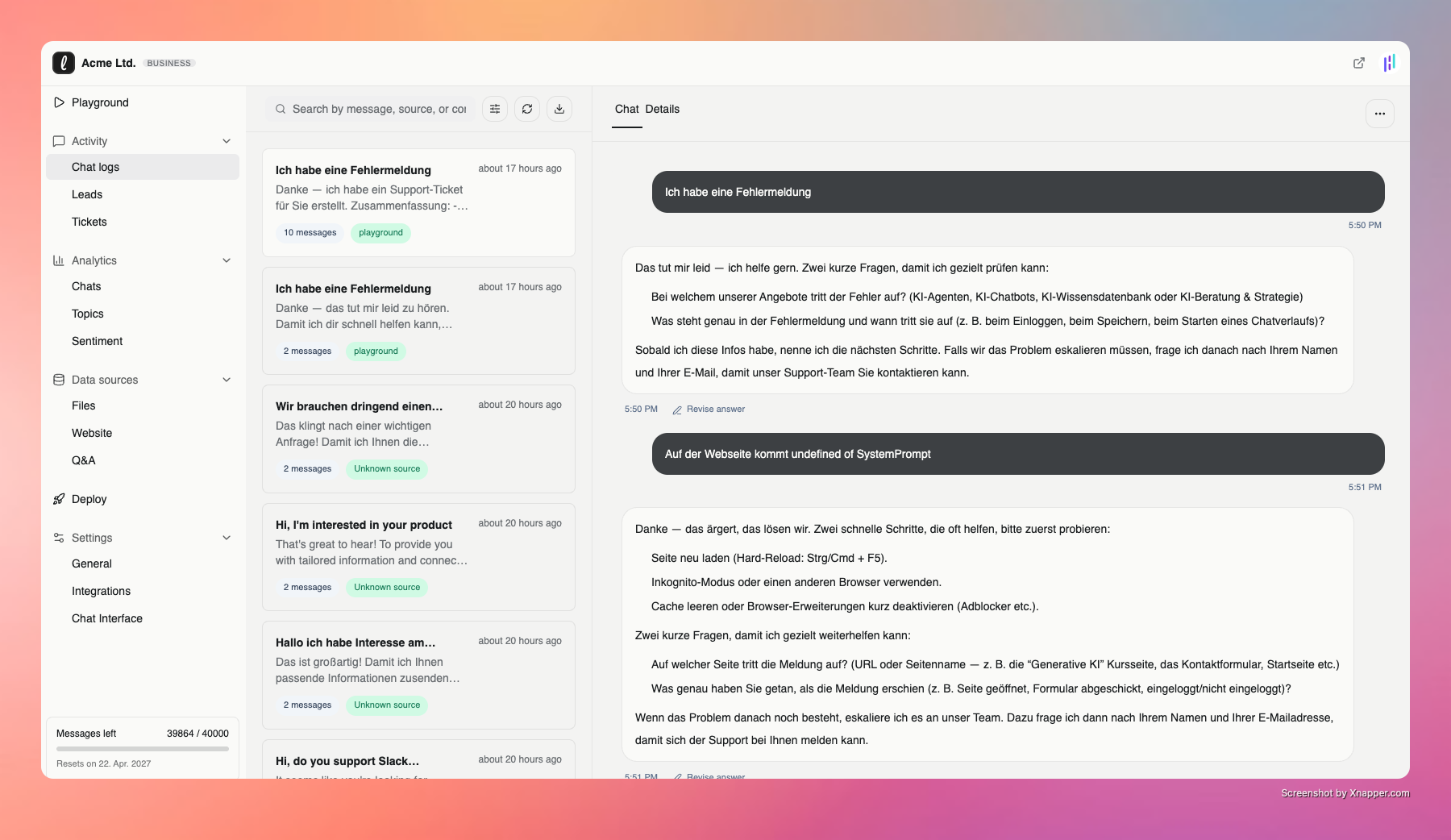
- Analytics & Insights — Track conversations, understand customer needs, and improve your content
- GDPR Compliant — Data processing in the EU, privacy-first design
- Multi-Channel Ready — Connect WhatsApp, Email, Instagram and more from the Leezy dashboard
How It Works:
- Sign up at leezy.ai and create your chatbot
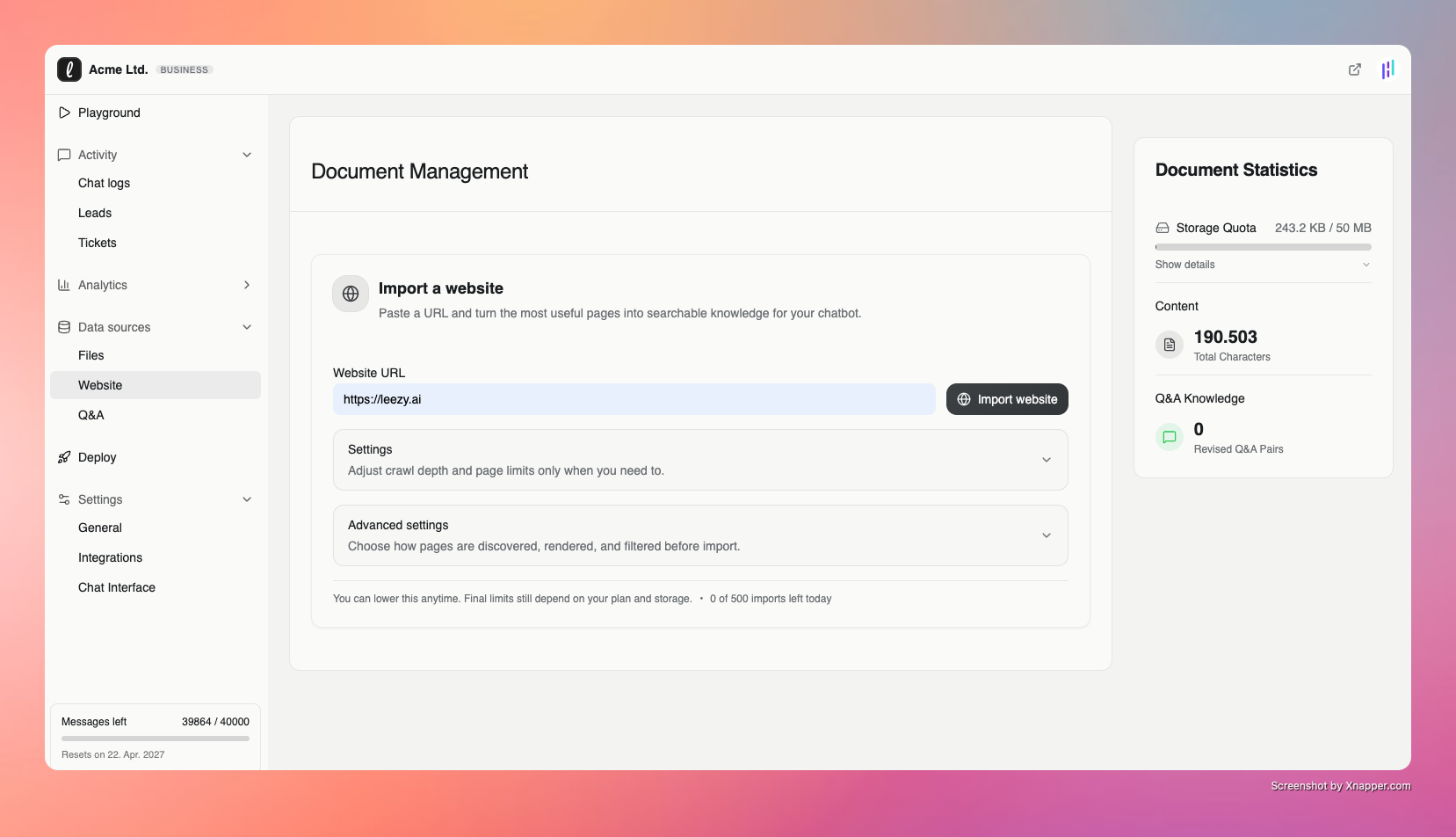
- Train it on your website content (automatic import available)
- Copy your Chatbot ID from the dashboard
- Install this plugin and paste the Chatbot ID
- Your AI chatbot is live!
Perfect For:
- E-commerce stores needing 24/7 support
- SaaS companies with self-service documentation
- Service businesses handling common inquiries
- Agencies managing multiple client sites
Third-Party Services
This plugin connects to the Leezy platform to load and run the AI chatbot on your website. When the plugin is active and configured:
- The chatbot embed script is loaded from
leezy.ai - Chat conversations are processed by the Leezy AI platform
- Visitor interactions are stored in your Leezy account
By using this plugin, you agree to the Leezy Terms of Service and Privacy Policy.
Screenshots

Installation
- Install the plugin through the WordPress plugin screen, or upload the plugin files to
/wp-content/plugins/ai-chatbot/ - Activate the plugin — you’ll be redirected to the settings page
- Enter your Chatbot ID from your Leezy dashboard
- Click “Save Settings”
- Done! Your chatbot is now live on your site.
FAQ
-
Where do I find my Chatbot ID?
-
Log in to your Leezy dashboard, open your chatbot, and copy the Chatbot ID shown in the dashboard.
-
Do I need a Leezy account?
-
Yes. Sign up for free at leezy.ai. A free plan is available to get started.
-
Does it slow down my website?
-
No. The chatbot loader waits until the page has loaded, then loads the Leezy embed script asynchronously.
-
Can I customize the chatbot appearance?
-
Yes. Configure the theme, position, button color, greeting message, and more in the Leezy dashboard. The WordPress plugin uses the same embed code as manual installation and only needs your Chatbot ID.
-
Is it GDPR compliant?
-
Yes. Leezy processes data in the EU and is designed with privacy in mind. See our Privacy Policy for details.
-
Does it work with caching plugins?
-
Yes. The chatbot loads via an external script and works with all major caching plugins (WP Rocket, W3 Total Cache, LiteSpeed Cache, etc.).
-
What languages does it support?
-
The chatbot automatically responds in 50+ languages based on visitor input, regardless of the interface language configured in Leezy.
Reviews
There are no reviews for this plugin.
Contributors & Developers
“Leezy – AI Chatbot” is open source software. The following people have contributed to this plugin.
Contributors
Translate “Leezy – AI Chatbot” into your language.
Interested in development?
Browse the code, check out the SVN repository, or subscribe to the development log by RSS.
Changelog
1.0.4
- Added bundled translations for high-demand AI chatbot markets across Europe, the Middle East, Asia, and Latin America
1.0.3
- Added bundled German translations for the plugin settings interface
1.0.2
- Aligned the plugin text domain with the WordPress.org slug so language-pack translations can load correctly
1.0.1
- Updated the WordPress output to use the same Leezy embed loader as manual installation
- Registered the frontend loader through the WordPress script APIs
- Simplified plugin setup to require only the Chatbot ID
- Moved widget appearance and behavior configuration back to the Leezy dashboard
1.0.0
- Complete rewrite with new embed system
- WordPress Settings API integration
- Configurable theme, language, position, and colors
- Auto-redirect to settings on activation
- Settings link on plugins page
- WordPress Color Picker for button color
- Modern admin UI
- WordPress 6.7 compatibility
0.1
- Initial release