

Description
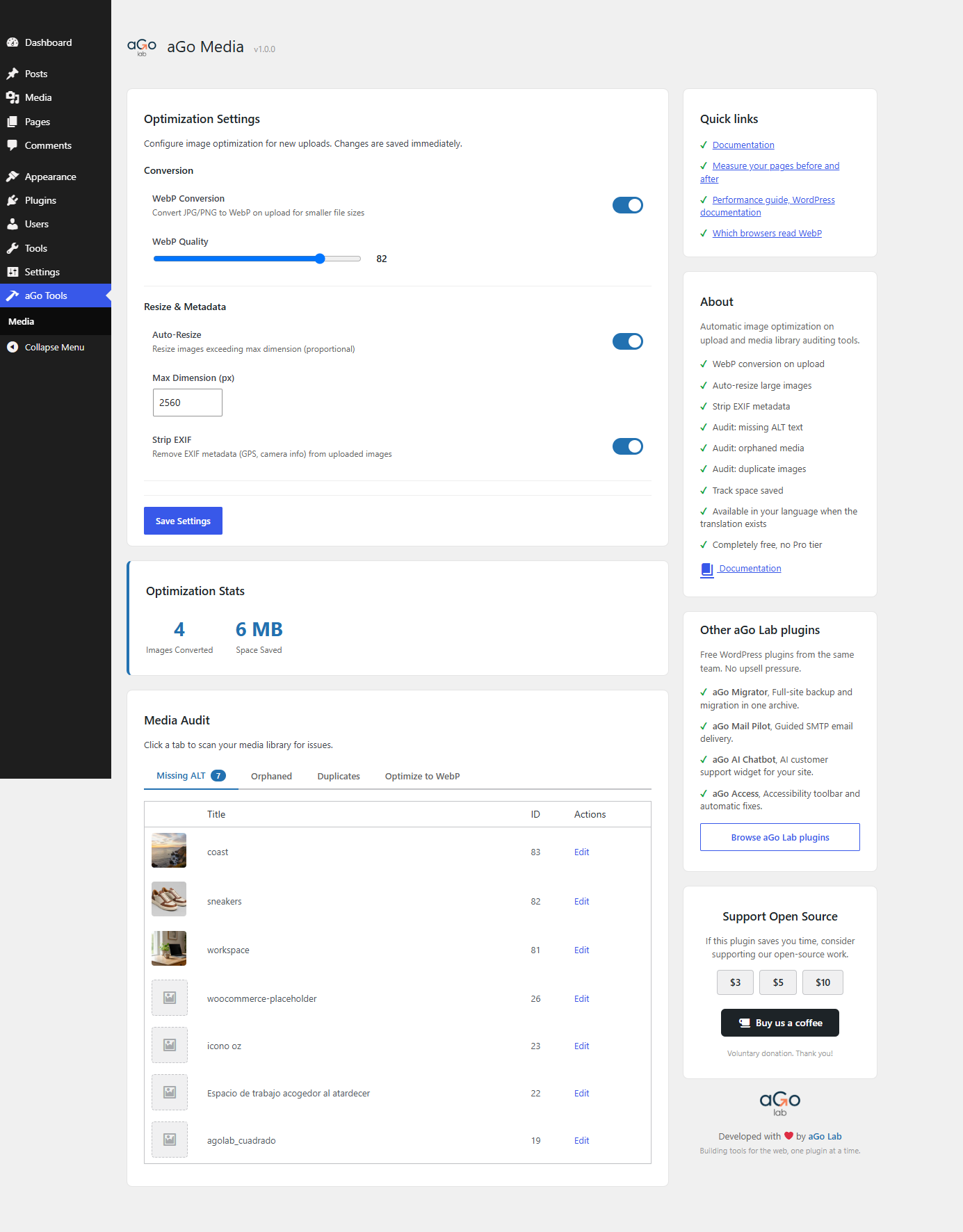
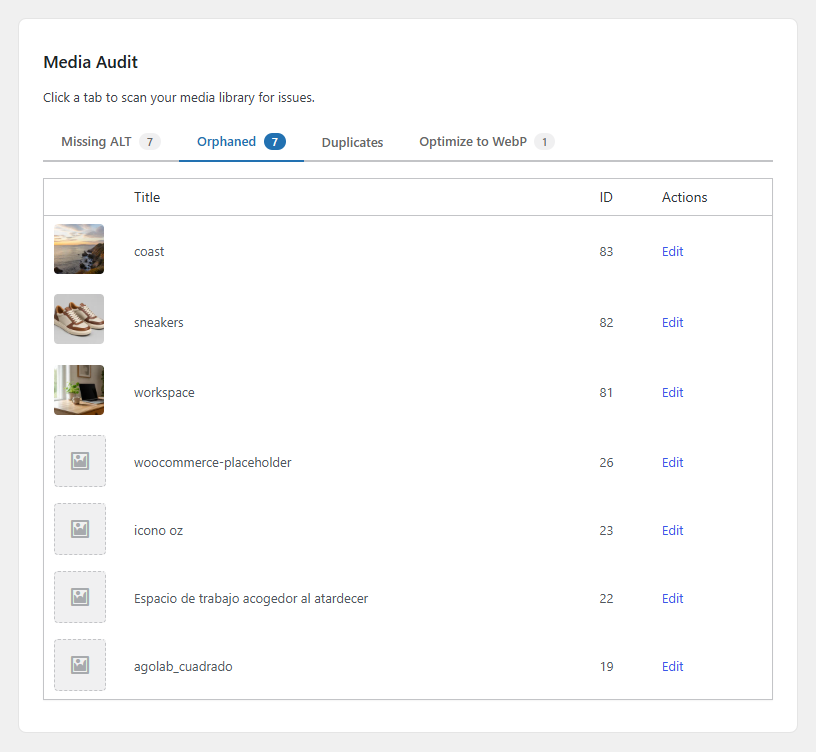
aGo Media optimizes images as they are uploaded to the WordPress media library: converts to WebP, resizes oversized originals to a sane maximum dimension, strips EXIF metadata. Includes an admin tab to audit existing media: images without ALT text, orphaned attachments not used in any post, duplicate files by filename.
Features
- Convert PNG and JPEG uploads to WebP automatically.
- Resize uploaded images to a maximum width or height.
- Strip EXIF metadata on upload.
- Audit: images without ALT text.
- Audit: orphaned attachments.
- Audit: duplicate detection by filename.
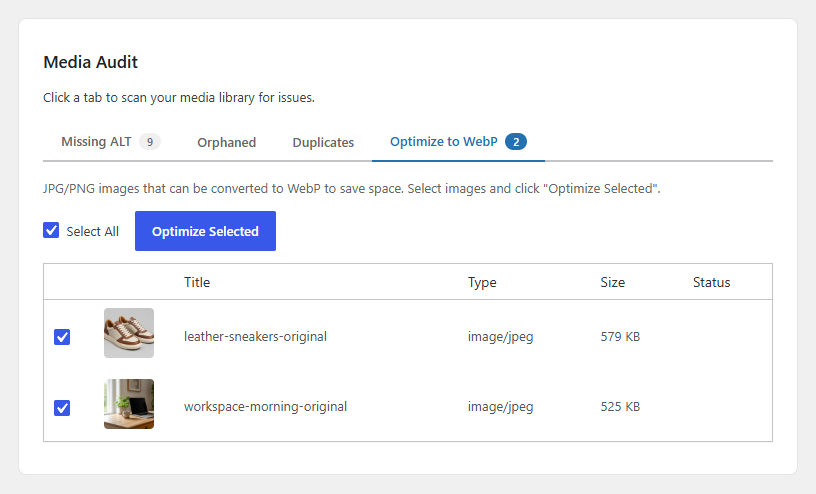
- Optimize existing attachments in bulk.
- No external services. All processing happens on your server using GD or Imagick.
- Fully internationalized. Translations are contributed and delivered through translate.wordpress.org.
- Completely free. No Pro tier, no locked features.
External services
This plugin does not connect to any external service. All image processing (WebP conversion, resize, EXIF stripping) runs locally with GD or Imagick, and no data ever leaves the site. The admin page carries links that open only when the user clicks them: ago.cl (documentation and our other plugins), wordpress.org (the performance guide), pagespeed.web.dev (to measure a page), caniuse.com (WebP browser support) and paypal.me (voluntary donation). No script, style, font or image is loaded from any of them.
Privacy
The plugin stores two options (agomedia_settings, agomedia_stats) and short-lived audit transients. It sends no data to third parties. On uninstall, all options and transients are removed.
Screenshots
Installation
- Upload the
ago-mediafolder to/wp-content/plugins/. - Activate the plugin.
- Go to aGo Tools, Media. Toggle features and configure WebP quality and max dimension.
FAQ
-
Does it require Imagick?
-
No. The plugin uses whichever image library WordPress is configured with: Imagick if available, GD otherwise.
-
Can it convert existing images?
-
Yes. The “Optimize existing” audit lists non-WebP attachments. Run them in batches.
-
What happens to the original file?
-
When an image is converted to WebP, the original JPG or PNG is replaced by the new WebP file. There is no option to keep the original alongside it, so back up your media library beforehand if you need to preserve the source files.
Reviews
There are no reviews for this plugin.
Contributors & Developers
“aGo Media” is open source software. The following people have contributed to this plugin.
Contributors
Translate “aGo Media” into your language.
Interested in development?
Browse the code, check out the SVN repository, or subscribe to the development log by RSS.
Changelog
1.0.0
- Initial release.
- WebP conversion, auto-resize and EXIF stripping on upload.
- Bulk optimization of existing attachments.
- Audits for missing ALT text, orphaned media and duplicate filenames.