

Description
aGo Cleanup gives you a single screen with 13 toggles to disable WordPress features and scripts you do not need. The plugin enables a set of safe defaults on first activation, and you can fine-tune each toggle in 4 sections: HTML head cleanup, Scripts & styles, Security hardening, and Other.
Every toggle ships with a 1-line summary visible at a glance, plus an expandable “More info” block that explains how it works, why it matters, and any caveat before flipping the switch. No guesswork.
Toggles included
HTML head cleanup:
- WordPress version meta tag and RSS feed version.
- Windows Live Writer manifest link.
- RSD link.
- Shortlinks (
?p=123). - RSS feed auto-discovery links (optional).
Scripts and styles:
- Emoji fallback script and styles.
- oEmbed discovery and embed JS.
- jQuery Migrate on the frontend (optional).
- Dashicons for non-logged-in visitors (optional).
- Block editor global styles when you do not use Gutenberg (optional).
Security hardening:
- XML-RPC (an endpoint often used for brute-force login attempts).
- Public REST API for unauthenticated users (optional, blocks user enumeration).
Other:
- Self-pingbacks (no more auto-comments on your own posts).
All toggles are reversible: untick the switch and changes save automatically. No external services, no remote calls, no telemetry.
External services
This plugin does not call any third-party service or external API. All operations happen locally on your WordPress installation, by adding or removing standard WordPress filters and actions.
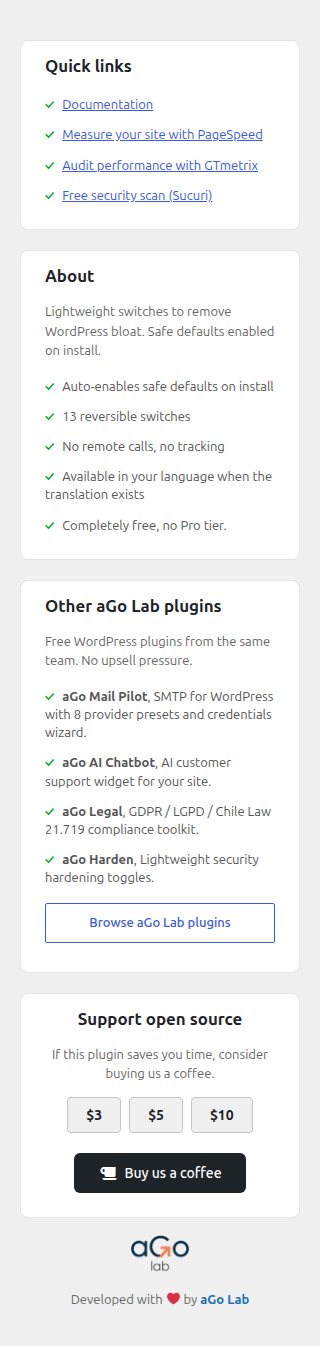
The “Quick links” card in the admin sidebar links to public third-party tools (Google PageSpeed, GTmetrix, Sucuri SiteCheck) for the convenience of the administrator. These are plain external links, opened in a new tab. The plugin does not send any data to those services.
Privacy
aGo Cleanup does not collect or transmit any data. It stores only one option in the wp_options table under the key agocleanup_settings, containing the toggle states. No custom database tables are created. Deactivating the plugin does not delete the stored option. Uninstalling the plugin deletes it.
Screenshots


Installation
- Upload the
ago-cleanupfolder to/wp-content/plugins/or install via the Plugins screen and upload the zip. - Activate the plugin through the Plugins menu in WordPress.
- Go to aGo Tools, then Cleanup.
- The safe defaults are already enabled. Use the toggles to fine-tune.
FAQ
-
Will this break my site?
-
No. Each toggle removes an optional WordPress feature. The defaults enabled on activation are conservative (head meta, emojis, XML-RPC, self-pingbacks). The toggles marked with caveats (block REST API, remove jQuery Migrate, drop Dashicons, drop block editor styles) are off by default and explain what to test before enabling.
-
Does it affect my admin?
-
Most toggles affect only the frontend output and the public REST API. The wp-admin area keeps working in full.
-
Why are the “recommended” toggles enabled automatically?
-
Because the recommended set is safe for the vast majority of WordPress sites. You can flip any of them back off, or hit Reset to start from zero.
-
Does the plugin send any data to a third party?
-
No. Zero outbound network traffic. No telemetry, no usage stats, no remote configuration. The plugin only adds and removes WordPress hooks locally.
-
Is there a way to switch the plugin language?
-
The plugin uses your WordPress site language. Translations are contributed through translate.wordpress.org, and the screen shows in English until one exists for your language.
Reviews
There are no reviews for this plugin.
Contributors & Developers
“aGo Cleanup” is open source software. The following people have contributed to this plugin.
Contributors
Translate “aGo Cleanup” into your language.
Interested in development?
Browse the code, check out the SVN repository, or subscribe to the development log by RSS.
Changelog
1.0.0
- Initial release.
- 13 toggles across head cleanup, scripts and styles, security hardening and other.
- Safe defaults seeded on first activation.
- Auto-save on toggle change.
- Apply recommended / Enable all / Reset shortcuts.