
Description
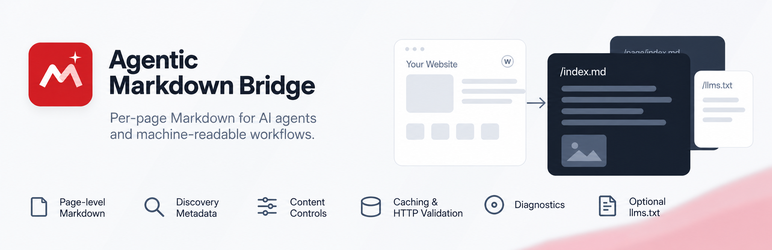
Agentic Markdown Bridge gives public WordPress content a clean machine-readable Markdown representation while leaving the normal HTML experience unchanged.
Its primary purpose is a per-page representation layer for WordPress content: posts, pages, and public custom post types can expose their own Markdown endpoint for AI agents, retrieval systems, developer tools, and other machine clients. llms.txt support is optional and complements that per-page layer rather than defining it.
With pretty permalinks:
https://example.com/about/
can expose:
https://example.com/about/index.md
The HTML page can advertise the representation with:
<link rel="alternate" type="text/markdown" href="https://example.com/about/index.md">
The plugin also includes optional llms.txt management, per-content controls, caching, diagnostics, multilingual-aware URLs and response language metadata, local request counters, content negotiation, and developer/CLI tools.
The plugin does not automatically send content or analytics to Bipixels or any third party and does not require an account, API key, SaaS service, or remote code. Optional AI-assisted llms.txt buttons are user-initiated outbound links to third-party AI websites.
Representation layer, not just llms.txt
The core feature is a machine-readable representation layer for individual WordPress URLs. Each eligible piece of content can have its own Markdown endpoint, discovery metadata, HTTP validation headers, content-negotiation behavior, exclusions, title rules, and per-content overrides. Optional llms.txt management acts as a site-level resource map on top of that representation layer.
Core Markdown features
- Dynamic
/index.mdrepresentations with no duplicate physical Markdown files. - Posts, pages, and selectable public custom post types.
- Per-post/page Markdown enable, disable, or inherit control.
- Smart title behavior: Auto, Always include, or Never include the WordPress title.
- Per-post title override.
- Global and per-content control to ignore visual content before the first H1; enabled by default for cleaner machine-readable documents.
- Optional custom Markdown override for individual posts/pages.
- Gutenberg-friendly exclusion control with the
agentic-markdown-excludeCSS class. - Configurable additional exclusion classes such as
.exclude-mrk, .no-markdown, with the whole matching section removed from generated Markdown. - Developer exclusion control with
data-agentic-markdown="exclude". - Improved conversion of headings, paragraphs, adjacent emphasis, links, images, nested lists, blockquotes, code, tables, details/FAQ blocks, figures/captions, definition lists, and embedded media.
- Common presentation noise such as scripts, forms, navigation, buttons, SVG, hidden content, and excluded blocks is removed.
Discovery and HTTP behavior
- Optional
rel="alternate" type="text/markdown"discovery. - Optional
rel="describedby"discovery for llms.txt. - Canonical HTTP Link header from Markdown back to the HTML page.
- Optional
Accept: text/markdowncontent negotiation on canonical URLs. - Optional YAML front matter with title, canonical URL, author, dates, and language.
ETag,Last-Modified,Cache-Control,Content-Language, andX-Content-Type-Optionsresponse headers.- Optional
X-Robots-Tagpolicy for Markdown resources. - GET and HEAD support with conditional 304 responses.
Performance
- Optional generated-Markdown transient cache.
- Configurable generation cache lifetime.
- Configurable crawler/browser cache lifetime.
- Generation keys include content state and per-content settings, so normal edits do not require broad cache deletion.
- O(1) cache invalidation uses a generation epoch; expired transient rows are left for WordPress to clean naturally.
- Tools and WP-CLI command to clear generated Markdown cache.
llms.txt manager
- Create and edit
/llms.txtdirectly in WordPress. - Virtual
/llms.txtwhen no physical file exists. - Detect and load an existing physical root
llms.txtinto the editor. - Safely update writable physical files using a temporary backup and same-directory replacement.
- Symbolic-link editing is intentionally blocked.
- H1 validation warning.
- Editable starter template.
- llms.txt generator with site summary, selected content, and optional links to Markdown representations.
- Generation happens only when explicitly requested and never silently overwrites manual edits.
- Optional AI-assisted generation links for ChatGPT, Claude, Gemini, and Perplexity using the administrator’s own account.
- Preview/copy the generated AI prompt before opening a provider.
- External llms.txt discovery is supported when another tool manages the file.
Admin and diagnostics
- Settings > Agentic Markdown configuration screen.
- Editor-side Agentic Markdown controls.
- Admin “View Markdown” links.
- Tools > Markdown Content bulk management screen.
- Bulk enable, disable, or inherit controls.
- Local Markdown view counts shown in the content manager when counters are enabled.
- Tools > Markdown Diagnostics health screen.
- Checks for rewrite rules, DOM support, llms.txt source, H1 validity, and physical-file safety.
- Same-origin browser live endpoint checks.
- One-click cache clearing and local counter reset.
Front-end actions
Optional fixed front-end actions can be enabled for eligible pages:
- View Markdown.
- Copy Markdown.
- View llms.txt.
- Per-page/post overrides for the fixed action group, Copy Markdown, and View llms.txt.
- Custom labels.
- Bottom-left, bottom-center, or bottom-right placement.
- Dark, light, or automatic color style.
- Pill, rounded, or square shape.
Front-end actions are disabled by default and are not required for machine discovery.
Multilingual compatibility
Markdown URLs are derived from the translated WordPress permalink, preserving language paths used by common multilingual plugins. Response language metadata includes integration support for Polylang and WPML, uses the active TranslatePress language when available, and falls back to the current WordPress locale.
Multisite
Settings and data remain site-specific on WordPress Multisite. Network activation initializes each site, and uninstall cleanup handles each site.
WP-CLI
When WP-CLI is available:
wp agentic-markdown validate

wp agentic-markdown url 123

wp agentic-markdown clear-cache

wp agentic-markdown generate-llms
External Services
Agentic Markdown Bridge does not call AI APIs or send data to AI services automatically. The optional “Generate llms.txt with your AI” controls only run after an administrator explicitly clicks a provider button.
The generated prompt includes the public website URL and public llms.txt URL, plus the optional site summary entered by the administrator. It instructs the chosen AI service to inspect the public website and existing llms.txt, verify facts and URLs, and return only the final llms.txt Markdown.
- ChatGPT: opens
https://chatgpt.com/with the generated prompt in the URL. OpenAI Terms: https://openai.com/policies/terms-of-use/ Privacy: https://openai.com/policies/privacy-policy/ - Claude: opens
https://claude.ai/newwithout placing the prompt in the URL. The plugin copies the generated prompt to the administrator’s clipboard so it can be pasted manually, avoiding Claude’s warning for externally supplied prefilled prompts. Anthropic Consumer Terms: https://www.anthropic.com/legal/consumer-terms Privacy: https://www.anthropic.com/legal/privacy - Gemini: opens
https://gemini.google.com/. Because Gemini does not currently provide a reliable public prompt-prefill URL, the plugin copies the prompt to the administrator’s clipboard instead of transmitting it in the URL. Google Terms: https://policies.google.com/terms Privacy: https://policies.google.com/privacy - Perplexity: opens
https://www.perplexity.ai/with the generated prompt in the URL. Perplexity Terms: https://www.perplexity.ai/hub/legal/terms-of-service Privacy: https://www.perplexity.ai/hub/legal/privacy-policy
These services are third-party services and are governed by their own terms and privacy policies. Provider URL behavior can change independently of this plugin.
Developer Filters
agentic_markdown_bridge_allowed_post_typesagentic_markdown_bridge_is_enabled_for_postagentic_markdown_bridge_frontend_actions_enabledagentic_markdown_bridge_copy_action_enabledagentic_markdown_bridge_llms_action_enabledagentic_markdown_bridge_markdown_urlagentic_markdown_bridge_rendered_htmlagentic_markdown_bridge_include_post_titleagentic_markdown_bridge_ignore_before_first_h1agentic_markdown_bridge_markdownagentic_markdown_bridge_llms_txt_urlagentic_markdown_bridge_llms_txt_contentagentic_markdown_bridge_content_languageagentic_markdown_bridge_ai_provider_urls
Privacy
Agentic Markdown Bridge does not contact AI services automatically and does not transmit site data to Bipixels. Optional local counters are stored only in the site’s own WordPress database and contain aggregate counts only. If an administrator explicitly uses an AI-assisted llms.txt button, the generated prompt is handled as described in the External Services section above.
Installation
- Upload the plugin ZIP through Plugins > Add New > Upload Plugin, or upload the
agentic-markdown-bridgefolder to/wp-content/plugins/. - Activate Agentic Markdown Bridge.
- Go to Settings > Agentic Markdown.
- Choose content types and discovery behavior.
- Optionally configure llms.txt, caching, front-end actions, content negotiation, or YAML front matter.
- Open Tools > Markdown Diagnostics to verify the installation.
FAQ
-
Is this primarily an llms.txt generator?
-
No. The primary feature is the per-page Markdown representation layer, including discovery metadata, HTTP caching/validation, content negotiation, and per-content controls. llms.txt management is an optional supporting feature.
-
Does this replace my normal WordPress pages?
-
No. The normal HTML URL remains the canonical human-facing page. Markdown is an additional representation.
-
Does it create physical `.md` files?
-
No. Markdown is generated dynamically from current published WordPress content.
-
Can I disable Markdown for one page?
-
Yes. In the Agentic Markdown editor panel choose Disable. You can also explicitly Enable a post that is outside the globally selected post types while the global Markdown master switch remains on.
-
Can I keep a visual block out of Markdown?
-
Yes. Add
agentic-markdown-excludeunder Gutenberg > Advanced > Additional CSS class(es). Developers can also adddata-agentic-markdown="exclude"to custom markup. -
Can I replace generated Markdown for one page?
-
Yes. Set Content source to “Use custom Markdown below” and enter the custom Markdown in the override editor.
-
Can I create or edit llms.txt without FTP or cPanel?
-
Yes. The built-in manager can serve a virtual
/llms.txt. If a physical root file exists, the editor loads it and can update it when WordPress has safe write access. -
Does the plugin overwrite llms.txt automatically?
-
No. The generator only creates a new draft when you explicitly click the Generate button. Manual content remains editable.
-
Does content negotiation replace `/index.md`?
-
No.
/index.mdremains available. Content negotiation is optional and additionally lets clients request the canonical HTML URL withAccept: text/markdown. -
What data do local counters store?
-
Only aggregate request counts per post and an aggregate managed llms.txt request count. No IP address, user agent, cookie identifier, or external analytics payload is stored.
-
Does it send my content to an AI provider?
-
Not automatically. The plugin makes no server-side AI API calls. If an administrator explicitly clicks one of the optional AI-assisted llms.txt buttons, the browser opens the chosen third-party AI service. ChatGPT and Perplexity receive the generated prompt as part of the outbound URL. For Claude and Gemini, the prompt is copied to the clipboard and a clean new-chat page is opened; nothing is submitted until the administrator pastes and submits it.
-
Will this improve rankings or citations?
-
No ranking or citation outcome can be guaranteed. The plugin provides cleaner machine-readable representations and discovery signals; individual crawlers and systems decide how to use them.
Reviews
There are no reviews for this plugin.
Contributors & Developers
“Agentic Markdown Bridge” is open source software. The following people have contributed to this plugin.
Contributors
Translate “Agentic Markdown Bridge” into your language.
Interested in development?
Browse the code, check out the SVN repository, or subscribe to the development log by RSS.
Changelog
1.0.3
- Kept default front-end action labels translation-free in stored settings and resolve translated fallbacks only when rendering, avoiding early translation loading and locale-specific persisted defaults.
- Fixed clean activation with
WP_DEBUGenabled by deferring runtime initialization until WordPressinitand keeping activation-time defaults translation-free. - Fixed the front-end Copy Markdown action so its script binds reliably regardless of footer output order and falls back safely when the Clipboard API is unavailable or denied.
- Made the Content before first H1 setting apply consistently to both generated and custom Markdown sources, with per-content overrides and cache invalidation preserved.
- Preserved heading structure in the no-DOM fallback converter so H1 detection and pre-H1 controls continue to work on hosts without the PHP DOM extension.
- Registered rewrite rules directly during the plugin’s
initcallback, preserving endpoint behavior without early translation loading notices.
1.0.2
- Hardened the plugin for WordPress.org review with complete nonce, capability, unslash, validation, and sanitization checks for privileged request handling.
- Moved admin and front-end JavaScript/CSS to WordPress enqueue APIs and limited assets to the screens that need them.
- Added cache-correct
Vary: Accepthandling for eligible canonical HTML responses when content negotiation is enabled. - Prevented Gutenberg editor-sidebar overflow using scoped
border-boxsizing for the plugin meta boxes and responsive controls. - Removed remaining inline admin presentation styles and improved diagnostics/status accessibility.
- Kept Settings API sanitization side-effect free; physical llms.txt synchronization now runs only after sanitized settings are stored.
- Limited physical llms.txt editing to hosts where WordPress reports direct filesystem access; virtual llms.txt remains available otherwise.
- Clarified the plugin’s primary purpose as per-page machine-readable Markdown, with llms.txt management as an optional supporting feature.
- Added missing translator comments for plural strings containing placeholders and completed WordPress internationalization cleanup.
1.0.1
- Fixed Markdown link conversion so absolute URLs are preserved and accidentally base-prefixed absolute URLs are repaired.
- Reduced the front-end Markdown action bar stacking level to
z-index: 98for better compatibility with site headers, dialogs, and overlays. - Added per-page/post overrides for fixed front-end actions, Copy Markdown, and the llms.txt action.
1.0.0
- Initial public release.
- Added dynamic
/index.mdrepresentations for eligible WordPress content. - Added per-content Markdown controls, custom Markdown overrides, H1/title handling, pre-H1 trimming, and configurable exclusion classes.
- Added optional llms.txt creation/editing, safe physical-file handling, editable local generation, and user-initiated AI-assisted generation links.
- Added Markdown discovery links, canonical HTTP metadata, ETag/Last-Modified/304 handling, optional content negotiation, YAML front matter, and X-Robots-Tag controls.
- Added lightweight generation caching with O(1) invalidation, diagnostics, bulk content management, multisite support, WP-CLI tools, and optional front-end Markdown actions.
- Added multilingual-aware URLs/language metadata and privacy-preserving local request counters.