

Description
Sarkar IT Fake Order Protector helps merchants review and reduce unwanted orders on the WooCommerce classic checkout and Checkout Block.
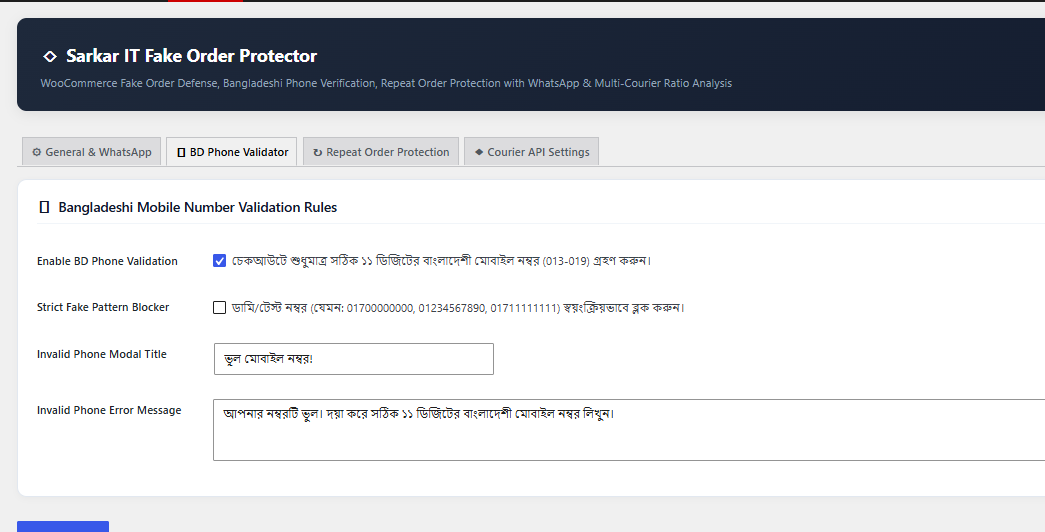
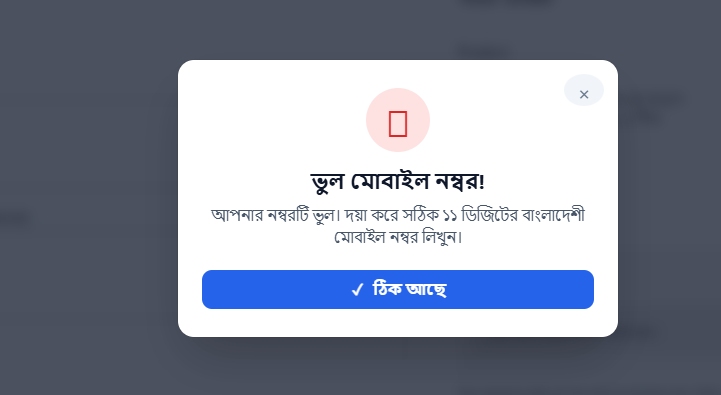
- Validate Bangladeshi phone formats and normalize Bengali digits and country prefixes.
- Optionally reject repetitive or sequential number patterns. This heuristic does not verify ownership and can reject real numbers. It is disabled by default for new installations.
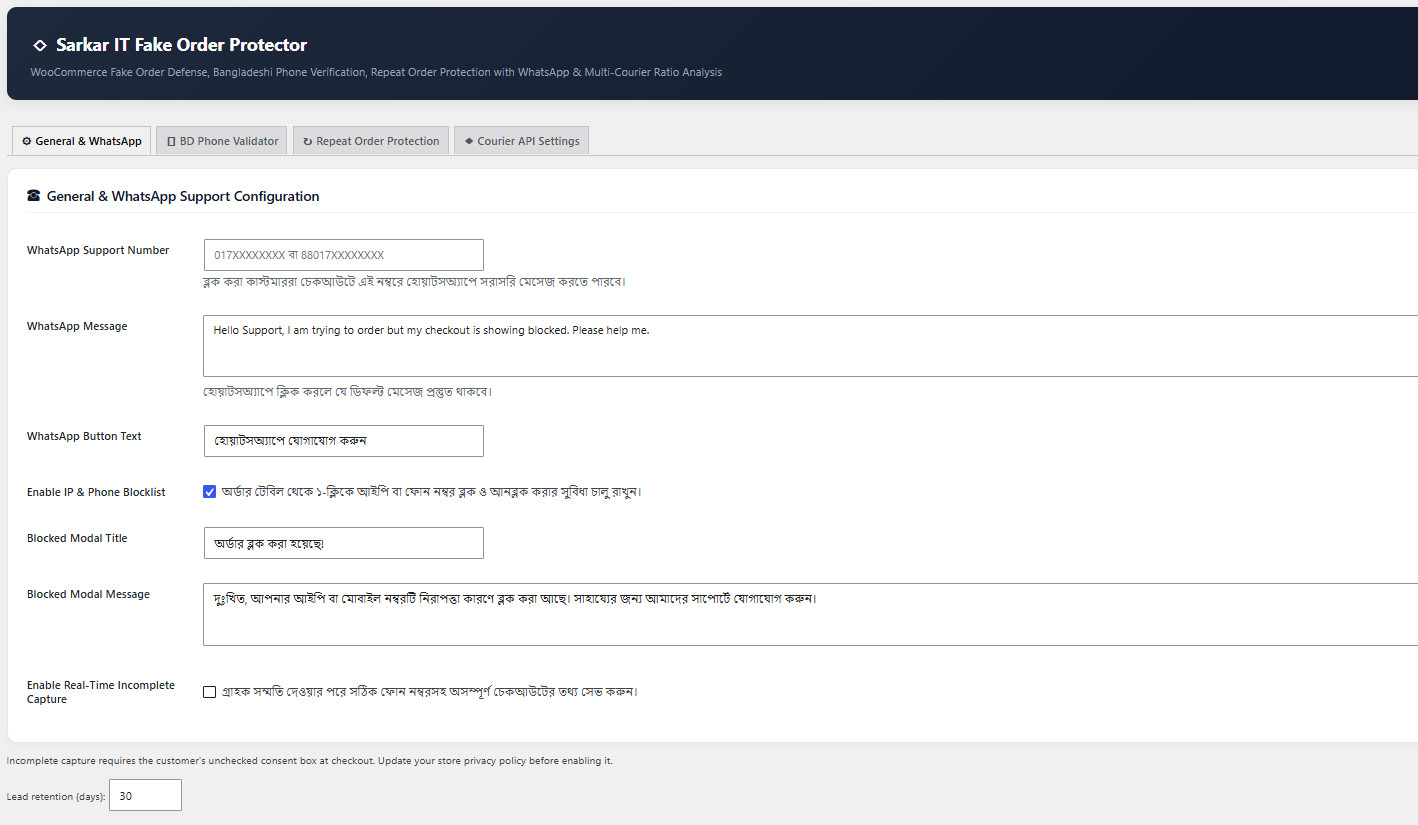
- Manage local phone and IP blocklists, including CSV import and export.
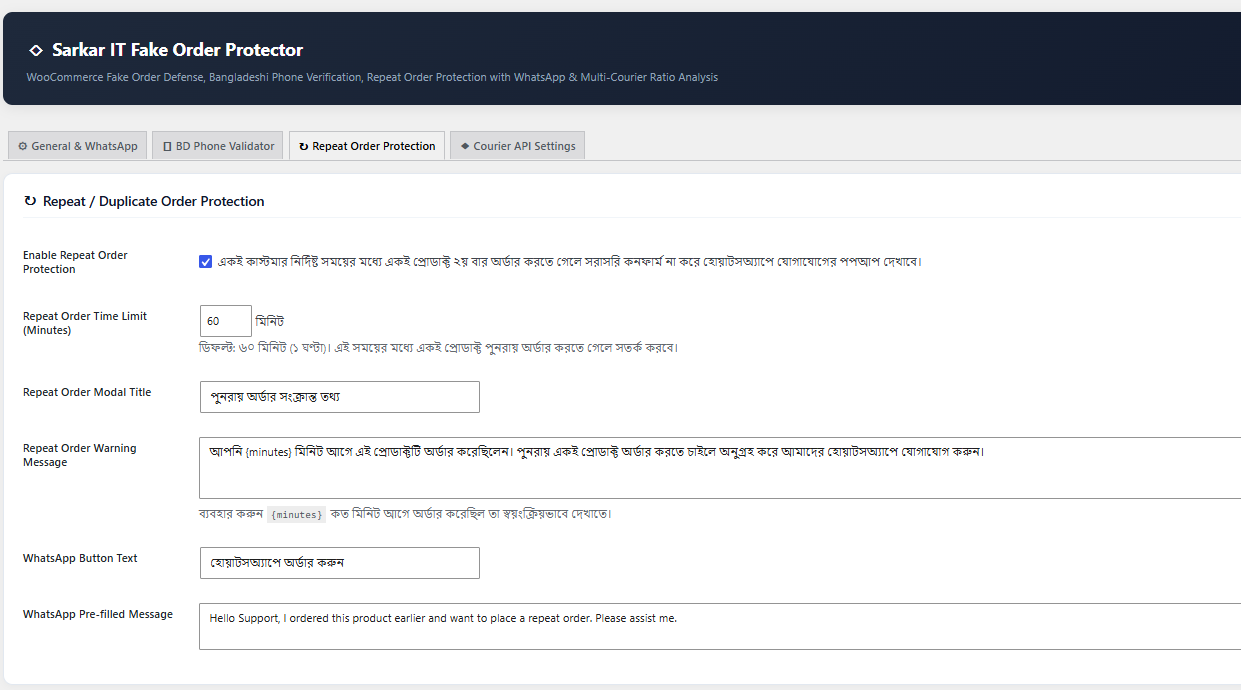
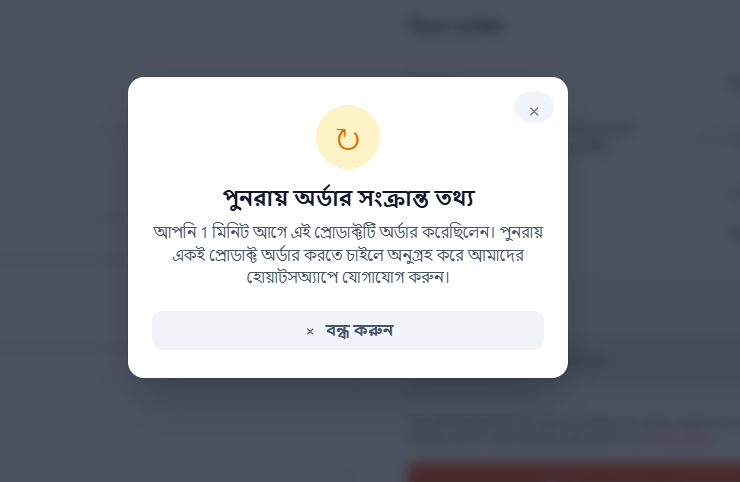
- Prevent repeat orders containing the same product within a configurable interval, using phone or IP matches. Shared IP addresses can affect different customers; staff should review disputed blocks.
- Offer WhatsApp support links when customers click them.
- Optionally save incomplete checkout details after the customer checks a separate consent box. Capture is disabled by default.
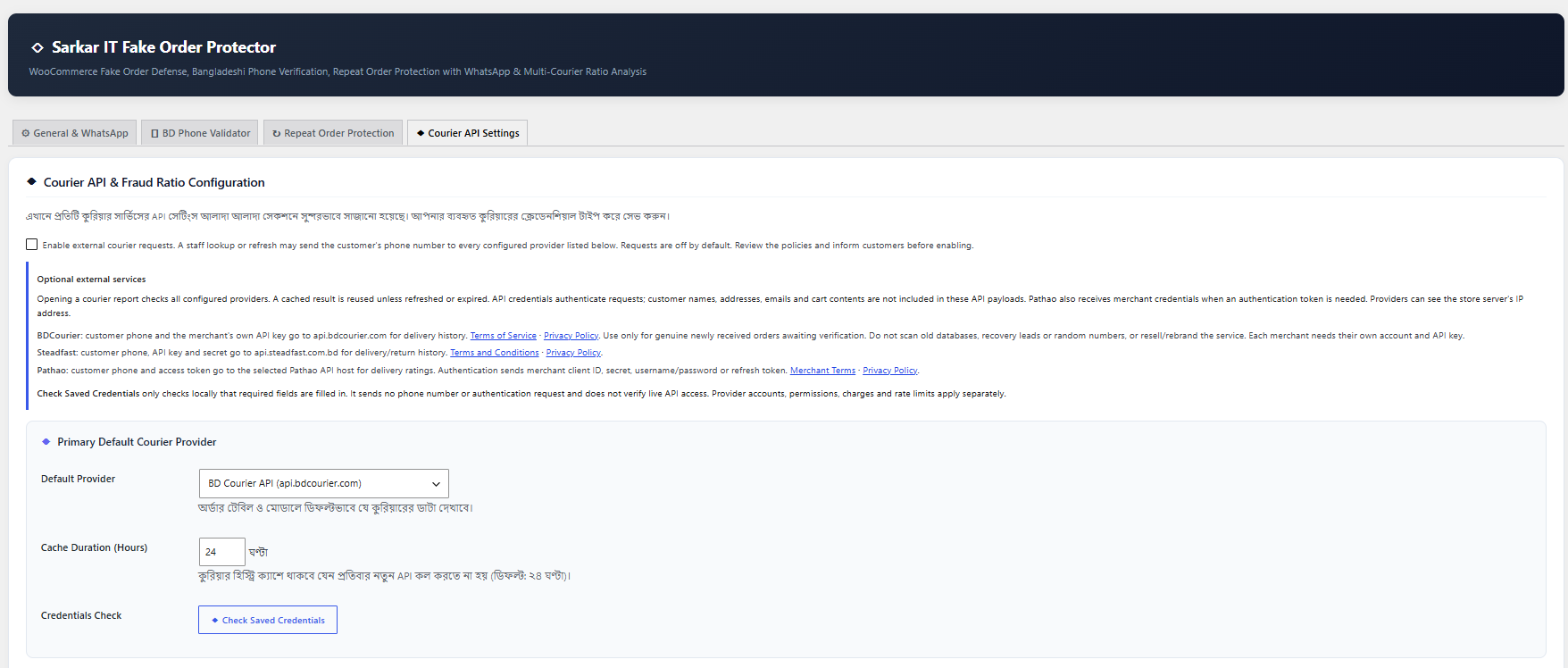
- View optional delivery history from configured courier providers after enabling external requests.
- Display product and security information in WooCommerce order screens with HPOS support.
Results do not prove that a customer is fraudulent or guarantee fraud prevention. Review results before making decisions.
Developed by Sarkar IT.
Source: https://github.com/developeralaminvi/advance-fake-order-protector
Scripts, styles and Unicode icons are included locally. No build step is required.
External services
Phone validation, local phone/IP blocklists and repeat-order protection do not require an external service or courier account. Courier lookups are optional. The plugin does not send customer information to Sarkar IT.
All courier requests are disabled by default. To use them, a merchant must obtain their own provider credentials, review the policies below, update the store’s customer privacy notice and explicitly enable “Enable external courier requests” in Courier API Settings. Provider subscriptions, fees, permitted uses and rate limits apply separately.
Only logged-in staff with the manage_woocommerce capability and a valid administrative nonce can use the plugin’s courier lookup. Opening a courier report requests data from ALL configured providers, not only the displayed/default provider. The plugin reuses locally cached results until expired; clicking refresh bypasses the cache. Orders-table summaries read the local cache without making external requests. Checkout submission, activation, scheduled cleanup and incomplete checkout capture do not initiate courier requests.
“Check Saved Credentials” is a local field-presence check only. It does not contact any provider, test a phone number, authenticate a key or confirm that live API access works. An authorized order lookup is required to verify live access.
The courier API payloads described below do not include the customer’s name, email, address, cart, payment details or browser IP. As with any server connection, the provider receives the store server’s IP address and normal HTTP connection metadata. Providers handle the data they receive under their own policies. Disabling the setting stops future courier requests; it does not erase information already received by a provider.
BDCourier (BD Courier)
Service and purpose: BDCourier provides customer delivery/return history for merchants verifying a genuine newly received e-commerce order.
Website: https://bdcourier.com/
API destination: POST https://api.bdcourier.com/courier-check
Data sent: the customer’s normalized billing phone number in the JSON phone field, plus the merchant’s own API key in an Authorization: Bearer header.
When sent: after the merchant enables external requests and saves the BDCourier key, when authorized staff open/refresh a courier report and a fresh result is required. No customer number is sent by the local credentials check.
Terms of Service: https://bdcourier.com/terms-of-service
Privacy Policy: https://bdcourier.com/privacy
Use only for new orders awaiting verification, as permitted by BDCourier. Do not use for random number tests, old customer-database screening, marketing, lead generation, recovery-lead screening or bulk/background scans. Each merchant must register directly and use their own API key; this plugin does not provide a shared key, proxy, resale or white-label data service.
Steadfast Courier
Service and purpose: Steadfast Courier provides delivery and return history to help the merchant review an order before shipping.
Website: https://steadfast.com.bd/
API destination: GET https://api.steadfast.com.bd/api/v1/fraud_check/{phone}
Data sent: the customer’s normalized billing phone number in the URL path, plus the merchant’s Api-Key and Secret-Key in request headers.
When sent: after the merchant enables external requests and saves both Steadfast credentials, when authorized staff open/refresh a courier report and a fresh result is required. No customer number is sent by the local credentials check.
Terms and Conditions: https://steadfast.com.bd/terms-and-condition
Privacy Policy: https://steadfast.com.bd/privacy
Pathao Courier
Service and purpose: Pathao Courier authenticates the merchant and returns customer delivery ratings/success-rate information.
Website: https://pathao.com/courier/
API destinations: POST /aladdin/api/v1/issue-token and POST /aladdin/api/v1/user/success-rate on the selected host https://api-hermes.pathao.com (production) or https://courier-api-sandbox.pathao.com (sandbox).
Data sent for authentication: merchant client ID, client secret and username/password, or client ID, client secret and refresh token. These authenticate the merchant; they are not customer account credentials. Access/refresh tokens are stored in the site’s options to reuse/renew the connection.
Data sent for a rating lookup: the customer’s normalized billing phone number in the JSON phone field and the merchant’s access token in an Authorization: Bearer header.
When sent: after external requests are enabled and Pathao is configured, when authorized staff open/refresh a courier report and a fresh result is required. Authentication/refresh runs only when that lookup needs a usable token. The local credentials check does not authenticate or contact Pathao.
Merchant Terms of Service: https://pathao.com/terms-of-service-merchant/
Privacy Policy: https://pathao.com/privacy/
Live customer history requires production merchant/API access. Sandbox credentials do not provide production customer history.
WhatsApp (click-to-chat links only)
Service and purpose: WhatsApp opens a conversation with the store’s support number or a customer’s number when a person chooses a WhatsApp recovery action or checkout support link. This plugin does not use the WhatsApp messaging API and does not automatically send messages.
Destination: https://wa.me/{phone}?text={message}
Data sent: the destination phone number and URL-encoded prefilled message. Staff order/recovery links include the customer’s name and, for an order link, the order number in that message; configurable checkout support messages contain the text chosen by the merchant. The visitor’s browser/device contacts WhatsApp and supplies its normal connection information after a click. The person can edit the draft and chooses whether to send it.
When sent: only after a customer or staff member clicks a WhatsApp link. Merely viewing checkout/settings does not load WhatsApp resources.
Terms of Service: https://www.whatsapp.com/legal/terms-of-service
Privacy Policy: https://www.whatsapp.com/legal/privacy-policy
Privacy and data retention
Local blocklists retain phone or IP, reason, administrative username and timestamps until manually removed. Separate order protection history stores order ID, phone, IP, product IDs, total and creation time, and is deleted after two days. Optional incomplete checkout records store name, phone, email, address, city, IP, cart contents, total, status and timestamps only after checkout recovery consent. Leads are retained for the configured 1-365 days (default 30), including converted and recovered records. Courier cache records expire after the configured 1-168 hours (default 24).
Cleanup runs daily through WordPress cron, so removal depends on cron running. Deactivation preserves records and stops cleanup. Uninstall preserves merchant records; remove records through the plugin before uninstalling if no longer needed. WordPress personal data export and erase tools include recovery records matching an email address. Phone/IP-only security records require manual review and removal because an email cannot establish ownership. Adapt the suggested WordPress Privacy Settings text to your actual practices and enabled services.
Screenshots
Installation
- Install and activate WooCommerce.
- Upload the plugin ZIP using Plugins > Add New > Upload Plugin and activate it.
- Use WooCommerce 8.9 or newer with either the classic [woocommerce_checkout] shortcode or the WooCommerce Checkout Block. For block checkout recovery, keep its Additional information block so the optional consent checkbox can appear.
- Open Sarkar IT Protection > Settings and configure the relevant tabs.
- Before enabling checkout recovery, update your privacy policy and choose a retention period. Customer consent is required before capture.
- Before enabling courier checks, review the service terms and privacy policies, obtain credentials and explicitly enable external requests in Courier API Settings.
FAQ
-
Does this support Checkout Blocks?
-
Yes. Phone validation, IP/phone blocklists and duplicate checks run through the Store API before payment. Block checkout has an optional recovery consent field in Additional information and uses the same local recovery dashboard. The protection also runs when browser JavaScript is bypassed. Third-party checkout blocks that bypass the WooCommerce Store API require their own integration.
-
Are courier services required?
-
No. Phone validation, blocklists and repeat order checks work locally. Courier providers may require separate paid accounts.
-
Does it contact customers automatically?
-
No. Staff can click Call and WhatsApp links in the recovery dashboard.
-
How are proxy IPs handled?
-
The default is server REMOTE_ADDR. Configure a trusted proxy on your server or use the afop_client_ip filter with trusted proxy validation. Never trust arbitrary forwarded headers.
Reviews
There are no reviews for this plugin.
Contributors & Developers
“Sarkar IT Fake Order Protector” is open source software. The following people have contributed to this plugin.
Contributors
Translate “Sarkar IT Fake Order Protector” into your language.
Interested in development?
Browse the code, check out the SVN repository, or subscribe to the development log by RSS.
Changelog
1.9.4
- Prefix the main plugin class with AFOP_ and update its singleton references.
1.9.3
- Clarify all external destinations, transmitted data, lookup triggers and provider terms/privacy links.
- Add the same courier disclosures beside the administrator opt-in setting.
- Remove FraudBD integration, credentials inputs and network requests.
- Replace live phone-number connection tests with a local saved-credentials check.
- Require both Steadfast credentials and reject unsupported provider identifiers.
1.9.2
- Point Plugin URI to the live Sarkar IT plugin information page.
1.9.1
- Use the plugin-specific source page as Plugin URI, separate from the Sarkar IT author website.
1.9.0
- Add server-side Store API protections for Checkout Blocks, including express order submissions.
- Add an optional native recovery consent checkbox and block data-store integration.
- Log and convert block orders; prevent an order retry from matching its own history.
- Ignore failed/cancelled/refunded orders for duplicate checks.
- Require WooCommerce 8.9 or newer for native additional checkout fields.
1.8.1
- Cache blocklist checks within each request and invalidate after changes.
- Allow blocklist management when enforcement is disabled.
- Validate write results instead of reporting failed changes as successful.
- Bound checkout recovery field lengths to avoid database truncation.
- Verify operation on a local MySQL site with HPOS enabled.
1.8.0
- Standardize Sarkar IT branding and GPL metadata.
- Preserve settings on other tabs when saving.
- Include local icons in place of external CSS.
- Add customer recovery consent and merchant external service opt-in.
- Bind recovery records to server sessions and limit capture requests.
- Add cleanup, privacy policy suggestions and recovery export/erase.
- Secure default IP handling, CSV cells and blocklist values.
- Escape dynamic display text and constrain Pathao hosts.
- Load modules only when WooCommerce is active and remove unsupported Blocks claims.