
Description
Formerly submitted as Filter Query Block; the public Free edition now uses the
distinctive Accomplice name. Existing saved native filters remain compatible.
Accomplice Query Loop Filters adds visitor filters to the WordPress Query Loop. Keep your
post template, pagination and result blocks in WordPress, then add the controls
visitors need to find content.
The optional paid edition is Filter Query Block Pro,
with custom fields, supported ACF fields, numeric ranges and advanced query rules.
Included in Free
- Taxonomy choices from categories, tags and registered custom taxonomies available for the selected post type.
- Dropdown, checkbox, radio button and button presentations, with multiple selections where supported.
- Search in post titles, excerpts and content.
- Publication date filters: a range, a single date, on or before, or on or after a date.
- Visitor sorting by publication date or title, ascending or descending.
- Apply and Reset controls, with automatic filtering available.
- Filters above the results, in a left sidebar or in a right sidebar, using real WordPress Groups and Columns.
- A full-screen settings editor with Content, Filters, Design and Advanced sections. Apply commits your draft; Cancel discards it.
- Outlined, Soft, Filled and Unstyled appearances, plus native block Styles controls for supported colors, typography, spacing and borders.
- Six results per page with editable three-column image-and-title starter grids, plus page numbers or a Load more button.
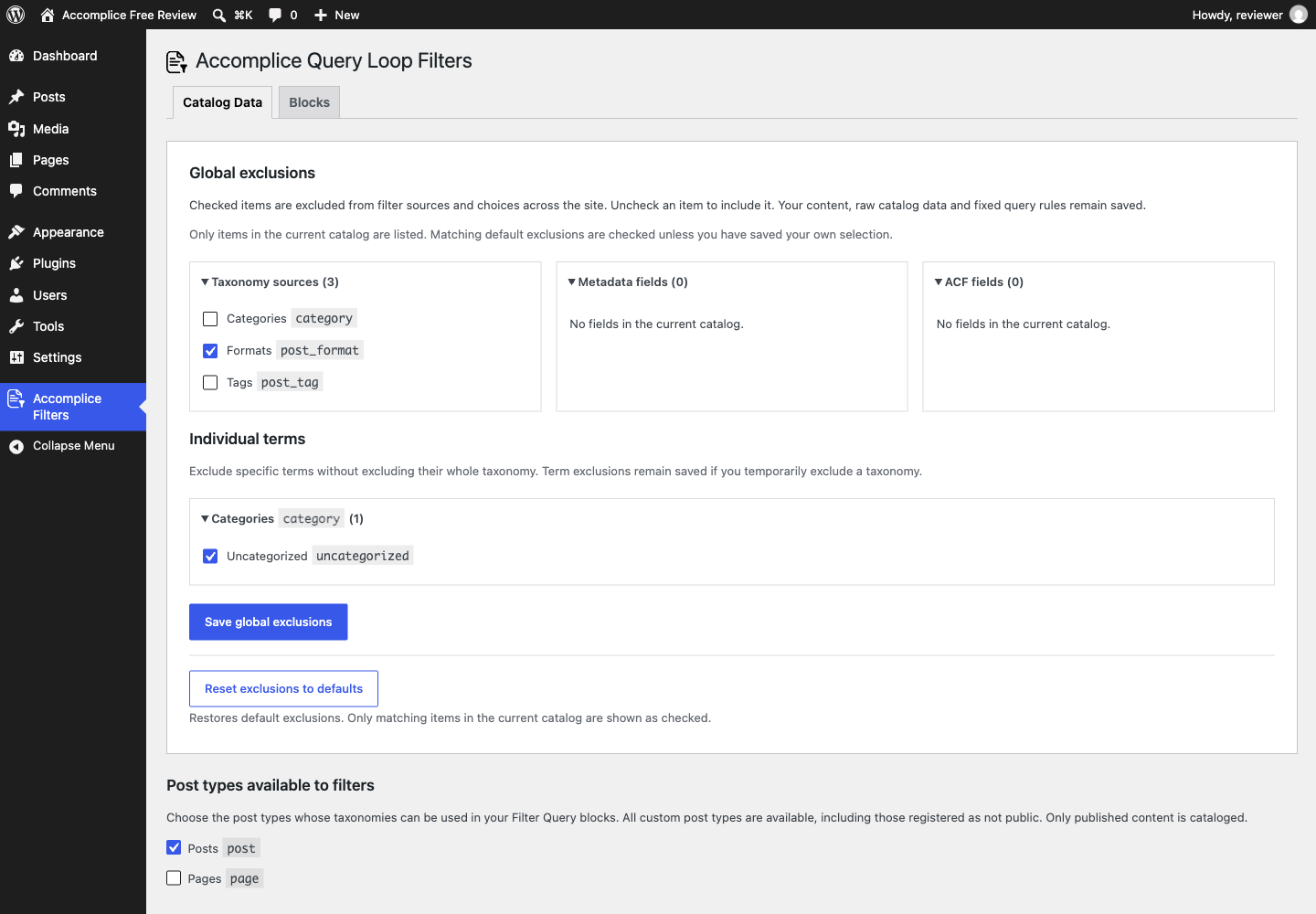
- Global source and term exclusions and an inventory of filter placements in the administration area.
- Filter state in the page URL, so a filtered view can be shared.
Insert Accomplice Query Loop Filters, or open an existing Query Loop and choose Edit Filter
Query. Choose a starter or add individual controls, select their sources, apply
your changes and save the page. Result content remains editable on the canvas.
The Free edition works on its own. It does not require a Pro installation,
license key or hosted filtering service.
Filter Query Block Pro
The separate Filter Query Block Pro plugin adds
custom metadata and supported ACF fields, numeric ranges, modified and custom
field dates, start/end date overlap, additional ordering sources, advanced query
conditions, and support for the product’s older legacy blocks.
See Filter Query Block Pro features and pricing.
Pro replaces Free. Pro 4.0.2 and later recognize the renamed Free plugin and
automatically deactivate it when Pro is activated. With Pro 4.0.1 or earlier,
deactivate Free manually before activating Pro.
To return to Free, deactivate Pro first, then activate Free. Shared content and
native block settings are retained when switching editions.
Reload any open block editor after switching. Pro-only controls and rules need
Pro to run; Free preserves those settings and warns when they are unavailable. See the
FAQ before switching a site that uses Pro features.
Privacy
Configuration is stored in your WordPress database. The Free catalog reads
selected post types and terms used by published content on your own site. Its
editor and filtering requests use your site’s WordPress endpoints. Free does
not require an external filtering, licensing or analytics service and does not
add its own telemetry.
Selected filters and search text can appear in the page URL. They may therefore
be present in browser history, shared links and your site’s ordinary server or
analytics logs. Your site’s other plugins, theme and hosting can have their own
privacy behavior.
Source code and licensing
See SOURCE-BUILD.txt for the included source build instructions. This Free
distribution is licensed under GPLv2 or later; see SOURCE-LICENSE.txt and
COPYING.txt. Bundled third-party components retain their own compatible licenses.
Screenshots
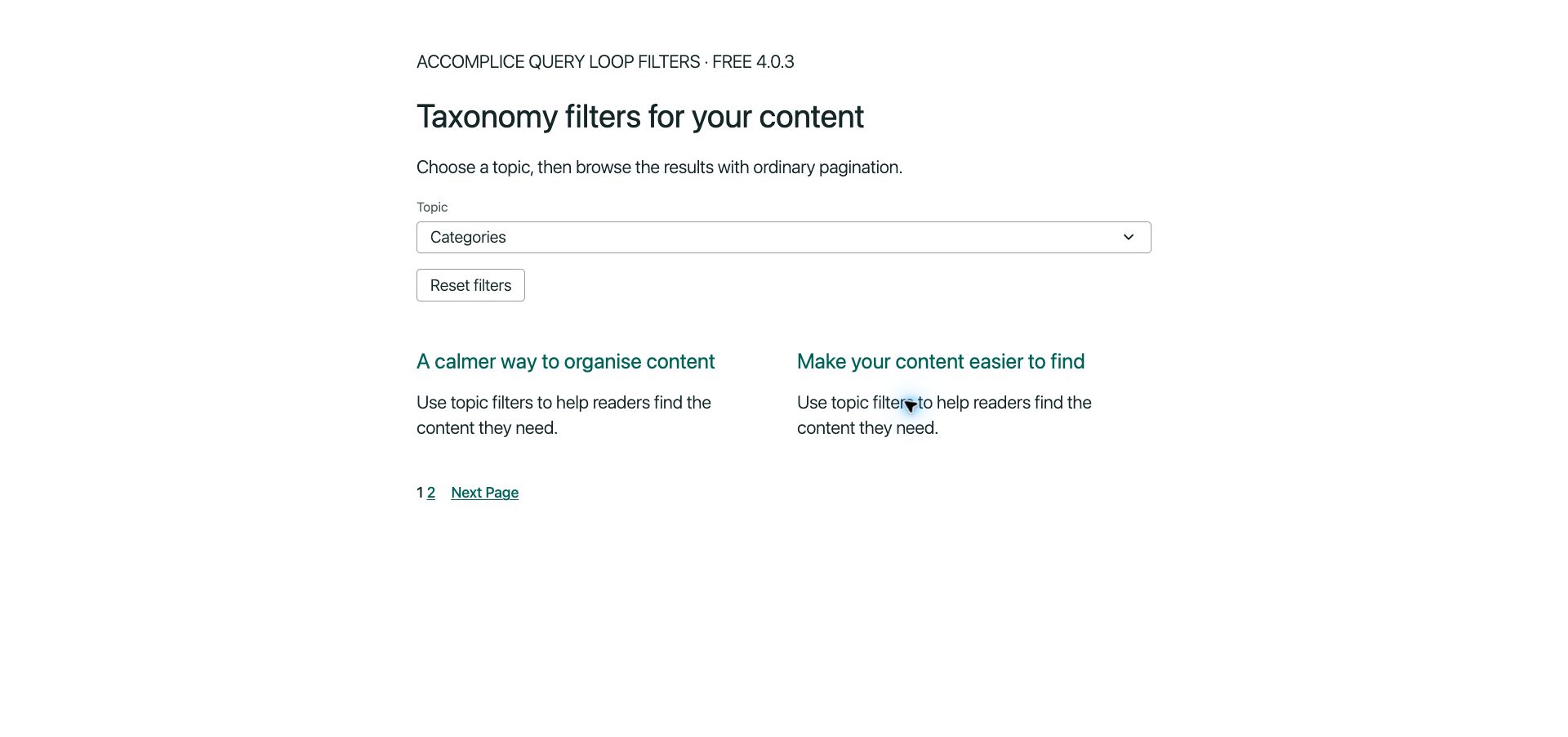
Blocks
This plugin provides 8 blocks.
- Search Filter Search selected post text columns.
- Date Filter Filter results by publication date.
- Sort Results Let visitors choose the result order.
- Apply Filters Apply visitor selections to the Query results.
- Reset Filters Clear visitor selections for this Query.
- Choice Filter Filter results by taxonomy terms.
- Filters Filter controls for a parent Query block.
- Load more Append the next set of Query results with an editable button.
Installation
- Install Accomplice Query Loop Filters from a plugin ZIP, or from the WordPress plugin installer when it is available there.
- If Pro is active, deactivate it in Plugins first, then activate Accomplice Query Loop Filters. Shared content and settings are retained. Reload any open block editor after switching.
- Open Accomplice Filters > Catalog Data and select the post types to offer in filter sources.
- In the block editor, insert Accomplice Query Loop Filters or select an existing Query Loop and choose Edit Filter Query.
- Choose your content, add filter controls and their sources, then select a layout and appearance.
- Choose Apply changes, save the page, and view the page to use its visitor filters.
Before deleting Pro while this renamed Free edition remains installed, update Pro to 4.0.2 or later. Older Pro uninstall code does not recognize the new Free folder and may remove shared settings or derived catalog data.
Requires WordPress 6.8 or later and PHP 8.2 or later. Use the WordPress block editor to configure the Query and its filter blocks.
FAQ
-
Can I remove the original Free submission after installing this renamed edition?
-
Deactivate the original Free installation before activating this one. Its old
uninstall code does not recognize the renamed Free folder. Keep that private
installation inactive until its uninstall handler is updated, or remove it while
Pro remains installed. Do not delete it as a migration step without a backup. -
Does Free require Pro or an account?
-
No. Free is an independent plugin and needs no license key or service account.
Pro is an optional replacement with additional features. -
Can I add filters to an existing Query Loop?
-
Yes. Select the Query Loop and choose Edit Filter Query. Its query settings and
result blocks form the starting point for your draft. Apply the changes when
ready, then save the page. -
Which data sources are included?
-
Free offers taxonomy choices for tracked post types, post text search,
publication dates, and sorting by publication date or title. Custom metadata,
ACF fields, number ranges and advanced query rules belong to Pro. -
Why is a taxonomy or term missing?
-
Check that its post type is selected in Catalog Data and that the taxonomy is
registered for that post type. Custom post types and taxonomies can be selected
even when their registrations are not public. The catalog offers terms used by
published content for the selected post type.
Also review Global exclusions. By default, post_format, the category slugs
uncategorized and uncategorised, and the metadata keys footnotes and
wp_dummy_content_generator_post are excluded. Metadata defaults are shared with
Pro; Free does not offer metadata filter sources.Uncheck an exclusion and save to include it. Exclusions do not delete content or
erase fixed query rules, and changing them does not require a catalog rebuild. -
How do I change the layout or styling?
-
Choose a starter design during setup or use Change design for an existing
Query. The layouts use normal Groups and Columns that you can arrange on the
canvas. Choose Filter theme in Design, then use WordPress block Styles panels
for the individual blocks. Your theme also influences their appearance. -
Can I use more than one filtered Query on a page?
-
Yes. Each Query has its own filter state. Save the page after inserting or
copying a Query so WordPress can retain its query identity. -
What happens when I switch between Free and Pro?
-
To upgrade, install Pro 4.0.2 or later and activate it; Pro automatically
deactivates Free. With Pro 4.0.1 or earlier, deactivate Free manually first.
To return to Free, deactivate Pro in Plugins, then activate Free. If you
try to activate Free while Pro is active, Free stays inactive and a notice on
the Plugins page explains how to switch.Before deleting Pro while this renamed Free edition remains installed, update
Pro to 4.0.2 or later. Older Pro uninstall code does not recognize the new Free
folder and may remove shared settings or derived catalog data.Shared content and settings are retained. Reload any open block editor after
switching. Make a backup before changing editions on an existing site. On
multisite, switch a network-active edition from Network Admin > Plugins.Shared native controls remain saved. Free does not convert Pro-only controls,
advanced query rules or legacy blocks into equivalent Free features. It warns
about unavailable saved features and keeps affected results empty rather than
showing content with those restrictions omitted. Restore Pro to use those
features, or explicitly remove the unavailable controls or rules in the editor
and save the page. -
Are visitor filters access controls?
-
No. They help visitors narrow a list of content. Use WordPress permissions and
appropriate access-control tools to protect restricted content. -
Where is the source code?
-
Readable JavaScript, styles and block metadata are included in src/ in the Free
ZIP, alongside the PHP implementation. SOURCE-BUILD.txt contains the Node.js
requirements and the local asset rebuild command. The Free source build does
not require commercial source code or the Pro update service.
Reviews
There are no reviews for this plugin.
Contributors & Developers
“Accomplice Query Loop Filters” is open source software. The following people have contributed to this plugin.
Contributors
Translate “Accomplice Query Loop Filters” into your language.
Interested in development?
Browse the code, check out the SVN repository, or subscribe to the development log by RSS.
Changelog
4.0.2
- Preserve initialized CookieYes consent styles during native Query navigation.
- Initial independent Free edition with native Query controls, editable layouts and a full-screen settings editor.
- Taxonomy choices, post search, publication date filtering, and date/title sorting.
- Shared global exclusions and filter placement inventory.
- Compact filter controls, editable image-and-title designs and optional Load more navigation.