
Description
Turn Your WordPress Site Into a 24/7 Lead-Capture Machine
A1AI Chatbot connects your visitors with intelligent AI conversation — answering questions, capturing leads, and engaging prospects around the clock using OpenAI’s language models. Built exclusively for WordPress so it works cleanly without compatibility headaches.
WHO IT’S FOR
Small and mid-size business owners who want AI working on their website without hiring a developer or paying enterprise prices. Use it yourself, or let us set it up for you.
FREE VERSION FEATURES
- AI-powered conversations using OpenAI (ChatGPT) or Anthropic (Claude) — pick the provider per chatbot or globally, bring your own API key
- Create multiple chatbots for different pages or audiences
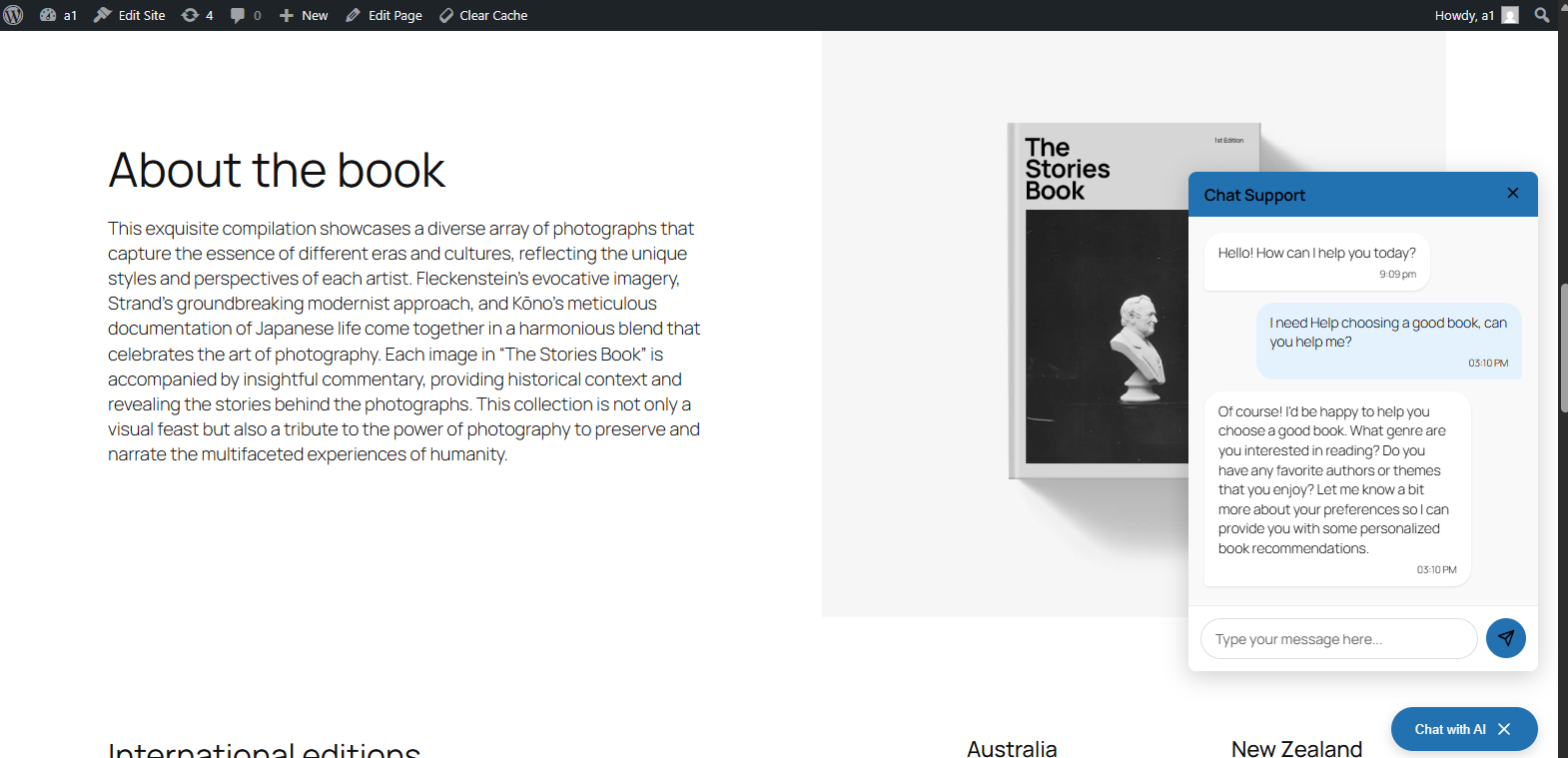
- Floating global chatbot or embed inline with a shortcode
- Customize appearance to match your brand
- Conversation history stored in your WordPress database
- Manual response adjustments — fix or override AI answers without touching code
- Spam protection with heuristic filtering and optional reCAPTCHA
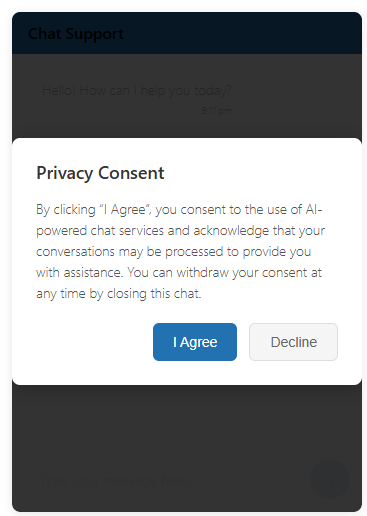
- GDPR-ready with configurable data retention
PREMIUM UPGRADE — A1AI Chatbot Upgrade
The free plugin gets you started. The upgrade makes it a real business tool:
- Content Awareness — Chatbot reads and understands your actual site content. Answers questions about your services, products, and pages without manual training.
- Advanced Phrase Matching — Set exact, phrase, or broad-match rules to control specific responses. Perfect for pricing, policies, and FAQs where accuracy matters.
- Contact Form Integration — Hybrid chat + form experience. Captures structured lead data inside the conversation, not on a separate page.
- Inactivity Email Alerts — Get notified when a conversation goes cold so you can follow up before the lead disappears.
- Proactive Triggers — Open the chatbot automatically based on exit intent, scroll depth, time on page, or specific pages.
- Voice Input — Visitors can speak instead of type. Better mobile experience, better accessibility.
- Google Analytics + Ads Integration — Track chatbot interactions as conversion events. See what conversations are actually driving ROI.
- Conversion Tracking — Google Ads, GA4, Facebook Pixel, and LinkedIn Insight Tag support built in.
- Export System — Download conversations in CSV, JSON, or XML for reporting, compliance, or analysis.
- Priority Support — Direct email support instead of community forums.
DONE-FOR-YOU SERVICE
Don’t want to manage it yourself? A1AI Digital sets up, trains, and optimizes your chatbot for you — including integration with your existing business systems. Learn more at a1aidigital.com
REQUIREMENTS
- WordPress 5.0+
- PHP 7.4+
- OpenAI API key OR Anthropic API key (required — you control your own account and costs). AI spam classification is OpenAI-only and requires an OpenAI key when enabled.
EXTERNAL SERVICES
This plugin connects to OpenAI’s API and/or Anthropic’s API to generate responses, depending on which provider you select. Data sent includes user messages, conversation history, and chatbot configuration. Each provider processes this under their respective Terms of Service and Privacy Policy. Both OpenAI (with API keys) and Anthropic do not train their models on your API request data per their stated policies.
External Services
This plugin connects to OpenAI’s API and/or Anthropic’s API to generate chatbot responses, depending on which provider you select in Settings.
Data sent to the selected provider:
– User chat messages
– Custom instructions configured in chatbot settings
– Previous conversation history for context
– Configuration parameters (model, temperature, etc.)
OpenAI processes this data in accordance with their privacy policy and terms of service:
– Terms of Service: https://openai.com/policies/terms-of-service
– Privacy Policy: https://openai.com/policies/privacy-policy
– API Data Usage Policies: https://openai.com/policies/api-data-usage-policy
Anthropic processes this data in accordance with their privacy policy and terms of service:
– Terms of Service: https://www.anthropic.com/legal/commercial-terms
– Privacy Policy: https://www.anthropic.com/legal/privacy
– Usage Policies: https://www.anthropic.com/legal/aup
Neither provider stores or trains on data from API requests made with a customer API key, according to their respective policies.
Note: AI spam classification (an optional Security setting) uses OpenAI specifically and requires an OpenAI API key when enabled, regardless of which provider powers your main chat.
Screenshots
Installation
Standard Install (Recommended)
- In your WordPress admin, go to Plugins Add New
- Search for “A1AI Chatbot”
- Click Install Now, then Activate
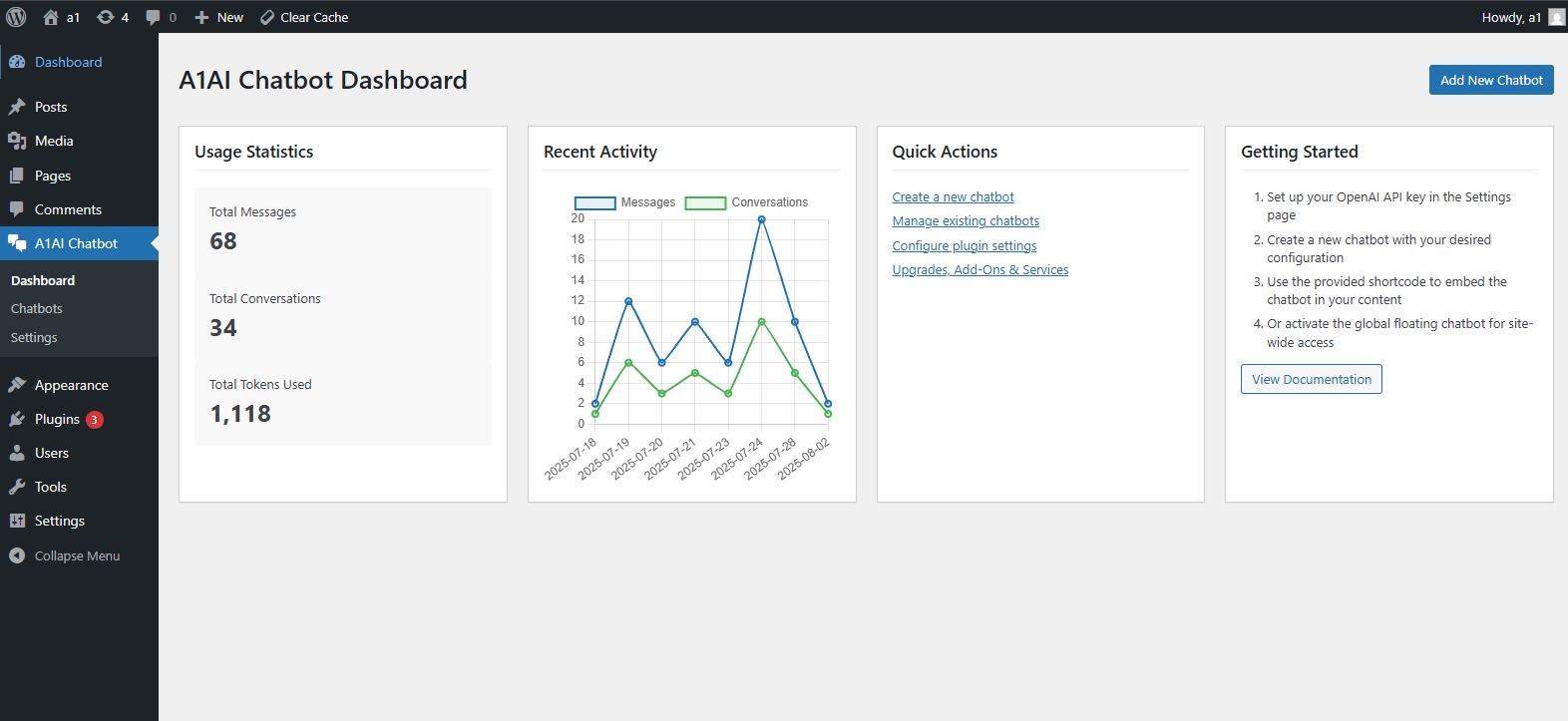
- Go to A1AI Chatbot Settings, choose your AI provider (OpenAI or Anthropic), and enter the matching API key
- Go to A1AI Chatbot Chatbots Add New to create your first chatbot
- Add the floating global chatbot or paste the shortcode [a1ai_chatbot id=”1″] on any page
Manual Install
- Download the plugin zip file
- Go to Plugins Add New Upload Plugin
- Upload the zip and click Install Now, then Activate
- Follow steps 4–6 above
Before You Start — Get an API Key (OpenAI or Anthropic)
For OpenAI (ChatGPT): 1. Create a free account at platform.openai.com 2. Go to API Keys and create a new key 3. Add a payment method to your OpenAI account (usage is billed directly by OpenAI) 4. Paste the key into A1AI Chatbot Settings OpenAI API Key
For Anthropic (Claude): 1. Create an account at console.anthropic.com 2. Go to Settings API Keys and create a new key 3. Add credits or a payment method to your Anthropic account (usage is billed directly by Anthropic) 4. Paste the key into A1AI Chatbot Settings Anthropic API Key, then set the AI Provider to Anthropic
Need Help?
Full setup documentation is available at a1aidigital.com. Prefer a done-for-you setup? Our team handles everything — contact us here.
FAQ
-
Do I need an OpenAI or Anthropic API key?
-
Yes — one or the other. You can choose OpenAI (ChatGPT) or Anthropic (Claude) as your AI provider, globally or per chatbot, and you only need a key for the provider you actually use. Both providers charge based on usage (per message), so your costs scale with your traffic. Most small business sites spend $1–5/month on API costs. You control your own account, your own billing, and your own data. (If you enable optional AI spam classification, that specific feature uses OpenAI and requires an OpenAI key in addition to whichever provider runs your chats.)
-
How much does it cost to run?
-
The plugin itself is free. API usage is billed directly by the provider you choose (OpenAI or Anthropic) to your account — not through us. For a typical small business site, expect roughly $0.01–0.05 per conversation depending on length and which model you use. Claude Haiku and GPT-4o Mini are the most cost-effective options for most sites.
-
Is conversation data stored?
-
Yes. Conversations are stored in your own WordPress database — not on our servers. You control retention settings and can configure how long history is kept. Nothing is shared with A1AI Digital unless you use our managed service option.
-
Will it slow down my website?
-
No. The chatbot only loads on pages where you’ve placed it, and assets are enqueued conditionally. The AI response is fetched asynchronously so it never blocks page load.
-
The free version gives you a fully functional AI chatbot. The premium upgrade adds content awareness (chatbot learns your site), advanced response controls, contact form integration inside the chat, proactive triggers, voice input, Google/Facebook/LinkedIn conversion tracking, and inactivity email alerts. See full comparison at a1aidigital.com
-
Can I have multiple chatbots for different pages?
-
Yes. You can create as many chatbot configurations as you need and deploy them on specific pages using shortcodes, or set one as a global floating widget.
-
Does it work with my theme and page builder?
-
Yes. The chatbot uses standard WordPress shortcodes and a footer-injected floating widget. It works with Elementor, Divi, Beaver Builder, GeneratePress, and most major themes and builders.
-
What industries does it work for?
-
Most industries. It works well for service businesses, B2B companies, e-commerce, professional services, home services, and hospitality. We don’t currently recommend it for industries requiring end-to-end encryption or strict healthcare data compliance (HIPAA).
-
Do I need to know how to code?
-
No. Installation is standard WordPress plugin install. Configuration is done through the admin dashboard with no code required. If you want help setting it up, our done-for-you service handles everything.
-
Can the chatbot learn from my website content?
-
Basic content search is included in the free version. The premium upgrade adds full Content Awareness — the chatbot automatically analyzes your pages, posts, and products so it can answer questions about your actual business without manual training.
-
Is it GDPR compliant?
-
The plugin includes configurable data retention settings and GDPR consent options. You are responsible for your own site’s compliance, but the tools are built in to help.
Reviews

Contributors & Developers
“A1AI Chatbot” is open source software. The following people have contributed to this plugin.
Contributors
Translate “A1AI Chatbot” into your language.
Interested in development?
Browse the code, check out the SVN repository, or subscribe to the development log by RSS.
Changelog
1.6.0
- Added support for Anthropic (Claude) as a second AI provider alongside OpenAI. Choose the provider globally in Settings AI Settings, or override per chatbot. Existing OpenAI-only configurations continue to work unchanged.
- Provider-aware admin notices flag whichever API key is missing for the currently active provider.
- AI spam classification (Security tab) remains OpenAI-only in this release; the UI documents this explicitly.
1.5.9
- Version bump. Compatibility and stability release.
1.5.8
- Maintenance release. Stability and compatibility improvements.
1.5.7
- Production cleanup: removed debug code (file_put_contents to debug.log, #region agent log). No functional changes.
1.5.6
- Added full conversation email notifications on inactivity (premium feature)
- Fixed review submissions appearing in Contact Requests table
- Improved review chatbot input field handling
- Enhanced conversation completion tracking
1.4.0
- Fixed settings page functionality and tab navigation
- Added opt-in checkbox for “Powered By” attribution (defaults to unchecked)
- Fixed text color issues in chatbot interface
- Improved error handling and debugging for admin interface
- Fixed nonce verification warnings
- Enhanced dashboard stability and error reporting
- Fixed duplicate ID conflicts in admin forms
1.3.0
- Added Adjustments feature for fine-tuning AI responses
- Added new database table structure for adjustments
- Added edit functionality for adjustments
- Improved security with proper input validation and sanitization
- Added migration system for database updates
1.0.0
- Initial release