

Description
Need to organize your store inventory or speed up your retail checkout counter?
This plugin is a advanced printing tool that allows you to easily generate barcodes and print custom retail labels directly from WooCommerce:
- Supported Printers: Continuous Thermal Roll Printers, Multi-label A4 and Letter sheets.
- Supported Barcode Formats: CODE128, CODE39, UPC-A/E, EAN-13/8, GTIN, GS1 family, DataMatrix, and QRCode.
- Barcode data: Generate barcodes directly from Product IDs, SKUs, custom fields, order fields etc.
Core features
- ✔ Generate and print barcode labels for products, variations, and orders.
- ✔ Universal printer compatibility: Supports standard A4 sheets, Letter, P4, and Thermal Roll label printers (DYMO, Zebra, Brother, TSC, Rollo, etc.).
- ✔ Flexible data mapping: Generate barcodes from Product ID, SKU, GTIN, or custom fields.
- ✔ Adaptive layout rendering: Auto-scales font and layout sizing to fit standard sticker templates seamlessly.
All Features
Label Generation & Printing
- Flexible Paper Media: Print instantly using popular built-in A4/Letter sheets (12, 14, 16, 21, 24, 40, 44, 56, 65, 120, 189, 230, or 324 barcodes per page) or create your own custom dimensions.
- Supported Formats: Complete 1D and 2D support including CODE128, CODE39, QRCode, DataMatrix, GTIN, UPC-A, UPC-E, EAN-13, and EAN-8.
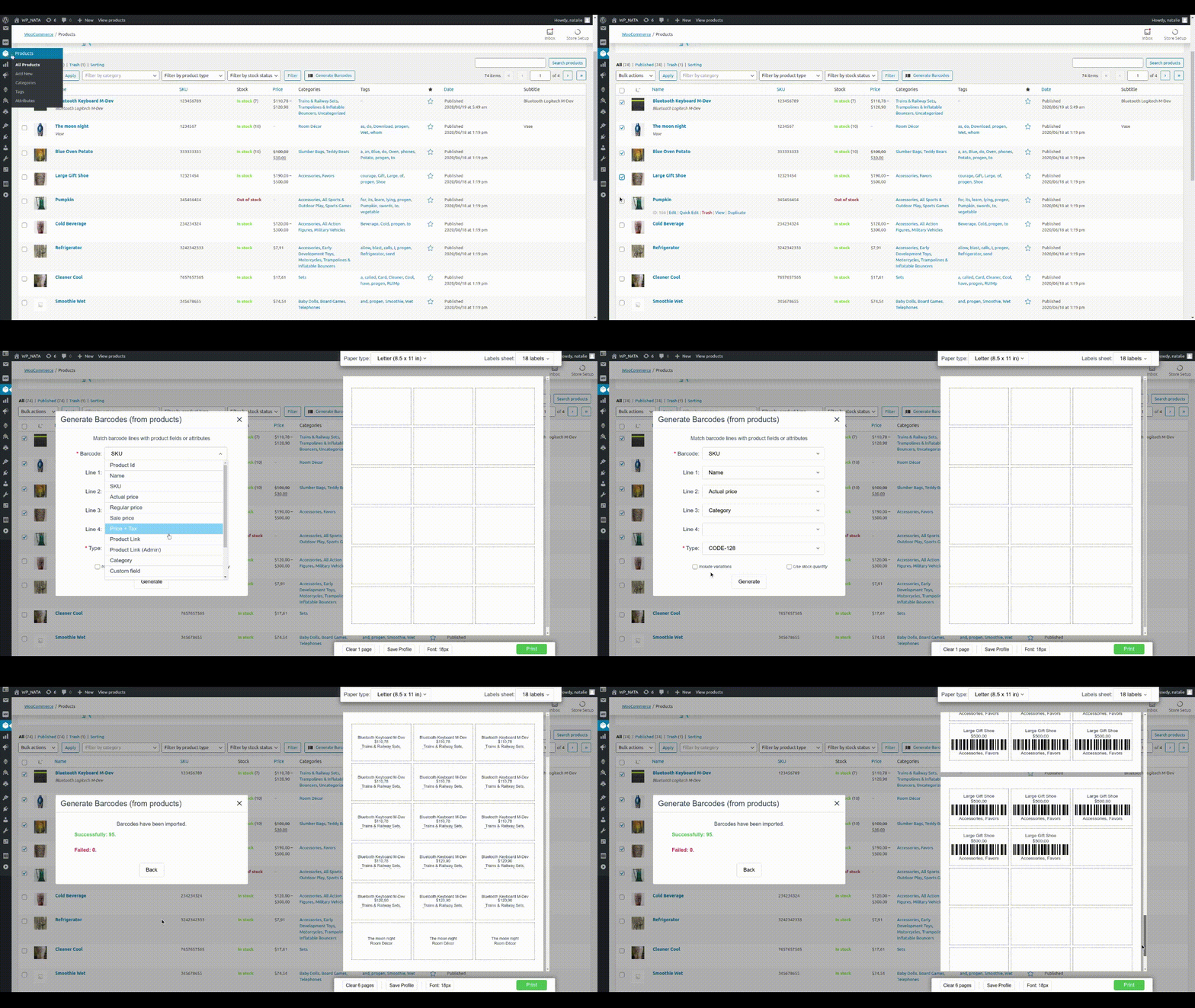
- Variation Support: Generate independent barcode variations right from the WooCommerce attributes editor or bulk actions menu.
- Vector Graphic Outputs: High-quality SVG rendering instead of compressed images, ensuring crisp lines that retail hardware scanners read perfectly.
- Barcode compatibility: Barcodes can be scanned by any software and devices from hand-gun laser scanners to iOS and Android devices.
Label layouts and texts/fields (Free vs. Pro)
- Free Version Capability: Includes 1 product/order text field on the label layout (it can be any field: Product Name, SKU, etc).
- Premium Version Control: Unlock up to 8 combined product or order fields per label (Price, SKU, Attributes, Taxes, and custom meta fields).
Ecosystem Synergy: Scan & Manage Inventory
To completely close your retail loop, pair this printing utility with our companion WooCommerce Barcode Scanner Plugin. Once your printed labels are applied, you can instantly:
- Blazing-Fast Search: Locate matching WooCommerce items or tracking logs using any handheld “Hand-Gun” USB scanner or smartphone camera app.
- Automated Stock Updates: Automatically increase or decrease inventory counts instantly upon scanning an item.
- Mobile Inventory Management: Use dedicated iOS and Android mobile apps to scan barcodes, alter data, or pick orders straight from your warehouse floor.
- Fulfillment Guard: Activate “Order Fulfillment Mode” to verify and pick orders with 100% packing accuracy.
Troubleshooting & Printer Setup
Crucial for free version: Read This Before Printing or Leaving a Review!
Our plugin supports 99% of printers on the market (including standard HP/Canon A4 inkjet printers, and professional thermal roll printers like Dymo, Zebra, Brother, and Rollo).
However, browser-based printing depends entirely on your local hardware setup. If your labels look misaligned, cut off, or scale incorrectly, it is almost always due to incorrect operating system drivers or browser print preview configurations – not a plugin bug!
Please perform these quick calibration steps:
1. Install Official Drivers: Ensure you are using the official manufacturer printer driver for your OS (Windows/Mac), not generic plug-and-play drivers.
2. Disable Browser Margins: In your browser’s Print Preview dialog box, look under “More Settings” and set Margins to “None”.
3. Fix the Scale: Ensure your Print Preview Scaling is set to exactly “100%” or “Actual Size”. Never use “Fit to Page”, as it shrinks and distorts barcode proportions.
4. Match Paper Dimensions: The paper size selected in your browser settings must match the exact physical label roll or A4 sheet size loaded into your device.
Need Expert Help? Let Us Configure It For You!
Thermal and label printers can be notoriously difficult to calibrate correctly in OS/browser settings. Because of this, a major portion of our Pro Plans price goes directly toward covering personal, live technical support.
If you upgrade to our Pro version and encounter alignment issues, our engineers will connect directly to your PC or Mac via AnyDesk or TeamViewer to install your drivers, calibrate your margins, and ensure your system prints flawless, scan-ready labels automatically.
Real-World Use Cases
1. Speeding Up In-Store Retail POS Checkout
Imagine a boutique or retail storefront using WooCommerce to run their physical shop. Instead of manually typing product names or SKUs into the cash register during a busy rush, the owner uses this plugin to batch-print custom price tags with barcodes. Cashiers can instantly scan the printed labels on items using any standard USB barcode handgun or a smartphone camera. The exact product variation appears on the point-of-sale screen instantly, cutting customer wait times in half and eliminating typing mistakes.
2. Automated Inventory Tracking & Warehouse Audits
A rapidly growing e-commerce brand struggles with manual weekly stock counts in their warehouse. To fix this, they use the plugin to print high-density label sheets on standard A4 paper, applying a unique SKU tag (UPC, EAN, or GS1) to every shelf and product bin. During inventory audits, warehouse managers simply walk down aisles scanning barcodes with their iOS or Android mobile apps. They can instantly see live product information and update inventory counts on the fly, saving hours of manual spreadsheet data entry.
3. Error-Free Order Fulfillment & Packing Accuracy
A high-volume online store is losing money due to workers shipping the wrong product sizes or colors to customers. By integrating barcode label printing into their fulfillment workflow, the picking team can print custom itemized labels directly from the WooCommerce incoming orders screen. Before sealing a shipping box, the packer scans the barcode on the item and matches it against the order data. This quick double-check guarantees that the customer receives the exact variation they purchased, drastically lowering return rates and shipping costs.
Consider to upgrade to full version:
Full version gives you more control over data placed on the labels.
It has many more settings that allow you to customize the label layout to fit your specific needs.
More information about barcode plugin find here:
- Barcode Labels Printing official page
- FAQ
- [Front-end source code] (https://github.com/ukrsolution/Barcode-Label-Printing-Front-end)
Screenshots
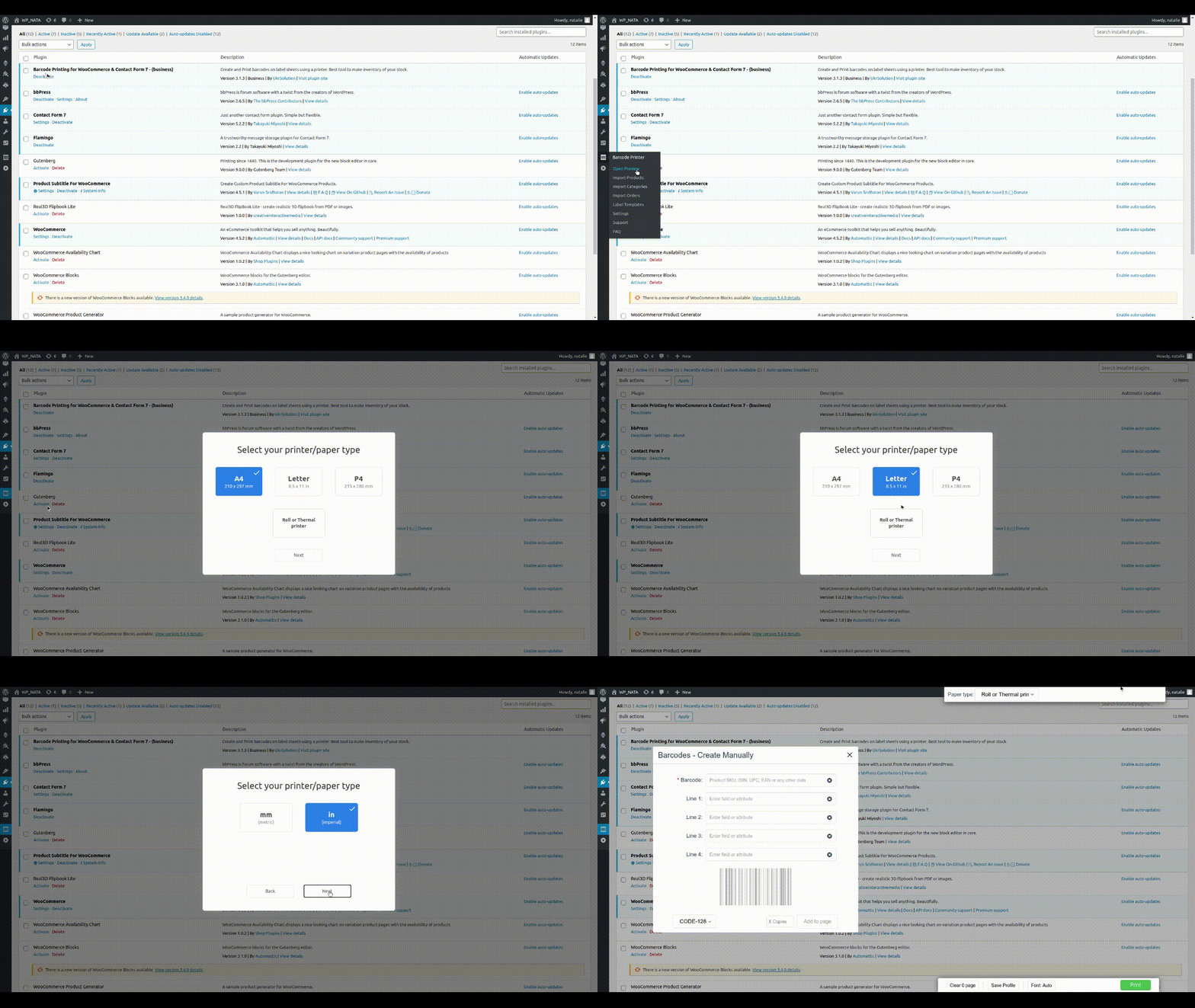
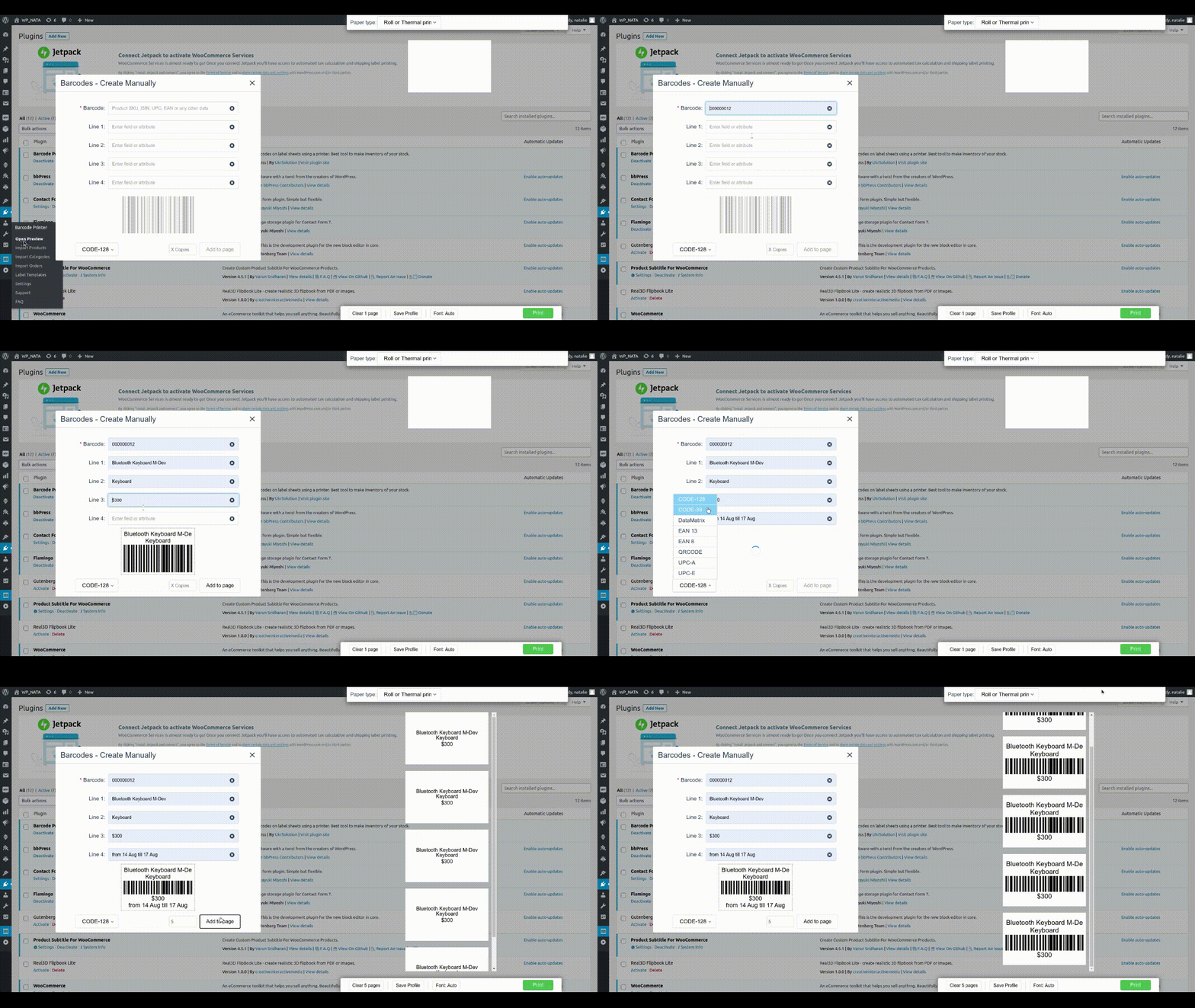
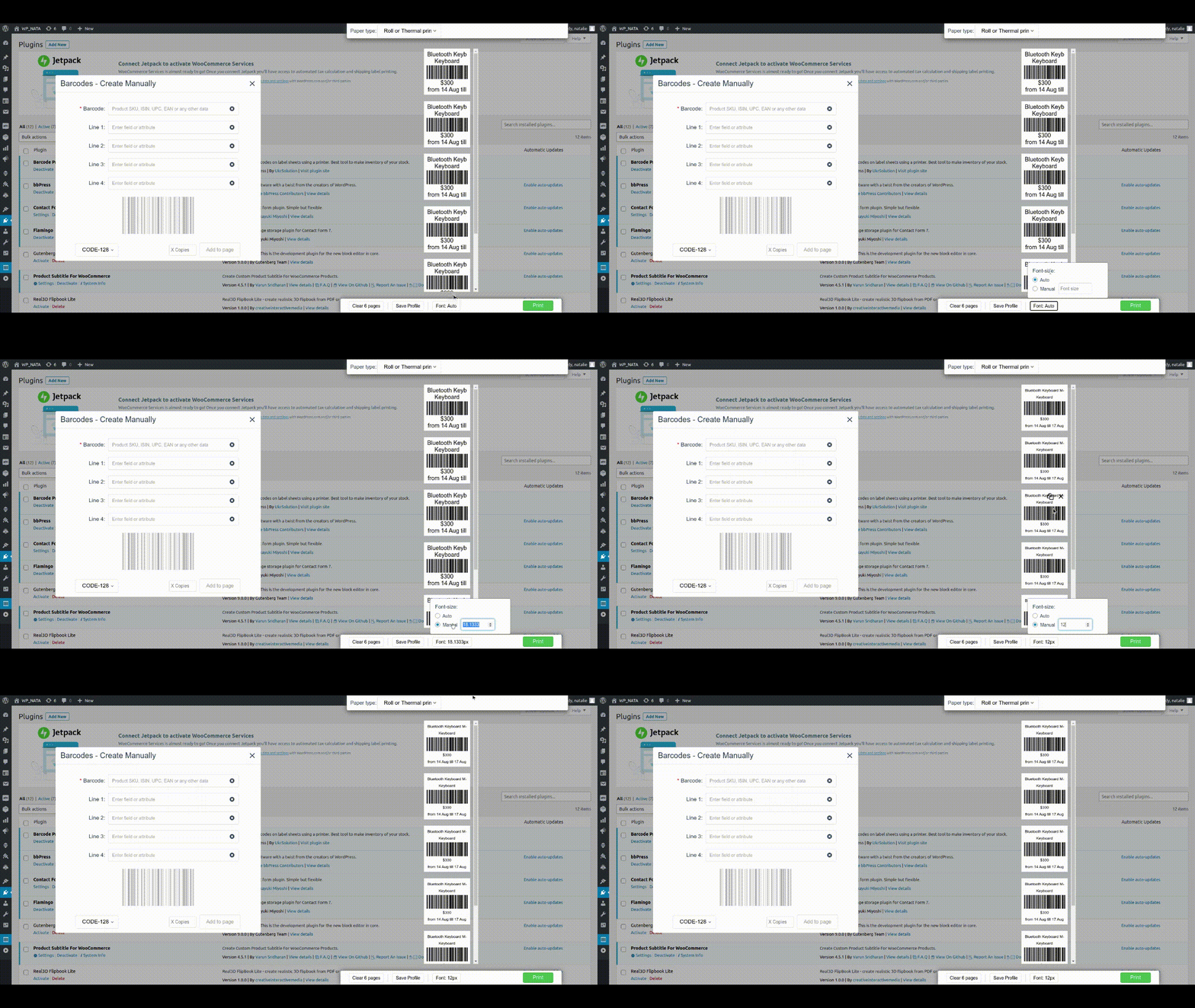
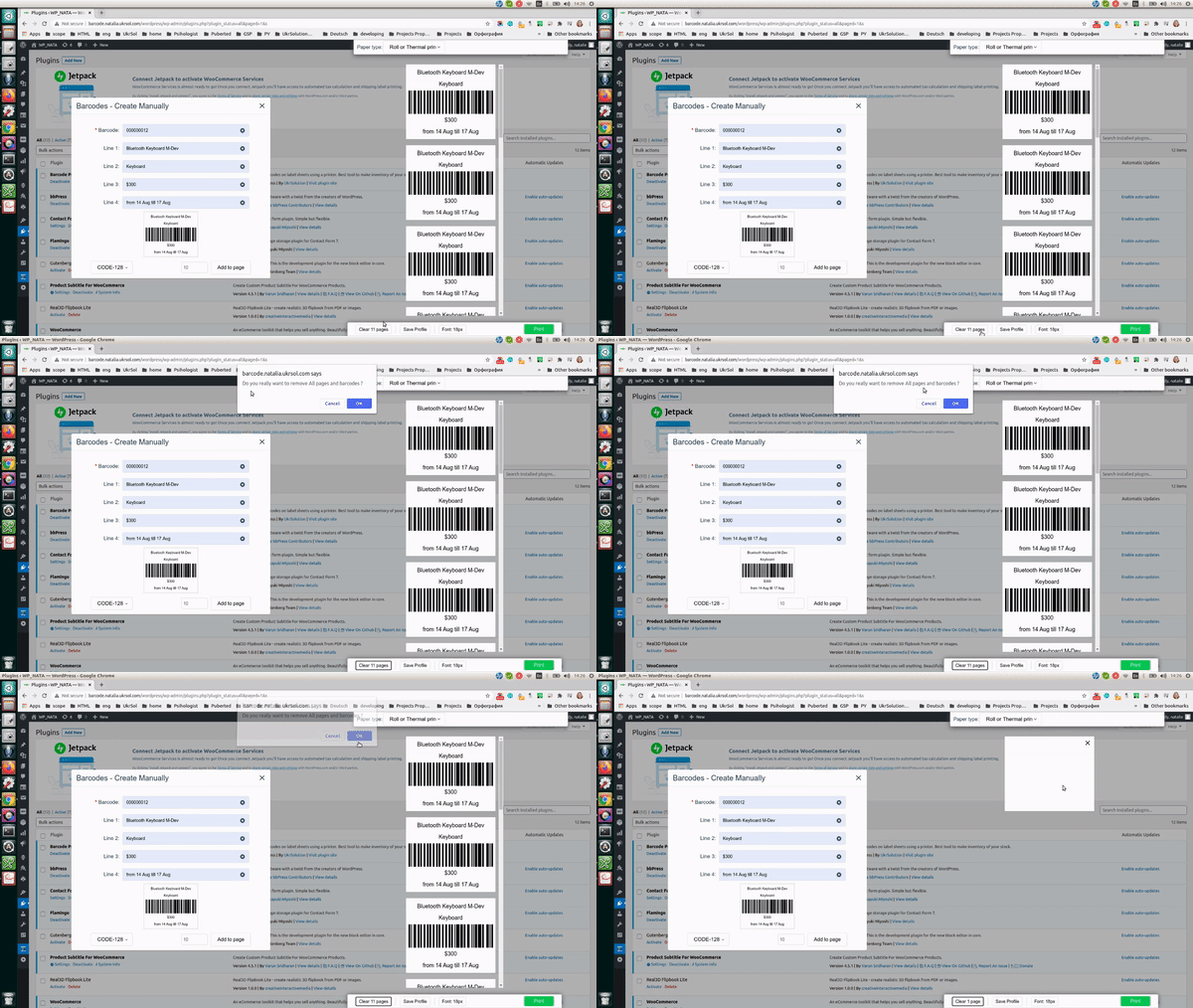
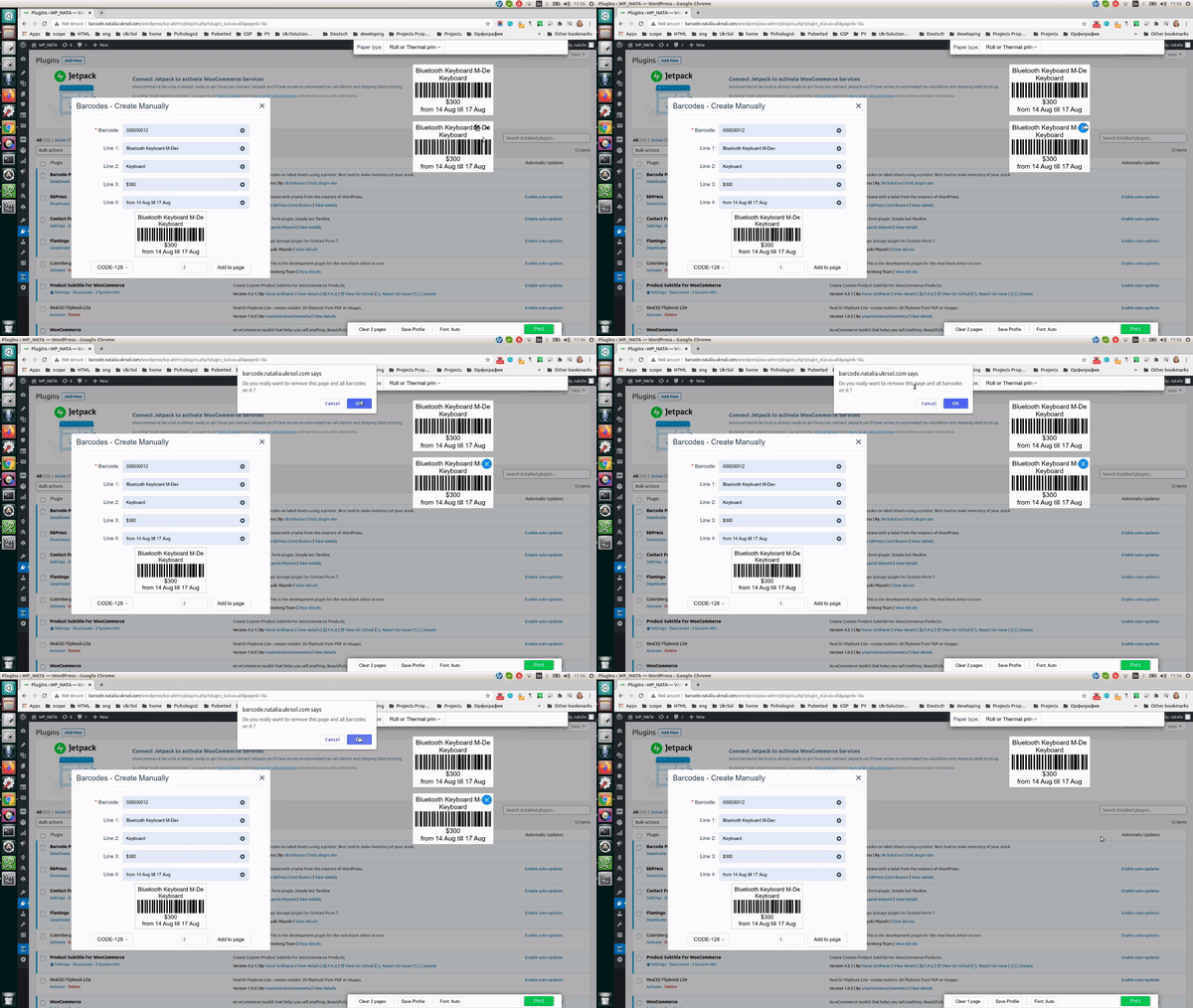
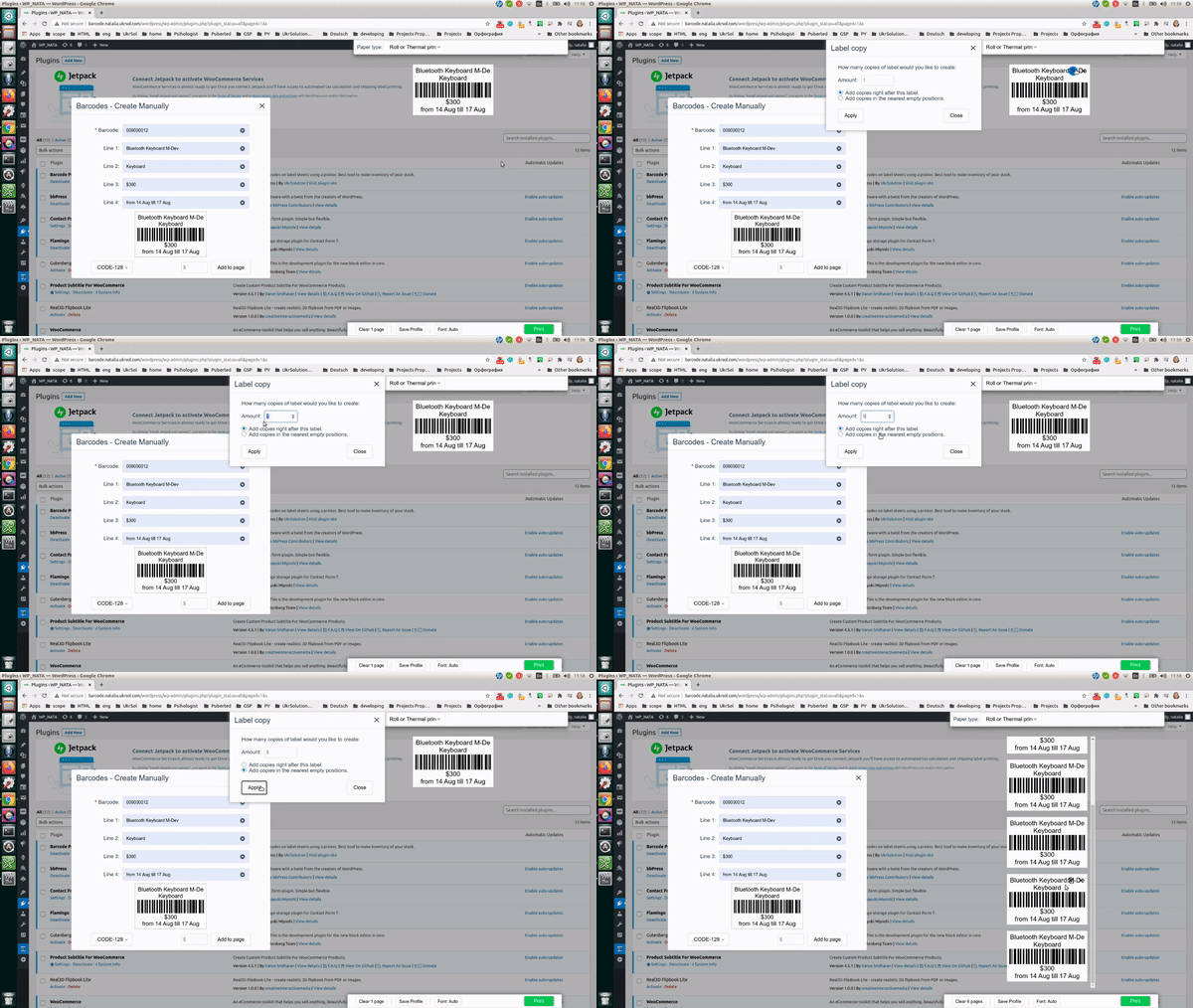
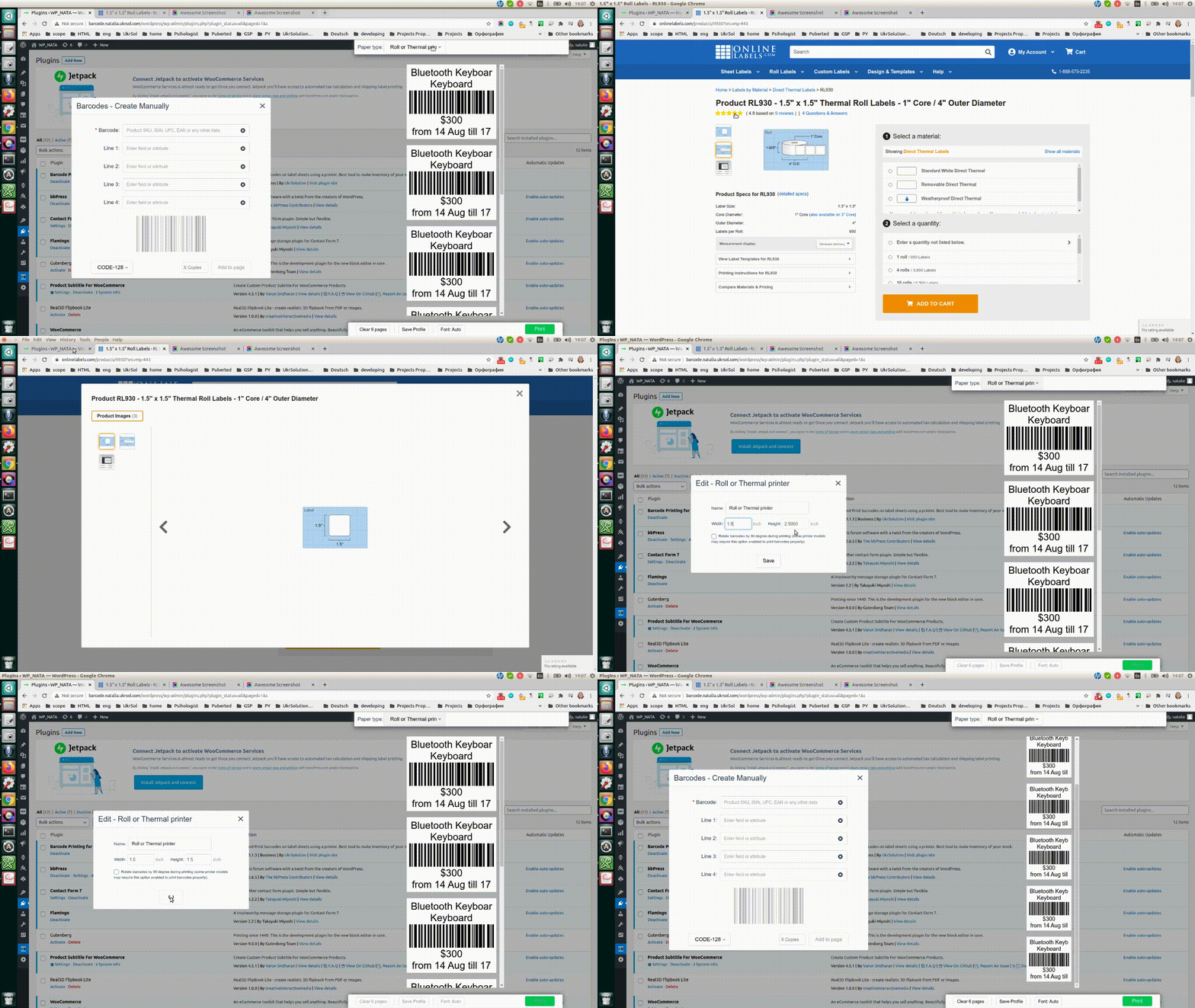
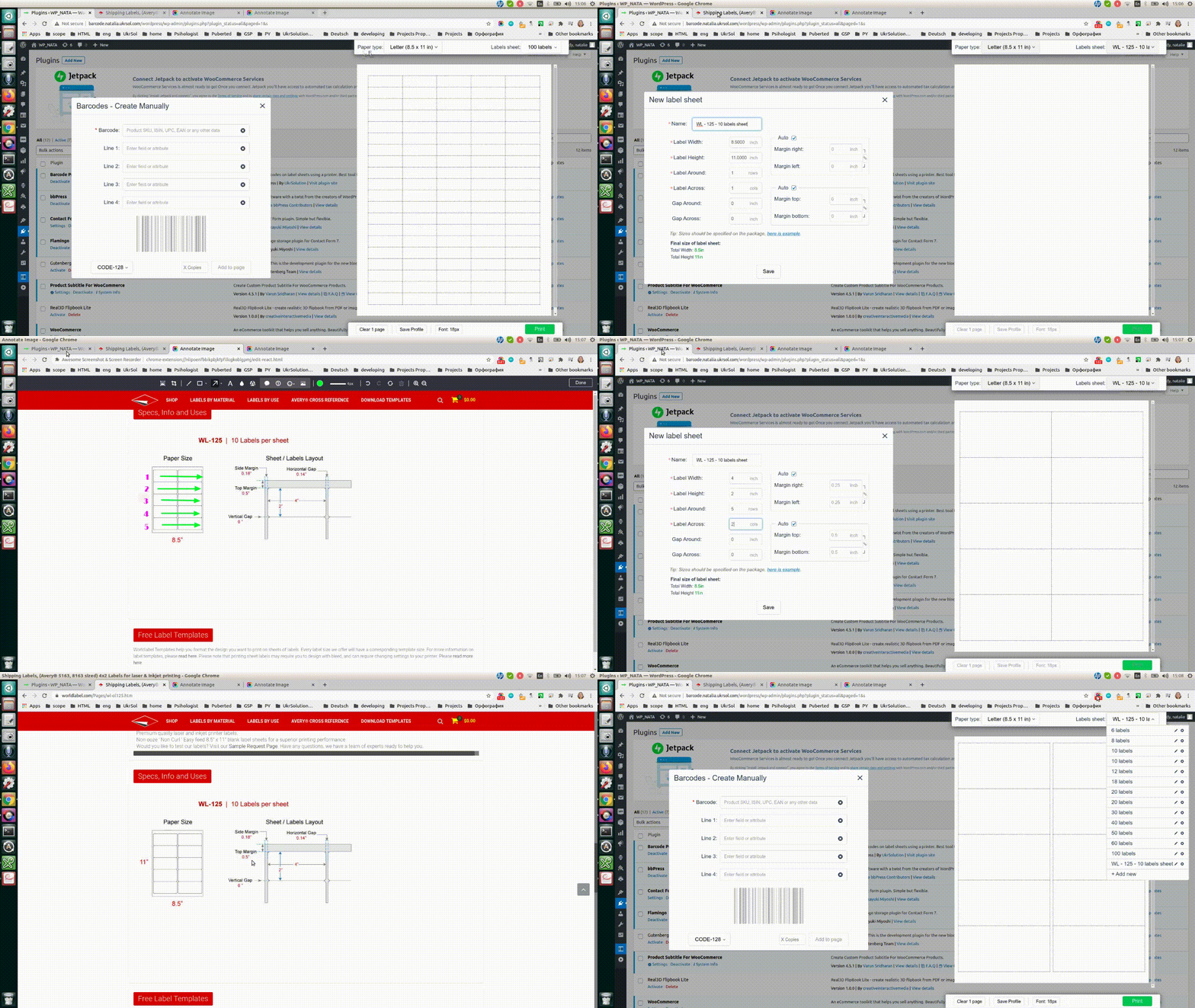
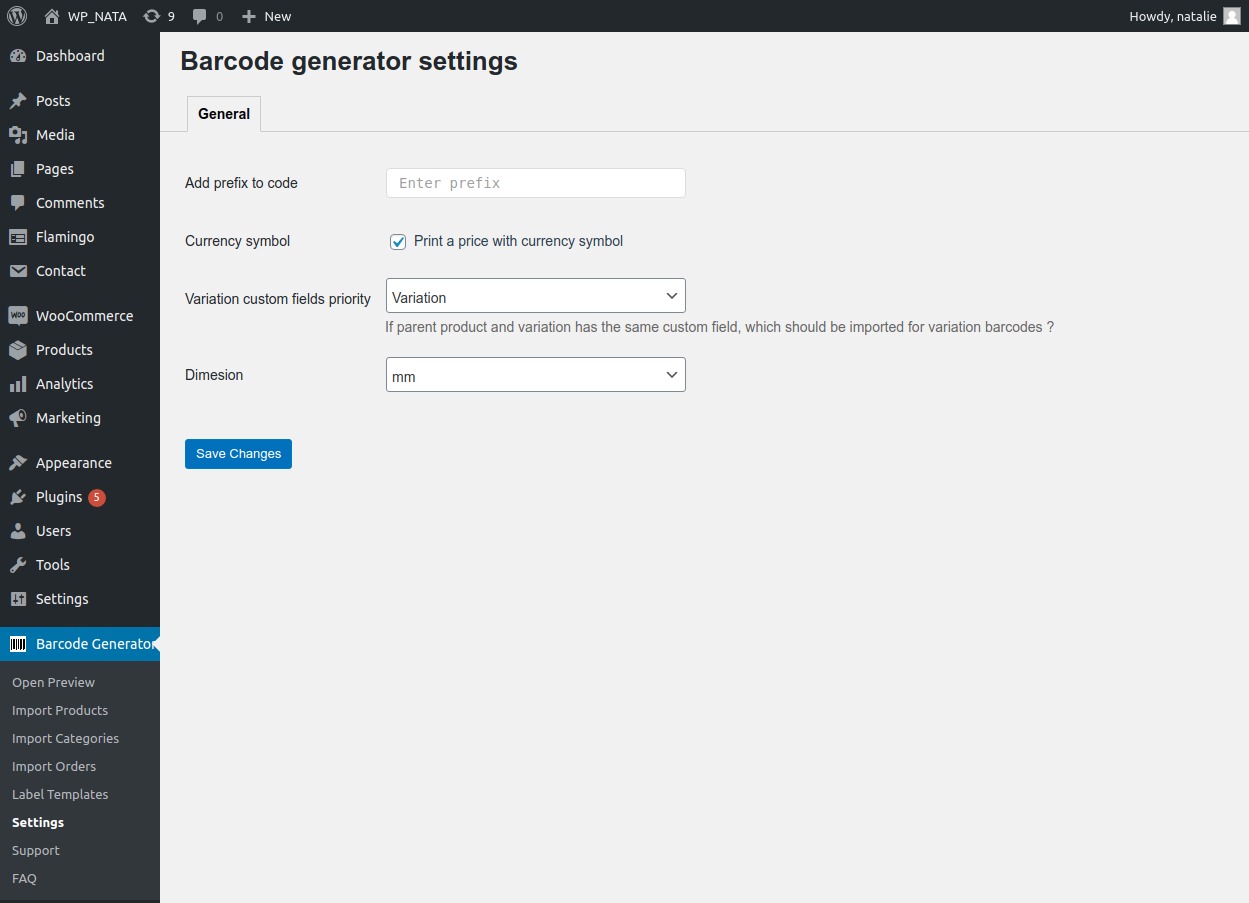
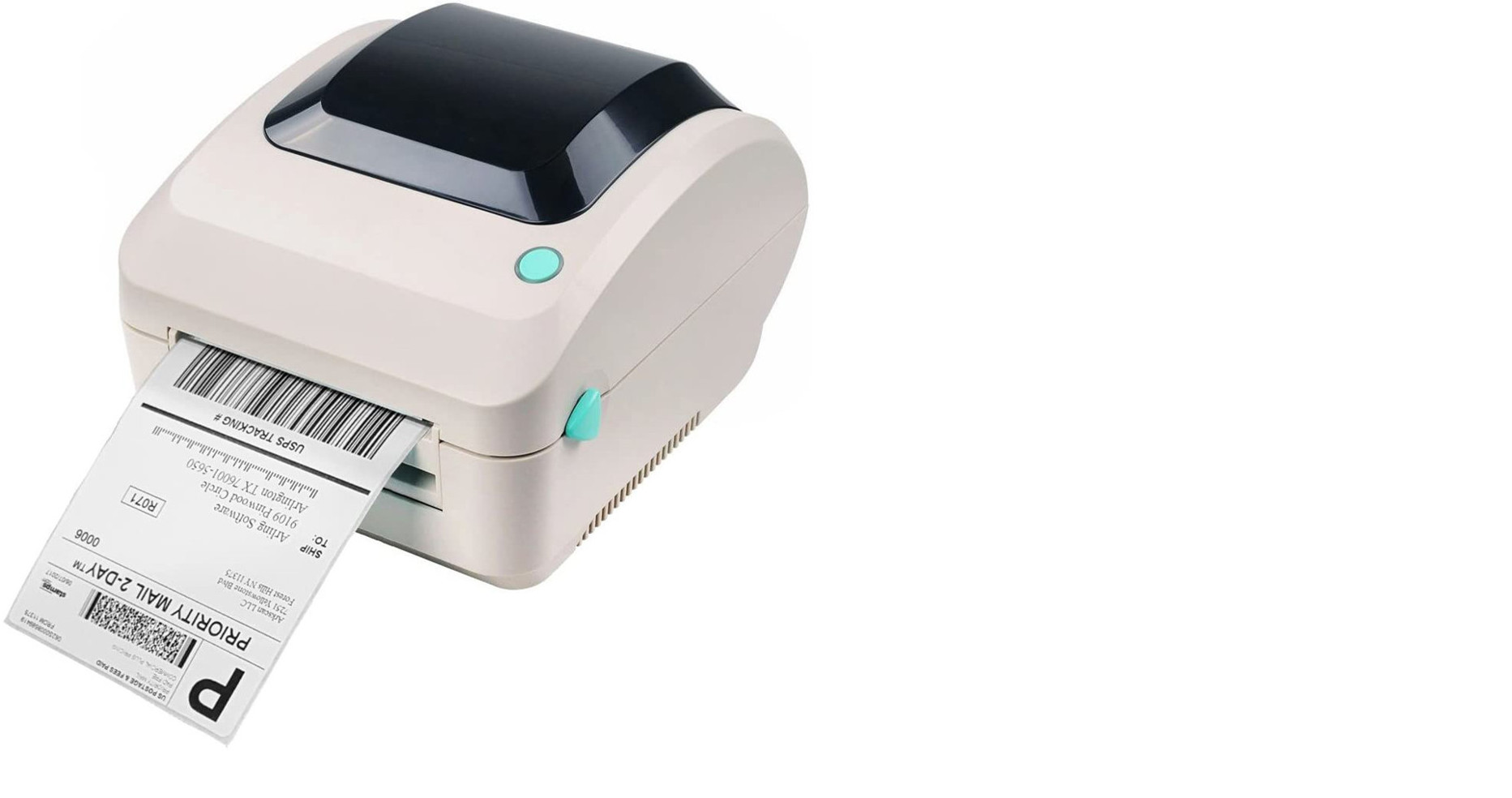
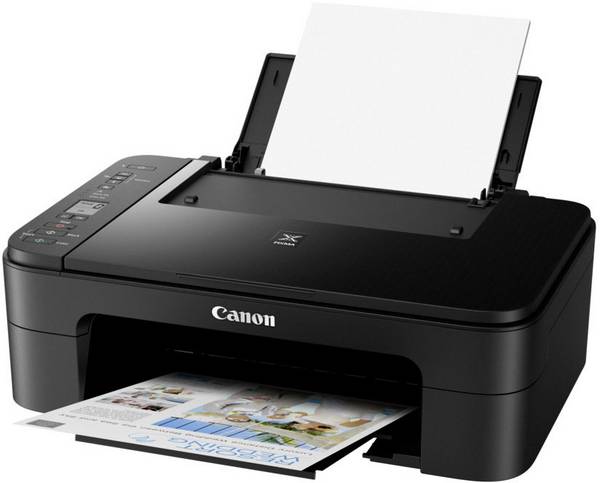
FAQ
My printed labels are misaligned or cut off. Is this a plugin bug?
No. Our plugin generates perfectly sized, standard vector templates. If your margins look shifted, it is 100% a local hardware driver or browser print preview issue. To fix this instantly: Open your browser’s Print Preview settings, look under “More Settings”, change Margins to “None”, and force the Scale to exactly “100%” or “Actual Size” (never use “Fit to Page”). Also, ensure you are using the official manufacturer printer drivers for Windows or Mac rather than generic plug-and-play drivers.
Can I get live help configuring my hardware printer?
Yes! Thermal roll devices and multi-label sheets can be notoriously difficult to calibrate inside browser settings. Because of this, a massive portion of our Premium Plan license cost goes directly toward providing direct personal configuration assistance. If you upgrade to our Pro version and encounter alignment issues, our engineers will connect directly to your terminal via AnyDesk or TeamViewer to install your drivers, clear your browser margin blocks, and ensure your system functions perfectly.
What exact printer brands and paper types are supported?
Our plugin supports 99% of desktop and enterprise printing hardware. You can seamlessly print to standard office inkjet or laser setups using multi-label A4 sheets or Letter-sized paper templates. It also fully supports specialized continuous direct thermal roll printers, including popular industry models from Dymo, Zebra, Brother, and Rollo.
Can I use the free version to completely print labels?
Yes! In full compliance with WordPress.org repository guidelines, our free version is completely functional and allows you to print as many sheets or rolls as your store requires. The free version allows you to place one highly flexible data field on your layout canvas (such as Product Name, Price, SKU, etc.). If your business requires printing advanced combinations of up to 8 fields simultaneously on a single tag, you can upgrade to our Premium Plan.
Which specific barcode formats and standards are included?
The plugin handles all major retail and warehouse tracking standards seamlessly. You can generate both 1D and 2D vector matrix tags, including UPC-A, UPC-E, EAN-13, EAN-8, GS1 family standards, GTIN tracking codes, CODE128, CODE39, and dynamic QR Codes. Because the layout engine renders graphics as clean SVGs, your handheld laser scanners or smartphone applications can read them instantly without blur issues.
Can I bulk-print labels for an entire order run?
The free version allows you to select items from your store inventory or specific listings to print them one by one or in standard batches. High-volume business features—such as printing complete labels for hundreds of products simultaneously or generating itemized barcode runs directly from the WooCommerce incoming orders screen—are optimized exclusively for our Premium version to save your warehouse team hours of manual operations.
How do I know that my printer supports margin-free printing ?
Before printing it’s very important to get to know your printer a little bit better, especially we need to know if printer can print without page margins.
The right way to do it is to read technical documentation about your printer (or find it in google) but if you lost documentation or can’t find in google there is another way.
Print this PDF page and compare if it looks the same as on PDF. If page border doesn’t look the same – your printer might not suport border-free printing or you didn’t enable this option in printing settings popup.
My printer doesn’t support margin-free printing, what’s next ?
It’s ok, actually most of printers can’t do it. You just need to use label sheets with page margins.
Here is example of label sheet (40 labels per page) with page margins.
Can I save/download barcodes on my MAC or PC?
You can save all pages as PDF document, so you will be able to print them later. For this press “print” button in the plugin and in the browser’s printing dialog, select “Save as PDF” instead of your printer.
How much barcodes I can put on A4/Letter page ?
“Barcode label printing” plugin contains buil-in set of the most popular A4 label sheets which allows to add 12, 14, 16, 21, 24, 56 or 65 barcodes per page. And you can create any amount of your own label sheet formats.
I have found a bug, how can it be fixed ?
You need to send email to us and provide us with details: How to reproduce bug Screenshots of bug Best way to describe the problem is to create video recording (you can use software like Jing)
How can I report security bugs?
You can report security bugs through the Patchstack Vulnerability Disclosure Program. The Patchstack team help validate, triage and handle any security vulnerabilities. Report a security vulnerability.
Reviews


Contributors & Developers
“Barcode Generator: Print Product Labels & Order Barcode Label (A4, Thermal/Roll, Letter)” is open source software. The following people have contributed to this plugin.
Contributors
Interested in development?
Browse the code, check out the SVN repository, or subscribe to the development log by RSS.
Changelog
4.0.1 – 15 August 2026
Applied code changed to meet wordpress.org requirements.
4.0.0 – 25 July 2026
Major update, plugin has been fully re-written
3.4.5 – 21 February 2023
- Feature: Single label PDF will have the name of the barcode.
- Feature: Added possibility to print variation label right from the “All products” page.
- Improvement: Added German translation
- Improvement: Added more text to the translations
- Improvement: Minor UI improvements
- Bug: Fixed css issue with EAN13 barcode
- Bug: Fixed minor bugs in the label preview
3.4.4 – 7 December 2022
- Important fix: Fixed printing preview issue for the latest google chrome update
- Bug fix: Fixed product links for the variations
- Feature: Automatic detection of UPC if EAN is selected
- Feature: Added possibility to add user’s info to the labels
- Improvement: Added delay for JS building on the print page
- Improvement: Added some text to translations
- Improvement: From now, line-break set to “break words” by default
- Other: Multiple minor bug fixes and UI improvements
3.3.17 – 7 February 2022
- Added date search filter to the Orders page.
3.3.16 – 21 January 2021
- Compatibility with woocommerce 6*
- Added support of offline mode.
- Added filters to the orders page.
- Added new shortcodes for orders.
3.3.15 – 24 December 2021
- Added order “Items Subtotal” shortcode.
- Fixed issue with generation barcodes for Categories.
3.3.14 – 14 December 2021
- Added the “afterRender” event for all plans.
- Added 8 lines for the “Match Fields” tab.
- Improvement: Custom fields & plugins sync
3.3.13 – 24 November 2021
- Added local attributes to dropdown for matching.
- Added possibility to split one field into 2 fields per row.
- Added integration with the next plugins:”EAN for WooCommerce”, “Product GTIN (EAN, UPC, ISBN) for WooCommerce”, “WooCommerce UPC, EAN, and ISBN”, “wePOS – Point Of Sale (POS) for WooCommerce”.
3.3.12 – 4 October 2021
- Improve #8851: Import of local attributes.
3.3.11 – 14 September 2021
- Feature #8842: Added support PHP8.
- Feature #8830: Added 32 lables for letter.
- Feature #8850: Addded parent shortcode to documentation.
- Feature #8859: Added Price + Tax shortcode to documentation.
- Feature #8829: Added order URL to matching dropdown.
- Feature #8815: Translation for the Russian language.
- Improve #8862; Label settings on the preview.
- Improve #8813: UI.
3.3.10 – 4th August 2021
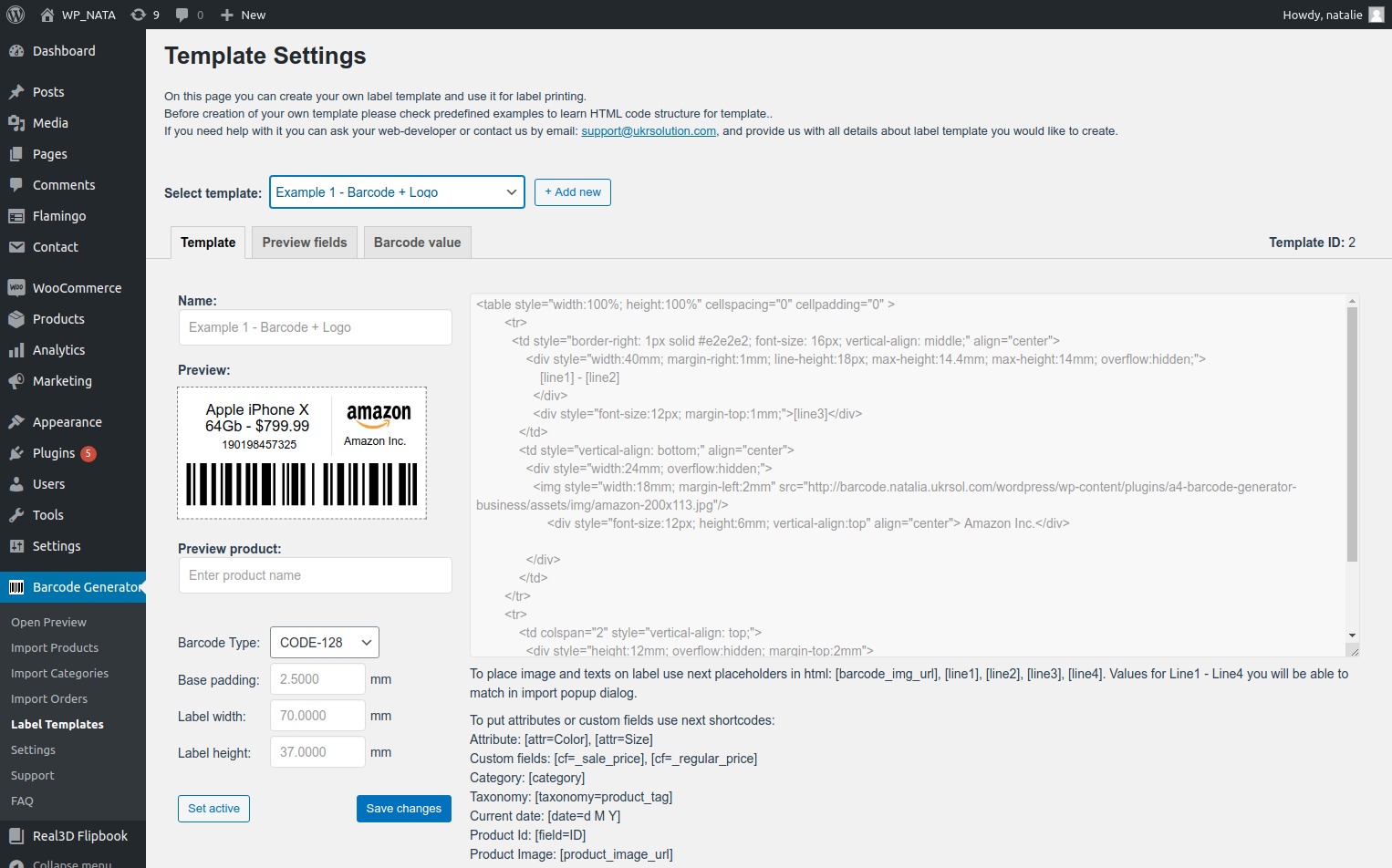
- Improve #8784: Added new documentation on the Template Labels page.
- Improve #8784: Loading “matched” fields on profile change
- Bug fix #8784: Fixed issue with product order from an order.
- Bug fix #8764: Fixed issue with space between lines for the template.
3.3.9 – 12th July 2021
- Improve: Move license to separate tab
- Bug: HTML in Barcode
3.3.8 – 2nd July 2021
- Added option to edit CSS style of adaptive template.
3.3.7 – 25th June 2021
- Updated Setup Wizard.
- Added possibility easy change barcode position.
- Added default values in the “Matches” popup.
- Renamed buttons & click behavior.
- Updated UI for the “Create Labels” popup.
3.3.6 – 16th June 2021
- Added Developer API.
- Added JS API.
- Added new label sheet – 30 labels.
3.3.5 – 20th May 2021
- Add product list to order label.
- Added the “Rotate barcode 90 degree” option to the Label Settings.
- Labels without barcode image.
- Fixed issue with subcategoris.
3.3.4 – 13th April 2021
- Added the possibility to change the size of the barcode image from the print preview page.
- Added possibility to select a specific product from order to generate barcode.
- Added new field in the dropdown for matching to combine dimensions (length х width х height).
- Added possibility to manage displaying fields’ names on the label (e.g Model: We6524Tr / We6524Tr).
3.3.3 – 29th March 2021
- Added the product description fields for matching.
- Added option to set default profile.
- Added the new short codes in order to display full country name for shipping labels.
[cf=_billing_country_full_name]
[cf=_shipping_country_full_name]
3.3.2 – 22th March 2021
- Added the Adaptive template for Shipping labels.
- UI improvements.
- Fixed issue with Letter paper.
3.3.1 – 12th March 2021
- Added the new label template.
3.3.0 – 28th January 2021
- Added Shipping Label.
3.2.0 – 27th November 2020
- Added Google fonts.
- Added new shortcodes.
- Added caching for 24 hours.
- Resized icons.
- Modified HTML label template for the example № 4 (mm).
- Added the clear cache button for clearing storage and cookies.
- Added functionality changes for plans
3.1.8 – 2nd November 2020
- Fixed issue with a horizontal gap.
3.1.7 – 29th October 2020
- Layout changes for Roll Preview.
- Changes in navigation.
- UI changes.
3.1.5 – 15th October 2020
- Updated HTML code for Example 4 (mm).
- UI and workflow changes (moved a saved profile dropdown at the top).
3.1.4 – 7th October 2020
- Added a new custom labels template for EAN-13.
- Added support of orders custom fields.
- Fixed the colored issue with the Yoast SEO plugin.
3.1.3 – 23rd September 2020
- Fixed issue with fist label for Roll printer.
3.1.2 – 21st September 2020
- Fixed issue with a default value of type code.
3.1.1 – 11th September 2020
- Added options for managing preview fields.
3.1.0 – 10th September 2020
- Added customize font size option.
3.0.4 – 2nd September 2020
- Added support of GS1 standards for barcode image (EAN 13, UPC A, and UPC).
3.0.3 – 1st September 2020
- UI improvements.
3.0.2 – 25th Aug 2020
- Added support of the “Contact Form 7” + Flamingo.
3.0.0 – 14th Aug 2020
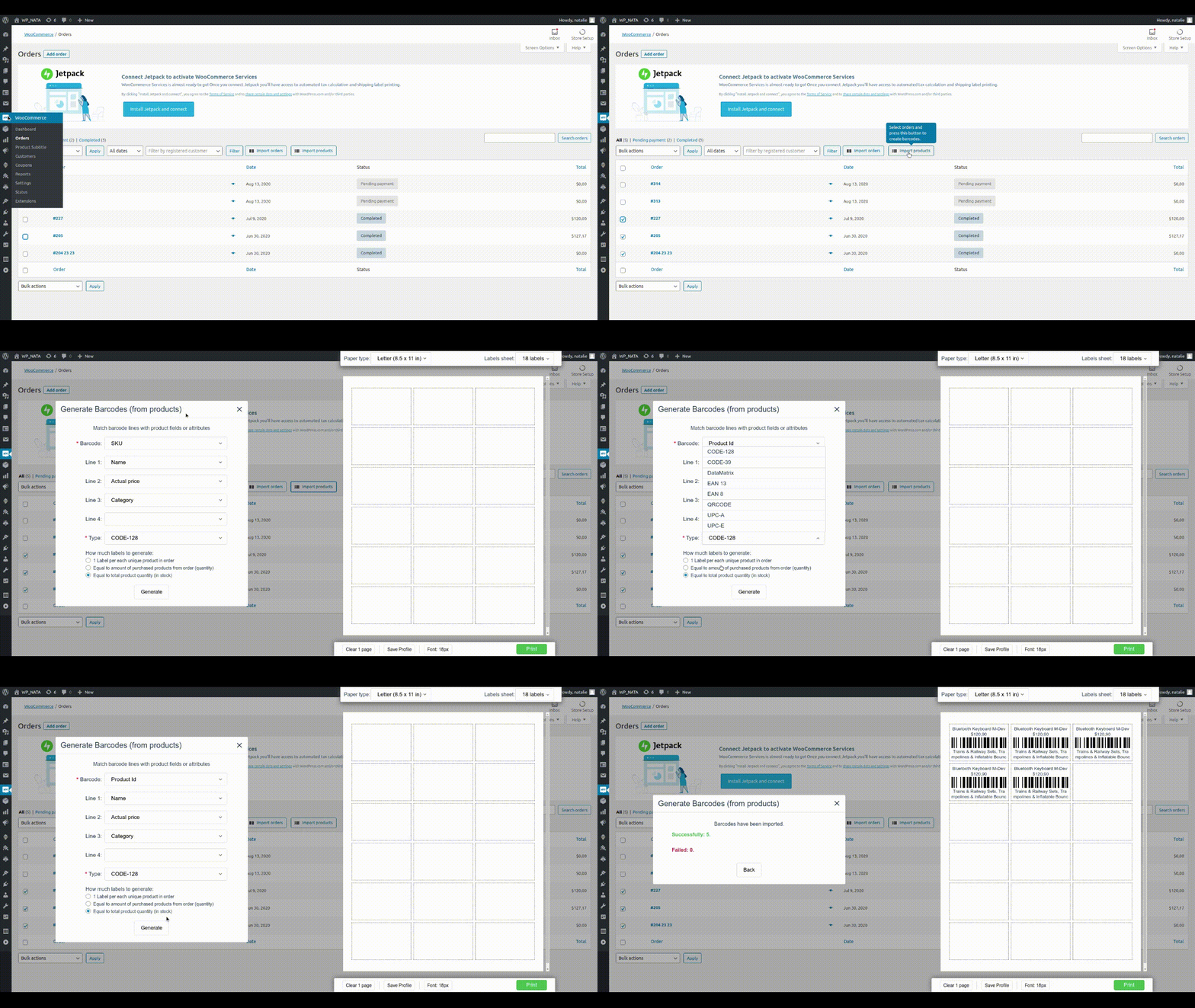
- Added the “Import Orders” button on the WooCommerce orders page in order to generate barcodes for WooCommerce orders.
- Added the “Import Products” button on the WooCommerce orders page in order to generate barcodes from selected orders.
- Added the “Generate Barcodes” button on the products page.
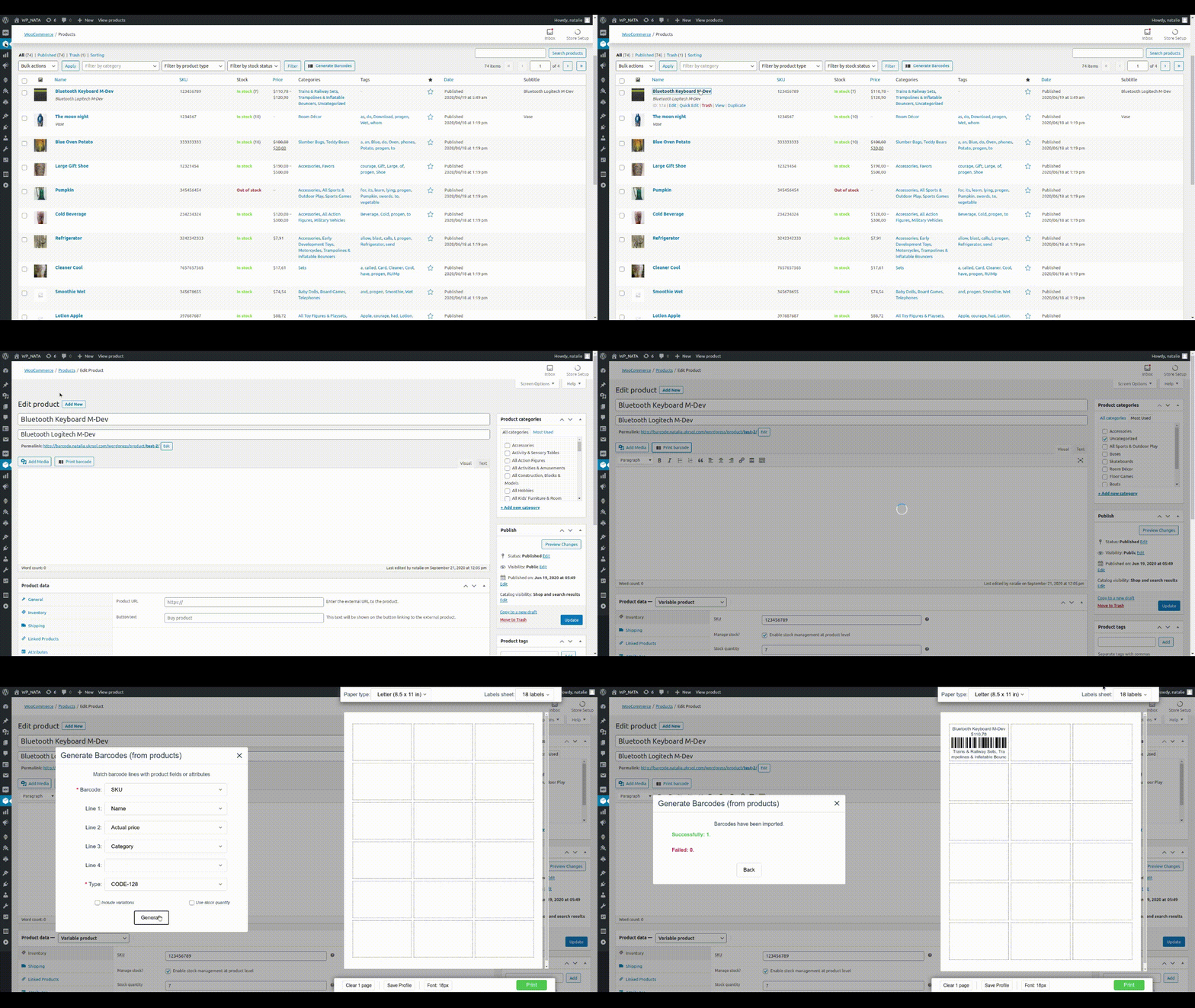
- Added the “Print Barcode” button on the inner product page.
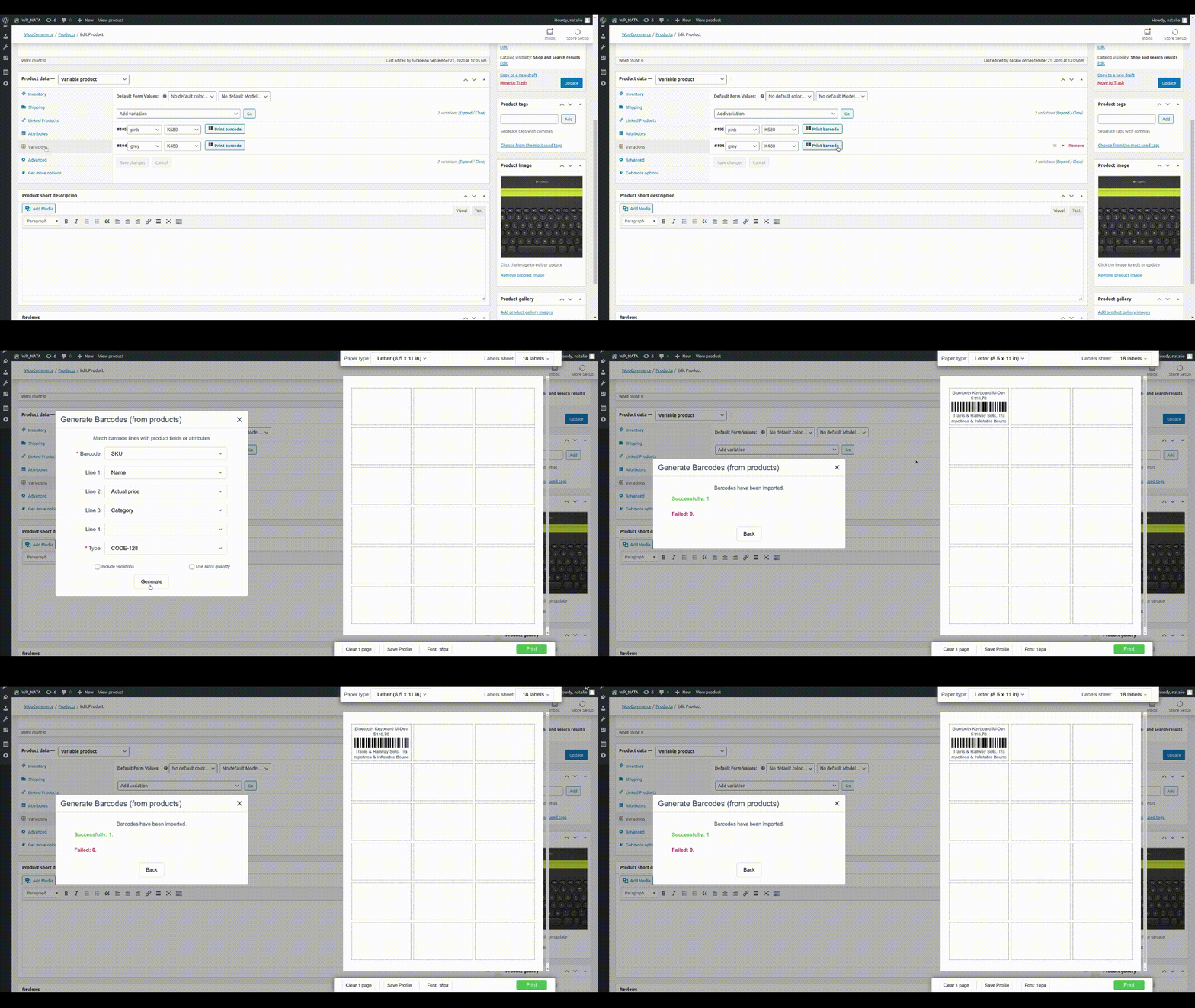
- Added the “Print Barcode” button for each variation on the product details page.
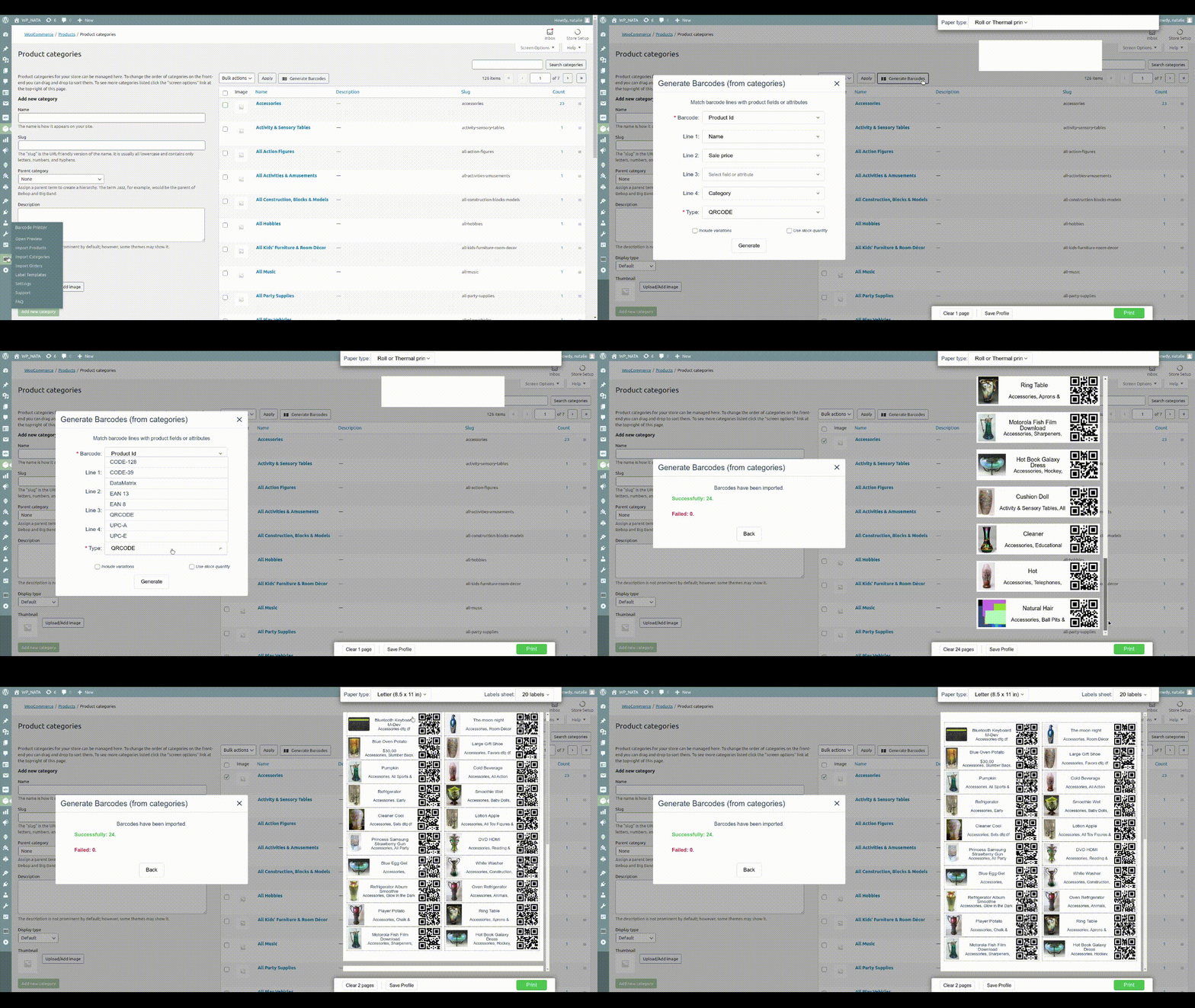
- Added the “Generate Barcodes” button on the WooCommerce categories page.
- Added the new shortcode on the label template page – Taxonomy: [taxonomy=product_tag].
- Added the new shortcode on the label template page – Current date: [date=d M Y]
- Added the “Save Profile” option.
- Added 2 new HTML templates.
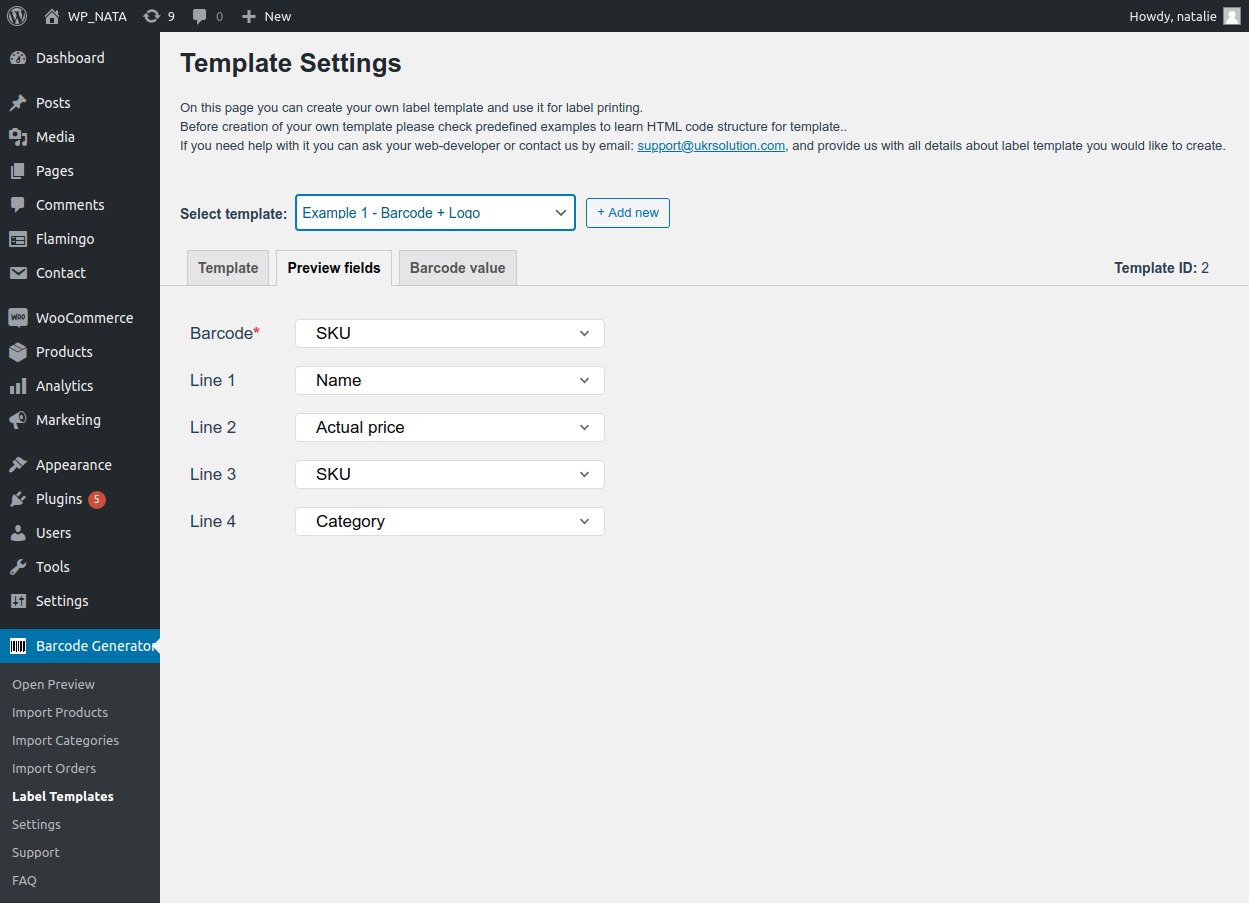
- Added the “Preview fields” tab at the “Label Template” page which allows to specify default fields for matching.
- Added start wizard.
- UI improvements.
2.14.4 – 14th Jul 2020
2.14.1 – 20th, May 2020
- Added message “This browser is not fully supported, please use “Google Chrome” browser to print bar codes.
2.14.0 – 18th, May 2020
- Added possibility to add more then one value from custom fields via comma separator.
2.13.0 – 27th, April 2020
- Added support of colors for custom label templates.
- UI improvements.
2.12.3 – 21th, February 2020
- Improvements with default uol settings.
- Improvements for compatibility with the custom website theme.
- Fixed issue with custom fields.
2.12.2 – 11th, February 2020
- Corrected issue with logo icon
2.12.1 – 10th, February 2020
- Corrected issue with label sheet size configuration.
2.12.0 – 6th, February 2020
- Added option to specify any prefix for generating barcode.
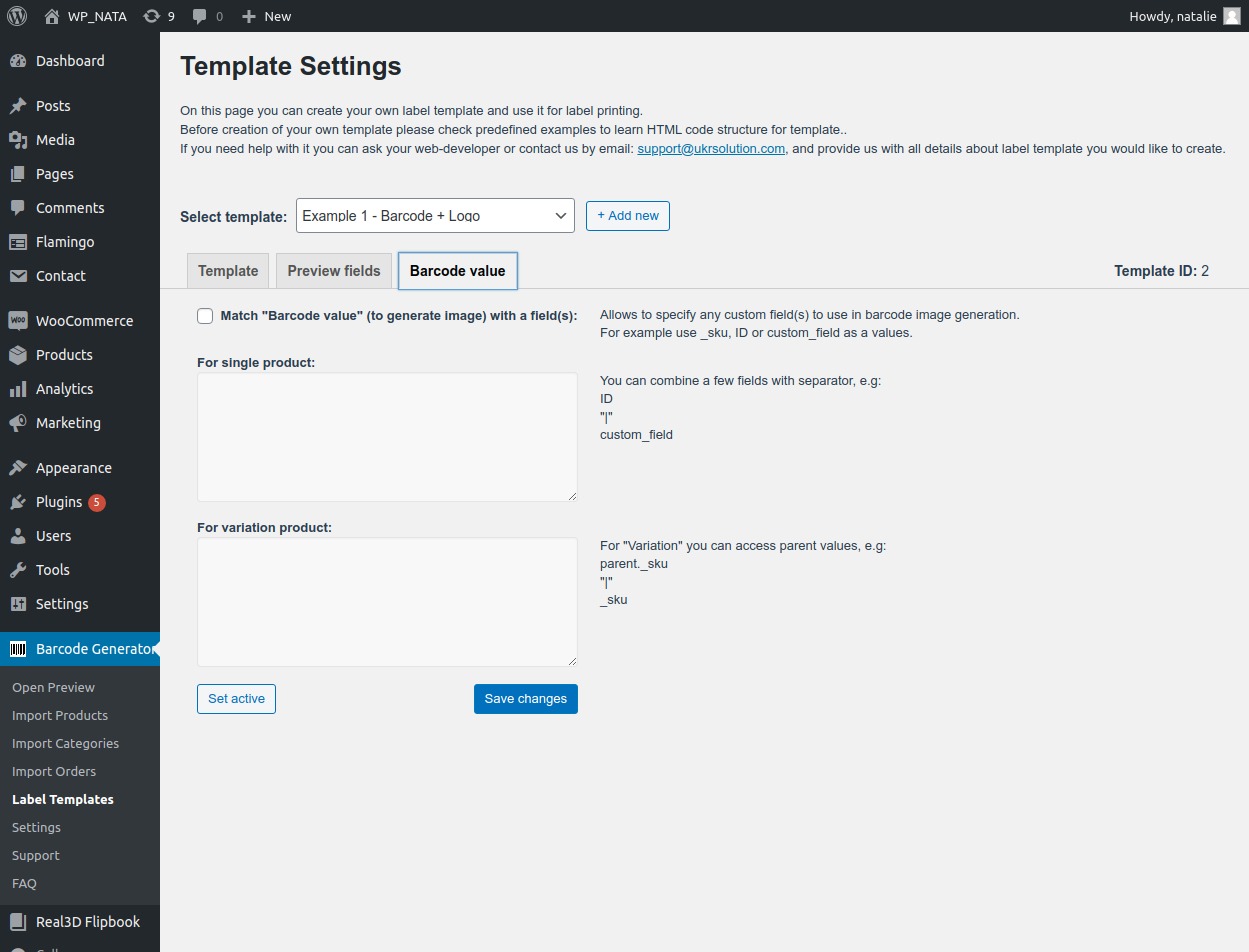
- Added ability match code value with any Woocommerce custom field (s) for single and variables products.
- Added the “Custom Fields & Attributes” template.
- Added ability to set on the label the “Currency position” which set at WooCommerce general settings.
- Added new shortcodes to the “Custom template” page.
- Added support of “mm” and “inch” values instead of “px” for the “Base padding” field on the custom template page.
- Removed an option for deleting the “Roll Thermal Printer” type from the Paper type list.
- Corrected issue with PHP version 7.4.
2.11.6 – 11th, December 2019
- Fixed issue with dialog windows.
2.11.5.3 – 25nd, November 2019
- Added support to display price with tax;
- UI improvements;
- The custom field doesn’t work for product attributes – fixed.
2.11.5.2 – 18nd, November 2019
- Improvements with layout.
2.11.5.1 – 12nd, November 2019
- Added ability for output all specified attributes with a custom template;
- Added ability for generating barcodes for products with multiple variations.
- Added ability for generating barcodes for Private Products.
2.11.4 – 18th, October 2019
- Fixed issue with updates.
2.11.3.2 -8th, October 2019
- Added support of inches.
- Added a switch-mode for printing with Receipt and Roll Printer.
- Fixed cache issue.
2.11.3 – 1st, September 2019
- Added possibility creates an empty label.
- Added padding setting.
- Added supports of decimals (inches).
- Fixed issue with move gaps on the top and bottom on the page.
- Fixed issue with displaying zeros.
2.11.2 – 19th, August 2019
- Add support parent product image.
2.11.1.1 – August 1st, 2019
- Print link wasn’t working on some WordPress configurations – corrected.
2.11.1 – July 4th, 2019
- Added improvements for a custom template.
2.11.0 – July 1st, 2019
- Added possibility add a product image on a barcode label.
- Added custom template with supporting product image.
- UI improvements.
- Roll printer improvements.
2.10.0 – June 13th, 2019
- Fixed attributes value issue.
- New template added.
2.9.0.1 – June 5th, 2019
- Fixed attributes issue.
2.9.0 – May 17th, 2019
- UI improvements.
2.8.0 – April 26th, 2019
- Added support of Custom Templates for Labels.
- Corrected issue with empty folder.
- UI improvements.
- Fixed issue with cache.
2.7.0.3 – April 25th, 2019
- Corrected – ajax request with sub-folder.
- Improvements for variations that have stock quantity 0.
2.7.0.2 – April 16th, 2019
- Corrected Preview Page disappearance.
- Barcode labels sorting stopped working – fixed.
- Major improvements.
2.7.0.1 – April 3rd, 2019
- JavaScript files now loaded after click at Barcode Generator menu.
- Import Categories popup improvements.
- СODE128 throws error when created out of number – corrected.
- UPC-A validation – corrected.
2.7.0 – March 26th, 2019
- Added WooCommerce “Attributes” support.
- Added support of WooCommerce “Stock quantity”. If enabled amount of created barcodes will be equal as the amount specified in “Stock quantity” field.
- Added other languages support. Now you can add translations for your language.
- Quality of barcodes improved by using SVG instead of images.
2.6.0 – March 15th, 2019
- Added support of variations to “Selected Items” option.
- Product Link and Admin Product Link added. When creating barcodes you can use Product Links – useful for QRCodes.
- Corrections for Roll Label Printers
2.5.0.1 – March 6th, 2019
- CODE39 wasn’t detected by some barcode scanners – corrected.
- Printing of Barcodes didn’t work in Safari – corrected.
2.5.0 – March 1st, 2019
- Other plugins caused printing issues. Printing proccess has been rewritten to prevent these issues.
2.4.0 – January 31st, 2019
- Design enhancements
2.3.0 – January 28th, 2019
- “DataMatrix” barcode type is added.
- “Letter” paper type added into pre-installed list.
2.2.3.1 – January 24th, 2019
- Corrected issue that some EAN13 codes were detected as invalid.
2.2.3 – January 15th, 2019
- Text on labels were cut off – corrected.
2.2.2.1 – December 21st, 2018
- UPC-A validation issue corrected.
- Added error message for websites that use old PHP version (less than PHP 5.6).
2.2.2 – December 6th, 2018
- Add “X Copies” feature for “Create Manually” popup to create any amount of the same barcode.
- Custom Paper Formats added. You can create any page size you need including support of roll printers.
- Custom Fields support added. Now you can use any custom field to create barcode.
- Import Selected Items popup. Improved error log.
- EAN13 format – improved validations & errors handling.
- Check for the new version is optimized. Now you won’t miss new releases.
- Responsive improvements for small devices.
- Correction for Euro prices in “Import Categories” popup.
- When printing user got empty page – fixed.
2.2.1 – November 6th, 2018
- Speed optimization improved.
- Feature “Static text” added.
- Added option to show/hide “Code” on barcode label for “Import selected items” and “Import Categories” popups.
2.2.0.1 – November 2nd, 2018
- Price currency hasn’t been printed in some cases – corrected.
2.2.0 – October 31st, 2018
- Error messages improved.
- Сategory hierarchy is displayed.
- Bug Reporter improved.
- Preloader added while categories list is loading, and while new format is being created.
- New version checker is improved.
- Responsive fixes made.
- Import categories fixed.
2.1.0.2 – October 24th, 2018
- JavaScript errors fixed.
- CSS improvements made.
2.1.0.1 – October 22th, 2018
- Added hot fixes for php notices.
2.1.0 – October 20th, 2018
- Access to Barcode Generator added to “Shop Manager” user role. This is one of built-in roles of WooCommerce.
- Added “Bug Reporter” that helps to detect errors.
- “Add to Page” button is disabled till Barcode is generated – prevents adding empty Barcodes to page.
- Preloader in “Import Categories” popup never stops when empty categories selected – fixed.
- Auto-check for a newer version fixed.
2.0.0.1 – October 18th, 2018
- Fix for servers with allow_url_fopen settings disabled.
- Added fix for “Import Categories” popup when there are many categories.
2.0.0 – October 17th, 2018
- Created from scratch the core of plugin
- Support of WooCommerce Product Variations added
- “Text” field is added in “Create Manually” popup
0.4.18 – August 13th, 2018
- Small corrections to layout
0.4.16 – August 8th, 2018
- Added “Import Categories” feature. Allows to generate barcodes for products in selected categories.
- Added support of 120 barcodes per A4 page
- Redesign
0.3.3 – Marth 23th, 2017
- Show/Hide barcode text
0.2.9 – January 13th, 2016
- Added Additional field in Import
0.2.8 – November 9th, 2016
- Added QRCode
0.2.7 – October 31th, 2016
- Added new features
0.2.6 – September 22nd, 2016
- Added new features
0.1.6 – September 15th, 2016
- Added new features
0.1.2
- Fist version