

Description
Toolbox POD prints your designs on shirts when they sell and ships them to your customers from the United States.
- Connect your store in one click. You approve access on WooCommerce’s own screen, and you can revoke it at any time under WooCommerce Settings Advanced REST API.
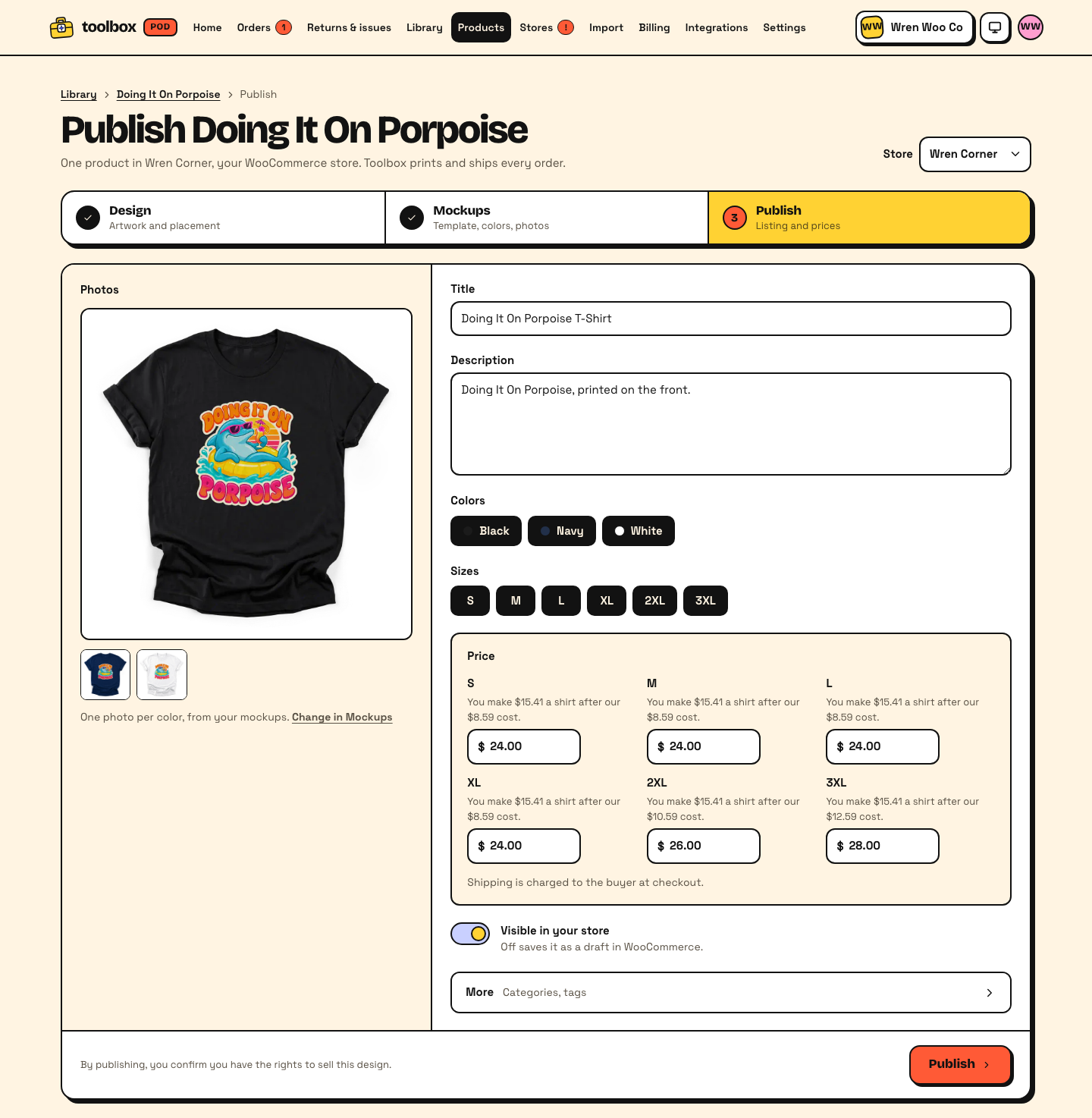
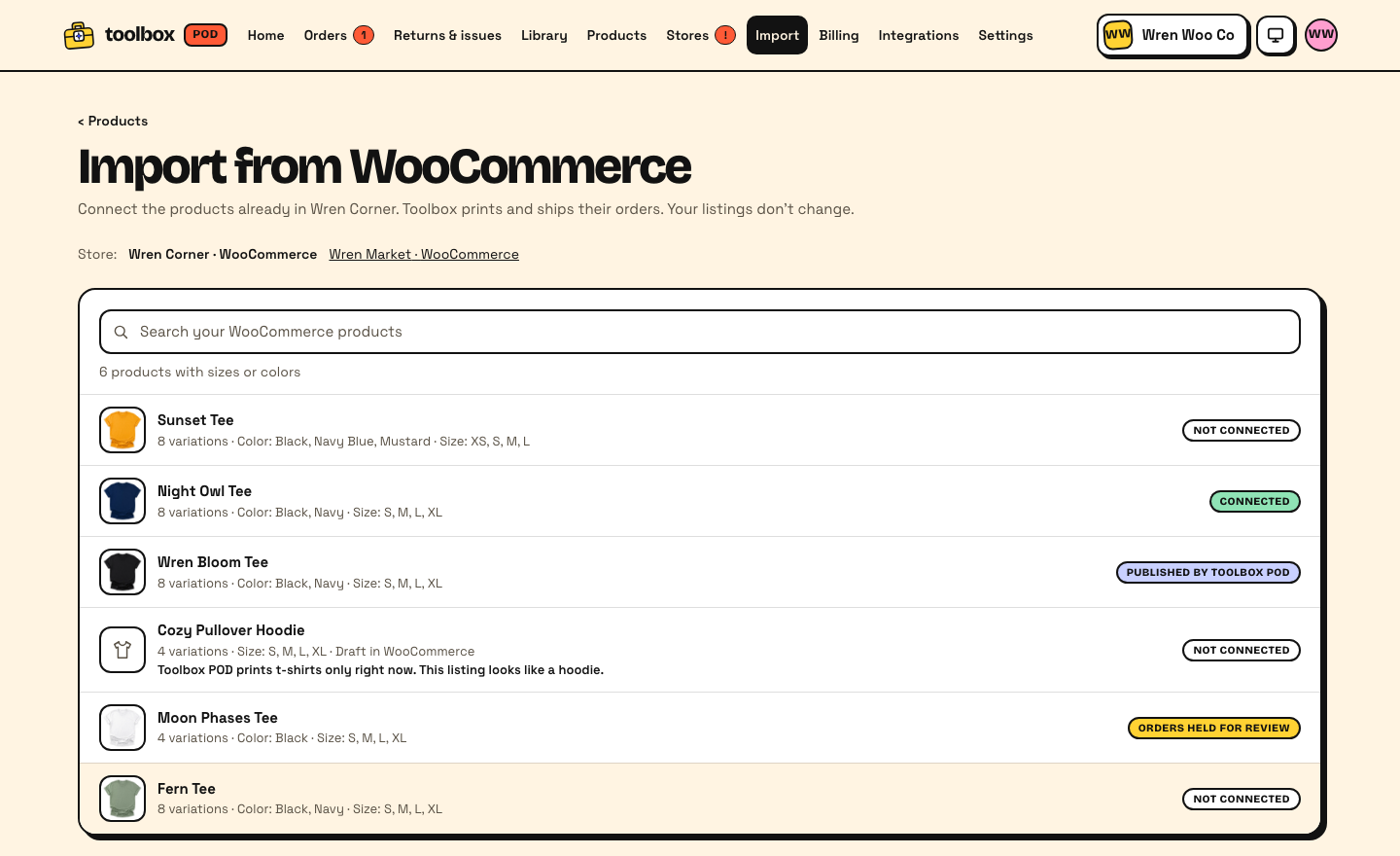
- Design in Toolbox POD and publish products with colors, sizes, prices and mockup photos straight to this store.
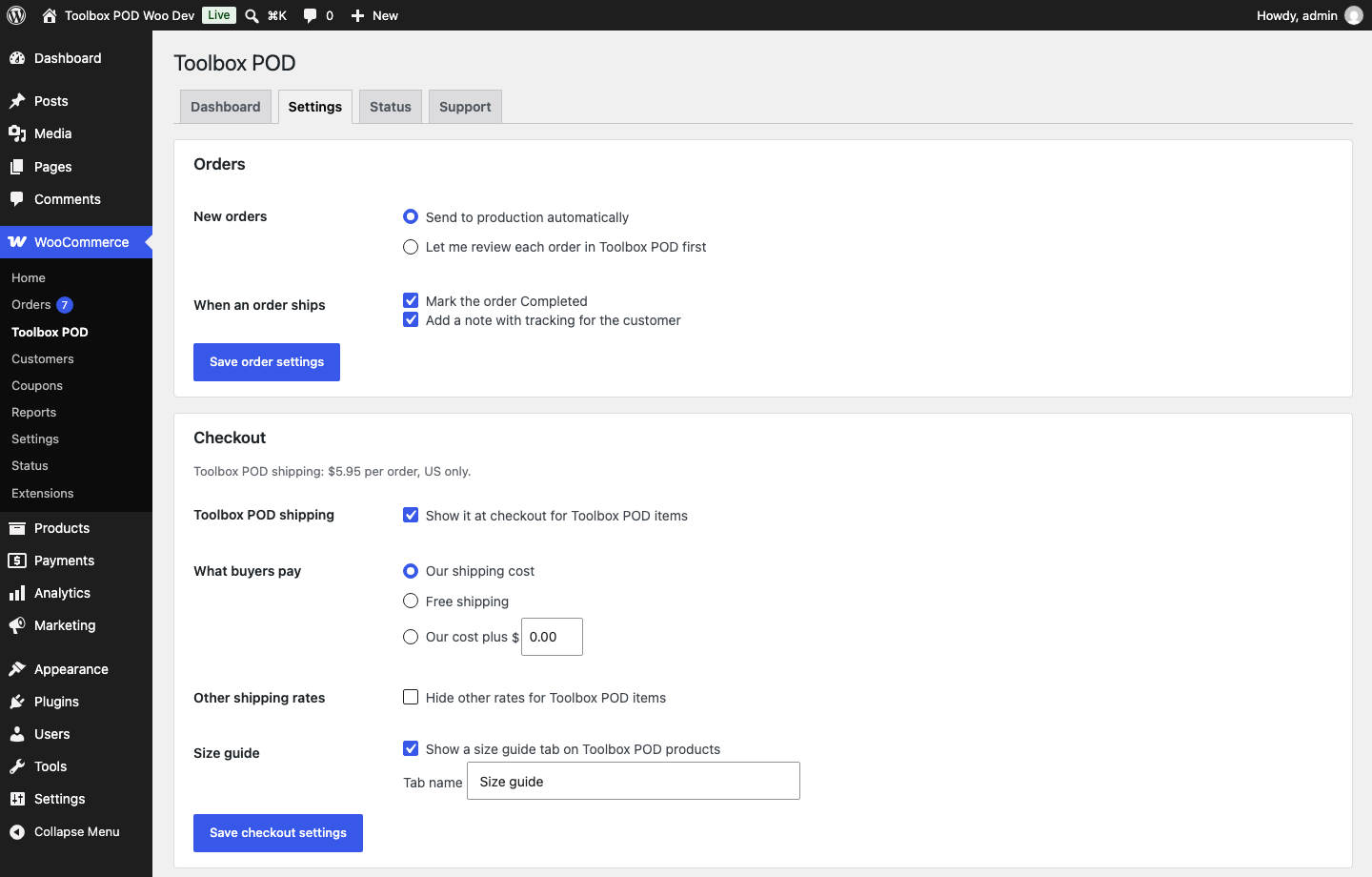
- Orders for Toolbox POD products are sent to production automatically. We charge the card on your Toolbox POD account for the base cost; you keep the difference.
- Tracking numbers are added to the order when it ships, and your customers see them in My Account and in their order emails.
- At checkout, Toolbox POD products ship as their own package with one “Standard shipping” rate: our shipping cost, free, or our cost plus an amount you choose. Other rates for those items can be hidden. This works on the classic checkout and the checkout block.
- Toolbox POD products with a size chart get a “Size guide” tab (inches, with centimeters one click away). You can turn it off or rename it.
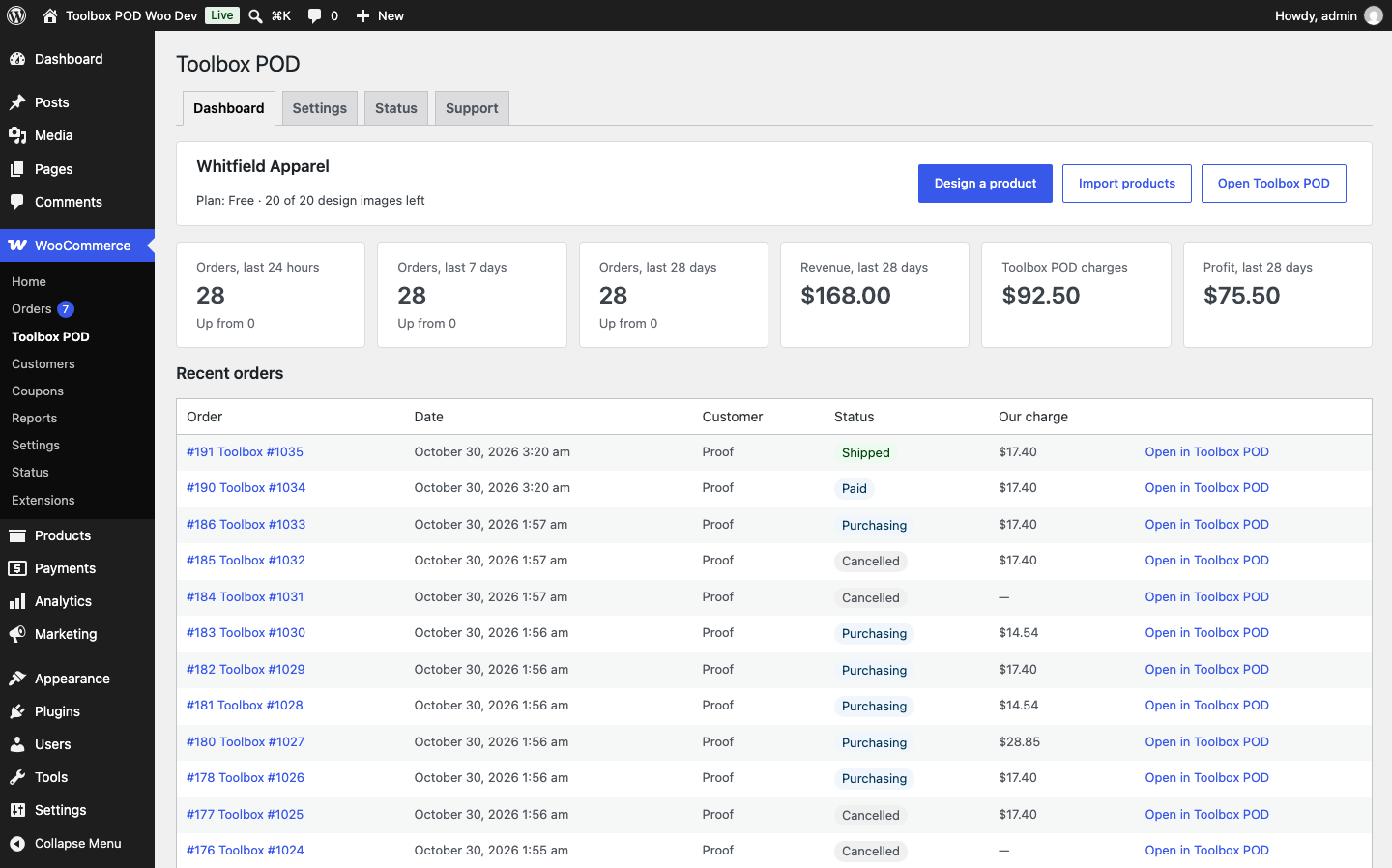
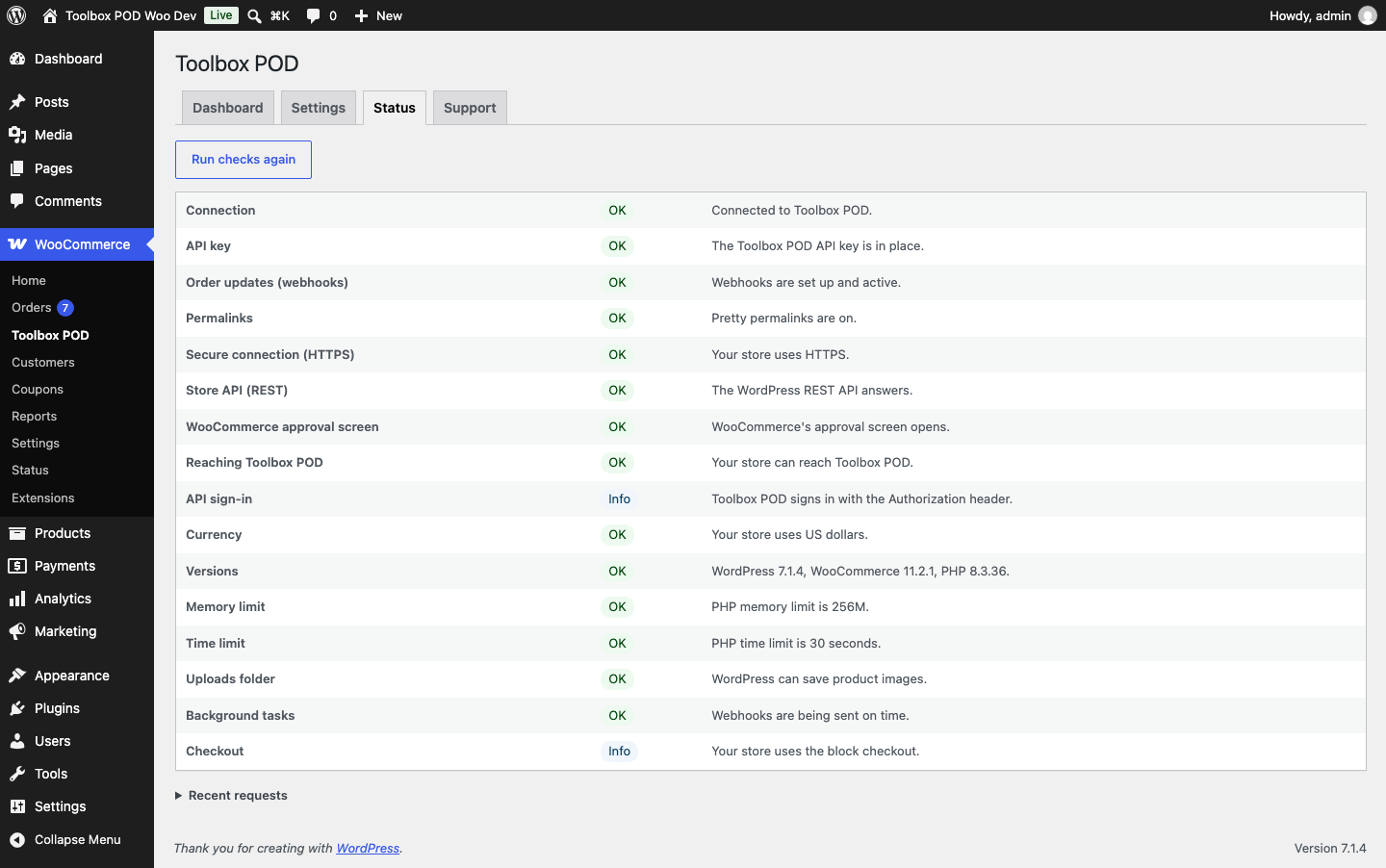
- WooCommerce Toolbox POD shows your recent Toolbox POD orders, order counts, revenue and profit, your settings, store checks with a fix for each, and a support form.
Toolbox POD ships to US addresses only. Checkout refuses other addresses for carts with Toolbox POD products and tells the customer why.
External services
This plugin connects your store to Toolbox POD (https://toolboxpod.com), a print-on-demand service run by Toolbox POD. Toolbox POD is required: the plugin does nothing on its own. Until you click “Connect to Toolbox POD”, the plugin contacts no outside server.
- When you click “Connect to Toolbox POD”, your browser opens toolboxpod.com with your store’s address, then WooCommerce’s approval screen. If you approve, WooCommerce sends Toolbox POD an API key for your store.
- With that key, Toolbox POD’s servers create and update the products you publish, read orders that contain those products (customer name, shipping address, email and phone if given, and the items), add tracking to them, and set up WooCommerce webhooks. Those webhooks send every new or changed order and every product change in your store to toolboxpod.com; Toolbox POD acts only on its own products and the orders that contain them.
- Once connected, the Toolbox POD screen in your dashboard calls toolboxpod.com with the store token Toolbox POD issued at connect: to load your account, order counts and recent orders, to load and save your order settings, to load the shipping price, and when you click a fix on the Status tab or Disconnect (with your choice for the published products). These requests carry your store’s address.
- Once connected, when a customer’s cart holds Toolbox POD products, your store loads the shipping price from toolboxpod.com with the store token, at most once an hour (after a failed try, not again for 5 minutes). That request carries your store’s address and no customer data.
- Once connected, the Status tab checks at most once an hour that your store can reach https://toolboxpod.com/api/health. That request sends no store data.
- When you delete the plugin while it is connected, it tells toolboxpod.com once, with the store token, so Toolbox POD disconnects your store and sets the products it published to draft. That request carries your store’s address and no customer data.
- “Send to Toolbox POD support” sends your message and the technical report shown on the Support tab (versions, store address, active plugins, settings, check results and recent request paths; no customer data or keys).
Terms of service: https://toolboxpod.com/policies/terms
Privacy policy: https://toolboxpod.com/policies/privacy
Screenshots
Installation
- Install and activate the plugin. WooCommerce must be active.
- Go to WooCommerce Toolbox POD and click “Connect to Toolbox POD”.
- Sign in to Toolbox POD or create an account, then approve access on the WooCommerce screen.
FAQ
-
Where do I design and publish products?
-
In Toolbox POD (https://toolboxpod.com/app). Products you publish appear in this store like any other WooCommerce product.
-
Do I need a Toolbox POD account?
-
Yes. The plugin connects your store to Toolbox POD and does nothing on its own. You sign in or create an account when you click “Connect to Toolbox POD”.
-
Where do you ship?
-
To US addresses only. When a cart holds Toolbox POD products, checkout refuses other addresses and tells the customer why. Carts without Toolbox POD products are not affected.
-
Does it work with High-Performance Order Storage and the checkout block?
-
Yes. It works with orders stored in HPOS or in WordPress posts, and with both the checkout block and the classic checkout.
-
Can I use it next to another print-on-demand plugin?
-
Yes, but each product should be fulfilled by only one service, or an order may be printed twice. The Status tab lists the other print-on-demand plugins it finds active.
-
How do I disconnect?
-
Go to WooCommerce Toolbox POD Settings and click Disconnect, disconnect in Toolbox POD, or revoke the “Toolbox POD” key under WooCommerce Settings Advanced REST API. When you disconnect from the plugin or from Toolbox POD, you choose what happens to the products Toolbox POD published: set them to draft (the default), keep them as they are, or move them to the trash. Publishing the same design again later takes a drafted or kept product back over instead of making a second one.
-
What happens when I delete the plugin?
-
If the store is still connected, the plugin first tells Toolbox POD, which disconnects the store and sets the products it published to draft. Then it deletes the “Toolbox POD” API keys, its settings and its “Toolbox POD shipping” methods. Your products and orders stay in your store.
-
Something isn’t working. Where do I look?
-
WooCommerce Toolbox POD Status lists each store check with a fix. The Support tab has a report you can copy, and a form that sends it to Toolbox POD support.
Reviews
There are no reviews for this plugin.
Contributors & Developers
“Toolbox POD for WooCommerce” is open source software. The following people have contributed to this plugin.
Contributors

Translate “Toolbox POD for WooCommerce” into your language.
Interested in development?
Browse the code, check out the SVN repository, or subscribe to the development log by RSS.
Changelog
0.1.0
- First release: connect your store, publish Toolbox POD products to it, and orders for them go to production with tracking added when they ship.
- WooCommerce Toolbox POD: Dashboard, Settings, Status and Support tabs.
- Checkout: Toolbox POD products ship as their own package with a “Standard shipping” rate, on the classic checkout and the checkout block; carts with them take US addresses only.
- A “Size guide” tab on Toolbox POD products with a size chart.
- Tracking for the buyer in My Account, on the order-received page and in customer order emails (hidden when Shipment Tracking or Advanced Shipment Tracking already shows the same numbers).