
Description
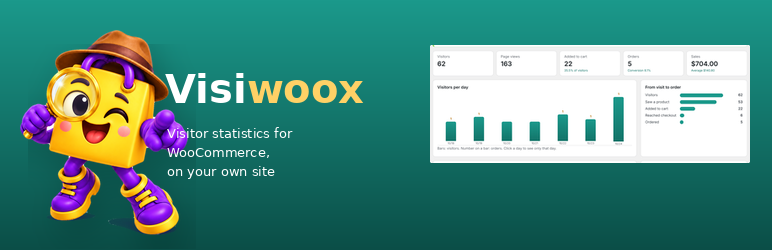
Visiwoox counts the visits of your WooCommerce store and keeps everything on your own site. No outside service, no account, no tracking code from anyone else.
What you see
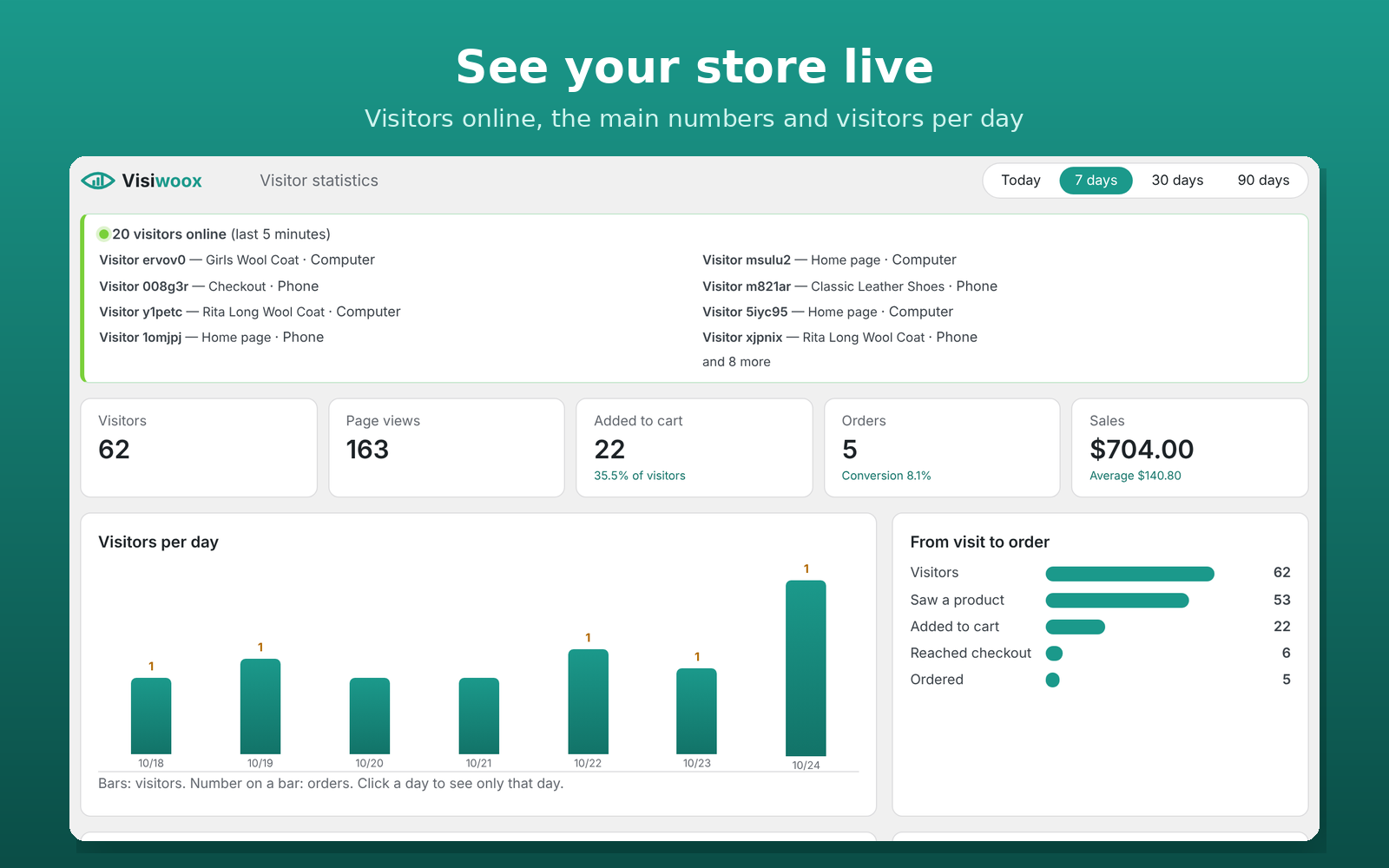
- Visitors online now: who, on which page or product, on what device — also in the admin bar.
- Visitors, page views, added to cart, orders, conversion rate and sales for today, 7, 30 or 90 days, or any single day.
- Visitors per day, and the way from visit to order: saw a product added to cart reached checkout ordered.
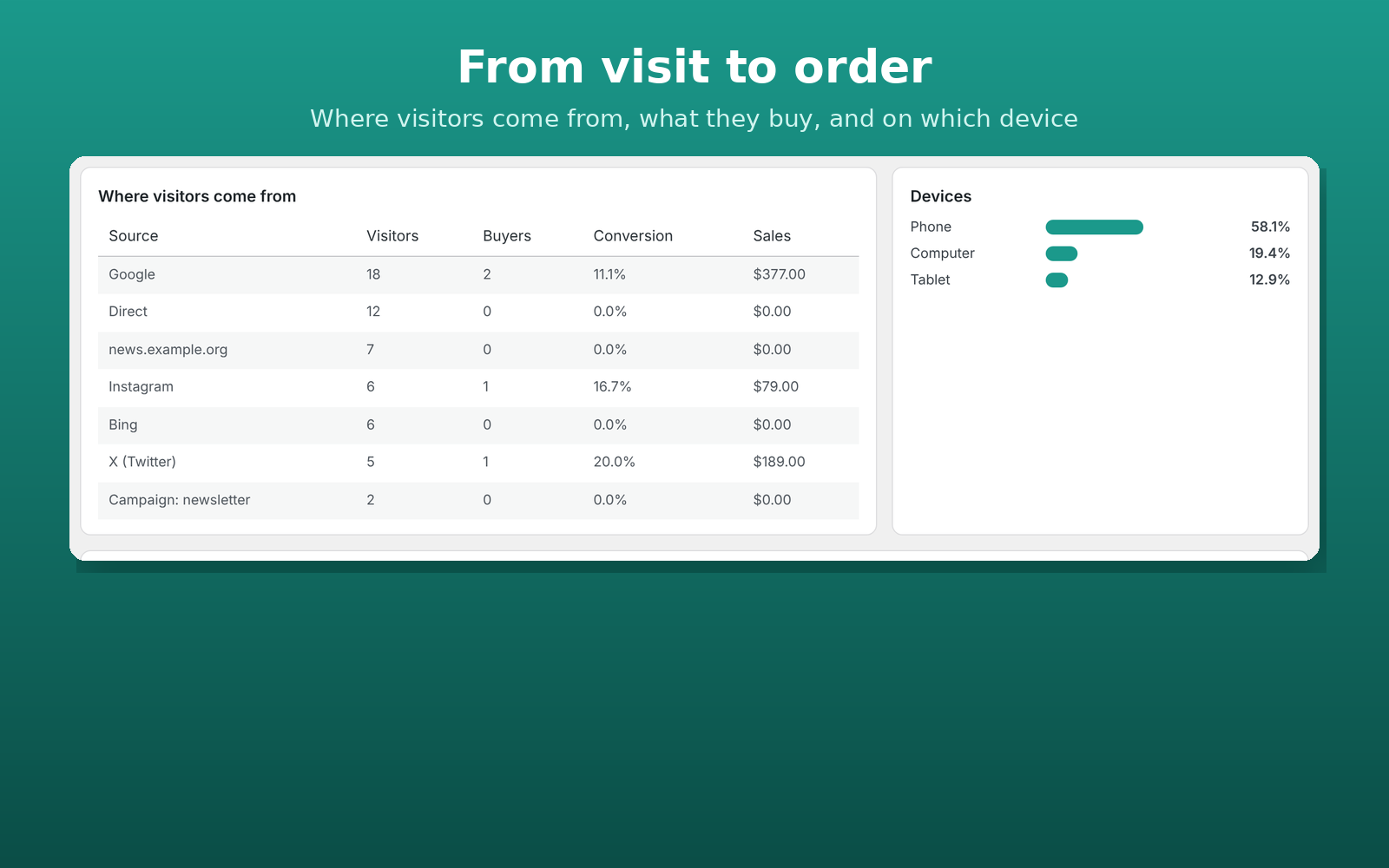
- Where visitors come from (Google, Instagram, campaigns with utm_source, other sites, direct…) with the buyers and sales of each source.
- Phones, computers and tablets.
- The most viewed products and how often they are added to the cart.
- Known customers (signed in or ordered) and the latest visitors.
Light and private
- One small script on store pages; it talks only to your own site (admin-ajax, so page caches are fine).
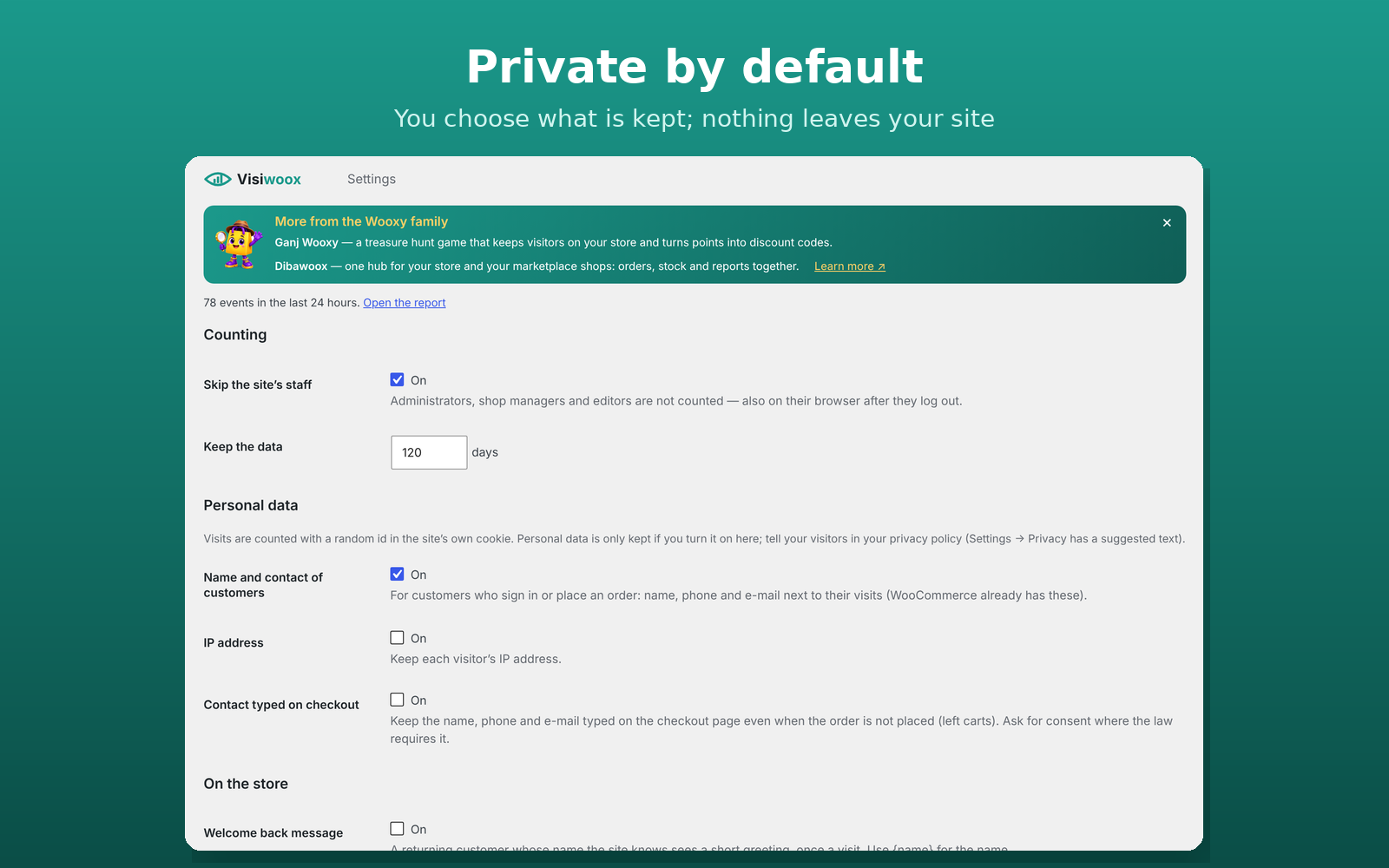
- A random visitor id in a first-party cookie. IP addresses and contact details typed on checkout are off by default; you choose.
- Your own staff are not counted.
- Data is removed after 120 days (you can change it). A suggested text is added to Settings Privacy.
Works with Dibawoox
If you use a Dibawoox hub, it reads these statistics with the WooCommerce REST key it already has for your store, and shows all your stores side by side.
The plugin is in English and Persian (فارسی).
Visiwoox Pro
Everything in Visiwoox, plus automatic SMS reminders for left carts, a welcome gift that turns unknown visitors into customers with an SMS, a report of the SMS sent and the sales they brought back, and all your stores and marketplace shops together in the Dibawoox hub. See https://dibawoox.ir/
Credits
Wooxy illustration: made for the Wooxy family of plugins.
Screenshots

Installation
- Install and activate WooCommerce.
- Upload the plugin and activate it.
- Open a few pages of your store in a private window, then go to Visiwoox Report.
FAQ
-
Does it send data anywhere?
-
No. Everything stays in a table on your site. Only a Dibawoox hub that you connect with your own WooCommerce REST key can read it.
-
Does it work with page caching?
-
Yes. The page itself is not changed per visitor; the visit is sent by a small script to admin-ajax, which is never cached.
-
Are bots counted?
-
Known bots and crawlers are skipped, and one visitor can send at most 120 hits an hour.
-
What about GDPR?
-
By default Visiwoox keeps no IP addresses and no typed contact details. If you turn them on, mention it in your privacy policy and ask for consent where the law requires it.
Reviews
There are no reviews for this plugin.
Contributors & Developers
“Visiwoox” is open source software. The following people have contributed to this plugin.
Contributors
Translate “Visiwoox” into your language.
Interested in development?
Browse the code, check out the SVN repository, or subscribe to the development log by RSS.
Changelog
1.0.2
- Security: nonce checks on every AJAX request (visit counter and the online-visitors box).
- Translations are no longer bundled; they come from translate.wordpress.org.
1.0.1
- This week’s left carts and their value at the top of the report.
- Page caches of common caching plugins are cleared when Visiwoox is turned on or off and when its settings are saved, so the counting script is on every page at once.
- Small notes on what Visiwoox Pro adds, next to the numbers they are about.
1.0.0
- First release on WordPress.org.