
Description
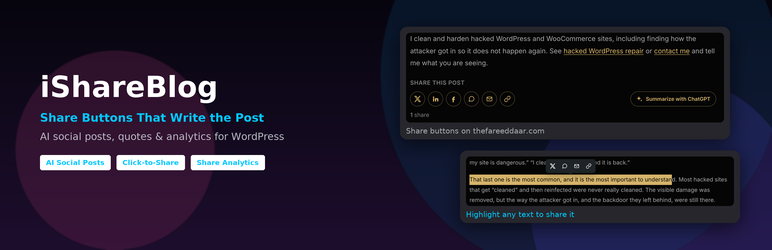
iShareBlog helps readers share your posts, and gives them something good to say when they do.
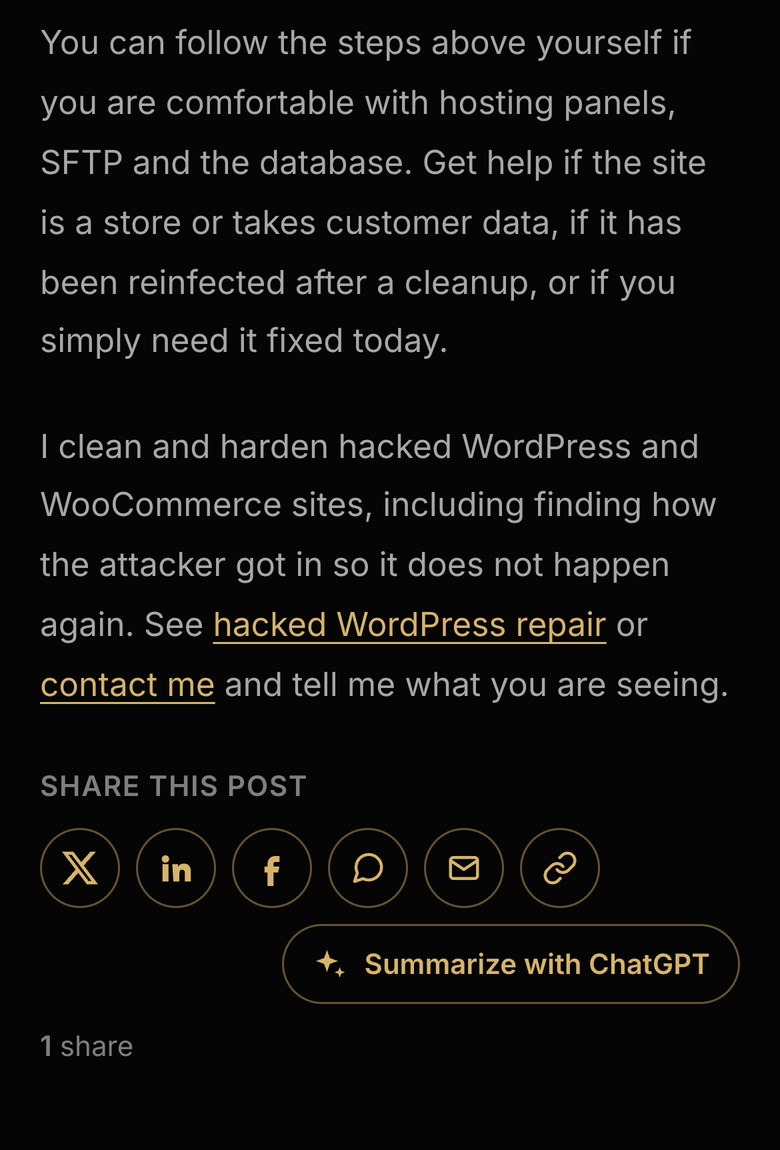
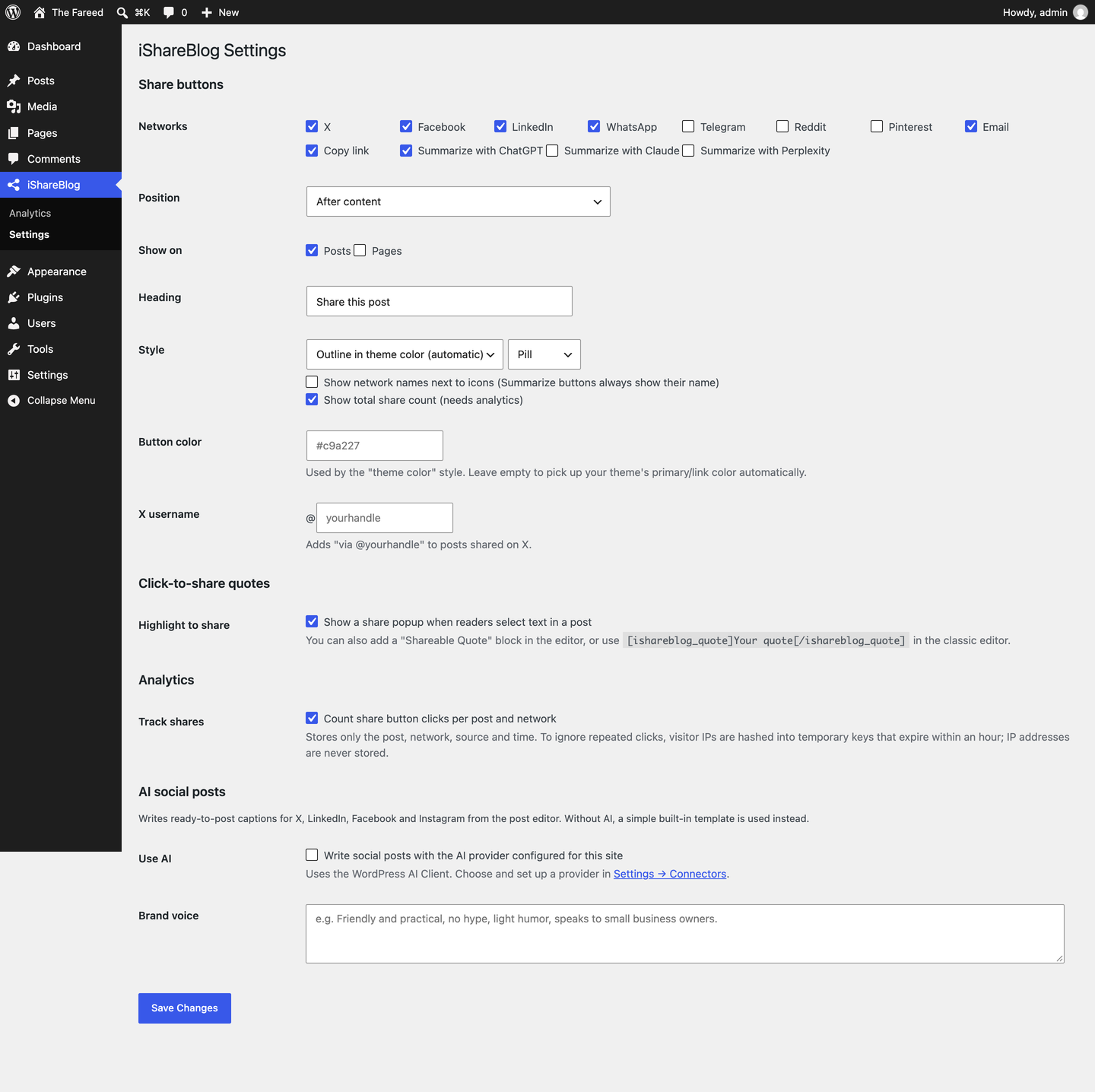
- Share buttons for X, Facebook, LinkedIn, WhatsApp, Telegram, Reddit, Pinterest, email and copy link. They are added before and/or after posts automatically, or anywhere with the
[ishareblog]shortcode. The default style is outlined and icon-only, and picks up your theme’s primary color automatically. - Prefilled summaries. Each button opens with a short summary of the post already written: X, LinkedIn, WhatsApp, Telegram and email are prefilled, and Facebook copies the summary so the reader can paste it.
- Summarize with ChatGPT. A button that opens ChatGPT with a prompt asking for an overview and the key takeaways of the post. Claude and Perplexity versions are also available.
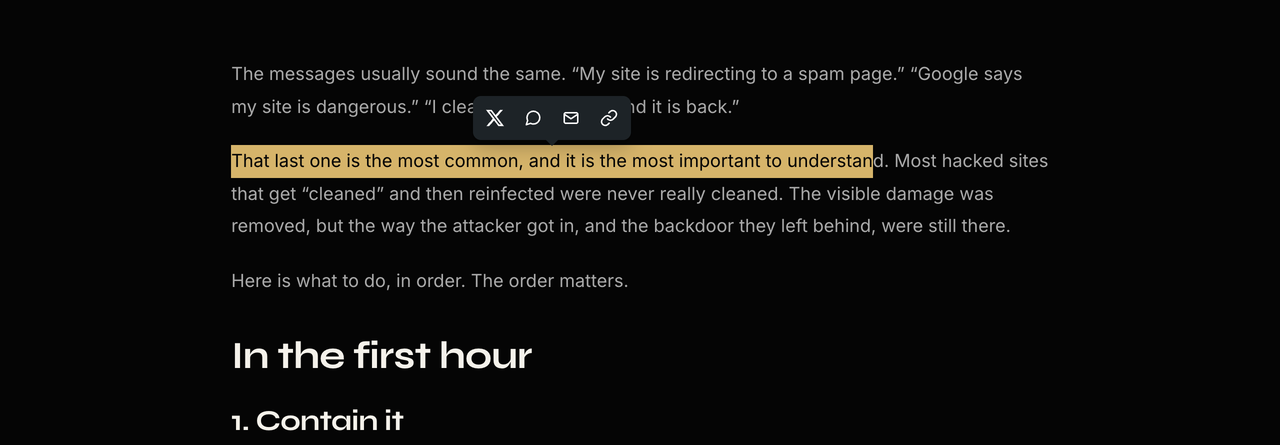
- Click-to-share quotes. Add the “Shareable Quote” block, or use
[ishareblog_quote cite="Author"]Your quote[/ishareblog_quote]in the classic editor. Readers can also highlight any text in a post and share it from a small popup. - Social posts. A “Social Posts” box in the post editor drafts a post for X, LinkedIn, Facebook and Instagram. These drafts are also the summaries used by the share buttons. On WordPress 7.0 and later it can write them with the WordPress AI Client, using whichever AI provider you set up in Settings Connectors; otherwise it builds them from the title, excerpt and tags.
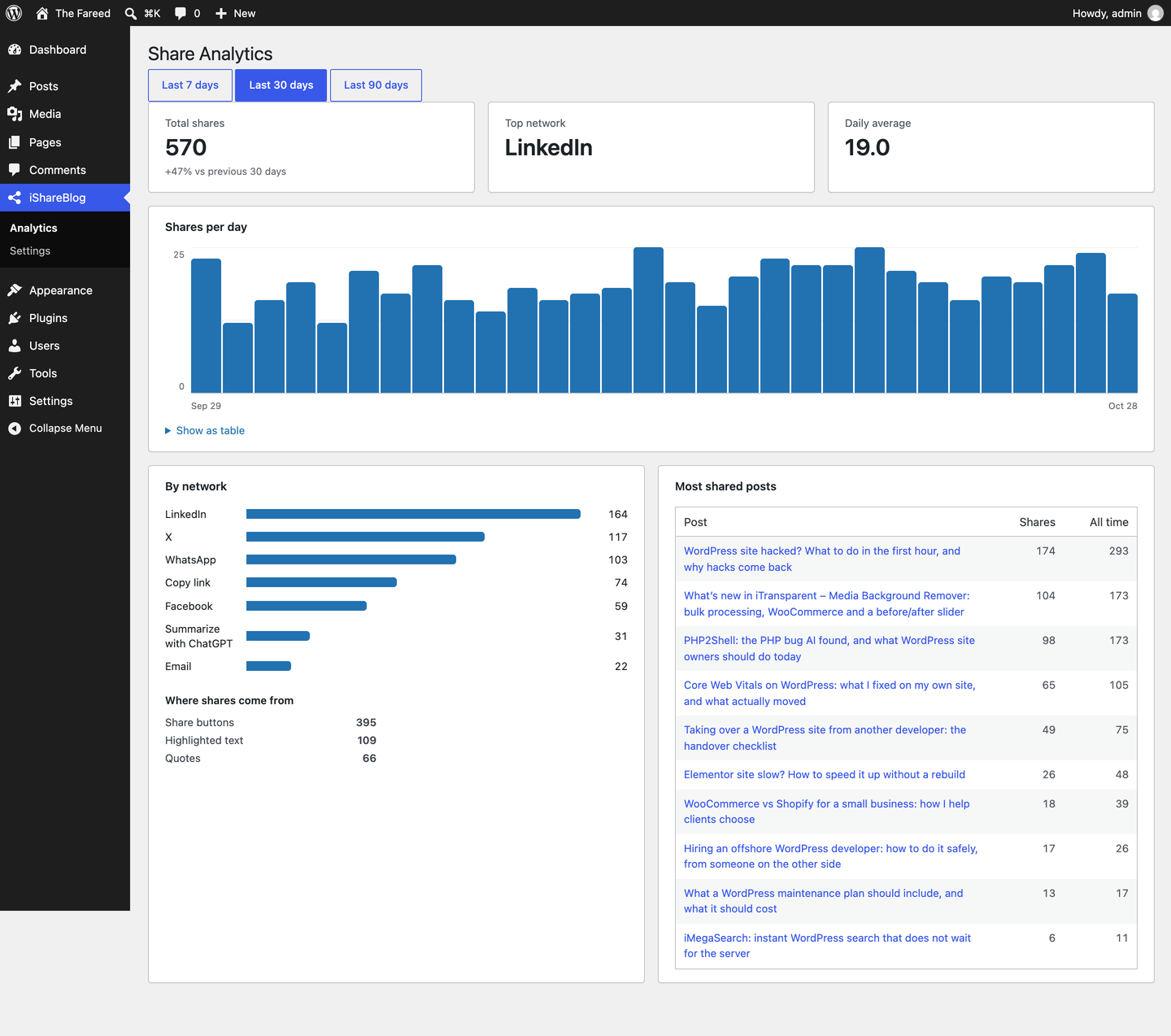
- Share analytics. Total shares, shares per day, top networks, top posts and where shares come from (buttons, quotes, highlighted text), plus a “Shares” column in your posts list.
No external scripts, tracking pixels or third-party requests are added to your pages.
External services
AI social posts. The plugin does not contact any AI service directly. If a site administrator turns on “Use AI”, it sends a prompt through the WordPress AI Client to the AI provider the site owner configured in Settings Connectors; that provider’s terms and privacy policy apply. This happens when a user who can publish the post clicks “Generate social posts” (limited per user per day), and once, in the background, when a post is first published. Contributors only get template drafts. Long posts are shortened to 20,000 characters before sending. The post’s title, URL, tags and content, plus the “brand voice” text from the settings, are sent.
The share and “Summarize with” buttons are plain links. Nothing is sent to these services unless a reader clicks a button, and then the reader’s browser opens the service directly with the post’s URL, title and summary:
X (https://x.com/en/tos, https://x.com/en/privacy), Facebook (https://www.facebook.com/terms.php, https://www.facebook.com/privacy/policy/), LinkedIn (https://www.linkedin.com/legal/user-agreement, https://www.linkedin.com/legal/privacy-policy), WhatsApp (https://www.whatsapp.com/legal/terms-of-service, https://www.whatsapp.com/legal/privacy-policy), Telegram (https://telegram.org/tos, https://telegram.org/privacy), Reddit (https://redditinc.com/policies/user-agreement, https://www.reddit.com/policies/privacy-policy), Pinterest (https://policy.pinterest.com/terms-of-service, https://policy.pinterest.com/privacy-policy), ChatGPT (https://openai.com/policies/terms-of-use/, https://openai.com/policies/privacy-policy/), Claude (https://www.anthropic.com/legal/consumer-terms, https://www.anthropic.com/legal/privacy), Perplexity (https://www.perplexity.ai/hub/legal/terms-of-service, https://www.perplexity.ai/hub/legal/privacy-policy).
Screenshots


Blocks
This plugin provides 1 block.
- Shareable Quote
Installation
- Upload the plugin through Plugins Add New Upload Plugin, or install it from the plugin directory, then activate it.
- Go to iShareBlog Settings to choose networks, style and placement.
- Optional (WordPress 7.0+): set up an AI provider in Settings Connectors, then turn on “Use AI” in iShareBlog Settings for AI-written summaries and social posts.
FAQ
-
Set Position to “Don’t insert automatically” and use
[ishareblog]. You can choose networks and the heading:[ishareblog networks="x,linkedin,copy" heading="Spread the word"]. -
Use the “Shareable Quote” block, or
[ishareblog_quote tweet="Optional custom share text" cite="Author"]Quote text[/ishareblog_quote]. -
Yes. Edit the drafts in the post’s “Social Posts” box and update the post. X uses the X draft, LinkedIn and email use the LinkedIn draft, and the other networks use the Facebook draft.
-
Which AI provider does it use?
-
Whichever one you set up for your site in Settings Connectors (WordPress 7.0 or later). The plugin uses the WordPress AI Client and does not store any API keys itself.
-
My site is behind Cloudflare or another proxy. Does tracking still work?
-
Yes, but every visitor will appear to come from the proxy’s IP, so the per-visitor limits are shared. Pass the real visitor IP with a filter, using the header your proxy sets, for example:
add_filter( ‘ishareblog_client_ip’, function ( $ip ) { return isset( $_SERVER[‘HTTP_CF_CONNECTING_IP’] ) ? sanitize_text_field( wp_unslash( $_SERVER[‘HTTP_CF_CONNECTING_IP’] ) ) : $ip; } );
Only do this when your server is reachable only through the proxy. -
Does it store personal data?
-
No. Analytics store only the post, the network, where the click came from (button, quote or highlighted text) and the time. To ignore repeated clicks, the visitor’s IP address is hashed with a site secret into temporary keys that expire within an hour; the IP itself is never stored.
Reviews
There are no reviews for this plugin.
Contributors & Developers
“iShareBlog” is open source software. The following people have contributed to this plugin.
Contributors
Translate “iShareBlog” into your language.
Interested in development?
Browse the code, check out the SVN repository, or subscribe to the development log by RSS.
Changelog
1.0.2
- AI social posts now use the WordPress AI Client (WordPress 7.0+) and the provider configured in Settings Connectors. The plugin no longer calls the Anthropic API directly or stores an API key.
- Fixed a “translation loading was triggered too early” notice.
1.0.1
- The post body is no longer wrapped in an extra element, so theme spacing between paragraphs, lists and quotes is kept.
1.0.0
- First release.