
Description
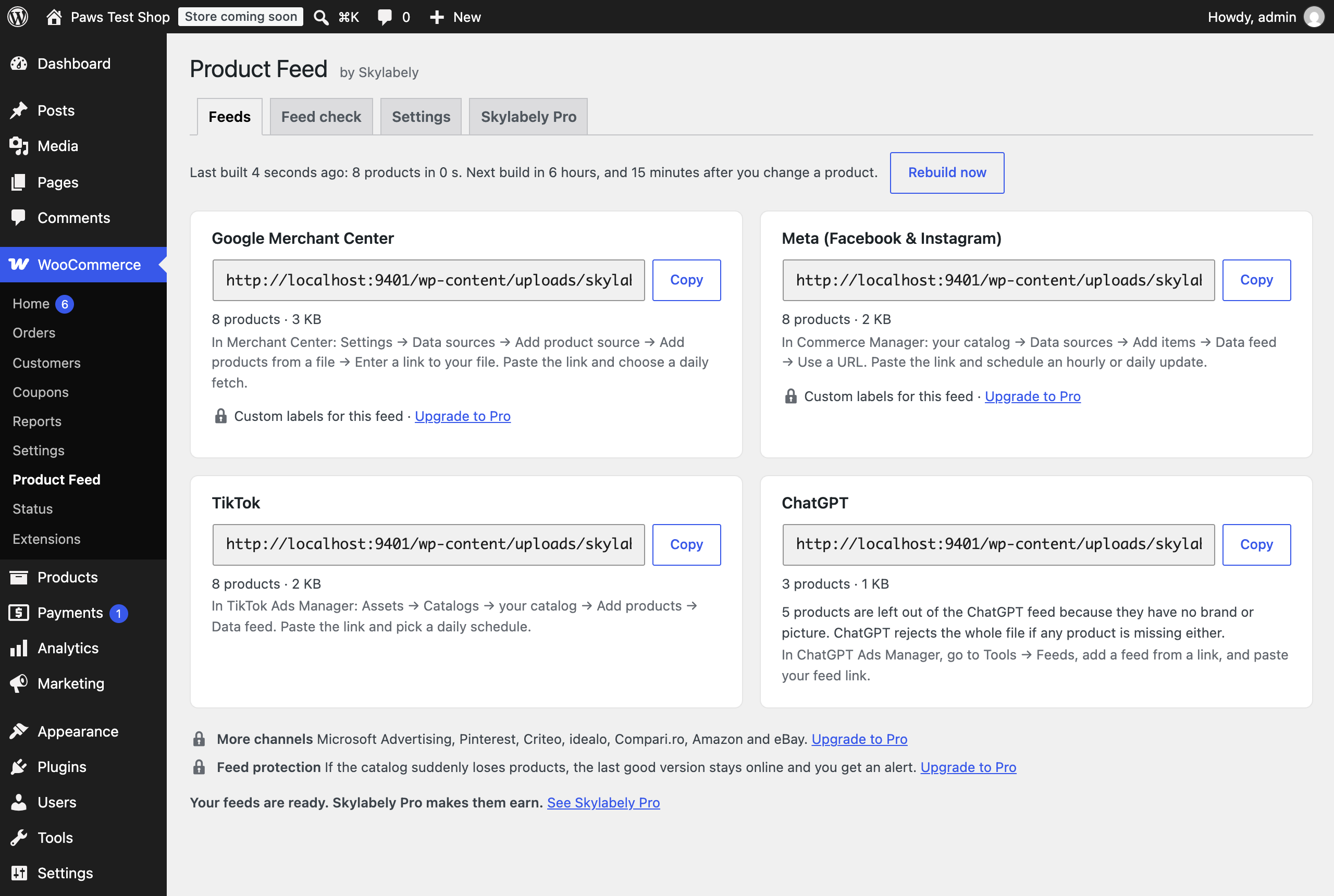
Skylabely Product Feed creates four feed links from your WooCommerce catalog:
- Google Merchant Center (Google Shopping XML)
- Meta (Facebook and Instagram catalog CSV)
- TikTok (TikTok catalog CSV)
- ChatGPT (OpenAI product feed CSV)
Copy each link and paste it once into Merchant Center, Commerce Manager, TikTok Ads Manager or ChatGPT Ads Manager. For ChatGPT, go to Tools Feeds. Each channel then reads your products automatically. The plugin rebuilds the feeds on a schedule and 15 minutes after you add, edit or sell a product.
What’s in the feeds
- Simple and variable products, with one item per variation, grouped using item_group_id
- Prices with or without tax, plus sale prices with start and end dates
- Stock status (in stock, out of stock, backorder)
- Main image and up to 10 gallery images
- Brand from WooCommerce Brands, popular brand plugins or a “Brand” attribute
- GTIN from the built-in field in WooCommerce 9.2 and newer or popular GTIN plugins, checked digit by digit before sending
- Your category path and Google categories you match to your categories once in the settings
- Color, size, material, pattern and gender from your attributes, in several languages
- Shipping weight
ChatGPT: Products missing a brand or picture are left out of this feed because ChatGPT would otherwise reject the whole file. The plugin shows how many products are left out. Empty descriptions use the product title.
Feed check
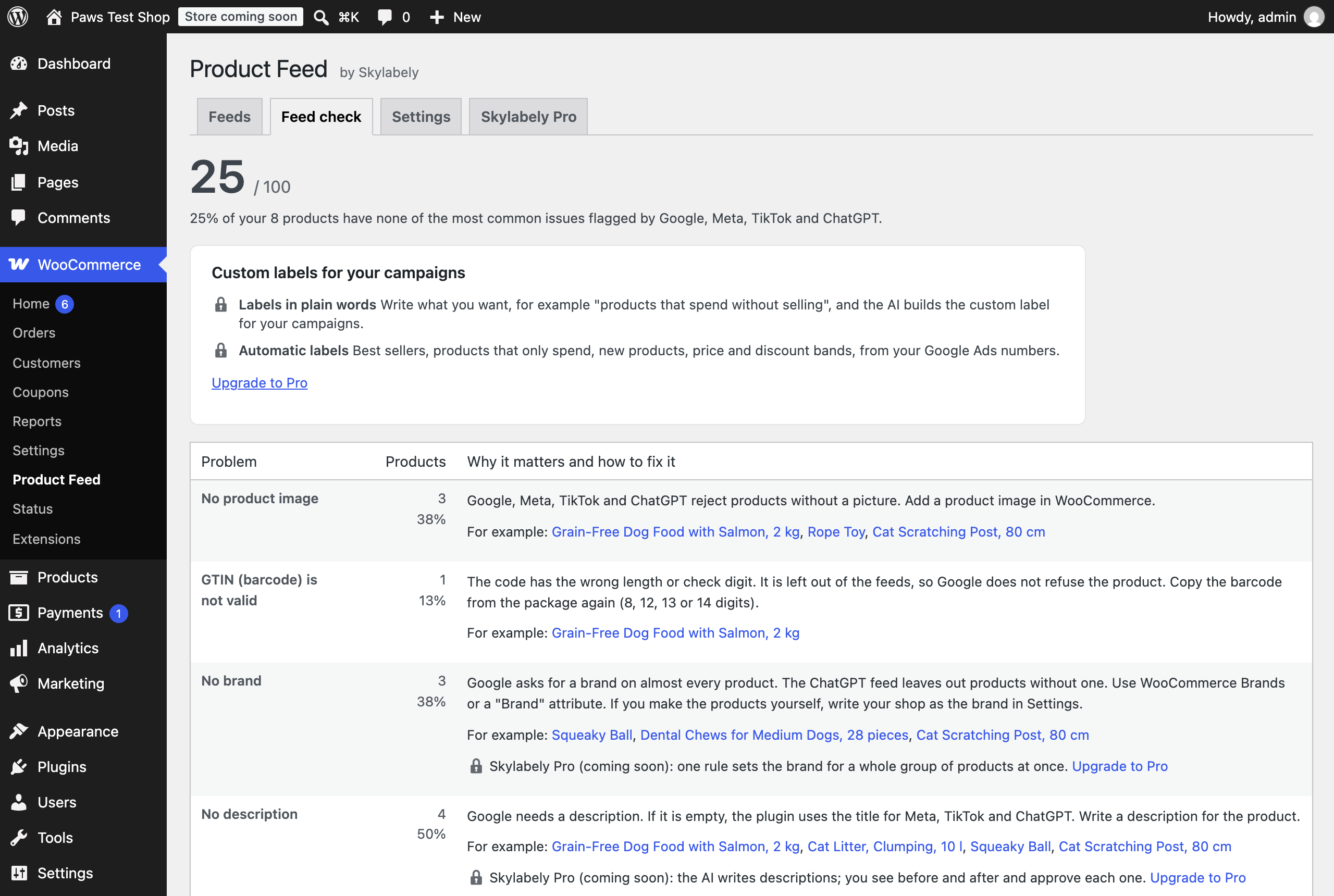
Each build checks for common feed issues: missing images, brands or descriptions, invalid barcodes and very short titles. It lists example products you can open and fix. A score from 0 to 100 shows how your catalog is doing.
Built for large catalogs
Feeds are written in small batches in the background using Action Scheduler, the task queue included with WooCommerce. They replace the previous feeds only when complete, so channels never read a partially written file.
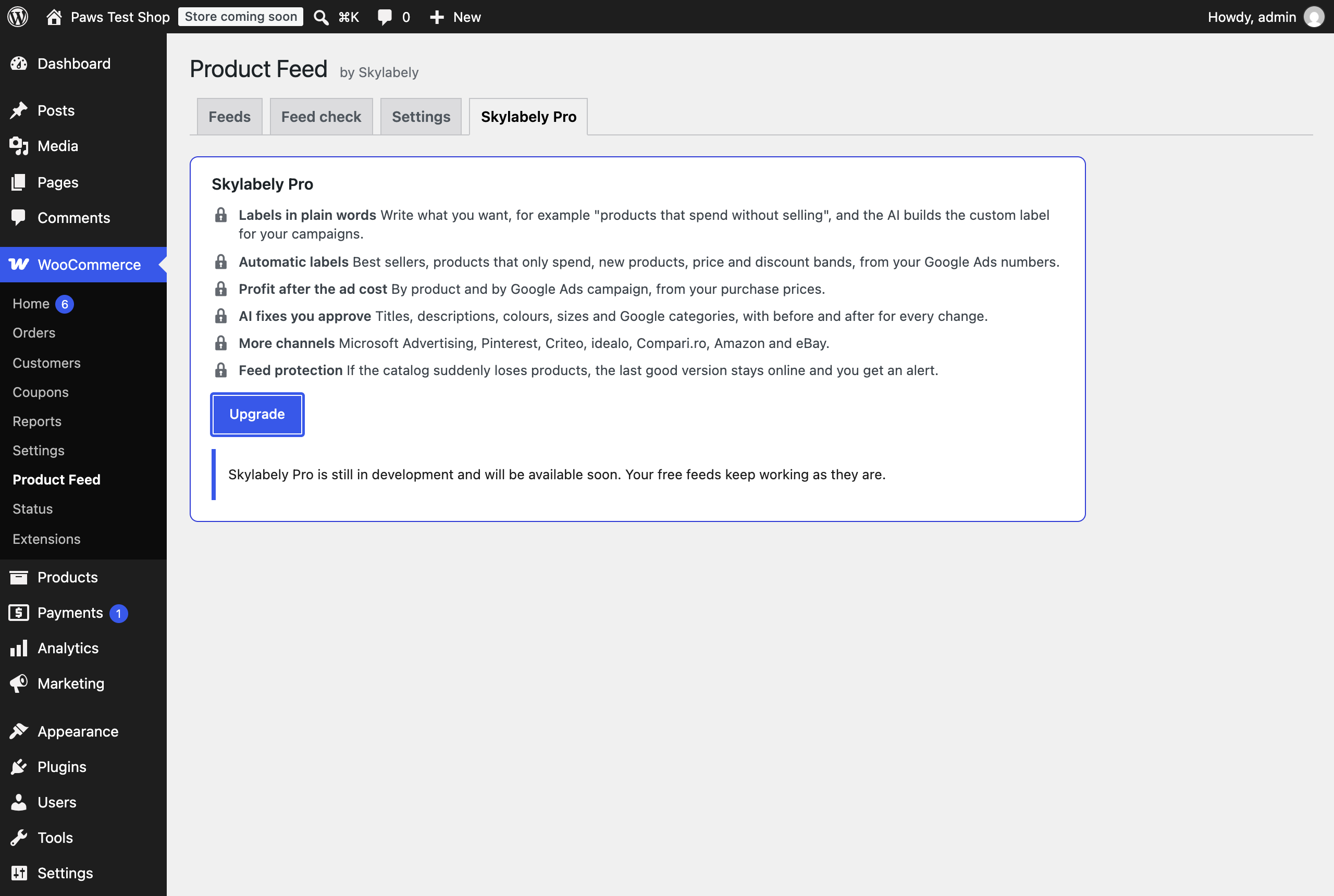
Skylabely Pro (coming soon)
Skylabely Pro will add labels created by AI from plain-language instructions, automatic labels based on your Google Ads numbers, profit after ad costs, AI fixes you approve one at a time, more channels and feed protection. It is still in development; the plugin page shows what is coming. The free feeds and feed check will stay free.
Your Privacy
The plugin does not connect to any external service unless you turn on usage statistics (see External services). Your feeds are files on your shop’s own server. Channels you share the links with (Google Merchant Center, Meta, TikTok and ChatGPT) read them under their own terms. The feeds contain no customer, order or personal data.
External services
Usage statistics are off by default. If you agree on the plugin page or under Settings Usage statistics, the plugin sends Skylabely one small record a day. It includes your site address and name, your plugin, WordPress, WooCommerce and PHP versions, which feeds are on, how many products they contain and how long it takes to build them. No customer, order or product data is sent. Turning the setting off stops this immediately.
Data is sent to https://app.skylabely.com/api/plugin/ping, run by Skylabely. Skylabely: Terms, Privacy policy.
Screenshots
Installation
- Install and activate the plugin. WooCommerce must be active.
- Go to WooCommerce Product Feed. The feeds are created the first time you open this page.
- Copy each channel’s feed link and paste it into Merchant Center, Commerce Manager, TikTok Ads Manager or ChatGPT Ads Manager. For ChatGPT, go to Tools Feeds. Each card tells you where to paste the link.
FAQ
-
Do I need a Skylabely account?
-
No. All four feeds and the feed check are free and work without an account.
-
My shop already uses another plugin to send products to Google.
-
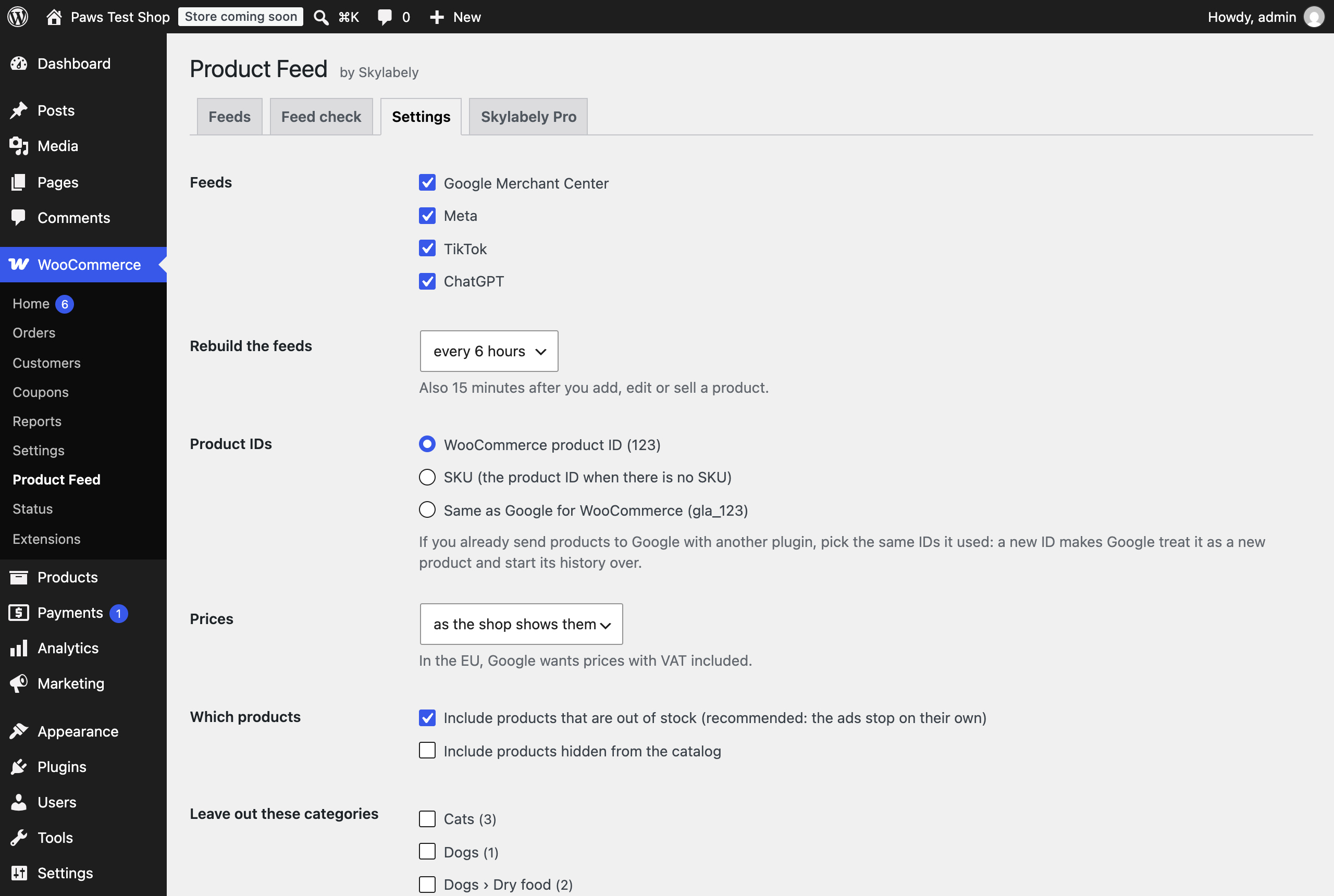
Choose the same product IDs your other plugin used (Settings Product IDs). If the IDs change, Google treats the products as new and restarts their history.
-
Where are the files?
-
In wp-content/uploads/skylabely-feeds/, inside a folder with a secret name. Settings New feed links creates a new secret folder and disables the old links.
-
How often are the feeds rebuilt?
-
Every 6 hours by default (you can choose a schedule from every hour to once a day), and 15 minutes after a product changes.
-
Does the plugin send data anywhere?
-
Only if you turn on usage statistics. It then sends your site address and name, the versions you use, which feeds are on, the number of products and the time it takes to build the feeds once a day. It never sends customer, order or product data.
Reviews
There are no reviews for this plugin.
Contributors & Developers
“Skylabely Product Feed” is open source software. The following people have contributed to this plugin.
Contributors
Translate “Skylabely Product Feed” into your language.
Interested in development?
Browse the code, check out the SVN repository, or subscribe to the development log by RSS.
Changelog
1.3.0
- Added locked Skylabely Pro features in Feed check, feed cards and Settings, with Upgrade to Pro links to the Skylabely Pro tab. Pro is still in development.
- Made category settings easier to use in large shops: categories show their parent, subcategories are folded under main categories, and lists scroll within their own box.
1.2.0
- New: a free ChatGPT feed in OpenAI product feed CSV format, showing how many products are left out and why.
1.1.0
- Usage statistics are off by default and shared with Skylabely only after you agree.
1.0.0
- First release: feeds for Google, Meta and TikTok, plus the feed check.