

Description
Convertlyft is web analytics that shows why visitors don’t buy and what to change. It finds where people leave your funnels, records their visits (session replays), and points out rage clicks, dead clicks, forms people get stuck on, JavaScript errors, slow pages and SEO problems. Each to-do comes with the change to make and the numbers behind it.
This plugin does one thing: it adds the Convertlyft tag to the pages of your site, so you do not have to paste a script into your theme.
- One setting: your Convertlyft site key.
- The tag loads on the front end of your site only, never on admin pages.
- No key, no tag. Clear the field and the tag is gone.
- The plugin itself adds no other scripts, styles or requests.
You need a Convertlyft account to get a site key. You can start free at convertlyft.com, no card needed.
Not ready to add a tag? The free SEO audit crawls your site without an account.
External services
This plugin connects your site to Convertlyft, a web analytics service run by Convertlyft LLC. It is needed to measure your site in Convertlyft.
When you save a site key, every public page of your site includes a script tag that loads https://convertlyft.com/tracker.js in your visitors’ browsers, with your site key as the data-workspace-key attribute. Nothing is loaded or sent while no key is saved, and nothing is loaded on admin pages.
Once loaded, the tag sends data about each visit to Convertlyft as people use your site. The Convertlyft Privacy Policy lists what it collects, including:
- Page data: URLs visited, page titles, referrer, and UTM and other query parameters.
- Behaviour data: clicks, scroll depth, form field interactions, and rage-click and dead-click signals.
- Technical data: browser and device type, operating system, screen size, page load and performance timings, and JavaScript errors.
- Visit data: session identifiers, timestamps, and entry and exit pages.
- Conversion data: purchase or lead events.
- IP addresses, processed for bot filtering and coarse location.
This service is provided by Convertlyft LLC: Terms of Service, Privacy Policy.
Screenshots
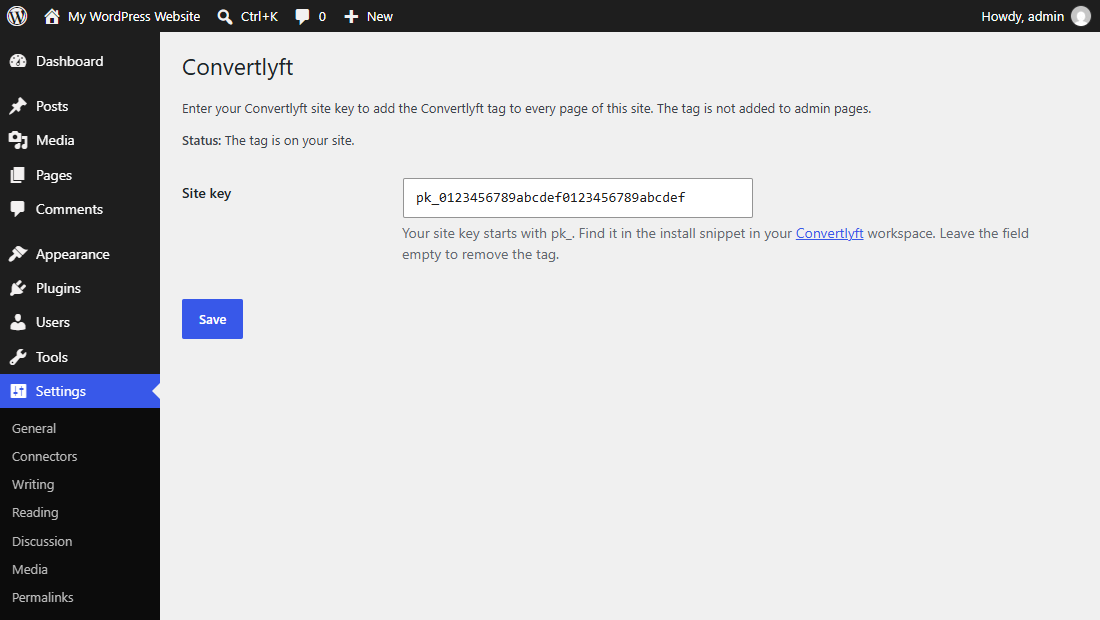
Installation
- In your WordPress admin, go to Plugins Add New, search for “Convertlyft”, then install and activate it. Or upload the
convertlyftfolder to/wp-content/plugins/and activate it on the Plugins screen. - Sign in at convertlyft.com and copy your site key from the install snippet. It starts with
pk_. - Go to Settings Convertlyft, paste the key and press Save.
- Visit your site. Convertlyft starts receiving data as soon as a page with the tag loads.
FAQ
-
Where do I find my site key?
-
In your Convertlyft workspace, in the install snippet. It is the value of
data-workspace-keyand looks likepk_followed by 32 letters and numbers. -
Does the tag load in the WordPress admin?
-
No. It loads only on the public pages of your site.
-
How do I stop sending data to Convertlyft?
-
Clear the site key on Settings Convertlyft and press Save, or deactivate the plugin. Deleting the plugin also deletes the saved key.
-
I already pasted the Convertlyft snippet into my theme.
-
Remove it from your theme before using this plugin. If the tag is on a page twice, the second copy does nothing.
-
Do I need to ask my visitors for consent?
-
That depends on where you and your visitors are. You are responsible for telling your visitors about the tag and for any consent the law requires. See the Convertlyft Terms of Service and Privacy Policy.
Reviews
There are no reviews for this plugin.
Contributors & Developers
“Convertlyft” is open source software. The following people have contributed to this plugin.
Contributors
Translate “Convertlyft” into your language.
Interested in development?
Browse the code, check out the SVN repository, or subscribe to the development log by RSS.
Changelog
1.0.0
- First release: a settings page for the site key, and the Convertlyft tag on the front end once a key is saved.