
Description
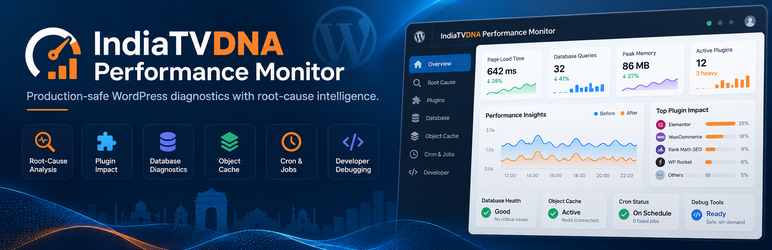
IndiaTVDNA Performance Monitor helps WordPress site owners and administrators understand performance bottlenecks with on-demand diagnostics and optional monitoring. The Free edition includes 27 usable diagnostic screens and a searchable dashboard.
Explore the free monitoring toolkit
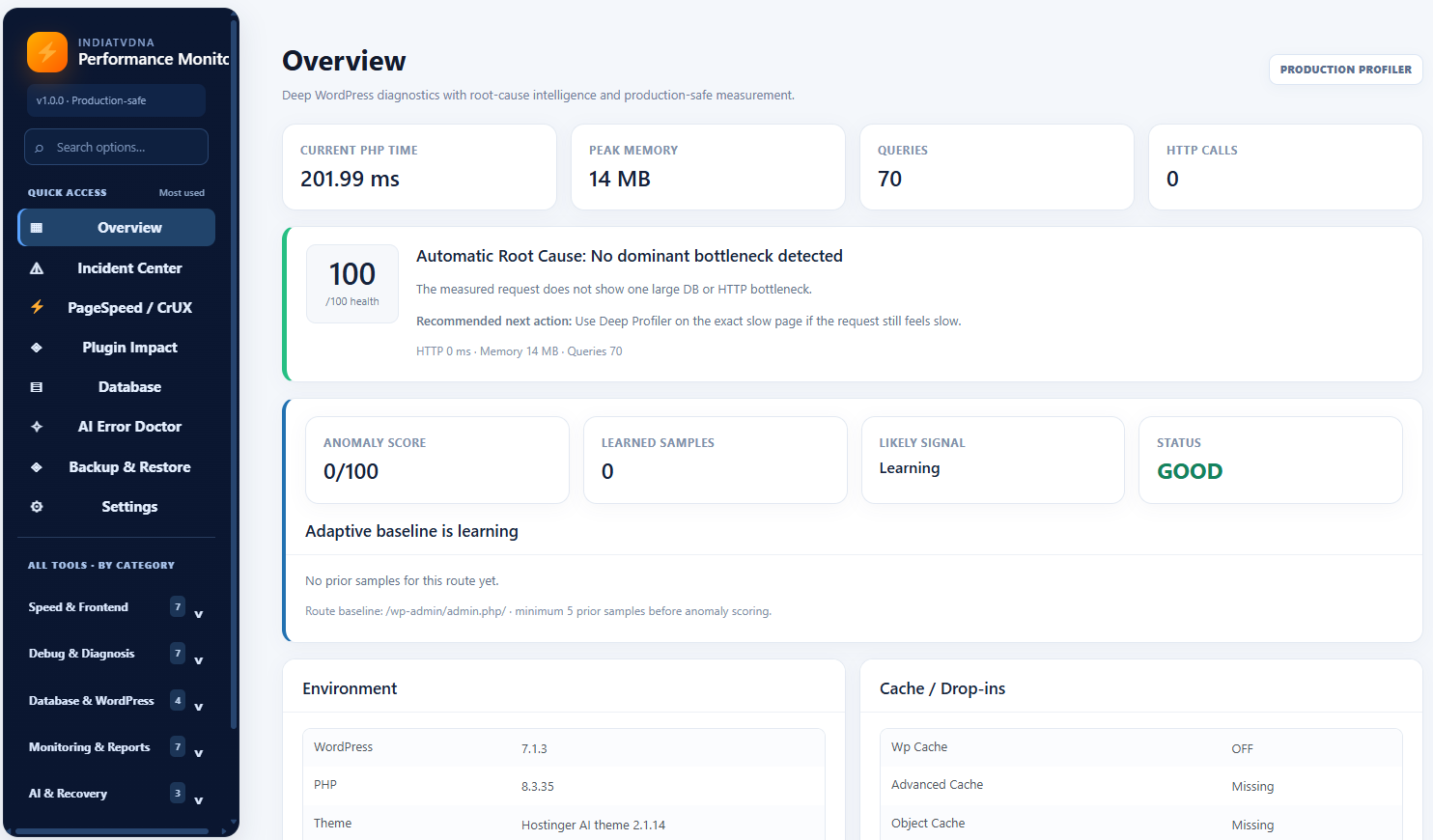
- Overview and incident investigation: Inspect request timing, memory, query counts and other available server signals. Investigate recent incidents and plugin impact.
- Frontend performance: Review PageSpeed / CrUX, Browser / LCP, RUM, cache delivery, asset diagnostics, component timing, slow hooks, and external HTTP / API activity where supported.
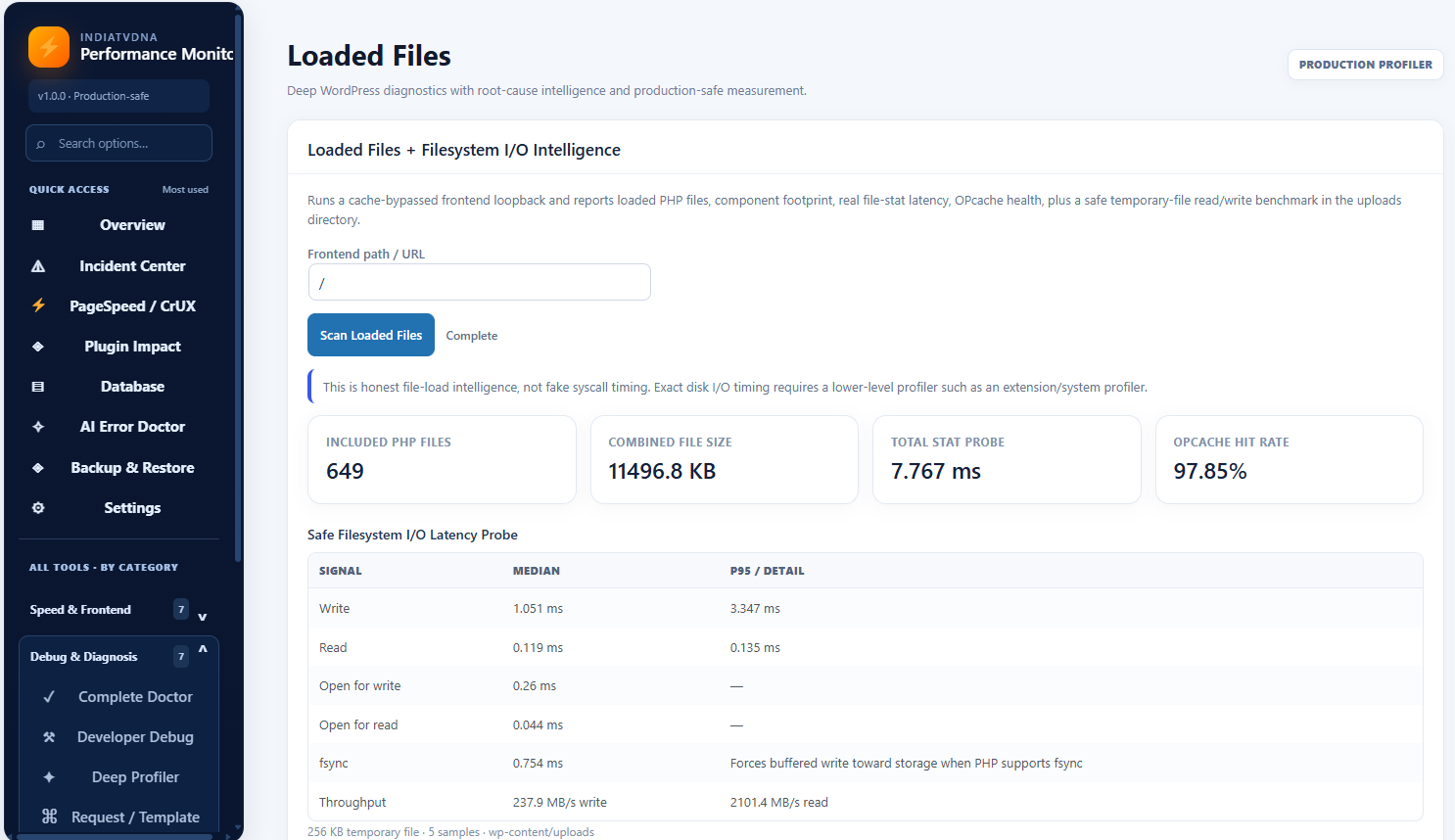
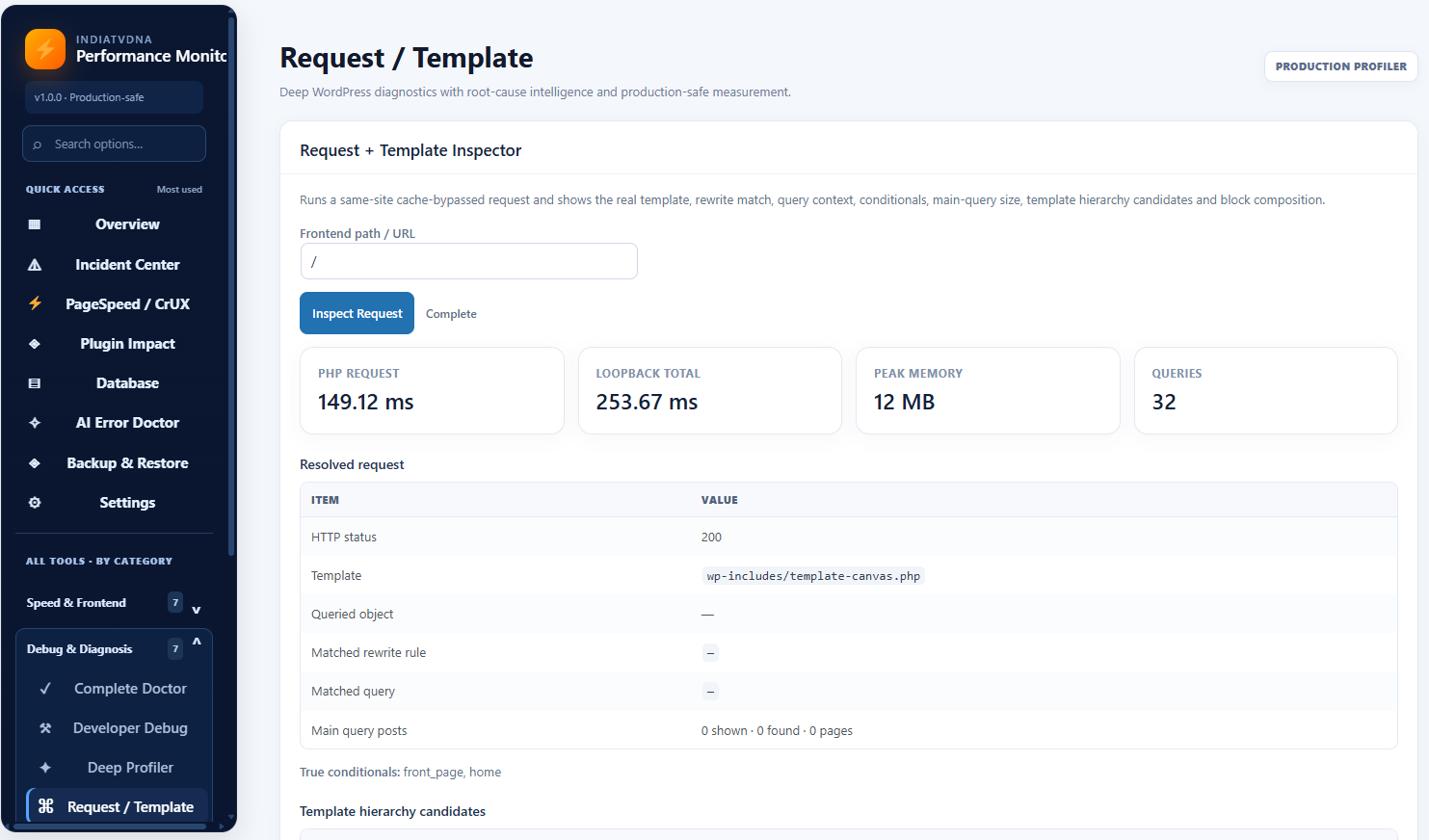
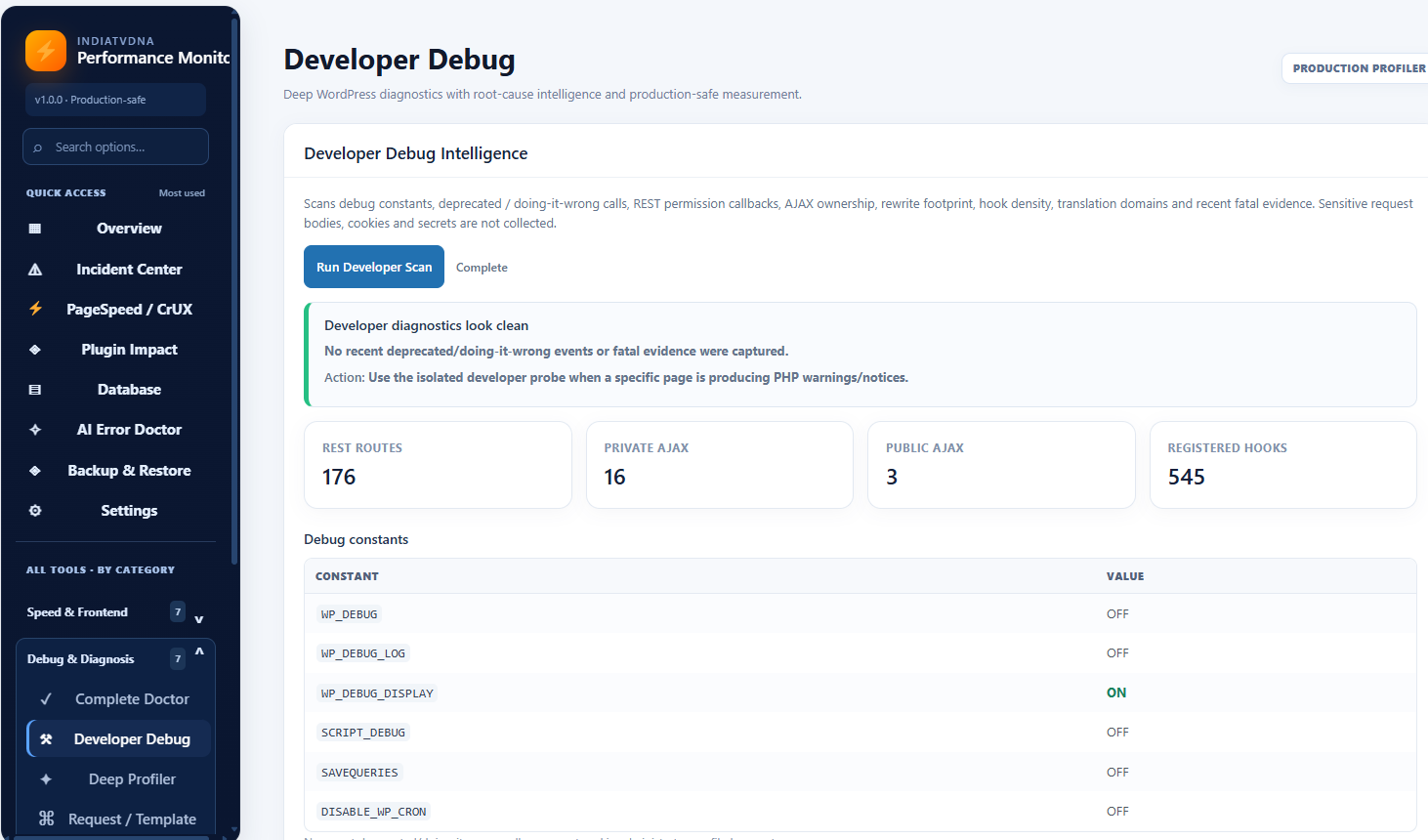
- Developer and configuration diagnostics: Access Complete Doctor, Developer Debug, Request / Template, Loaded Files and Native Profiler tools (host requirements may apply).
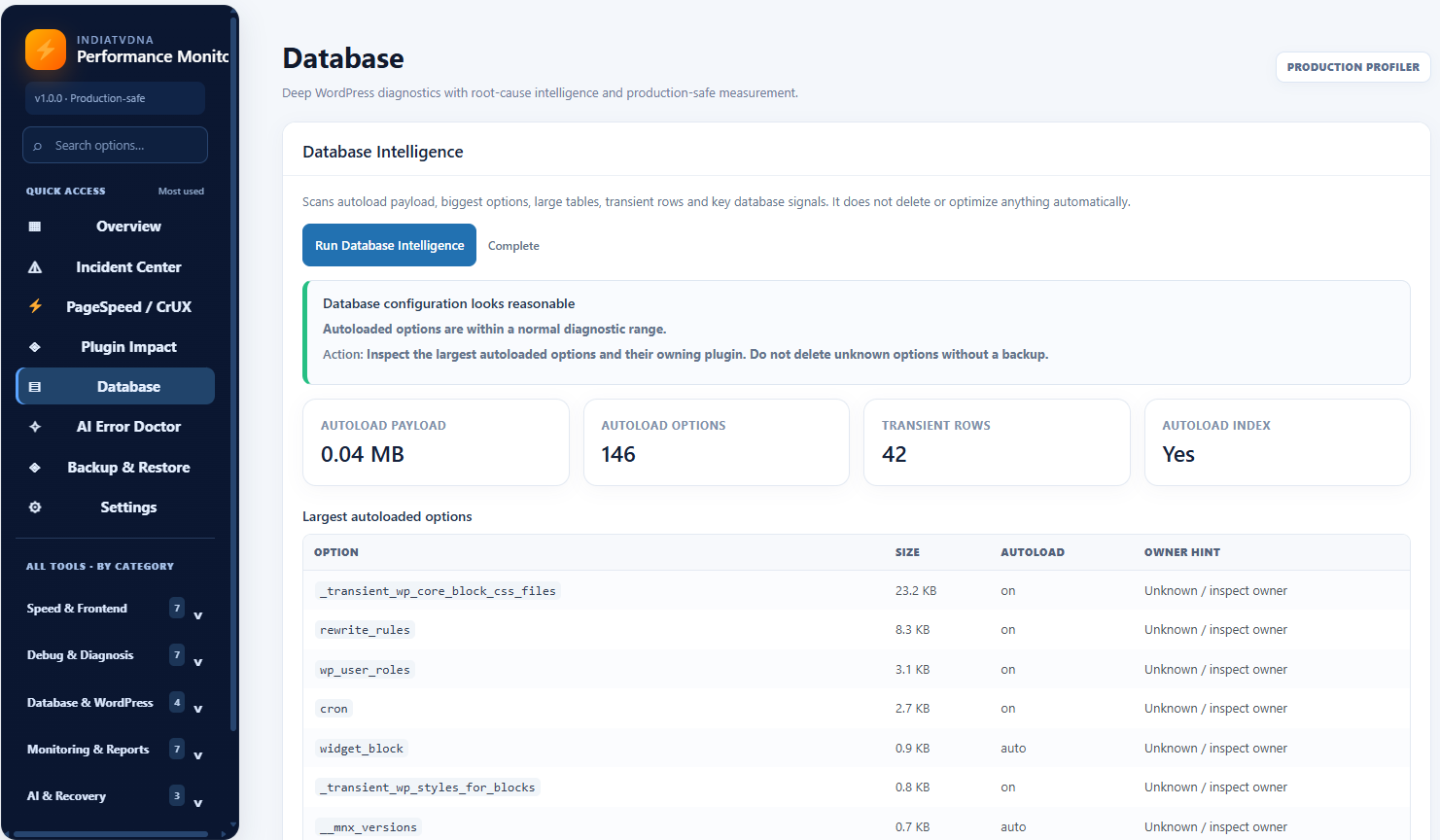
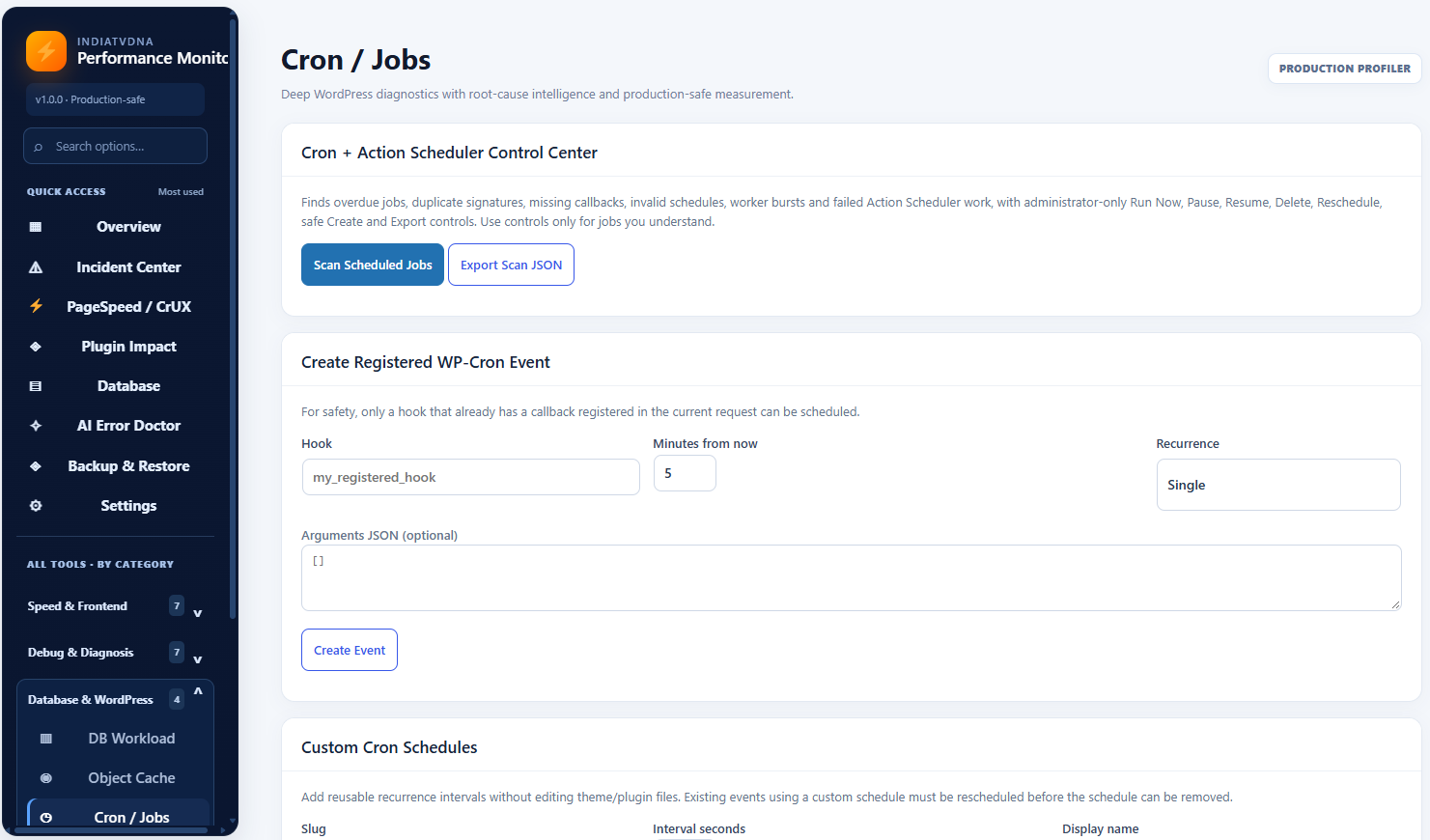
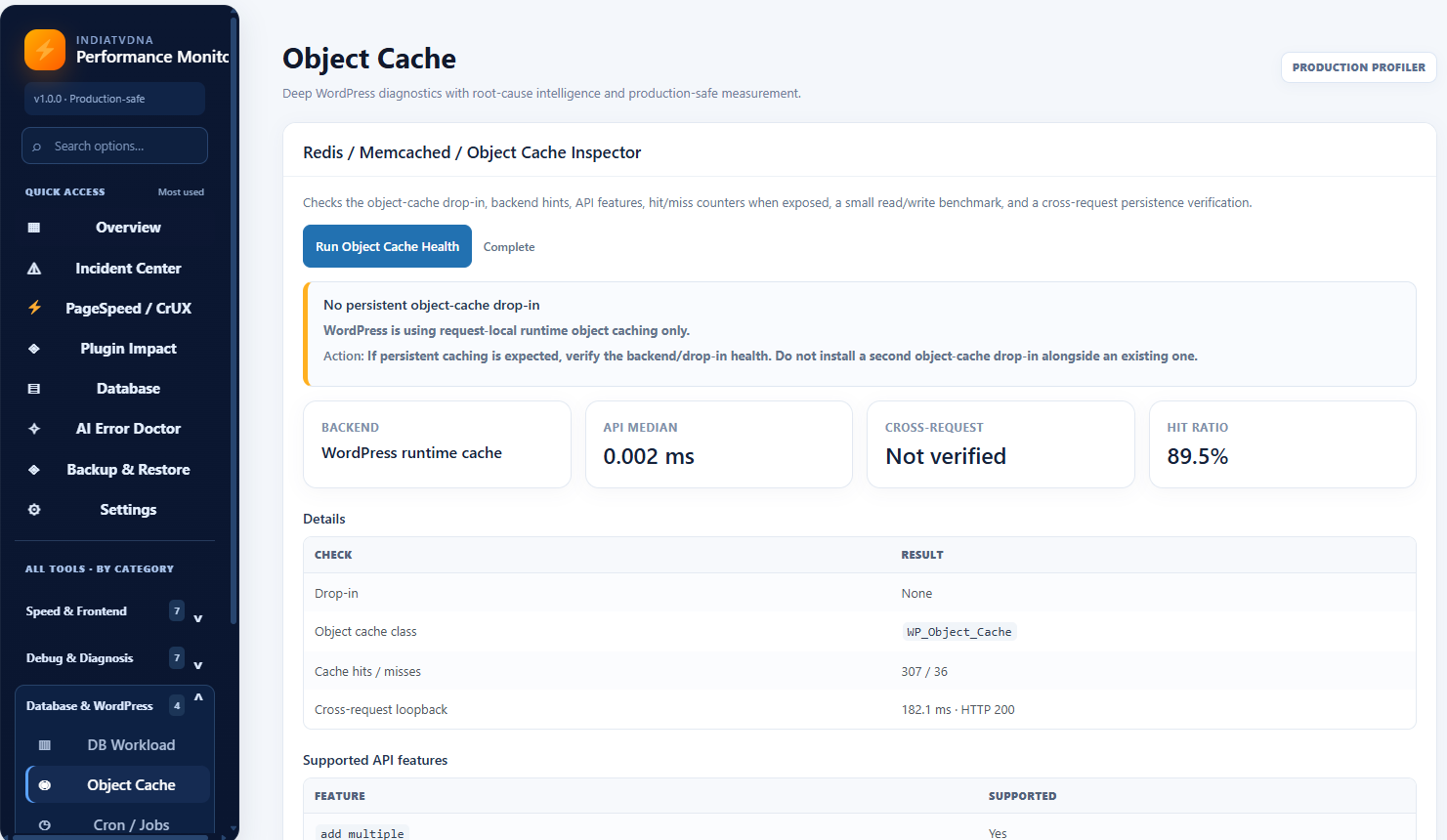
- Database and WordPress internals: Examine DB Workload, Object Cache, Cron / Jobs, transactions and related diagnostic findings.
- Monitoring and reports: Explore Unified Timeline, Budget / SLO, runtime insights, report export, and configurable opt-in tools.
Free edition and optional add-ons
All 27 Free diagnostic screens are available without a plugin license, account or purchase. Nine additional Advanced Tools menu pages are informational previews only; they do not run Premium features. See the Optional Pro add-on section for separate product links.
Optional integrations such as AI and Google PageSpeed may require separate provider accounts, credentials or provider charges. Optional Pro functionality is distributed separately; its implementations are not included in this Free release.
Some investigations require a supported server extension, network access, or separately installed utilities. Missing server capabilities are reported rather than imitated. Advanced encrypted backup/restore and WooCommerce order-event capture are separate PRO functionality; the Free ZIP contains no recovery engine, order journal writer or Python CLI scripts. All nine advanced-tool previews contain only static explanatory dashboard illustrations and a link to the IndiaTVDNA website. They do not execute or simulate real functionality. They are not license-gated features and are not a promise of paid product availability.
Informational advanced-tool previews
The Advanced Tools navigation section contains static preview pages for Deep Profiler, Specialist Max, Regression Lab, Change Impact, Production Lab, Intelligence Hub, Self Healing, Repair Center and Advanced Backup & Recovery. These are NOT usable diagnostics, trials, mock results, sandbox versions or restricted executable features. The preview screens are explicitly labeled as illustrations and contain no real sample metrics, background jobs, data collection, execution actions or paid processing source. Working diagnostic features in the 27 Free sections are independent of the separately sold add-on. Only the plugin’s own admin pages show upgrade information, without site-wide nags.
Optional Pro add-on information
The 27 Free diagnostic tools described above work without payment or an account. A separately distributed Pro add-on may be offered independently from this WordPress.org package. For optional product and availability information, visit either official store:
Neither store nor the Pro add-on is required to install or use the Free edition. Features and license terms of any separately distributed add-on are determined by its own product listing.
Upgrading encrypted credentials
Versions prior to 1.0.26 used WordPress login salts to decrypt legacy enc:v1 secrets. For security and compatibility with WordPress.org review requirements, this is no longer supported. Such ciphertext remains in the database, but is unreadable in this plugin version and is not sent externally. An administrator must re-enter affected Google PageSpeed, AI-provider, uptime, OTLP or webhook settings. Save a new credential through the appropriate settings page to replace it with enc:v2 encryption; explicit removal also remains available. Back up your site before updating, and do not assume any external monitoring or AI integration continues working with an old enc:v1 credential. No password, token or key is written to notices or diagnostics.
External services
External calls are optional, initiated by an administrator (or by an expressly enabled monitor/telemetry configuration), and do not occur merely because this plugin is installed. The destination, conditions and data are listed below.
- Google PageSpeed Insights: When an administrator runs a PageSpeed report or checks a saved key, the public page URL, selected device/category parameters and optional Google API key are sent by HTTPS to www.googleapis.com. The provider may receive the site’s server IP as part of the API connection. Terms: https://developers.google.com/terms ; Privacy: https://policies.google.com/privacy
- Better Stack Uptime: After the administrator configures a Better Stack token and requests an uptime status/check, the API token and selected monitor ID are sent by HTTPS to uptime.betterstack.com; the response includes availability status. Terms: https://betterstack.com/terms ; Privacy: https://betterstack.com/privacy
- WordPress AI Client (WordPress 7.0 or newer): The site owner first enables/configures a provider in WordPress Settings > Connectors. When the administrator runs AI Error Doctor, filtered diagnostic facts/error descriptions/prompt text are processed via the WordPress AI Client and then by that chosen provider. This plugin does not read the WordPress Connector API key directly. The respective provider’s terms/privacy policies apply and should be reviewed in WordPress’s provider setup.
- OpenAI API: On explicit administrator AI Error Doctor request, a redacted diagnostic summary/prompt and configured OpenAI API key (Authorization header) are sent to api.openai.com over HTTPS. Terms: https://openai.com/policies/services-agreement/ ; Privacy: https://openai.com/policies/privacy-policy/
- Anthropic Claude API: On explicit administrator AI Error Doctor request, a redacted diagnostic summary/prompt and configured API key are sent to api.anthropic.com over HTTPS. Terms: https://www.anthropic.com/legal/commercial-terms ; Privacy: https://www.anthropic.com/legal/privacy
- Google Gemini API: On explicit administrator AI Error Doctor request, a redacted diagnostic summary/prompt and configured API key are sent to generativelanguage.googleapis.com over HTTPS. Terms: https://ai.google.dev/gemini-api/terms ; Privacy: https://policies.google.com/privacy
- DeepSeek API: On explicit administrator AI Error Doctor request, a redacted diagnostic summary/prompt and configured API key are sent to api.deepseek.com over HTTPS. Terms: https://cdn.deepseek.com/policies/en-US/deepseek-open-platform-terms-of-service.html ; Privacy: https://cdn.deepseek.com/policies/en-US/deepseek-privacy-policy.html
- xAI Grok API: On explicit administrator AI Error Doctor request, a redacted diagnostic summary/prompt and configured API key are sent to api.x.ai over HTTPS. xAI legal index: https://x.ai/legal ; Terms: https://x.ai/legal/terms-of-service ; Privacy: https://x.ai/legal/privacy-policy
- Administrator-specified OpenTelemetry endpoint: Disabled by default. If explicitly enabled, the plugin POSTs JSON traces to the HTTPS collector URL configured by the administrator. Data include normalized request route (without query values), timings, response status, memory, query counts, plugin version and trace IDs; a configured authentication header may accompany them. The plugin cannot know the vendor of a custom URL; inspect that collector’s terms/privacy policy before enabling.
- Administrator-specified incident webhook: Disabled by default. If configured and triggered/tested, the plugin sends incident alert information to the HTTPS destination chosen by the administrator. Review the chosen webhook service’s terms and privacy policy before enabling it. Do not use a URL that could expose sensitive incident context.
None of the optional provider API integrations knowingly sends raw WordPress authentication cookies, keys, or salts. Provider API keys are sent only to the corresponding selected provider. Operators should still review any selected diagnostic text before using external AI services.
Real User Monitoring, telemetry, outbound API integrations, AI and optional early MU diagnostics are disabled until expressly configured. RUM does not intentionally capture visitor IP addresses, query strings, form values or customer identifiers.
Privacy and safety
Only administrators can access the diagnostics dashboard and protected endpoints require WordPress capability/nonce verification. The plugin does not modify the saved active_plugins option during activation; optional early diagnostics require explicit administrator consent. Site-specific data may be stored locally in WordPress database tables and can be removed by uninstalling. Review settings before enabling any tracking. The plugin cannot guarantee absolute zero overhead or full compatibility with every host.
Human-readable source code
All plugin PHP and editable JavaScript is included in this GPLv2-or-later ZIP. In addition to deployed assets/admin.js and assets/monitor.js, readable equivalent copies are shipped at assets/src/admin.js and assets/src/monitor.js. No third-party bundled/minified JavaScript libraries are required. These source copies are distributed with the plugin so reviewers can inspect and modify the code offline without needing an external account or repository.
Build/development instructions: this is a plain PHP/JavaScript WordPress plugin with no required npm, webpack or Composer build process. The deployed JavaScript files can be replaced with their corresponding human-readable assets/src/*.js counterparts directly (both define the same browser behavior); optional whitespace minification is not necessary to run the plugin. The new browser-probe.js and toolbar-refresh.js are shipped in editable form.
AI usage safety
The administrator-configured daily AI request cap controls API costs; it is not a paid unlock. Provider quotas and charges are external.
Screenshots
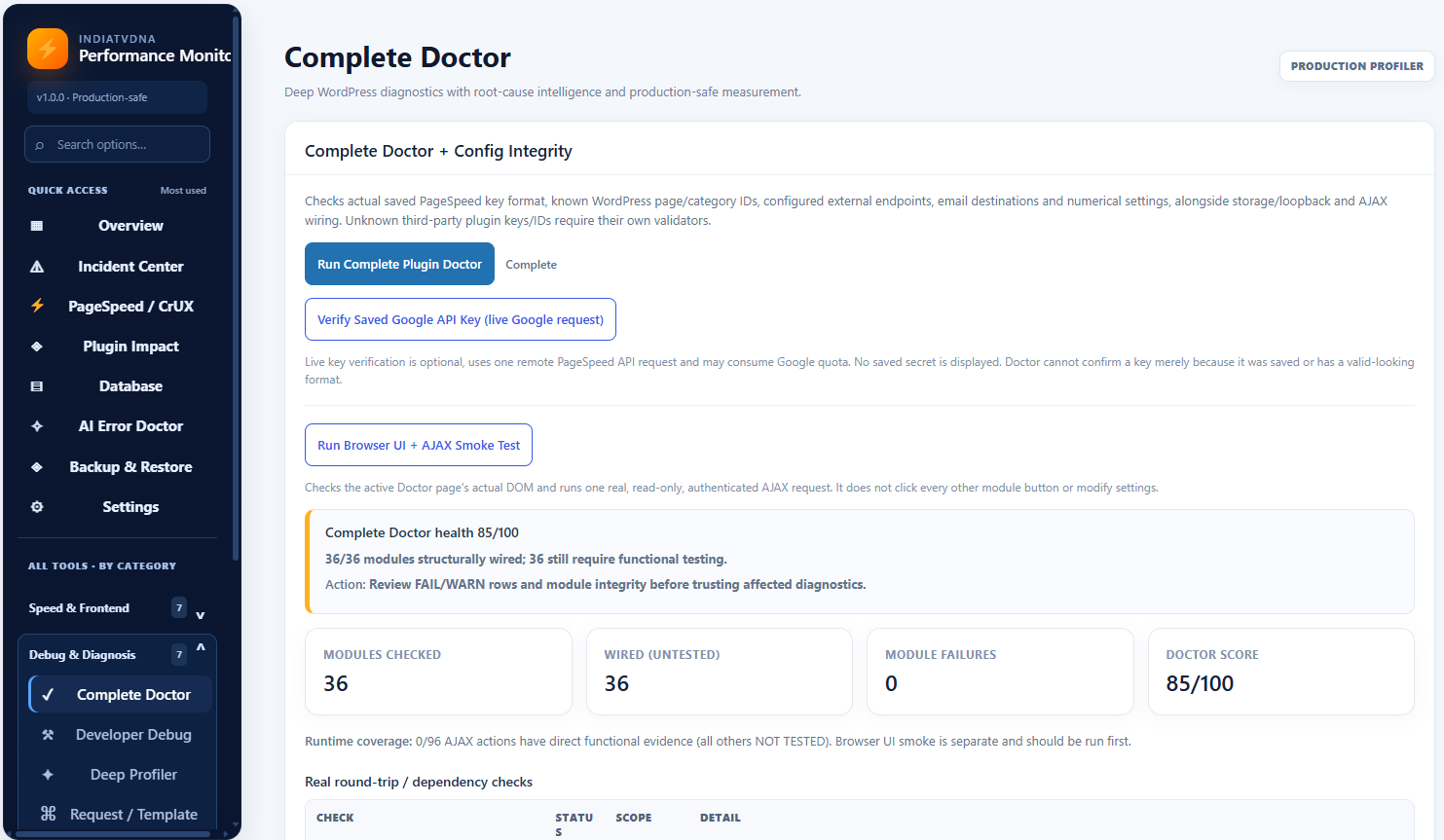
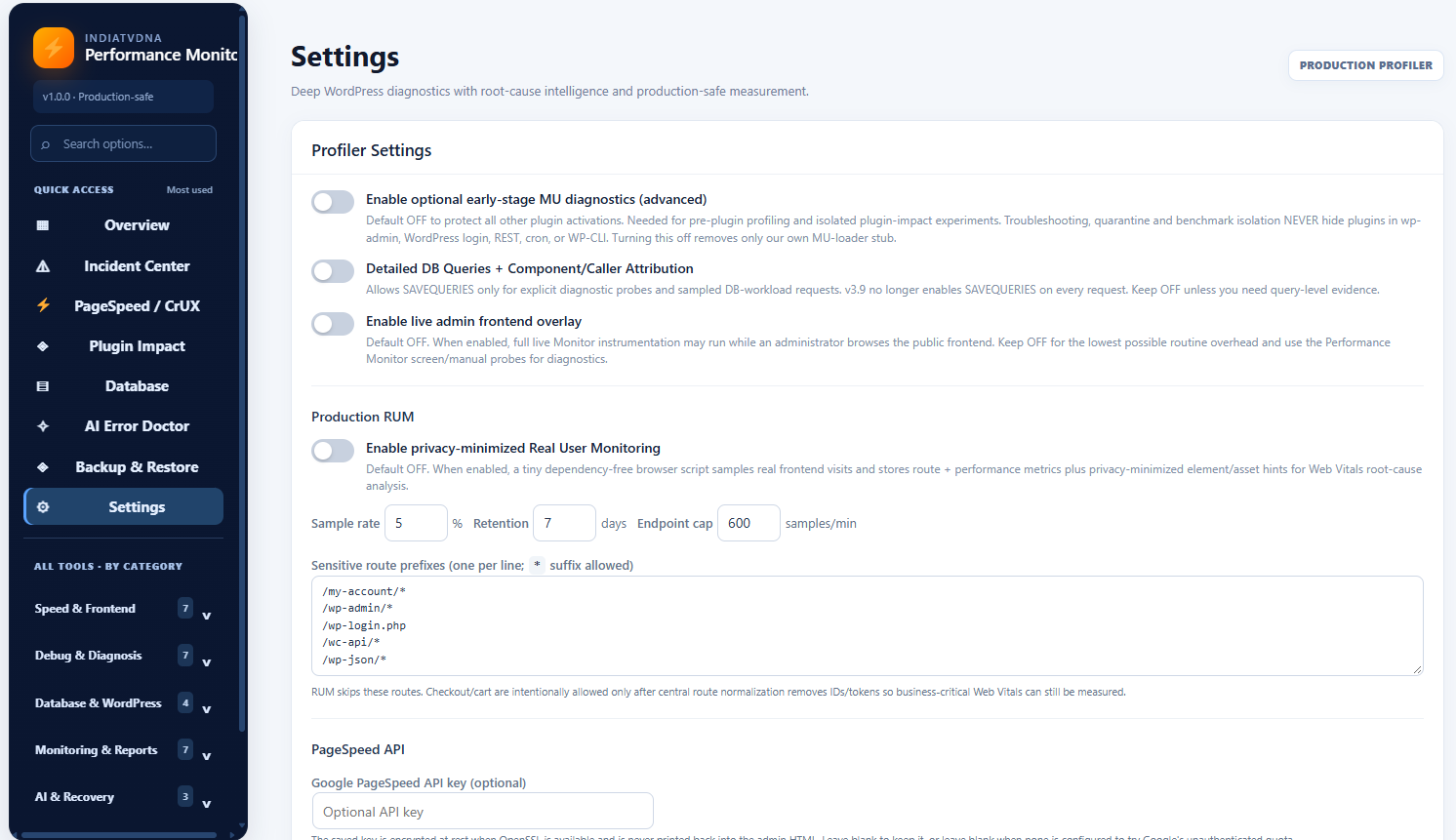
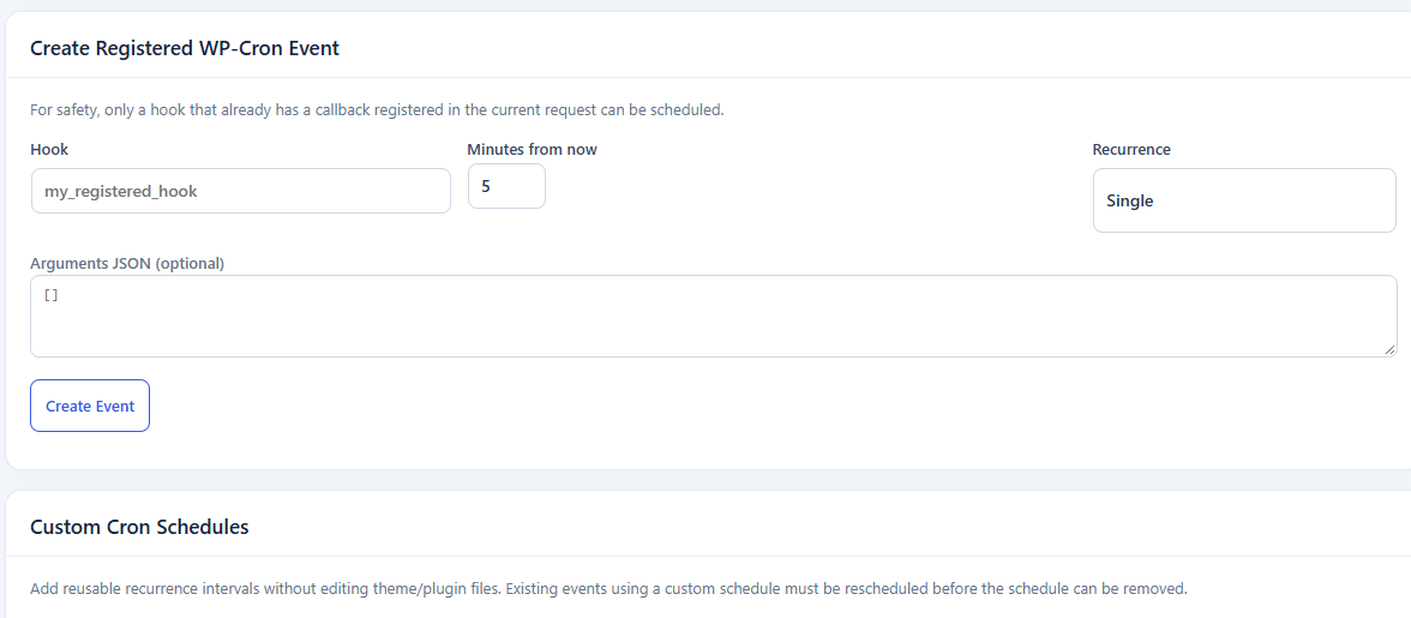
Installation
- Back up your site and database. If upgrading from an internal development build, deactivate it first, then replace the files without uninstalling its settings.
- Install the plugin ZIP via Plugins > Add New > Upload Plugin and activate it.
- Open Performance Monitor > Overview. Run individual tools on demand. Configure optional integrations separately in Settings.
- For early PHP instrumentation, opt in to the optional MU diagnostic loader from Settings. Leave it disabled if you do not need it.
- Optional Premium advanced backup/recovery is NOT part of this Free ZIP. The separately distributed Pro WordPress add-on and private server CLI agent need individual installation and verification. Do not perform production recovery without isolated staging rehearsal.
FAQ
-
Does the Free edition need a paid key?
-
No. All 27 Free tool screens work without a paid unlock. Advanced tools are described as separately distributed Premium options, not license-locked Free code. Their navigation links open illustrative, nonfunctional informational pages in Free.
-
Will activation deactivate other plugins?
-
No. The activation code never writes to the WordPress
active_pluginsoption. Previous internal versions may have installed a separate MU diagnostic file; this edition removes its legacy loader during activation. -
Does the plugin automatically enable WordPress SAVEQUERIES?
-
No. This plugin never defines or changes WordPress’s global SAVEQUERIES constant. Query counts and normal performance monitoring still work without it. To temporarily inspect per-query SQL timings, a site owner must independently configure WordPress SAVEQUERIES in wp-config.php and turn it off when finished, as recommended by WordPress. The plugin’s DB workload sampling controls only its own processing and database writes, not the performance overhead of WordPress’s global query recorder.
-
Are all diagnostics available on all hosting plans?
-
No. Native profiling requires a compatible PHP extension, and some advanced measurements require a correctly configured site loopback or host permissions.
-
Does installing the plugin send site data to third parties?
-
Not by default. External services and AI integrations require an administrator to activate/configure them. Using a remote PageSpeed or AI request transmits the relevant selected data to the chosen service.
Reviews
There are no reviews for this plugin.
Contributors & Developers
“IndiaTVDNA Performance Monitor” is open source software. The following people have contributed to this plugin.
Contributors

Translate “IndiaTVDNA Performance Monitor” into your language.
Interested in development?
Browse the code, check out the SVN repository, or subscribe to the development log by RSS.
Changelog
1.0.28
- Plugin Check warning fix: sanitize and unslash the administrator-issued diagnostic token read from a dynamically selected HTTP request header in the optional MU loader stub, before its strict alphanumeric format and short-lived server-side ticket validation.
- Keep the v1.0.27 SAVEQUERIES global-behavior fix and early diagnostics authentication unchanged; no Free diagnostic tools or static premium previews are removed.
1.0.27
- WordPress.org manual-review fix: remove all plugin-controlled SAVEQUERIES definitions, including the MU loader’s automatic diagnostic-header and sampled-request paths. Unauthenticated HTTP headers can no longer force global SQL query recording or load the full MU diagnostics without a valid temporary ticket.
- Keep detailed SQL evidence read-only, available only when the site owner independently enables WordPress SAVEQUERIES for a short debugging session. Basic query counts and other existing Free diagnostics remain available without it.
- DB workload sample-rate settings now limit only this plugin’s own normalized fingerprint processing and daily writes, when SQL history is available; they do not claim to reduce WordPress’s global SAVEQUERIES overhead.
- Do not load the early MU code solely for DB workload sampling; clarify the same behavior in the settings interface. No Premium recovery implementation is included.
- WordPress.org review, official Plugin Check and clean WordPress installation tests remain required before approval claims.
1.0.26
- Remove the last legacy code path deriving a custom decryption key from WordPress authentication salts. All new plugin encryption continues to use a dedicated random site-local key.
- Existing enc:v1 credentials are not decrypted, deleted, downgraded or automatically overwritten. Administrators with those old values must re-enter their API credentials and webhook/telemetry settings; connected integrations are unavailable until replaced. The plugin admin shows a scoped warning listing only affected service labels, never the secret values.
- Update configuration checks and AI credential status so unreadable v1 ciphertext is flagged explicitly; retain the Free diagnostic modules and the nine informational Premium preview pages.
- WordPress.org manual review, a clean installation/upgrade test and the official Plugin Check on this exact release are still required before claiming approval.
1.0.25
- Separate per-site random plugin cryptographic key for new locally encrypted API credentials and signed diagnostic journals; existing encrypted v1 credentials migrate automatically when read, using a compatibility-only local decrypt path.
- External uptime token storage uses SHA-256 of a long random token, not WordPress authentication secrets. Regenerate tokens originally issued before 1.0.25 in the Diagnostics screen and update your external uptime service.
- Local AI Guard pause/rollback remains a Free safety tool and is distinct from the separately distributed paid full-site Recovery Agent.
- Limited redundant purchase prompts on advanced-tool illustration pages. Paid implementation is not included.
1.0.24
- Make all nine Advanced Tools sidebar entries open separate in-plugin informational preview screens with the existing dashboard styling. Remove inline PRO badges and external navigation from these menu items.
- Preview screens explain each workflow and display nonfunctional visual elements labeled as illustrations. Buy Pro Version links go only to the configured owner site; no premium source code, live results, locked features or simulation controls are included.
- Preserve the 27 existing Free diagnostic sections, JavaScript and non-admin PHP code unchanged. Runtime and WordPress Plugin Check validation are still required before submission.
1.0.23
- Replace the remaining direct WordPress logged-in cookie identifier/read in the optional front-end admin overlay with the WordPress-authenticated is_user_logged_in() check. This requires WordPress to validate login status and avoids depending on authentication cookie names or raw values.
- Preserve all other Free modules and the separated Premium Recovery functionality from 1.0.22.
1.0.22
- Move the active WooCommerce encrypted order-event writer out of Free into a separately distributed Pro add-on. Remove the Free plugin’s WooCommerce order-event boot hook and its PHP implementation without modifying unrelated Free monitoring modules.
- Replace the extensive server Python CLI backup/restore command screen with a simple, explicit PRO information page. No recovery actions, unlock gates, Python scripts or missing-CLI placeholders ship in Free.
- Keep the familiar sidebar, add Advanced Backup & Recovery to the nine informational Pro destinations, and link to the site owner’s HTTPS purchase site from a single in-plugin PRO card. The other 27 functional Free screens and their scripts remain unchanged.
- No automatic live restore, offsite replication or zero-loss WooCommerce recovery is asserted. Real WordPress installations and the official Plugin Check remain to be completed.
1.0.21
- Remove unused MU troubleshooting-cookie authentication-key/salt derivation and the old cookie bootstrap trigger. Existing independently authorized early monitoring probes remain in place.
- Distribute five advanced Python recovery scripts as a separate standalone administrator-managed companion, not inside the WordPress.org plugin ZIP. Keep the Free backup guidance UI, but explicitly disclose the separate installation requirement and use private example paths.
- Replace reported hardcoded plugin, MU-plugin and theme folder checks with WordPress-aware helpers. Centralize intentional core/content drop-in access for configurations with customized WordPress directories.
- Local PHP syntax, basic custom-directory path smoke tests and ZIP integrity are not a substitute for official Plugin Check or a clean WordPress installation test with WP_DEBUG.
1.0.20
- Address Plugin Check InputNotSanitized warning for the administrator hook-profiler completion tokens: WordPress-unslash and sanitize the submitted JSON text before decoding, cap its length, and retain strict per-token format, permission, nonce, ownership, expiry and one-use validation.
- Keep the existing v1.0.19 authenticated browser-only profiling flow, 28 Free diagnostics, 8 Pro informational links and stored settings unchanged.
- Local code and mock tests do not replace an official Plugin Check re-scan and live WordPress administrator workflow test.
1.0.19
- Replace PHP auth-cookie forwarding during administrator hook profiling with authenticated, same-origin browser probes plus one-use signed tickets and per-user capability checks.
- Move browser probe and footer status JavaScript out of PHP inline tags to enqueued WordPress script files; distinguish literal scanner test fixtures from executable scripts.
- Confine temporary loaded-file I/O benchmarks to the plugin-specific uploads subdirectory and remove temporary benchmark files after each test.
- Include accessible, editable JavaScript source equivalents for monitor.js and admin.js, explain reproduction steps, and expand optional external-service disclosures with terms/privacy links and transmitted data.
- Preserve the Free dashboard, 28 Free tools, 8 informational Pro destinations and direct API integrations; WordPress 7.0+ AI Client remains an optional path.
- Offline checks do not guarantee a successful live WordPress.org plugin review, activation, network/cookie tests or completion of owner DNS verification.
1.0.18
- Use the actual WordPress admin screen ID, rather than untrusted page query parameters, to scope passive diagnostics and compatibility notices to the Performance Monitor dashboard. Existing settings repair POST requests retain their original nonce and capability checks.
- Replace the MU loader installer’s var_export() call with a correctly escaped, single-quoted PHP path literal, preserving arbitrary quote and backslash characters in filesystem paths and the opt-in loader’s security checks.
- Keep all 28 Free tools, eight Pro information links, saved data, AI providers, JS/CSS assets and every prior security fix. The reported four warning sites have been removed; run official Plugin Check again to verify its result.
1.0.17
- Fix the optional MU loader’s stale v1.0.5 source stamp: the installer now emits the active plugin version when installing the opt-in stub, so the status check and refresh logic agree after upgrades.
- Require an explicit opt-in on every MU-stub request; a left-behind stub no longer loads early diagnostics if host filesystem permissions prevent its removal after opt-out.
- Replace the Self-Test upload-directory direct PHP file write with WordPress Filesystem API’s direct transport, a random temporary file, verified readback, and cleanup. Unsupported transports report a safe test skip rather than modifying plugin or third-party files.
- Scope Query Monitor compatibility and historic safety notices to Performance Monitor’s own admin screen, avoiding site-wide admin notices.
- Preserve 28 Free tools, eight separately sold Pro informational links, existing integrations, database schema, stored keys and previously configured values.
- Local automated checks do not replace the official Plugin Check, real site-level testing, or the WordPress.org manual review.
1.0.16
- Centralize five legacy AI-provider endpoints in a fixed HTTPS host/route allowlist and reject unsupported providers before sending HTTP requests. Preserve existing OpenAI/Claude/Gemini/Grok/DeepSeek payloads, authorization headers, stored-key handling, parsers and security flags.
- Keep the first-party WordPress AI Client / Connectors option and WordPress 6.2+ legacy compatibility. This refactor changes how direct integration URLs are represented but does not migrate legacy connections to the WordPress AI Client; the recommendation underlying the five original Plugin Check advisories remains relevant.
- Offline PHPUnit-style mocks verify exact endpoints, request payload shape, HTTP protections, responses and errors. Real WordPress Plugin Check, provider accounts and WordPress admin click tests must still be run before publishing.
1.0.15
- Sanitize and unslash the Settings saved-notice GET flag; reject non-string values without changing settings-save behavior.
- Add a genuinely provider-agnostic, opt-in WordPress AI Client mode (WordPress 7.0+, Settings > Connectors). It uses Core’s AI Client without copying Connector credentials, with explicit capability checks and a live exact-response test.
- Keep all five existing directly configured AI providers, encrypted saved keys, budgets, fallback and Free tools functional for WordPress 6.2+. Their five advisory Plugin Check warnings are not concealed by URL obfuscation or disabling functionality; the legacy direct HTTP paths remain intentionally.
- All WordPress-connected browser/network behavior and official Plugin Check remain to be validated on staging; local checks alone cannot establish zero warnings or approval.
1.0.14
- Correct remaining Database/SchemaChange PHPCS directive collisions so intentionally prepared diagnostics and plugin-specific uninstall cleanup have ONE accurately scoped, documented exception each.
- Fix the Settings save notice: a scanner annotation in v1.0.13 was accidentally printed as visible HTML; the read-only success flag now stays inside PHP.
- Preserve all 28 Free tools, eight informational Pro links, existing API-key integrations, and database write/read behavior. AI direct-provider recommendations may still appear in Plugin Check; removing working provider compatibility to conceal warnings is intentionally avoided.
- PHP, JavaScript, ZIP, and offline regression tests are not a substitute for real WordPress Plugin Check and per-option click/HTTP tests.
1.0.13
- Add WordPress nonce verification to the public RUM beacon while retaining its existing signed route tickets, same-site validation and rate limiting.
- Document narrowly scoped coding-standard exceptions for live database diagnostics, read-only GET routing, named WordPress core hooks, runtime profilers and optional installer serialization.
- Preserve all Free modules and the optional direct AI Error Doctor integration for WordPress 6.2+ compatibility. The AI-provider advisory remains until a safely tested WordPress AI Client fallback is provided.
- PHP/JS static checks do not certify real WordPress runtime or WordPress.org approval. Re-run Plugin Check on a staging WordPress install before submission.
1.0.12
- Remove the paid automatic recovery/quarantine implementation and stale Pro dependencies from Free.
- Fix sparse-history sampling, use inline prepared SQL templates, and limit EXPLAIN to a prepared safe SELECT subset.
- Harden input validation and nonce checks; register custom cron recurrences on runtime requests.
- Keep all 28 Free screens and eight Pro information links. Real WordPress/MariaDB tests and outstanding host-specific checks are documented separately.
1.0.8
- Compile historical sampling queries exclusively from allowed columns, bounded predicates and separately prepared SQL identifiers; reject non-plugin tables and arbitrary SQL fragments.
- Harden native profiler, benchmark, and overhead probe input shapes; preserve administrator authorization and all Free tool entry points.
- Protect AutoFix JSON size validation after WordPress unslashing; add a documented security/diagnostic scanner review.
- Local lint/mock tests do not replace a new Plugin Check scan or live WordPress, PHP and MySQL verification.
1.0.7
- Replace dynamic fingerprint INSERT SQL with a fixed set of prepared multi-row templates and bounded batches; bind every row value and table identifier.
- Keep batch efficiency (three queries for an 80-row sample) without concatenating SQL placeholders or passing prepared SQL variables to the query API.
- Add input-shape and unslashing checks to scheduled jobs, administrator settings, benchmark paths, signed diagnostic tokens and monitoring requests.
- Preserve the existing Free dashboard and opt-in workflows. Verify in Plugin Check and on staging before submission.
1.0.6
- Fix PHP error reporting checks and strengthen optional collector/input protection.
- Tighten sampling and AI setting request validation; retain existing diagnostic options.
1.0.5
- Validate SQL sampler table, columns, sort and allow-listed predicates; reject unexpected clauses instead of stripping SQL punctuation.
- Prepare transient inventory SQL safely with %i identifier and escaped LIKE arguments.
- Reject array-shaped settings and cron repair inputs before sanitization, and fail closed on malformed repair JSON.
- Keep 28 Free tools and eight informational Pro links; no feature removal or new license restriction.
- PHP lint, local mocked SQL sampler tests and ZIP integrity validated. Real WordPress Plugin Check and live behavior still need verification.
1.0.4
- Replace direct MU PHP writes/renames with a WordPress Filesystem-based staged installer; direct transport is required for safer same-directory updates.
- Use wp_is_writable() in the self-test and validate RUM and manual-repair request input shapes more defensively.
- Retain all 28 Free diagnostics and eight informational Pro links. No paid gate or automated premium installer is included.
- Static lint/regression testing completed; live WordPress Plugin Check, activation, multisite, and actual database testing remain to be verified before submitting.
1.0.3
- Fix administrator SQL identifier handling, guard arbitrary EXPLAIN functions, and tighten JSON request handling.
- Protect global variable prefixes and use WordPress Filesystem for manual debug-log rotation.
- Document audited exceptions for precise native file benchmarks and encrypted atomic journals.
- Keep 28 Free tools, eight external Pro informational links, the activation-safe MU loader and the prior diagnostic safeguards.
1.0.2
- Improve SQL preparation, WordPress-managed script loading and upload-directory temporary cleanup.
- Maintain the Free interface and its standalone Pro information links.
1.0.1
- Fix Free UI wiring audit reporting 14 stale premium controls and a disabled recovery setting.
- Display eight optional Pro add-on modules as informational links within the Performance Monitor sidebar and link to the IndiaTVDNA store. No Free functionality requires a purchase.
- Keep the Pro code separate from the WordPress.org Free package; do not introduce license gates or dashboard-wide notices.
1.0.0
- First standalone WordPress.org Free edition with 28 functional dashboard tools.
- Separate eight commercial-only modules into an independent future add-on; remove their exclusive PHP implementations, routes and unreachable JavaScript handlers from this Free package; retain shared callback monitoring as a completely Free tool.
- Prevent automatic premium recovery actions after migrating from internal builds.
- Preserve activation isolation, opt-in MU diagnostics, error-handling improvements, and the diagnostic dashboard.
- Publish GPLv2-or-later licensing, external-service disclosures and WordPress.org-compatible readme headers.