

Description
Overview of your media
Krupal Media Stats shows how many files your Media Library holds, grouped by type. The stats appear at the top of the Media Library screen, right below the “Add Media File” button, so you see them every time you manage your media.
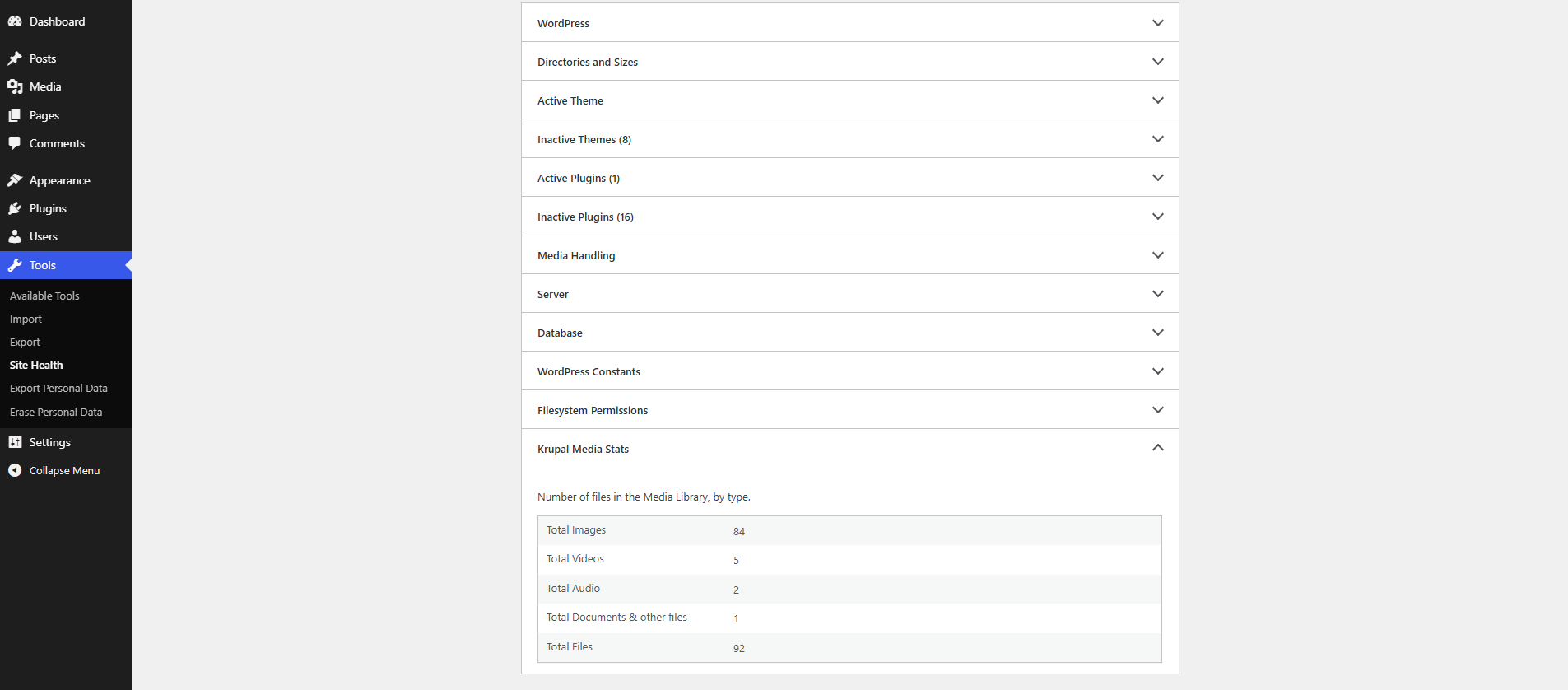
The same stats are also added to Tools > Site Health > Info in a new “Krupal Media Stats” section. They are included when you use “Copy site info to clipboard”, which makes them easy to share with your developer or support team.
The plugin has no settings. Activate it and the stats are ready.
Features
- Count of images, videos, audio files, and documents & other files.
- Total count of all files in the Media Library.
- Stats shown on the Media Library screen, in both list and grid view.
- New “Krupal Media Stats” section in Tools > Site Health > Info.
- Trashed files are not counted.
- Shown only to users who can upload files.
- Uses the WordPress admin look with built-in Dashicons. Its small stylesheet loads only on the Media Library screen.
- Lightweight: uses the WordPress core attachment count, with no custom database tables or options.
Support
Krupal Media Stats is developed and supported by Krupal Panchal. If you find a bug or have a suggestion, feel free to get in touch.
Screenshots

Installation
- Upload
krupal-media-stats.zipto the/wp-content/plugins/directory and extract it. - Activate the plugin through the
Pluginsmenu in WordPress. - Go to
Media > Libraryto see the stats. - Go to
Tools > Site Health > Infoand open theKrupal Media Statssection to see the same stats there.
FAQ
-
Where can I see the stats?
-
On the
Media > Libraryscreen, below the “Add Media File” button, and inTools > Site Health > Infounder theKrupal Media Statssection. -
Which files count as “Documents & other files”?
-
Any file that is not an image, video or audio file. For example PDF, Word, spreadsheet, text and ZIP files.
-
Are trashed files counted?
-
No. Only files that are not in the trash are counted.
-
Does it count the resized copies of images?
-
No. Each uploaded file counts once, as it appears in the Media Library. The thumbnails and other sizes WordPress makes from an image are not counted separately.
-
Does it show the size of the media files?
-
Not yet. File size stats are planned for a future version.
-
Does it add any settings or database tables?
-
No. The plugin has no settings and does not store anything in the database.
Reviews
There are no reviews for this plugin.
Contributors & Developers
“Krupal Media Stats” is open source software. The following people have contributed to this plugin.
Contributors
Translate “Krupal Media Stats” into your language.
Interested in development?
Browse the code, check out the SVN repository, or subscribe to the development log by RSS.
Changelog
1.0.1
Release Date 24-10-2026
- New – Added assets data(Banner and Icon) on Plugin page.
1.0.0
Release Date 07-10-2026
- New – Media file counts by type on the Media Library screen.
- New – “Krupal Media Stats” section in Tools > Site Health > Info.