

Description
Submittal & Spec Sheet Builder helps manufacturers, suppliers, contractors, and distributors create professional submittal packets and product spec sheets in minutes — right inside WordPress.
Whether you’re creating construction submittals or managing a complex product catalog with thousands of SKUs (landscape supplies, industrial fasteners, equipment, flooring, etc.), this plugin lets customers browse your catalog and build their own spec sheets.
Forget clunky spreadsheets and manual formatting. With this plugin you can:
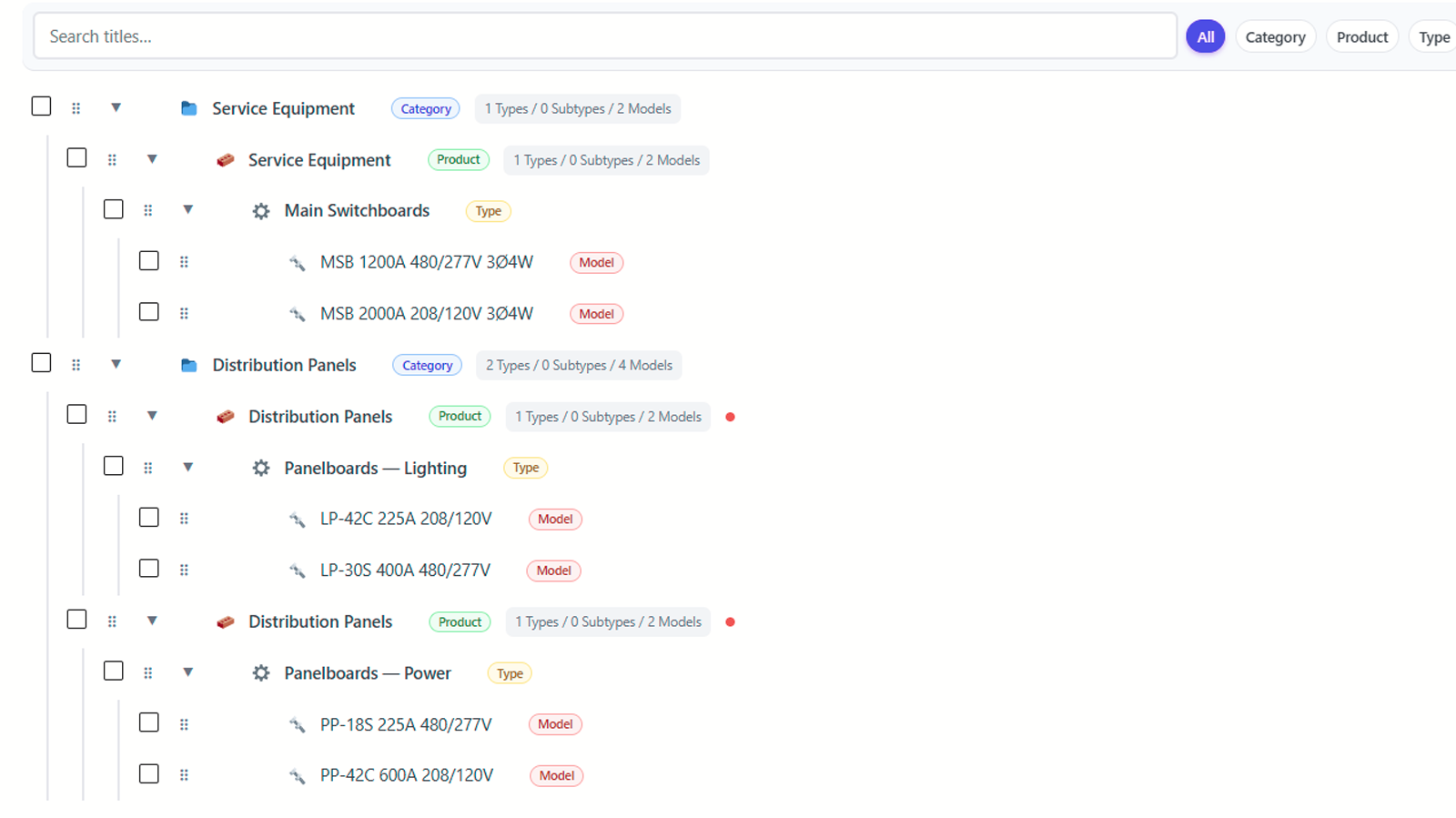
- Organize products into categories, types, and models (handle hundreds or thousands of SKUs)
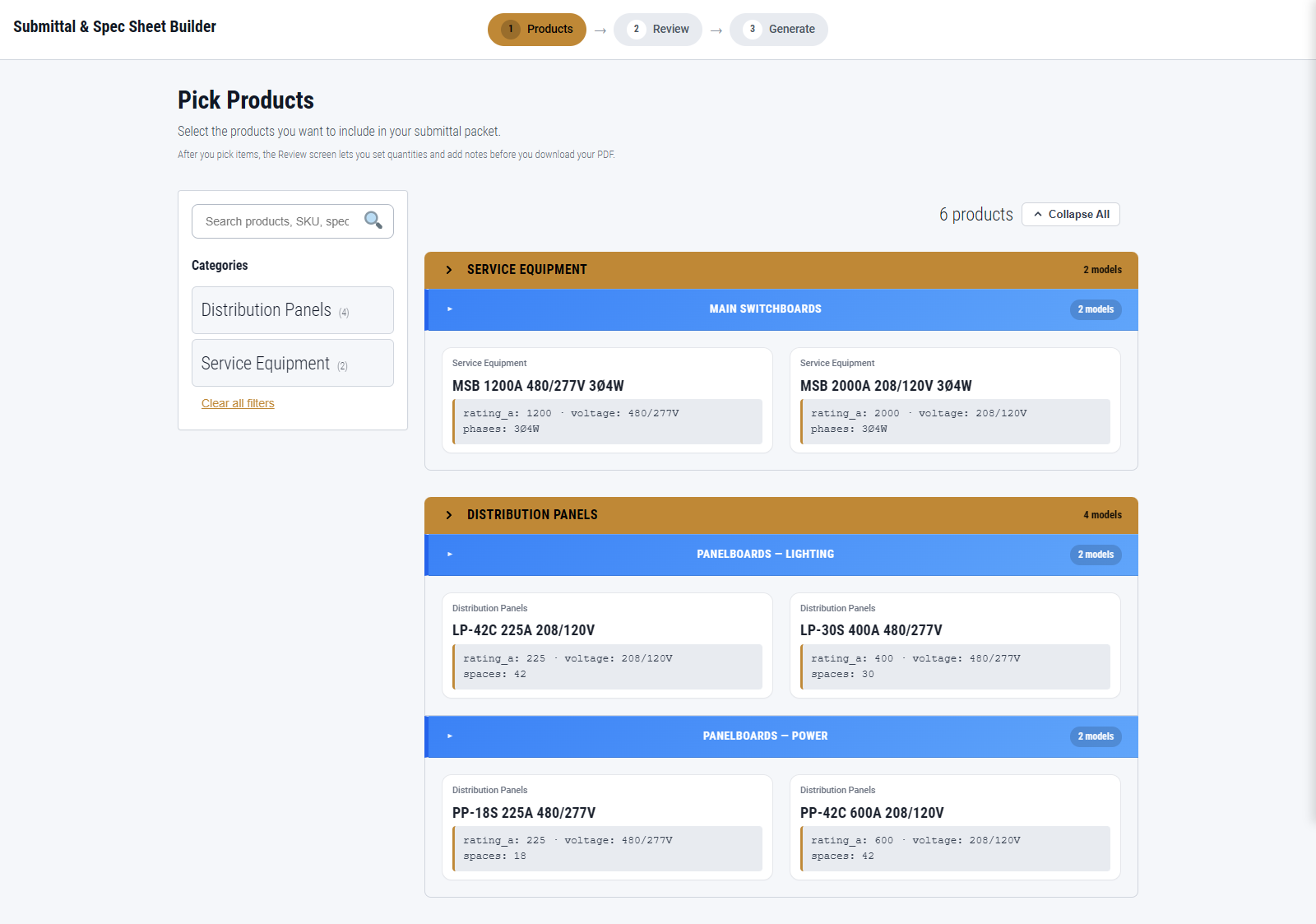
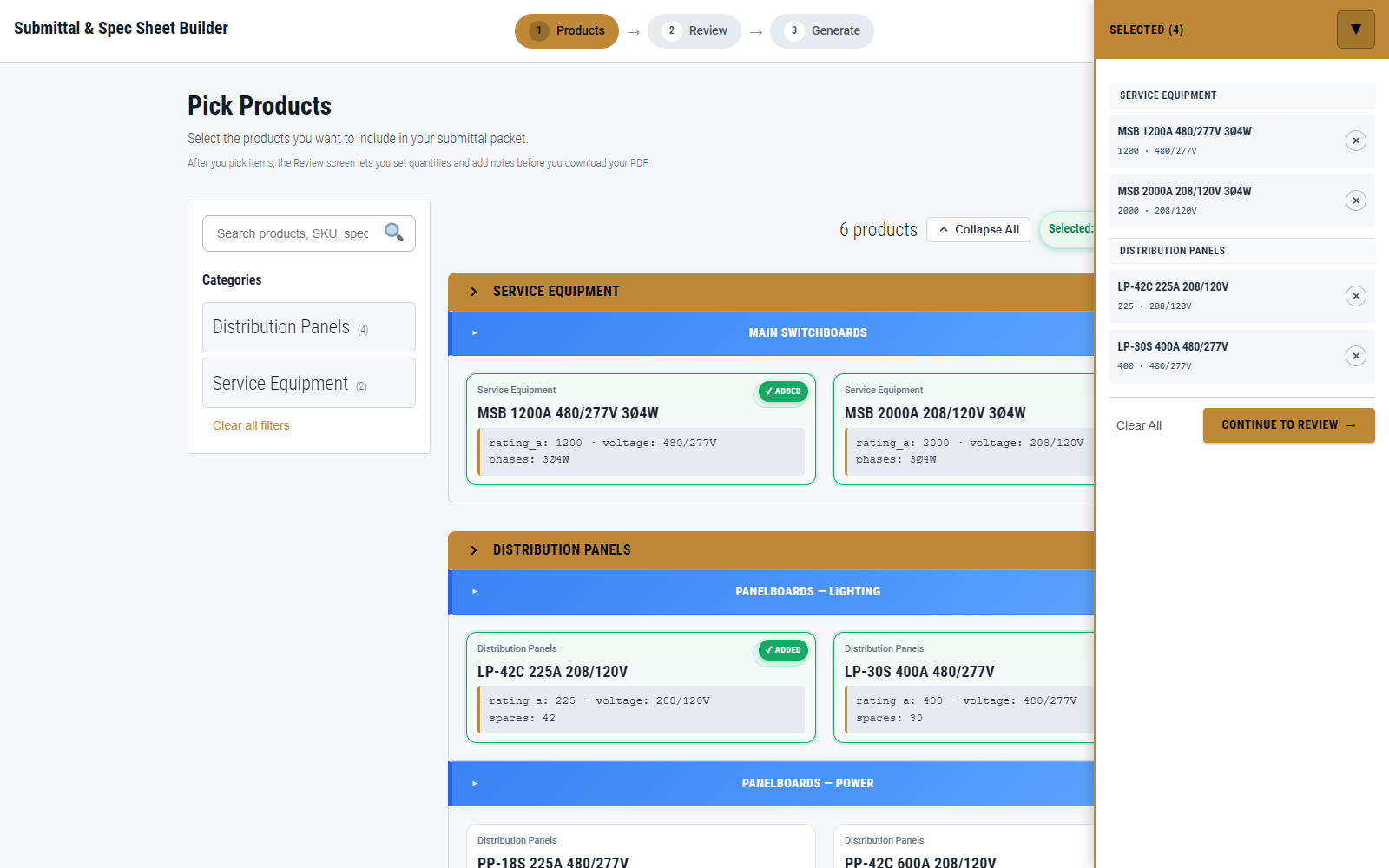
- Let visitors select items and instantly generate polished PDF packets
- Add your company logo, brand colors, and contact info automatically
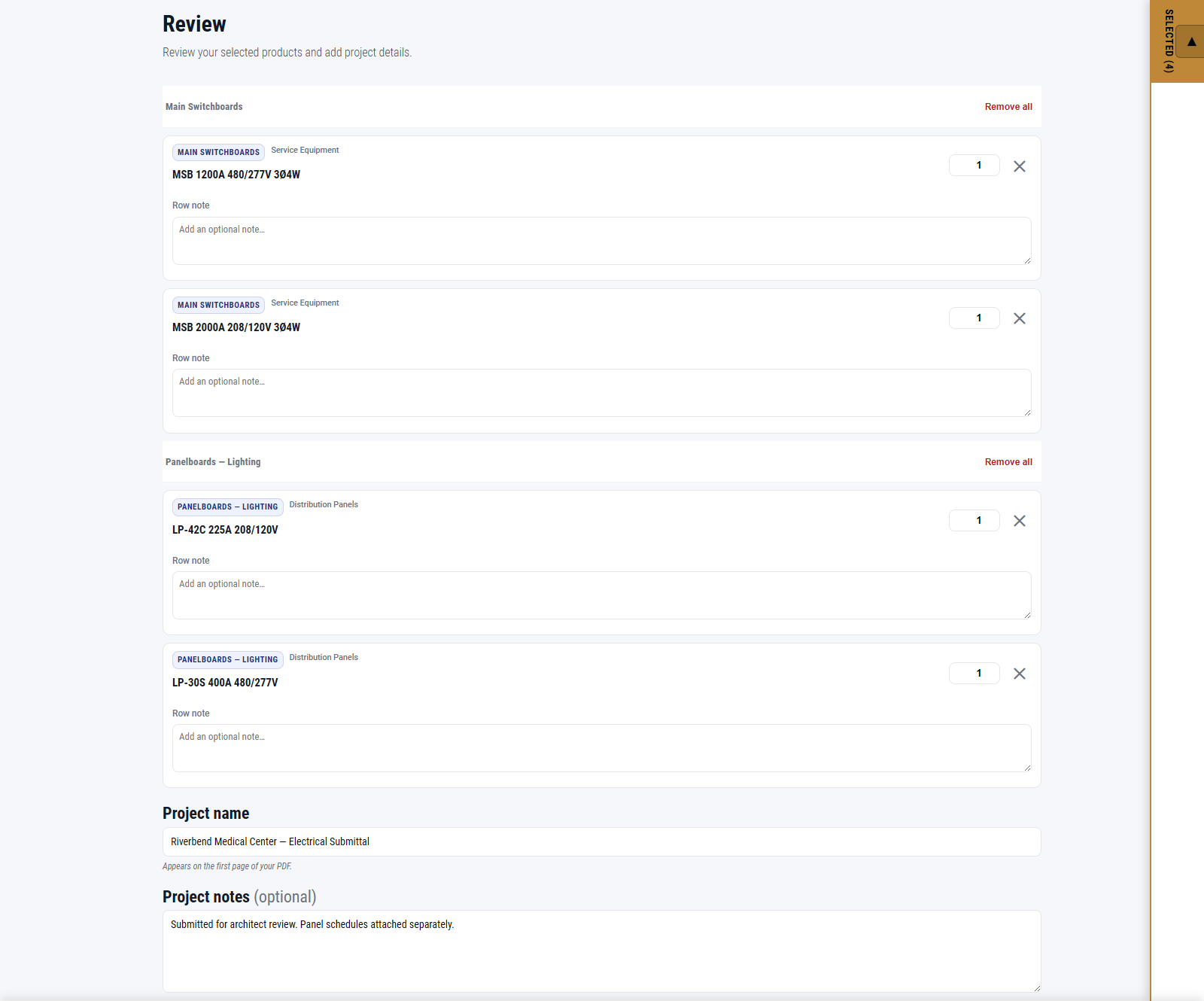
- Have visitors name their project on the review screen and see it on the packet cover page
- Get an optional branded cover page, plus a spec sheet for each selected product
Key Features
- 🧩 Visual Builder: Browse by category product type model, with inline specifications.
- 🧾 PDF Generation: An optional branded cover page followed by one spec sheet per selected product.
- 🎨 Branding Tools: Add your logo, company details, accent color, PDF theme, and cover page for consistent presentation.
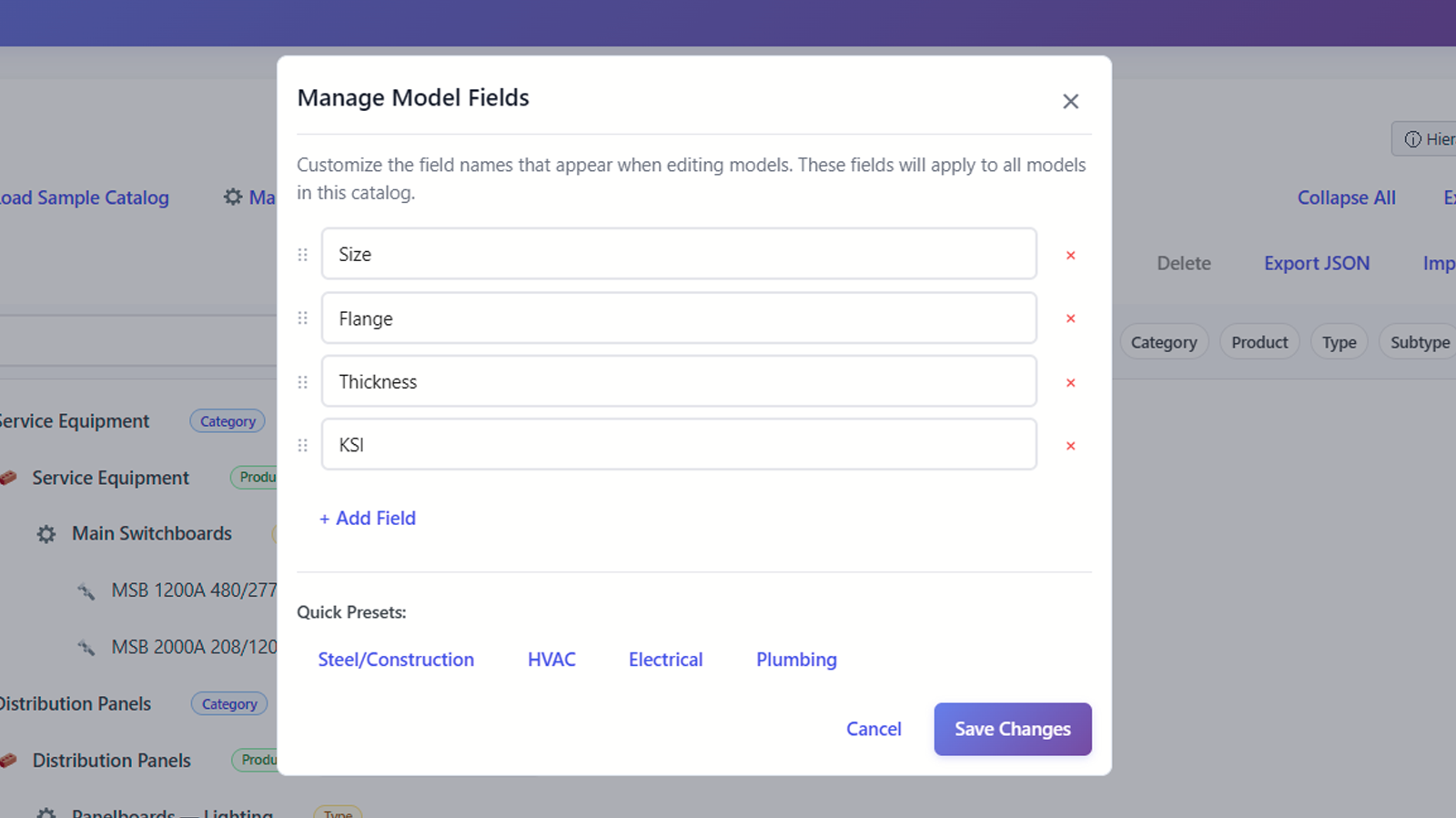
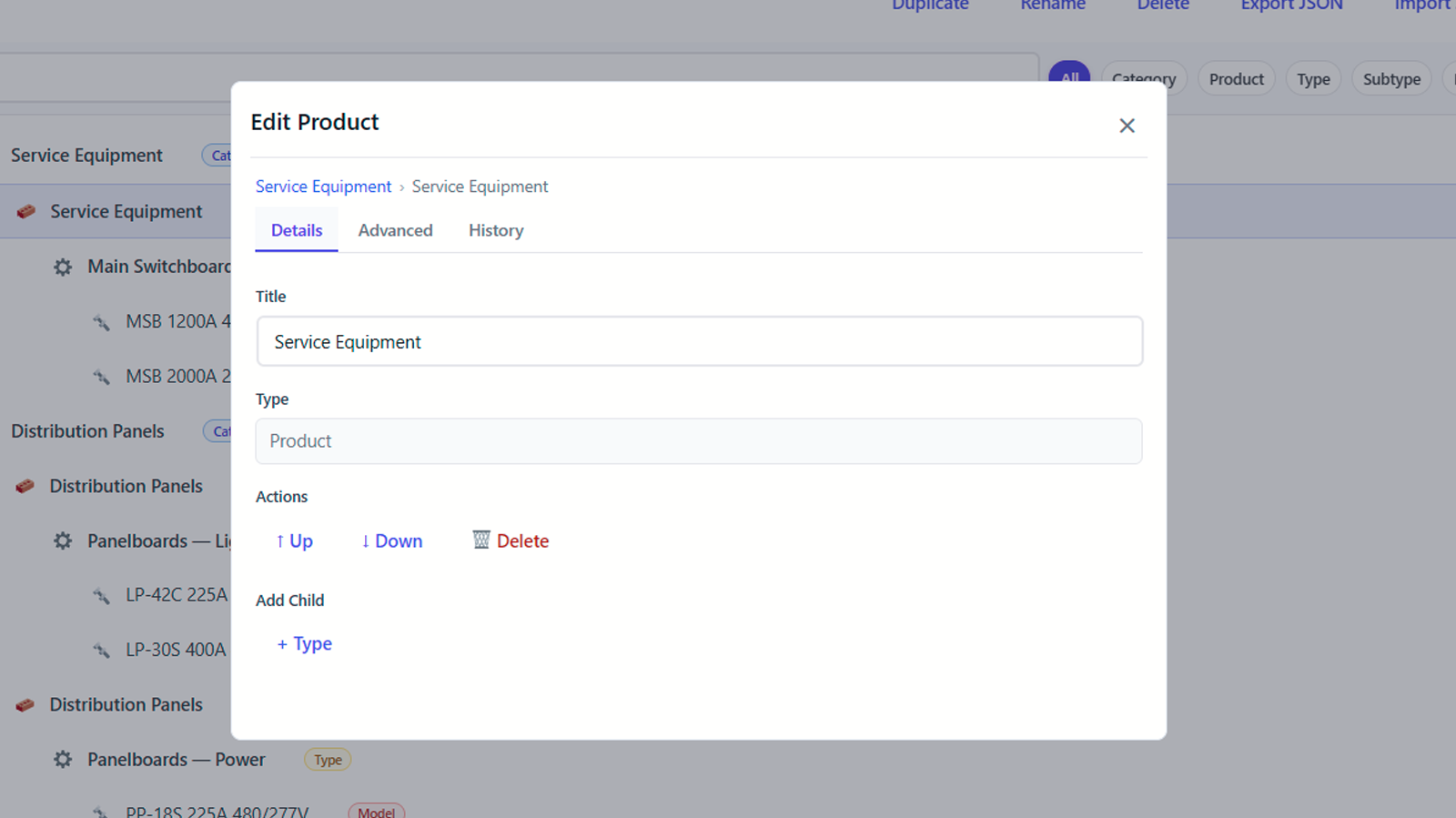
- 📦 Product Catalog Manager: Manage all product data inside WordPress — no developer needed.
Fast, flexible, and built for the real world — ideal for construction professionals creating submittals, distributors with complex catalogs (landscape supplies, industrial parts, equipment), and any B2B business with hundreds of products that need professional spec sheets.
Privacy
This plugin stores all data locally in your WordPress database. Product catalog entries, branding settings, and generated PDFs all stay on your site: none of it is sent to the plugin author, to an analytics or telemetry service, or to any outside processing service. The one outbound request the plugin can make is described at the end of this section — while a PDF renders, an image you configured (such as your Media Library logo) is fetched by URL from your own site or uploads location.
Visitor selections are held in the browser while the visitor browses and reviews. Submittal Builder > Settings has a “Enable local autosave” switch: when it is on, a visitor’s selections are kept in their own browser’s local storage so a reload does not lose their work; when it is off, the plugin writes nothing to local storage and selections last only for the current visit. Browsing and reviewing alone create no draft, record, or database entry on the server.
Generating a PDF is different, because a file has to be produced. When a visitor clicks Generate, the project name, the products they selected, and the specification values and per-item notes attached to those products are rendered into the PDF, and that PDF is saved on your server under your WordPress uploads folder (wp-content/uploads/sssb/). It stays there until you delete it. The selections are still not written to the database as a separate record — the generated PDF is the copy that persists.
Each generated PDF is given a randomized, unpredictable filename, so its URL cannot be guessed or arrived at by trying likely project names and dates. It is still an ordinary file in your uploads folder, served like any other upload: anyone holding the link can open it, and no login is required to do so. Treat the link as the credential, and delete old packets you no longer want available.
The same Settings page has a “Remove all plugin data when uninstalling” switch. It is off by default, so deleting the plugin leaves your branding settings, catalog tables, and generated PDFs in place. Turn it on if you want deleting the plugin to remove them.
IP addresses are never stored in plain text. Where an IP address is needed for request rate limiting, only a hashed value is kept.
The plugin does not include any analytics or telemetry, sends nothing to the plugin author, performs no remote license validation, and never transmits your catalog, branding, or a visitor’s selections to any outside service. PDF generation runs entirely on your own server using a bundled, GPL-compatible PDF library (Dompdf, LGPL). The one outbound request the plugin can make is while building a PDF: images you configured, such as the company logo you picked from your Media Library, are fetched by URL. Those requests are restricted to your own site’s address and your WordPress uploads location, so if a plugin or CDN serves your media from another host, that host is included; no other destination is permitted, and nothing a site visitor submits can add one.
Project-level notes are a separate case worth stating plainly: the review screen offers a project notes field, and the free plugin does not render it into the generated PDF. It is held in the visitor’s browser alongside their selections and is not saved to your database.
Screenshots


Installation
- Upload the plugin ZIP via Plugins > Add New > Upload Plugin, then activate it.
- Create a new page and add the shortcode
[sssb_builder]. - Configure branding under Submittal Builder > Branding (logo, company details, accent color, PDF theme).
- Add or import your products on the Submittal Builder > Product Catalog page.
- Test the front-end builder by selecting products, reviewing, and generating a PDF.
FAQ
-
Does this plugin send data to any third parties?
-
No. Your catalog, branding, and visitor selections are stored and processed on your own site, and none of it is sent anywhere else. There is no analytics, no telemetry, and no remote license check. The PDF itself is built on your own server by a bundled library, not by an outside service. The only outbound request the plugin can make is fetching images you configured, such as your Media Library logo, while a PDF renders — and those requests are limited to your own site and uploads location. See the Privacy section for details.
-
Can I customize the PDF?
-
Yes — Submittal Builder > Branding controls your company logo, name, address, phone number, and website; the primary brand color; the PDF theme; and whether new submittals include a cover sheet by default. A live preview shows your changes before you save.
-
Can I import or reuse catalogs?
-
Yes — you can import existing data or use pre-made industry packs for faster setup.
-
Is it compatible with page builders?
-
Yes. The shortcode works inside Elementor, Gutenberg, and most other editors.
Reviews
There are no reviews for this plugin.
Contributors & Developers
“Submittal & Spec Sheet Builder” is open source software. The following people have contributed to this plugin.
Contributors
Translate “Submittal & Spec Sheet Builder” into your language.
Interested in development?
Browse the code, check out the SVN repository, or subscribe to the development log by RSS.
Changelog
1.1.6
- Fixed the Review step losing your selected products after a page reload. The product tray showed your selection while the Review step said “No products selected” and the Generate PDF button stayed disabled, so there was no way to finish the packet. Reloading no longer discards the selection, and a selection can no longer be wiped by simply revisiting the page.
- Fixed specification labels that mangled industry abbreviations in generated PDFs. A “ul_listing” specification printed as “Ul Listing”, which reads as “UI Listing” on a document you submit for approval. UL, NEMA, AIC, ETL, CSA and IP now print correctly wherever specifications appear, including the sample PDF in Utilities.
- Front-end packets can now include a summary page and a table of contents. These are off by default and nothing about your current PDFs changes; the pages are available to add-ons and custom code that request them.
- Fixed the table of contents page ignoring your chosen PDF colour scheme. Its heading and divider now use the same accent as the rest of the packet.
- Fixed the review screen showing an empty footer and always treating the cover page as switched on, regardless of your Branding settings. It now reads the values you actually saved. Generated PDFs were never affected.
- Added a documented way for companion plugins to locate this plugin’s admin pages, so an add-on can attach to them without hardcoding internal names that may change.
- Updated the “Tested up to” version and removed two unused files from the plugin package.
1.1.5
- Minimum WordPress version is now 6.2, because the plugin uses WordPress’s %i SQL identifier placeholder for table names.
- PHP 8.1 or newer is now required. The bundled PDF libraries already required PHP 8.1, so the previously advertised PHP 7.4 minimum was not accurate.
- Updated the bundled PDF dependencies to current stable releases: dompdf 3.1.6 (a security release) and its CSS parser to 9.4.0.
- Strengthened database query preparation throughout, including list-style queries, for full compatibility with WordPress SQL safety checks.
- Completed the “sssb” naming cleanup for browser storage keys and other persistent identifiers, while still reading previously saved values so existing work is not lost.
- Newly generated PDFs are now written to uploads/sssb/, and catalog backups to uploads/sssb-backups/. Files created by earlier versions are left where they are, so existing links keep working.
- Uninstall cleanup now removes only files this plugin generated, leaving anything else in your uploads folder untouched.
- Fixed the destructive catalog wipe tool: when a backup is requested, the backup must complete successfully before any catalog data is deleted. If the backup fails, nothing is deleted.
- Rebuilt the plugin’s internal HTML, CSS, and JavaScript output helpers using ordinary string handling.
- Renamed the main plugin file to match the WordPress.org plugin slug.
- Tightened permissions on the PDF endpoint. Visitors can still generate PDFs from the front-end builder exactly as before, but the endpoint’s separate template mode — where the caller supplies the catalog items and packet details directly — now requires a logged-in user with catalog permissions.
- Generated PDFs now get a randomized filename instead of project name plus date. Two packets for the same project on the same day no longer overwrite one another, and a packet’s URL can no longer be guessed.
- Pre-wipe catalog backups get a randomized filename for the same reason. Backups from earlier versions are left exactly where they are.
- Tightened PDF rendering: embedded script execution is now disabled, and image fetching is limited to your own site and uploads location.
- PDF errors now show a general message and record the details in the site’s log instead of returning them to the browser, and a PDF that fails to write to disk is reported as a failure rather than a success.
- Request rate limiting now identifies a client by its actual connection address, so the limit can no longer be sidestepped by changing a forwarded-IP header.
- Added server-side resource limits to front-end PDF generation, so a hand-crafted request cannot ask the server for an unreasonably large document. A normal packet is unaffected; the product limit can be raised with the sssb_max_public_pdf_products filter.
- Front-end PDF generation no longer runs a database schema check on every request. Table creation and updates stay with activation and the admin tools.
- Generated PDF and backup filenames now fail safely: if the server cannot produce a secure random name, the operation reports an error instead of falling back to a predictable one, and an existing file is never overwritten.
- Improved front-end product list performance on large catalogs.
- Uninstall no longer clears the entire site object cache. Removal of this plugin’s own options, tables, and files is unchanged.
- Corrected the documentation: the packets the front-end builder generates contain a cover page and one spec sheet per product, and project-level notes are not printed into the PDF. Clarified that images configured in Branding are fetched while a PDF renders, and that the paid features described in the Documentation tab live in a separate add-on plugin.
1.1.4
- The “Enable local autosave” setting now controls the front end. It was previously saved but never read, so selections were always written to browser localStorage regardless of the setting. With it turned off, nothing is written to local storage; selections last only for the current visit.
- The “Remove all plugin data when uninstalling” option now works. Its checkbox was never rendered on the Settings page, and its saved state was not read back, so the option could not be turned on and the uninstall cleanup was unreachable. Both are fixed. The option remains off by default.
- Fixed the Branding and Settings pages overwriting each other’s fields. Saving Branding reset the autosave setting, and saving Settings reset the logo, company details, primary color, header style, and PDF theme. Each page now saves only the fields it renders.
- Removed a redundant bundled PDF library and its vendor-prefixing build layer entirely; dompdf is the sole PDF engine.
- Updated the dompdf HTML5 parser dependency (masterminds/html5) to 2.10.1.
- Removed the dedicated Upgrade admin page.
- Hardened PDF generation: the REST endpoint now outputs PDF only (removed a fallback that wrote template markup to a file), removed a redundant current-user switch in the generator, and parameterized the last direct table check.
- Reduced logging to WP_DEBUG-gated diagnostics only.
- Completed the internal prefix cleanup (menu slugs and shortcode).
1.1.3
- Included composer.json in the distribution so the plugin’s dependencies are transparent and reviewable.
1.1.2
- Removed all trialware/locked-feature UI: every visible control now functions fully with no upgrade required. Premium capabilities move to a separate add-on plugin.
- Renamed the internal code prefix from “sfb” to “sssb” to meet the WordPress.org four-character prefix guideline (functions, classes, constants, hooks, options, transients, user meta, database tables, REST namespace, and script/style handles).
1.1.1
- Removed an output buffer that wasn’t being closed on success paths in the PDF generation endpoint. All ob_start() calls are now paired with a matching ob_get_clean() / ob_end_clean() in the same function scope.
1.1.0
- Tightened REST API permission callbacks: /health, /ping, /status, and /form/{id} GET now require capability checks instead of being publicly accessible.
1.0.9
- Tightened naming-convention phpcs annotations and confirmed all functions, classes, hooks, options, and AJAX actions are prefixed.
1.0.8
- Moved all admin-page inline CSS/JS attachments into the admin_enqueue_scripts hook so they reliably reach the browser (per WP.org enqueue guidance).
- Removed legacy onboarding template (welcome template is now the sole onboarding view).
1.0.7
- Removed all licensing, telemetry, and remote-service code; plugin is now fully local with no external network requests.
- Removed dormant Pro feature scaffolding (watermark, signature block, white-label schema).
- Removed plugin attribution from generated PDFs and the public-facing builder.
- Updated Privacy and FAQ sections to reflect the no-external-services posture.
1.0.0
Initial WordPress.org release
- Submittal and spec sheet PDF generation
- Visual product catalog builder with category/product/model hierarchy
- Customizable branding (logo, colors, footer text)
- REST API for frontend PDF generation
- Internationalization ready (i18n)