Description
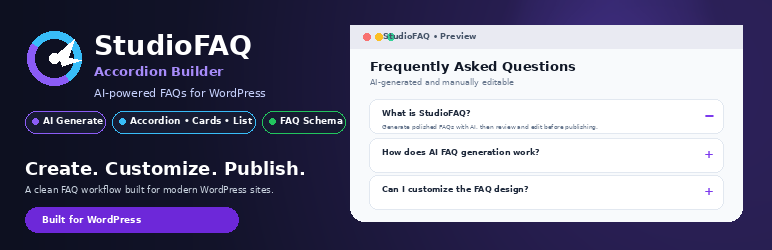
StudioFAQ adds a “StudioFAQ Builder” panel to the Post and Page editor so you can build a clean, accessible FAQ accordion in minutes. Add questions and answers manually, or — if you choose to enter an API key — click one button to have an AI provider read your post content and draft 3–5 relevant FAQ pairs for you to edit, reorder, or delete. Display the result anywhere using the [studiofaq-accordion-builder] shortcode or the native “StudioFAQ” Gutenberg block.
Key features
- Three display styles: Accordion, Minimal Cards, and Clean List.
- Full color controls (header background, hover/active states, text, content background, border, and icon colors) — set globally or overridden per post/page.
- Optional FAQ section title with a selectable heading tag (H2–H6).
- Manual FAQ editing with a drag-and-drop repeater UI — no API key required to use the plugin.
- Optional AI-generated FAQ drafts from your existing post/page content (OpenAI GPT-4o mini, Google Gemini, Kimi AI / Moonshot, or Groq) — entirely opt-in. Generated FAQs are always drafts you review and edit before saving; nothing is auto-published.
- Optional FAQPage JSON-LD (schema.org) markup, off by default — see “Does this add structured data for search engines?” below for exactly what it does and doesn’t do.
- Native Gutenberg block with a live in-editor preview, plus a
[studiofaq-accordion-builder]shortcode for Classic Editor and widgets. - Per-user cooldown and daily request limits to keep optional AI API usage predictable.
- API keys are encrypted (AES-256-GCM) before being stored in the database; the plugin refuses to save a key in plaintext if your server can’t do this.
AI generation is entirely optional. You can build FAQs by hand with no external service and no API key at all. The AI “Generate FAQs” button only becomes active once you enter a key for one of the providers below.
External services
This plugin can optionally connect to one of several third-party AI providers to help you draft FAQ questions and answers from your post content. No data is sent to any of these services unless you (a) enter an API key for that provider under StudioFAQ Settings, and (b) click the “Generate FAQs with AI” button inside a specific post or page.
When you use this feature, the plain-text content of the post or page you are editing (truncated to roughly 8,000 characters) is sent to the provider you selected, along with a fixed instruction prompt asking it to return 3–5 question/answer pairs as JSON. No personal visitor data, comments, or site configuration is transmitted — only the content of the post you are actively editing.
The providers supported are:
- OpenAI (ChatGPT /
gpt-4o-mini) — used only if you enter an OpenAI API key and select OpenAI as the active provider.
Terms of Use | Privacy Policy - Google Gemini — used only if you enter a Gemini API key and select Gemini as the active provider.
Terms of Service | Privacy Policy - Moonshot AI (Kimi) — used only if you enter a Kimi/Moonshot API key and select it as the active provider.
Terms of Service | Privacy Policy - GroqCloud — used only if you enter a Groq API key and select Groq as the active provider.
Terms of Service | Privacy Policy
Only one provider is contacted per “Generate FAQs” click — whichever one is selected as the active model under StudioFAQ Settings. If no API key is entered, no external request is ever made and the plugin functions purely as a manual FAQ accordion builder.
Requirements for AI generation
You will need an API key from at least one of:
Enter your key(s) under StudioFAQ Settings.
Blocks
This plugin provides 1 block.
- StudioFAQ
Installation
- Upload the
studiofaq-accordion-builderfolder to/wp-content/plugins/, or install the zip directly via Plugins Add New Upload Plugin. - Activate the plugin through the “Plugins” screen in WordPress.
- Open any Post or Page, scroll to the “StudioFAQ Builder” meta box, and add FAQs manually — no setup required.
- (Optional) Go to StudioFAQ Settings, enter an API key for OpenAI, Google Gemini, Kimi AI, or Groq, and choose your active AI provider to enable the “Generate FAQs with AI” button.
- Choose your default FAQ display style and colors under StudioFAQ Settings.
- Insert the “StudioFAQ” block, or add
[studiofaq-accordion-builder]to your content, wherever you want the FAQs displayed.
FAQ
-
Do I need an API key to use this plugin?
-
No. You can add and edit FAQs manually at no cost and with no external service involved. An API key is only needed if you want the optional one-click “Generate FAQs with AI” feature.
-
Which AI providers are supported?
-
OpenAI (using the
gpt-4o-minimodel), Google Gemini (using the current generally-available Gemini Flash model), Kimi AI / Moonshot (using thekimi-k3model), and Groq (using thellama-3.3-70b-versatilemodel). You choose which one is active under StudioFAQ Settings. See “External services” above for what is sent and to whom. -
Are my API keys stored securely?
-
Keys are encrypted (AES-256-GCM) before being saved to the WordPress options table and are never echoed back into any admin page. They are only decrypted in memory, right before an outbound API request is made.
-
Can I control how many AI requests are made?
-
Yes. Each user is limited to one generation request every 15 seconds and 30 requests per day, to prevent runaway API costs.
-
Are AI-generated FAQs published automatically?
-
No. AI-generated FAQs are drafts only — they load into the editable repeater in the “StudioFAQ Builder” meta box for you to review, correct, reorder, or delete. Nothing is saved anywhere until you save/update the post yourself, exactly like manually-added FAQs. Always double-check factual, pricing, legal, medical, or product claims in AI-generated text before publishing — the meta box displays this reminder next to the “Generate FAQs” button.
-
Does this add structured data for search engines?
-
Optionally, and it’s off by default. Under StudioFAQ Settings you can turn on “FAQ Schema (JSON-LD)”, which adds standard schema.org
FAQPagemarkup describing your FAQ content in machine-readable form. This is not a promise of any particular Google search result — search engines decide independently whether and how to use structured data, and Google’s own FAQ rich-result eligibility has narrowed considerably in recent years. Think of it as optional semantic markup, not an SEO guarantee. If a page has more than one FAQ block/shortcode, StudioFAQ combines them into a single schema block rather than printing duplicates. If you already use an SEO plugin that adds its own FAQ schema, leave this setting off to avoid conflicting markup on the same page — astudiofaq_accordion_builder_enable_schemafilter is also available for developers who want to control this programmatically. -
Can I customize the colors and title?
-
Yes. Header, content, border, and icon colors can be set globally under StudioFAQ Settings, and overridden per post/page from the “StudioFAQ Builder” meta box. You can also add an optional section title with your choice of H2–H6 heading tag.
-
What happens to my data if I delete the plugin?
-
By default, nothing is deleted — your settings and saved FAQs remain in the database in case you reinstall later. If you want everything removed, check “Permanently delete all StudioFAQ settings and saved FAQ data” under StudioFAQ Settings before deleting the plugin.
-
How do I get support?
-
Please use this plugin’s support forum here on WordPress.org first — it’s the fastest way to get help and keeps solutions searchable for other users. For anything you’d rather send privately, you can also reach the developer at hello@wpmanagestudio.com.
Reviews
There are no reviews for this plugin.
Contributors & Developers
“StudioFAQ Accordion Builder” is open source software. The following people have contributed to this plugin.
Contributors
Translate “StudioFAQ Accordion Builder” into your language.
Interested in development?
Browse the code, check out the SVN repository, or subscribe to the development log by RSS.
Changelog
1.0.0
- Initial release as StudioFAQ Accordion Builder: manual FAQ repeater (no API key required), optional AI-assisted FAQ generation (OpenAI, Google Gemini, Kimi AI/Moonshot, or Groq), three display styles (Accordion, Minimal Cards, Clean List), full color controls with per-post overrides, optional section title with selectable H2–H6 heading tag, shortcode and Gutenberg block, optional FAQPage JSON-LD schema (off by default, combined into a single block per page), AES-256-GCM encrypted API key storage (keys are never saved unencrypted), and per-user AI request rate limiting.