

Description
GenTech Discount Rules transforms your WooCommerce store into a powerful promotional machine with advanced BOGO (Buy One Get One) offers, smart cart discounts, and intelligent checkout rules. Perfect for stores looking to increase average order value and conversion rates.
Documentation
📖 Read the full documentation here: step-by-step setup, every condition and reward, starter templates, developer hooks and troubleshooting.
Key Features
- BOGO Offers: Create Buy One Get One promotions with flexible conditions
- Cart Discounts: Apply fixed amount or percentage discounts to cart totals
- Bulk / Tiered Pricing: “Buy 5+, save 10% each; buy 10+, save 15%” for a product or category
- Coupon-Code Offers: Unlock a free gift or discount with a code, with no WooCommerce coupon to create
- Smart Conditions: Set up rules based on products, product categories, cart subtotal, cart quantity, or a coupon code
- Priority System: Control which promotions apply first
- Limit Controls: Prevent abuse with usage limits and restrictions
Features
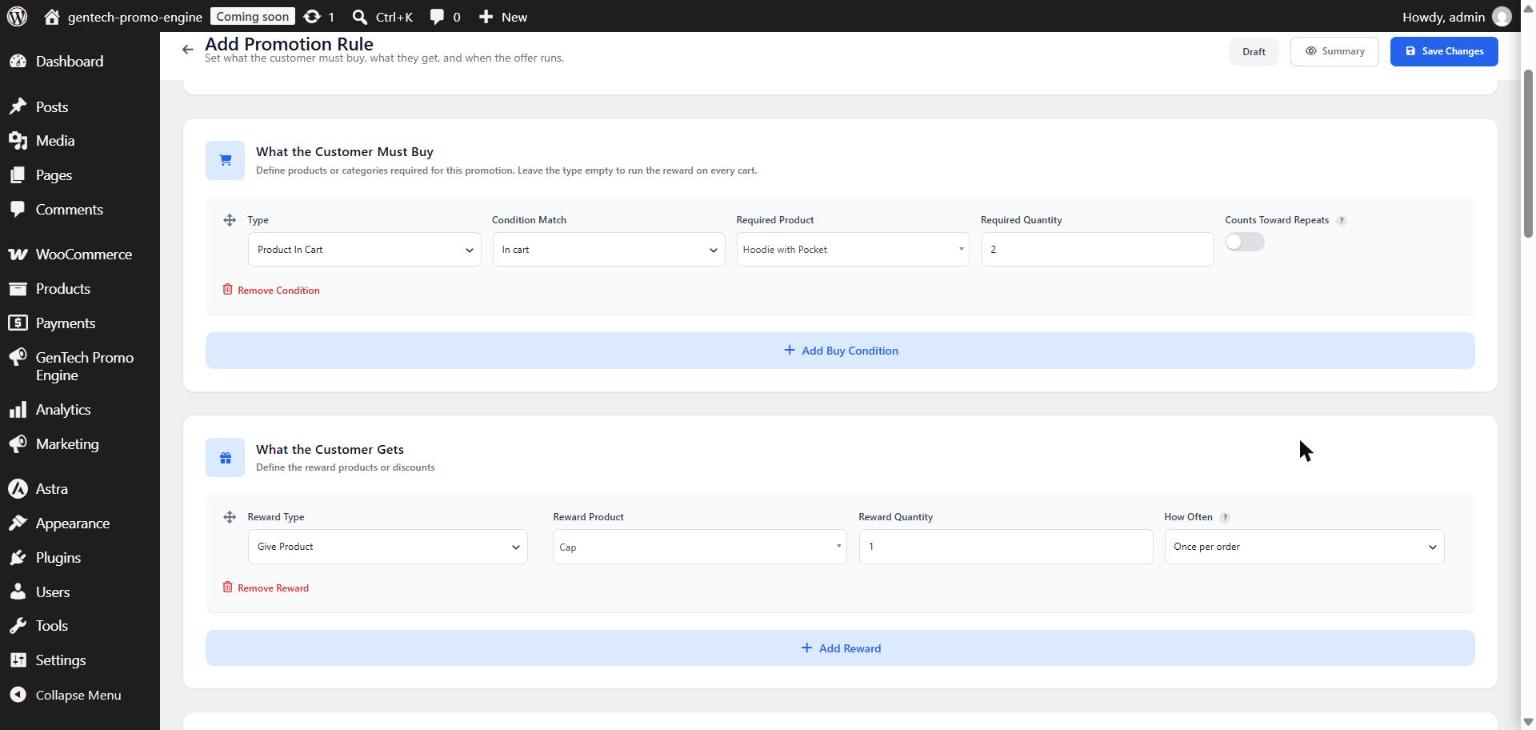
- BOGO promotions (Buy X Get X / Buy X Get Y) based on a specific product or category in the cart
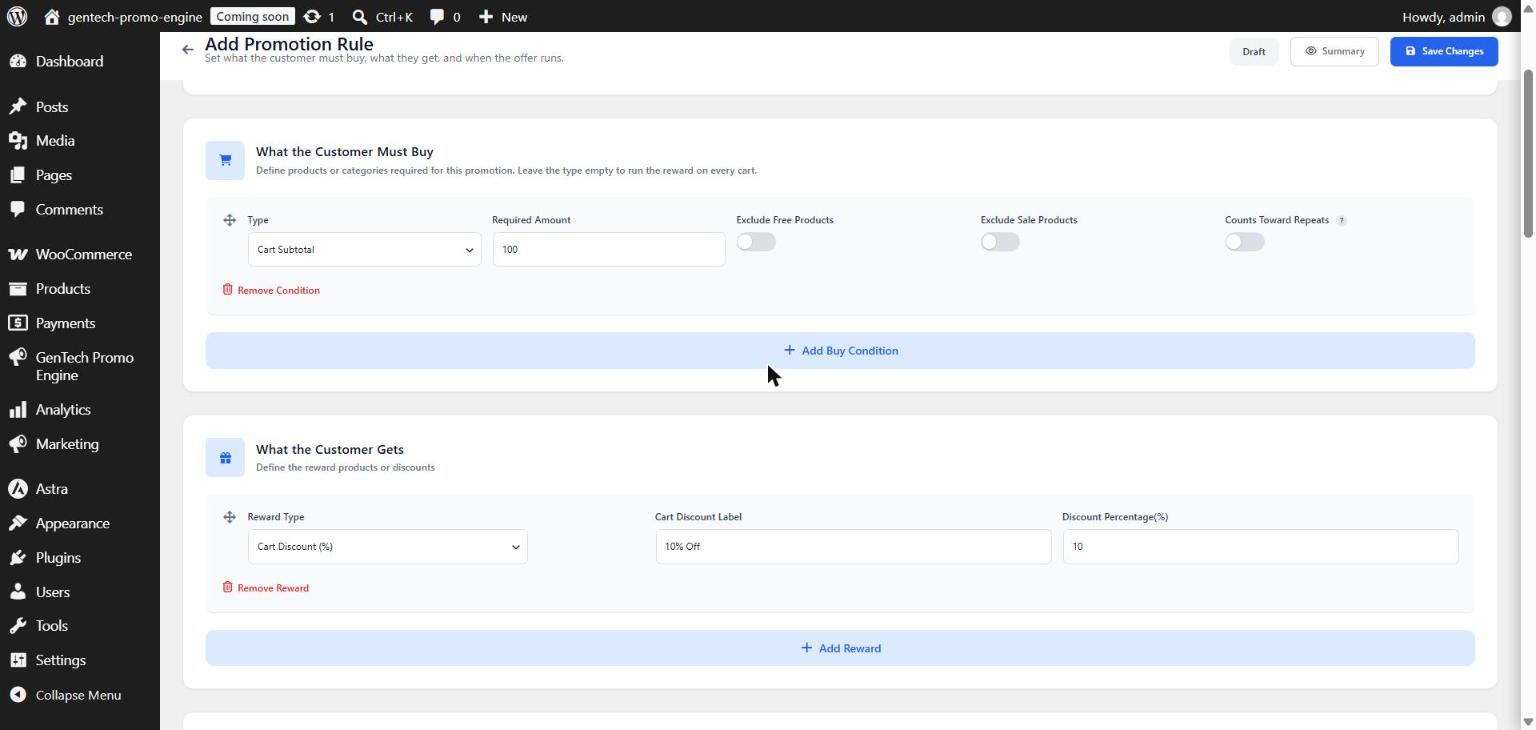
- Cart discounts (fixed amount and percentage)
- Bulk pricing for a product or category: % or fixed amount off each item, with multiple quantity tiers (highest tier reached wins)
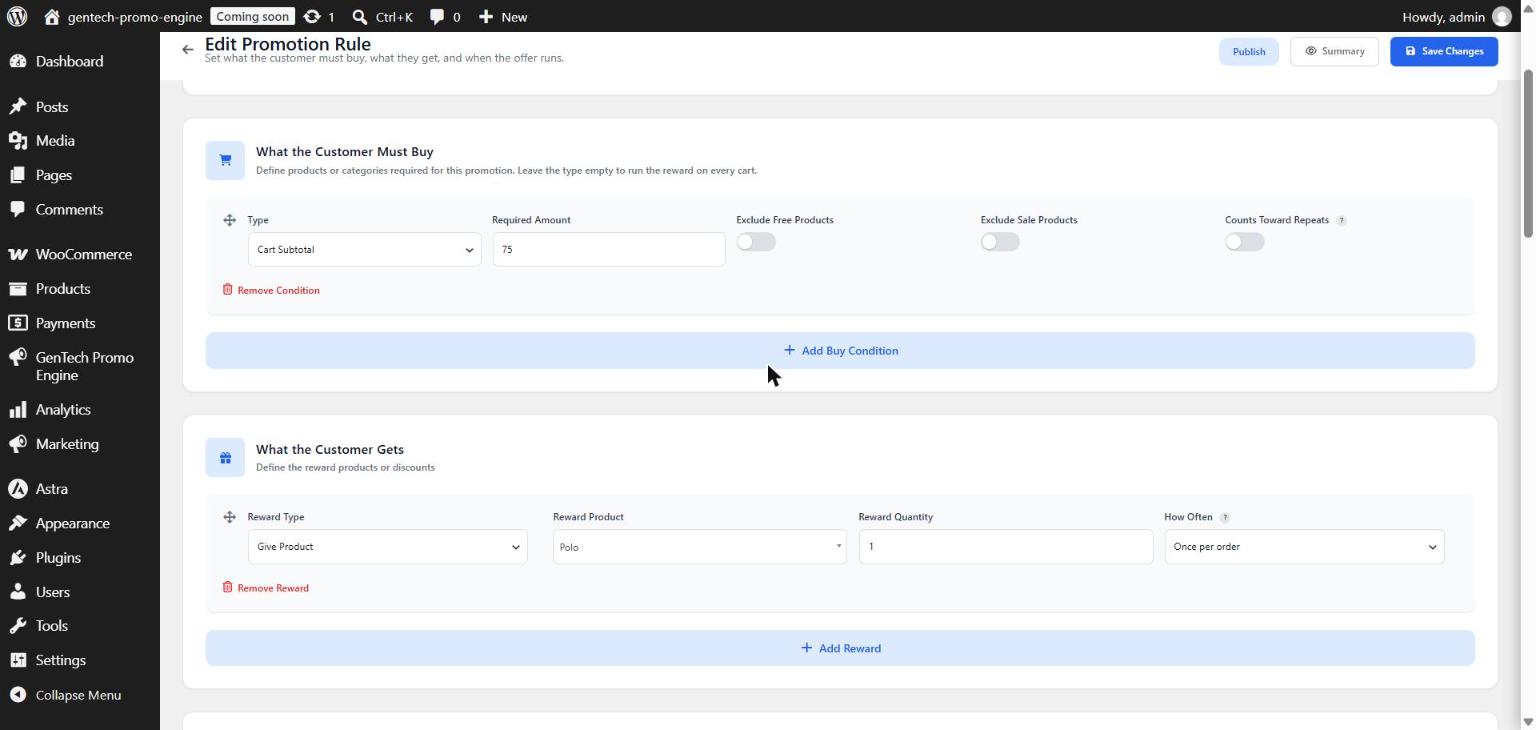
- Conditions: specific product in cart, product category in cart, cart subtotal threshold, total cart quantity, coupon code applied
- Coupon-code rules register their code automatically, so customers can enter it in the cart without you creating a WooCommerce coupon
- Usage limits per rule
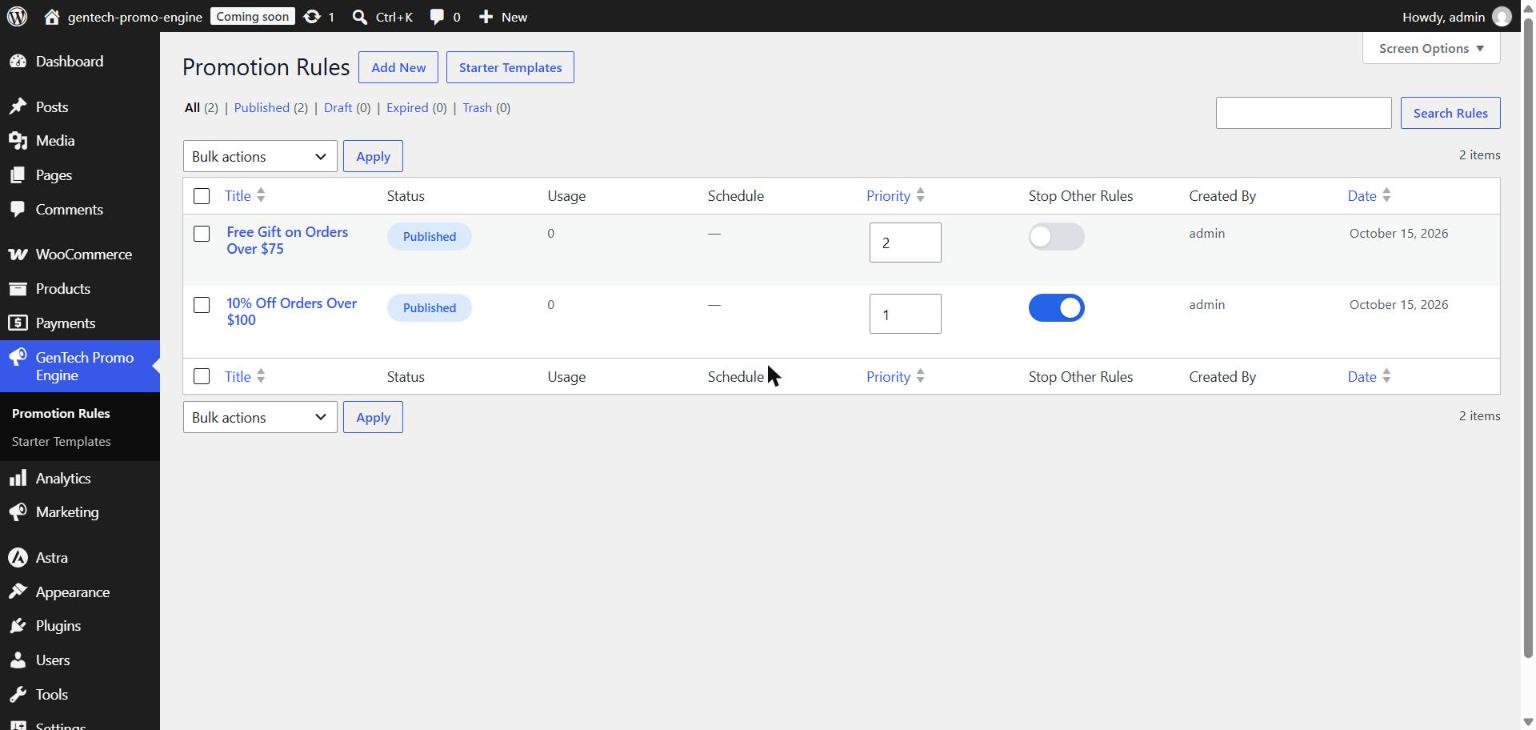
- Priority management and “stop other rules” to prevent discount stacking
- One-click starter templates (Buy 2 Get 1, Buy A Get B, spend-and-save, free gift, buy more save more, coupon-code gift)
- Rule scheduling (start/end dates)
- Smart promotion messages with live placeholders (“Spend {remaining_amount} more to get {free_product} free!”) before and after the customer qualifies
- Require login / exclude sale items from BOGO
Perfect For
- E-commerce stores looking to increase sales
- Businesses running promotional campaigns
- Stores running quantity-based or code-based offers
Live Demo
Try every rule type on a real WooCommerce store, no install needed: Open the live demo (the demo also includes the Pro add-on features).
Pro Add-on
Everything listed above is free and has no limits. For stores that need more, GenTech Discount Rules Pro is a separate, paid add-on that runs on top of this plugin:
- Variation conditions: trigger a rule when a specific product variation (size, colour…) is in the cart
- Any-product condition: trigger a rule on any product in the cart
- More free-gift rewards: give a specific variation, give products from a category, or make the cheapest item free
- Customer restrictions: limit a rule to certain user roles, a customer’s first orders, or specific days of the week
- Reports: see how often each promotion is used, the revenue from those orders and the discount given
The free plugin keeps working on its own; Pro is optional and requires this plugin (version 1.1.0 or later). See Pro features and pricing
Screenshots
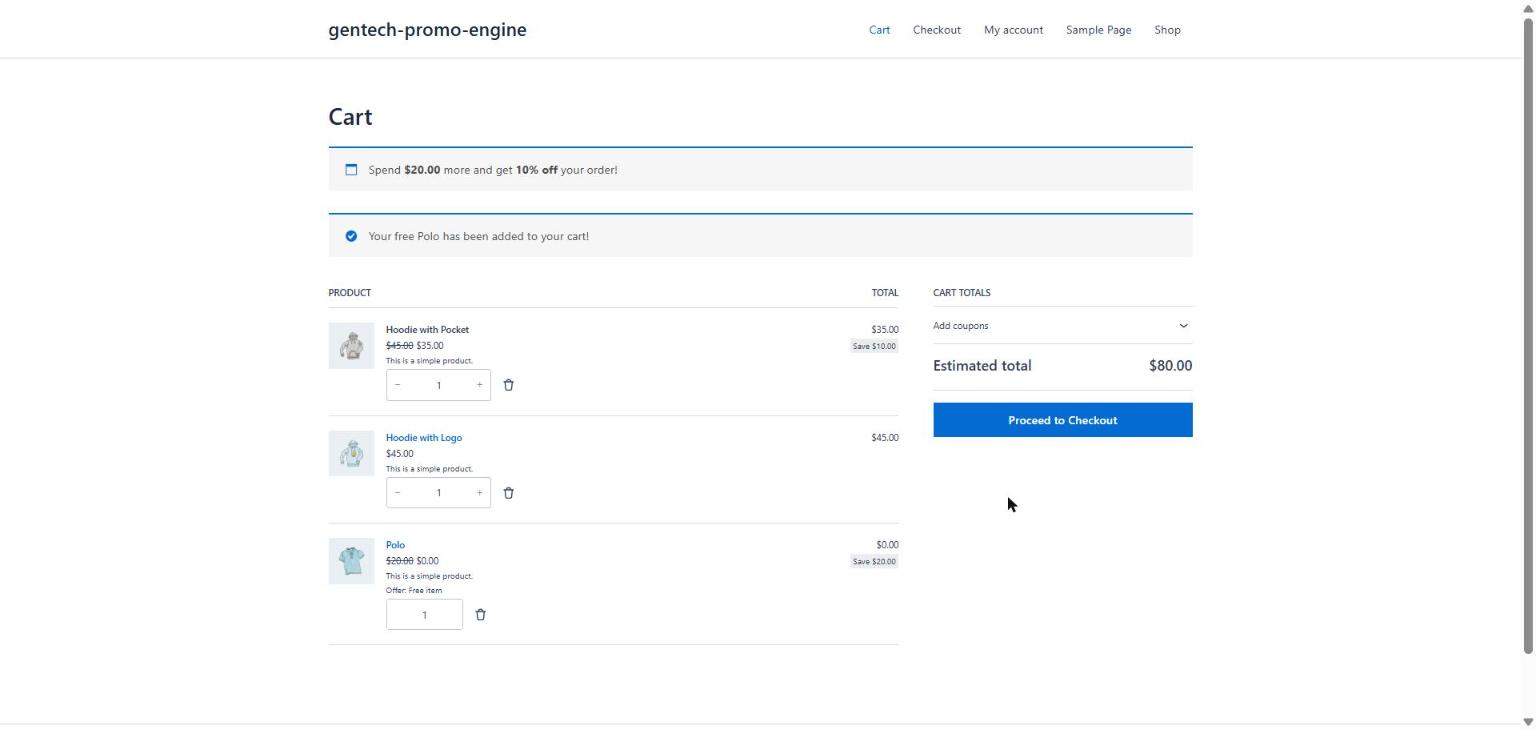
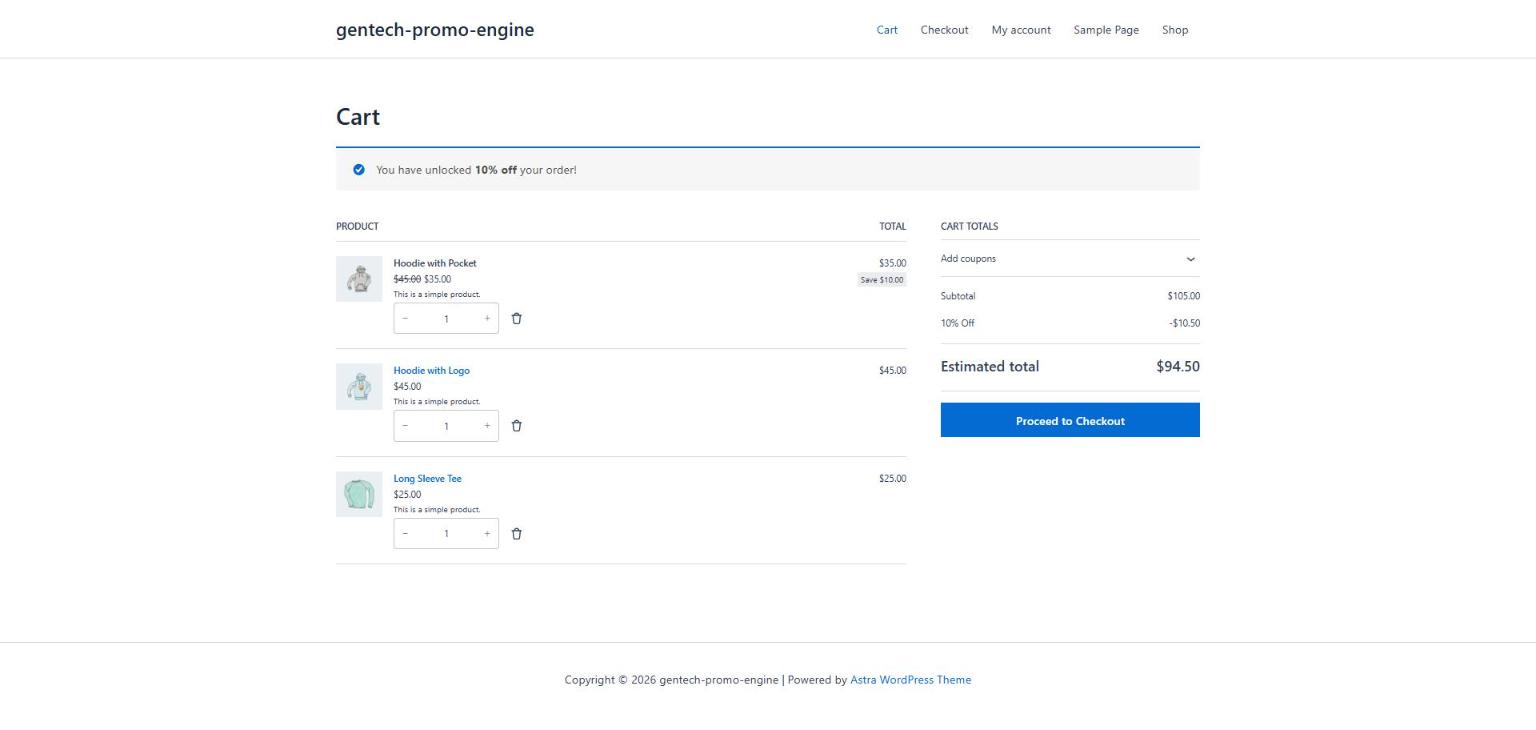
Installation
- Upload the
gentech-promo-enginefolder to the/wp-content/plugins/directory - Activate the plugin through the ‘Plugins’ menu in WordPress
- Navigate to GenTech Discount Rules Promotion Rules to create your first promotion
- Configure your promotions using the intuitive interface
FAQ
-
Does this work with any WooCommerce theme?
-
Yes, GenTech Discount Rules is designed to work with any WooCommerce-compatible theme. It uses standard WooCommerce hooks and functions.
-
Can I use multiple promotions at once?
-
Yes, GenTech Discount Rules includes a priority system that allows you to control which promotions apply first when multiple conditions are met.
-
Is there a limit to how many promotions I can create?
-
No, you can create unlimited promotions using all of the condition types and actions listed above.
-
Does this affect site performance?
-
GenTech Discount Rules caches active rules and only does work while the cart is being calculated, so the impact on page speed is minimal.
-
Do I need to create a WooCommerce coupon for coupon-code offers?
-
No. When a rule uses the “Coupon Code Applied” condition, the plugin registers that code for you. If a real WooCommerce coupon with the same code exists, the real coupon is used instead.
-
How do bulk pricing tiers work?
-
Add one “Bulk Discount” reward row per tier for the same product or category, for example 5+ = 10% and 10+ = 15%. Quantities are counted across all matching items in the cart, and the highest tier reached applies to each of them.
-
Can I use this with other coupon plugins?
-
Yes, GenTech Discount Rules is compatible with most other WooCommerce and coupon plugins. However, we recommend testing to ensure compatibility with your specific setup.
Reviews
There are no reviews for this plugin.
Contributors & Developers
“GenTech Discount Rules – BOGO & Free Gifts” is open source software. The following people have contributed to this plugin.
Contributors
Translate “GenTech Discount Rules – BOGO & Free Gifts” into your language.
Interested in development?
Browse the code, check out the SVN repository, or subscribe to the development log by RSS.
Changelog
1.1.0
- Developer: new action and filter hooks so add-ons can register their own conditions, rewards, rule restrictions, editor fields and summary lines.
1.0.1
- Plugin renamed from “GenTech Promo Engine” to “GenTech Discount Rules – BOGO & Free Gifts”. No settings or rules change.
- Added cart page screenshots and a link to the full documentation.
1.0.0
- Initial release of GenTech Discount Rules
- BOGO promotion engine
- Cart discount functionality
- Rule scheduling
- Promotion messages with live placeholders (before and after qualifying)
- Starter templates, rule stacking control, product category condition
- Bulk / tiered pricing for products and categories
- Total cart quantity and coupon-code conditions