

Description
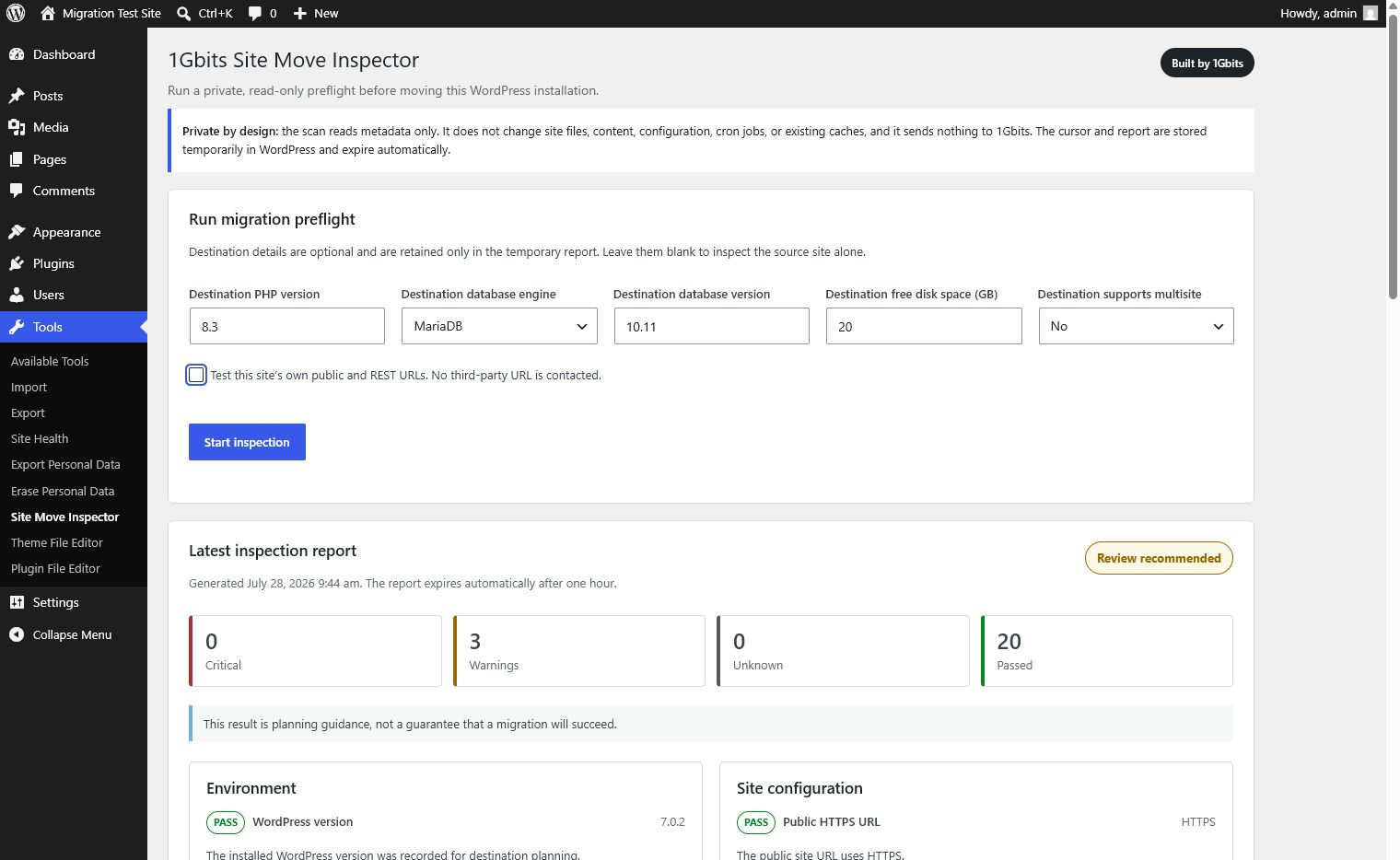
1Gbits Site Move Inspector helps administrators identify hosting migration risks before moving a WordPress installation.
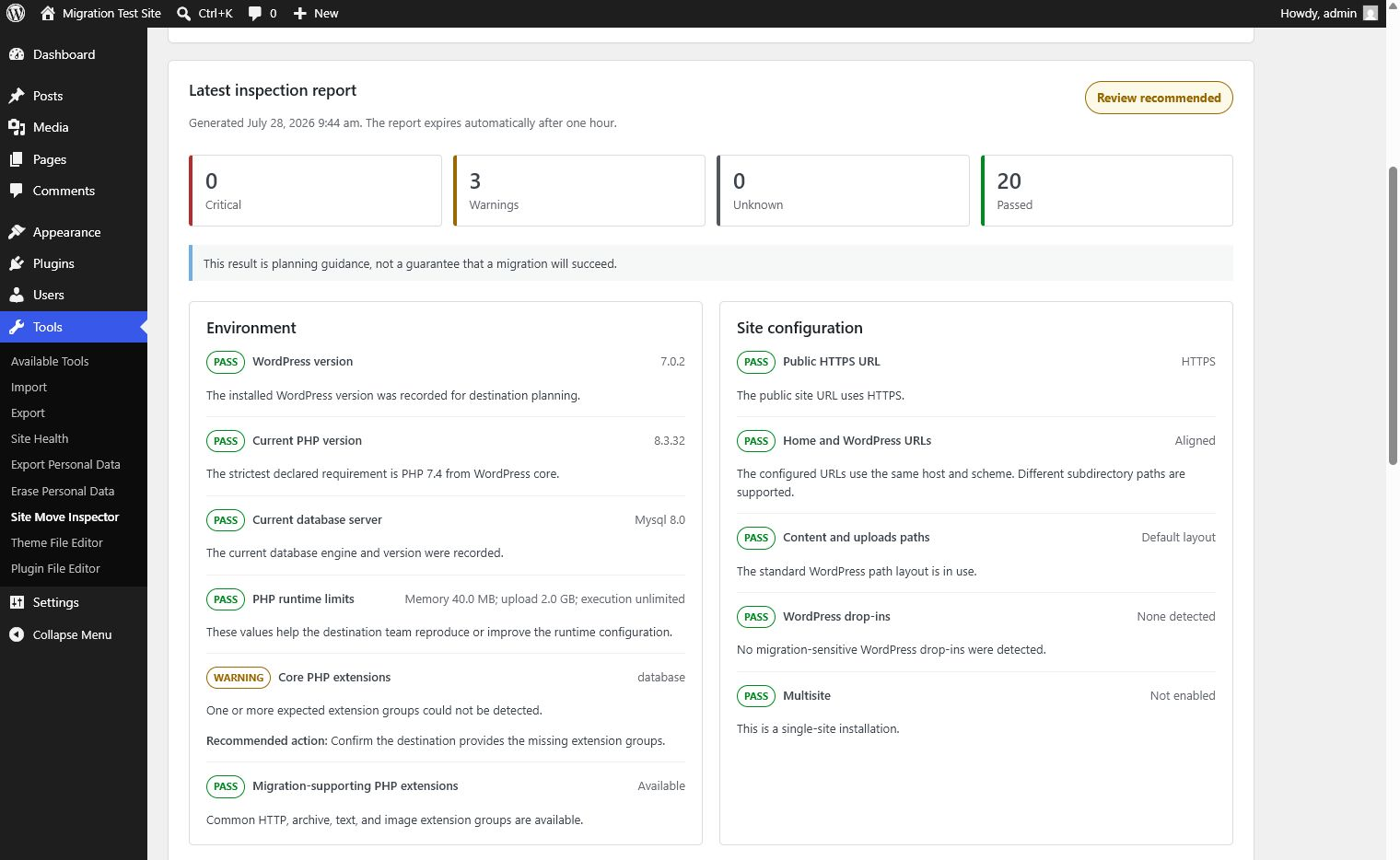
The plugin performs a manual, metadata-only inspection and reports:
- WordPress, PHP, database, and web server details.
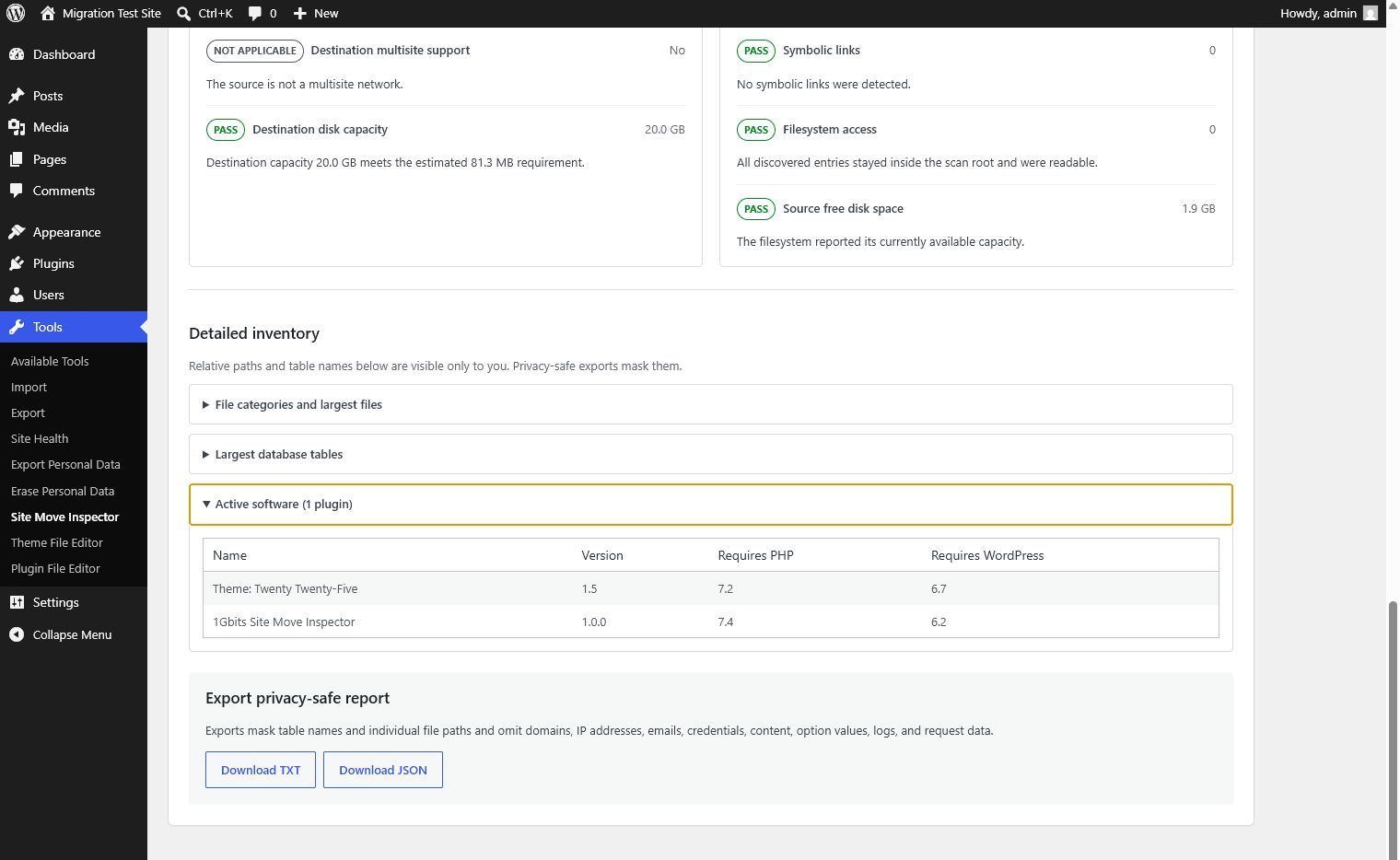
- Declared PHP requirements for active plugins, must-use plugins, active themes, and parent themes.
- PHP extensions and runtime limits commonly needed during migration.
- HTTPS, URL alignment, multisite, cron, drop-in, and path-layout considerations.
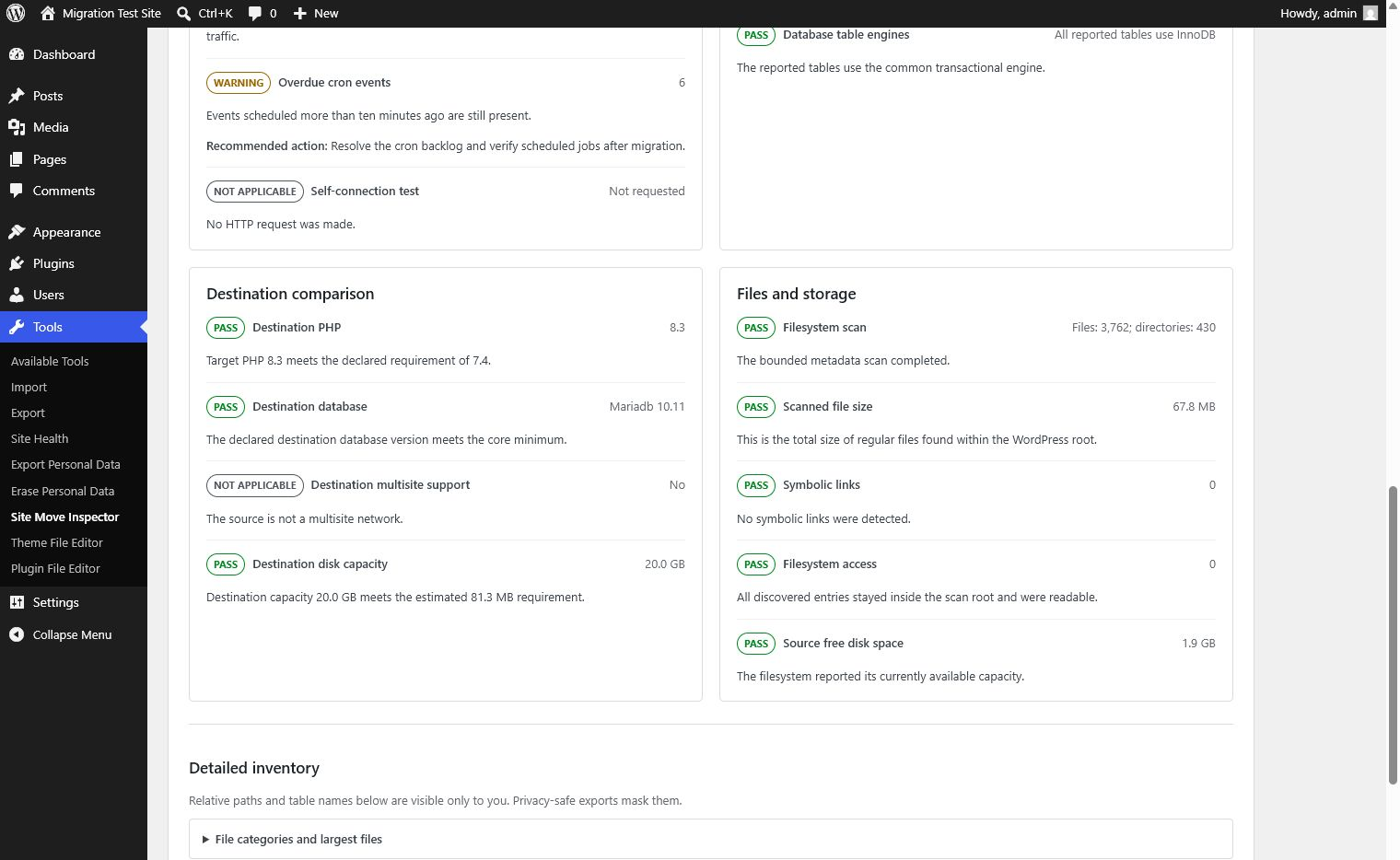
- Database size, table count, and table-engine metadata when the database server provides it.
- Bounded file counts and sizes without reading file contents or following symbolic links.
- Optional comparisons with a destination PHP version, database version, disk capacity, and multisite support.
- Privacy-safe TXT and JSON exports for sharing with a hosting team.
Results are planning guidance, not a guarantee that a migration will succeed.
Privacy and data handling
The plugin has no telemetry, advertising, account requirement, 1Gbits API request, or third-party data transfer.
An inspection does not modify site files, posts, media, configuration, cron events, or existing caches. It stores only plugin-owned operational state:
- An active scan cursor in a WordPress transient for up to 30 minutes.
- The active job reference in the administrator’s user metadata.
- A completed report in a WordPress transient for up to 60 minutes.
- The latest report reference in the administrator’s user metadata.
Canceling or uninstalling removes the applicable temporary references. Export files are generated on demand and are not saved on the server by this plugin.
The optional self-connection test requests only this site’s own public home URL and WordPress REST URL. It does not follow redirects and never contacts a submitted or third-party URL.
Exports are rebuilt from an allowlist. They mask individual file paths and table names and remove domains, URLs, email addresses, IP addresses, credentials, content, option values, cookies, request headers, logs, and stack traces.
Screenshots
Installation
- Install the ZIP through Plugins > Add Plugin, or place the extracted plugin folder in the plugins directory configured by WordPress.
- Activate 1Gbits Site Move Inspector.
- Open Tools > Site Move Inspector. On multisite, use Network Admin > Settings > Site Move Inspector.
- Optionally enter destination details, then select Start inspection.
- Review the checks and download a redacted TXT or JSON report if needed.
FAQ
-
Does the plugin move or back up my site?
-
No. It is a preflight inspector. It does not create backups, copy files, change DNS, or perform a migration.
-
Does it read file contents?
-
No. The filesystem scan reads metadata such as file type and size. Symbolic links are recorded but never followed.
-
Is any information sent to 1Gbits?
-
No. Version 1.0.1 has no 1Gbits API integration or telemetry.
-
Why is my report marked incomplete?
-
The scan becomes incomplete when a safety limit is reached, a path is unavailable or outside the WordPress root, a symbolic link is skipped, a directory changes during the scan, or required metadata cannot be read. An incomplete report never receives a green overall result.
-
How large a site can it inspect?
-
The bounded file scan stops after 100,000 filesystem entries or 60 seconds of cumulative scan time. Large networks inspect active software for up to 250 sites. These safeguards keep the manual request responsive; server-level tools are recommended for exact totals on larger installations.
-
Who can run an inspection?
-
On a single site, an authenticated administrator with
manage_optionscan run it. On multisite, only a super administrator with network-management permission can run the network inspection.
Reviews
There are no reviews for this plugin.
Contributors & Developers
“1Gbits Site Move Inspector” is open source software. The following people have contributed to this plugin.
Contributors
Translate “1Gbits Site Move Inspector” into your language.
Interested in development?
Browse the code, check out the SVN repository, or subscribe to the development log by RSS.
Changelog
1.0.1
- Updated filesystem discovery to use WordPress directory APIs and the main plugin file.
- Updated drop-in discovery to use the WordPress plugin inventory API.
- Added support and regression coverage for relocated uploads, registered theme roots, and subdirectory installs.
1.0.0
- Initial release.
- Added private, resumable migration-readiness inspections.
- Added optional destination comparisons and same-site connection checks.
- Added privacy-safe TXT and JSON exports.