

Description
Publish once, share everywhere.
Zware Automatic Social Posts and Login (ZASP) is a plugin that does two things:
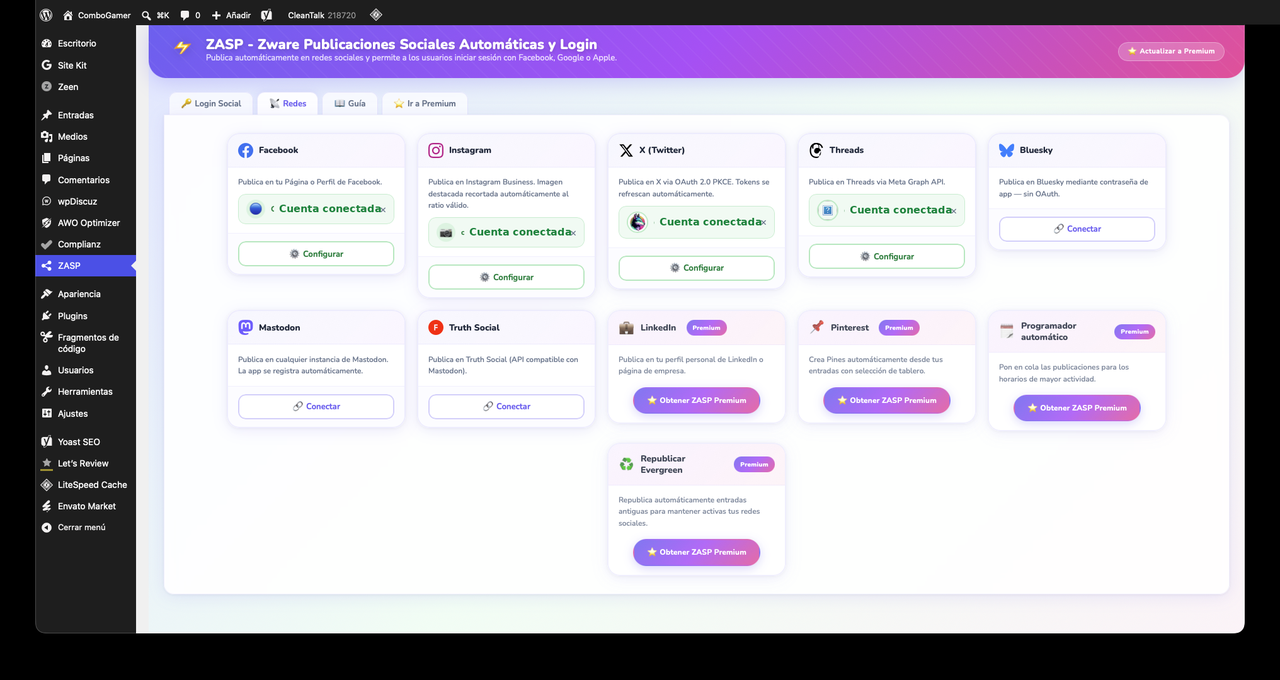
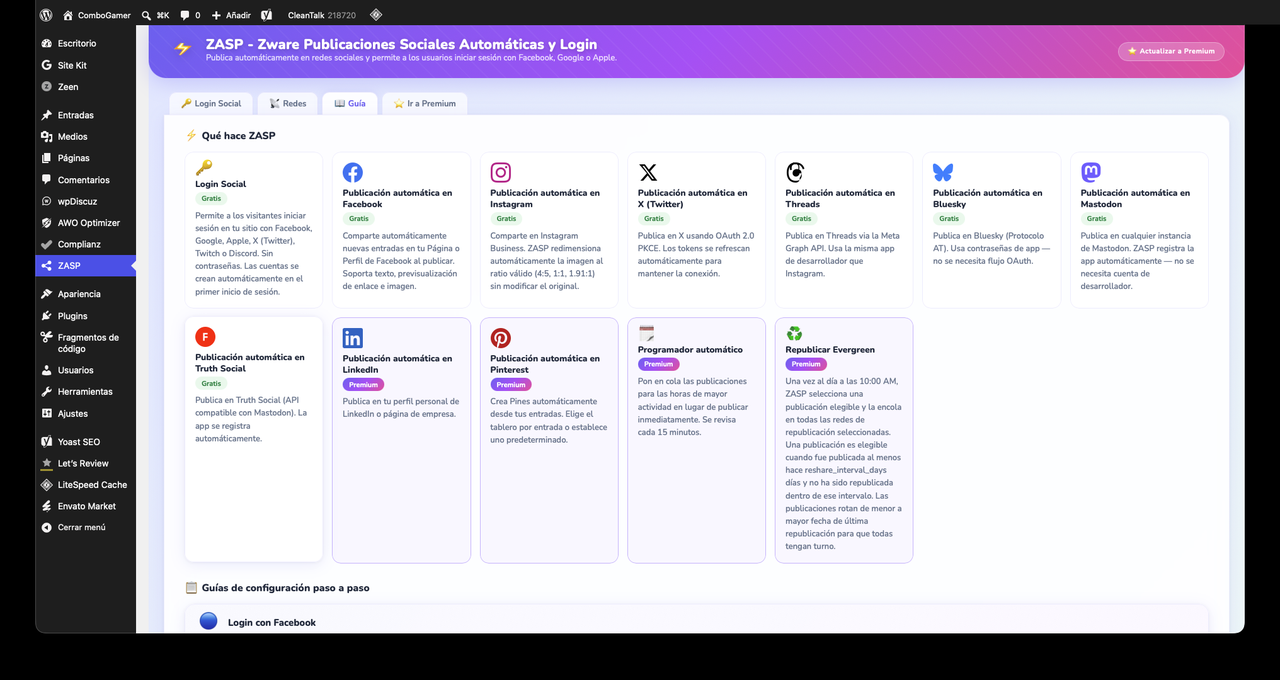
- Auto-posts to social networks the moment you hit Publish — Facebook, Instagram, X (Twitter), Threads, Bluesky, Mastodon, and Truth Social are included in the free version.
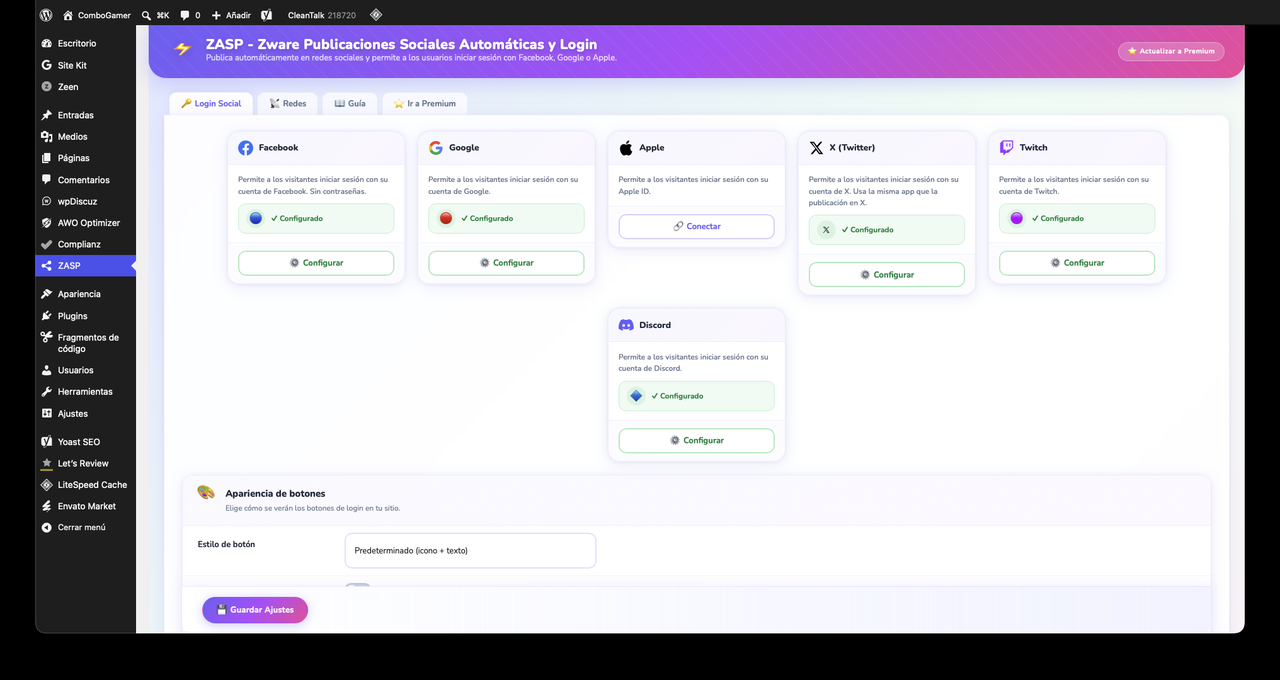
- Adds social login buttons to your WordPress login and register pages so users can sign in with Facebook, Google, Apple, X, Twitch, or Discord in one click.
📢 Social Auto-Posting
Connect your accounts once and ZASP handles publishing automatically:
- Facebook Pages — posts with image and link preview via the Meta Graph API.
- Instagram Business/Creator — image posts with automatic aspect-ratio adjustment (4:5, 1:1, 1.91:1). Your original image is never modified — ZASP creates a temporary copy, uploads it, and deletes it immediately.
- X / Twitter — tweets up to 280 characters with optional image, using OAuth 2.0 PKCE with automatic token refresh.
- Threads — posts via the Meta Threads Graph API.
- Bluesky — posts via the AT Protocol using app passwords.
- Mastodon — posts to any Mastodon instance with automatic app registration.
- Truth Social — posts via the Mastodon-compatible Truth Social API.
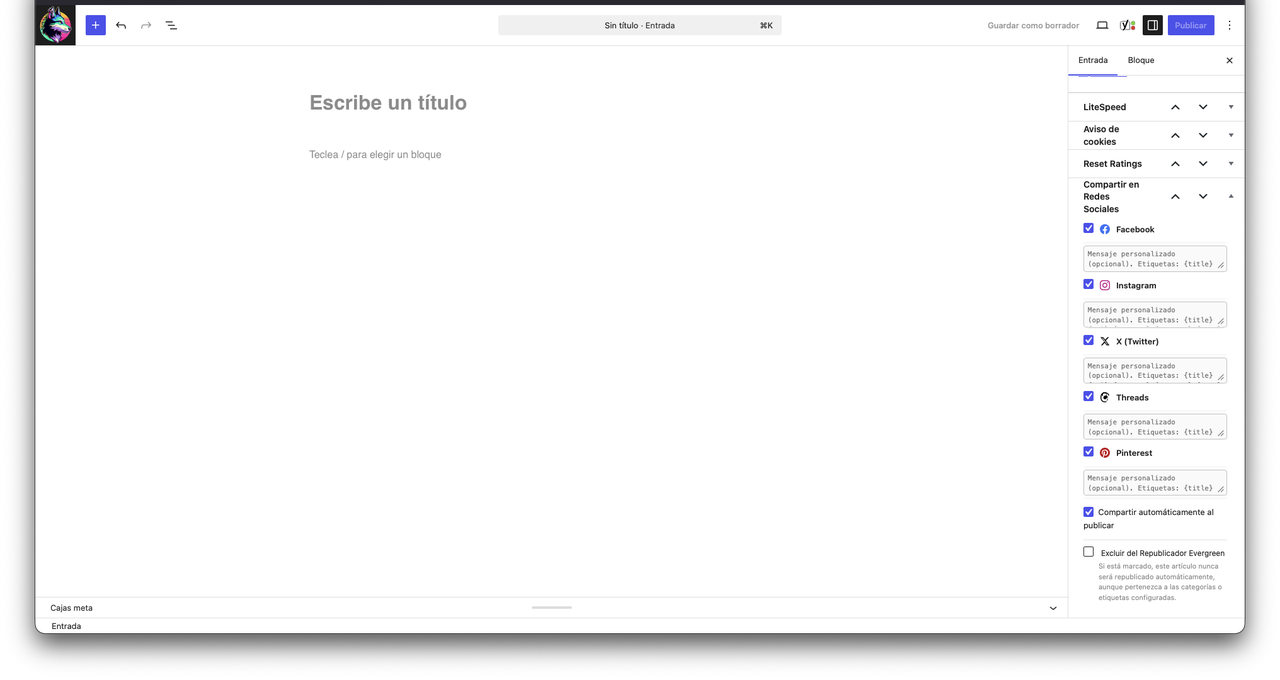
Per-post share controls — the post editor includes a ZASP panel where you can share to each connected network individually and see the last share status per network.
Stable token storage — access tokens are stored encrypted in a dedicated database table using libsodium when available. A weekly health check verifies Facebook/Instagram token validity. X tokens auto-refresh before expiry.
🔑 Social Login
Let your visitors skip the registration form:
- Facebook — one-click login/register via Facebook OAuth 2.0.
- Google — sign in with Google (OpenID Connect).
- Apple — Sign in with Apple, including first-name/last-name capture on first login.
- X (Twitter) — login via X OAuth 2.0 PKCE.
- Twitch — login via Twitch OAuth 2.0.
- Discord — login via Discord OAuth 2.0.
Three button styles: default (icon + text), rounded, and icon-only.
OAuth callbacks use WordPress REST API endpoints (/wp-json/zasp/v1/login/{network}/callback) for compatibility with caching plugins.
User creation: Social login creates WordPress user accounts using standard WordPress functions (wp_create_user, wp_set_auth_cookie). New accounts are assigned the role configured in Settings Login Social (default: Subscriber). Apple identity tokens are verified against Apple’s public keys before any account is created or accessed. It is strongly recommended to set the default role to Subscriber and to restrict registration via the site’s General Settings if you do not wish to allow open registration.
⭐ ZASP Premium
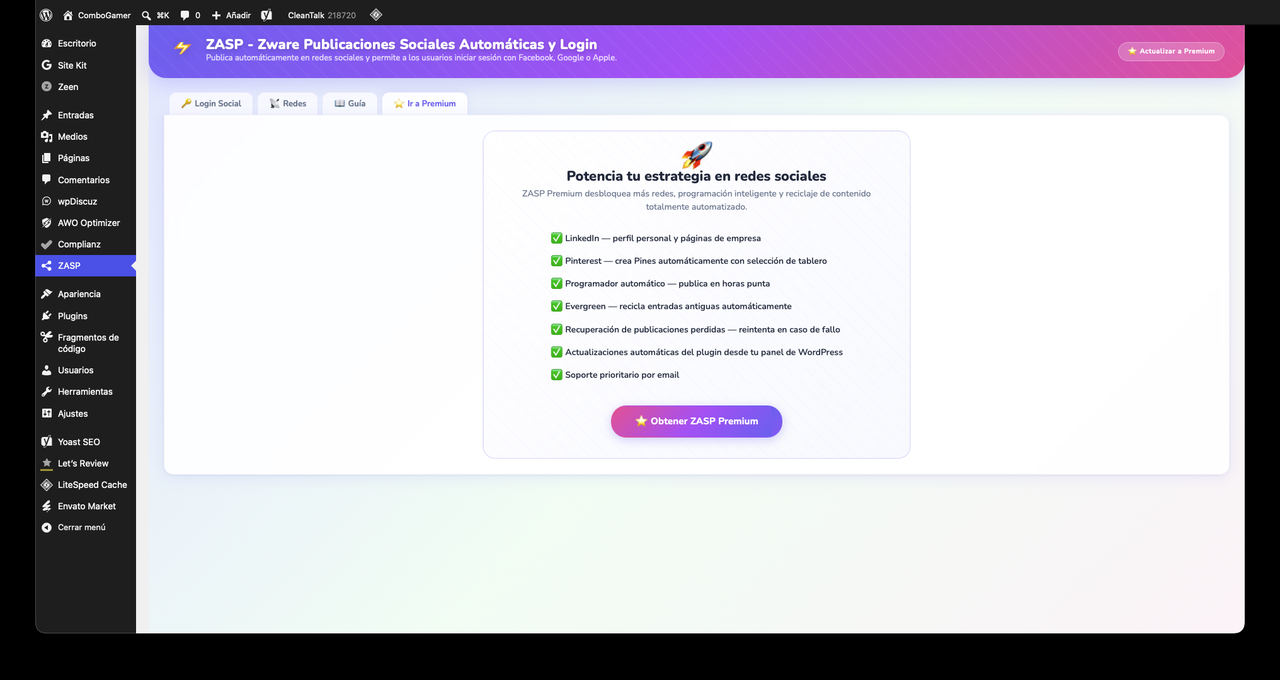
Expand to more platforms with the ZASP Premium add-on (available at zwareonline.com):
- LinkedIn — post to personal profiles and company pages.
- Pinterest — create Pins on any board.
- Auto-Scheduler — queue posts to go out at configured times instead of publishing immediately, checked every 15 minutes.
- Reshare Evergreen — automatically reshare older posts on a daily schedule, with configurable time, day-of-week filters, category/tag filters, and per-post exclusion.
- Missed-schedule recovery — if WordPress misses a scheduled share, ZASP Premium catches and retries it.
- Priority email support.
External Services
This plugin connects to the following external services. Data is only sent when you or your users explicitly trigger the relevant action (connecting an account, publishing a post, or logging in).
Meta / Facebook Graph API (https://graph.facebook.com, https://graph.threads.net)
Used to publish posts to Facebook Pages, Instagram Business/Creator accounts, and Threads. Called when: (a) you connect a Facebook, Instagram, or Threads account; (b) a post is published and auto-posting is enabled; (c) you share manually from the post editor.
Data sent: your Facebook Page access token, post title, post content/excerpt, post URL, and featured image (if any).
Meta Terms of Service · Meta Privacy Policy
X / Twitter API (https://api.twitter.com, https://twitter.com/i/oauth2)
Used to post tweets and to authenticate your X account via OAuth 2.0 PKCE. Called when: (a) you connect your X account; (b) a post is published and auto-posting is enabled; (c) you share manually; (d) a user logs in with X.
Data sent: your X OAuth credentials, post content, and (optionally) the featured image.
X Terms of Service · X Privacy Policy
Bluesky / AT Protocol (https://bsky.social)
Used to post to Bluesky using app passwords. Called when a post is published and auto-posting is enabled, or when you share manually from the post editor.
Data sent: your Bluesky handle, app password (used to obtain a session token), post content, and (optionally) the featured image.
Bluesky Terms of Service · Bluesky Privacy Policy
Mastodon (user-configured instance)
Used to post to the Mastodon instance you configure. Called when a post is published and auto-posting is enabled, or when you share manually. The specific API domain depends on your configured instance (e.g., https://mastodon.social).
Data sent: your Mastodon instance URL, OAuth credentials, post content, and (optionally) the featured image.
Mastodon Privacy Policy (varies by instance)
Truth Social (https://truthsocial.com)
Used to post to Truth Social via its Mastodon-compatible API. Called when a post is published and auto-posting is enabled, or when you share manually.
Data sent: your Truth Social OAuth credentials, post content.
Truth Social Terms · Truth Social Privacy Policy
Google OAuth2 (https://accounts.google.com)
Used to sign users into your WordPress site via Google (OpenID Connect). Called only during a user login/registration flow initiated by the user.
Data sent: your Google OAuth2 Client ID and Client Secret. Google returns the user’s name, email, and profile picture URL, which are stored in your WordPress database.
Google Terms of Service · Google Privacy Policy
Apple ID (https://appleid.apple.com)
Used to sign users into your site via Sign in with Apple. Called only during a user login/registration flow.
Data sent: your Apple Services ID and team credentials. Apple returns a signed identity token containing the user’s name and email, which are stored in your WordPress database.
Apple Terms of Service · Apple Privacy Policy
Twitch API (https://api.twitch.tv, https://id.twitch.tv)
Used to sign users into your site via Twitch OAuth 2.0. Called only during a user login/registration flow.
Data sent: your Twitch Client ID and Client Secret. Twitch returns the user’s display name and email, which are stored in your WordPress database.
Twitch Terms of Service · Twitch Privacy Policy
Discord API (https://discord.com/api)
Used to sign users into your site via Discord OAuth 2.0. Called only during a user login/registration flow.
Data sent: your Discord Client ID and Client Secret. Discord returns the user’s username and email, which are stored in your WordPress database.
Discord Terms of Service · Discord Privacy Policy
No data is ever sent to Zware Online servers by this plugin.
Privacy
ZASP stores access tokens and user data (names, emails, social network UIDs) in your own WordPress database. No data is transmitted to Zware Online or any third party beyond the social network services listed above and as described in each service’s entry.
Support
For support, visit zwareonline.com or email support@zwareonline.com.
Screenshots
Installation
- Upload the plugin folder to
/wp-content/plugins/, or install via Plugins Add New. - Activate the plugin.
- Go to Social & Login in the WordPress admin menu.
- Configure the credentials for each social network or login provider you want to use.
- Connect your accounts using the Connect buttons in each network tab.
- Done — ZASP will share new posts automatically and show social login buttons on your login page.
FAQ
-
Does this work with caching plugins?
-
Yes. OAuth callbacks use WordPress REST API endpoints (
/wp-json/zasp/v1/…) which are excluded from page caches in most caching plugins. Session cookies are set server-side after login, so caching does not interfere with authentication. -
Why does Instagram require a Business or Creator account?
-
Meta’s Graph API only allows automated publishing to Instagram Business or Creator accounts. Personal accounts cannot be used for automated posting. You can convert a personal account to a Creator account at no cost in Instagram’s settings.
-
My Facebook token keeps getting revoked. What do I do?
-
ZASP uses long-lived Page access tokens. Common causes of revocation: changing your Facebook password, removing the app from your Facebook account security settings, or Meta revoking it due to a policy violation. ZASP will notify you when a token becomes invalid and you can reconnect in one click from the Settings page.
-
Can I post to multiple Facebook pages?
-
Yes. All Pages accessible from your Facebook account are stored when you connect. You can switch the active page from Settings Facebook.
-
Does ZASP modify my images?
-
No. When Instagram requires an aspect-ratio adjustment, ZASP creates a temporary copy of the image, uploads it to Instagram, and then immediately deletes the temporary file. Your original featured image is never modified.
-
In your WordPress user database, the same as any user registered through any other method. Social login matches existing accounts by email address first, then by network UID. If a matching email already exists the user is logged in — no duplicate account is created.
-
Yes. Go to Settings Login Social Default Role and choose the role assigned to new accounts created through social login. It is recommended to use Subscriber (the default) unless your site has a specific need for higher-privileged self-registration.
Reviews
There are no reviews for this plugin.
Contributors & Developers
“Zware Automatic Social Posts and Login” is open source software. The following people have contributed to this plugin.
Contributors
Translate “Zware Automatic Social Posts and Login” into your language.
Interested in development?
Browse the code, check out the SVN repository, or subscribe to the development log by RSS.
Changelog
1.0.0
- Initial release.
- Free: Social Login with Facebook, Google, Apple, X, Twitch, Discord.
- Free: Auto-post to Facebook, Instagram (with smart crop), X, Threads, Bluesky, Mastodon, Truth Social.
- Free: Per-post instant share and per-network share controls from the post editor.
- Encrypted token storage with libsodium.
- Weekly Facebook/Instagram token health check.
- X OAuth 2.0 PKCE with automatic token refresh.