

Description
WS40 – Live Weather connects your personal weather station to WordPress. It reads the realtime.txt file produced by your weather software, archives the readings in your WordPress database, and displays them anywhere on your site through shortcodes. No coding required.
Supported sources
The format is auto-detected, with no manual configuration:
- Meteobridge and Meteobridge PRO (standard realtime.txt and the Master key/value template)
- Cumulus MX and Cumulus v1 (with automatic unit conversion)
Davis, Ecowitt, Fine Offset, LaCrosse, Ambient Weather and other hardware work through Meteobridge as a gateway.
Features
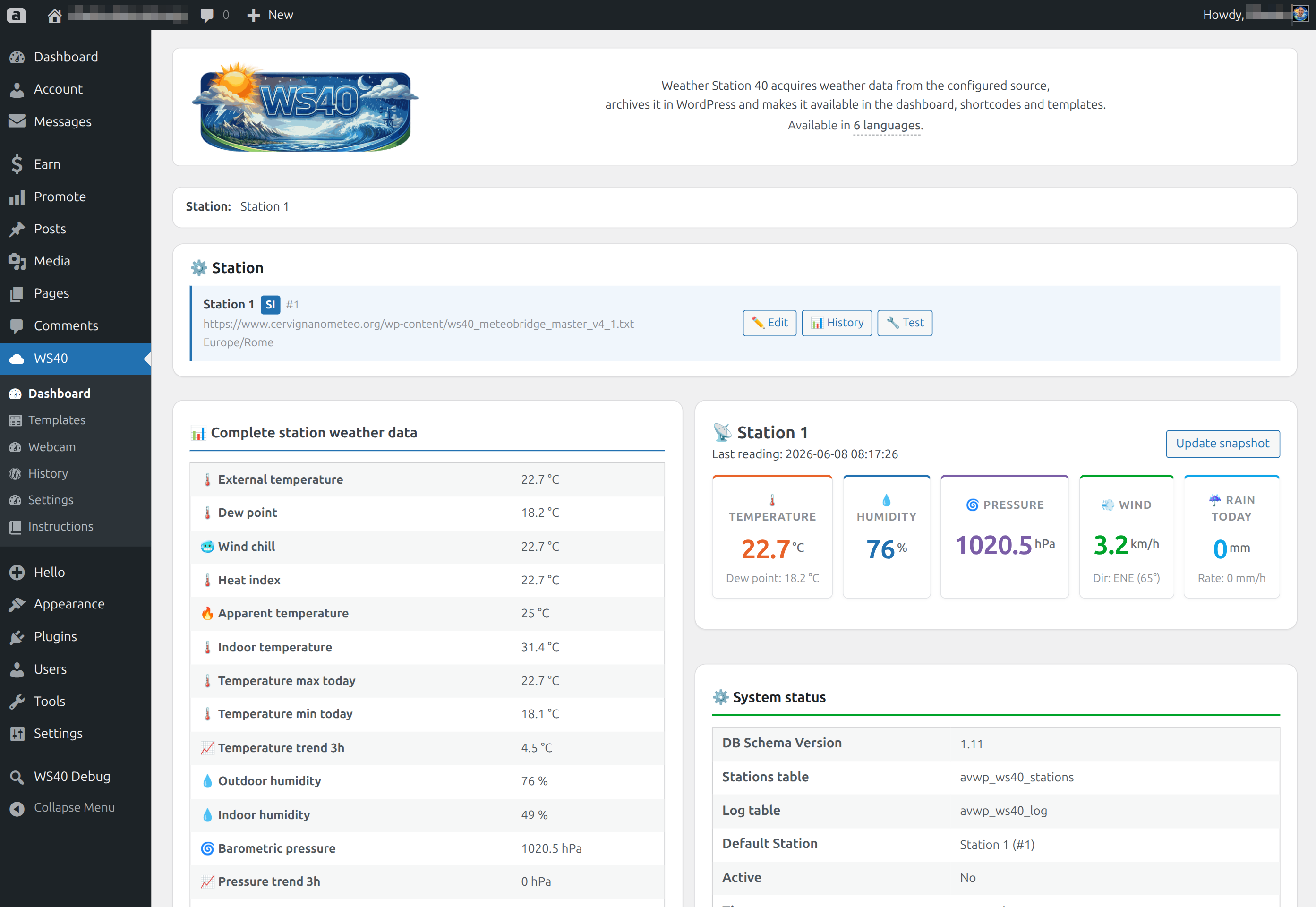
- Live dashboard — current values for your station in the admin
- Table View
[ws40_tableview]— responsive weather table with 1–3 column layouts, group separators and icon packs - Local webcam
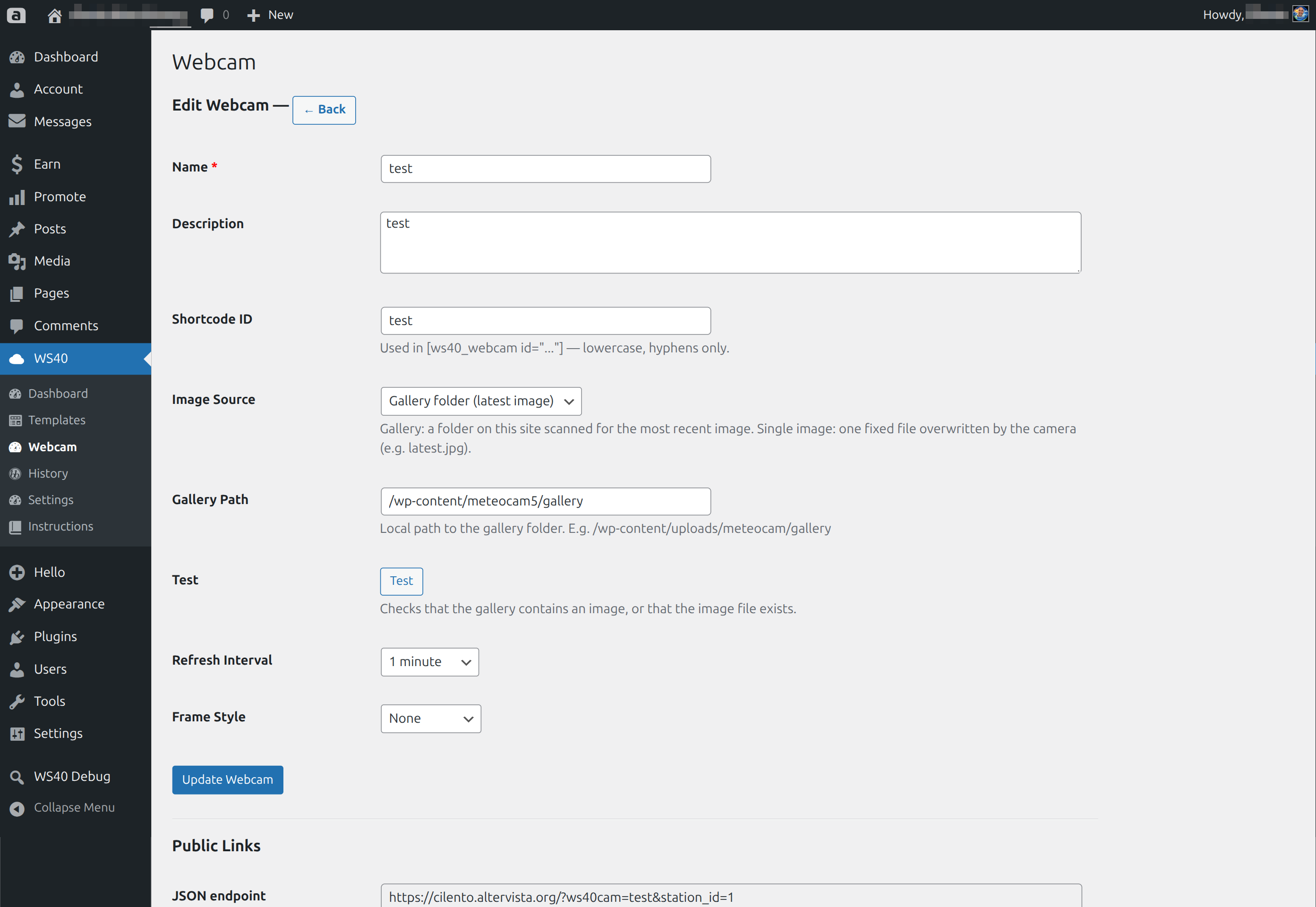
[ws40_webcam]— a gallery folder or a single fixed image, with auto-refresh - History — log with date filters, pagination and manual cleanup
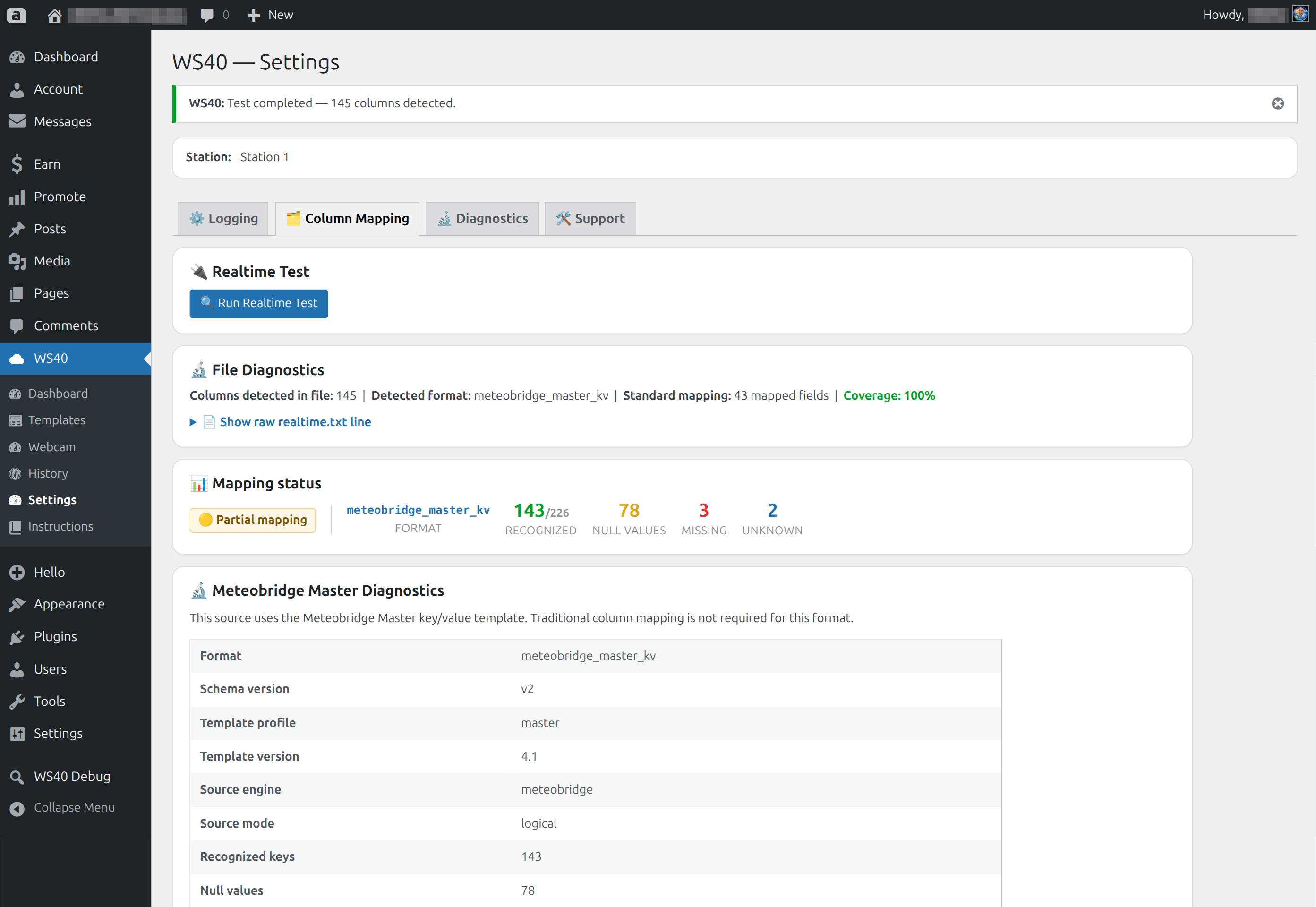
- Column mapping — verify the source reading and run a realtime test
- Diagnostics — system status, cron health and database check
- Built-in step-by-step guide
- Available in English, Italian, French, Spanish, German and Portuguese (BR)
Trademarks
Meteobridge, Cumulus, Davis, Ecowitt, Fine Offset, LaCrosse and Ambient Weather are trademarks of their respective owners. WordPress is a registered trademark of the WordPress Foundation. This plugin is not affiliated with, endorsed by or sponsored by any of these companies.
External Services
WS40 reads weather data only from the realtime.txt source you configure (your own weather station or server), using the URL or local file you provide. It does not connect to any other external service and does not send any data to third parties.
Privacy
WS40 does not collect, store or transmit any personal data about your website visitors. It only reads weather data from your configured source and stores it in your local WordPress database. For privacy questions: info@weatherstation40.live
Screenshots
![Table View [ws40_tableview] — responsive weather table with icon packs](https://ps.w.org/ws40-live-weather/assets/screenshot-2.png?rev=3589409)
[ws40_tableview] — responsive weather table with icon packs



Installation
- Upload the
ws40-live-weatherfolder to/wp-content/plugins/, or install it from Plugins Add New. - Activate the plugin from Plugins Installed Plugins.
- Go to WS40 Dashboard and add your station.
- Enter the URL of your realtime.txt file (for example
https://example.com/meteo/realtime.txt). - Open WS40 Settings and run the Realtime Test to confirm the source is read correctly.
- Paste
[ws40_tableview]into any page, post or widget.
FAQ
-
Which weather stations are supported?
-
WS40 reads realtime.txt files; it does not connect directly to station consoles. Meteobridge, Meteobridge PRO, Cumulus MX and Cumulus v1 are supported with automatic format detection. Davis, Ecowitt, LaCrosse, Ambient Weather and similar hardware work through Meteobridge as a gateway.
-
Can I use a local file instead of a URL?
-
Yes. The file must be inside
wp-content/uploads/. Arbitrary filesystem paths are not allowed; an http(s) URL is the recommended option. -
Yes. For reliable logging on shared hosting, an external trigger (such as your hosting scheduler) is recommended over WP-Cron.
-
Which languages are included?
-
English, Italian, French, Spanish, German and Portuguese (BR), all fully translated.
-
The free version is complete and fully functional on its own. A separate premium version with additional features is available at weatherstation40.live.
Reviews
There are no reviews for this plugin.
Contributors & Developers
“WS40 – Live Weather” is open source software. The following people have contributed to this plugin.
Contributors
Translate “WS40 – Live Weather” into your language.
Interested in development?
Browse the code, check out the SVN repository, or subscribe to the development log by RSS.
Changelog
1.0.5
- Single-station: removed the internal stations table, all station management (add/list/select/toggle/delete), the active-station selection, and every external station_id input (REST/query/POST parameters, hidden form fields and admin selectors). The plugin now operates on one station whose settings live in a single option; a one-time migration drops the legacy table and preserves any existing configuration.
- External logging endpoint: the database upgrader now runs only after the request token is validated, so unauthenticated requests can no longer trigger schema-check work.
- Admin output escaping: every admin renderer now escapes at output through wp_kses with an explicit allowlist; removed all EscapeOutput suppressions across the admin pages.
1.0.4
- Removed residual non-file engine handling and the activation reset, so the build no longer ships disabled code paths.
- Hardened admin output escaping (wp_kses) in card and webcam renderers.
- Removed a redundant non-distributable file from the package.
1.0.3
- Table View now resolves the active station automatically and shows a clear notice when no data is available yet.
- Local webcam supports either a gallery folder or a single fixed image file, with a built-in source test.
- Added an offline threshold setting: the Table View shows an OFFLINE badge when the latest reading is older than the configured time.
- Hardened local file reading, plus i18n and compatibility fixes.
1.0.0
- First public release.