
Description
A convenient and easy-to-use File Scanner for your website to detect various Changes.
A Change Report can be sent by Email for more detailed analysis.
Features
- File system monitoring for Modified, Added, and Deleted Files.
- Change Criteria: File Size, Modification Date, Access Permissions, Contents.
- Multiple Email Addresses can be specified to receive Reports.
- Paths can be specified to Exclude Files from Scanning. For example, cached folders, error logs, etc.
- File Extensions can be specified to Exclude Files from Scanning. For example, images.
- Automatic Scanning by Schedule or Manual.
- Selectable Time Intervals for Automatic Scanning: Hourly, Twice a Day, or Once a Day.
- Customizing the formatting of Scan Reports via a CSS Stylesheet file.
- Fully compatible with WordPress versions 4.1 and higher
- Fully compatible with PHP versions 5.4.7 and higher
Languages
Screenshots
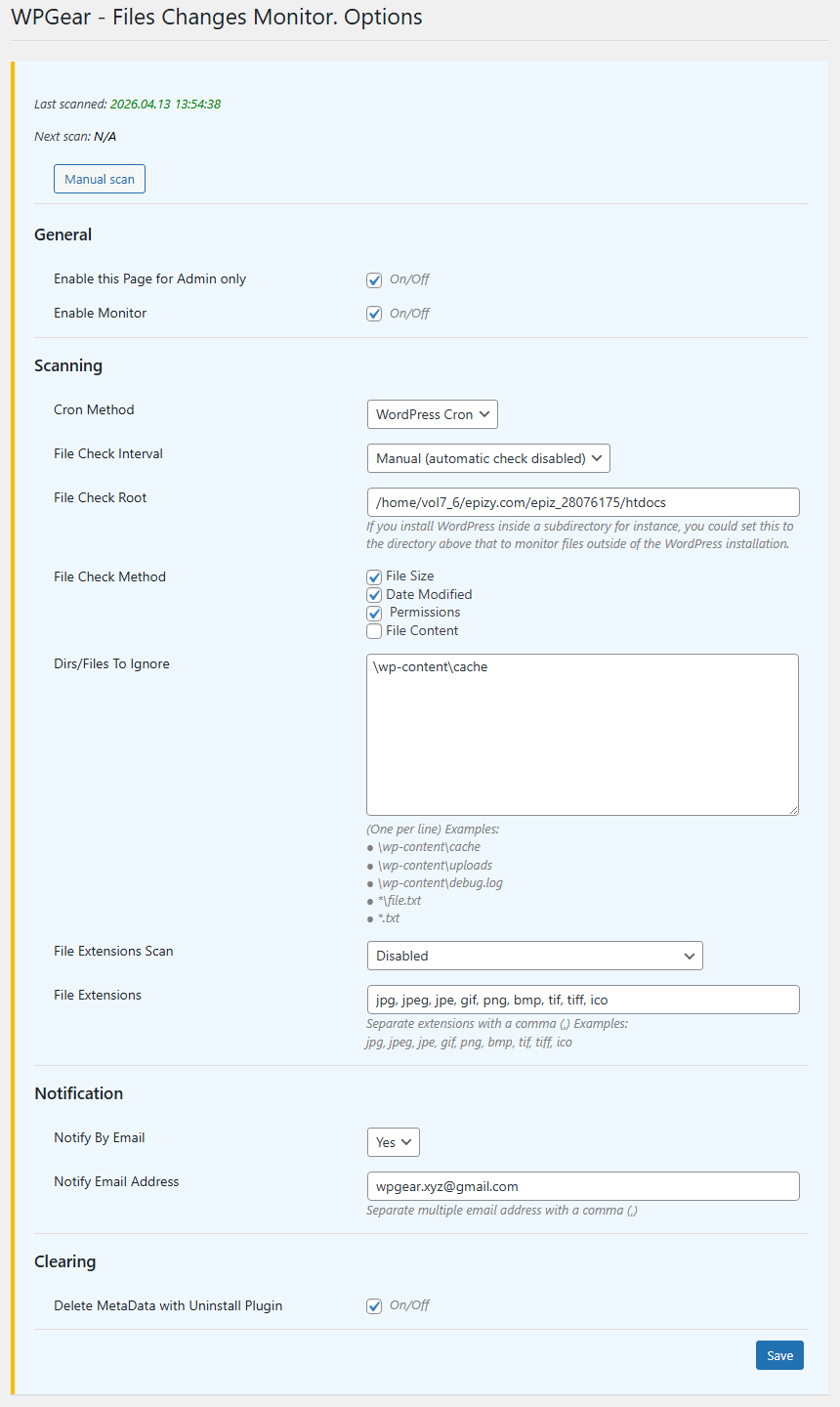
Settings. 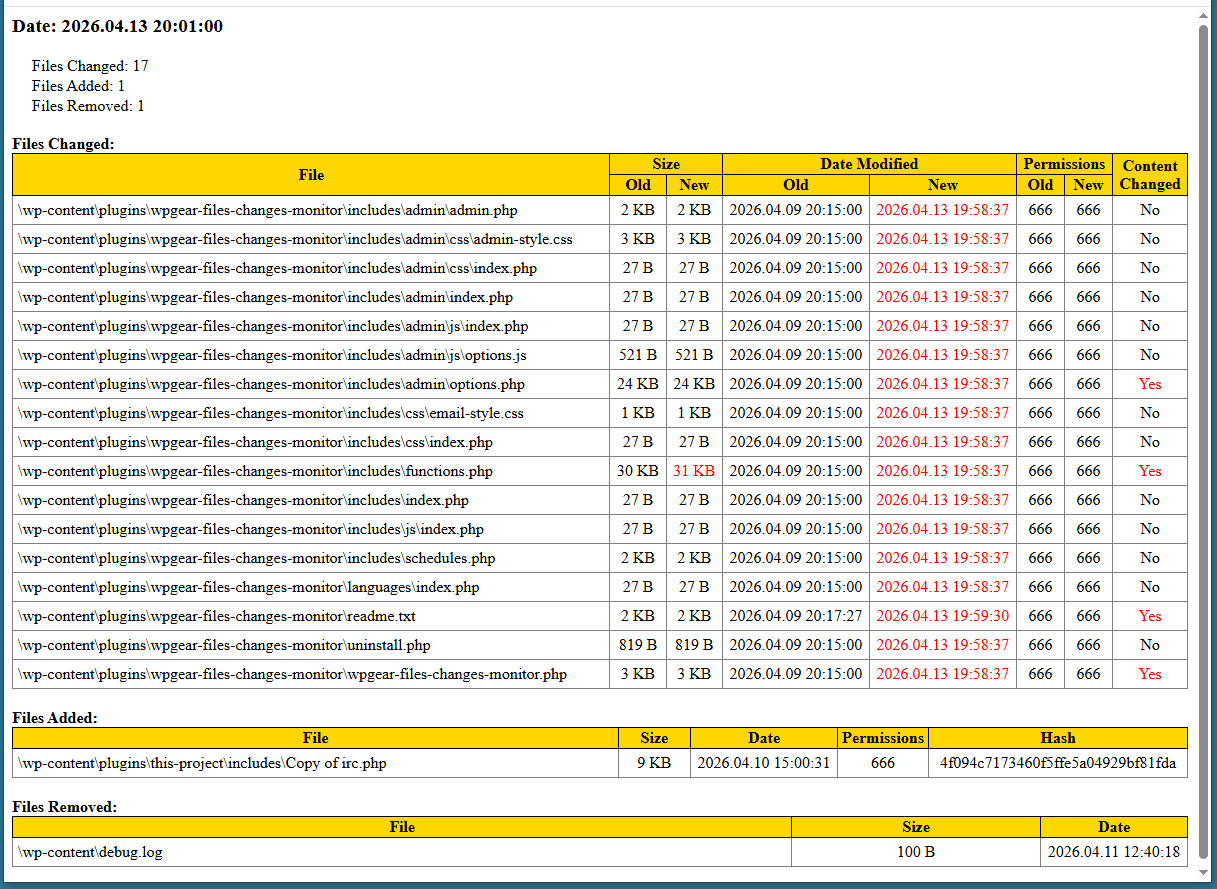
Example Email Scan Report
Installation
Normal automatic installation.
- Upload wpgear-files-changes-monitor’ folder to the ‘/wp-content/plugins/’ directory.
- Activate the plugin through the ‘Plugins’ menu in WordPress.
- Configure plugin settings.
- If you have any problems – please ask for support.
Reviews
There are no reviews for this plugin.
Contributors & Developers
“WPGear – Files Changes Monitor” is open source software. The following people have contributed to this plugin.
Contributors
Translate “WPGear – Files Changes Monitor” into your language.
Interested in development?
Browse the code, check out the SVN repository, or subscribe to the development log by RSS.
Changelog
2.12.0.6
2026.04.13
* Fix EscapedNotTranslated
2.12.0.5
2026.04.09
* Fix Call Debugger.
2.12.0.4
2026.04.08
* Fix Uninstall.
2.12
2026.03.23
* Fix "Mismatched text domain" (WP.I18n)
* Fix ".MissingTranslatorsComment" (WP.I18n)
* Fix "Security. EscapeOutput".
* Fix Excludes Path.
1.0.10
2025.01.27
* Tested WP 6.9.1
* Tested PHP 8.4.17
1.0
2025.01.01
* Lauched.