

Description
Free by design. Powerful by default.
WPEnhanced Ajax Filter Blocks is an AJAX filter plugin for the WordPress block editor. Build filterable blogs, shops, directories, and listing pages where results update instantly—without a full page reload.
Most filter plugins lock the useful bits behind Pro. This one is built the other way around: the free version is intended to be the full product for most websites. Design controls, multiple filter types, AJAX results, custom fields, WooCommerce support, and custom post types are all included—no essential features paywalled.
Whether you run a WooCommerce store, a content-heavy blog, or a custom post type directory, you can create a modern faceted filtering experience using only blocks. No shortcode soup. No theme lock-in.
Why site owners love it
- Free by design – Built so most websites never need to upgrade
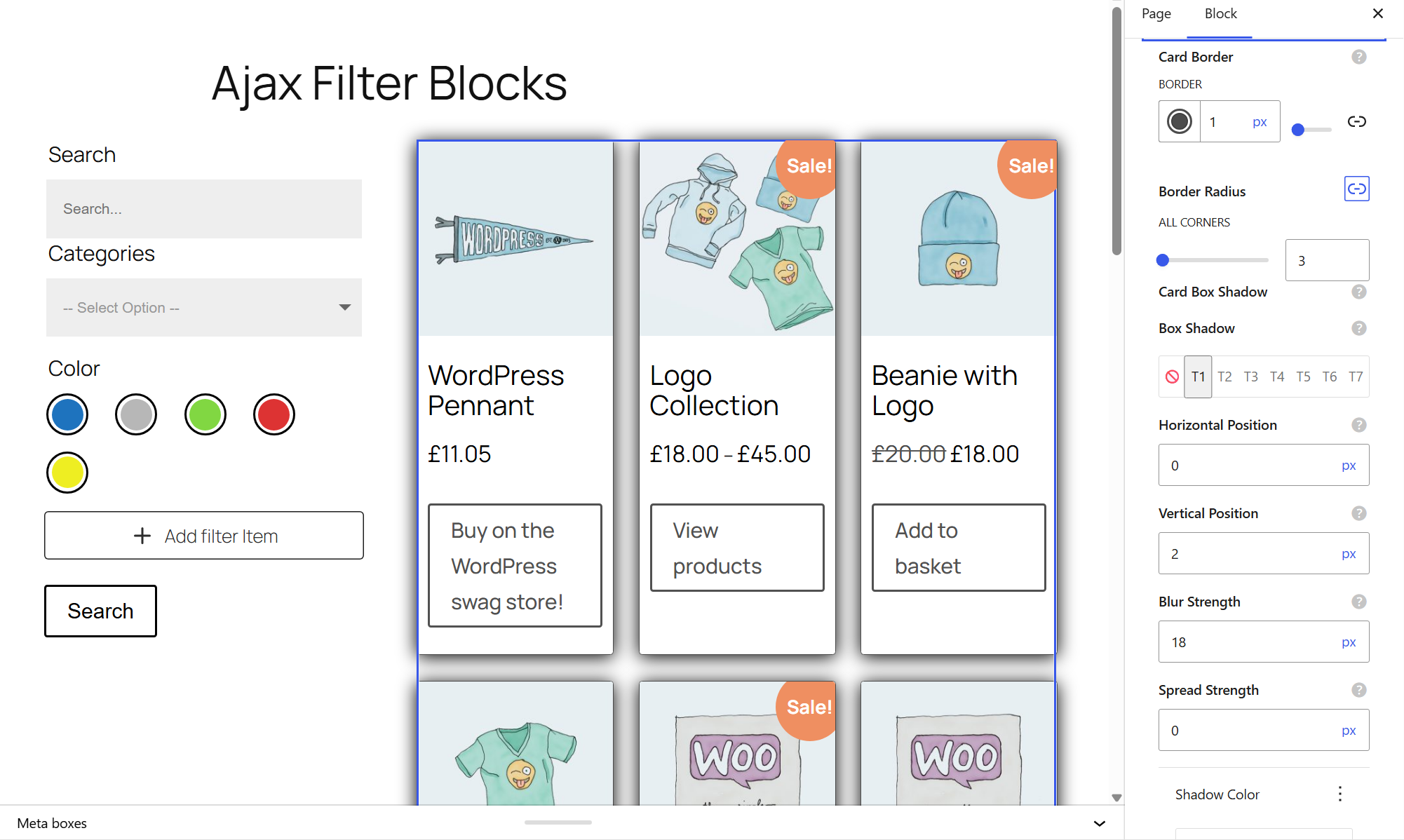
- Full design controls – Style filters and loops in the editor without paywalls
- Instant AJAX filtering – Results update without a full page reload
- Built for Gutenberg – Native blocks for filters and archive loops
- Works beyond blogs – Posts, WooCommerce products, and any public custom post type
- Flexible filter types – Checkboxes, dropdowns, radios, ranges, search, and more
- Custom field ready – ACF-compatible filtering (including Secure Custom Fields / SCF)
- Shop-ready – Categories, tags, attributes, price-style ranges, and more
- Shareable filtered URLs – Visitors can bookmark or share filtered views
The three blocks
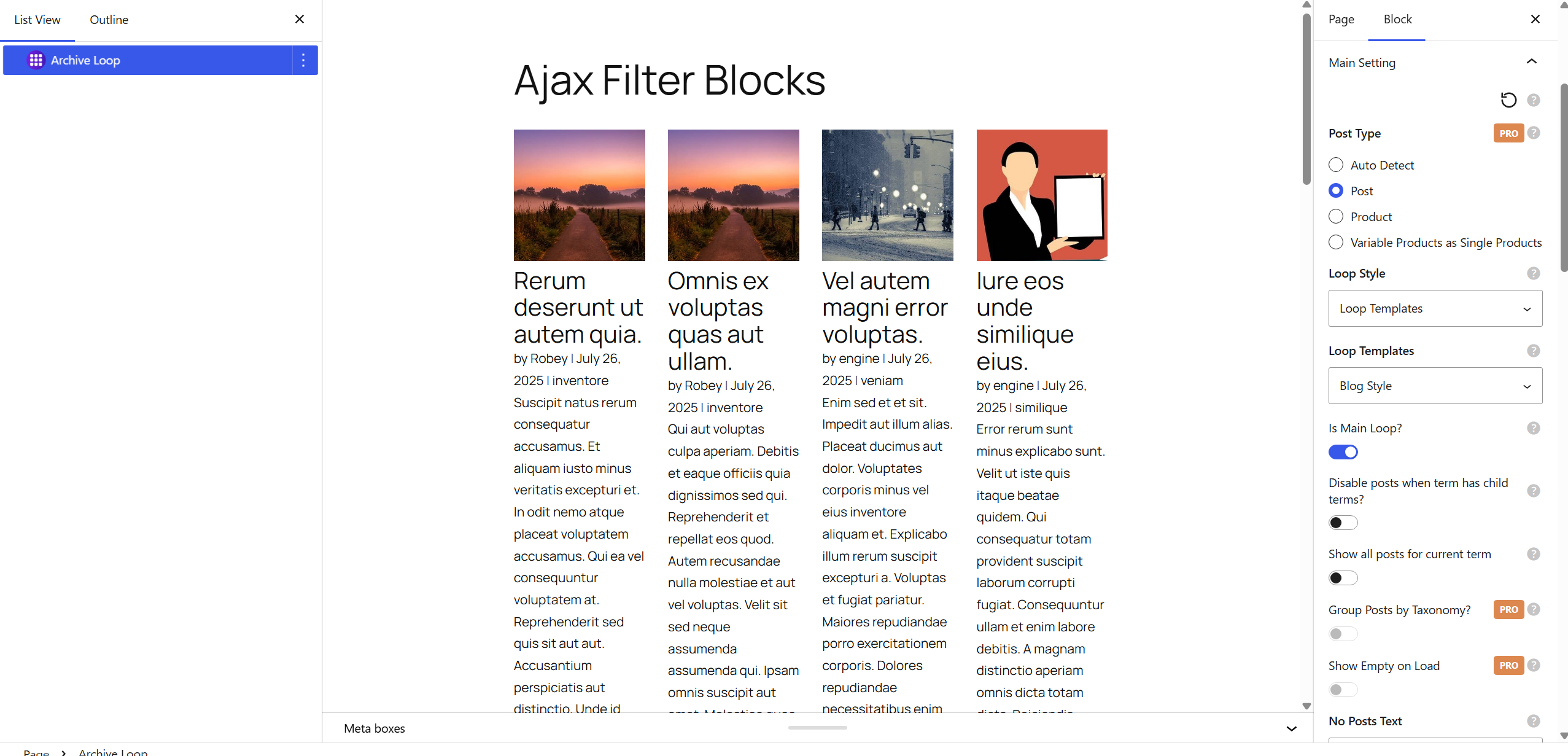
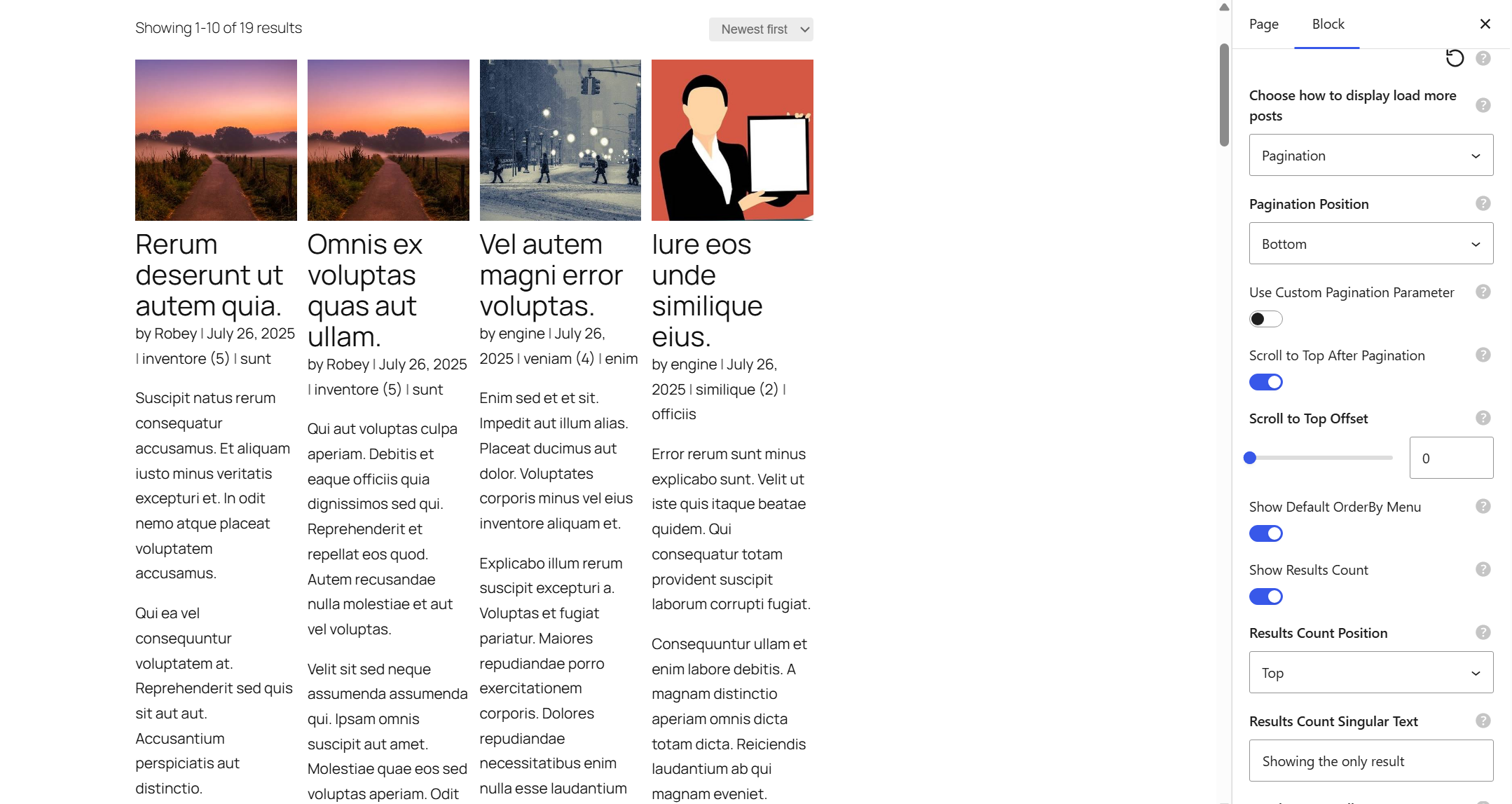
- Archive Loop – Display posts, products, or custom post types in a grid, list, or masonry layout with pagination or load more
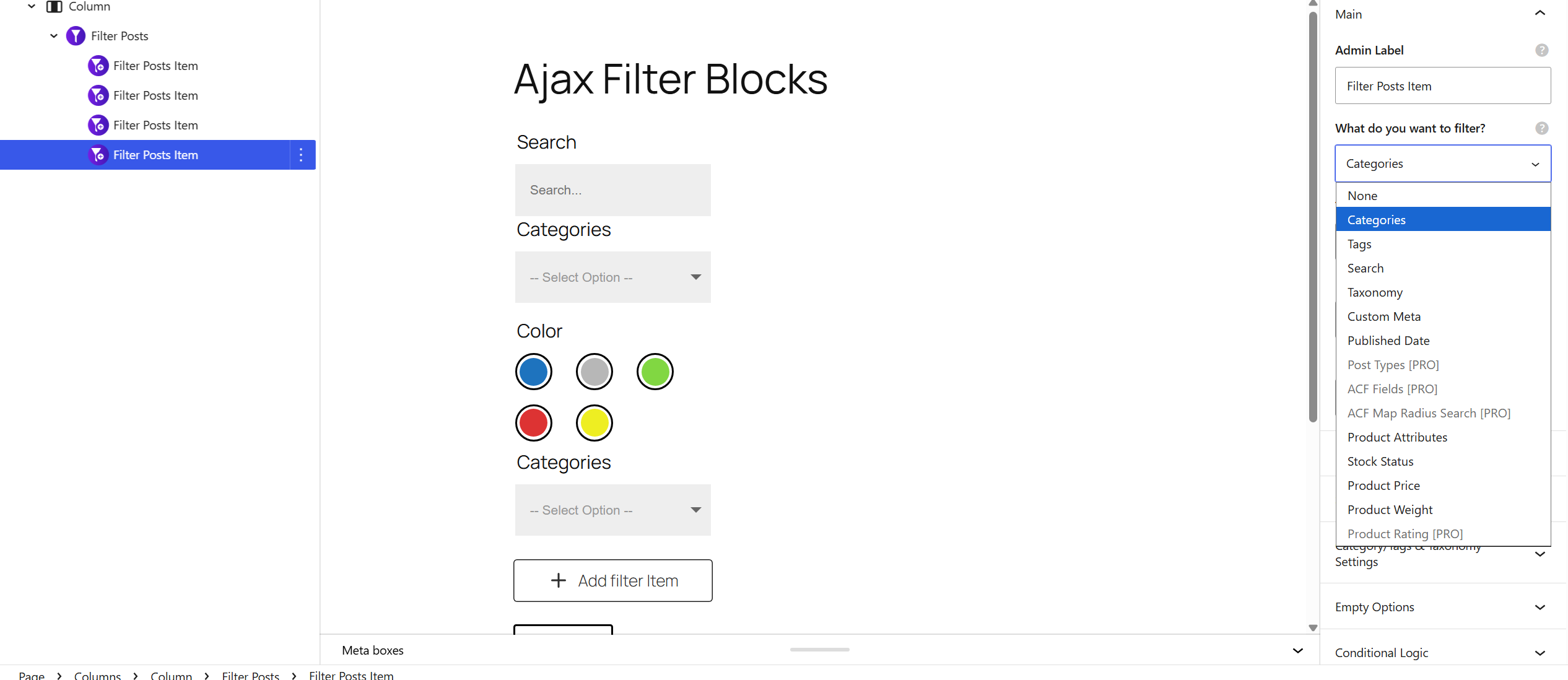
- Filter Posts – The filter panel visitors interact with (sidebar, top bar, accordion, mobile toggle, and more)
- Filter Posts Item – Each individual filter control inside Filter Posts (taxonomy, search, custom field, attribute, range, and similar)
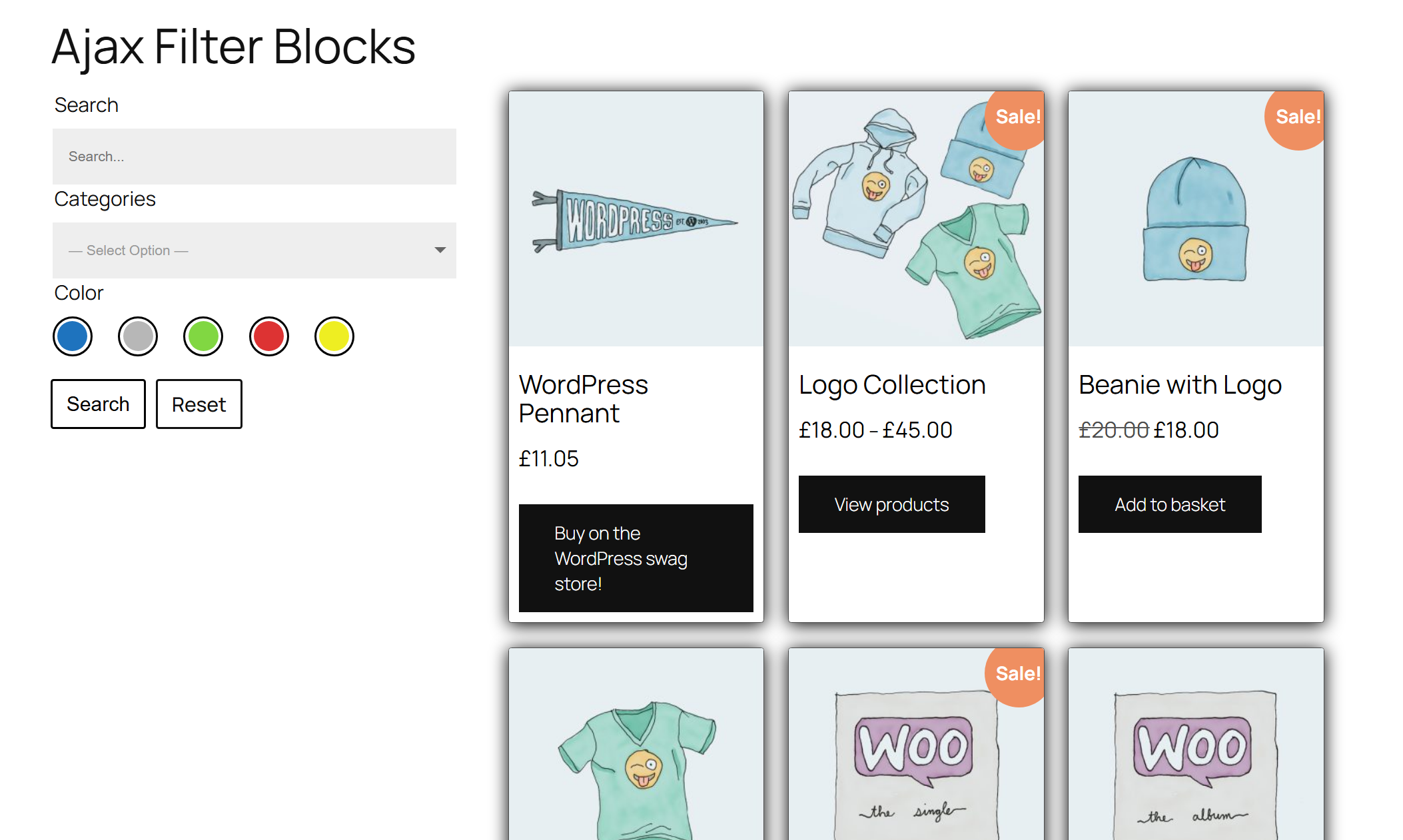
Put them together and you get a complete filterable archive—built in the editor, running live on the front end.
Perfect for
- WooCommerce product catalogs and shop filters
- Blog archives filtered by category, tag, or keyword
- Directories and membership listing sites
- Portfolios filtered by project type or skill
- Real estate or inventory listings with custom fields and taxonomies
- Resource libraries and knowledge bases with faceted browsing
How filtering works
Filtering uses the WordPress REST API. When a visitor changes a filter, only the loop results refresh—keeping the rest of the page in place. Optional URL parameters keep filtered views shareable and bookmarkable.
Get started in minutes
- Install and activate the plugin
- Add an Archive Loop block to your page
- Add a Filter Posts block and place Filter Posts Item controls inside it
- Choose what to filter by (categories, tags, taxonomies, custom fields, product attributes, and more)
- Publish and test live AJAX filtering on the front end
Need help? Visit WP Enhanced for documentation and support.
Optional map & location features
When enabled, map and radius filtering can use Google Maps / Geocoding or OpenStreetMap Nominatim. See External services below for details.
Free vs Pro
This free plugin includes the features and design controls most websites need to build great AJAX filters.
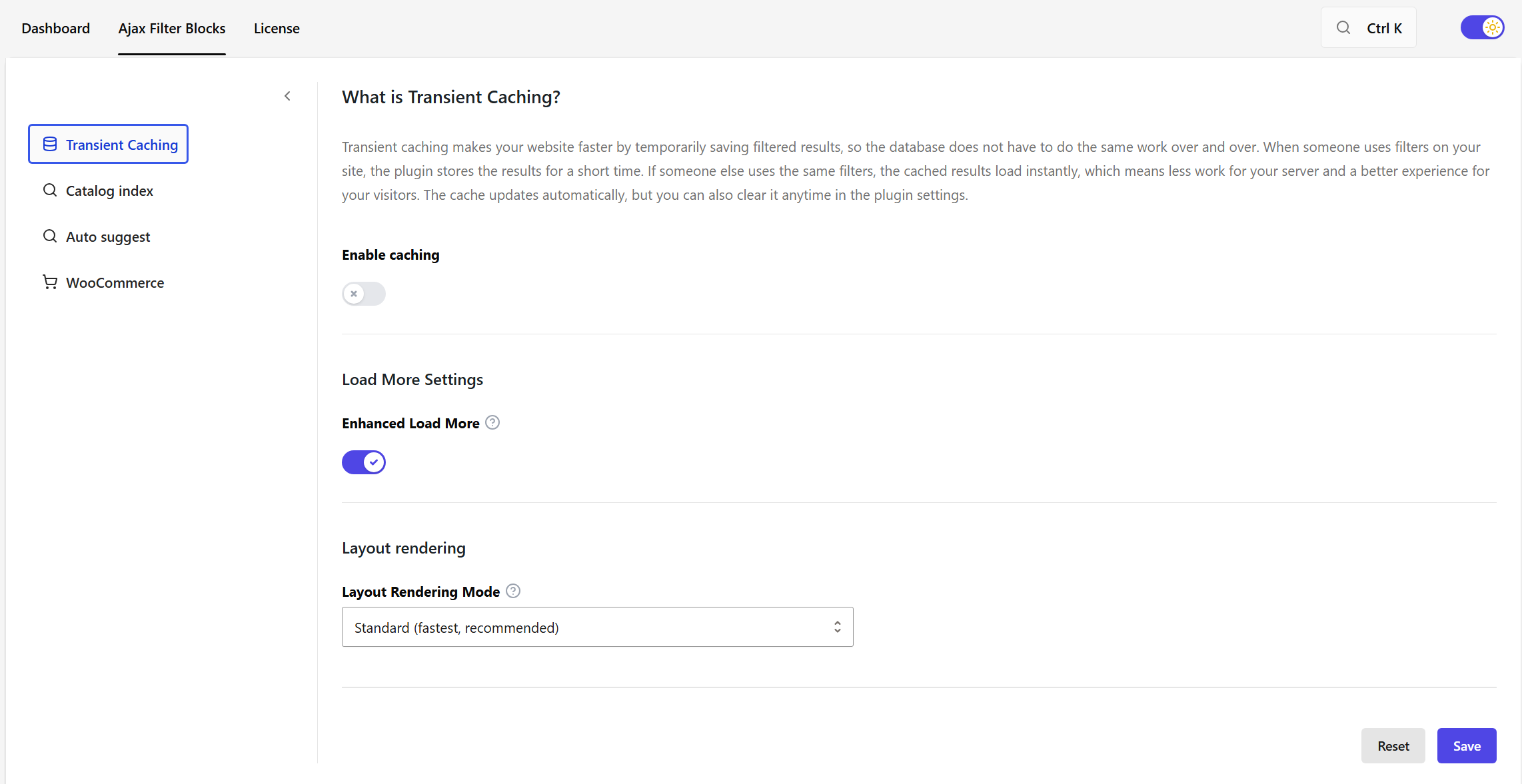
A separate Pro add-on exists only for specialist / advanced scenarios—such as advanced catalog indexing (built-in index, Typesense, Cloud Index, Elasticsearch) and Auto Suggest phrase indexing. Those options are not required for normal filtering. Settings may mention them for discoverability. Filtering in this free plugin uses the standard WordPress query path.
Want Catalog Index, Auto Suggest, and advanced Pro controls? Upgrade to Ajax Filter Blocks Pro.
External services
This plugin connects to third-party services when map and location filtering features are used.
-
Google Maps JavaScript API
Used to render interactive maps in Archive Loop map mode.
Data sent: API key and standard browser request data when the map script is loaded on pages using map mode.
Terms: https://cloud.google.com/maps-platform/terms
Privacy policy: https://policies.google.com/privacy -
Google Geocoding API
Used to convert entered addresses into coordinates for radius-based filtering.
Data sent: address text entered for filtering and API key when geocoding is requested.
Terms: https://cloud.google.com/maps-platform/terms
Privacy policy: https://policies.google.com/privacy -
OpenStreetMap Nominatim
Used as a geocoding fallback when needed.
Data sent: address text entered for filtering when fallback geocoding is used.
Terms: https://operations.osmfoundation.org/policies/nominatim/
Privacy policy: https://wiki.osmfoundation.org/wiki/Privacy_Policy -
WP Enhanced InstantSearch (search.wpenhanced.com)
Used only in the admin settings screen to power in-plugin documentation search.
Data sent: the search query text typed by a site administrator in settings.
Terms: https://wpenhanced.com/terms-conditions/
Privacy policy: https://wpenhanced.com/privacy-policy/
Advanced catalog indexing (built-in index, Typesense, Cloud Index, Elasticsearch) and Auto Suggest phrase indexing are provided by a separate Pro add-on and are not included in this free plugin. Settings may mention those Pro features for discoverability only. Filtering in this free plugin uses the standard WordPress query path.
Source code and development
Human-readable source for the JavaScript and CSS shipped in this plugin (including minified files such as js/divi-filter.min.js, assets under includes/settings/dist/, and bundled code under blocks/build/) is maintained in this public repository:
https://github.com/wpenhancedltd/wpenhanced-ajax-filter-blocks-source
Clone that repository to review, study, or rebuild the compiled assets. It contains the same src/, blocks/src/, and includes/settings/src/ trees plus the package.json files and build configuration needed to run the toolchain.
Build tools: Install Node.js (an active LTS release such as v18 or v20 is recommended). From the root of that repository:
- Run
npm installthennpm run build:assetsto rebuild the main frontend JavaScript and CSS (webpack writes underjs/andcss/at the root of that repository; copy into the full plugin tree if you integrate that way). - In the
blocksdirectory, runnpm installthennpm run build(output:blocks/build/). - In the
includes/settingsdirectory, runnpm installthennpm run build(output:includes/settings/dist/).
Run npm install in each directory before its build command. The public repository’s README describes which folders to sync from the main plugin project when publishing updates. Some third-party scripts in the distributed plugin may ship minified only; original sources are available from those projects’ upstream distributions.
Screenshots
Blocks
This plugin provides 3 blocks.
- Filter Posts A block to filter posts using AJAX.
- Archive Loop Archive Loop
- Filter Posts Item Filter Posts Item
Installation
- Go to Plugins Add New and search for WPEnhanced Ajax Filter Blocks, or upload the plugin zip via Plugins Add New Upload Plugin.
- Activate the plugin.
- Open the block editor and add the Archive Loop block.
- Add the Filter Posts block, then add one or more Filter Posts Item blocks inside it.
- Configure each Filter Posts Item (taxonomy, search, custom field, product attribute, range, and so on).
- Save and view the page to confirm live AJAX filtering.
FAQ
-
Can I filter WooCommerce products?
-
Yes. Build a product filter using categories, tags, attributes, price-related controls, and other supported inputs. WooCommerce is optional—you can use the plugin without it.
-
Can I filter custom post types?
-
Yes. Any public custom post type that works with the block editor can be filtered.
-
Does this work with the Gutenberg / block editor?
-
Yes. The plugin is built specifically for the block editor and ships dedicated filter and loop blocks.
-
Can I filter by custom fields (ACF / SCF)?
-
Yes. ACF-compatible filtering is included, and Secure Custom Fields (SCF) values are supported in filter setups.
-
Yes. Filter posts, products, and custom post types by categories, tags, and other taxonomy terms.
-
Does filtering reload the whole page?
-
No. Filtering uses AJAX through the WordPress REST API, so only the loop results update.
-
Yes. Filter state can be reflected in the URL so filtered views are bookmarkable and shareable.
-
Is this a facet / faceted search plugin?
-
It supports faceted-style filtering with multiple controls at once—taxonomies, custom fields, ranges, search, and more.
-
Do I need coding skills?
-
No. You build everything with blocks in the editor. Advanced users can still style and extend layouts as needed.
-
Is the free version limited?
-
No—not for most websites. Design controls, AJAX filtering, multiple filter types, custom fields, WooCommerce support, and custom post types are all included. Pro is reserved for specialist needs like advanced catalog indexing and Auto Suggest—not the basics of building a great filter.
-
Is there a Pro version?
-
Yes, as a separate add-on for advanced indexing and Auto Suggest. You do not need Pro to build and style filterable archives with this free plugin. Upgrade to Ajax Filter Blocks Pro.
Reviews
There are no reviews for this plugin.
Contributors & Developers
“WPEnhanced Ajax Filter Blocks” is open source software. The following people have contributed to this plugin.
Contributors
Translate “WPEnhanced Ajax Filter Blocks” into your language.
Interested in development?
Browse the code, check out the SVN repository, or subscribe to the development log by RSS.
Changelog
1.0.6 – 13/08/26
- MOD – WordPress.org readme now links to Ajax Filter Blocks Pro for upgrades.
- MOD – Upgrade to PRO button in the block editor now opens the correct Pro product page.
- MOD – Admin submenu label now says Ajax Filter Blocks to match the plugin name.
- MOD – Help tooltips on the “?” icons in the block settings now open straight away instead of after a delay.
- MOD – Removed the Divi-only Custom Layout option from Archive Loop’s Loop Style setting.
- MOD – Minimal List now starts as a single-column layout, while Background Image starts without body content and exposes its content and excerpt controls.
1.0.6
- MOD – WordPress.org package now uses a unique internal code prefix (wpenajfi) while keeping the public plugin name and slug.
- FIX – Layout and SVG markup is always sanitized before output (no raw SVG bypass).
- FIX – Loop shortcode REST responses sanitize the shortcode name and escape returned HTML.
1.0.3
- MOD – Updated plugin naming to WPEnhanced Ajax Filter Blocks and aligned the WordPress.org slug to wpenhanced-ajax-filter-blocks.
- MOD – Linked the public source repository and build steps in the readme for WordPress.org guideline 4.
- MOD – Clarified webpack output paths for developers using the public source repository.
1.0.0
- NEW – Initial release.
- NEW – Archive Loop block: display posts, custom post types, or products in a grid, list, or masonry layout with pagination and load more.
- NEW – Filter Posts block: add filters by taxonomy, custom fields (ACF), meta, and WooCommerce attributes; supports checkboxes, dropdowns, and multi-select.
- NEW – Filter Posts Item block: individual filter controls inside Filter Posts (taxonomy, search, custom fields, attributes, ranges, and more).
- NEW – AJAX filtering without page reload; URL parameters for shareable filtered links.
- NEW – Compatible with WooCommerce products, custom post types, and Advanced Custom Fields.