

Description
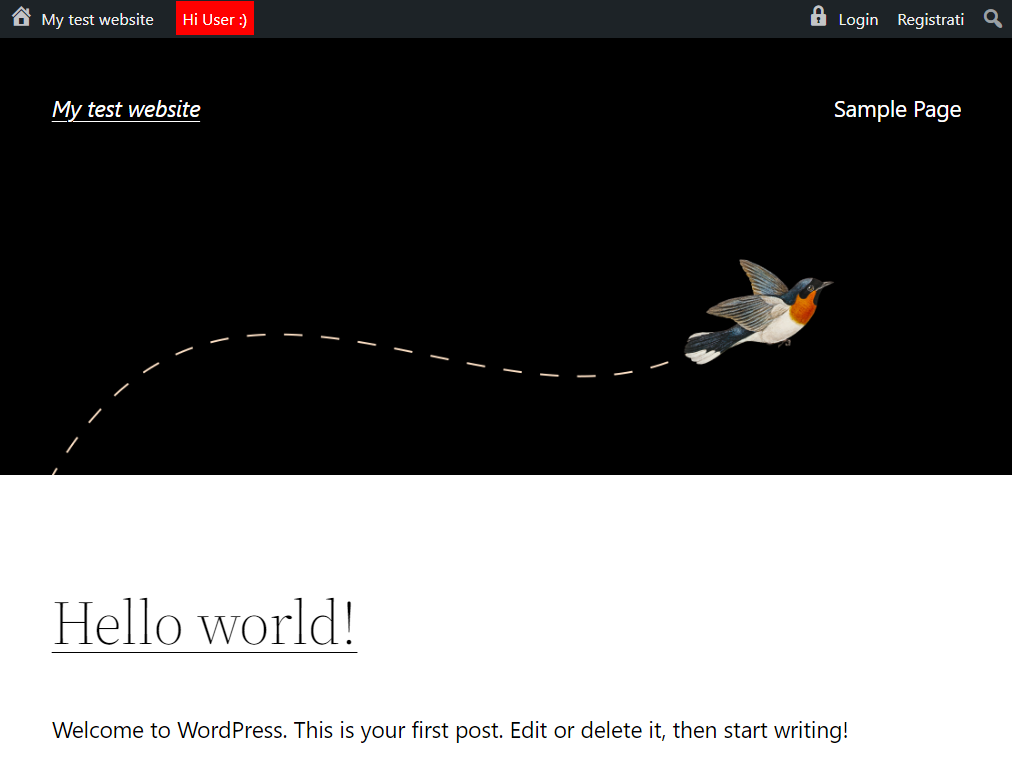
WP Guest Bar displays a customizable WordPress admin bar for non-logged-in users.
Inspired by BuddyPress, it provides quick links (e.g., Log In and Register) for guests, improving user engagement and site navigation.
Features
- Home icon with site name and link (mobile-friendly)
- Custom logo/icon (from the Media Library or any URL)
- Login link with icon (mobile-friendly), redirecting back to the current page
- Register link (if registration is enabled)
- Custom links
- Customizable message area for guests (HTML allowed)
- WPML compatible and fully translatable
- Lightweight and performance-optimized
Demo: wpgov.it
Perfect for BBPress forums or any site looking to encourage user registration and interaction.
Screenshots

Installation
- Upload the entire folder to
/wp-content/plugins/or install via the WordPress plugin screen. - Activate the plugin through the ‘Plugins’ menu in WordPress.
- Go to Settings WP Guest Bar to set the message, logo and custom links.
FAQ
-
Can I customize the guest bar message?
-
Yes, you can set a custom message for guests in the plugin settings.
-
Is it compatible with my theme?
-
WP Guest Bar is designed to work with most themes. For advanced customization, you may use custom CSS.
-
Will logged-in users see the bar?
-
No. Logged-in users see the standard WordPress toolbar, according to their own profile preference (“Show Toolbar when viewing site”).
Reviews
There are no reviews for this plugin.
Contributors & Developers
“WP Guest Bar” is open source software. The following people have contributed to this plugin.
Contributors
Translate “WP Guest Bar” into your language.
Interested in development?
Browse the code, check out the SVN repository, or subscribe to the development log by RSS.
Changelog
3.1.1 – 2026-10-01
- Fix: toolbar no longer forced for logged-in users who disabled it
- New: WPML support for message and custom links (wpml-config.xml)
- New: Settings link in plugins list
- New: Remove button for custom logo
- New: Login redirects back to the current page
- Improved: custom links sanitization
- Improved: admin scripts cleanup
- Requires WordPress 4.7 and PHP 7.0
3.0.1 – 2025-05-29
- [NEW] Added new functions:
- Add your own logo in the admin bar
- Add custom links in the admin bar
- Improved documentation and code structure
- Updated compatibility for WordPress 6.9
2.3
- Compatibility check
- Minor changes
2.2 2024-05-24
- Compatibility check
- Minor changes
2.2 20231020
- Compatibility check
- Minor bugfix (thanks to R. Mészáros)
- Minor changes
2.1 20220901
- Compatibility check
- Minor changes
2.0 20220213
- [NEW] Login and registration are now aligned right
- [NEW] Full mobile support
- [NEW] Added homepage link with home dashicon
- [IMPROVED] Major performance improvements
- [IMPROVED] Complete object-oriented code refactoring
- WP compatibility check
- Readme and wordpress.org page improvements
1.2 – 16.07.2015
- Added option to show a top bar message
1.1.1 – 02.03.2015
- Minor changes
1.1 – 09.07.2014
- Removed WordPress logo for non-logged users
1.0 – 09.07.2014
- First release