

Description
Maximize convenience and savings for your customers with Wallet for WooCommerce (TeraWallet). This all-in-one digital wallet and store credit system is specifically designed to streamline the checkout process and boost customer loyalty.
TeraWallet empowers your customers to deposit funds into their personal accounts, transfer money to other users, and make purchases effortlessly using their wallet balance. By reducing the need for repeated payment detail entries, you provide a frictionless shopping experience that encourages repeat business.
Beyond core wallet functionality, TeraWallet features a robust Cashback Rewards System. Incentivize purchases by offering rewards based on cart totals, specific products, or categories. You can even convert WooCommerce coupons into wallet rewards, providing a unique way to drive engagement.
👉 Try the live demo: https://demo.standalonetech.com/
👉 Read full documentation: https://docs.standalonetech.com/
👉 Upgrade to Pro — unlock withdrawals, expiry, coupons, importer & AffiliateWP integration.
✨ Why choose Wallet for WooCommerce?
- 🚀 Frictionless Checkout: One-click payments via wallet balance reduce cart abandonment.
- 💰 Automated Cashback: Automated rewards keep customers coming back for more.
- 🏦 Store Credit System: Easily handle refunds by crediting the user’s wallet instantly.
- 🔄 Wallet Transfers: Allow customers to share funds with friends and family.
🛠 Features
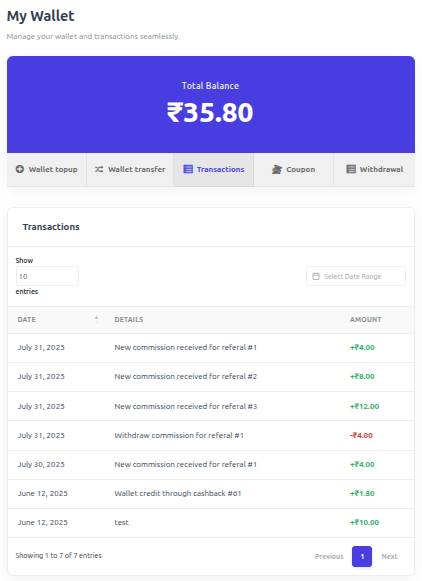
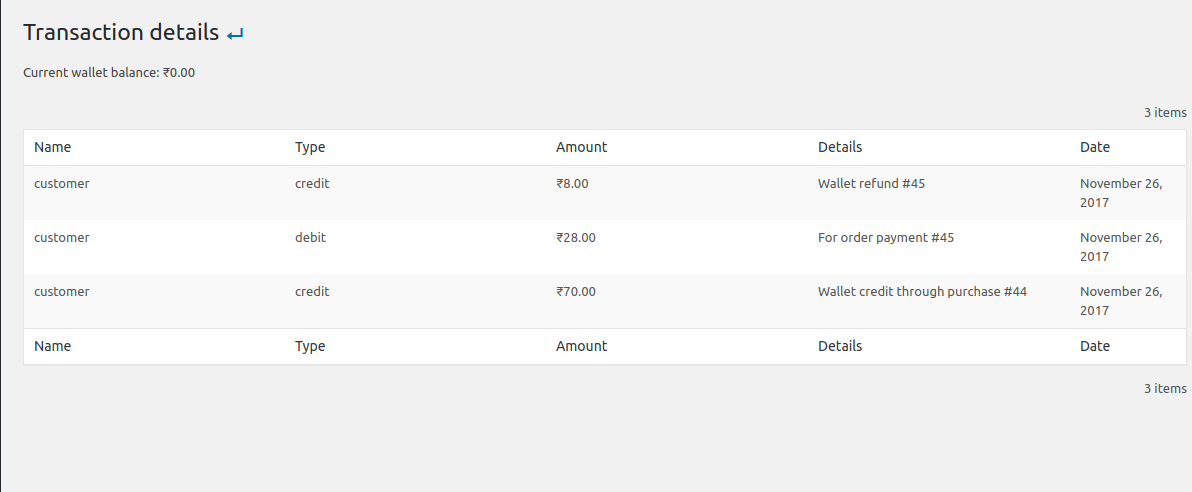
- 🏦 Core Wallet Management: A centralized ledger system that tracks every credit and debit with 100% accuracy using SQL-level locking to prevent race conditions.
- 💰 Dynamic Cashback System:
- Cart-Wise: Rewards based on the total order value.
- Product-Wise: Granular control over rewards for individual items.
- Category-Wise: Rewards based on product taxonomies.
- 💳 Smart Checkout Options:
- Full Payment: Pay for the entire order using the wallet gateway.
- Partial Payment: Use wallet balance for part of the total and pay the rest via other gateways (Stripe, PayPal, etc.).
- Auto-Deduct: Automatically apply available balance as a discount at checkout.
- 🔄 User Empowerment:
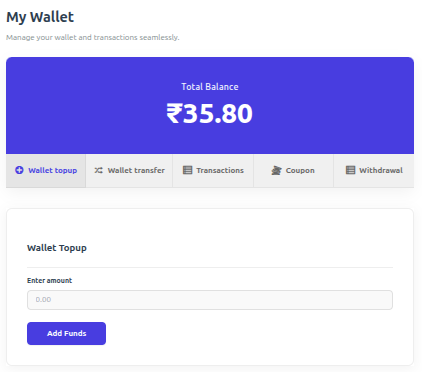
- Wallet Top-ups: Customers can add funds via their dashboard using any supported payment method.
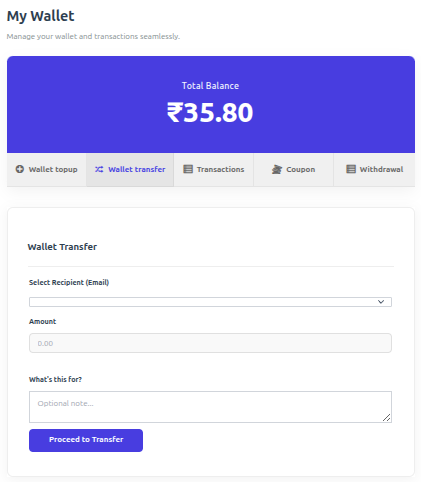
- Peer-to-Peer Transfers: Securely send wallet balance to other registered users via email.
- 🎁 Engagement Rewards: Credit users for specific actions:
- New user registration bonus.
- Daily visit rewards (once per calendar day, with optional first-purchase requirement and monthly cap).
- Product review rewards.
- 🛠 Admin Control Center:
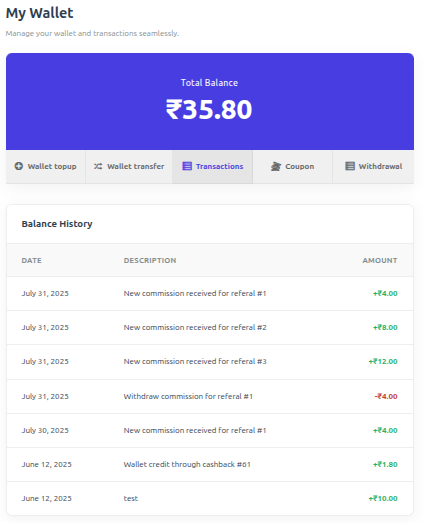
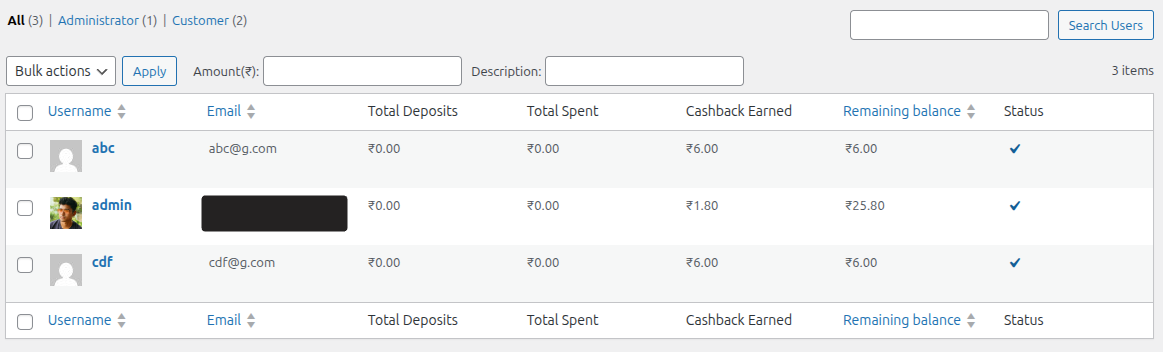
- View all user balances and transaction history.
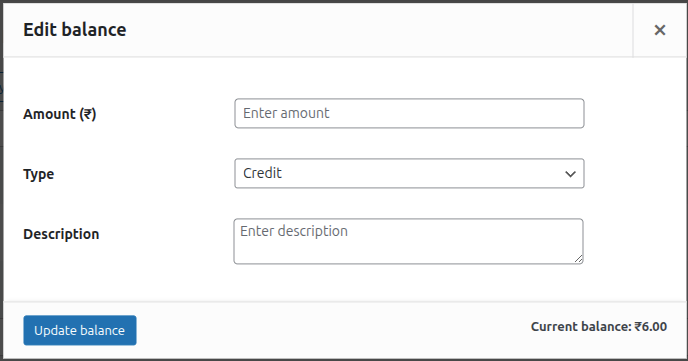
- Manually adjust (credit/debit) any user’s balance with detailed notes.
- Lock/Unlock user wallets for security and fraud prevention.
-
🔗 Seamless Integrations:
- Full support for WooCommerce Blocks checkout.
- Compatible with WPML and WooCommerce Subscriptions.
- Built-in support for Dokan, WCFM, and WCMarketplace.
-
🌍 Multi-Currency Support: First-class integrations with the most-used WooCommerce currency switchers. Wallet balances, top-ups, transfers, and cashback are all converted through the active provider’s live rates.
- YayCurrency – Multi-Currency Switcher
- WOOCS – WooCommerce Currency Switcher (FOX)
- WPML Multilingual & Multi-Currency (WCML)
- CURCY – Multi Currency for WooCommerce (VillaTheme)
- Aelia Currency Switcher
- Generic fallback for any other plugin that filters
woocommerce_currency— active-currency detection still works, conversion falls open to the stored amount with an audit-log warning.
🚀 Pro Features
⭐ Upgrade to Pro to unlock advanced wallet features and specialized integrations:
- 💸 Wallet Withdrawal: Allow customers to request withdrawals from their wallet balance to their bank or other payment methods.
- ⌛ Wallet Expiry: Set expiration dates for wallet balance or cashback to encourage timely spending.
- 🎟️ Wallet Coupons: Create exclusive coupons that can only be redeemed into the user’s wallet.
- 📥 Wallet Importer: Easily bulk import wallet balances and transaction history from CSV files.
- 🤝 AffiliateWP Integration: Automatically credit affiliate commissions directly to the user’s wallet.
- 🎂 Milestone & Birthday Bonuses: Credit the wallet when a customer’s lifetime spend crosses a threshold you set, and once a year on their birthday.
- 📊 Breakage & Aging Reports: See how much wallet credit is about to expire, how much never will be spent, plus withdrawal and coupon reporting on the Wallet Dashboard.
External services
TeraWallet shows a dismissible admin notice inviting the administrator to join the StandaloneTech mailing list (release, security and compatibility news, tips, and occasional product news).
Nothing is sent unless the administrator ticks the consent box (unticked by default) and submits the form. Only then, once, the plugin sends the entered email address, the site URL, the TeraWallet version and the time consent was given to https://standalonetech.com. No store, customer, order or wallet data is ever sent. Unsubscribe from any email.
Screenshots
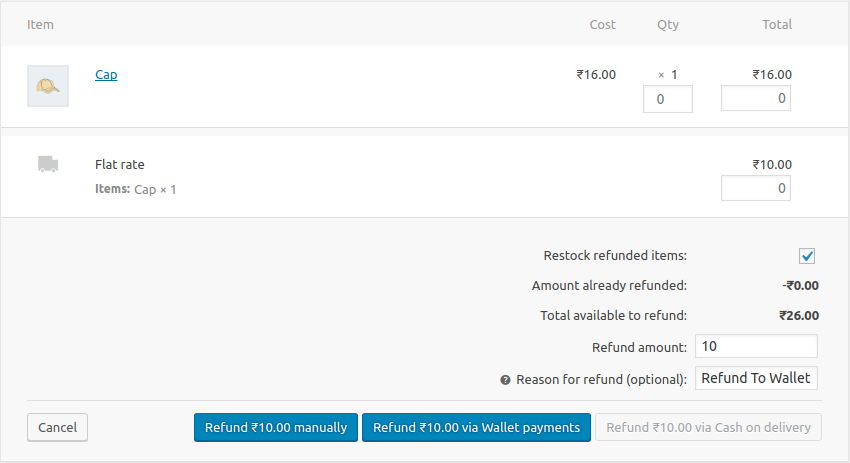
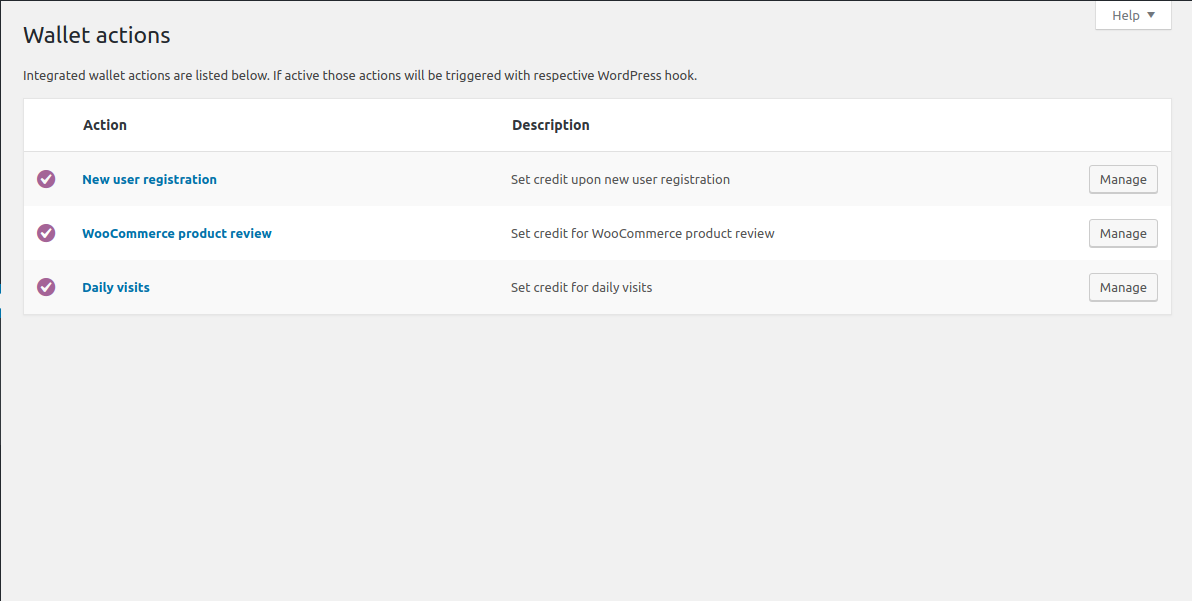
Blocks
This plugin provides 1 block.
- Mini-Wallet Display the current user's wallet balance with a customizable icon.
Installation
Minimum Requirements
- PHP 7.4 or greater is required (PHP 8.0 or greater is recommended)
- MySQL 5.6 or greater, OR MariaDB version 10.1 or greater, is required
- WordPress 6.4 or greater is required
- WooCommerce 7.2 or greater is required
Automatic installation
In your WordPress dashboard go to Plugins > Add New, search for “Wallet for WooCommerce” and click Install Now.
Manual installation
Upload the plugin folder to /wp-content/plugins/ via FTP, then activate it from the Plugins menu.
Updating
Automatic updates should work like a charm; as always though, ensure you backup your site just in case.
If on the off-chance you do encounter issues with the wallet endpoints pages after an update you simply need to flush the permalinks by going to WordPress > Settings > Permalinks and hitting ‘save’. That should return things to normal.
Important
A hidden “Wallet Topup” product is automatically created upon activation. Ensure it remains Published and Private.
FAQ
-
How does wallet payment work?
-
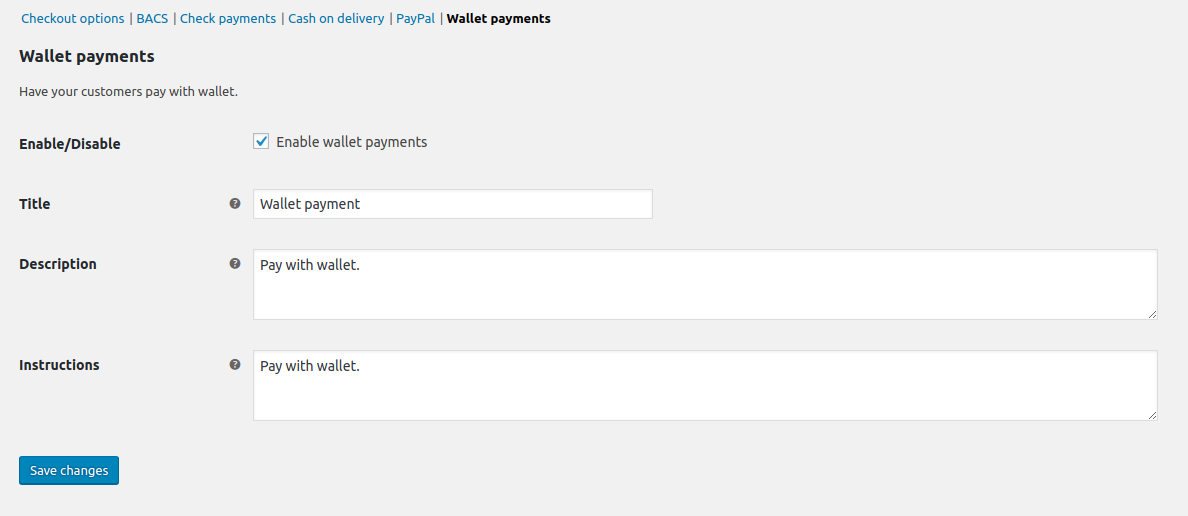
Wallet payment acts as a native WooCommerce gateway. Customers with sufficient balance can select “Wallet” at checkout to pay for their order instantly.
-
Does it support partial payment?
-
Yes! If enabled in settings, customers can use their wallet balance to pay for a portion of the order and cover the remainder with another gateway like Stripe or PayPal.
-
When is cashback applied?
-
Cashback is triggered by order status changes. You can configure which status (e.g., ‘Completed’ or ‘Processing’) triggers the reward in the plugin settings.
-
Why is the wallet not visible at checkout?
-
The Wallet payment option only appears when all of these are true:
* The Wallet gateway is enabled in WooCommerce > Settings > Payments.
* The customer is logged in.
* Their wallet balance covers the full order total. If the balance is lower, use Partial Payment instead.
* Partial payment is not being applied to this cart. If “Auto deduct wallet balance” is on and the balance is lower than the total, the wallet is used as a partial payment instead.
* The customer’s wallet is not locked by an admin. -
Where can I get support?
-
You can ask for help in the WordPress Plugin Forum or email us at support@standalonetech.com.
-
Where is the REST API documentation?
-
You can find the documentation for our Wallet REST API here.
Reviews


Contributors & Developers
“Wallet for WooCommerce” is open source software. The following people have contributed to this plugin.
Contributors


“Wallet for WooCommerce” has been translated into 12 locales. Thank you to the translators for their contributions.
Translate “Wallet for WooCommerce” into your language.
Interested in development?
Browse the code, check out the SVN repository, or subscribe to the development log by RSS.
Changelog
v1.7.3 (October 9, 2026)
- Security – Wallet top-ups paid offline can no longer become spendable credit before payment: bank transfer, check payments and cash on delivery are not selected by default for top-ups, and cash on delivery top-ups are credited only when the order is marked Completed. Existing settings are not changed — please review “Allowed Payment Gateways”. Props to HyeonMin Kim for responsible disclosure.
- Fix – Fatal error on every page after updating to 1.7.2 on sites with WP Rocket or other plugins that run on product save.
- Tweak – A failing database update step is now logged and retried later instead of stopping the site, and new installs no longer run old database updates.