
Description
🚀 The complete PayPal payment suite for WooCommerce – PayPal Smart Buttons, advanced credit/debit card fields, Google Pay, Apple Pay, Pay Later and more, built on PayPal’s latest Complete Payments (PPCP) REST platform.
Accept payments every way your customers want to pay, without ever sending them away from your store. Developed by an official PayPal partner, this plugin connects your store to PayPal in one click and provides a seamless, conversion-optimized checkout on both the classic checkout and the new WooCommerce Cart & Checkout blocks.
Why choose this plugin?
One plugin, every PayPal payment method. Connect your PayPal business account with a single click and instantly offer PayPal Smart Buttons, on-site card payments with built-in 3-D Secure, Google Pay, Apple Pay, Venmo and Pay Later — all processed through PayPal’s modern REST APIs (OAuth2 + Orders v2) with automatic webhooks reconciliation.
Payment methods
- PayPal Smart Buttons – express PayPal buttons on the product page, cart, mini-cart and checkout, with live shipping rates inside the PayPal popup.
- Advanced Credit/Debit Cards (PPCP) – PayPal-hosted card fields (PCI SAQ A) rendered directly on your checkout, with built-in 3-D Secure / SCA including a Smart 3DS mode. Accept Visa, MasterCard, Amex and Discover.
- Google Pay & Apple Pay – wallet buttons in both the express row and the regular payment-methods list.
- Pay Later – Pay Later buttons plus promotional “Pay in 4”-style messaging on product, cart and checkout pages.
- Venmo – offered automatically through the Smart Buttons where eligible.
- Fastlane by PayPal – accelerated one-step guest checkout for returning shoppers.
- Classic PayPal Pro (NVP) – the original direct card gateway remains fully supported for existing stores.
Key features
- One-click “Connect to PayPal” seller onboarding – no manual API keys needed; approved payment methods are enabled automatically.
- Full support for the WooCommerce Cart & Checkout blocks (express buttons and in-list methods) and classic shortcode checkout.
- HPOS (High-Performance Order Storage) compatible.
- Card vaulting (Vault v3) – saved cards at checkout, plus support for WooCommerce Subscriptions renewals, free trials and $0 pre-orders.
- WooCommerce Pre-Orders support for Advanced Cards.
- Capture immediately or authorize now, capture later; automatic refunds from the order screen.
- 3D Secure liability-shift handling – the recommended Smart mode blocks only cards that fail their bank’s authentication challenge, with the 3DS outcome recorded on every order.
- Webhooks for reliable payment reconciliation.
- Shipment tracking sync – order tracking numbers are pushed to PayPal automatically.
- reCAPTCHA v3 anti-carding protection for the checkout.
- Elementor PayPal Smart Buttons widget.
- Compatibility layers for FunnelKit, CheckoutWC, Germanized, WooCommerce Product Add-Ons, ShipStation, TM Extra Product Options, Advanced Product Fields, Mondial Relay and Payment Plugins for Stripe.
- One-click credential import from other PayPal plugins.
- Sandbox mode for end-to-end testing, and correlated debug logging with sensitive data masked.
How it works
- Install and activate the plugin.
- Navigate to WooCommerce Settings Payments.
- Open any PayPal (PPCP) method and click Connect to PayPal (or enter REST credentials manually).
- Approved payment methods are enabled automatically – fine-tune buttons, Pay Later messaging and 3-D Secure in the shared PPCP settings.
- Enable sandbox mode for testing if needed, then start accepting payments.
Screenshots
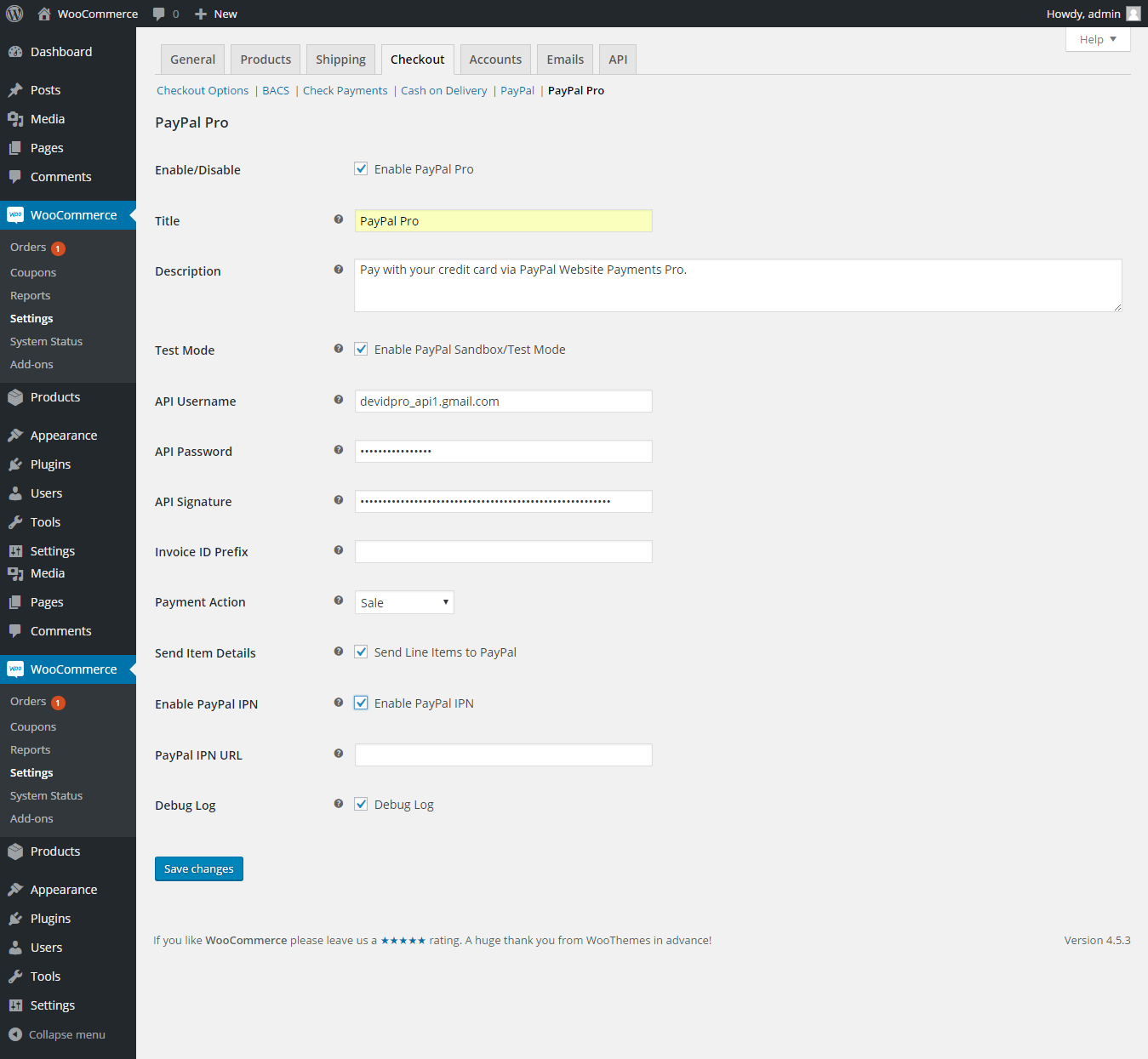
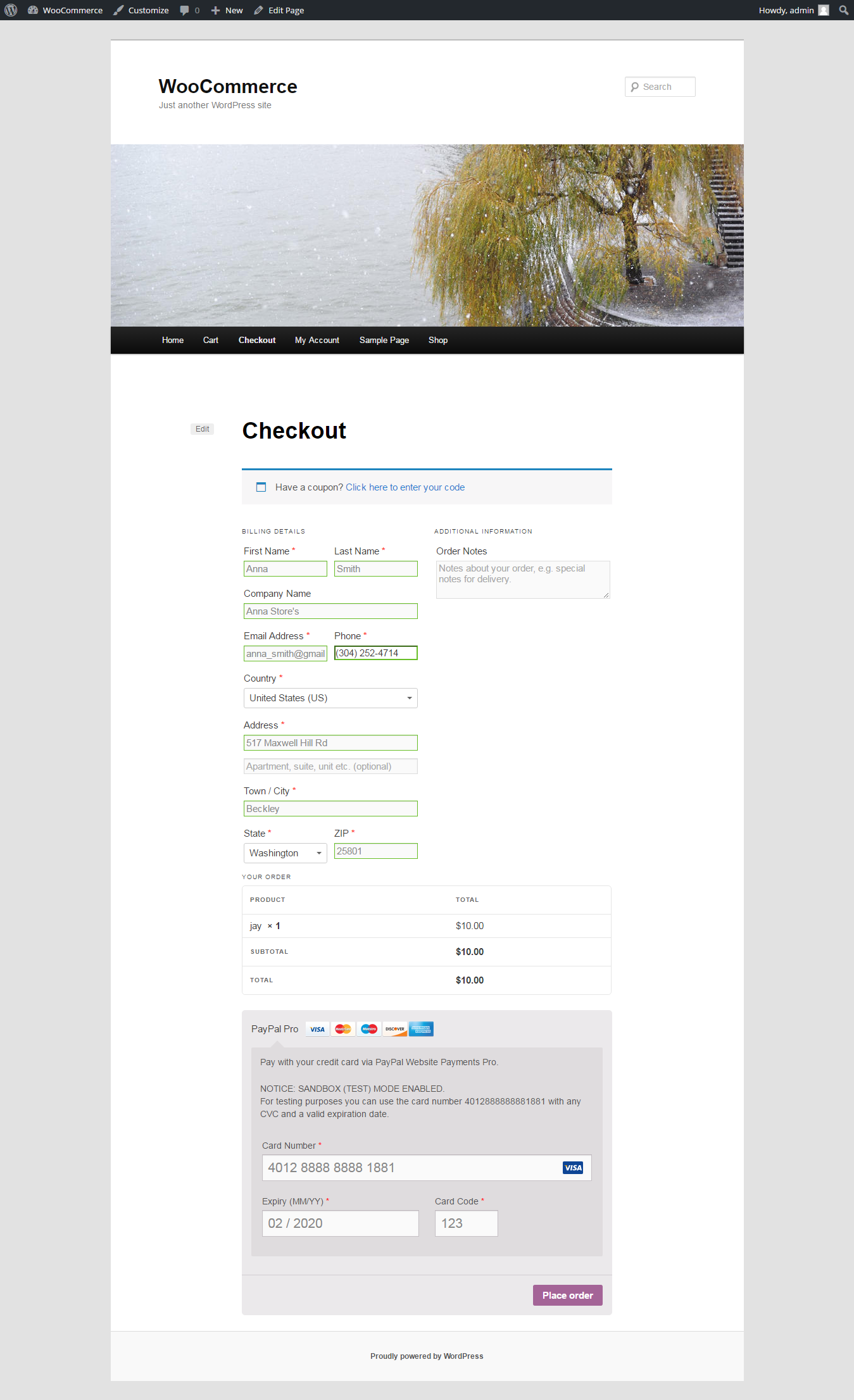
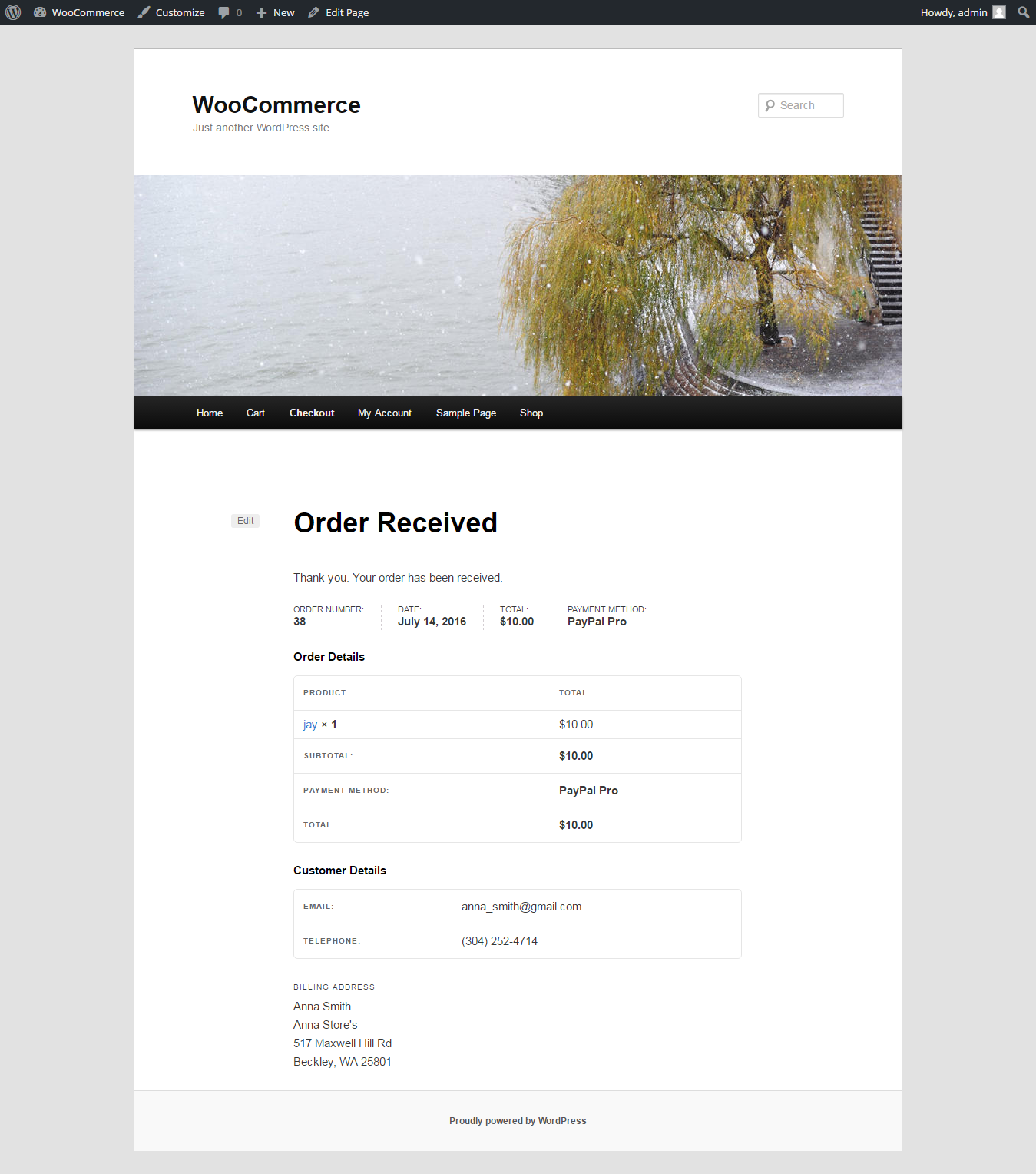
Installation
Automatic installation
- Log in to your WordPress dashboard.
- Navigate to Plugins Add New.
- In the search field, type “WooCommerce PayPal Pro Payment Gateway”.
- Locate the plugin and click Install Now.
- Once installed, click Activate.
- Go to WooCommerce Settings Payments and click Connect to PayPal on any PPCP method to configure.
Manual installation
- Download the plugin ZIP file.
- Unzip the file and upload the
paypal-pro-for-woofolder to/wp-content/plugins/. - Go to your WordPress dashboard Plugins and activate the plugin.
- Navigate to WooCommerce Settings Payments and connect your PayPal account.
FAQ
-
What is PPCP (PayPal Complete Payments)?
-
PPCP is PayPal’s modern commerce platform. This plugin uses it to offer PayPal Smart Buttons, on-site card fields with 3-D Secure, Google Pay, Apple Pay, Venmo and Pay Later through PayPal’s latest REST APIs.
-
Do I need a PayPal Business account?
-
Yes, you need a PayPal Business account. The one-click “Connect to PayPal” onboarding links it to your store; no manual API keys are required. The classic PayPal Pro (NVP) gateway additionally requires a PayPal Pro account.
-
Do customers leave my site to pay?
-
No. Card payments happen directly on your checkout in PayPal-hosted fields (PCI SAQ A), and wallet/Smart Button payments confirm in a popup or payment sheet over your site.
-
Can I test the integration before going live?
-
Yes, all payment methods support PayPal sandbox mode for end-to-end testing.
-
Does this plugin support recurring payments?
-
Yes. Both the Advanced Credit/Debit Cards (PPCP) gateway and PayPal Smart Buttons support WooCommerce Subscriptions: the first payment vaults the card or the buyer’s PayPal account and renewals are charged automatically off-session, including free trials.
-
Does this plugin work with the WooCommerce Checkout block?
-
Yes. Express buttons (PayPal, Pay Later, Google Pay, Apple Pay) and the regular payment methods are fully supported on the block-based Cart and Checkout, as well as on the classic shortcode checkout.
-
Do Google Pay and Apple Pay have any requirements?
-
Your site must be served over HTTPS, and Apple Pay requires a supported Apple device/browser. Both methods must also be approved on your PayPal account.
Reviews


Contributors & Developers
“Payment Gateway for PayPal Pro on WooCommerce” is open source software. The following people have contributed to this plugin.
Contributors
Translate “Payment Gateway for PayPal Pro on WooCommerce” into your language.
Interested in development?
Browse the code, check out the SVN repository, or subscribe to the development log by RSS.
Changelog
8.0.0 – 07.28.2026
Major release: a complete PayPal Complete Payments (PPCP) suite built on PayPal’s latest REST APIs (OAuth2 + Orders v2), alongside the existing classic PayPal Pro (NVP) gateway.
Existing stores are not affected by the upgrade: merchants already using the classic PayPal Pro (NVP) gateway keep processing payments with their saved settings — nothing to reconfigure. The new PPCP payment methods are available to everyone; new installs see the PPCP methods only (the classic gateway stays hidden unless it was already enabled).
- New: Advanced Credit/Debit Cards (PPCP) – PayPal-hosted card fields (PCI SAQ A) rendered on your checkout with built-in 3-D Secure / SCA, including a new Smart 3DS mode for card-based methods. Supports capture or authorize/capture-later and automatic refunds.
- New: 3D Secure liability-shift handling – choose how card payments are handled based on their 3D Secure result (Smart / Accept / Review / Reject). The recommended Smart mode blocks only cards that fail their bank’s authentication challenge — the typical stolen-card signal behind fraud chargebacks — while letting all other payments through. Each order records the 3DS outcome (order note, meta and an admin “3D Secure Details” box), with optional dedicated 3DS logging.
- New: PayPal Smart Buttons – express PayPal (and Venmo where eligible) buttons on the product page, cart, mini-cart and checkout, with live shipping rates and address selection inside the PayPal popup and automatic completion to the thank-you page.
- New: Google Pay & Apple Pay – wallet payments in the express row and as selectable methods in the payment list (HTTPS required).
- New: Pay Later – Pay Later buttons plus promotional messaging on the product, cart, checkout, shop/category and mini-cart pages, set up with six options: turn it on, tick the pages to show it on, choose where it sits on a product page, and pick one layout and colour used everywhere.
- New: WooCommerce Cart & Checkout blocks support – express buttons and in-list payment methods on the block-based Cart and Checkout, with required-field and terms validation before the payment sheet opens.
- New: one-click “Connect to PayPal” seller onboarding – no manual API keys; approved payment methods are enabled automatically after connecting.
- New: card vaulting (Vault v3) – saved cards at checkout, WooCommerce Subscriptions renewals charged off-session, free trials / $0 vault-without-purchase, and WooCommerce Pre-Orders support.
- New: PayPal wallet vaulting & subscriptions – the PayPal Smart Buttons gateway can save a buyer’s PayPal account as a reusable payment method. WooCommerce Subscriptions can be paid with PayPal (not just cards): the initial payment vaults the wallet and renewals are charged off-session, with change-payment-method and environment (sandbox/live) safety carried on the subscription. Saved PayPal accounts appear under My Account Payment methods; subscription carts automatically restrict the buttons to a vaultable PayPal account (Venmo / Pay Later hidden).
- New: webhooks for reliable payment reconciliation, and PayPal shipment tracking sync for PPCP orders.
- New: Fastlane by PayPal – accelerated one-step guest checkout for returning shoppers.
- New: reCAPTCHA v3 anti-carding protection for the checkout.
- New: Elementor PayPal Smart Buttons widget.
- New: compatibility layers for FunnelKit, CheckoutWC, Germanized, WooCommerce Product Add-Ons, WooCommerce ShipStation (tracking numbers created in ShipStation are pushed to PayPal automatically), TM Extra Product Options and Advanced Product Fields for WooCommerce (product-page express button steps aside for products with required option fields), Mondial Relay (express buttons defer to the checkout so a pickup point can be selected) and Payment Plugins for Stripe (the two plugins’ express rows coexist cleanly). Each module is inert unless its plugin is active.
- New: one-click credential import from other PayPal plugins.
- Improved: settings screens – dependent options now show and hide live with the toggle that governs them (Fastlane, reCAPTCHA, logging, 3-D Secure, Pay Later, wallet buttons and the classic gateway’s sandbox/live credentials).
- Correlated debug logging with sensitive-data masking.
- Fixed the Plugins-page “Configure” link, which pointed to a settings section that does not exist on new installs.
- Fixed the WordPress 6.7 “translation loading triggered too early” notice.
7.0.2 – 08.27.2025
- Verified compatibility with WC 10.1.1.
7.0.1 – 06.04.2025
- Verified compatibility with WordPress 6.8.1.
7.0.0 – 02.12.2025
- Added compatibility with HOPS.
- Enhanced support for WooCommerce checkout blocks.
6.0.0
- Verified compatibility with WordPress 6.8.2.
5.0.2 – 02.24.2022
- Verified compatibility with WordPress 6.2.1.
5.0.1 – 01.28.2022
- Fixed calculation issue during checkout.
1.0.1
- Initial compatibility testing with WordPress 4.6.
1.0.0
- Release date: 17 July, 2016
- First version released.