
Description
Over time WordPress stores a copy of every edit as a post revision. On busy sites this quietly bloats the wp_posts and wp_postmeta tables with thousands of rows you will never look at again — slowing down the database and inflating backups.
Wonderful Revision Cleaner gives you a simple, safe way to clean them up. You decide the rules, preview precisely what would be removed, and only then delete.
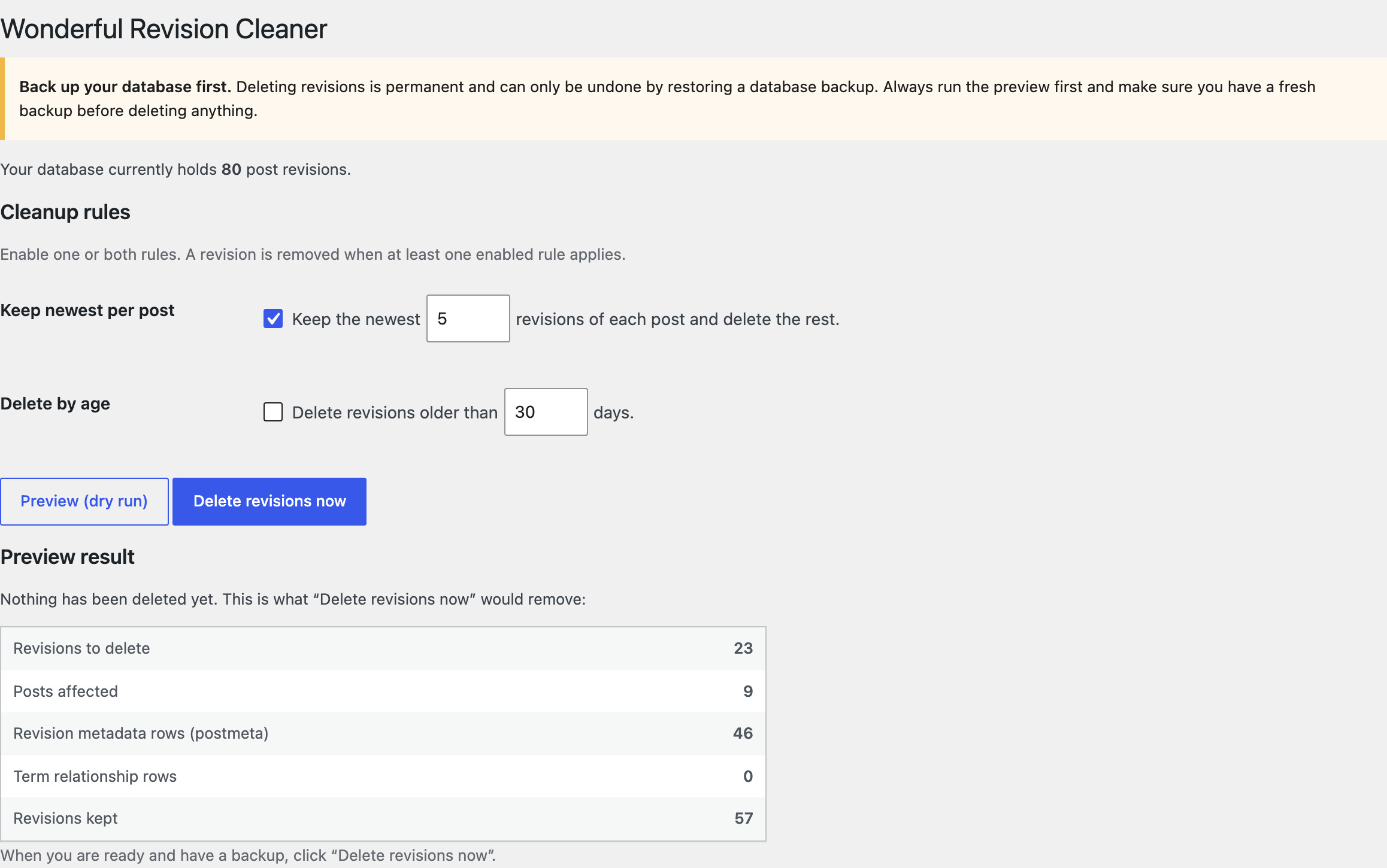
Two cleanup rules
- Keep newest revisions per post — keep only the N most recent revisions of each post and remove the rest (for example, keep 5).
- Delete revisions older than X days — remove any revision older than a chosen age (for example, 30 days).
Each rule has its own checkbox and both can be combined: a revision is removed as soon as at least one enabled rule applies. With no rule enabled, nothing can be deleted at all.
Safety first
- Dry run / preview — before anything is deleted, the preview shows exactly how many revisions match, how many posts are affected, and how many revision metadata (
postmeta) and term-relationship rows would be cleaned up. Nothing is touched until you explicitly confirm. - Backup reminder — the tool reminds you to back up your database, because deleting revisions is permanent and can only be undone from a backup.
- WordPress-native deletion — revisions are removed through the official
wp_delete_post_revision()function, which also cleans up their metadata correctly. There are no rawDELETEqueries against your tables. - Batched with a progress bar — very large sites are cleaned up in automatic batches so a single request never runs away; a progress bar runs the whole job to completion without freezing your browser. (If JavaScript is disabled, it falls back to one batch per click.)
It is the ideal maintenance tool for blogs, magazines, and any content-heavy WordPress site that has accumulated years of revisions.
Screenshots
Installation
- Upload the
wonderful-revision-cleanerfolder to the/wp-content/plugins/directory, or install the plugin through the Plugins screen in WordPress. - Activate the plugin through the Plugins menu.
- Go to Tools > Revision Cleaner in your admin dashboard.
- Back up your database.
- Set your cleanup rules, click Preview (dry run) to see exactly what would be removed, then click Delete revisions now when you are ready.
FAQ
-
Will this delete anything besides revisions?
-
No. It only removes rows whose post type is
revision, together with the metadata and term relationships that belong to those revisions. Your published posts, pages, and their current content are never touched. -
What happens if I do not set any rule?
-
Nothing is deleted. With neither checkbox ticked the preview simply reports that no rule is active, and the cleanup does nothing. This is the safe default.
-
Can I undo a cleanup?
-
Not from within the plugin — deleting revisions is permanent. That is why the tool always shows a preview first and reminds you to keep a current database backup. If you need to reverse a cleanup, restore your backup.
-
Does it slow down my site or contact any external service?
-
No. The plugin runs only when you open its Tools page and click a button. It performs no background tasks, adds no front-end code, and never contacts any external service — all data stays on your own server.
-
My site has hundreds of thousands of revisions. Will it time out?
-
Deletion runs in batches of 1,000 revisions, so a single request never runs away. The progress bar chains the batches automatically until nothing matching is left. Without JavaScript each click deletes one batch and the tool reports how many matching revisions remain, so you can click again until it reaches zero.
Reviews
There are no reviews for this plugin.
Contributors & Developers
“Wonderful Revision Cleaner” is open source software. The following people have contributed to this plugin.
Contributors
Translate “Wonderful Revision Cleaner” into your language.
Interested in development?
Browse the code, check out the SVN repository, or subscribe to the development log by RSS.
Changelog
1.0.0
- Initial release.