
Description
Spam bots and freeloaders love disposable email addresses: they register accounts, place fake orders, and post comments with throwaway inboxes — addresses that are dead an hour later.
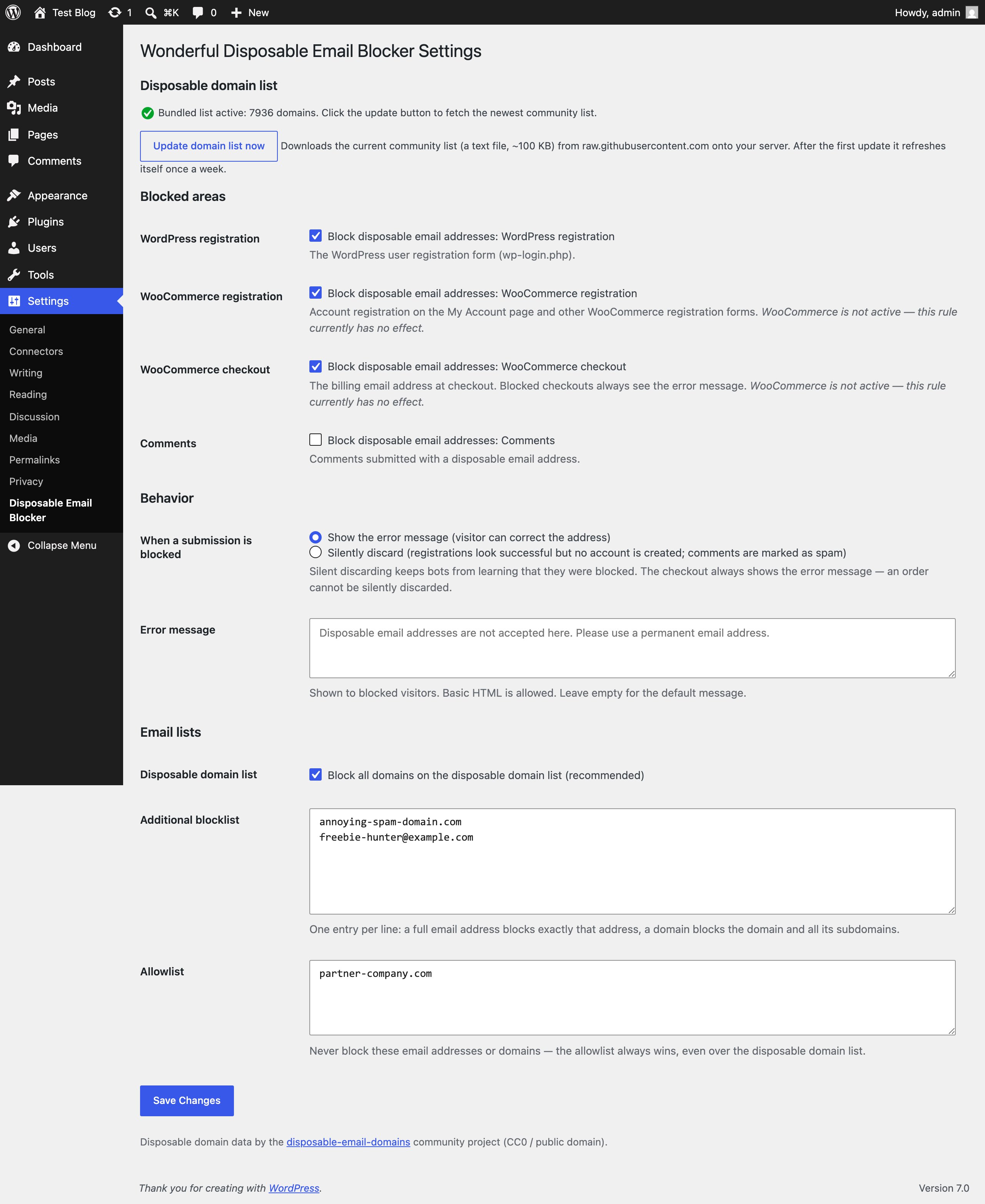
Wonderful Disposable Email Blocker checks the submitted email address against a list of thousands of known disposable email domains and lets you block four areas of your site independently:
- WordPress registration — the wp-login.php registration form.
- WooCommerce registration — account registration on the My Account page and other WooCommerce registration forms (which WordPress-only spam plugins often miss, because WooCommerce validates registrations through its own hook).
- WooCommerce checkout — the billing email address at checkout.
- Comments — comments submitted with a disposable address.
You decide what happens when a submission is blocked:
- Show an error message (customizable, basic HTML allowed) so real visitors can switch to a permanent address, or
- Silently discard — the registration looks successful but no account is created, and comments are quietly marked as spam. Bots never learn they were blocked. (The checkout always shows the error message — an order cannot be silently discarded.)
Your own lists:
- Additional blocklist — one entry per line; a full email address blocks exactly that address, a domain blocks the domain and all its subdomains.
- Allowlist — addresses and domains that are never blocked. The allowlist always wins, even over the disposable domain list.
Built-in safety rails:
- Logged-in administrators are never blocked — you can always test your own checkout.
- Invalid email addresses are left to the form’s own validation; the plugin only ever blocks, it never approves anything.
- If the domain list cannot be read, nothing is blocked — the plugin fails open, never breaks your forms.
- Subdomain trick protection: “anything.disposable-domain.com” is blocked when “disposable-domain.com” is on the list.
Domain data: the plugin ships with a bundled copy of the community-maintained disposable-email-domains list (thousands of domains, CC0 / public domain) and works completely offline out of the box. Optionally, one click downloads the newest list from GitHub onto your server, after which it refreshes itself once a week.
For developers: the wonderful_disposable_email_blocker_pre_is_blocked and wonderful_disposable_email_blocker_is_blocked filters short-circuit or veto any decision, and every block fires the wonderful_disposable_email_blocker_blocked action for logging.
External services
This plugin can download the current disposable domain list from raw.githubusercontent.com (the disposable-email-domains community project on GitHub). The download only happens when you actively opt in by clicking the “Update domain list now” button on the settings page; afterwards a weekly scheduled refresh re-downloads the list from the same URL. The request contains no personal data whatsoever — it is a plain file download. Visitor email addresses are always checked locally on your server and never leave your site. This service is provided by GitHub: terms of service, privacy statement.
Without the opt-in the plugin makes no external requests at all and uses only the bundled list.
Screenshots
Installation
- Upload the
wonderful-disposable-email-blockerfolder to the/wp-content/plugins/directory. - Activate the plugin through the ‘Plugins’ menu in WordPress.
- Go to Settings > Disposable Email Blocker and tick the areas you want to protect (registration, WooCommerce registration, checkout, comments).
- Choose what happens with blocked submissions: show an error message or silently discard.
- Optional: click Update domain list now to fetch the newest community list, and add your own entries to the blocklist and allowlist.
FAQ
-
What happens right after activation?
-
Nothing yet — all four areas start switched off. Blocking starts only for the areas you explicitly enable, so activating the plugin can never break a running shop.
-
Does this plugin send my visitors’ email addresses anywhere?
-
No. All checks run locally against a list file on your server. The only external request is the optional domain list download, which you trigger yourself and which contains no personal data.
-
A legitimate customer is being blocked — what do I do?
-
Put their email address (or their whole domain) on the allowlist. The allowlist always wins over every blocklist.
-
Where does the domain list come from?
-
From the community-maintained disposable-email-domains project (CC0 / public domain). A copy is bundled with the plugin, so it works completely offline; the update button fetches the newest version from GitHub.
-
Why does the checkout always show the error message, even in silent mode?
-
A checkout ends with a real order and a payment. Faking success would mean taking the customer’s money without recording an order — so blocked checkouts always get an honest error message instead.
-
Does it work with custom WooCommerce registration forms?
-
Yes, as long as the form creates its customers through
wc_create_new_customer()(the WooCommerce standard), because validation runs through thewoocommerce_registration_errorshook.
Reviews
There are no reviews for this plugin.
Contributors & Developers
“Wonderful Disposable Email Blocker” is open source software. The following people have contributed to this plugin.
Contributors
Translate “Wonderful Disposable Email Blocker” into your language.
Interested in development?
Browse the code, check out the SVN repository, or subscribe to the development log by RSS.
Changelog
1.0.1
- Readme cleanup: removed third-party service names from the description.
1.0.0
- Initial release.