

Description
Wizybot is a powerful customer engagement and sales platform designed for WooCommerce stores. This plugin integrates Wizybot’s chatbot and customer communication tools directly into your WordPress site, enabling you to engage customers, recover abandoned carts, and drive more sales.
Key Features:
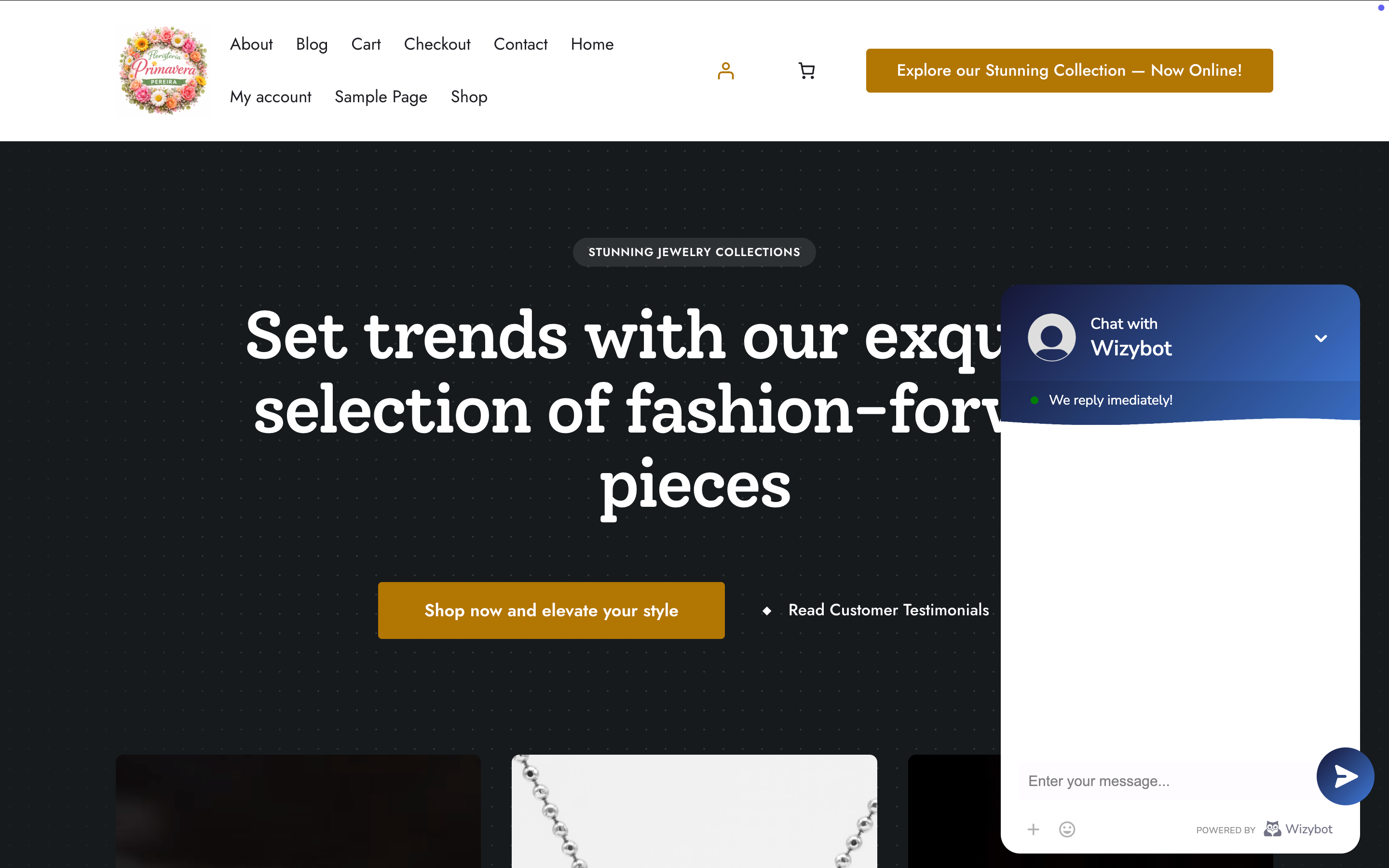
- Intelligent chatbot widget for customer engagement
- Abandoned cart recovery and conversion
- Customer interaction tracking and analytics
- Sales attribution and order tracking
- WhatsApp and SMS messaging capabilities
- WooCommerce integration with persistent cart tracking
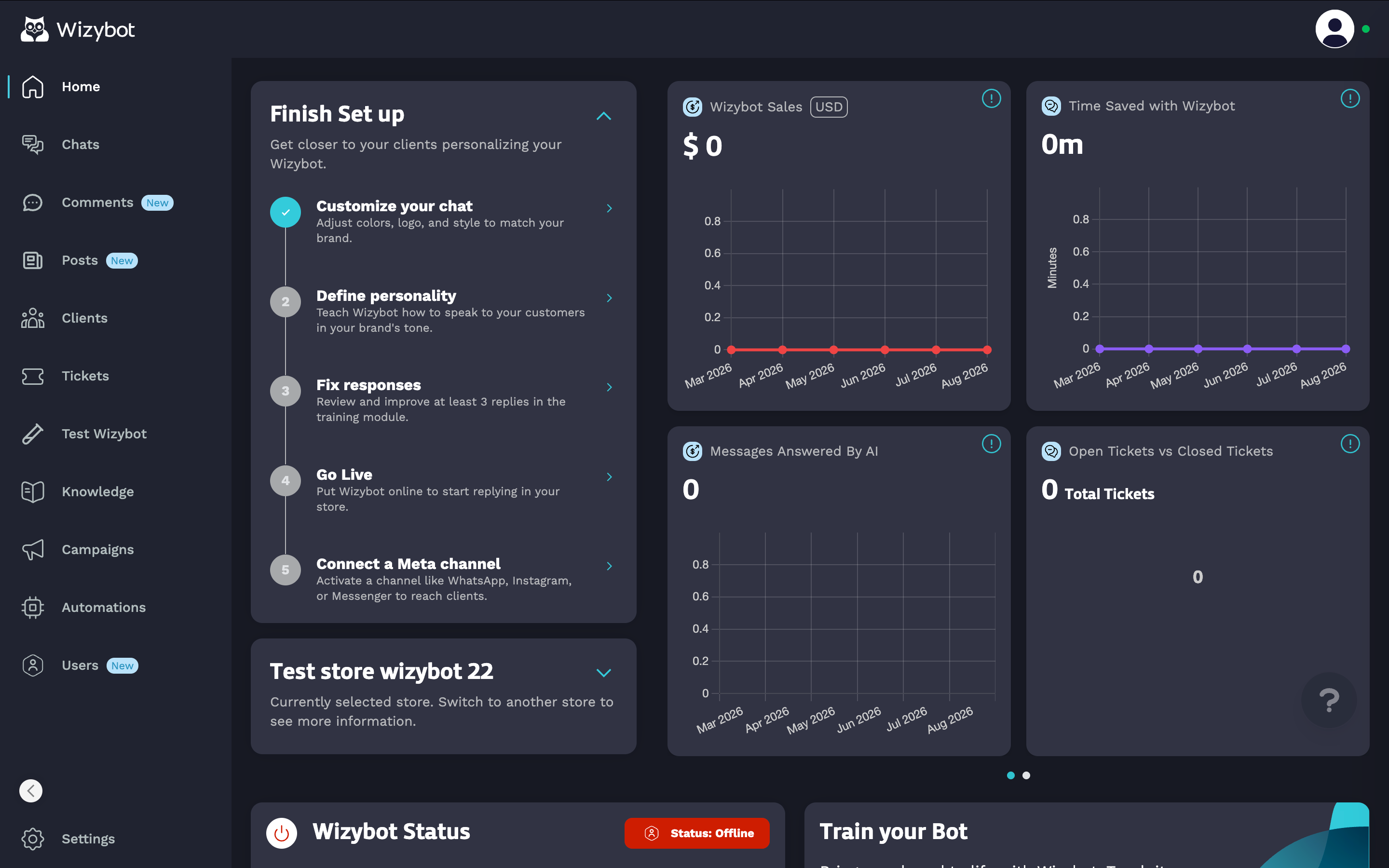
- Centralized admin dashboard within WordPress
- Real-time customer communication
Requirements:
- WordPress 5.2 or higher
- PHP 7.2 or higher
- WooCommerce plugin (for full ecommerce features)
- Active Wizybot account or plan
By installing this plugin, you consent to share store information and customer interaction data with Wizybot. See the Privacy section below.
Licensing
Plugin Code: GPL v2 or later
– You can modify, use, and redistribute the plugin code under GPL v2 terms
– Source code is open and freely available
Wizybot Service: Proprietary Software-as-a-Service (SaaS)
– The Wizybot platform itself is proprietary and closed-source
– Wizybot service is subject to Wizybot’s Terms of Service and Privacy Policy
– You require an active paid subscription to access Wizybot services
– You cannot modify, reproduce, or redistribute the Wizybot subscription service
– You cannot bypass or circumvent subscription requirements
What This Means:
– This WordPress plugin is free and open-source
– Using Wizybot’s cloud platform requires a paid subscription
– You pay for access to cloud services, not for software licenses
– The plugin integrates your WordPress site with Wizybot’s proprietary platform
Third-Party Service
This plugin integrates with Wizybot, a third-party Software-as-a-Service (SaaS) platform.
Service Details:
– Provider: Wizybot Inc
– Service URL: https://wizybot.com
– API Communication: Plugin communicates with Wizybot servers for:
– Chat widget functionality
– Customer engagement tracking
– Cart recovery services
– WhatsApp/SMS messaging
– Analytics and reporting
Servers contacted by this plugin:
– https://api.wizybot.com — Wizybot’s own backend API. Used to link the store to the merchant’s Wizybot account and to power the chat widget (conversations, widget configuration). Contacted only after the administrator explicitly accepts the Terms & Privacy Policy on the plugin dashboard, and by the chat widget on the storefront as part of the service.
– https://fonts.googleapis.com / https://fonts.gstatic.com — Google Fonts (font families used by the chat widget), loaded from Google’s approved CDN.
If the merchant personalizes the chat widget with a custom image, that image is stored in this site’s own WordPress Media Library and served from this site’s own URL. No external media storage is contacted for it.
Subscription Required:
– Active paid subscription with Wizybot is required
– Subscription terms and pricing at wizybot.com/pricing
– Different plans available with varying features
Data Sharing:
By installing and activating this plugin, you consent to share:
– Store domain and basic shop information
– Customer interactions and conversations
– Shopping cart data
– Customer contact information
– Order information for attribution
Privacy Policy:
– Wizybot Privacy Policy: https://app.wizybot.com/privacy
– Review these documents before using this plugin
Support & Billing
For support, billing, feature requests, or account management:
– Visit wizybot.com
– Email: support@wizybot.com
For WordPress plugin technical issues:
– Check installation instructions above
– Review FAQ section
– Contact Wizybot support for platform-related issues
Included source code (source/)
The compiled assets shipped in assets/ (main.js, dashboard.js, main.css, dashboard.css) are built from the source/ directory, which is included inside this plugin and contains all the original, human-readable frontend widget source code (React + TypeScript) together with the build configuration needed to reproduce those assets. The source/ directory is not loaded or executed at runtime; WordPress only ever loads the compiled files in assets/. It is bundled solely to satisfy the human-readable source requirement, so the shipped bundles can be independently reviewed and reproduced. Build instructions are provided below.
Main structure:
package.json: development/build dependencies and scripts.webpack.wordpress.config.js: webpack configuration to build the WordPress bundles.public/: CSS files copied to the plugin during the build:ShopifyWidgetInner.cssShopifyWidgetOutter.css
src/components/: React/TypeScript components that implement the widget and UI.src/wordpress/: WordPress-specific entries and assets:widget/indexWidget.wordpress.tsxdashboard/indexDashboard.wordpress.tsxindex.wordpress.css
How to build the WordPress assets (widget + dashboard):
- Install dependencies:
cd sourcenpm install
- Create a Babel config file:
- .babelrc
- with the contents:
{
“presets”: [
“@babel/preset-env”,
“@babel/preset-react”,
“@babel/preset-typescript”
]
}
- Build in production mode:
npm run widget-wordpress
The widget-wordpress script runs:
webpack --config webpack.wordpress.config.js --mode production
Build output:
- Generated files are written to
assets/in the plugin root. main.js,dashboard.js,main.css,dashboard.cssare created.- Images and static CSS defined in
webpack.wordpress.config.jsare copied.
Development (watch):
npm run widget-wordpress:watchrebuilds automatically in development mode.
This source code represents the frontend widget implementation that integrates with the plugin to display the chat interface and functionality in stores.
Screenshots
Installation
- Upload the wizybot folder to
/wp-content/plugins/directory - Activate the plugin through the WordPress Plugins menu
- Navigate to the Wizybot menu in WordPress admin
- Complete setup by authenticating with your Wizybot account
- Verify the chat widget appears on your store frontend
FAQ
-
Do I need a Wizybot account?
-
Yes. You need an active Wizybot account (subscription or paid plan) to use this plugin. Visit wizybot.com to create your account. Wizybot is a Software-as-a-Service (SaaS) platform that requires a valid subscription.
-
Is this plugin free?
-
The plugin code is free and open-source (GPL v2). However, accessing Wizybot’s services requires an active paid subscription or plan with Wizybot Inc. You pay for access to the cloud service, not for the plugin code.
-
What subscription plans are available?
-
Visit wizybot.com for current plan details, pricing, and features.
-
Can I modify or redistribute the plugin?
-
Yes, you can modify the plugin code under the GPL v2 license. However, the Wizybot cloud service itself is proprietary and subject to Wizybot’s Terms of Service. You cannot:
– Modify, reverse engineer, or copy the Wizybot backend service
– Redistribute your Wizybot subscription to others
– Bypass subscription requirements -
Does it work without WooCommerce?
-
The plugin loads on WordPress sites without WooCommerce, but ecommerce features (cart recovery, order attribution) require WooCommerce to be installed and active.
-
What data does Wizybot collect?
-
Wizybot collects customer interactions, cart data, and sales information to provide personalized engagement and track conversions. See our Privacy Policy for details on how your data is handled.
-
Do I need to modify my theme?
-
No. The plugin integrates using native WordPress hooks and does not require theme modifications.
-
Where do I get support?
-
Visit wizybot.com for technical support, billing questions, and commercial information about plans and features.
Reviews
There are no reviews for this plugin.
Contributors & Developers
“Wizybot” is open source software. The following people have contributed to this plugin.
Contributors
Translate “Wizybot” into your language.
Interested in development?
Browse the code, check out the SVN repository, or subscribe to the development log by RSS.
Changelog
1.0.0
- Custom chat widget images are now stored in the site’s own WordPress Media Library and served from the site’s own URL.
- Removed the external media storage host (Amazon S3) from the list of servers contacted by the plugin.
- The custom widget image is registered through the existing authenticated
wizybot/v1/setupREST route and removed on uninstall.
0.0.1
- Initial plugin release
- WooCommerce integration
- Abandoned cart recovery functionality
- Customer tracking and order attribution
- Admin dashboard integration