

Description
WebAudit Broken Link & 404 Monitor watches your own site for two things that quietly hurt SEO and user experience: real visitors hitting 404 pages, and your own posts/pages linking to content that no longer exists. No external URLs, no signup required for the Lite check.
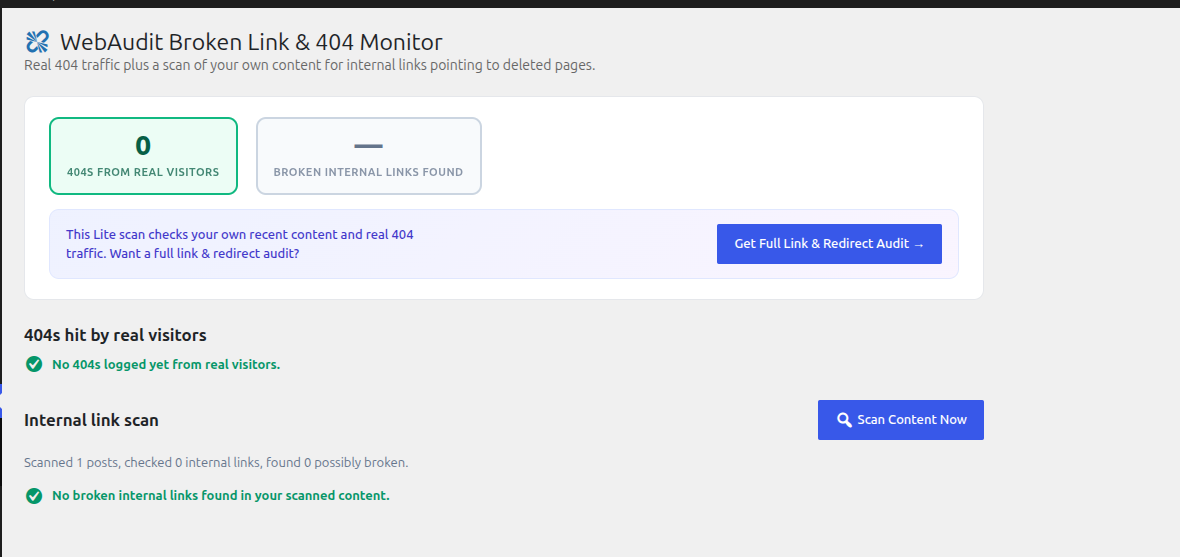
- Passive 404 log — every genuine 404 hit by a real visitor is recorded (URL requested, referrer, hit count, last seen); static-asset requests and common bot/scanner noise are filtered out automatically
- Internal link scanner — checks your own published posts and pages for links pointing to deleted posts or missing media files in your uploads folder
- Zero external requests — this plugin never fetches any URL, on your site or anyone else’s; the 404 log is purely passive, and the link scanner works entirely from your own database and filesystem
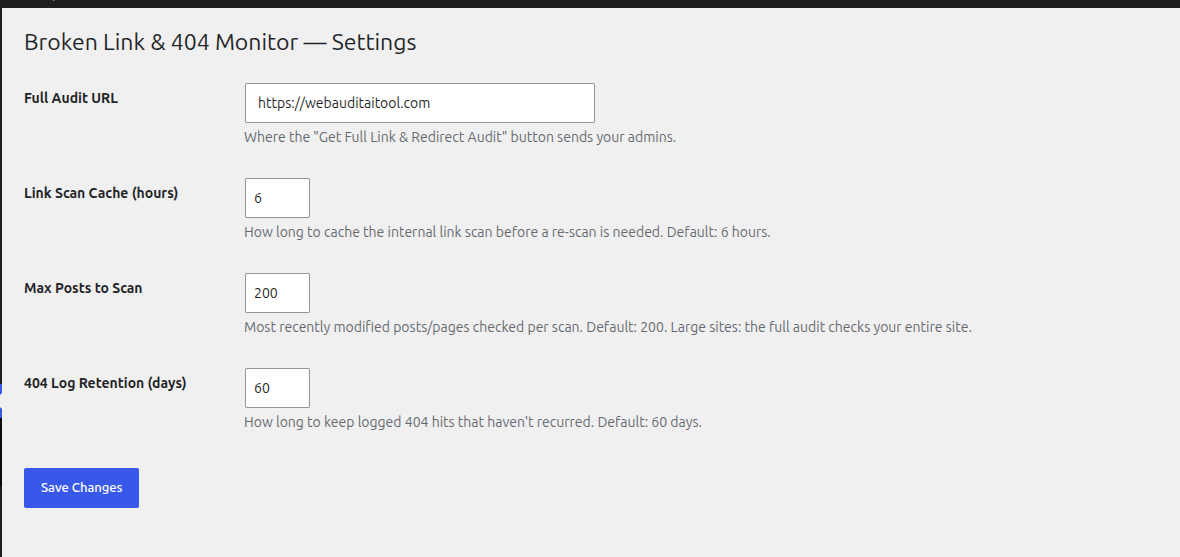
- Auto-pruning — old, one-off 404 entries are cleaned up automatically (default: 60 days) so the log table stays lean
- “Get Full Link & Redirect Audit” — a clearly-marked upgrade path to a complete audit (full-site link crawl, redirect chains, orphaned pages) at WebAudit AI Tool
How it works
- Install and activate the plugin
- Real 404s start appearing automatically in Link Monitor as visitors hit them
- Click Scan Content Now to check your recent posts/pages for internal links pointing to deleted content
- Fix what’s flagged, or click Get Full Link & Redirect Audit for a complete site-wide report
External services
This plugin does not make any outbound HTTP requests. The 404 log only records data from requests visitors already made to your own site. The internal link scanner reads your local WordPress database and uploads directory only.
The “Get Full Link & Redirect Audit” button is a plain outbound link, followed only if you click it. It opens WebAudit AI Tool (https://webauditaitool.com/audit by default, configurable under Link Monitor Settings) in a new tab, passing your homepage URL and your Lite scan counts as URL query parameters so the destination page can be pre-filled. No request is made to this service unless you click the button.
WebAudit AI Tool is operated by the plugin author. See their terms of service (https://webauditaitool.com/terms) and privacy policy (https://webauditaitool.com/privacy).
Screenshots
Installation
- Upload the
webaudit-broken-link-404-monitorfolder to/wp-content/plugins/ - Activate the plugin through the ‘Plugins’ menu in WordPress
- Visit Link Monitor in the admin menu
FAQ
-
Does this plugin make any external requests?
-
No. The 404 monitor only records requests that already arrived at your own server. The internal link scanner only reads your own database (post content) and your own uploads folder on disk. Nothing is fetched from your site or any other site as part of either feature.
-
Does the internal link scanner check external links?
-
No, by design. It only evaluates links pointing back to your own domain, resolving them structurally (via WordPress’ own permalink lookup and local file checks) rather than making requests. External links found in your content are counted but not followed or checked.
-
Is the internal link scan perfect?
-
It’s a Lite heuristic: it checks your most recently modified posts/pages (configurable, default 200) for links that should resolve to a single post, page, or media file, and skips category/tag/date/author archive links to avoid false positives. For a full-site crawl with live verification, use the “Get Full Link & Redirect Audit” link.
-
Where does “Get Full Link & Redirect Audit” send me?
-
To WebAudit AI Tool (webauditaitool.com/audit) by default. The destination can be changed under Link Monitor Settings.
Reviews
There are no reviews for this plugin.
Contributors & Developers
“WebAudit Broken Link & 404 Monitor” is open source software. The following people have contributed to this plugin.
Contributors
Translate “WebAudit Broken Link & 404 Monitor” into your language.
Interested in development?
Browse the code, check out the SVN repository, or subscribe to the development log by RSS.
Changelog
1.0.0
- Initial release