

Description
Warp Calendar Events helps you publish and organize events in WordPress. Manage events, venues, organizers, categories and tags from an interactive dashboard, then display published events on your website.
- Month, List, Day, Week, Week list, Week timeline and Upcoming views.
- Classic, Minimal and Compact templates with light, dark and device-based appearance options.
- Daily, weekly, monthly-date and yearly recurrence, interval/count/end-date limits and individual occurrence changes.
- Twelve Gutenberg blocks, an event-layout pattern, shortcodes and an upcoming-events widget.
- Dedicated Calendar, Upcoming Events and Event Details integrations for Elementor and Bricks, when installed separately.
- Public iframe and script embeds for another website.
- Manual CSV and public HTTPS ICS preview/import, preserving previously imported records and local edits.
- ICS downloads, rolling subscriptions, Google Calendar compose links and event structured data.
- Optional mapping of existing public post types and date fields into the calendar.
- Registration: free RSVP or paid tickets per event, per-occurrence capacity, group bookings, guest self-service links, confirmation emails and private attendee lists with CSV export.
- PayPal tickets using your own PayPal business account — no WooCommerce, no platform fee. Verified captures, webhooks, full and partial refunds and reconciliation.
- Migration from The Events Calendar 6.x and Pie Calendar 1.x with inventory, dry run, batched import, rerun safety, optional URL redirects and rollback.
JavaScript and CSS source files are included locally; no build step or external CDN is required. Elementor and Bricks are optional and are not bundled. Core features, RSVP, PayPal tickets and migrations work without builders or the separate Warp Calendar Events Pro add-on. Events stay display-only until you enable registration.
External services and privacy
This plugin does not send telemetry or contact an activation, licensing or external update server. WordPress.org handles updates to the directory version. Optional external interactions are:
- ICS import: when an administrator enters a public HTTPS feed URL and requests a preview, the site server contacts that provider, following safe HTTP redirects. The provider receives the request and server IP. No feed request runs automatically. Use feeds you are authorized to import and review that provider’s policies.
- Google Calendar: clicking its event link opens calendar.google.com with the event title, dates, description, public occurrence URL and venue location encoded in the link. Data is sent when opened; this is not background sync. Google Calendar, Privacy, Terms.
- Google Maps: when an editor enables venue directions, clicking the public link sends the venue address to Google Maps. Maps are not loaded in the background. Google Maps, Privacy, Terms.
- PayPal (paid tickets only): when an organizer enables paid tickets and a visitor reserves a place, the visitor can continue to PayPal’s hosted checkout (www.paypal.com or www.sandbox.paypal.com); the site server calls PayPal’s REST API (api-m.paypal.com or api-m.sandbox.paypal.com) to create, capture, verify and refund payments, and to verify webhook signatures. PayPal receives the booking reference, amount, currency and event description, plus whatever the buyer enters at PayPal. Nothing loads on pages without paid ticket forms. PayPal, Privacy, Terms.
- External embeds: a site owner may place a public calendar iframe/script on another website. Visitors then request calendar assets and data from this WordPress site, exposing normal HTTP request information to its server. No embed host is preconfigured. The optional auto-height script sends only the public frame height to the parent page.
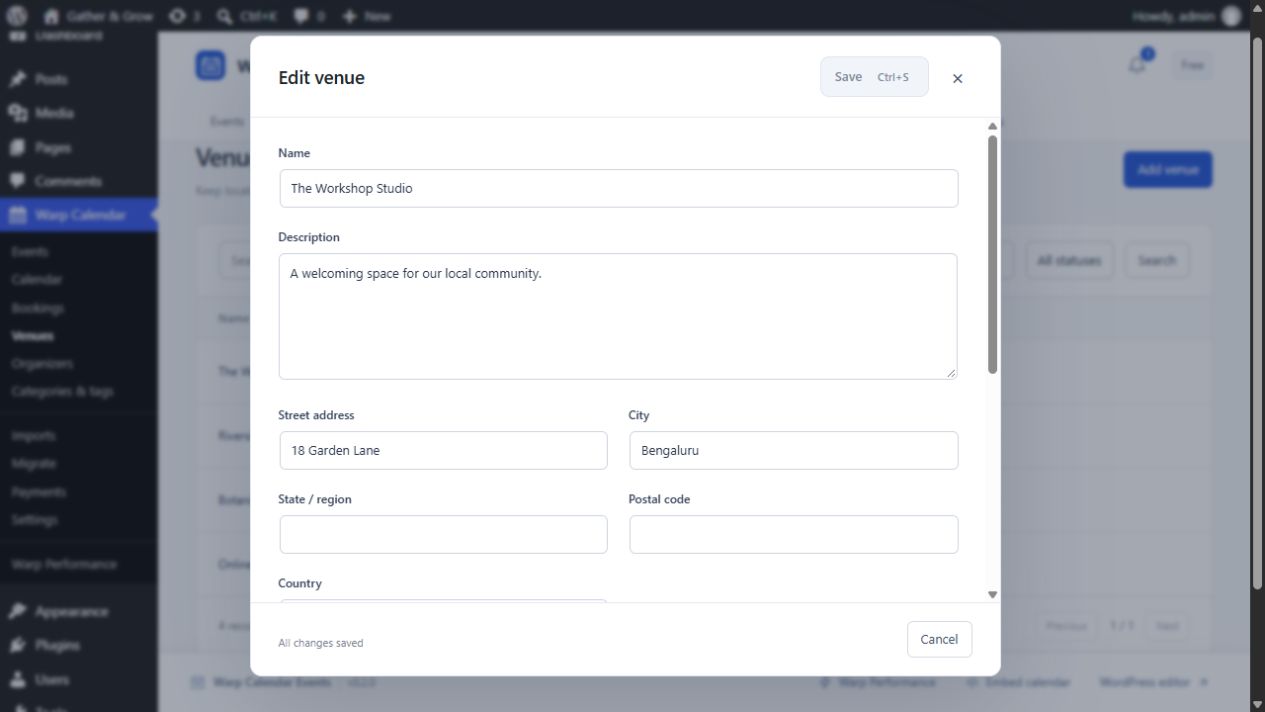
Organizer/venue names, addresses, phone numbers, websites and emails are stored in WordPress post metadata. Email display is opt-in; published contact details can appear on event pages. Import previews use per-user transients for 20 minutes, query caches for two minutes, and a bounded administrator-visible import log records source labels and activity. Site administrators control backups, retention and deletion. When registration is enabled, purchaser names and emails, attendee names, optional attendee emails and answers, booking dates and payment states are stored privately in dedicated database tables. They never appear in public pages, feeds or calendar data, are available to administrators with the booking capability, and are included in WordPress’s personal-data export and erasure tools (payment amounts and PayPal transaction IDs are kept for accounting). Guest booking links carry their secret in the URL fragment, which browsers do not send to servers or other sites. Booking data remains after deactivation or deletion.
Screenshots




Blocks
This plugin provides 1 block.
- Warp Calendar Events Browse events in Month, List, Day, and Week views.
Installation
- Upload the warp-calendar folder to wp-content/plugins, or install its ZIP using Plugins > Add New > Upload Plugin.
- Activate Warp Calendar Events.
- Open Warp Calendar Events > Events, choose Add Event, enter a title and schedule, then save as Published.
- Insert the Warp Calendar Events block into a page, or use [warp_calendar].
- Use Embed calendar in the dashboard for builder instructions and external embed snippets.
FAQ
-
How do registration and tickets work?
-
Edit an event, open Registration & tickets, enable registration, choose Free RSVP or Paid ticket (PayPal), and set places per occurrence. Each date of a repeating event has its own capacity. Visitors register on the event page without an account and receive an email with a private link to view or cancel. Manage bookings in Warp Calendar Events > Bookings. QR codes and check-in are not included.
-
What do I need for PayPal tickets?
-
A PayPal business account and a REST app (client ID and secret) from the PayPal Developer Dashboard, your merchant ID, and a webhook pointing to the URL shown in Warp Calendar Events > Payments. Test with sandbox credentials first. Payments go directly to your PayPal account. Warp adds no fee; PayPal charges its own processing fees under your agreement with PayPal. Supported currencies are those PayPal supports for REST checkout (for example USD, EUR, GBP, AUD, CAD, JPY). Your site needs a public HTTPS address for webhooks.
-
How are refunds and cancellations handled?
-
Guests can cancel free bookings themselves before the cutoff you set; for paid bookings they can request cancellation. Refunds are a separate administrator action in Bookings: you choose the amount and how many places to release, and the booking changes only after PayPal confirms the refund. Editing or deleting an event never refunds anyone automatically, and events with active bookings cannot be deleted until they are resolved.
-
What does the migrator copy?
-
From The Events Calendar 6.x: events (title, content, excerpt, status, password, featured image, dates, time zone, all-day and multi-day meaning), venues, the first organizer, categories, tags, website, display cost and cancelled/postponed status, as new Warp events. From Pie Calendar 1.x: your existing posts, pages and custom post types are enabled in place, so their content and URLs stay the same. Not migrated: ticket, RSVP, order and attendee history, payment credentials, licences, CRM settings and Events Calendar Pro recurring series (these are listed in the dry-run report). Source plugins and their data are never changed or deleted.
-
Can I undo a migration?
-
Yes. Rollback removes records the migration created and restores values it changed, but keeps anything you edited afterwards (flagged for review), shared media and terms, and stops entirely if bookings exist for migrated events. URL redirects are a separate on/off switch.
-
Should I run a real cron job?
-
Confirmation emails, payment reconciliation and hold expiry run through a retrying queue. WP-Cron only runs when your site gets visits. For reliable timing, disable WP-Cron and run
wp warp-calendar tasksevery minute from your server’s cron. -
Can I roll back to 0.1.0?
-
Back up your database before updating. Version 0.2.0 adds database tables; installing the 0.1.0 ZIP again does not remove them or undo bookings, it only stops managing them. Before downgrading, close registration and resolve or refund open bookings. To fully revert, restore your database backup.
-
Do I need Pro or a builder?
-
No. All features listed above work in this plugin. Pro is installed separately and requires this plugin.
-
Does Add to Google Calendar synchronize calendars?
-
No. It opens an event draft for the visitor to review and save in Google. ICS downloads open in compatible calendar applications. Subscriptions are public rolling feeds covering the next 89 days; application refresh schedules vary.
-
What can the importer import?
-
Manual ICS and CSV imports accept up to 1 MB and 250 entries. ICS recurrence, detached exceptions, duration properties and custom VTIMEZONE definitions are skipped with an explanation. Imports do not run in the background or overwrite previously imported records automatically.
-
What happens on deactivation or deletion?
-
Event posts, contact metadata and settings remain in the WordPress database. Deactivation and deletion do not erase them. Back up your database before updating or removing plugins. Remove event/contact records through WordPress when no longer needed.
-
Which date formats are supported?
-
Interactive calendars support Y y F M m n d j l D H G h g i s a A T e tokens and backslash escapes. T and e display the timezone identifier. Dates use the Gregorian calendar and Latin digits. PHP Intl supplies localized date names when available; otherwise an installed WordPress language or the site language is used.
Reviews
There are no reviews for this plugin.
Contributors & Developers
“Warp Calendar Events” is open source software. The following people have contributed to this plugin.
Contributors
Translate “Warp Calendar Events” into your language.
Interested in development?
Browse the code, check out the SVN repository, or subscribe to the development log by RSS.
Changelog
0.2.0
- New: free RSVP and paid PayPal tickets per event with per-occurrence capacity, holds, group bookings, guest management links, confirmation emails and cancellation.
- New: Bookings screen with filters, attendee details, resend, cancel, move to another date, refunds, PayPal reconciliation and spreadsheet-safe CSV export.
- New: native PayPal checkout (no WooCommerce) with verified captures and webhooks, sandbox/live separation, full and partial refunds.
- New: migration from The Events Calendar 6.x and Pie Calendar 1.x with dry run, batching, rerun safety, conflict detection, URL redirects and rollback.
- New: durable task queue and
wp warp-calendar tasks/wp warp-calendar migratecommands; personal-data export/erasure for bookings. - Fix: the no-refresh admin now works on sites without pretty permalinks.
- Database: adds 11 tables; existing events, settings and URLs are unchanged.
0.1.0
Initial release candidate: event administration, seven views, three templates, recurrence, blocks, optional builder integrations, embeds, imports and exports.