
Description
VanNhan AI Assistant Admin Tools is a powerful WordPress plugin designed to elevate your WordPress admin experience and interface. It integrates a smart AI Chatbot Virtual Assistant, AI Post Generation writer, customized branding for the login page, and multilingual advertising banners.
For full guides and sample prompts, please visit the Online Documentation.
Features
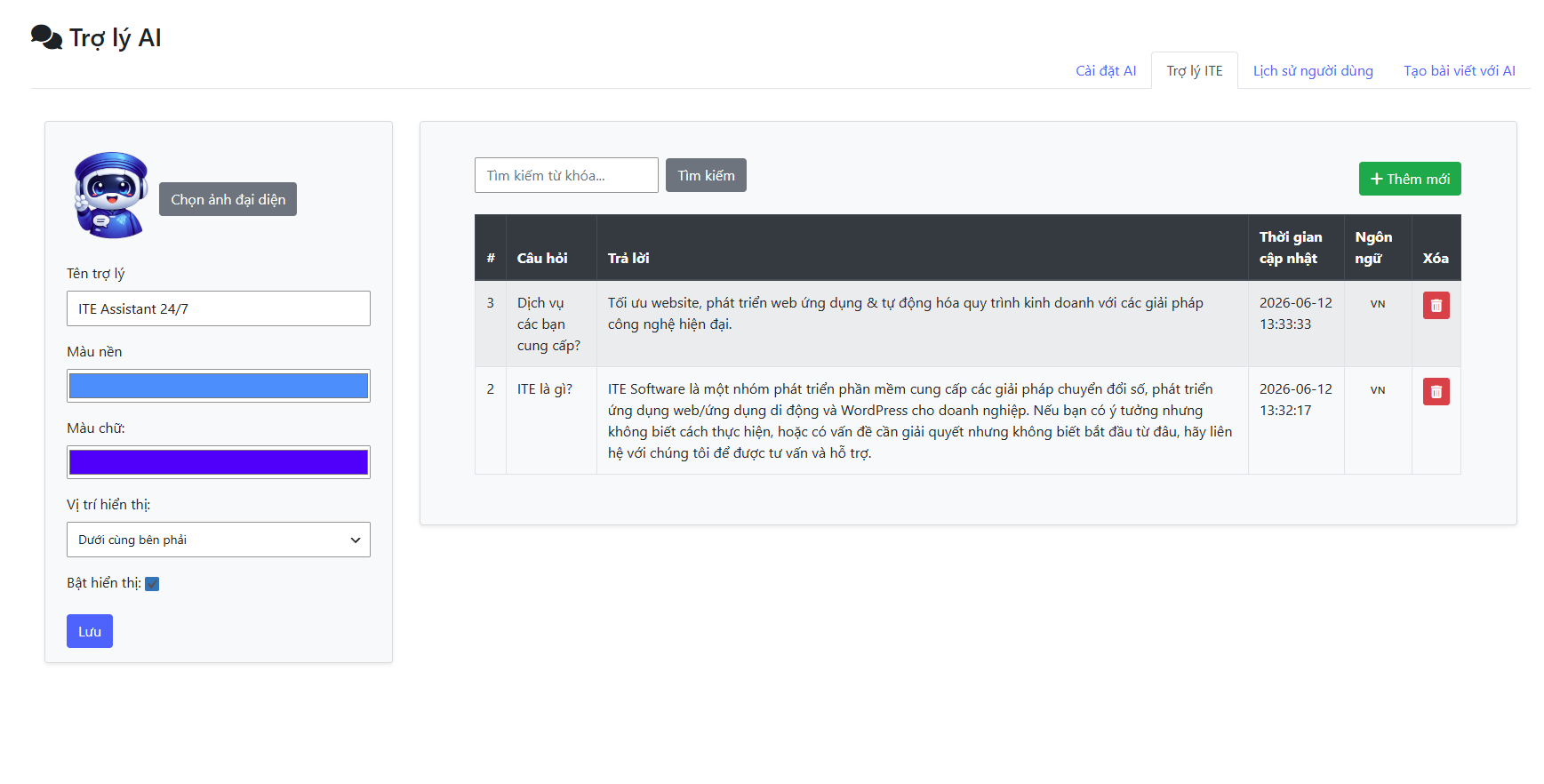
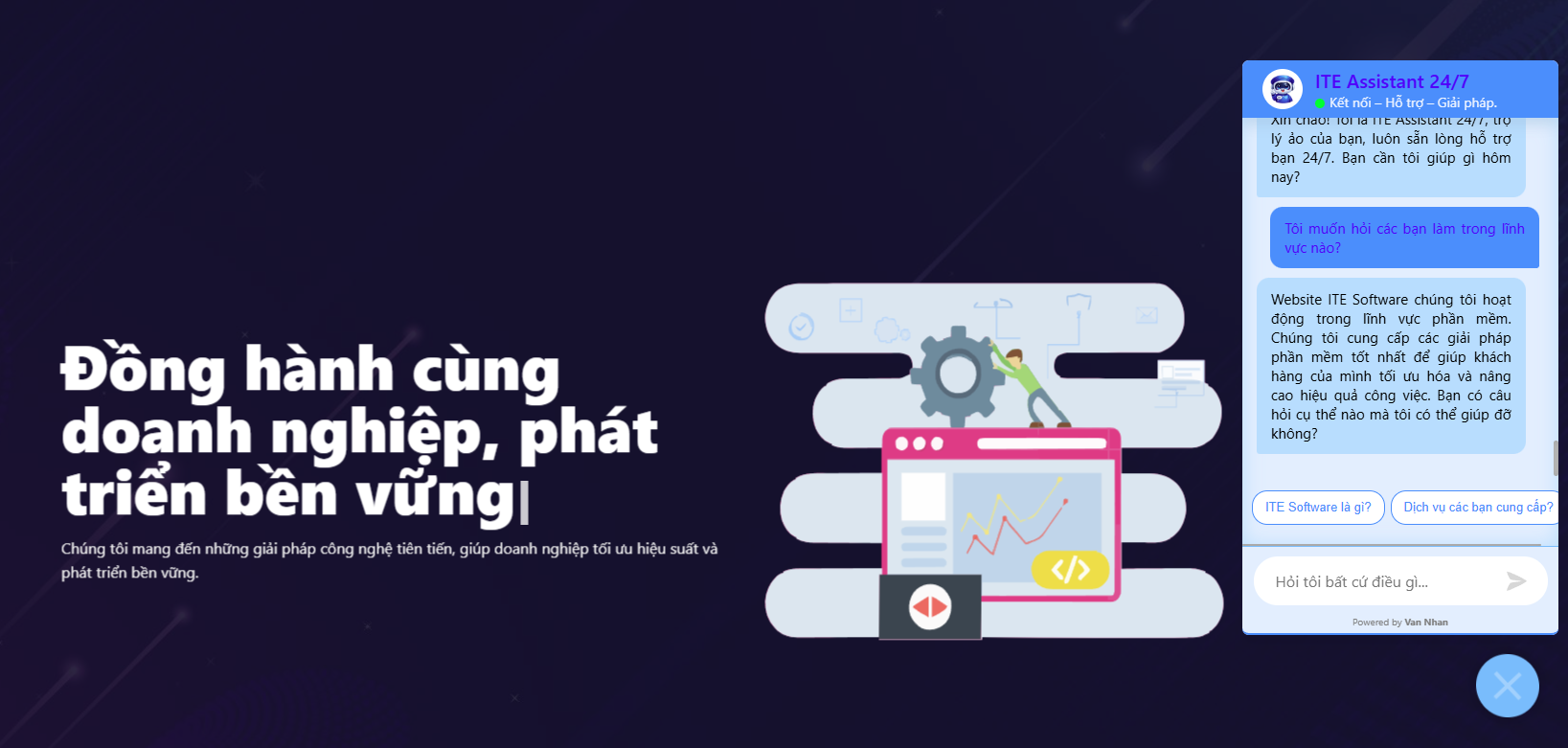
- Smart AI Chatbot (Virtual Assistant): Engage users with custom chatbot names, avatars, colors, position, identity verification, custom Q&A keyword matching, and context-aware category selection.
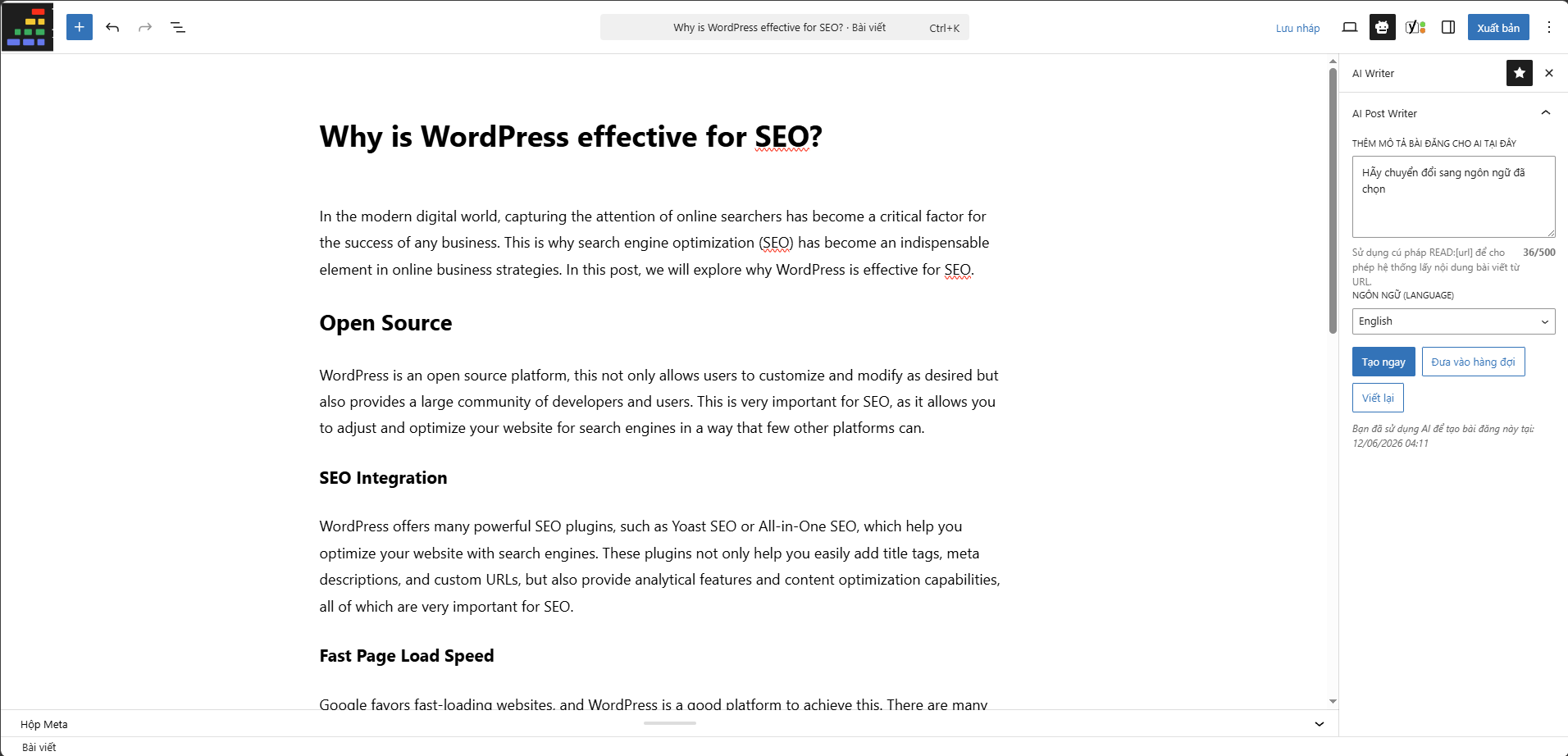
- AI Post Generator: Easily draft SEO-optimized posts using the native WordPress Core AI Client. Features a post queue system to avoid timeout errors.
- Custom Login Branding: Brand your login screen with your custom logo, background/accent colors, and automatically keep the “Remember Me” checkbox checked.
- Multilingual Banner Ads: Target customers in Vietnamese and English with custom ads images and redirect URLs shown on the chatbot bubble.
External Services
This plugin integrates and makes calls to a third-party external service. Below is a detailed list of this service, its purpose, data transmitted, and links to its terms and privacy policies:
- Google Safe Browsing API
- URL:
https://safebrowsing.googleapis.com - Purpose: Validates URLs to protect users from phishing or malicious links before calling external content.
- Data Sent: Anonymized URL hashes.
- Links: Terms of Service, Privacy Policy
- URL:
Screenshots
Installation
- Upload the
ai-assistant-admin-toolsfolder to the/wp-content/plugins/directory, or upload the ZIP file directly viaPlugins -> Add New -> Upload. - Activate the plugin through the ‘Plugins’ menu in WordPress.
- Access the ‘AI Assistant’ menu in your WordPress Admin.
FAQ
-
Does this plugin require an API key?
-
No, you do not configure API keys inside the plugin. Credentials, providers, and routing are managed globally in WordPress. Please configure your preferred AI provider under Settings > Connectors.
-
Where do I configure the AI assistant training data?
-
Go to AI Assistant > Settings > Prompts tab. Here, you can configure system instructions and training data.
Reviews
There are no reviews for this plugin.
Contributors & Developers
“VanNhan AI Assistant Admin Tools” is open source software. The following people have contributed to this plugin.
Contributors
Translate “VanNhan AI Assistant Admin Tools” into your language.
Interested in development?
Browse the code, check out the SVN repository, or subscribe to the development log by RSS.
Changelog
1.1.0
- Migrated AI integration from direct OpenAI API calls to the native WordPress 7.0 Core AI Client.
- Set minimum required WordPress version to 7.0.
- Handled site-level credential routing via WordPress Connectors.
- Added fallback checks for missing active AI providers.
1.0.0
- Initial Release with AI Chatbot, AI Generator, Custom Login, and System Logs.
- Refactored Chatbot Iframe to load securely via WordPress AJAX endpoint.
- Migrated AI Post Generator queue to standard WP-Cron.
- Restricted styles and scripts loading to plugin-specific pages only to prevent admin style pollution.
- Fixed undefined
$wpdbglobal variable database bug. - Enhanced uninstaller to drop all custom tables and clean up options table.