

Description
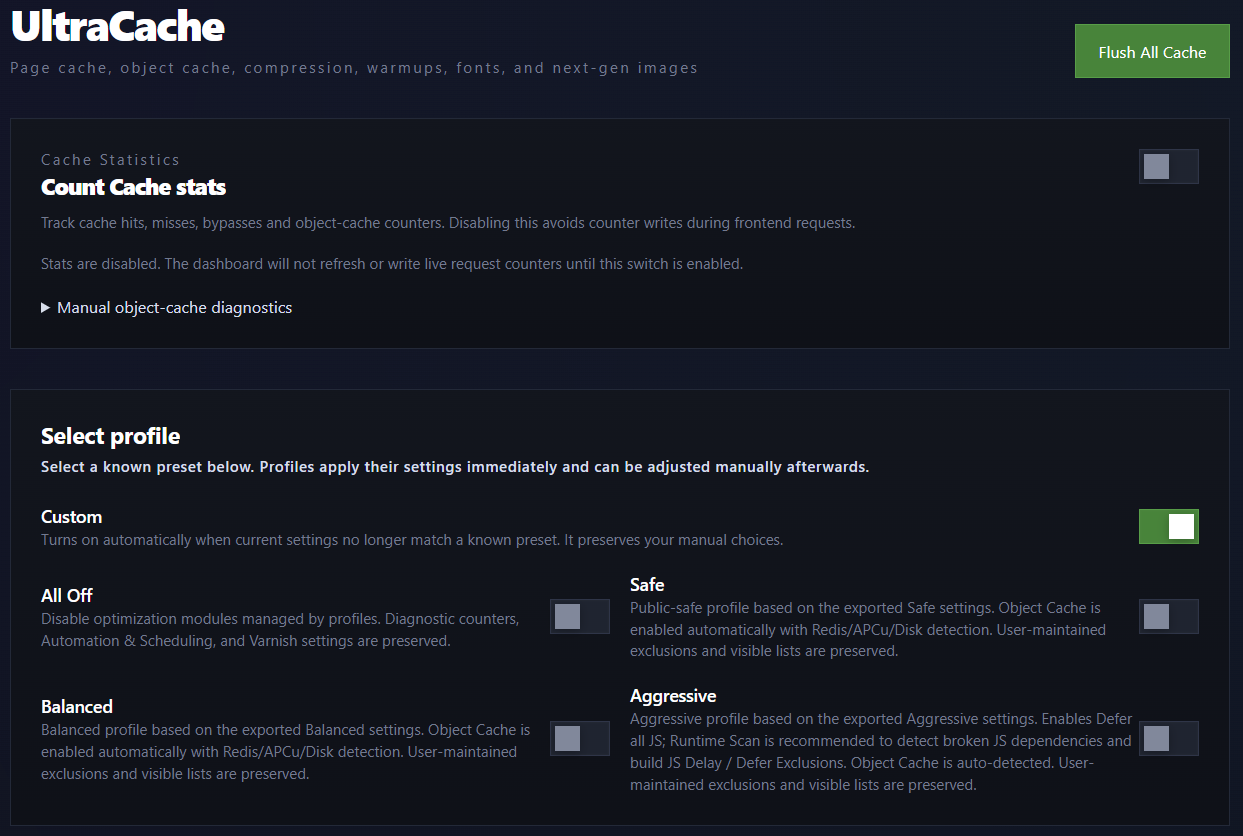
UltraCache is a WordPress performance plugin for site owners who want fast public page delivery with visible controls.
It provides WordPress page caching, Redis/APCu object caching, AVIF/WebP media tools, CSS/font optimization, smart JavaScript error fixing, warm-up, Varnish helpers, and diagnostics from one dashboard.
Main features
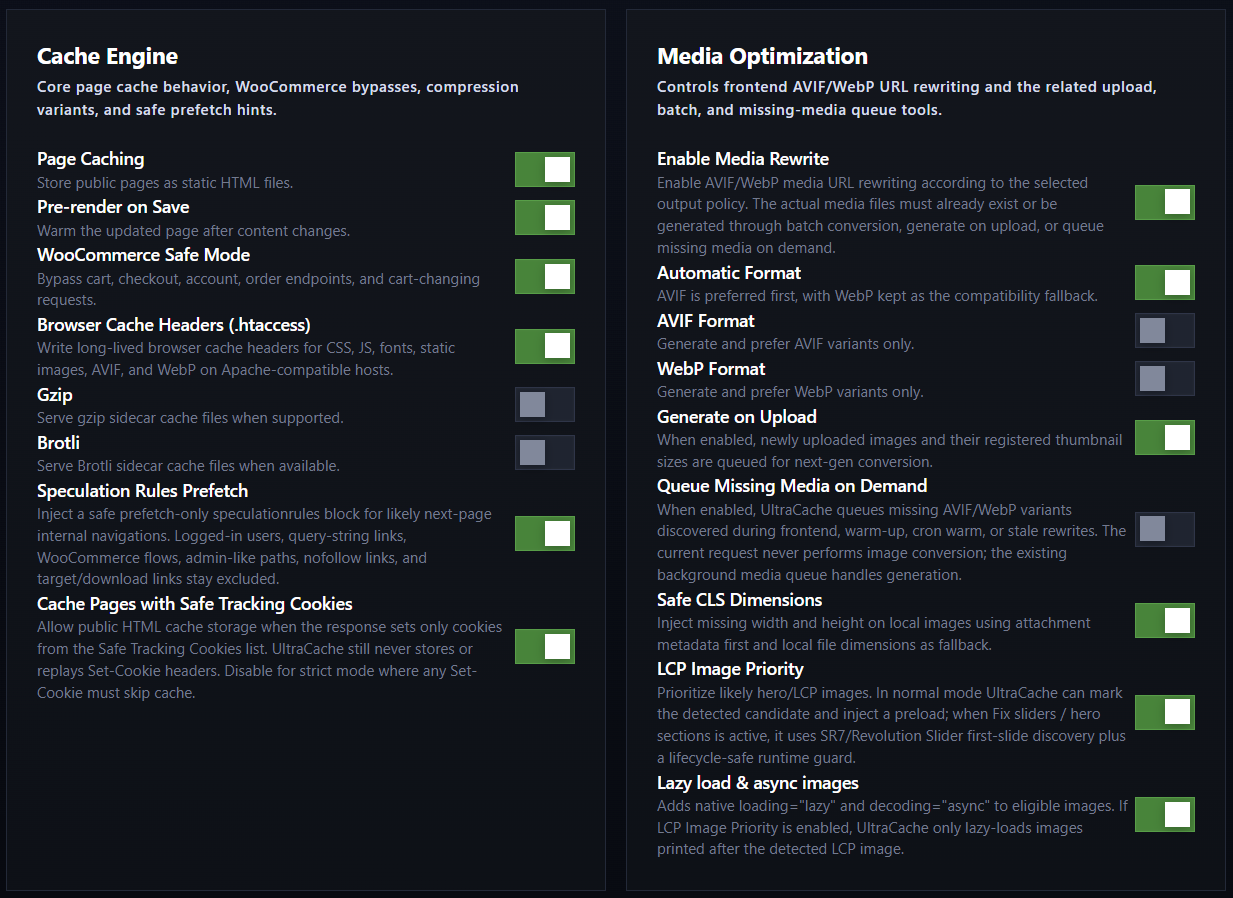
- HTML page cache for eligible anonymous public requests.
- Object-cache drop-in with Redis and APCu backends, a runtime-only fallback, and an advanced disk backend.
- Media Rewrite for AVIF/WebP URLs according to the selected output policy.
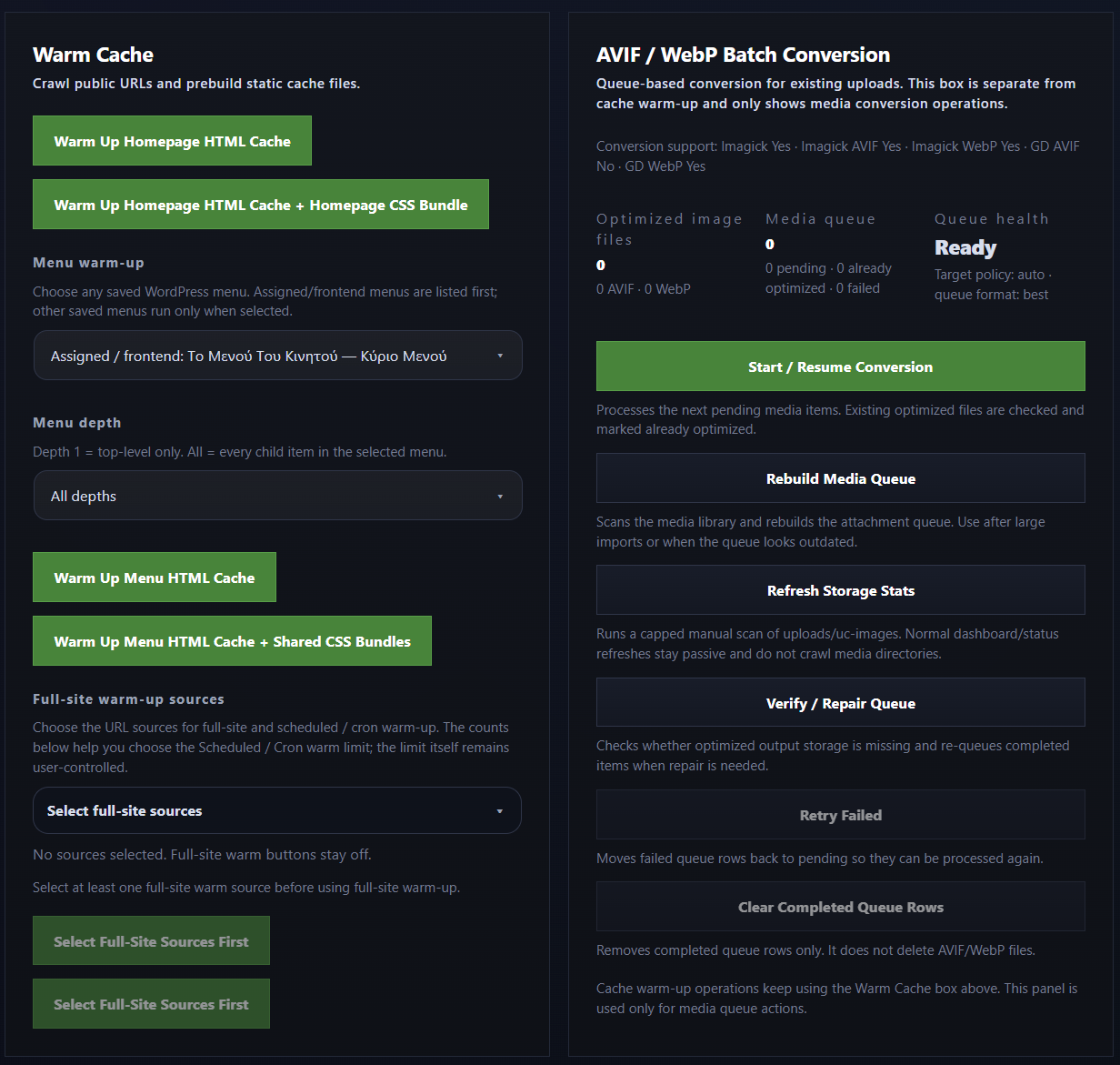
- Batch media conversion, generation on upload, and background generation of missing image variants.
- Google Fonts localization and self-hosted font CSS optimization.
- Optional delayed icon-font loading.
- CSS bundling with visible exclusions and bundle summaries.
- LCP image priority and slider/hero support.
- Lazy image loading, CLS image dimensions, Main Thread Relief, and Critical Request Chain Relief controls.
- Smart JavaScript Error Fixer with browser runtime scans and pasted console-error analysis for generating
Defer Instead of DelayandDo Not Defer or Delayfixes. - Scheduled and manual warm-up for the homepage, menu URLs, selected URLs, and full-site queues.
- Optional Varnish purge/test helpers for configured Varnish environments.
- Dashboard diagnostics for page cache, object cache, media, CSS, storage, OPcache/APCu, Varnish, and STORE profiles.
Page cache
UltraCache manages the WordPress advanced-cache.php drop-in. Page-cache files are stored in ultracache/cache/ below the active WordPress uploads directory. Optional disk object-cache data is stored separately in ultracache/object-cache/, while generated optimization assets use dedicated directories below the same ultracache/ root.
The page cache is intended for anonymous public pages. Logged-in users, admin paths, cart/checkout/account flows, unsafe cookies, unsafe query strings, and configured exclusions are bypassed.
Object cache
UltraCache can install and manage an object-cache.php drop-in.
Recommended backend order:
- Redis
- APCu
- Runtime-only fallback
- Disk only for advanced/debug use
Redis fallback behavior is shown in the dashboard so the active backend is visible.
Secret constants
UltraCache does not store Redis or Varnish passwords in plugin settings or generated sidecar files. An administrator with plugin-management permission can enter or remove passwords from the UltraCache dashboard; UltraCache writes them only to its managed constants block in the active wp-config.php through the WordPress Filesystem API:
define( 'WP_REDIS_PASSWORD', 'redis-password' );
define( 'ULTRACACHE_VARNISH_PASSWORD', 'varnish-password' );
An existing constant defined outside the UltraCache-managed block remains externally managed and read-only in the dashboard. Redis ACL credentials are also supported when WP_REDIS_PASSWORD is defined externally as an array containing the username and password. Password values are never returned to the browser, stored in plugin options, exposed through REST or WP-CLI output, or written to diagnostics and logs.
UltraCache derives its internal early-runtime control token from the existing WordPress authentication keys and salts. No standalone runtime-secret PHP file is created.
Media Rewrite
Media Rewrite changes frontend image URLs to AVIF/WebP variants when those files exist and match the selected output policy.
WebP is the default output for fresh installations. AVIF generation and delivery are enabled only after UltraCache successfully encodes, decodes, and validates both its bundled opaque JPEG and transparent RGBA test images. The test runs again when the relevant PHP or image-processing environment changes.
Actual media files are generated by batch conversion, generation on upload, or the missing-media queue. Normal frontend requests stay lookup-only and do not encode images.
CSS, JavaScript, and fonts
UltraCache includes CSS bundling, async CSS controls, JavaScript defer/delay tools, Google Fonts localization, self-hosted font CSS optimization, optional delayed icon-font loading, and an advanced runtime font CSS rewrite switch.
The Smart JavaScript Error Fixer can scan a selected frontend URL for browser runtime errors or analyze console errors pasted by an administrator. It uses missing globals, missing jQuery plugin methods, stack-trace URLs, and dependency clues to identify related scripts and generate fixes for Defer Instead of Delay or Do Not Defer or Delay.
Riskier optimization features remain controlled by visible switches and exclusion lists.
Warm-up and diagnostics
Warm-up tools can build cache for the homepage, menu URLs, selected URLs, or full-site queues.
Warm-up media buckets follow the current Media Rewrite/output policy.
Diagnostics include cache status, storage summaries, object-cache backend truth, CSS bundle summaries, media queue status, Varnish checks, OPcache/APCu visibility, and STORE profiles.
WP-CLI
UltraCache includes WP-CLI commands for status, purge, warm-up, object-cache flush, media queue work, CSS diagnostics, Google Fonts rebuilds, Varnish helpers, settings, stats, cleanup, and STORE profiles.
Examples:
wp ultracache status --format=jsonwp ultracache purge --allwp ultracache warm_frontpage_html_csswp ultracache media status --media-format=both --format=jsonwp ultracache flush_object_cache
External services
UltraCache does not require an external SaaS account and does not send visitor data to an UltraCache-owned service.
Google Fonts
When Local Google Fonts Optimization is enabled by an administrator, UltraCache may request CSS and font files from Google Fonts in order to build local copies in ultracache/google-fonts/ below the active WordPress uploads directory.
UltraCache may also add or preserve Google Fonts parameters such as display=swap on Google Fonts URLs that already exist on the site. UltraCache does not add Google Fonts to a site by itself unless the administrator has enabled the local Google Fonts optimization feature or the site already uses Google Fonts through the active theme/plugins.
This may contact:
fonts.googleapis.comfonts.gstatic.com
Data sent: the server makes HTTP requests for the configured Google Fonts CSS/font files. UltraCache does not intentionally send visitor personal data to Google Fonts.
Service provider: Google LLC
Terms: https://policies.google.com/terms
Privacy: https://policies.google.com/privacy
Google Fonts privacy FAQ: https://developers.google.com/fonts/faq/privacy
Varnish
Optional Varnish integration can send purge and connectivity-test requests to the reverse proxy endpoint configured by the administrator.
Optional support and donation links
The dashboard includes optional support/donation links shown only to administrators. If an administrator opens a PayPal link, PayPal receives the normal browser request for that visit.
Service provider: PayPal
Terms: https://www.paypal.com/us/legalhub/paypal/useragreement-full
Privacy: https://www.paypal.com/us/legalhub/paypal/privacy-full
Privacy
UltraCache stores cache files, generated assets, settings, queue records, and diagnostics locally on the WordPress installation.
Screenshots
Installation
- Install the ZIP from the WordPress Plugins screen, or place the
ultracachefolder in the active WordPress plugins directory. - Activate UltraCache.
- Open the UltraCache dashboard.
- Enable Page Cache and save settings.
- Purge cache.
- Warm the homepage or selected URLs.
- Visit the site as a logged-out visitor and confirm cache behavior from headers/diagnostics.
FAQ
-
Where are cache files stored?
-
Page-cache files are stored in
ultracache/cache/below the active WordPress uploads directory. Optional disk object-cache data is stored inultracache/object-cache/. Generated optimization assets use dedicated directories below the same root, including optimized image variants inultracache/images/.
Reviews
There are no reviews for this plugin.
Contributors & Developers
“UltraCache” is open source software. The following people have contributed to this plugin.
Contributors
Translate “UltraCache” into your language.
Interested in development?
Browse the code, check out the SVN repository, or subscribe to the development log by RSS.
Changelog
2.59.07.08
- Initial WordPress.org release.