

Description
tymok Terminbuchung adds a real-time appointment booking calendar to your WordPress site as a native Gutenberg block – no custom code, no iframe wrangling, no development skills required. Visitors pick a service, a day and a time slot, and the booking lands straight in your calendar.
How it works:
- Install and activate the plugin
- Insert the “tymok Terminbuchung” block on any page or post
- Enter your tenant slug and calendar slug in the block settings
- Save – customers can book appointments online immediately
Built for appointment-based businesses:
- Hair salons and beauty studios
- Physiotherapists and alternative practitioners
- Gyms and yoga studios
- Coaches and consultants
- Doctors’ offices and clinics
- Any service business that takes appointments
Key features:
- 📅 24/7 online appointment booking and scheduling, no phone calls needed
- 👥 Staff and resource assignment (resource/capacity planning) across multiple calendars per location
- 💳 Online payment via PayPal at the time of booking
- 📱 Automatic SMS reminders to reduce no-shows
- 🔗 Lightweight embed, works on any WordPress theme
- 🏢 Multi-tenant: manage multiple locations or calendars from one account
- 🆓 Free to start – no credit card required
What is tymok?
tymok is a German appointment scheduling and online booking system – privacy-friendly, GDPR-compliant, hosted in Germany, and without hidden commissions. You keep full ownership of your own customer data. No marketplace, no lock-in.
Create your free tymok account at tymok.com.
Privacy
This plugin embeds your tymok booking calendar as an iFrame. This sends requests to the tymok server (webapp.tymok.com). The plugin itself does not store any personal data in the WordPress database. For information on how tymok processes data, see the tymok privacy policy.
External Services
This plugin embeds content from the external service tymok:
- Service: tymok Online Appointment Booking
- URL: https://webapp.tymok.com
- Purpose: Displaying the booking calendar via iFrame
- Privacy policy: https://tymok.com/datenschutz
- Terms of service: https://tymok.com/agb
The connection to the tymok server is only established when the block is embedded on a page and a visitor loads that page.
Screenshots
Blocks
This plugin provides 1 block.
- tymok Terminbuchung
Installation
- Upload the plugin ZIP under WordPress Plugins Add New Upload Plugin
- Activate the plugin
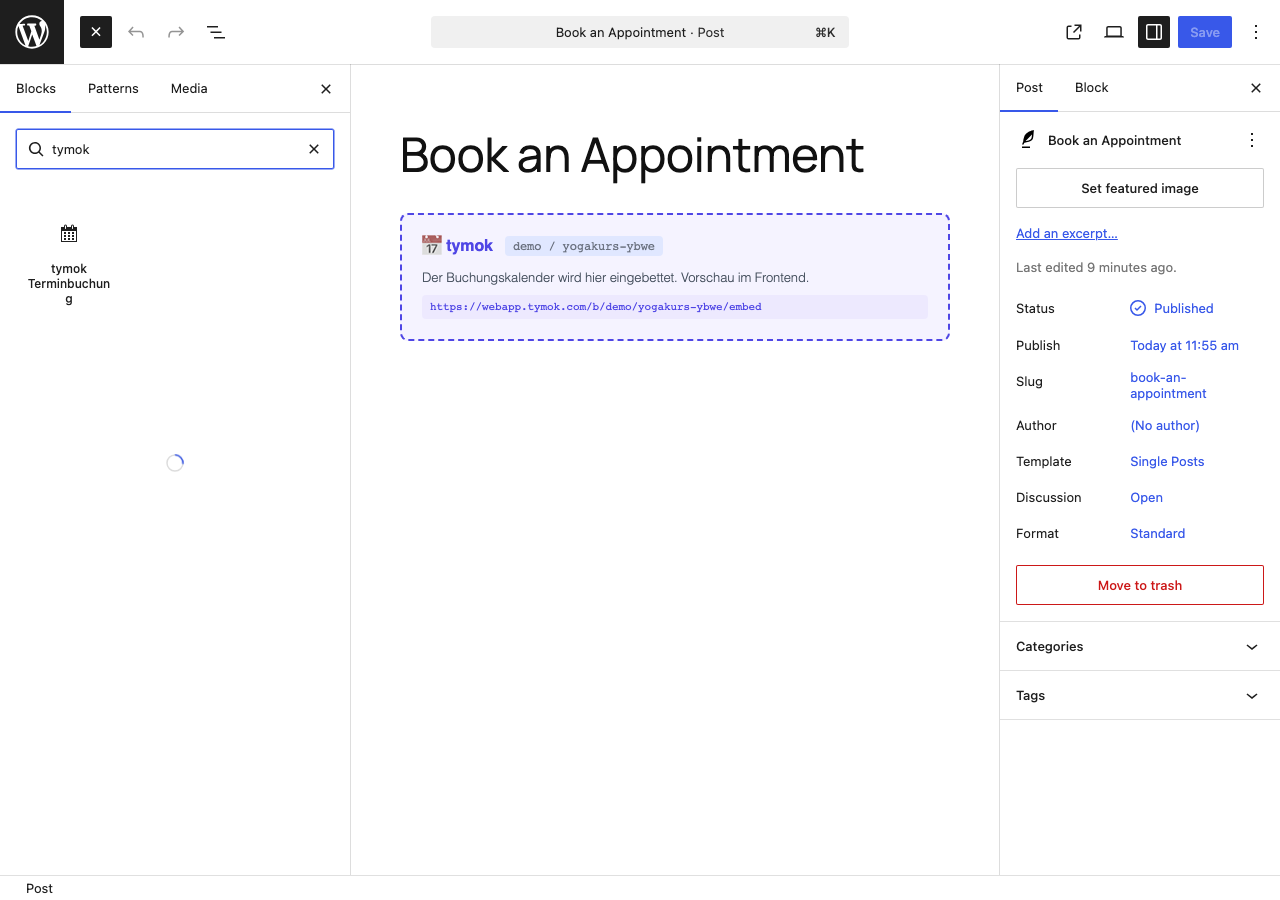
- In the Gutenberg editor, insert the “tymok Terminbuchung” block (see screenshot 1)
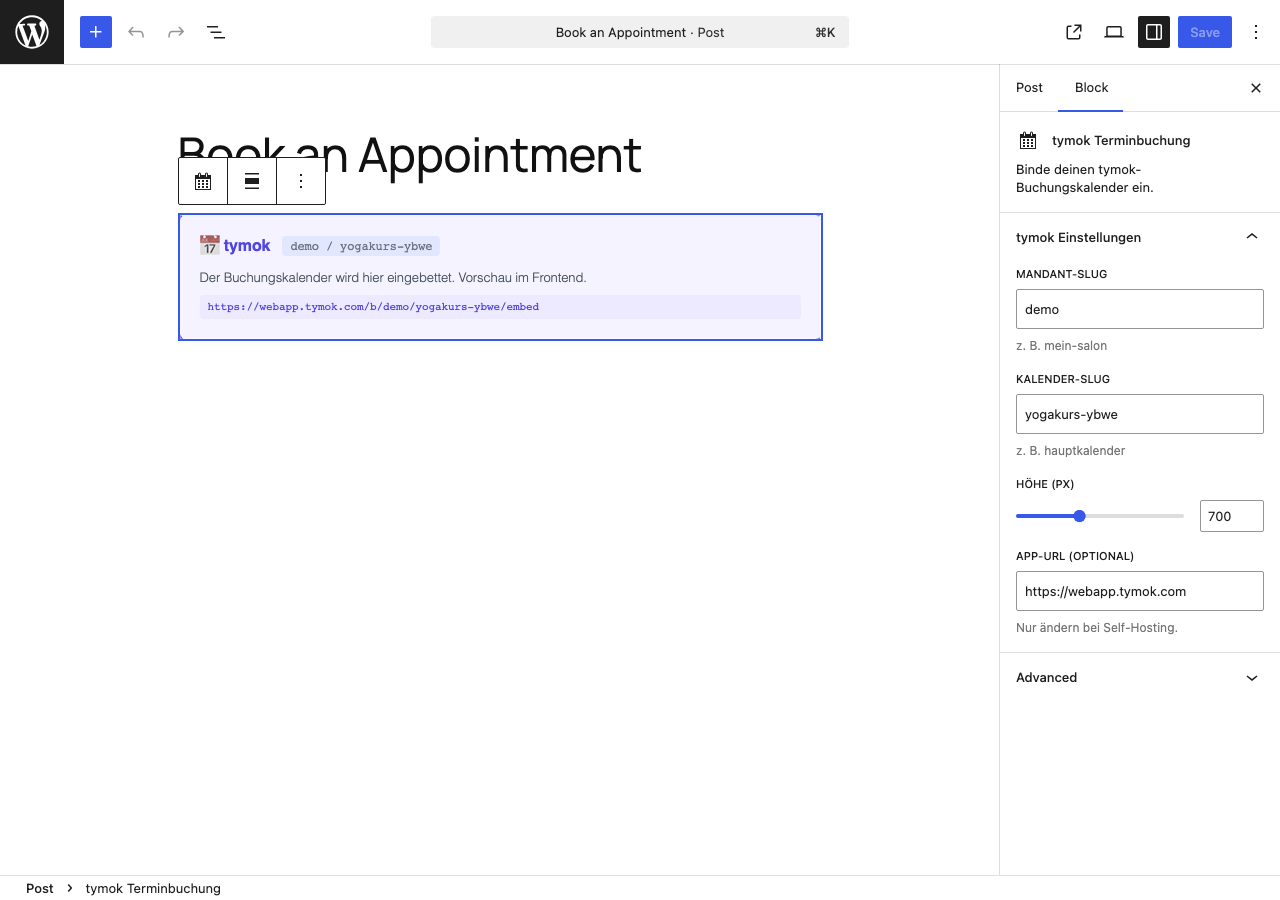
- In the block settings (right sidebar), enter your tenant slug and calendar slug (see screenshot 2)
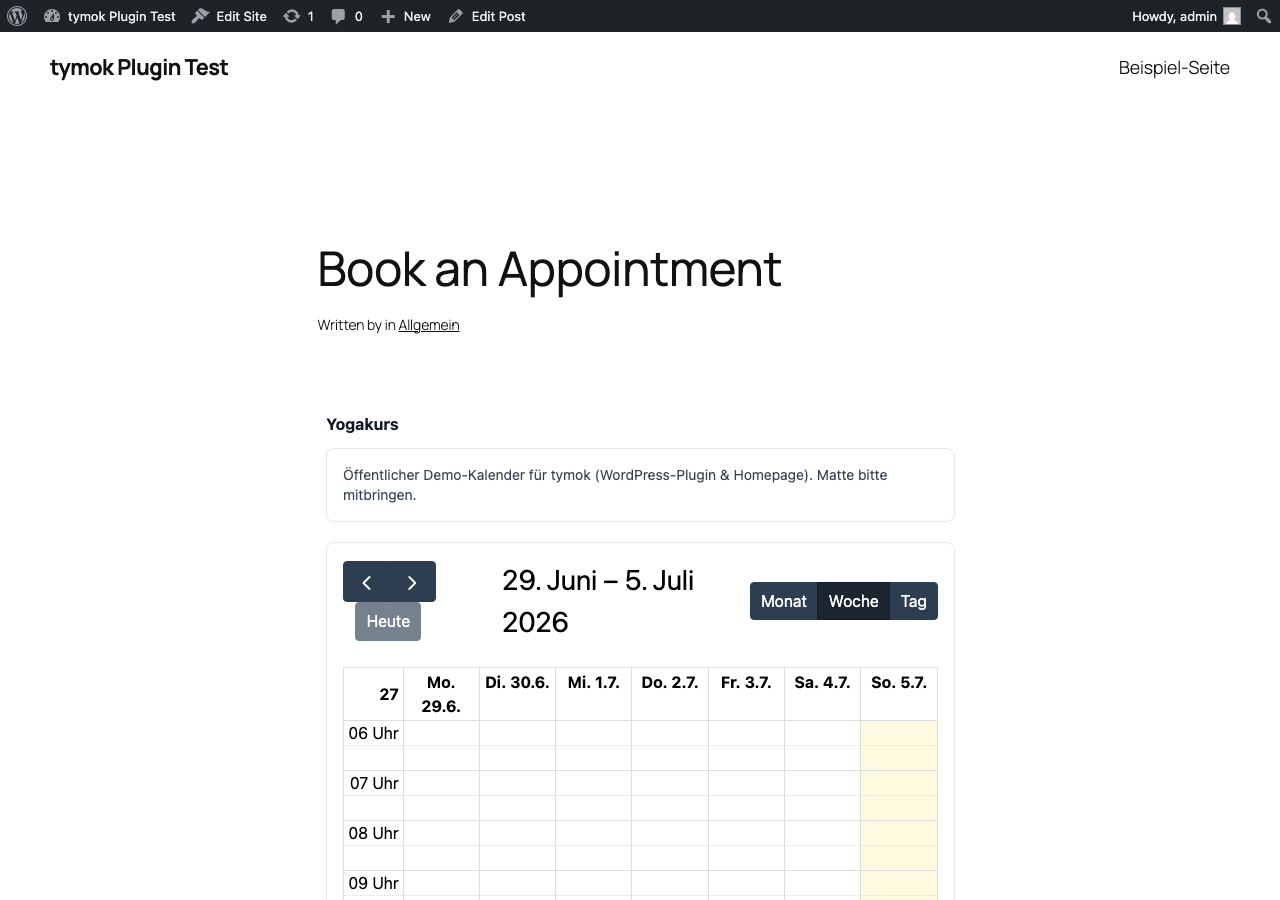
- Save and publish – your live calendar now appears on the page (see screenshot 3)
You can find your tenant slug and calendar slug in your tymok account, in your booking URL: https://webapp.tymok.com/b/[tenant-slug]/[calendar-slug]
Don’t have a tymok account yet? Sign up for free at tymok.com.
FAQ
-
Do I need a tymok account?
-
Yes. You can register for free at tymok.com and get started right away.
-
Where do I find my tenant slug and calendar slug?
-
In the tymok dashboard, in your booking URL:
webapp.tymok.com/b/YOUR-SLUG/CALENDAR-SLUG -
Is the plugin free?
-
The plugin itself is free. tymok offers a free plan as well as paid Pro and Business plans with additional features.
-
Does the plugin work with the Classic Editor?
-
The plugin only supports the Gutenberg block editor (default since WordPress 5.0). For the Classic Editor, you can alternatively add the booking link manually as an iFrame in HTML.
-
Is the plugin GDPR-compliant?
-
The plugin itself does not store any data. When visitors load a page with the embedded tymok calendar, technically necessary connections to webapp.tymok.com may be established. Please update your privacy policy accordingly. tymok processes data on German/European servers.
-
Can I adjust the height of the calendar?
-
Yes – in the block settings you can freely set the height between 400 and 1200 px.
-
Does the plugin support multiple calendars on one page?
-
Yes, you can insert multiple tymok blocks on the same page – even with different calendars.
Reviews
There are no reviews for this plugin.
Contributors & Developers
“tymok Terminbuchung” is open source software. The following people have contributed to this plugin.
Contributors

Translate “tymok Terminbuchung” into your language.
Interested in development?
Browse the code, check out the SVN repository, or subscribe to the development log by RSS.
Changelog
1.0.2
- All UI strings now use English as the source language, translatable via translate.wordpress.org
- Added wp_set_script_translations() for the block editor script
1.0.1
- Removed directory assets (icons/banners) from the plugin package
- Fixed broken Plugin URI
1.0.0
- Initial release
- Gutenberg block with sidebar settings (tenant slug, calendar slug, height)
- Server-side rendering via PHP render_callback
- Support for wide and full alignment