

Description
This plugin is a specialized tool that automatically generates alternative text (ALT) for uploaded images using Sakura AI’s Vision Language Model (VLM).
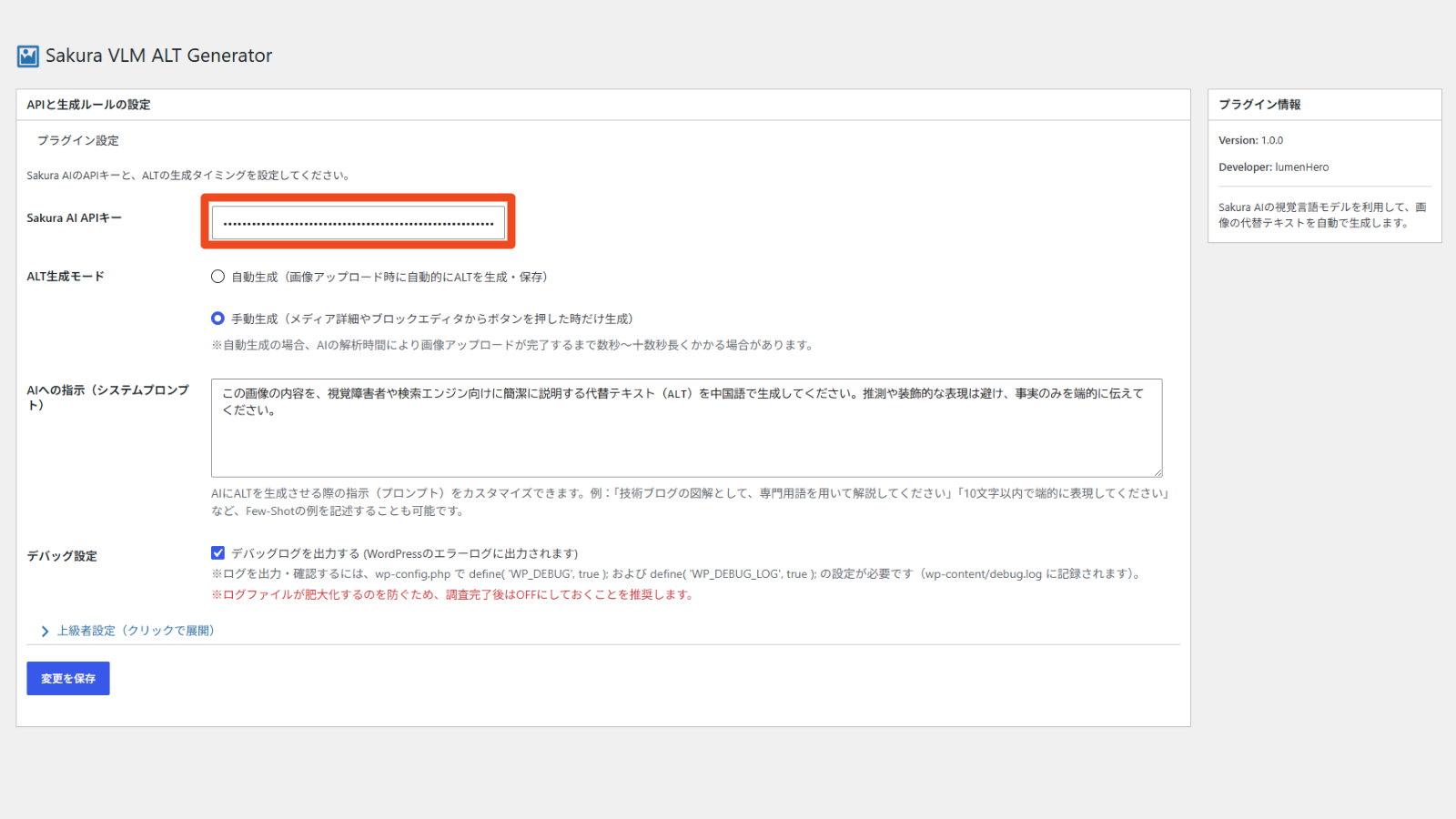
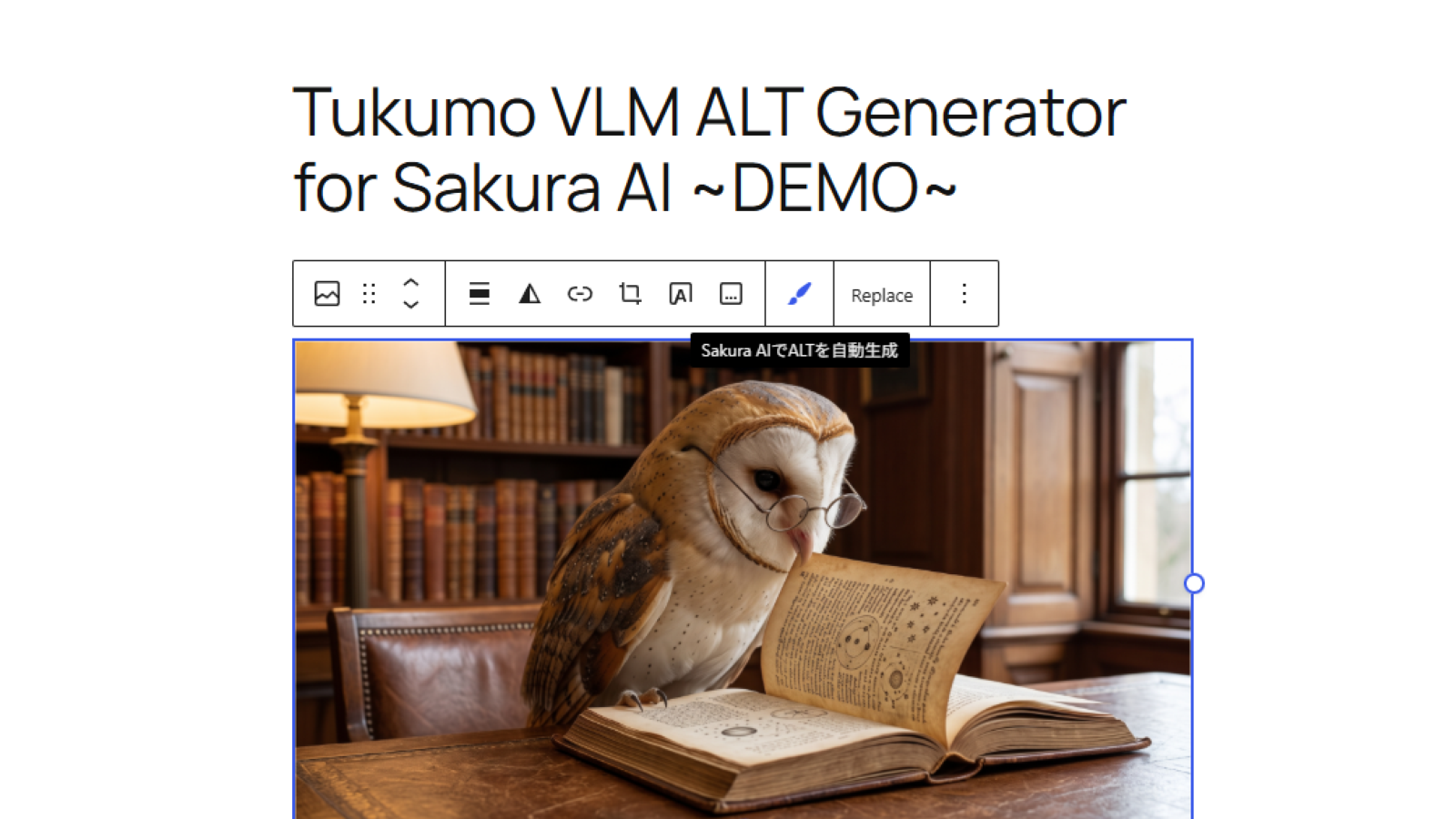
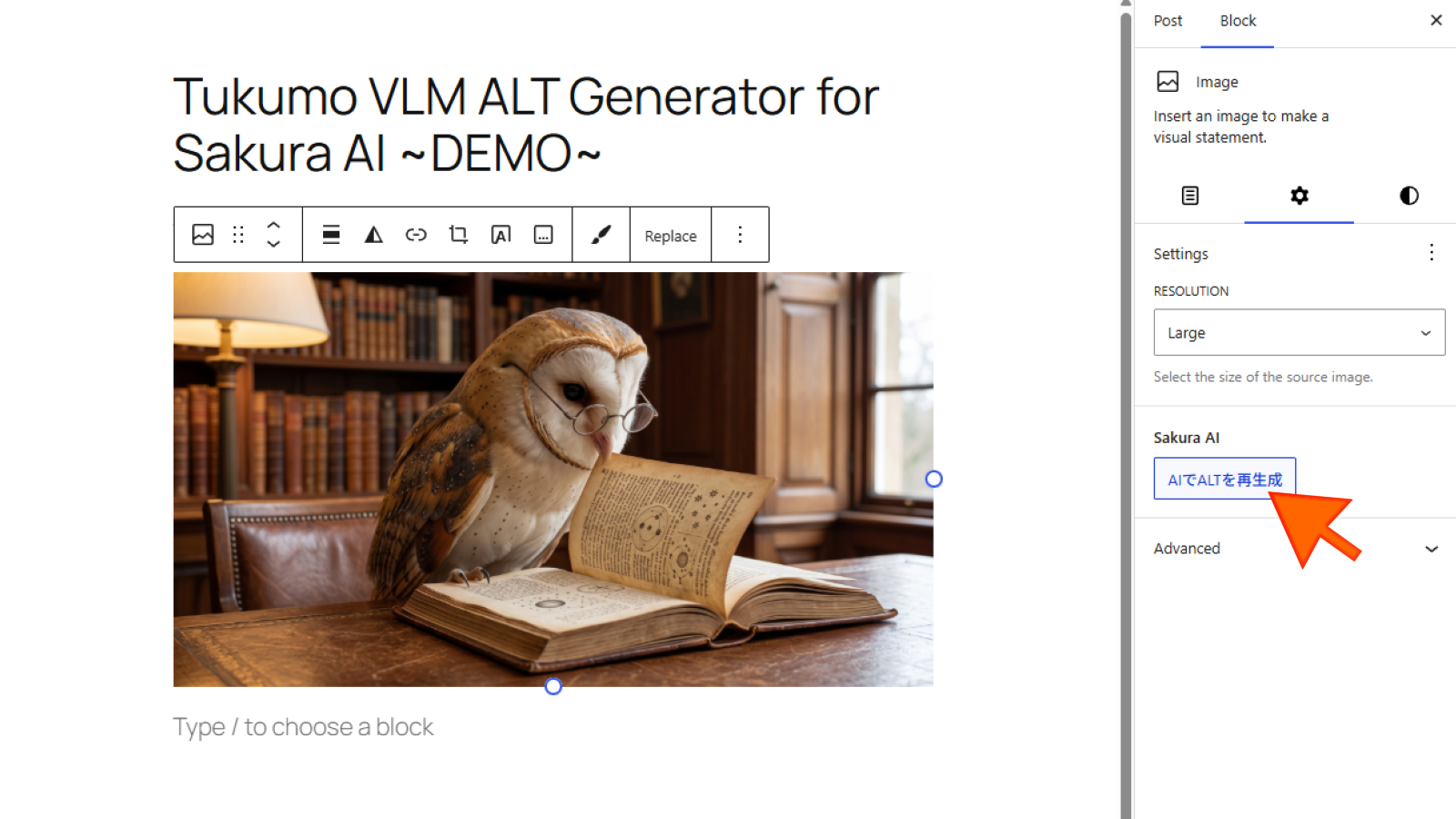
Simply enter your API key (BYOK format), and you can generate and save high-quality ALT text with a single click from the Media Library or the Block Editor.
Heavy AI suite plugins are no longer necessary. With its lightweight and simple design, it improves your site’s accessibility and SEO without sacrificing performance.
Usage Docments
Key Features
- Automatic ALT generation mode upon image upload.
- Manual generation from the Media Library.
- One-click generation from the Block Editor (Gutenberg) toolbar.
- Customizable instructions (system prompts) for the AI.
- Advanced Settings: Support for any OpenAI-compatible VLM (e.g., Qwen, GPT-4o) by changing the API endpoint.
Third-party Service Data Transmission
This plugin relies on a third-party service to generate ALT text.
By using this plugin, image data (converted to Base64) and your prompt will be sent to the configured API endpoint.
- Default Service: Sakura AI (https://www.sakura.ad.jp/)
- Terms of Use: Please refer to the Sakura Internet Terms of Service (https://www.sakura.ad.jp/agreement/) and the terms of your specific API provider.
Screenshots
Installation
- Go to “Plugins > Add New” in your WordPress admin dashboard.
- Search for “Tukumo VLM ALT Generator”.
- Click “Install Now” and then “Activate”.
- Navigate to the “Sakura VLM” settings page from the left admin menu, enter your API key, and save the settings.
(Optional) Manual Installation:
1. Download the plugin ZIP file from the WordPress plugin repository.
2. Upload the ZIP file via “Plugins > Add New > Upload Plugin”, or extract it to the /wp-content/plugins/ directory.
3. Activate the plugin and configure your API key in the settings.
FAQ
-
Why isn’t the auto-generated ALT text reflected immediately in my post upon image upload?
-
To optimize performance and hook processing, the generated ALT text is applied to the post content when you save or update the post or page.
-
Do I need a paid API key?
-
Yes, you need to provide your own valid API key from Sakura AI or an OpenAI-compatible service (BYOK).
Reviews
There are no reviews for this plugin.
Contributors & Developers
“Tukumo VLM ALT Generator for Sakura AI” is open source software. The following people have contributed to this plugin.
Contributors
Translate “Tukumo VLM ALT Generator for Sakura AI” into your language.
Interested in development?
Browse the code, check out the SVN repository, or subscribe to the development log by RSS.
Changelog
1.0.0
- Initial release.