

Description
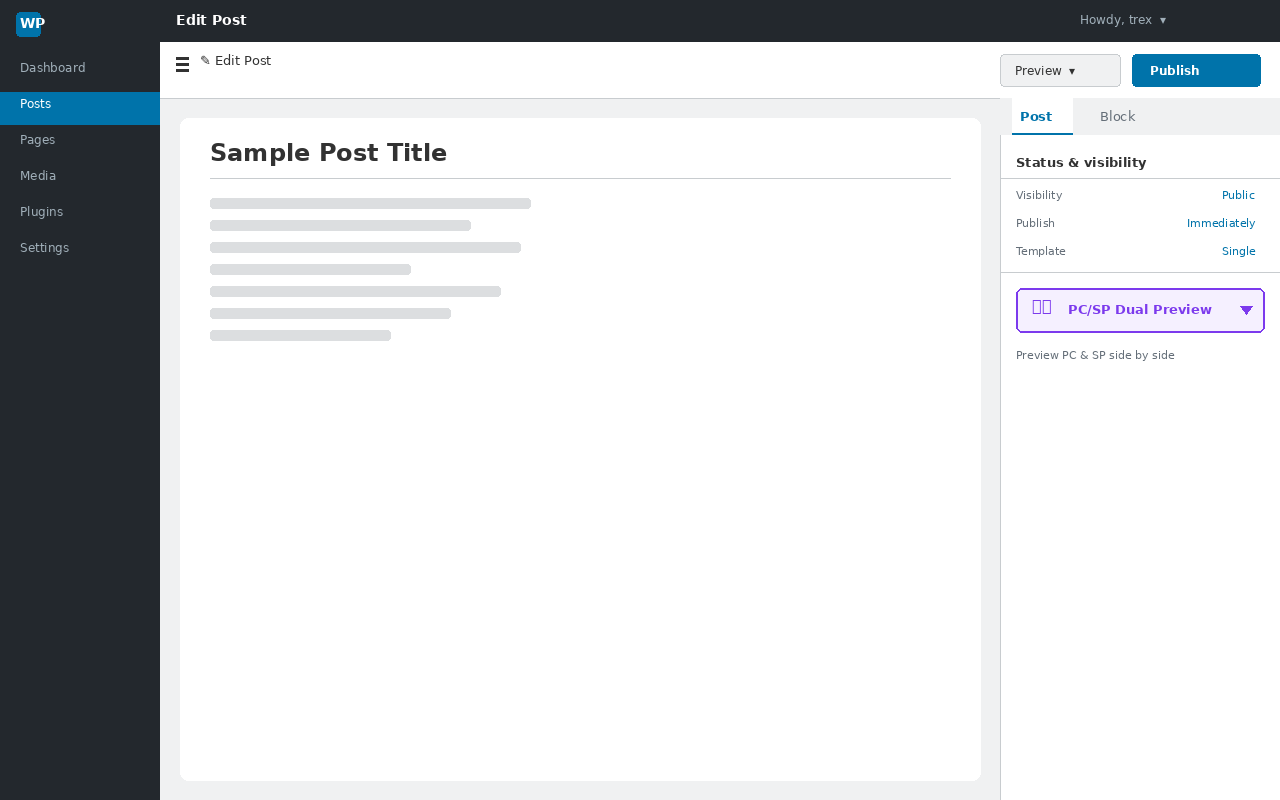
Trex Dual Preview adds a one-click PC & smartphone simultaneous preview to the WordPress block editor (Gutenberg) sidebar.
Features
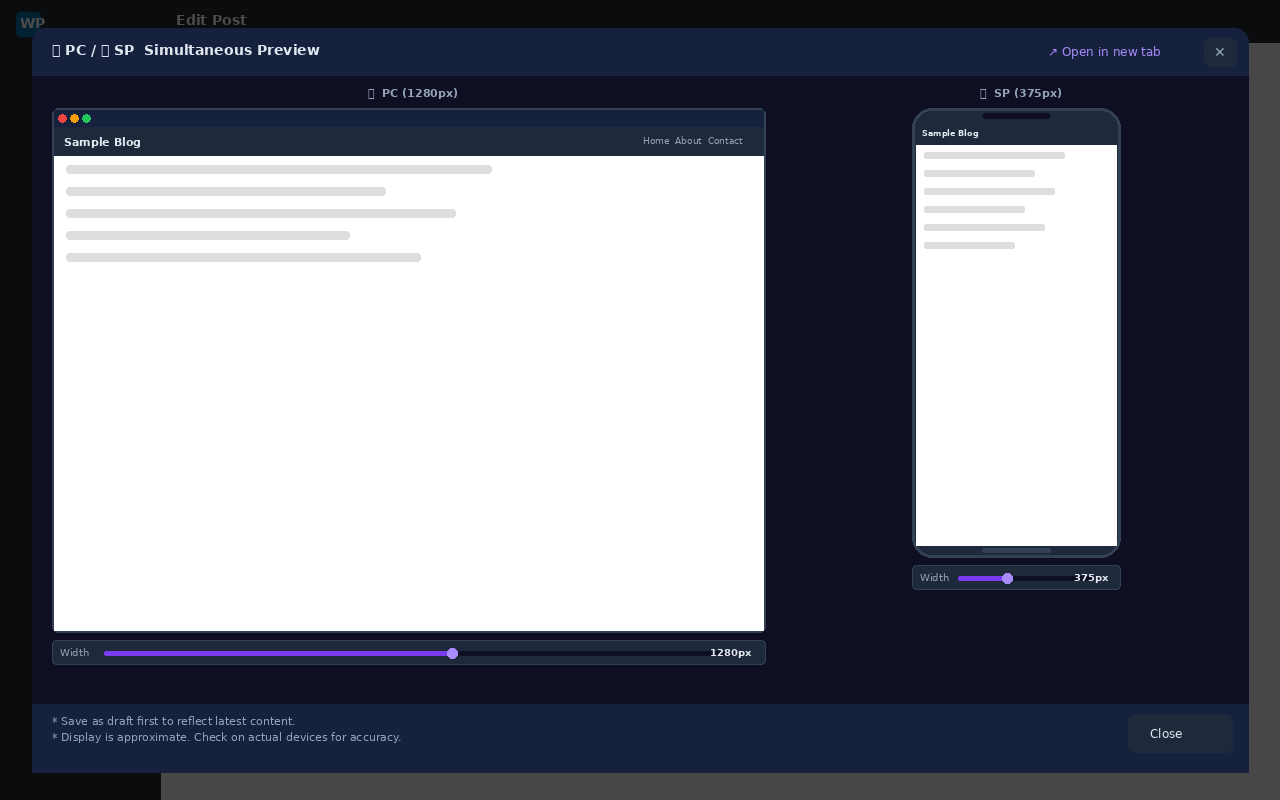
- Open a modal with PC and smartphone previews side by side with one click
- Compare PC (1200-1920px) and SP (320-768px) viewports in real time
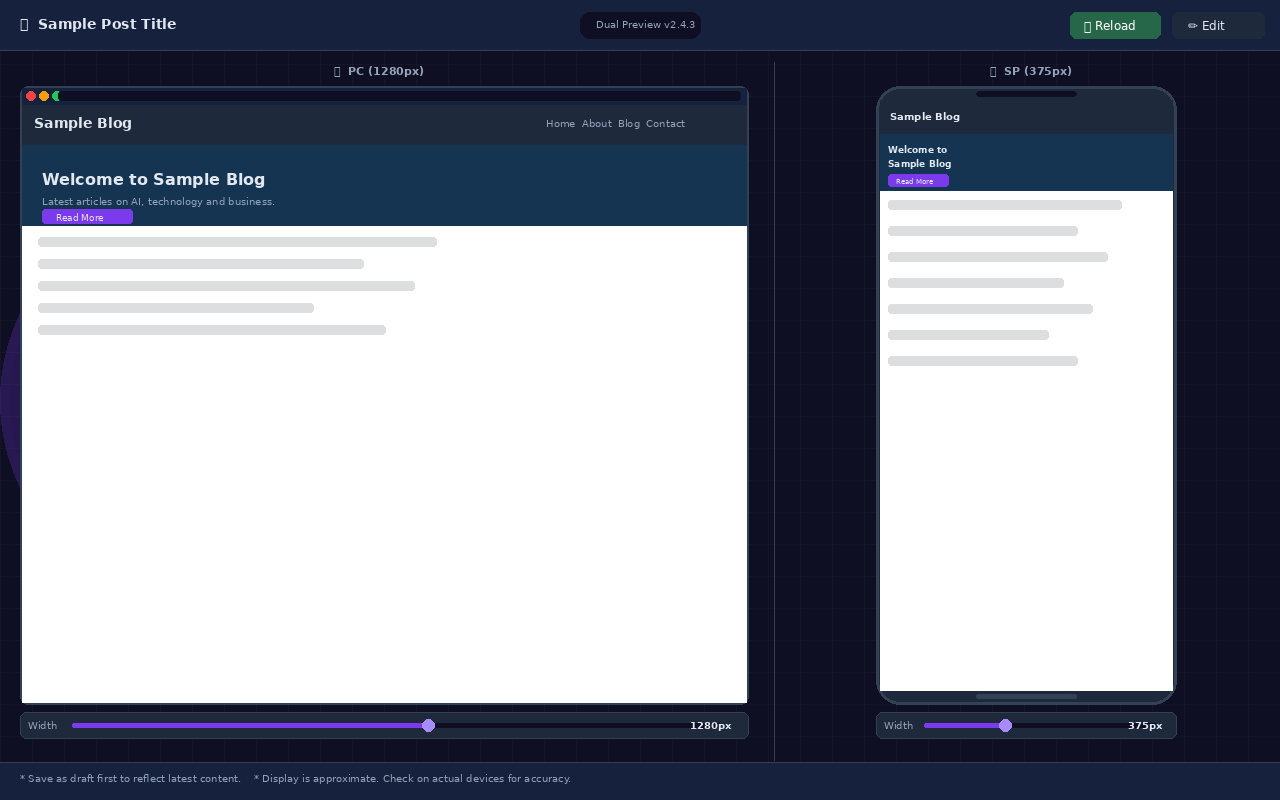
- Adjust display width instantly using sliders
- Open a full-screen dual preview in a new tab
- Automatically hides the WordPress admin bar and theme-specific toolbars (e.g. Cocoon)
- Responsive layout that adapts to window resize via ResizeObserver
Security
- Full-screen preview access is protected by wp_verify_nonce() and current_user_can()
- iframes use the sandbox attribute to restrict unnecessary permissions
- All input is sanitized and escaped (absint, sanitize_text_field, esc_url, etc.)
Screenshots
Installation
- Upload the plugin ZIP and activate it from the Plugins menu.
- Open any post or page in the block editor (Gutenberg).
- In the right sidebar, go to the “Post” tab and click the “PC/SP Dual Preview” button.
- Save as a draft first to preview the latest content.
FAQ
-
The preview is blank.
-
Please save your post as a draft first. Without saving, a preview URL cannot be generated.
-
The admin bar is visible in Cocoon theme.
-
This was fixed in v2.3.2 and later. Please update to the latest version.
-
Is this available to non-administrator users?
-
Yes. Any user with the edit_post capability (Editor, Author, etc.) can use it.
Reviews
There are no reviews for this plugin.
Contributors & Developers
“Trex Dual Preview” is open source software. The following people have contributed to this plugin.
Contributors
Translate “Trex Dual Preview” into your language.
Interested in development?
Browse the code, check out the SVN repository, or subscribe to the development log by RSS.
Changelog
2.4.3
- Fix: Remove Plugin URI to avoid conflict with Author URI (WordPress.org submission requirement)
2.4.2
- Add: Usage notes added to modal footer and full-screen page footer (save reminder & display accuracy notice)
2.4.1
- Fix: Apply esc_html() / esc_url() directly at output point to pass Plugin Check (OutputNotEscaped)
- Fix: Updated “Tested up to” to WordPress 6.9
- Fix: Short description and description rewritten in English per WordPress.org guidelines
2.4.0
- Refactor: Full code rewrite with PHPDoc / JSDoc comments
- Refactor: WordPress Coding Standards (WPCS) compliance
- Refactor: JS restructured as IIFE with TDP namespace object
- Add: ARIA attributes for improved accessibility
- Improve: PC preview height now dynamically maximized
- Improve: Full-screen loading overlay fully removed from DOM after transition
2.3.4
- Add: Full-screen loading overlay for new-tab preview
- Fix: Pre-set initial clip width in HTML attribute to eliminate flash
- Fix: Changed initialization timing to DOMContentLoaded
2.3.3
- Change: PC slider range changed to 1200-1920px
2.3.2
- Fix: Removed overly broad CSS selector ([class*=”toolbar”]) from injected styles
- Fix: PC slider minimum changed to 769px (avoids Cocoon breakpoint)
2.3.1
- Change: PC slider minimum changed to 768px
2.3.0
- Improve: PC preview height now dynamically fills the window
2.2.0
- Improve: SP preview height adapts to window height via ResizeObserver
2.1.0
- Add: Real-time width slider for both PC and SP previews
2.0.3
- Change: Author changed to “Pro Engineer Trex”
2.0.2
- Fix: Remove Cocoon toolbar (fixed bottom bar) in full-screen preview
2.0.1
- Fix: Blank iframe in new-tab full-screen preview
2.0.0
- Add: “Open in new tab” full-screen dual preview via template_redirect endpoint
1.0.5
- Initial stable release