

Description
TMM Affiliate Blocks helps publishers build clear, mobile-friendly affiliate product modules without hand-coding every article. Use it for product boxes, quick deal links, compact link embeds, reusable affiliate destinations, disclosures, diagnostics, and cache-first Amazon-backed fields.
The plugin is built for editorial commerce workflows: reviews, buyer guides, deal posts, “best for” recommendations, and product mentions where readers need a clean call to action and publishers need policy-aware output.
The plugin includes:
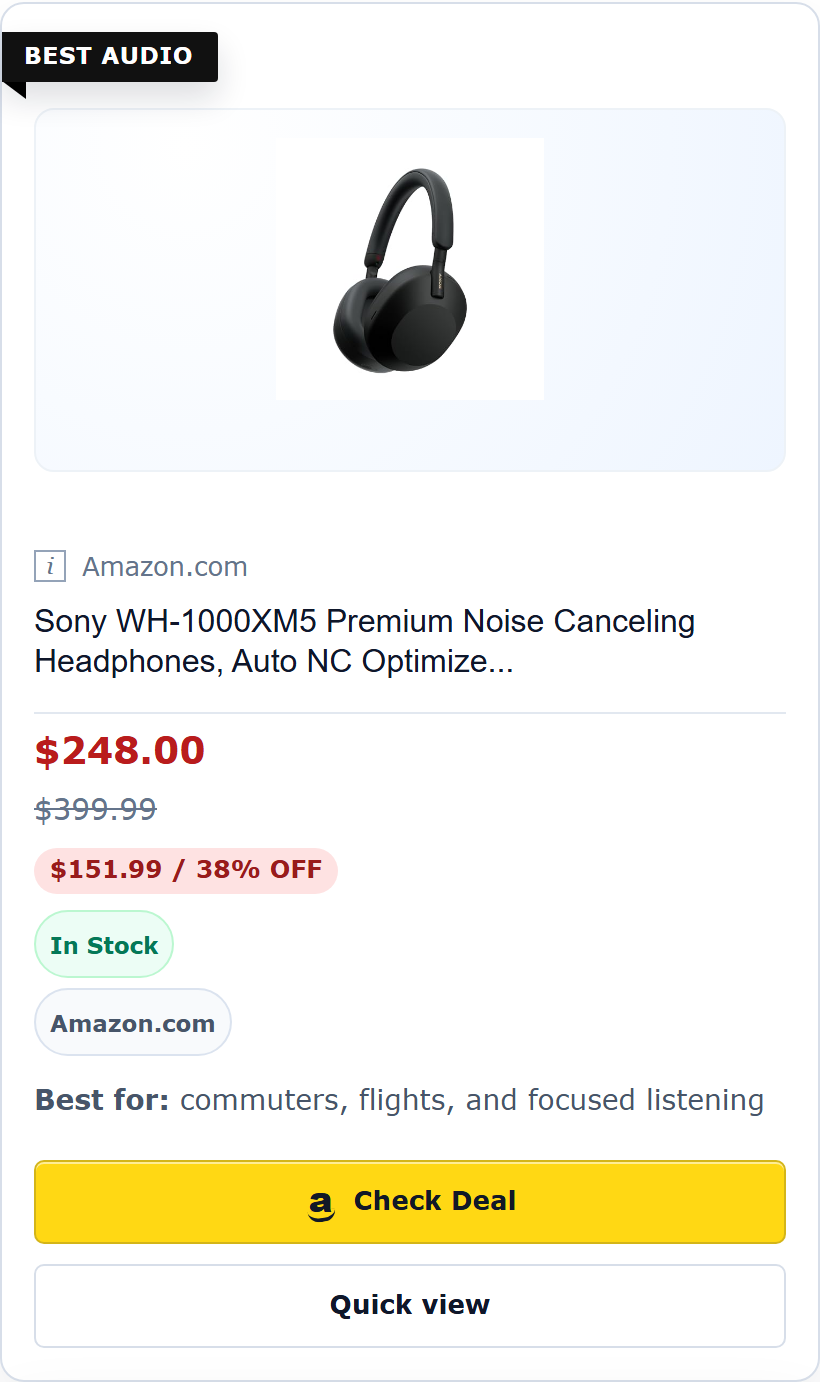
- Product Box Gutenberg setup and advanced fallback output.
- Deal Link and Link Embed surfaces for quick product mentions.
- Manual retailer links with editor-provided values.
- Basic Link Registry for reusable Amazon ASINs and approved manual retailer destinations.
- Block Builder for copy-ready setup snippets and visual previews.
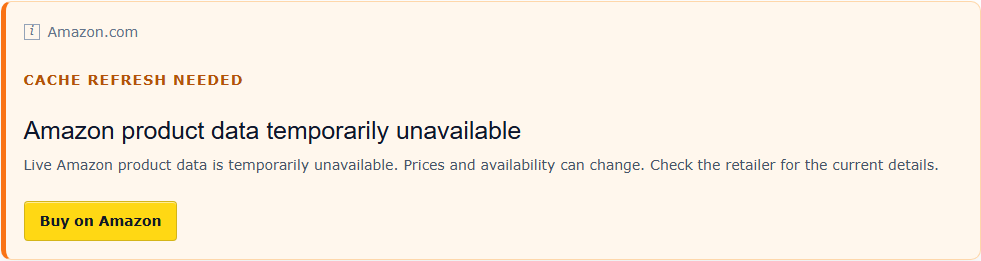
- Cache-only public rendering for Amazon-backed fields.
- Diagnostics for ASINs, manual URLs, cache age, rendered affiliate modules, and ASIN cache inventory.
- Affiliate disclosure block and optional automatic disclosure insertion.
- Mobile/accessibility-safe frontend rendering with focus states and reduced-motion support.
Amazon product data is shown only when the site owner configures supported credentials and the API/cache provides that field. The plugin does not scrape Amazon and does not invent price, stock, savings, Prime, rating, merchant, or discount values when source data is missing.
Manual retailer links remain editor-provided. If an editor enters a manual price, savings note, or retailer label, the plugin treats that value as editorial copy, not live retailer data.
What You Can Build
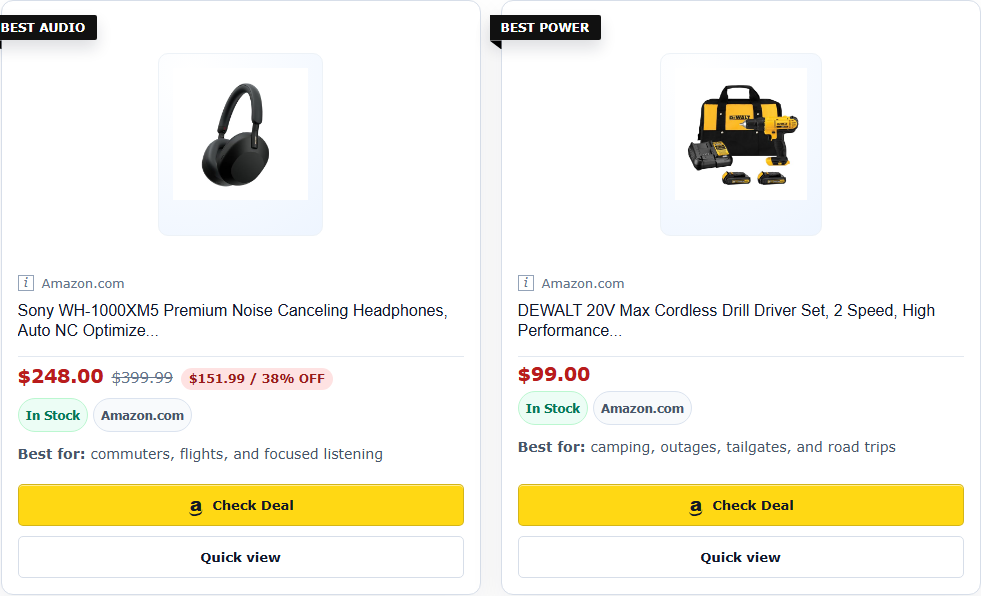
- A review product box with an editor badge, “best for” note, CTA, and cached Amazon fields when available.
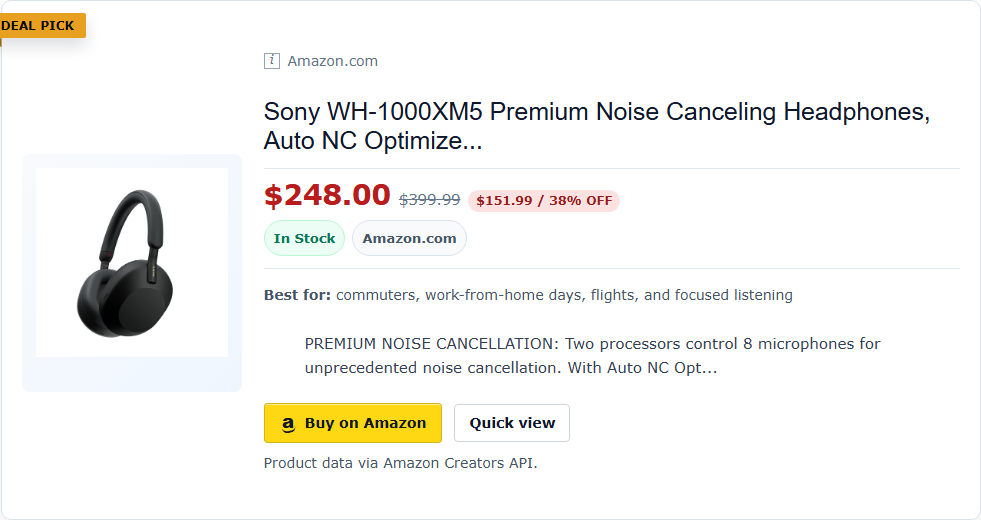
- A compact deal link for a product mention inside a news post or buyer guide.
- A reusable Link Registry entry for an ASIN or approved manual retailer URL.
- A disclosure block that can be inserted manually or automatically.
- A pre-publish diagnostic report showing ASINs, manual URLs, cache age, module health, and policy reminders.
Privacy
By default, public pages render from cached/editor-provided data. The WordPress.org package does not store visitor click analytics, cookies, user profiles, clear IP addresses, or user-agent strings.
External Services
TMM Affiliate Blocks can connect to Amazon services when a site administrator configures Amazon credentials. These calls are made only from privileged WordPress workflows such as credential testing, product lookup, ASIN checks, and cache refresh. Logged-out public rendering is cache-only by default and does not call Amazon directly.
Amazon Creators API catalog endpoint
Service URL: https://creatorsapi.amazon/catalog/v1/
Purpose: retrieves product catalog data for exact ASIN lookups, keyword product lookups, and cache refreshes used by the plugin’s editorial modules.
Data sent: configured Amazon API credential values, marketplace, partner tag, ASINs, and editor-entered search keywords. The plugin does not send WordPress user profiles, cookies, click analytics events, clear IP addresses, user-agent strings, or full private affiliate-link registries to this service.
When data is sent: when an authorized administrator or editor runs a product lookup, ASIN smoke test, diagnostic check, cache refresh, or a related admin/editor workflow that explicitly requests Amazon product data.
Terms: https://affiliate-program.amazon.com/help/operating/policies and https://developer.amazon.com/support/legal/da
Privacy: https://www.amazon.com/gp/help/customer/display.html?nodeId=GX7NJQ4ZB8MHFRNJ
Amazon OAuth token endpoints
Service URLs:
https://api.amazon.com/auth/o2/tokenhttps://api.amazon.co.uk/auth/o2/tokenhttps://api.amazon.co.jp/auth/o2/token
Purpose: exchanges configured Amazon credential values for an access token used to call the Amazon Creators API.
Data sent: configured Amazon credential ID, credential secret, credential version, and related OAuth token-request fields required by Amazon. The plugin does not send WordPress user profiles, cookies, click analytics events, clear IP addresses, user-agent strings, or full private affiliate-link registries to these token endpoints.
When data is sent: when an authorized administrator or editor runs an Amazon API workflow that needs a fresh token, such as a credential test, product lookup, ASIN check, diagnostic check, or cache refresh.
Terms: https://developer.amazon.com/support/legal/tou and https://developer.amazon.com/support/legal/da
Privacy: https://www.amazon.com/gp/help/customer/display.html?nodeId=GX7NJQ4ZB8MHFRNJ
Amazon product data is subject to Amazon’s applicable API, Associates, and marketplace terms. Site owners are responsible for using credentials and product data only where their Amazon account permits it.
Screenshots

Installation
- Upload the
tmm-affiliate-blocksdirectory to/wp-content/plugins/, or install it from the WordPress plugin directory when available. - Activate the plugin in WordPress.
- Open TMM Affiliate in wp-admin.
- Review Output, Modules, Link Registry, Amazon API, and Diagnostics.
- Add Amazon Creators API credentials only if your site is approved to use them.
- Insert the TMM Affiliate Disclosure block or enable automatic disclosure insertion before publishing affiliate content.
- Test on staging before deploying to a production site.
Recommended server constants for Amazon API configuration:
TMMAFBL_AMAZON_CREDENTIAL_ID
TMMAFBL_AMAZON_CREDENTIAL_SECRET
TMMAFBL_AMAZON_CREDENTIAL_VERSION
TMMAFBL_AMAZON_MARKETPLACE
TMMAFBL_AMAZON_PARTNER_TAG
Do not commit production Amazon credentials, partner tags, private API keys, or customer data to a public repository.
FAQ
-
Does this plugin scrape Amazon?
-
No. Amazon product data is expected to come from supported Amazon API responses and the plugin cache. The plugin does not scrape Amazon pages.
-
Does public rendering call the Amazon API?
-
Public cache-only rendering is enabled by default. Logged-out visitors should see cached Amazon data or a clean fallback state, not live API requests.
-
Which Amazon Creators API versions are supported?
-
The Amazon settings screen supports version-aware Creators API token routing for v3.1, v3.2, and v3.3 credential versions. Unknown versions fall back to the v3.1 token endpoint and should be checked with the Credential Doctor before publishing API-backed modules.
-
What should I do if Amazon credentials fail?
-
Open TMM Affiliate > Amazon API and use the Credential Doctor. It shows the configured credential version, masked credential ID, credential source, token endpoint, marketplace, cache-only setting, cooldown state, and last smoke-test result. The copy-safe diagnostic packet intentionally omits secrets, tokens, cookies, full tracking IDs, user profiles, and affiliate destination URLs.
-
Can I use non-Amazon retailer links?
-
Yes. Deal Link and Link Embed support approved manual retailer URLs. Manual values are editor-provided and should not be described as live API data.
-
Does the plugin include click tracking?
-
No. The WordPress.org package focuses on the free publishing blocks and diagnostics. Analytics/reporting workflows belong in the separate Pro add-on.
-
Can developers extend the plugin?
-
Yes. The package exposes GPL-compatible hooks for module definitions, server-rendered block definitions, frontend asset detection, admin tabs, and admin panels.
Reviews
There are no reviews for this plugin.
Contributors & Developers
“TMM Affiliate Blocks” is open source software. The following people have contributed to this plugin.
Contributors
Translate “TMM Affiliate Blocks” into your language.
Interested in development?
Browse the code, check out the SVN repository, or subscribe to the development log by RSS.
Changelog
0.7.38
- Fixed Amazon token cache invalidation when administrators clear or save Amazon API settings so old credential-scoped access tokens are cleared before and after settings changes.
- Switched comparison tables to stacked comparison cards when the article content container is narrow, even on desktop/sidebar layouts.
0.7.37
- Reframed the admin dashboard, module manager, builder, diagnostics, and editor meta box around block-first setup instead of shortcode-first publishing.
- Added dashboard quick-start cards for Product Box, Deal Link, Link Embed, and Disclosure workflows.
- Added a clearer free package versus separate Pro workflow boundary without bundling paid code into the WordPress.org package.
0.7.35
- Hardened Amazon feature-bullet normalization so decorative 4-byte Unicode from catalog responses cannot prevent product data from being cached.
- Keeps cache-only public rendering stable when Amazon returns product bullets with database-unsafe characters.
0.7.34
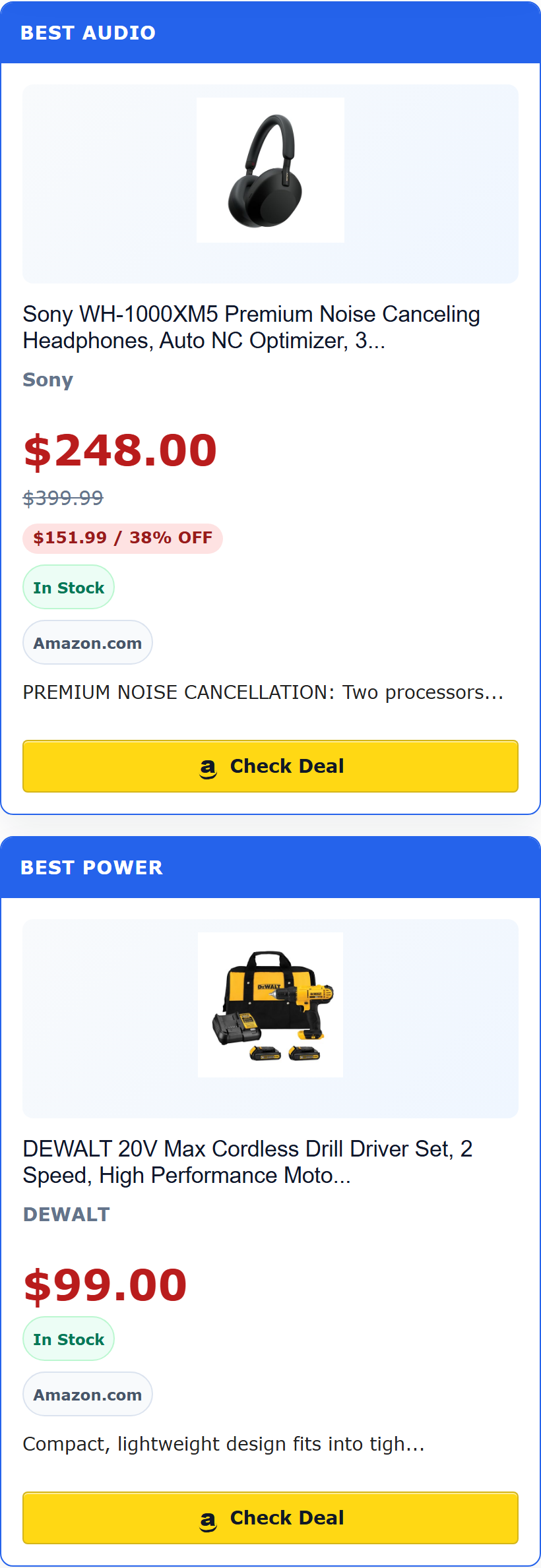
- Fixed Best Picks grid card sizing so cached or mismatched item-count classes cannot collapse cards into narrow columns.
- Bumped frontend assets so browsers request the corrected layout CSS.
0.7.33
- Added first-class Gutenberg setup flows for Product Data Field and Affiliate Disclosure so the free publishing surface can be built from blocks instead of shortcode typing.
- Added quick-start preset buttons for Product Box, Deal Link, and Link Embed blocks.
- Replaced the editor preview’s raw-shortcode fallback with a friendly setup placeholder.
0.7.32
- Rebalanced the WordPress.org package into a lean free core: Product Box, Deal Link, Link Embed, Data Field, Link Registry, disclosure, diagnostics, Credential Doctor, and cache refresh.
- Removed premium workflow surfaces from the free package UI and registrations, including grids, comparison tables, discovery lists, rating badges, Quick View builders, link-health automation, and analytics/reporting.
- Kept the
tmmafbl_/TMMAFBL_prefix migration from 0.7.31.
0.7.31
- Renamed all plugin-owned identifiers from the short
tmmprefix totmmafbl_/TMMAFBL_(functions, classes, constants, options, transients, hooks, shortcodes, AJAX actions, post type, script handles, localized JS objects) per WordPress.org plugin review requirements. No functional changes.
0.7.30
- Fixed mobile AMP Link Embed images by scoping mobile resets away from AMP runtime image internals.
- Added lazy-load bypass markers to Link Embed images to match Product Box image behavior.
- Updated package tooling defaults and docs to target the current release version.
0.7.29
- Fixed mobile AMP product images in Product Box cards by narrowing CSS resets so AMP runtime image nodes keep their intrinsic sizing.
- Fixed clipped mobile product-card ribbons by positioning badges inside the card edge on narrow screens.
- Fixed mobile AMP comparison-card images by scoping comparison resets to card/body elements instead of every descendant.
- Bumped frontend asset version so production/mobile browsers request the corrected CSS.
0.7.24
- Fixed a Quick View payload escaping bug in Product Box output. Affected 0.7.22 and 0.7.23 builds could expose raw popup JSON on public posts when Quick View was enabled.
- Added a renderer regression guard so popup payloads must stay hidden/escaped and must not be passed through
wp_kses_post()in a way that strips the wrapper. - Tightened mobile product-card containment to prevent affiliate blocks from creating horizontal overflow.
- Tightened ASIN candidate parsing so cache refresh batches do not send word-like labels to Amazon.
0.7.23
- Removed paid-gated UI and server gates from the WordPress.org package; features that ship in the plugin are usable in the free build.
- Updated Plugin URI, contributor metadata, and Amazon External Services disclosures with Terms and Privacy links.
- Tightened the REST post-report permission callback so diagnostics require access to the specific post.
0.7.22
- Added admin UI screenshot regression checks for Dashboard, Modules, Amazon API, Template Builder, Diagnostics, and mobile frontend card rendering.
- Added ASIN cache inventory to the Amazon API admin screen with cache age, stale status, field coverage, and refresh/clear/copy actions.
- Improved Credential Doctor layout and next-step guidance.
- Improved Template Builder with a visual composer preview and cleaner multi-product badge/best-for input handling.
- Improved admin module and Template Builder previews with clearer mock product cards and manual retailer price cues.
0.7.21
- Improved the WordPress.org listing copy with practical editorial use cases.
- Added an Amazon API Credential Doctor with version, endpoint, source, cache, cooldown, last smoke-test, and support-safe copy diagnostics.
- Added FAQ guidance for Creators API versions, credential failures, and cache-first behavior during Amazon API changes.
0.7.20
- Fixed admin tab panels so hidden sections cannot remain visible when panel-specific display styles are present.
0.7.19
- Fixed admin builder checkbox sizing so checkbox controls no longer stretch like text fields.
0.7.18
- Improved the Modules admin screen with visual module previews and clearer module labels.
0.7.17
- Improved admin tab state syncing, dashboard quick-action highlighting, keyboard navigation, and accessible tab-panel markup.
0.7.16
- Converted the package plan to GPL-compatible WordPress.org packaging.
- Rewrote readme copy for public plugin users.
- Made click analytics disabled by default for privacy-first installs.
- Fixed Gutenberg block-only detection and automatic disclosure detection.
- Added uninstall cleanup.
- Tightened Amazon credential guidance and ASIN extraction.
- Stopped deriving savings when Amazon does not explicitly provide savings data.
- Reworked Quick View to use one shared modal.
- Moved click analytics to custom table storage with legacy option fallback.
- Improved focus states, reduced-motion support, optional dark-mode styling, and cache-miss states.
- Added Amazon Creators API endpoint diagnostics.
- Added archive/widget asset support.
- Documented click token replay behavior.
- Replaced production-looking partner tag examples.
- Added i18n and package-readiness files.
0.7.15
- Added broader affiliate/deal rendering, diagnostics, output controls, and editorial workflow surfaces.