

Description
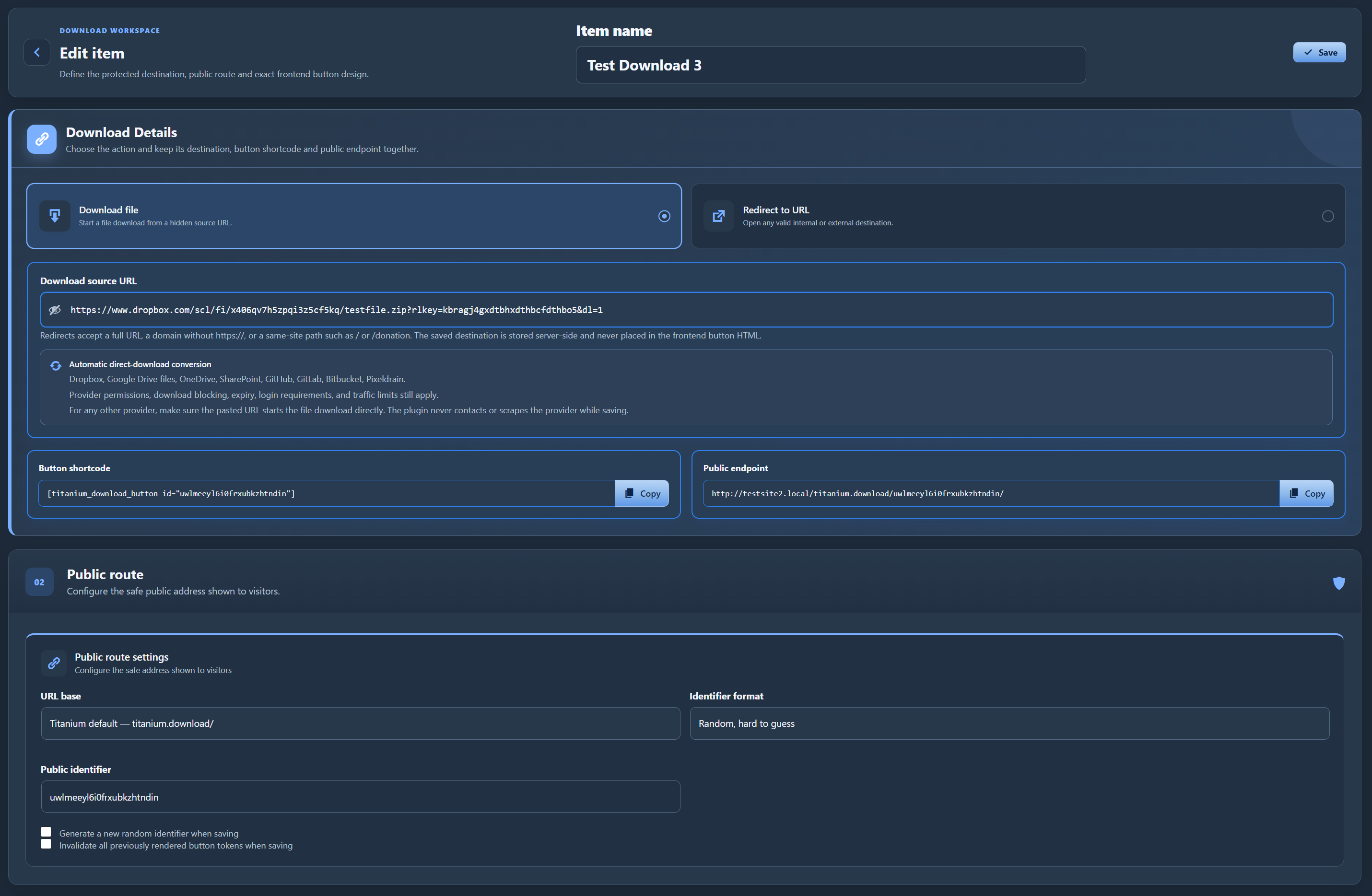
Titanium Secure Downloads & Link Redirects lets administrators store a direct download URL or a redirect destination on the server and expose it through a managed WordPress endpoint.
The built-in shortcode renders a real button without an href attribute. Hovering over the button therefore shows no URL in the browser status bar. The original file or redirect URL is not printed into the button HTML.
Free features include:
- Unlimited download actions.
- Unlimited internal or external URL redirects.
- Automatic direct-download normalization for supported Dropbox, Google Drive, OneDrive, SharePoint, GitHub, GitLab, Bitbucket, and Pixeldrain sharing links.
- Built-in
/titanium.download/public endpoint. - Readable or random hard-to-guess public identifiers.
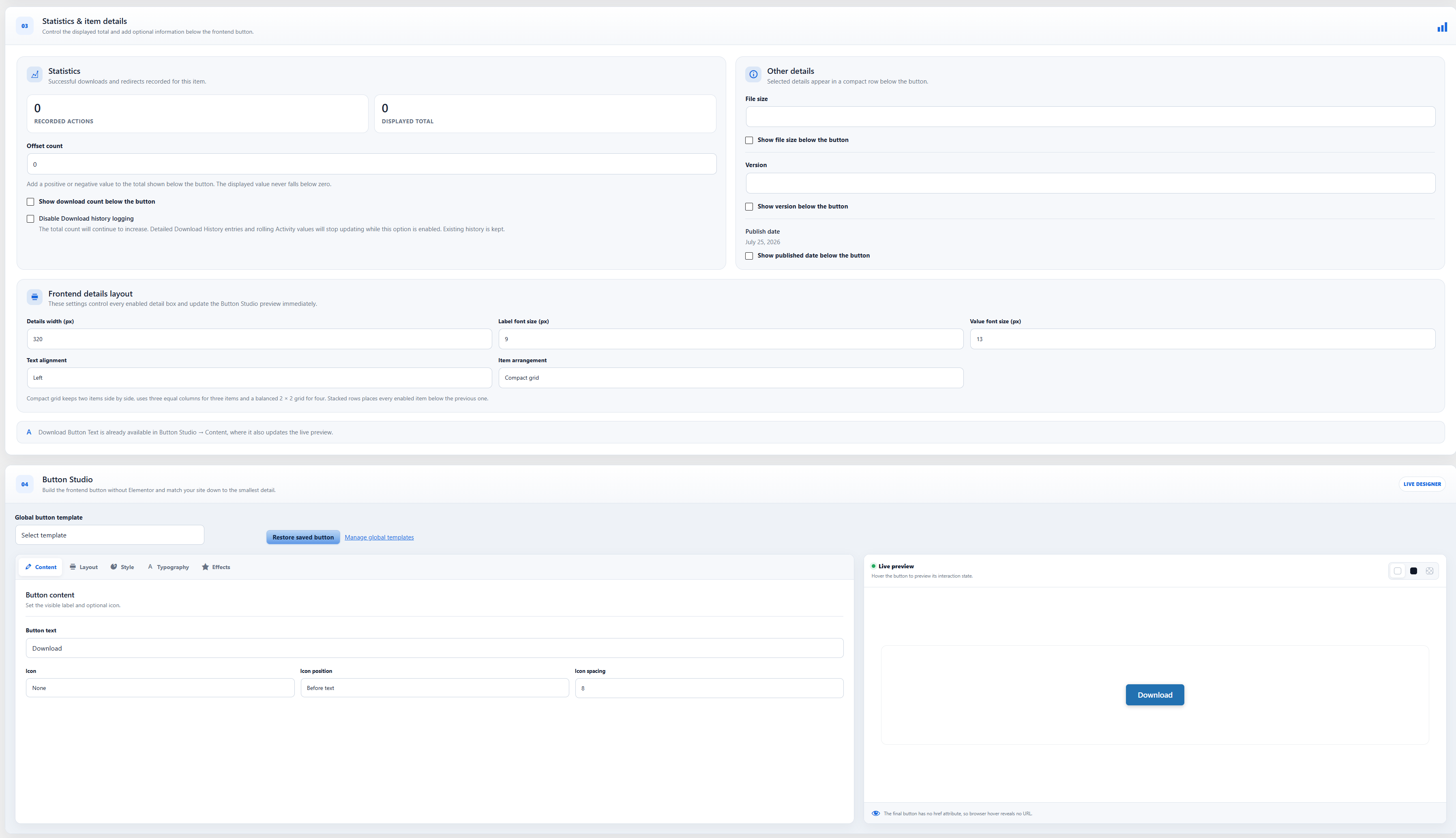
- Custom button text.
- Solid, outline, and minimal button templates.
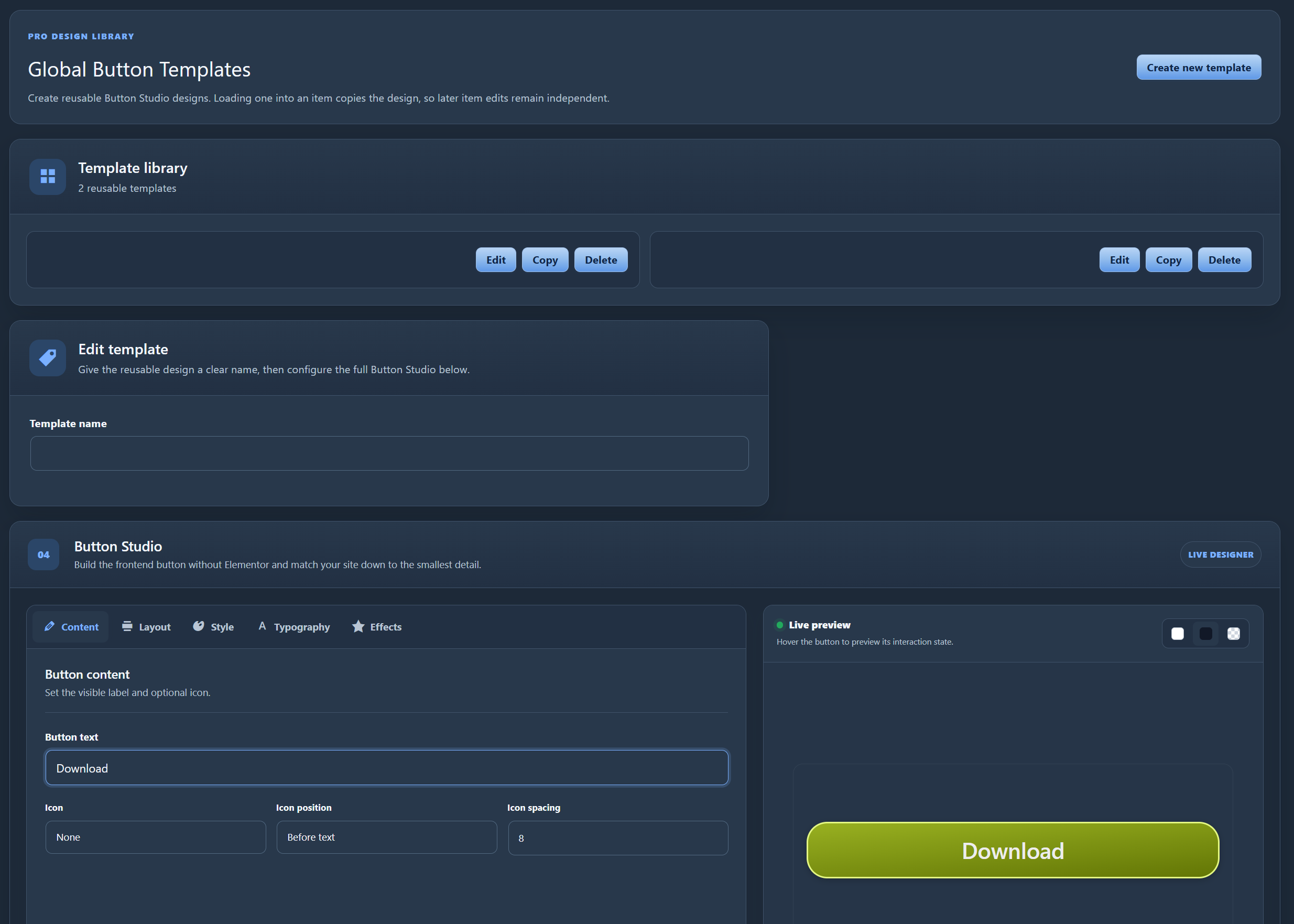
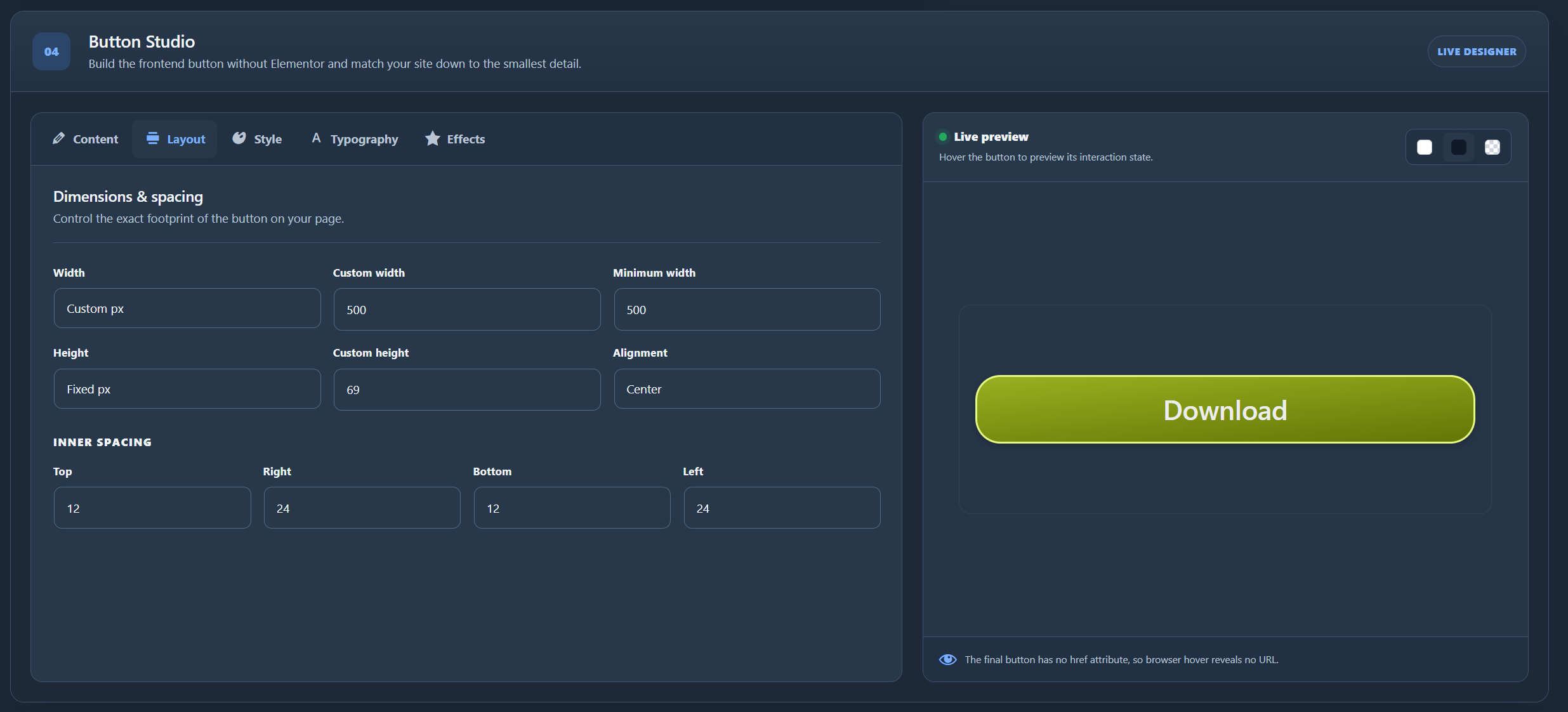
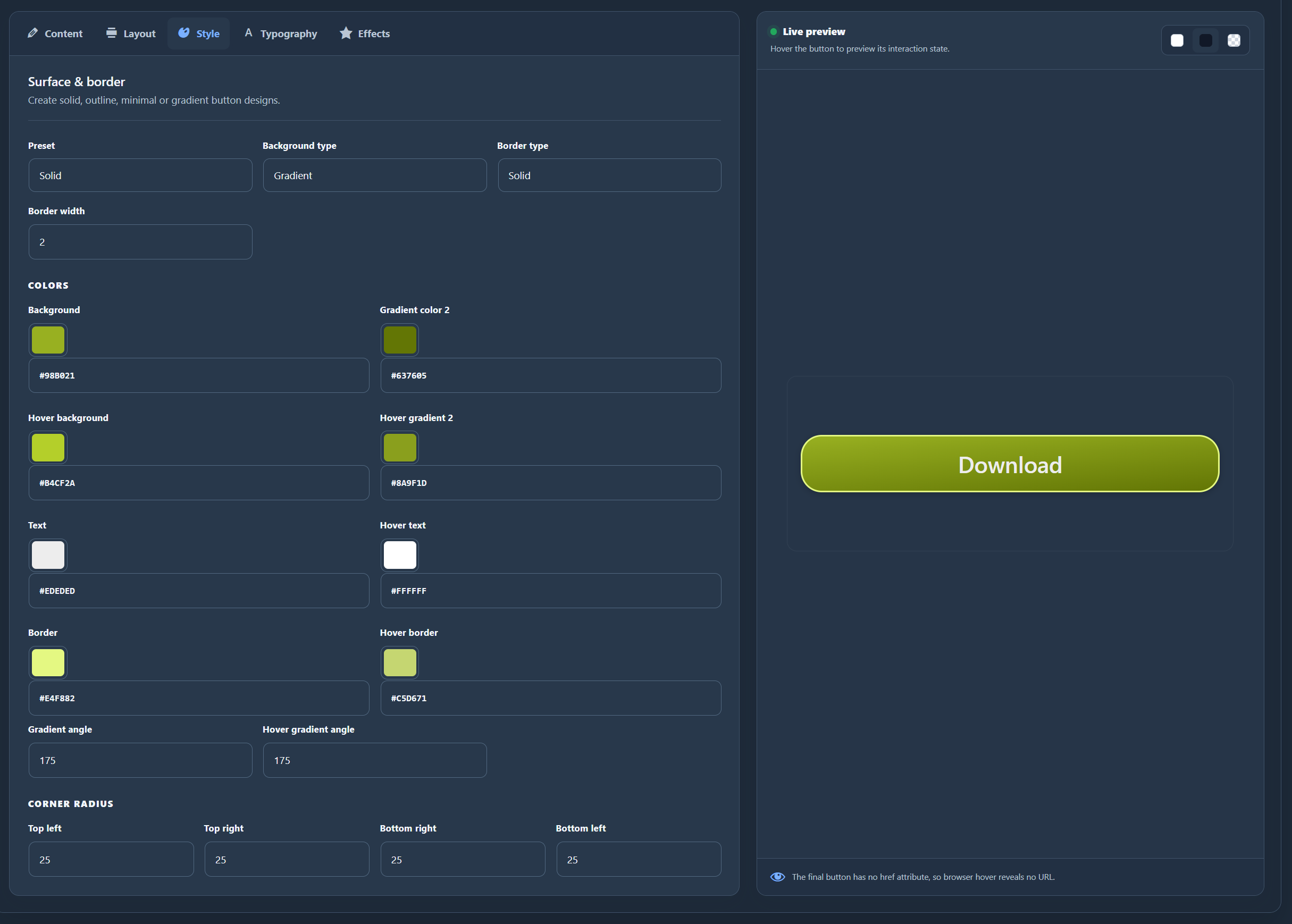
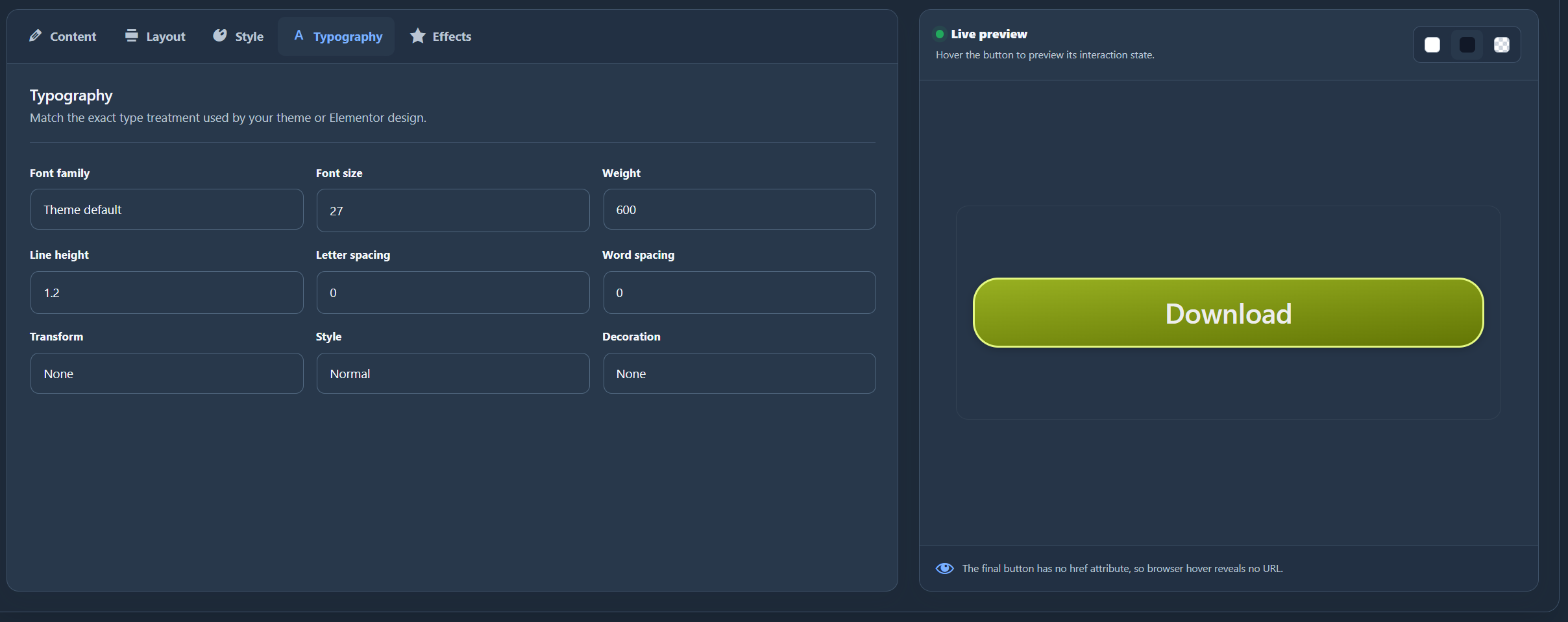
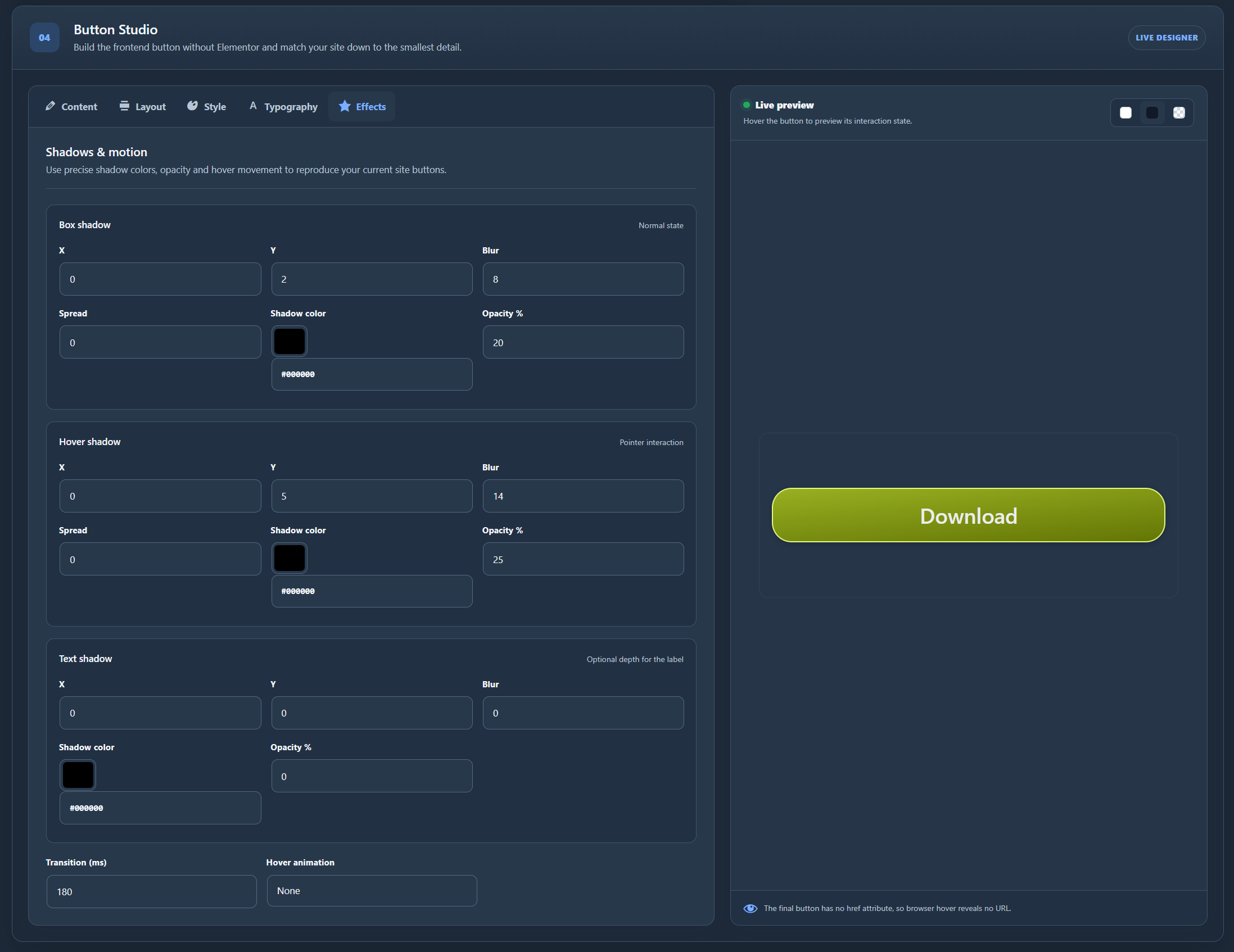
- Elementor-style button controls for width, height, padding, typography, icons, borders, gradients, independent corner radii, shadows, hover styling, and animations.
- Optional compact details below buttons for the download count, file size, version, and published date.
- Live controls for details width, text alignment, compact grid or stacked layout, and label and value font sizes.
- Controlled delivery of permitted local files from the WordPress uploads directory.
- Item statuses, Trash, restore, permanent deletion, and bulk actions.
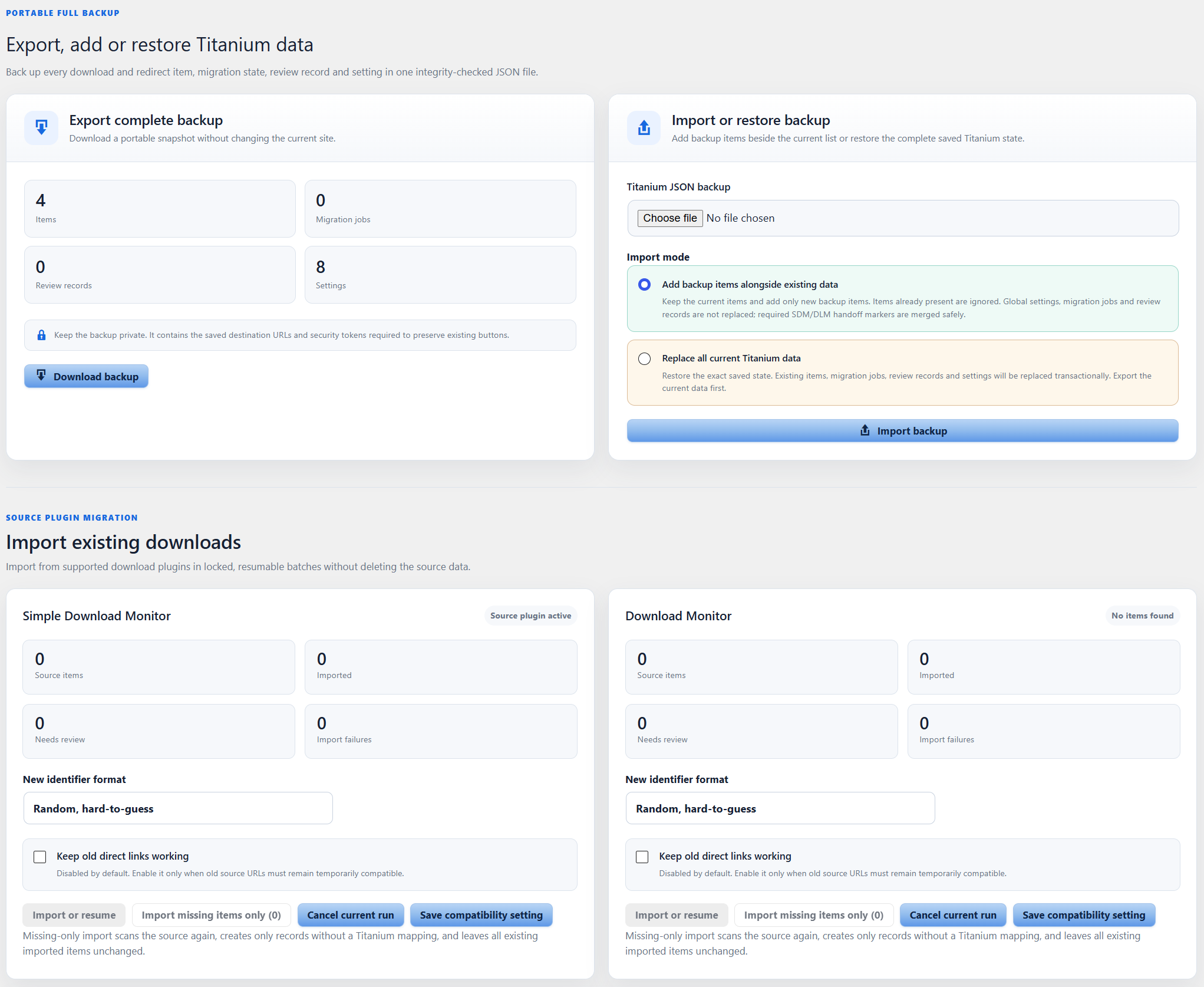
- Locked, resumable ID-cursor migration from Simple Download Monitor.
- Locked, resumable ID-cursor migration from Download Monitor.
- Fail-closed review for draft, pending, private, password-protected, membership-protected, reCAPTCHA-protected, terms-protected, or otherwise uncertain source items.
- Optional compatibility handling for mapped legacy direct links after the source plugin is deactivated.
- Fallback rendering for common legacy Simple Download Monitor and Download Monitor shortcodes.
- Integrity-checked JSON export and transactional restore for all plugin-owned Free data.
- Page-specific admin and frontend assets that load only in the relevant Titanium context.
- Aggregate successful-action totals without storing visitor identity or IP addresses.
Pro features include:
- Reusable global Button Studio templates with instant selection and saved/default restoration.
- Rolling item statistics for the last year, 90 days, 30 days, 7 days, and 24 hours.
- Alternative downloads and alternative redirects counted separately in Activity.
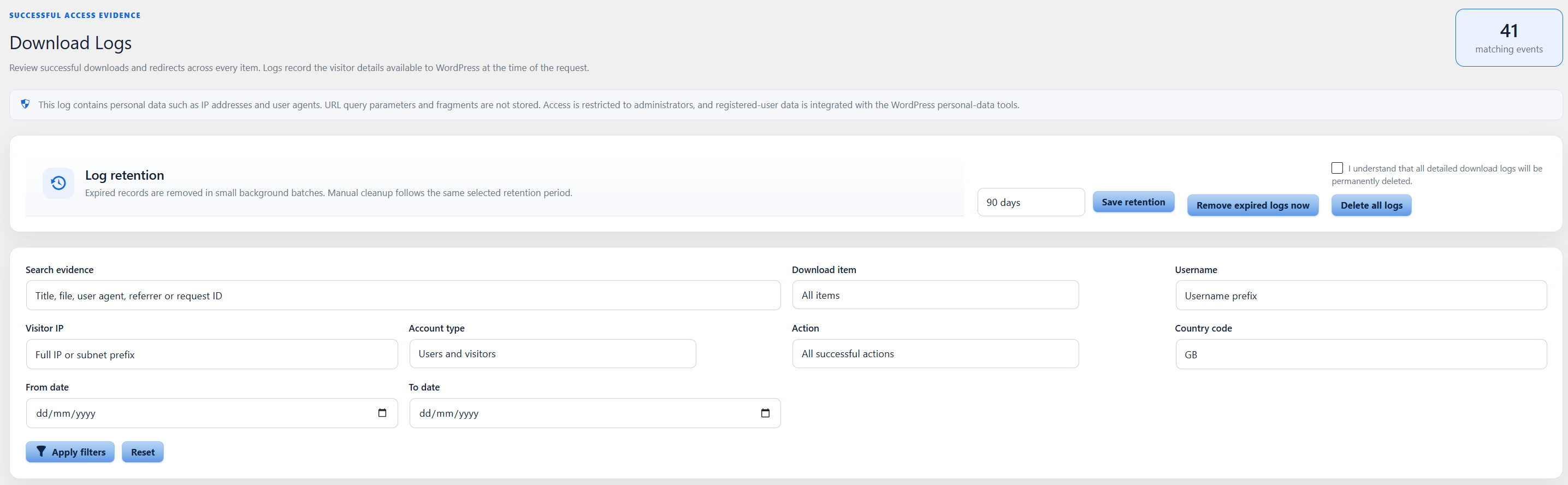
- Detailed item and global download history with account, network, request, and destination evidence.
- Configurable download-log retention with manual cleanup and automatic background removal of expired records.
- WordPress personal-data exporter and eraser integration for registered-user activity logs.
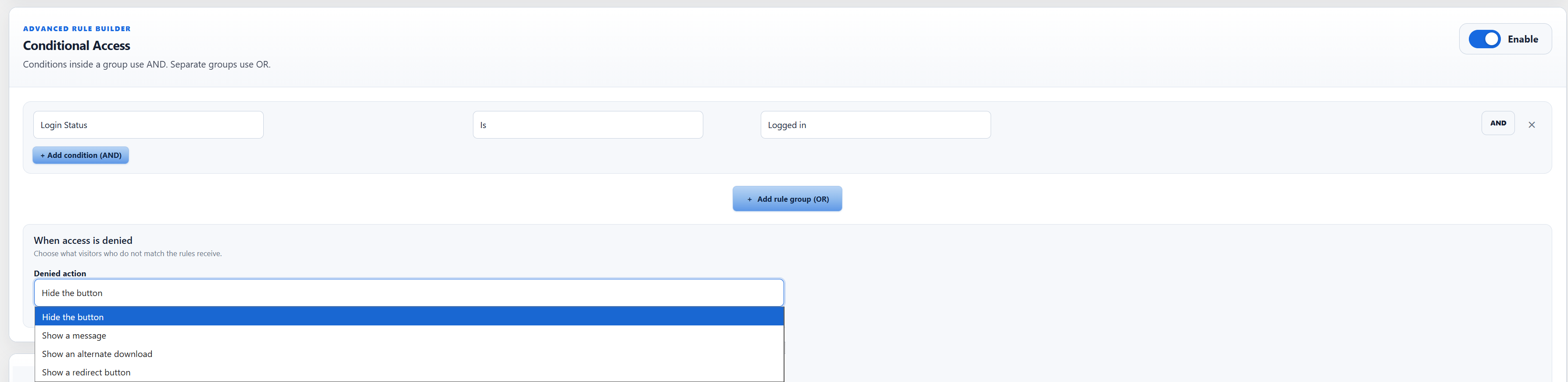
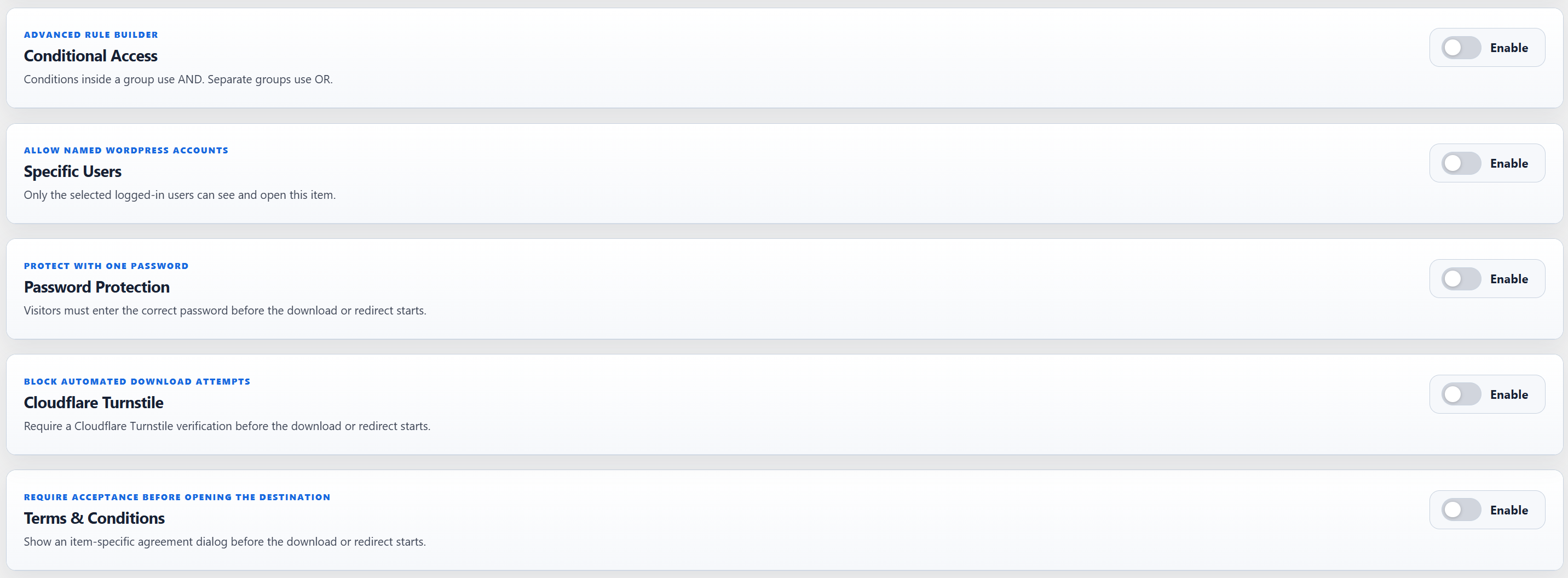
- Conditional Access rule builder with AND conditions inside groups and OR between groups for login status, WordPress roles, Paid Memberships Pro, WooCommerce Memberships, MemberPress, Restrict Content Pro, and Paid Member Subscriptions.
- Denied-access outcomes to hide the shortcode, show a custom message, offer an alternative download, or show an alternative redirect button.
- Per-item password protection with a lazy frontend password dialog.
- Per-item access restricted to selected WordPress users.
- Per-item Cloudflare Turnstile bot protection with lazy frontend assets.
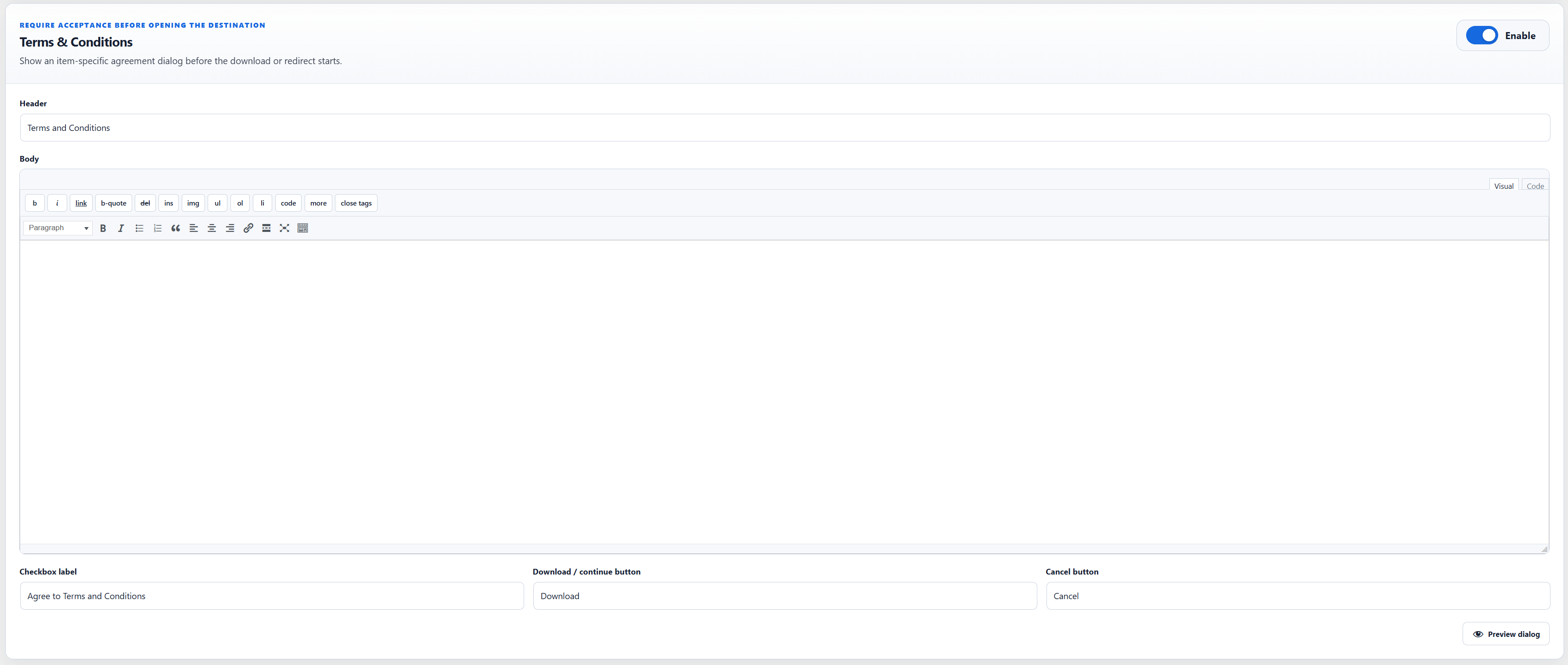
- Per-item Terms & Conditions agreement before the download or redirect starts.
- Elementor Wrapper Link controls for containers, sections, columns, and widgets, stored under a Titanium-owned setting key.
- Integrity-checked backup and restore for Pro templates, access rules, protection settings, Terms settings, and bounded activity-log data.
The editor contains one compact, inert text preview of optional extension areas. It contains no controls, disabled fields, premium implementation, hidden backend path, or licence logic.
External Services
The plugin includes the Freemius SDK for optional account, usage opt-in, licensing, update, support-account, and upgrade services. Freemius communication is governed by the permission and opt-in choices shown in the WordPress admin. When enabled or required for an account, purchase, license, or update operation, Freemius may receive the site URL, WordPress and PHP versions, plugin version, locale, administrator contact/account information, license information, and technical environment data needed to provide those services.
Freemius terms: https://freemius.com/terms/
Freemius privacy policy: https://freemius.com/privacy/
The Upgrade to Pro screen does not request or display current prices by default. An administrator must explicitly enable current-price display from the consent panel above the plans or from any Show Current Price button inside a plan tile. The choice is processed through authenticated WordPress AJAX without reloading the page. Only after that consent, the plugin may request public product prices from the AdminPlugins pricing API at https://adminplugins.com/wp-json/titaniumsd-freemius/v1/pricing and adds only the source=plugin query value. The request does not intentionally include the site URL, administrator email, role settings, plugin settings, download records, passwords, license keys, or visitor data. As with a normal web request, the remote server can receive standard connection metadata such as the requesting IP address and user agent. Valid pricing data is cached locally for 24 hours while current-price display remains enabled. Disabling current prices prevents further pricing requests and removes the saved consent and local pricing cache. Upgrade Now remains available and opens Freemius Checkout even while prices are hidden.
AdminPlugins terms: https://adminplugins.com/terms-and-conditions/
AdminPlugins privacy policy: https://adminplugins.com/privacy-policy/
Selecting a purchase or upgrade option opens Freemius Checkout. Information entered during checkout is sent directly to Freemius for payment, tax, subscription, and license processing. Checkout is initiated only by an administrator’s purchase or upgrade action.
Supported sharing-link normalization is performed locally while an administrator saves an item. The plugin does not send the saved link to Dropbox, Google Drive, OneDrive, SharePoint, GitHub, GitLab, Bitbucket, Pixeldrain, or another destination provider for validation.
When a visitor clicks a configured button or opens a public Titanium endpoint, same-site files inside the WordPress uploads directory can be delivered directly as attachments. Other administrator-provided HTTP or HTTPS destinations are opened through a controlled redirect. The visitor’s browser then connects to that destination, and the destination provider’s own terms and privacy policy apply.
Privacy
The Free counter stores only one aggregate successful-action total per item. It does not store visitor identities, IP addresses, individual request timestamps, user agents, or referrer URLs.
The plugin stores the destination URLs and presentation settings entered by a site administrator. During migration it reads existing local WordPress posts and metadata from supported source plugins but does not change or delete the source data.
The optional Freemius account and usage opt-in is managed through the Freemius permission screen in WordPress. The administrator-enabled pricing request described in External Services does not intentionally include plugin content, download records, visitor logs, or administrator contact data.
Screenshots
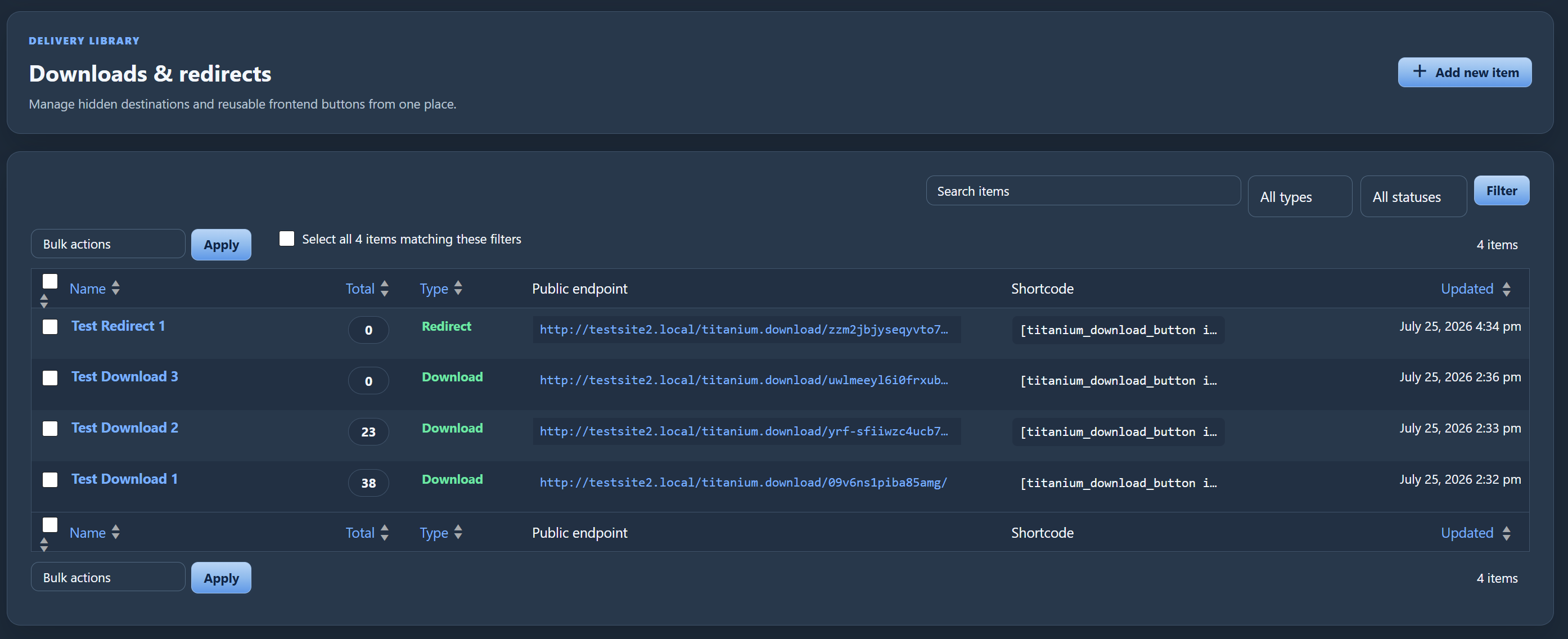
Installation
- Upload the plugin folder to
/wp-content/plugins/or install the ZIP through the WordPress Plugins screen. - Activate the plugin.
- Open Titanium Downloads in the WordPress admin.
- Add a Download File or Redirect to URL item.
- Copy the generated shortcode into a post, page, widget, or compatible builder shortcode element.
FAQ
-
No. The built-in shortcode renders a button without an href attribute. The configured target URL is handled after the click.
-
Yes. Every item also has a public
titanium.downloadendpoint. A normal link using that endpoint may be visible on hover; the built-in Titanium button is the no-hover-URL option. -
Does the Free plugin restrict downloads by user role or membership level?
-
No. The Free plugin handles public downloads and redirects. Its compact, inert text preview contains no access-control implementation.
-
What is imported from Simple Download Monitor?
-
The importer reads the title, description, direct file URL, button text, status, thumbnail reference where available, version, file size, categories, tags, and historical aggregate count data. Detailed visitor logs are not imported. Only published items with no detected restriction are eligible for automatic handoff. Draft, pending, private, password, login, reCAPTCHA, terms-confirmation, Simple Membership, WP eMember, or otherwise uncertain items remain disabled in a fail-closed review queue until an administrator explicitly approves them. Approved imported Simple Download Monitor items are handled by Titanium only while Simple Download Monitor is inactive.
-
What is imported from Download Monitor?
-
The importer reads each download and its published versions in bounded database batches (up to the documented per-item safety limit), including file mirror URLs, title, description, status, thumbnail, version, file size, categories, tags, redirect-only state, and historical aggregate count metadata. The first mirror is used as the active Free destination and all mirror URLs are preserved as migration metadata. Only published items with no detected restriction are eligible for automatic handoff. Draft, pending, private, password-protected, members-only, terms-locked, or otherwise uncertain items remain disabled in a fail-closed review queue until an administrator explicitly approves them. Approved imported Download Monitor items are handled by Titanium only while Download Monitor is inactive. Detailed visitor logs are not imported. Older version URLs and their version relationships are preserved as migration metadata while the newest active URL remains the public Free destination. An unusually large item that exceeds the safety limit is quarantined instead of being imported partially.
-
What happens if I import from both supported plugins?
-
Each source is handed over independently. If Simple Download Monitor is inactive but Download Monitor is still active, only the Simple Download Monitor imports are available through Titanium. Download Monitor imports become available automatically when Download Monitor is also deactivated. Reactivating either source plugin returns only that source’s imported items to the source plugin.
-
Does migration delete the old plugin’s data?
-
No. Source posts, metadata, tables, and plugin files are not modified or deleted.
-
Should I keep legacy direct-link compatibility enabled?
-
Legacy direct-link compatibility is disabled by default. Enable it deliberately only during a transition where existing pages still use old Simple Download Monitor or Download Monitor direct URLs. Disable it after replacing those links because the source plugins’ old numeric or otherwise predictable URLs remain valid while compatibility is enabled. Legacy shortcode fallback is separate and can continue to render the new Titanium button.
-
What happens to plugin data during uninstall?
-
Plugin data is retained by default. The Settings screen contains an explicit option to delete the Free item table, migration jobs, quarantine records, and Free options during uninstall. Shared data is preserved while Titanium Secure Downloads Pro remains installed, so removing the Free package cannot erase data still used by Pro.
Reviews
There are no reviews for this plugin.
Contributors & Developers
“Titanium Secure Downloads & Link Redirects” is open source software. The following people have contributed to this plugin.
Contributors
Translate “Titanium Secure Downloads & Link Redirects” into your language.
Interested in development?
Browse the code, check out the SVN repository, or subscribe to the development log by RSS.
Changelog
1.0.0
- Initial public release.