

Description
Thia Aide Customer Support adds an intelligent AI chat widget to your WordPress site. The AI assistant can answer customer questions, search products, look up orders, and provide store information automatically. Try it free for 90 days!
Features
- AI-Powered Chat Widget – Intelligent assistant that understands customer questions
- Floating Chat Button – Customizable position (bottom-right or bottom-left)
- Page Chat Shortcode – Embed chat anywhere with [thiaide_page_chat]
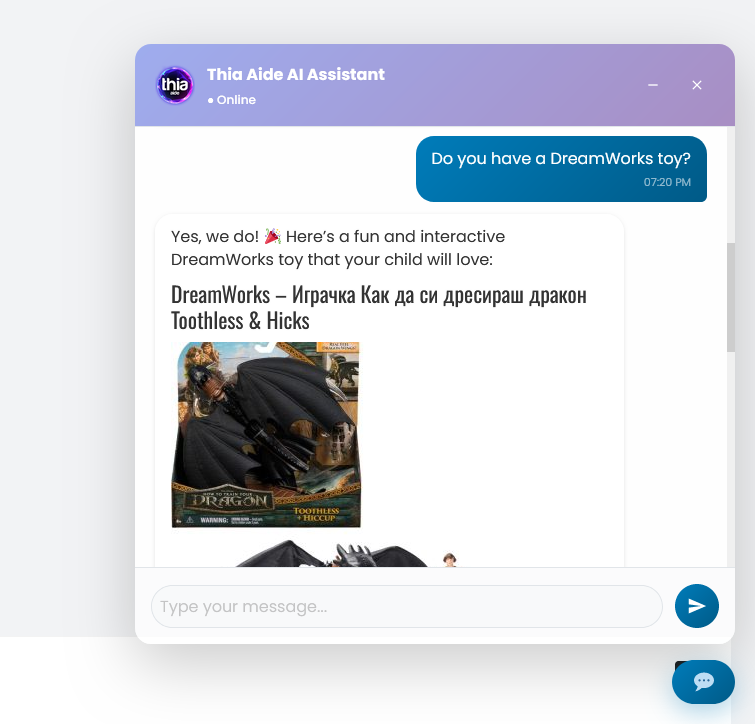
- Product Search – AI searches your WooCommerce products and presents results in chat
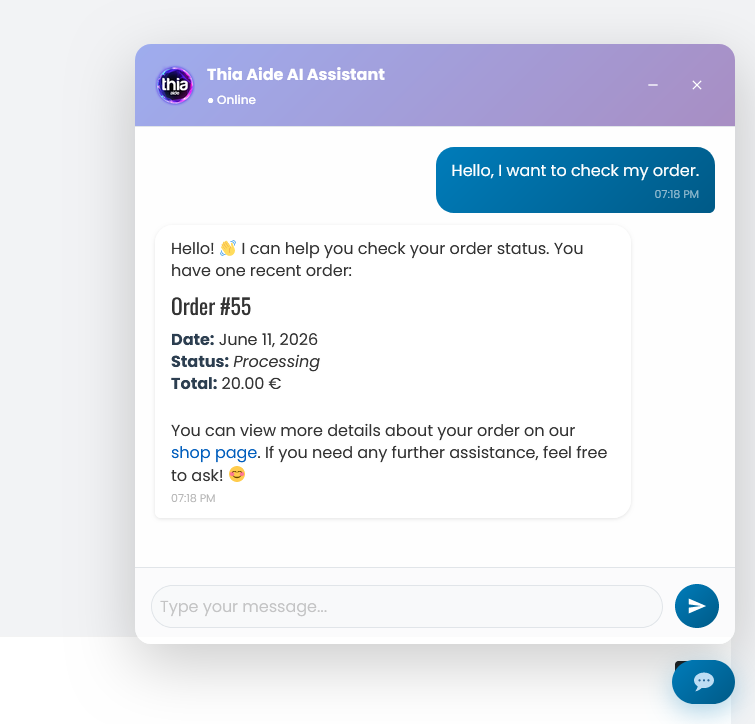
- Order Lookup – Customers can check order status by order number or email
- Content Search – AI finds information from your blog posts and pages
- Cart Integration – Customers can add products to cart directly from chat
- Auto Welcome Message – AI-generated welcome messages for visitors
- Mobile Responsive – Fully optimized for mobile devices
- Multi-Language Support – AI responds in your chosen language
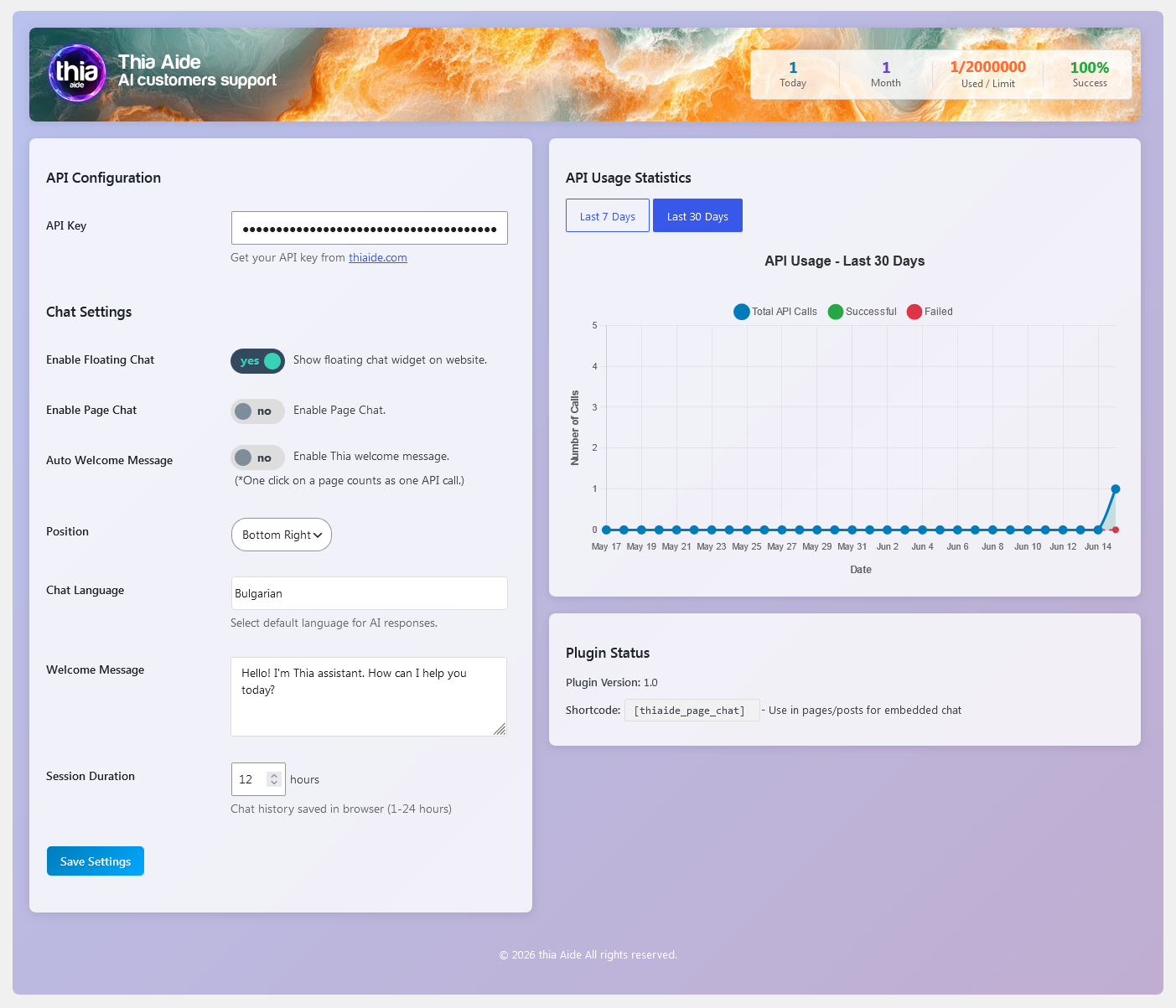
- API Statistics Dashboard – Track usage with charts for daily, monthly, and all-time stats
- Session Memory – Chat remembers conversation history
- WooCommerce Integration – Works seamlessly with WooCommerce products and orders
- Easy API Key Setup – Simple configuration interface
External services
This plugin connects to the Thia Aide API (https://thiaide.com/api/) to process chat messages and generate AI responses.
It sends the following data to the API when:
– Customer sends a chat message
– AI searches for products in your store
– AI looks up order information
– AI generates welcome messages
– AI searches your blog posts and pages
Data sent to the API:
– Customer chat messages and conversation history
– Store information (name, URL, description, contact details)
– Product information (titles, prices, descriptions) when searching
– Order information when customers check order status
– Selected language preference
– API key for authentication
This service is provided by Thia Aide:
– Terms of Use: https://www.thiaide.com/terms-of-use/
– Privacy Policy: https://www.thiaide.com/privacy-policy/
How It Works
- Install and activate the plugin
- Get your API key from thiaide.com
- Enter your API key in Thia Aide > Settings
- Configure chat position, welcome message, and language
- The chat widget appears automatically on your website
Privacy
This plugin connects to the Thia Aide API service at thiaide.com to process chat messages. Customer messages and store information are transmitted securely over HTTPS. Chat history is stored only in the user’s browser session. No user data is collected or stored beyond what is necessary for chat functionality.
Credits
Developed by Thia Aide
Support
For support, please visit thiaide.com or use the WordPress.org support forums.
Screenshots
Installation
Automatic Installation
- Go to Plugins > Add New in your WordPress admin
- Search for “Thia Aide Customer Support”
- Click Install Now
- Activate the plugin
Manual Installation
- Download the plugin zip file
- Go to Plugins > Add New > Upload Plugin
- Upload the zip file and click Install Now
- Activate the plugin
Configuration
- After activation, go to Thia Aide in your admin menu
- Enter your API key from thiaide.com
- Configure chat settings (position, welcome message, language)
- The chat widget appears automatically on your site
FAQ
-
Do I need an API key?
-
Yes, you need an API key from thiaide.com to use the AI features. You can get one by registering at thiaide.com. Try it free for 90 days!
-
Does this work with WooCommerce?
-
Yes, the plugin integrates directly with WooCommerce. The AI can search your products, look up customer orders, and help customers add items to their cart.
-
What languages are supported?
-
The AI responds in the language you select from over 100 languages including English, Spanish, French, German, Italian, Portuguese, Dutch, Russian, Chinese, Japanese, Korean, Arabic, Turkish, Greek, Romanian, Polish, Czech, Swedish, Danish, Norwegian, Finnish, Bulgarian, and more.
-
Can I customize the chat appearance?
-
You can choose the chat position (bottom-right or bottom-left), set a custom welcome message, enable auto welcome messages, and select the AI response language.
-
How do I embed chat in a specific page?
-
Use the shortcode [thiaide_page_chat] in any page or post to embed the chat widget inline.
-
Is my customer data secure?
-
Yes, all communication with the Thia Aide API is encrypted over HTTPS. Chat history is stored only in the user’s browser session for the duration you set (1-24 hours).
-
Can I see chat usage statistics?
-
Yes, the admin dashboard shows API usage statistics with interactive charts for daily, monthly, and all-time views including success rates.
Reviews
There are no reviews for this plugin.
Contributors & Developers
“Thia Aide Customer Support” is open source software. The following people have contributed to this plugin.
Contributors
Translate “Thia Aide Customer Support” into your language.
Interested in development?
Browse the code, check out the SVN repository, or subscribe to the development log by RSS.
Changelog
1.0
- Initial release
- AI-powered chat widget for customer support
- WooCommerce product search and order lookup
- Embedded page chat via shortcode
- Cart integration for adding products from chat
- Auto welcome messages with AI generation
- Content search across posts and pages
- Mobile responsive design
- API statistics dashboard with charts
- Session management for chat history
- Multi-language AI responses