

Description
Texoly brings the Texoly guest post marketplace and backlink collaboration workflow into wp-admin for WordPress publishers, bloggers, niche site owners, SEO operators, and agencies who are tired of managing link building through cold email, spreadsheets, random DMs, and endless follow-up.
If your site already runs on WordPress, you should not need five different tools just to manage guest posting, backlink requests, article drafts, approvals, live URL handoff, and reward tracking.
Texoly is built as a privacy-first, anonymous marketplace. The goal is to help both sides coordinate requests, drafts, approvals, and live URLs without exposing unnecessary personal information during normal workflow.
With this plugin, you can:
* connect a verified WordPress site to your Texoly account
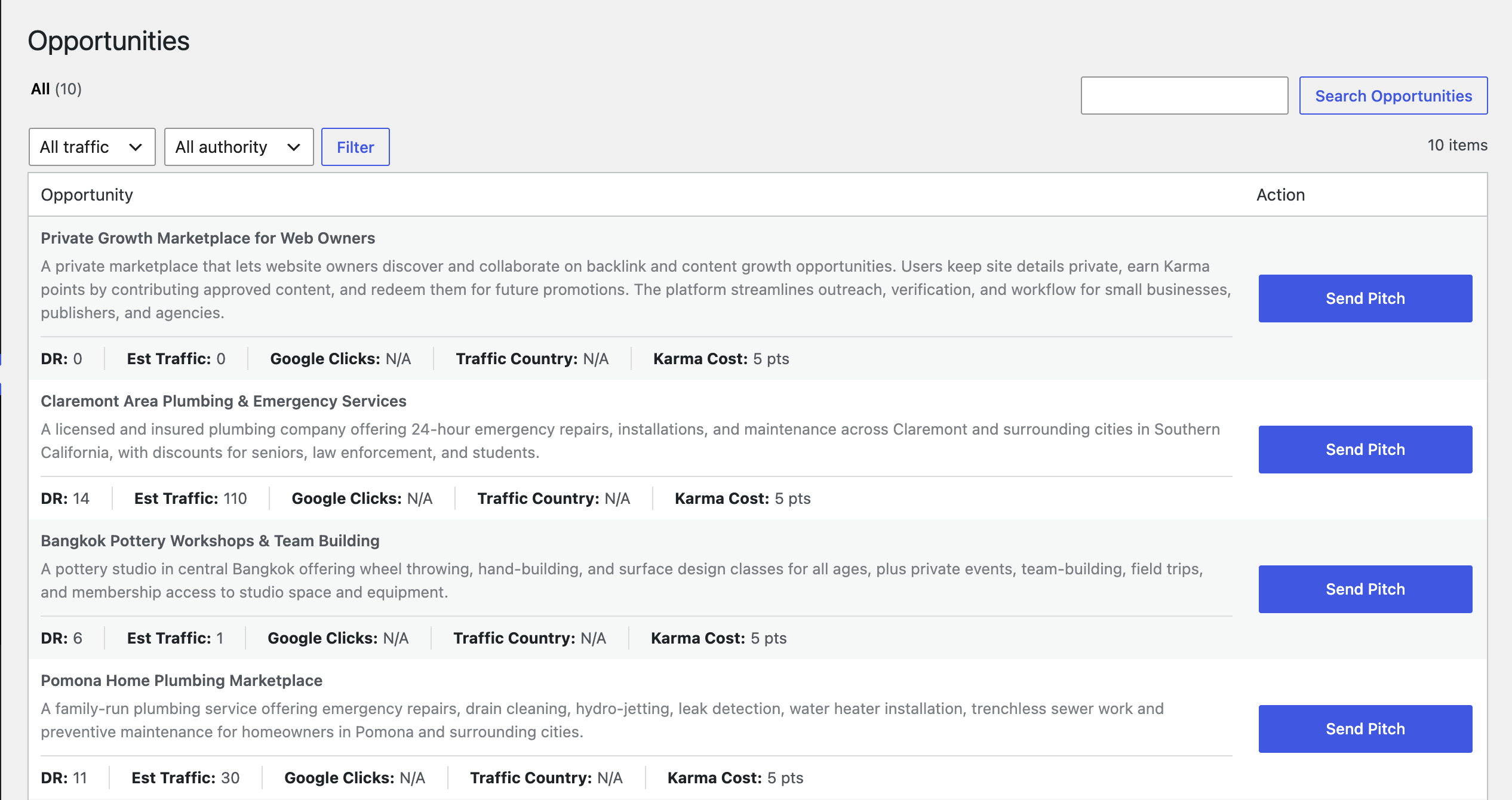
* browse guest post opportunities from inside WordPress
* create and manage requests
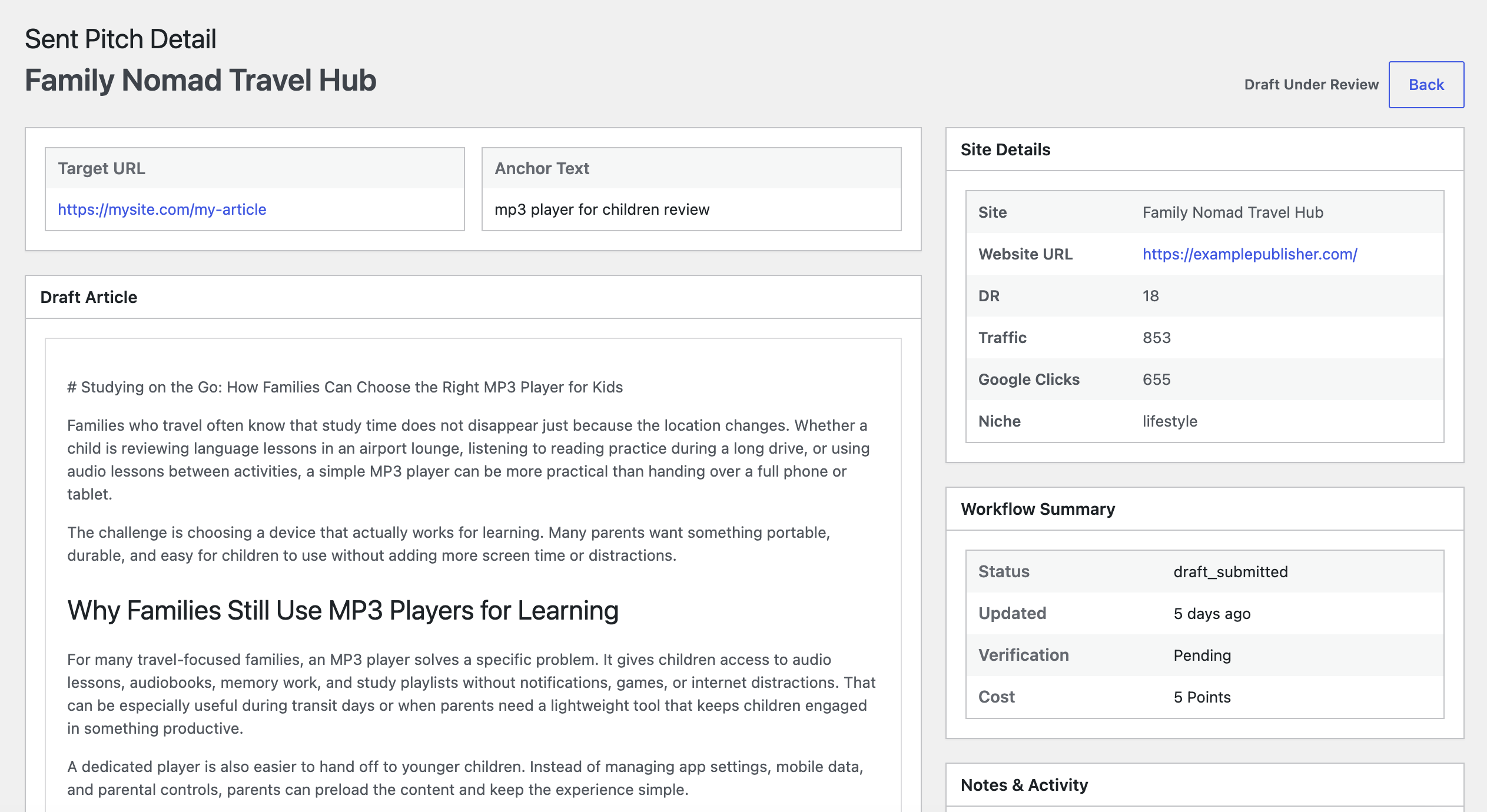
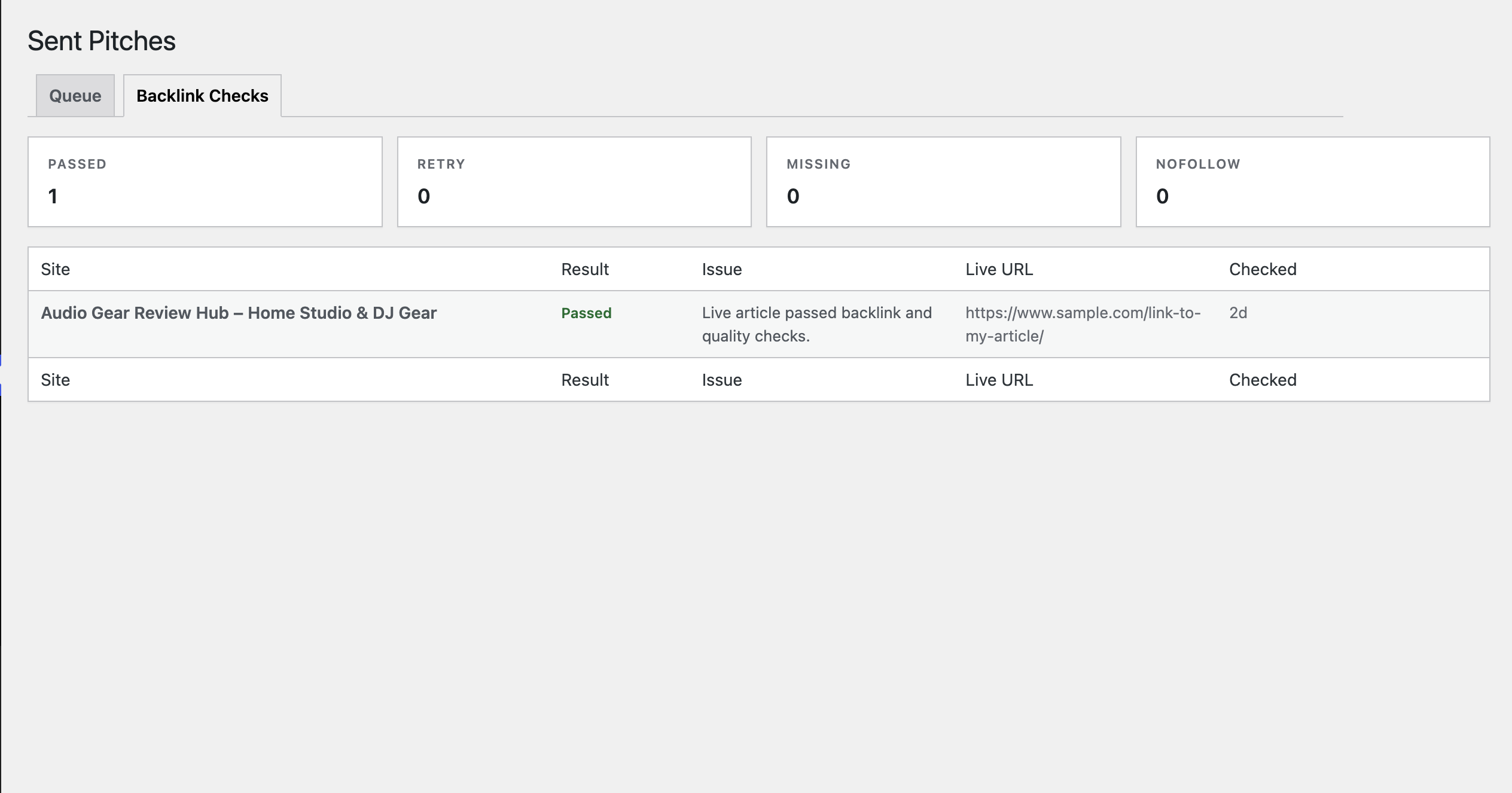
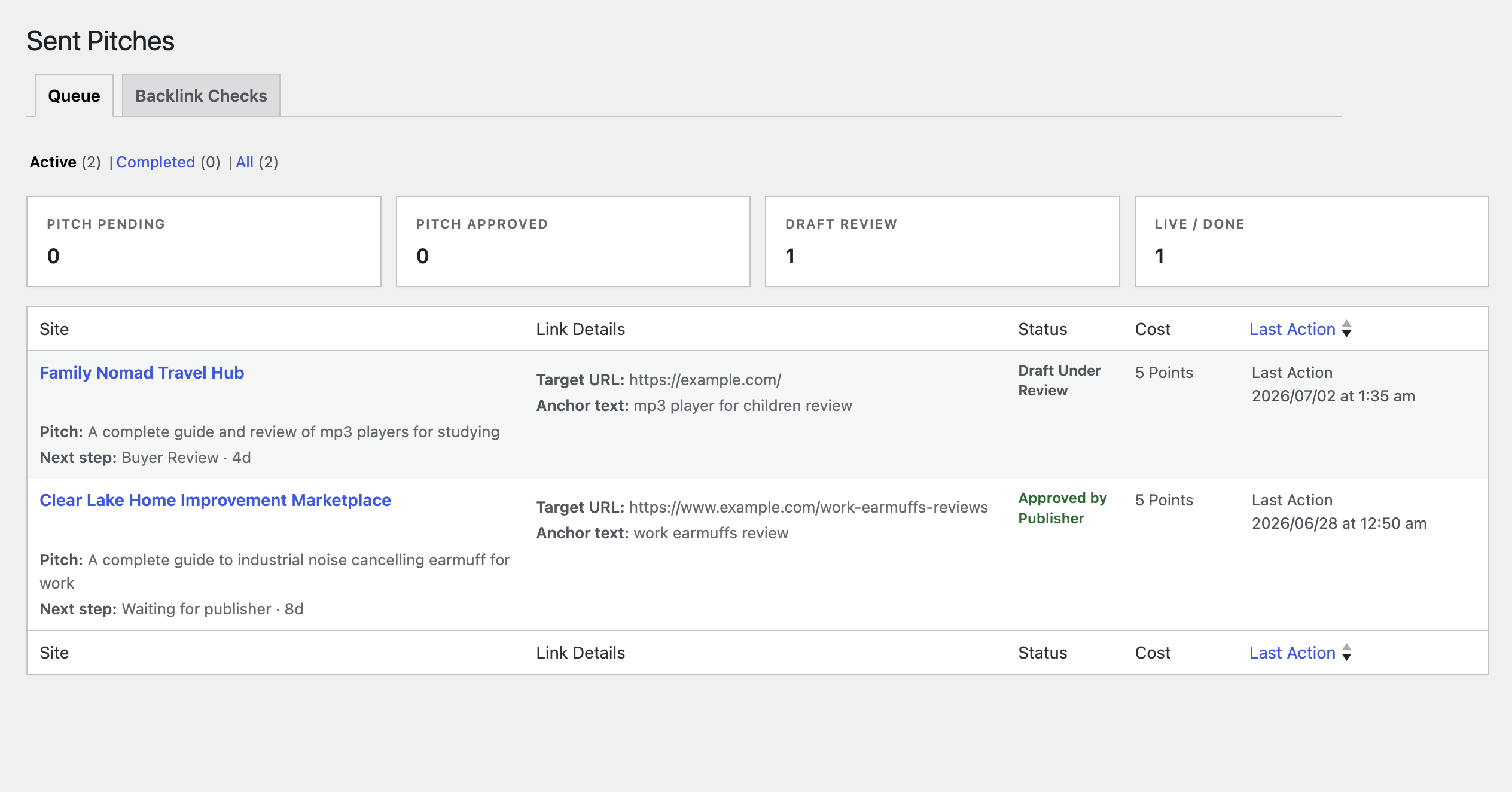
* review submission and request workflow states
* create local WordPress drafts from approved Texoly briefs
* submit draft markdown and published live URLs back to Texoly
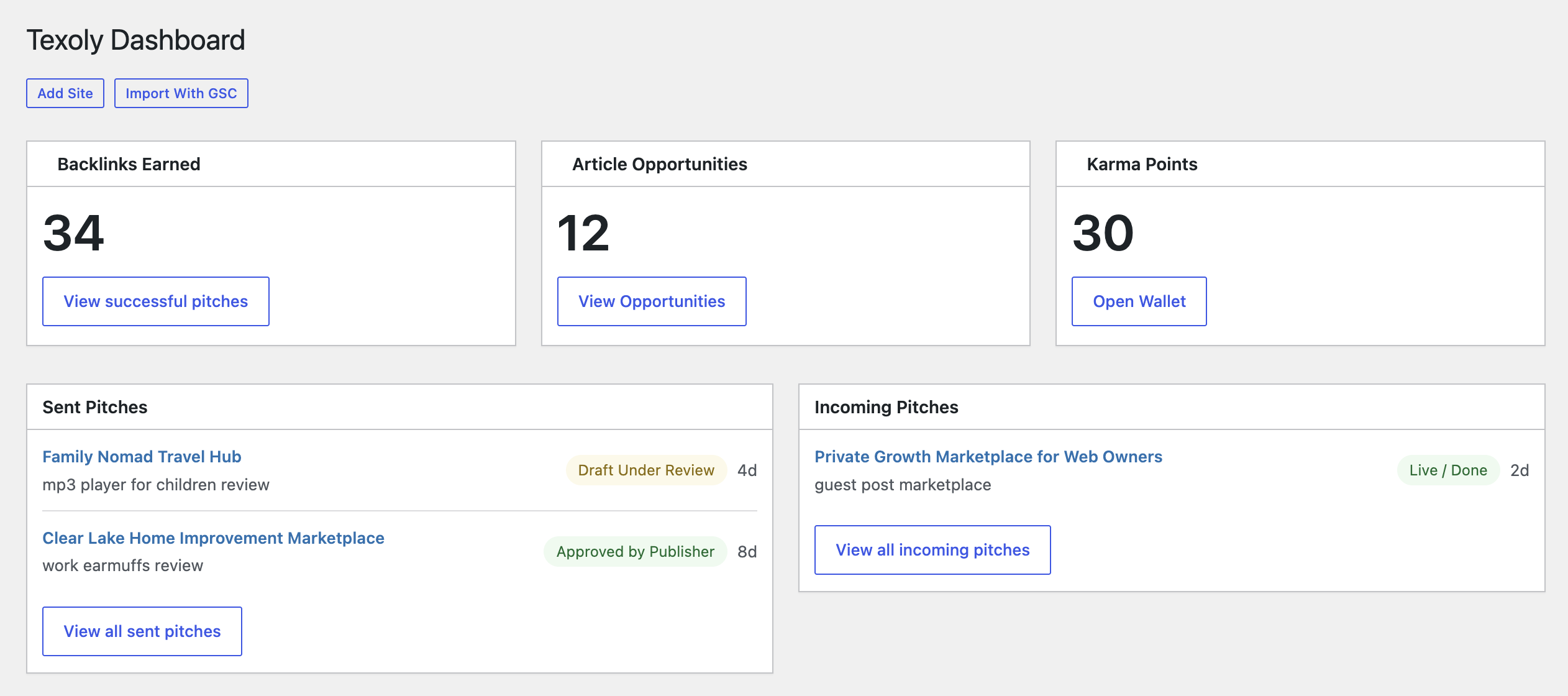
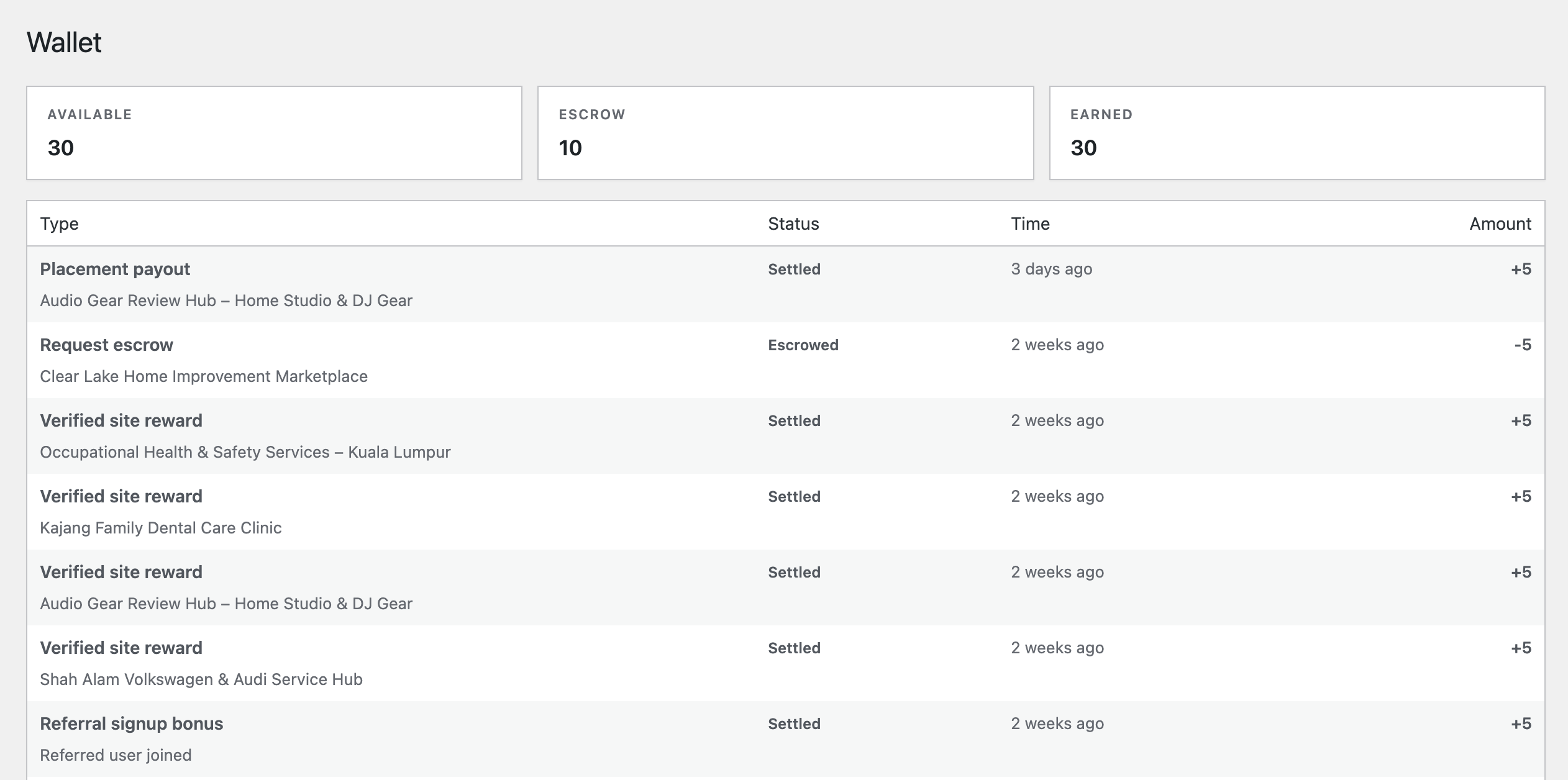
* check wallet, rewards, and notification data
The plugin is intentionally lightweight. Texoly handles marketplace logic, auth, permissions, escrow-style workflow, and verification on the hosted service, while WordPress acts as the operating surface for your connected site.
If you want to learn more before connecting a site, visit Texoly or read the Texoly WordPress guest post and backlink workflow plugin overview.
Why use Texoly?
A lot of WordPress users already know the hard part is not publishing content. The hard part is everything that happens after you decide you need backlinks, guest post placements, publisher relationships, and cleaner outreach workflow.
That usually means:
* prospecting for guest post opportunities manually
* sending cold outreach emails
* following up again and again
* negotiating unclear pricing or weird side deals
* trying to judge trust and quality from weak signals
* tracking article drafts in spreadsheets
* chasing live links and publication proof
* losing requests in inbox clutter and scattered messages
Texoly is designed to replace that chaos with a more structured marketplace workflow inside the WordPress admin you already use every day.
Karma point system
Karma points are one of Texoly’s core features.
Instead of relying on vague promises, random outreach, and low-intent negotiation, Texoly uses karma points to create a clearer collaboration economy for guest posting and backlink exchange.
Users can:
* earn karma by fulfilling opportunities
* spend karma on guest post requests
* move work through a more structured marketplace flow
* reduce low-intent activity by tying actions to real platform value
Privacy-first workflow
Texoly is designed to support anonymous collaboration first. The plugin does not add visitor analytics, ad tracking, or behavioral tracking to your WordPress site. It only exchanges the data needed to connect your site, render your Texoly dashboard, and send workflow actions you choose to perform.
Anti-spam and accountability
Structured workflow states and karma-based actions help reduce low-intent activity and make request handling more accountable than random cold outreach.
That means:
* spammy behavior is less attractive
* serious users have more accountability
* active work can move through an escrow-style workflow
* guest post collaboration becomes cleaner than ad hoc outreach threads
What the plugin does
The plugin lets you:
* connect this WordPress site to Texoly
* load Texoly dashboard, opportunity, request, submission, wallet, and notification data
* trigger request and submission workflow actions
* create local WordPress drafts from Texoly-provided brief content
* send draft markdown, live URLs, and feedback back to Texoly
Who it is for
Texoly is a strong fit for:
* WordPress publishers
* bloggers
* niche site owners
* indie SaaS builders using WordPress
* SEO operators
* agencies managing WordPress sites
What it is not
Texoly is not a general on-page SEO plugin.
It is specifically focused on guest post and backlink collaboration workflow.
Why WordPress users like it
WordPress users already publish from one place. Texoly helps them handle the off-page workflow there too.
That makes it a strong fit if you want to:
* find guest post opportunities without leaving wp-admin
* manage backlink collaboration from one dashboard
* reduce spreadsheet chaos
* avoid messy cold email workflows
* keep request, draft, and live URL workflow tied to your actual site
External service notice
This plugin relies on an external service provided by Texoly.
Service name: Texoly
Service URL: https://app.texoly.com
Privacy policy: https://texoly.com/privacy
Terms of service: https://texoly.com/terms
This service is required for:
* connecting a verified Texoly account and site to this WordPress install
* loading dashboard, opportunities, requests, submissions, wallet, and notification data
* sending workflow actions you trigger in wp-admin
* sending plugin feedback to the Texoly product team
Data sent to the service can include:
* this WordPress site URL
* callback URL needed to complete connection
* current admin page URL for feedback context
* plugin version
* request form data you explicitly submit, such as backlink URL, anchor text, and pitch
* draft markdown you explicitly submit
* live URL values you explicitly submit
* workflow action IDs and notification IDs
Data is sent only when:
* you connect the plugin to Texoly
* you refresh or load Texoly data in wp-admin
* you create or update a workflow item
* you submit plugin feedback
The plugin will not work as intended without this external service.
Screenshots
Installation
- Upload the plugin files to the
/wp-content/plugins/directory, or install through the WordPress plugins screen. - Activate the plugin through the Plugins screen in WordPress.
- Open Texoly from the WordPress admin menu.
- Create or access your account on Texoly, then connect your site.
- Browse opportunities, requests, and submissions from your dashboard.
FAQ
-
Do I need a Texoly account?
-
Yes. The plugin connects your site to Texoly so you can use the collaboration workflow. If you do not have an account yet, you can create one on Texoly.
-
Does this plugin rely on an external service?
-
Yes. This plugin connects to the Texoly API to authenticate your site, load marketplace and workflow data, and send actions you trigger from wp-admin.
-
Where can I review the external service terms and privacy policy?
-
You can review Texoly policies here:
* Privacy policy: https://texoly.com/privacy
* Terms of service: https://texoly.com/terms -
Does the plugin refresh data in the background?
-
Yes, but only in a limited way. When a connected user is actively viewing Texoly plugin pages inside wp-admin, the plugin may quietly refresh cached Texoly data every few minutes so opportunities, requests, submissions, wallet data, and notifications do not get too stale.
-
Does it sync while users browse other WordPress admin pages?
-
No. The automatic refresh logic only runs on Texoly plugin admin pages. It does not run while users browse unrelated WordPress admin screens.
-
What data is sent to Texoly?
-
The plugin sends only the data needed to operate the Texoly workflow. Depending on the action, that can include:
* your WordPress site URL
* the callback or current admin URL needed to complete connection or feedback flow
* plugin version information
* periodic collection refresh requests while connected users are actively using Texoly plugin pages
* request data you enter, such as backlink URL, anchor text, and pitch
* draft markdown you choose to submit
* live URLs you choose to submit
* workflow action requests such as approve, request changes, or mark notifications viewed
* feedback form category and message if you send feedback -
What data does the plugin receive from Texoly?
-
The plugin receives workflow data needed to render the admin screens, such as connected site details, dashboard summaries, opportunities, requests, submissions, wallet data, notifications, and approved brief content used to create local WordPress drafts.
-
Does Texoly collect or expose personal information during workflow?
-
Texoly is designed as a privacy-first anonymous marketplace. The workflow is intended to minimize unnecessary disclosure of personal information between participants. This plugin does not add user tracking scripts, visitor analytics, or ad-tech profiling to your WordPress site.
-
Does this plugin track site visitors or WordPress users?
-
No. The plugin does not track front-end visitors or add marketing analytics. It exchanges operational data with Texoly only when needed to connect your site, load Texoly data, or submit workflow actions from wp-admin.
-
What is stored locally in WordPress?
-
The plugin stores Texoly connection state in WordPress options, including access and refresh tokens, connected account/site identifiers, cache timestamps, and local draft-to-submission mappings. If you create a WordPress draft from a Texoly brief, the draft content is stored in WordPress like any other draft post.
-
Is this a general SEO plugin?
-
No. Texoly is focused on guest post and backlink collaboration workflow, not general on-page SEO optimization.
-
Does this automate spammy outreach?
-
No. Texoly is designed to reduce manual outreach by using structured workflow instead of random cold email activity. You can only request guest post from sites in Texoly marketplace.
-
How do karma points work?
-
Users can earn karma by fulfilling incoming guest post requests and spend karma on guest post opportunities in the Texoly marketplace.
-
Why does the plugin use karma points and escrow system?
-
Karma points help create a clearer collaboration flow, reduce low-intent behavior, and support accountability during active workflow.
-
Do I need to exchange contact details with other users?
-
No. Texoly supports a more private workflow so users can start collaborating anonymously.
-
Can publishers use it too?
-
Yes. Publishers can browse relevant opportunities and manage submissions from inside WordPress.
-
Where can I review Texoly terms or privacy details?
-
Please review the policy and legal information published by Texoly on the Texoly website before connecting a production site.
Reviews
There are no reviews for this plugin.
Contributors & Developers
“Texoly – Guest Post & Backlink Workflow” is open source software. The following people have contributed to this plugin.
Contributors
Translate “Texoly – Guest Post & Backlink Workflow” into your language.
Interested in development?
Browse the code, check out the SVN repository, or subscribe to the development log by RSS.
Changelog
0.1.2
- Fixed an upgrade regression that could block existing administrators from reconnecting Texoly after updating the plugin
- Automatically re-sync Texoly role capabilities on plugin boot for better upgrade compatibility
- Added a safe administrator fallback for the hosted connect and callback flow to prevent upgrade lockout on updated installs
- Improved WordPress.org release readiness with additional packaging and stability cleanup
0.1.1
- Refined WordPress-native admin UI across Dashboard, Opportunities, Requests, Submissions, Wallet, Settings, and Feedback screens
- Added smoother opportunities filtering and search with AJAX-based in-place updates
- Improved request and submission workflows with clearer statuses, better actions, and WordPress-style modal flows
- Added searchable URL suggestions for live URL submission and opportunity backlink URL selection
- Improved dashboard referral, wallet, feedback, and detail screen layouts for first public release readiness
0.1.0
- Initial release
- Connect WordPress site to Texoly
- Browse opportunities
- Manage requests and submissions
- Track karma and workflow status