

Description
Stop spending hours wrestling with WooCommerce tax tables. TaxZen for WooCommerce replaces the tedious, error-prone process of manually configuring tax rates with a guided 5-step wizard that gets your store tax-compliant in minutes.
Whether you sell physical goods, digital products, or services — domestically or across borders — TaxZen handles the complexity so you can focus on growing your business.
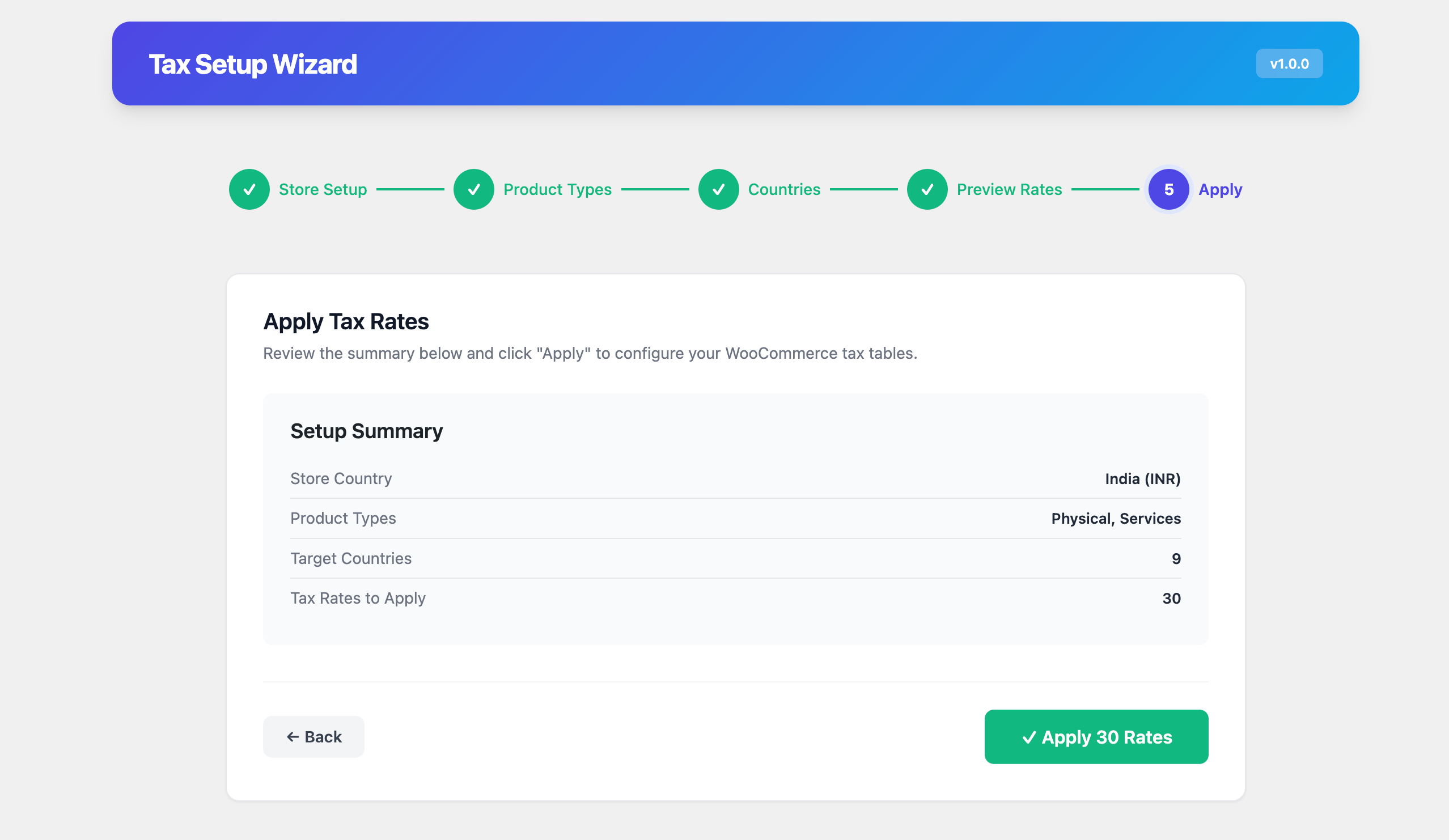
🧙 5-Step Setup Wizard
Get from zero to fully-configured taxes in under 5 minutes:
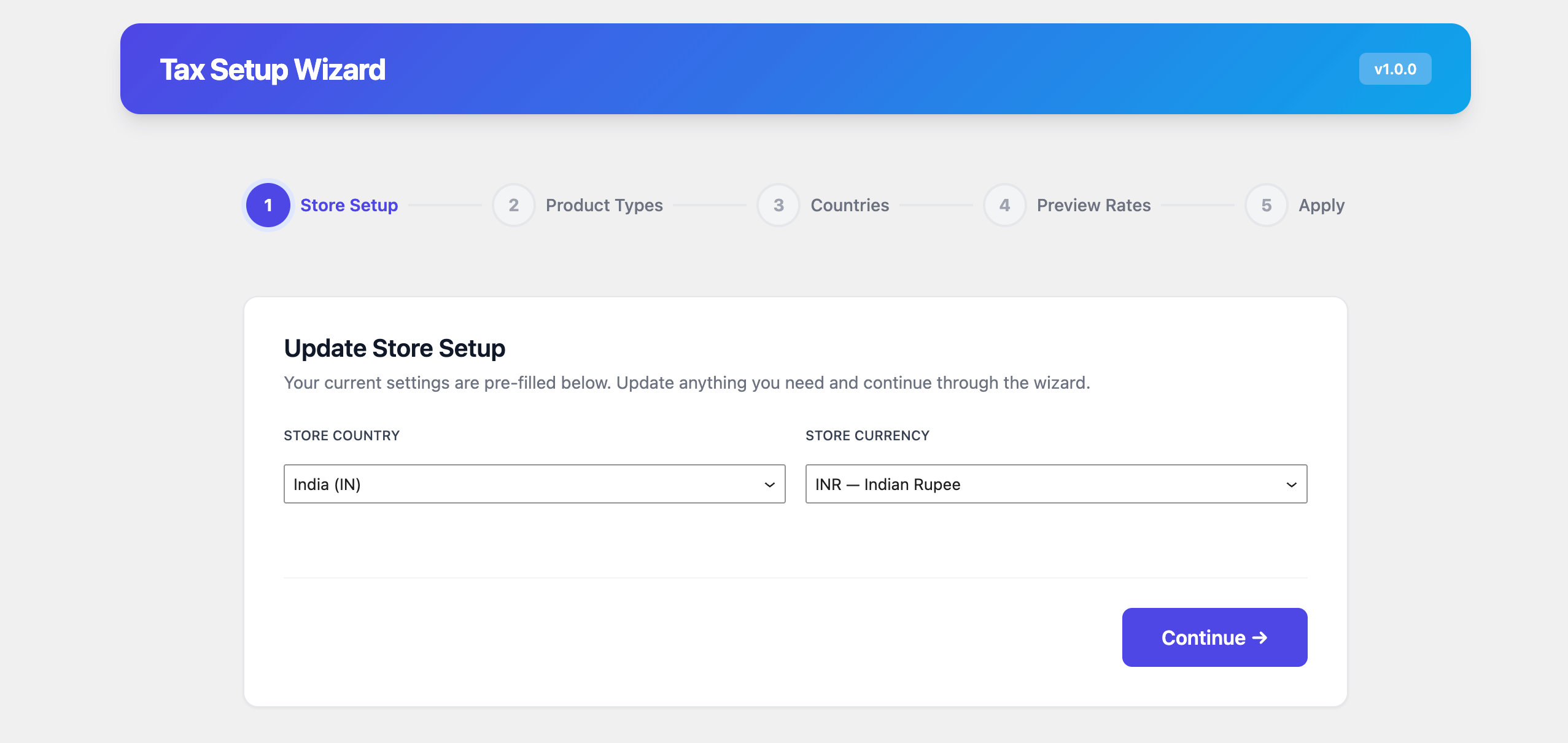
- Store Setup — Auto-detects your WooCommerce store country and currency (or set manually)
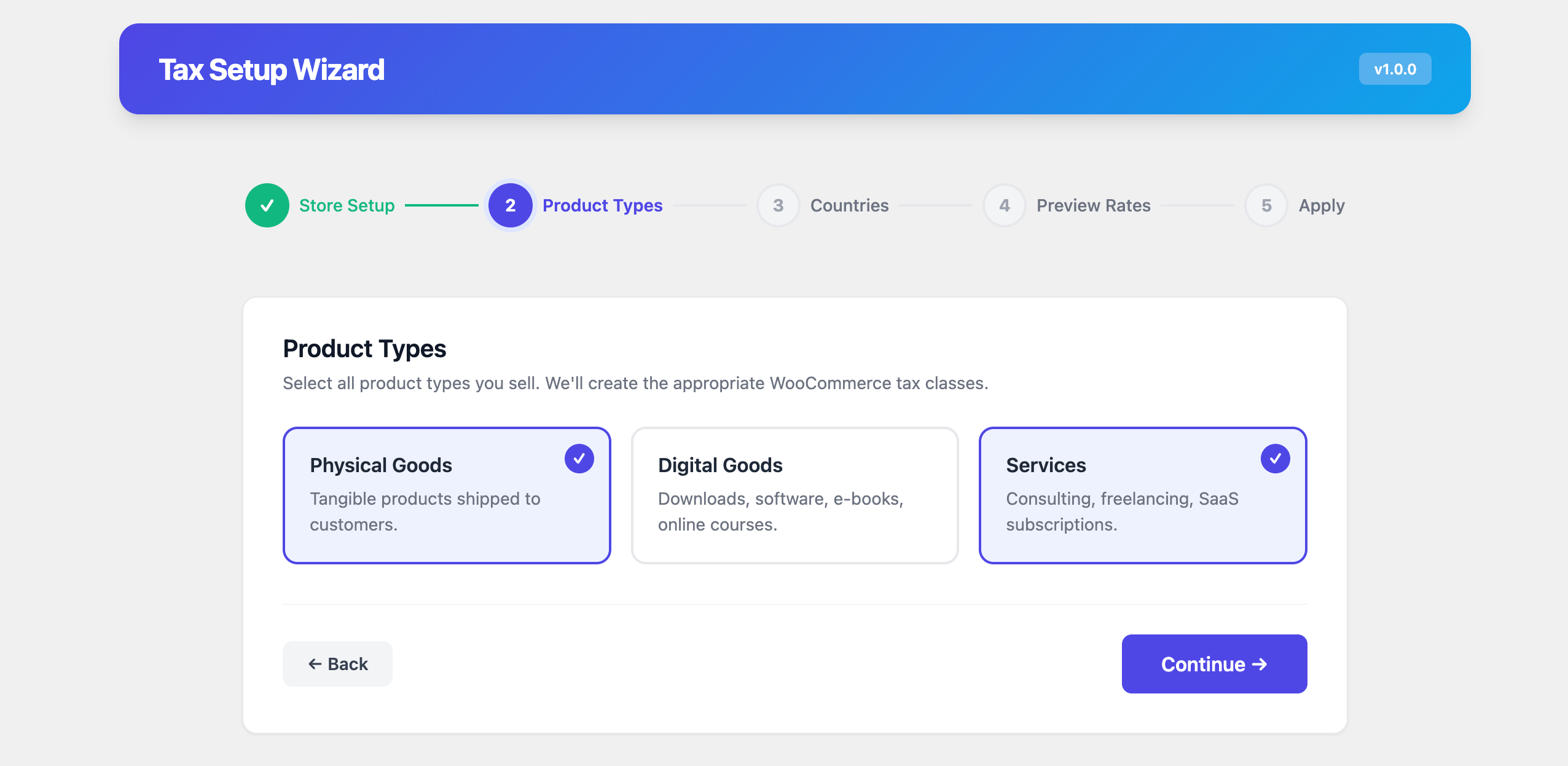
- Product Types — Choose what you sell: Physical Goods, Digital Products, Services — each gets the correct tax class
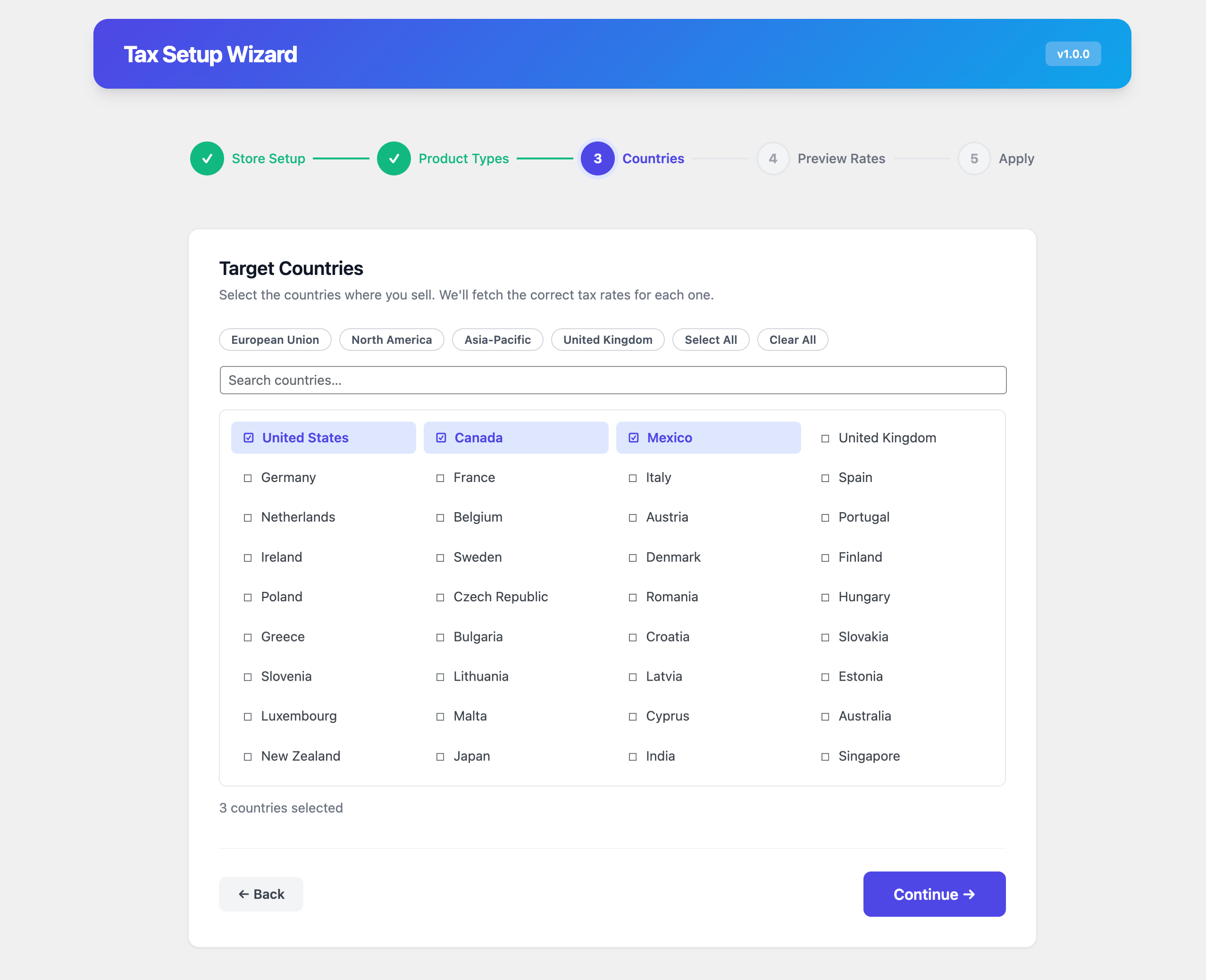
- Target Countries — Select the countries where you sell, with smart defaults for EU, NAFTA, and APAC regions
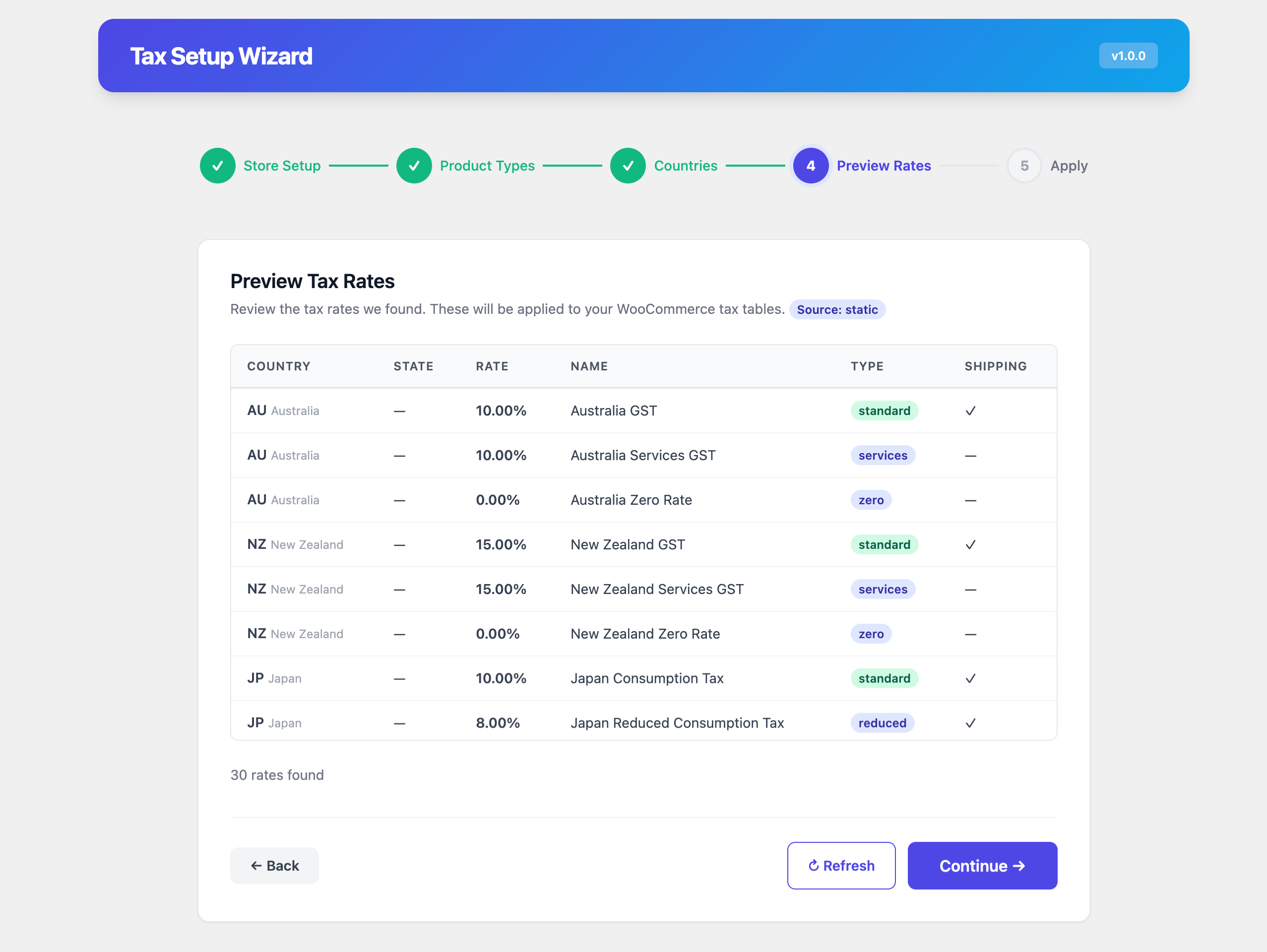
- Rate Preview — Review every rate before it touches your store, with country-by-country breakdown
- One-Click Apply — Push all rates to WooCommerce tax tables with a single click and two-step confirmation
Re-run the wizard anytime. TaxZen cleans up old rates automatically — no duplicates, no orphaned entries.
🌍 Global Tax Rate Coverage
✨ Core Features
- 5-Step Setup Wizard: Configure your store’s tax rates for any country in minutes.
- Auto-Syncing Rates Engine: The plugin automatically connects to reliable open-source APIs every week in the background, continuously keeping your free dynamic rates cached and up-to-date without needing plugin updates.
- Smart Defaults: Auto-detects your shop’s base country and currency.
- Global Rate Database: Built-in support for standard, reduced, and zero tax rates across 100+ countries.
- Deep WooCommerce Integration: Automatically applies rates at checkout, manages shipping tax, and stamps orders with a custom “Tax Source” badge.
- B2B EU EU Exemption: Automatically validates EU VIES VAT numbers at checkout to exempt legitimate B2B buyers.
- Smart Address Validation: Verifies shipping zip codes and cities at checkout using OpenStreetMap Nominatim to prevent incorrect tax calculations.
- Digital Goods Auto-Classification: Automatically assigns virtual/downloadable products to the correct tax class.
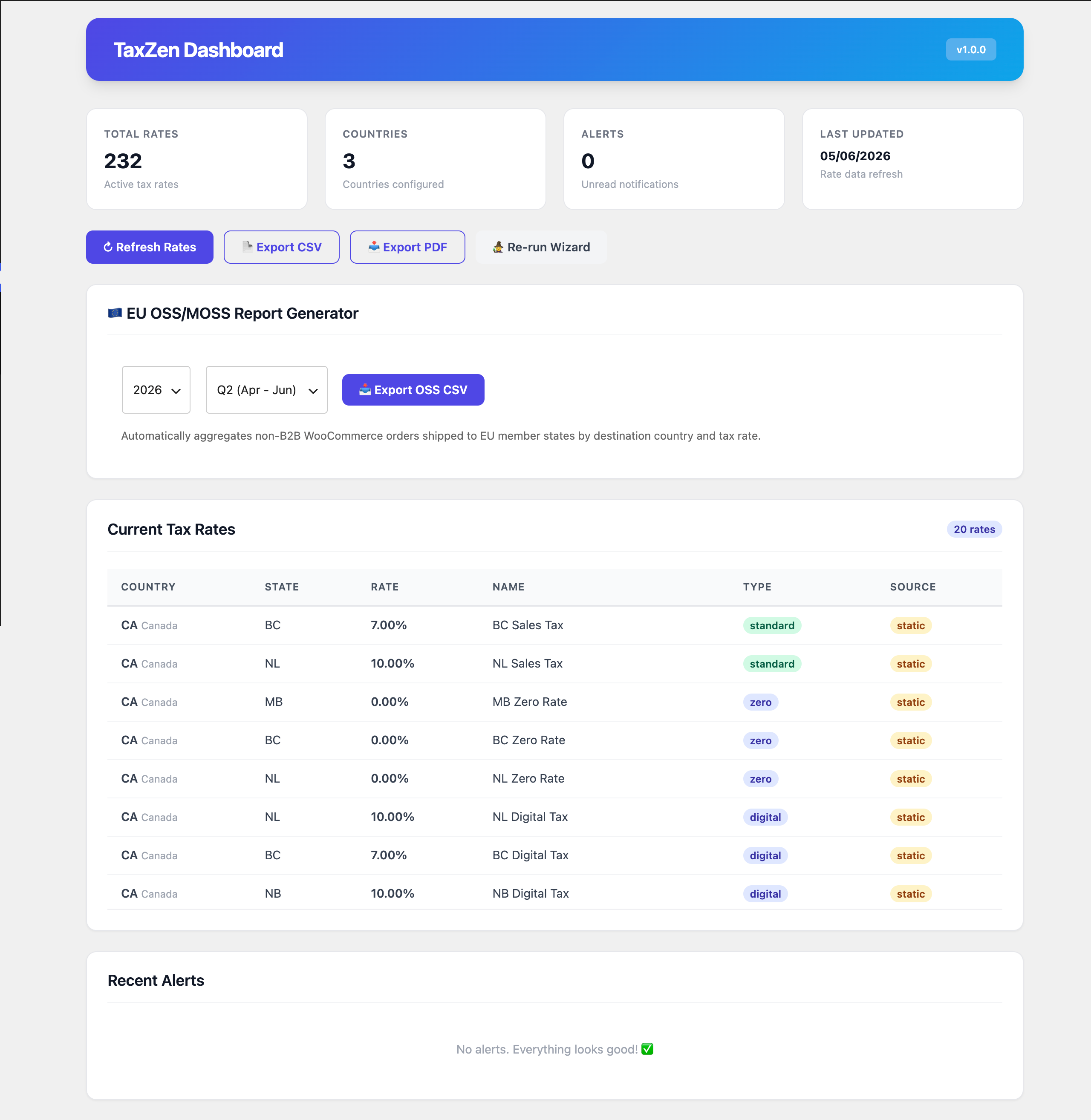
- Dashboard & Alerts: A beautiful interface offering real-time rate statistics, activity logs, and email notifications when global tax laws change.
- EU OSS/MOSS Report Generator: One-click quarterly compliance export aggregating EU B2C sales and VAT collected by member state and tax rate.
- WooCommerce Analytics Built-in: Includes a dedicated “TaxZen Usage” tracking tab seamlessly embedded inside the native WooCommerce Reports screen.
- PDF & CSV Exports: Downloadable tax compliance reports for your records.
- Built for Reliability: Three-layer duplicate prevention ensures existing rates are updated safely without cluttering your database.
Third-Party Services & APIs
To provide accurate tax calculations, real-time address validation, and VAT number compliance monitoring, this plugin connects to external third-party services. Below is a detailed disclosure of each service utilized by this plugin:
-
TaxZen Rates Cloud API (https://swapnilde.github.io/taxzen)
- Service Name: TaxZen Rates Cloud API
- What the service is: A first-party static API service hosted on GitHub Pages by the plugin authors to deliver verified global sales tax and VAT rate updates.
- What it is used for: Fetching the latest global sales tax rates database.
- What data is sent: No user or store data is sent. Only a standard HTTP GET request is made.
- When data is sent: Manually when triggered from the dashboard, or once a week via a scheduled cron job only if the store administrator explicitly enables automatic weekly sync in settings (disabled by default).
- Account needed: None (Free Service).
- Terms & Privacy Policy: https://docs.github.com/en/site-policy/privacy-policies/github-privacy-statement (GitHub platform policies).
-
VATSense API (https://api.vatsense.com)
- Service Name: VATSense API
- What the service is: A commercial SaaS API for global sales tax rates.
- What it is used for: Looking up real-time, verified corporate sales tax rates for the store base and customer location.
- What data is sent: The customer’s country code, state, and city. No personal user identifiers (like names or emails) are transmitted.
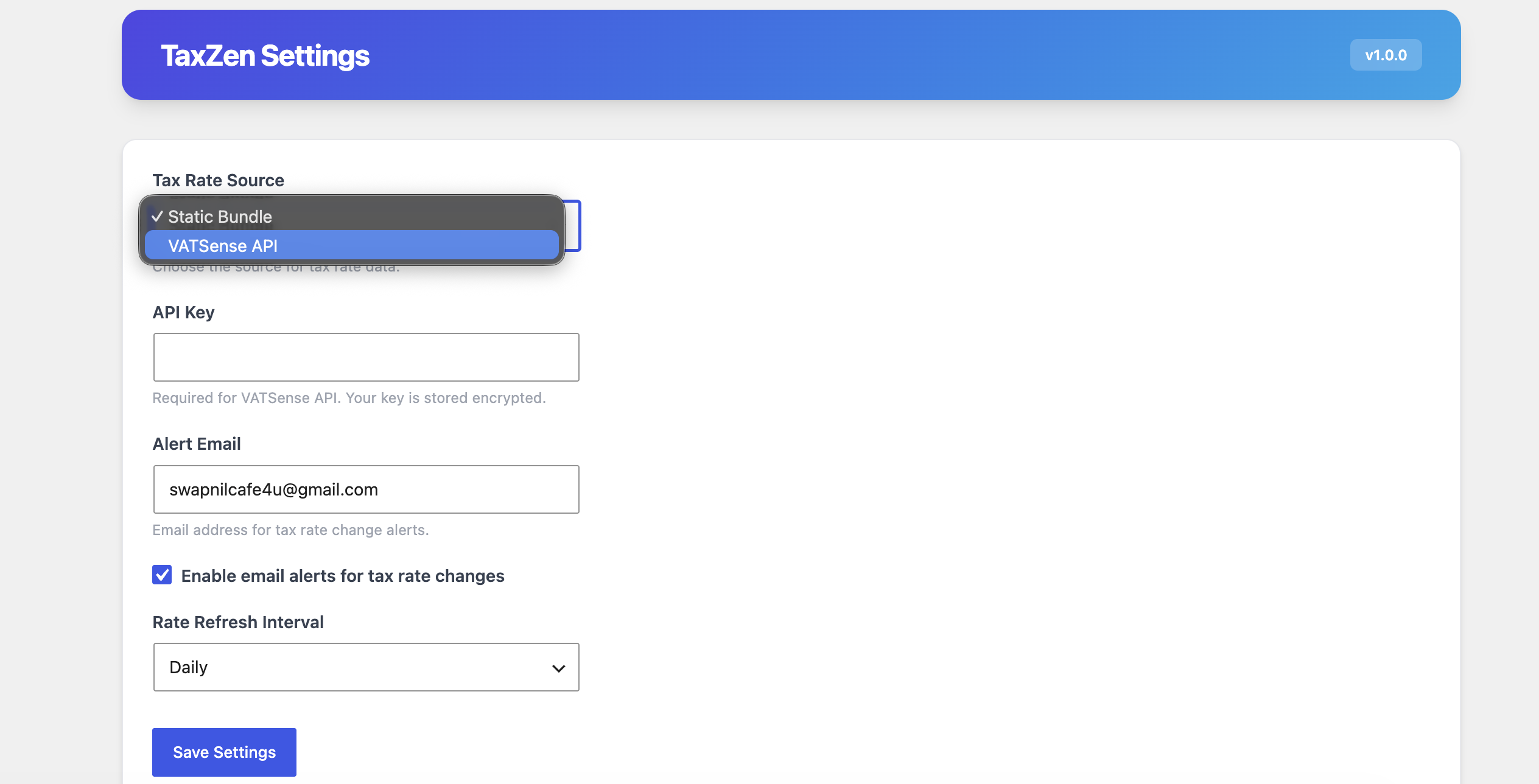
- When data is sent: During tax calculation at checkout and when saving settings (only if the administrator selects VATSense as the active rate provider; static rates are used by default).
- Account needed: Yes (requires a VATSense API key).
- Terms of Service: https://vatsense.com/terms
- Privacy Policy: https://vatsense.com/privacy
-
OpenStreetMap Nominatim API (https://nominatim.openstreetmap.org)
- Service Name: OpenStreetMap Nominatim API
- What the service is: A public geocoding service based on OpenStreetMap data.
- What it is used for: Validating customer shipping addresses (city, state, and zip code) at checkout to prevent incorrect tax calculations.
- What data is sent: The billing or shipping address details (specifically street address, city, state, zip code, and country).
- When data is sent: When a customer validates their address during WooCommerce checkout, only if the administrator explicitly enables address validation in settings (disabled by default).
- Account needed: None.
- Usage Policy & Terms: https://operations.osmfoundation.org/policies/nominatim/
- Privacy Policy: https://wiki.osmfoundation.org/wiki/Privacy_Policy
-
EU VIES VAT Validation Service (https://ec.europa.eu/taxation_customs/vies)
- Service Name: EU VIES VAT Validation Service
- What the service is: The European Commission’s official VAT Information Exchange System (VIES) REST API.
- What it is used for: Validating EU B2B VAT identification numbers in real-time to apply B2B tax exemptions.
- What data is sent: The customer’s EU VAT identification number and country code.
- When data is sent: During checkout when a customer enters an EU VAT number, only if the administrator explicitly enables B2B VAT validation in settings (disabled by default).
- Account needed: None.
- Terms & Privacy Policy: https://ec.europa.eu/info/privacy-policy_en
Source Code & Build Instructions
This plugin uses modern build tools to compile and minify its JavaScript and CSS files. The uncompiled source code is included within the plugin directory under src/ and is also publicly available in our GitHub repository.
- GitHub Repository: https://github.com/swapnilde/taxzen
- Source Files: All raw, uncompiled JavaScript and CSS files are located in the
/srcdirectory. - Compiled Assets: The generated, production-ready minified files are located in the
/builddirectory.
How to Build and Compile the Assets
To build the project locally, follow these steps:
- Clone the repository or navigate to the plugin folder:
cd wp-content/plugins/taxzen - Install the npm dependencies:
npm install - Run the build script to compile the assets (using @wordpress/scripts):
npm run build - For active development, you can run the watcher:
npm start - To install PHP Composer dependencies:
composer install
Screenshots
Installation
Minimum Requirements
- WordPress 6.7 or greater
- PHP 8.2 or greater
- WooCommerce 8.0 or greater
Automatic Installation
- Log in to your WordPress admin panel
- Navigate to Plugins Add New
- Search for TaxZen for WooCommerce
- Click Install Now, then Activate
- Navigate to TaxZen in the admin menu to start the setup wizard
Manual Installation
- Download the plugin ZIP file
- Log in to your WordPress admin panel
- Navigate to Plugins Add New Upload Plugin
- Choose the ZIP file and click Install Now
- Activate the plugin
- Navigate to TaxZen in the admin menu to start the setup wizard
FAQ
-
Does this plugin require WooCommerce?
-
Yes. WooCommerce 8.0 or later must be installed and activated. TaxZen for WooCommerce extends WooCommerce’s tax system — it doesn’t replace it.
-
Where do the tax rates come from?
-
TaxZen utilizes an In-Plugin Auto-Syncing element. It automatically runs a background task once a week to securely pull, format, and cache raw open-source rate data directly into your uploads folder. If the sync ever fails, it safely falls back to a bundled database. For strict real-time corporate compliance, you can optionally connect a VATSense API key.
-
How many countries are supported?
-
The bundled database covers 100+ countries including all EU member states, US (state-level), UK, Canada, Australia, Japan, Switzerland, India, Brazil, and many more.
-
What tax classes does TaxZen create?
-
Based on your product types, TaxZen creates: Standard, Reduced Rate, Digital Goods, Services, and Zero Rate. Digital Goods are auto-assigned to virtual/downloadable products.
-
Can I re-run the wizard after initial setup?
-
Absolutely. Click Re-run Wizard on the TaxZen dashboard anytime. The wizard will start fresh, pre-fill your previous settings, and clean up old rates before applying new ones. No duplicates.
-
Will it overwrite my existing WooCommerce tax rates?
-
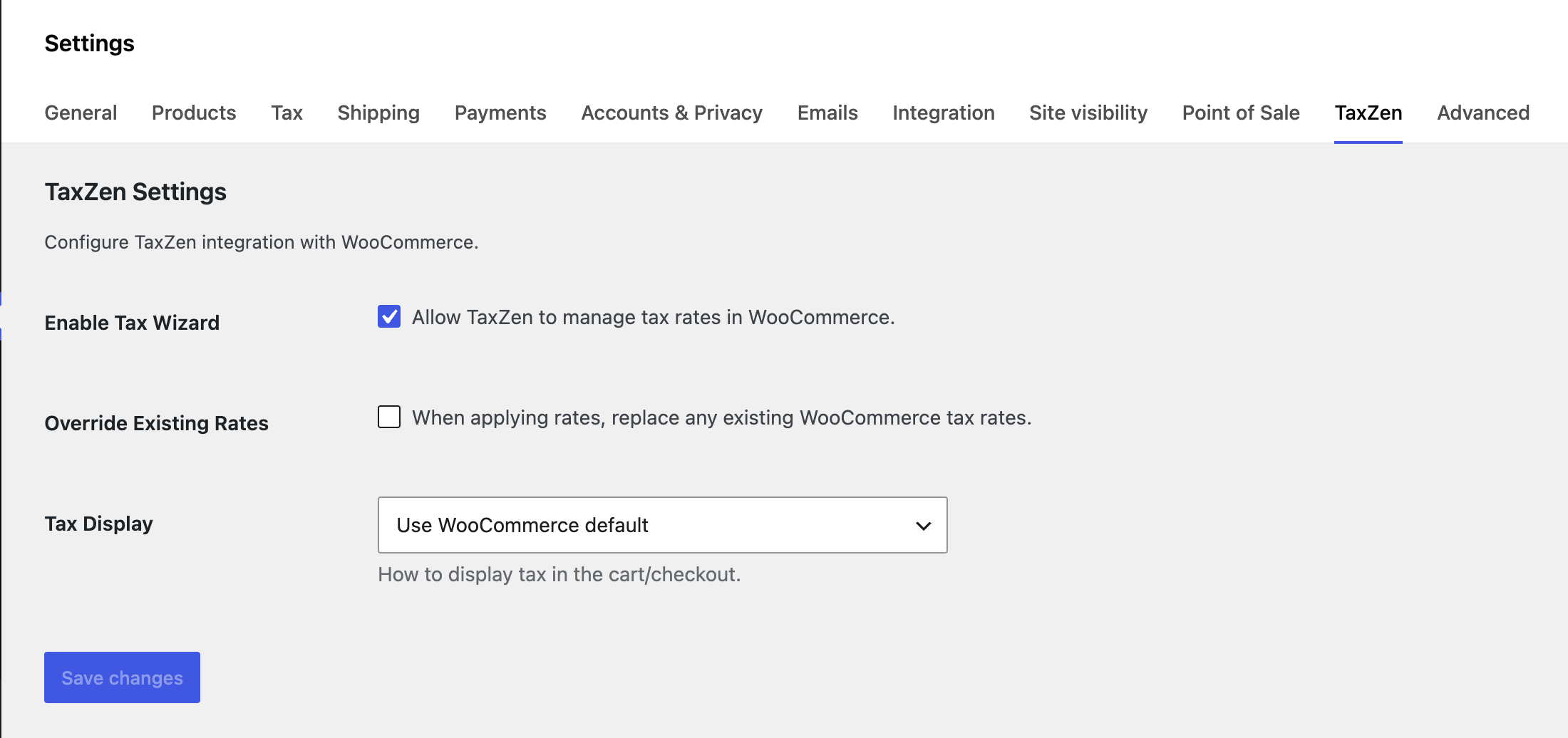
TaxZen manages its own rates separately. The wizard has a two-step confirmation before applying rates. Manually added tax rates are preserved unless they share the same country/state/class combination.
-
Does it handle EU VAT correctly?
-
Yes. TaxZen includes all 27 EU member state VAT rates (standard, reduced, and super-reduced), real-time VIES VAT number validation at checkout, and automatic B2B tax exemption for customers with valid VAT numbers.
-
What about digital goods and the EU VAT rules?
-
TaxZen automatically assigns the Digital Goods tax class to virtual and downloadable products. Combined with per-country destination-based rates, this handles EU digital goods taxation requirements.
-
Does it work with WooCommerce HPOS (High-Performance Order Storage)?
-
Yes. TaxZen for WooCommerce is fully compatible with HPOS and uses WooCommerce’s order meta API for all order operations.
-
How does the rate change monitoring work?
-
TaxZen runs a daily cron job that compares your applied rates against the current rate database. If any rates have changed, it creates an alert and optionally sends an email notification.
-
Can I export my tax rates?
-
Yes. You can export your complete rate table as a CSV file and generate formatted PDF compliance reports from the TaxZen dashboard.
-
Does it work with multisite?
-
TaxZen operates on a per-site basis. Each site in a multisite network can have its own tax configuration.
-
What happens if I deactivate or delete the plugin?
-
Deactivating the plugin does not remove any data. Deleting the plugin removes all TaxZen custom database tables, options, and transients. Your WooCommerce tax rates remain intact.
Reviews
There are no reviews for this plugin.
Contributors & Developers
“TaxZen for WooCommerce” is open source software. The following people have contributed to this plugin.
Contributors
Translate “TaxZen for WooCommerce” into your language.
Interested in development?
Browse the code, check out the SVN repository, or subscribe to the development log by RSS.
Changelog
1.0.0
Initial Release
- 5-step setup wizard with smart defaults and auto-detection
- Built-in tax rate database covering 100+ countries
- Auto-Syncing Rates Engine pulls real-time updates from reliable open-source APIs to maintain free compliance continuously
- Support for all WooCommerce tax classes: Standard, Reduced Rate, Digital Goods, Services, Zero Rate
- One-click rate application with duplicate prevention and two-step confirmation
- Deep WooCommerce integration ensures precise tax calculations and seamless checkout
- EU VIES VAT number validation with real-time B2B tax exemption
- Smart Address Validation checks shipping zip codes and cities using OpenStreetMap Nominatim
- EU OSS/MOSS Report Generator to instantly aggregate and export EU B2C sales data for quarterly filings
- Add a VAT number checkout field easily for EU target countries
- Auto-assignment of Digital Goods tax class to virtual/downloadable products
- Smart shipping tax handling correctly processes mixed physical and digital-only carts
- Integrated directly into WooCommerce Analytics via a custom Reports tab
- Intuitive dashboard with real-time rate statistics, activity logs, and an alert center
- Daily rate change monitoring keeps you compliant, complete with automated email notifications
- Downloadable CSV compliance exports and PDF reporting
- Safe “Re-run Wizard” mode automatically cleans up old rates to prevent billing duplicates
- Optimized for fast checkouts with WooCommerce High-Performance Order Storage (HPOS) support
- Fully translation-ready so you can use TaxZen in your local language